MyQRcards

MyQRcards

다운로드: App Store
로고: MyQRcards

MyQRcards: 현대 전문가를 위한 스마트 디지털 명함

QR, NFC 또는 링크를 통해 연락처 정보를 즉시 공유하세요. 수신자가 앱을 다운로드할 필요 없이 즉시 휴대폰에 저장되는 친환경 네트워킹으로 모든 연결에 깊은 인상을 남기세요.

개발사

SMART-SERVIS, OOO Apps

카테고리

Business

다운로드

141K+

사용자 평점

4.6/5

총 평가 수

900

지원 언어

2

연결의 미래

이 인터페이스를 사용하는 141K+ 명의 사용자.

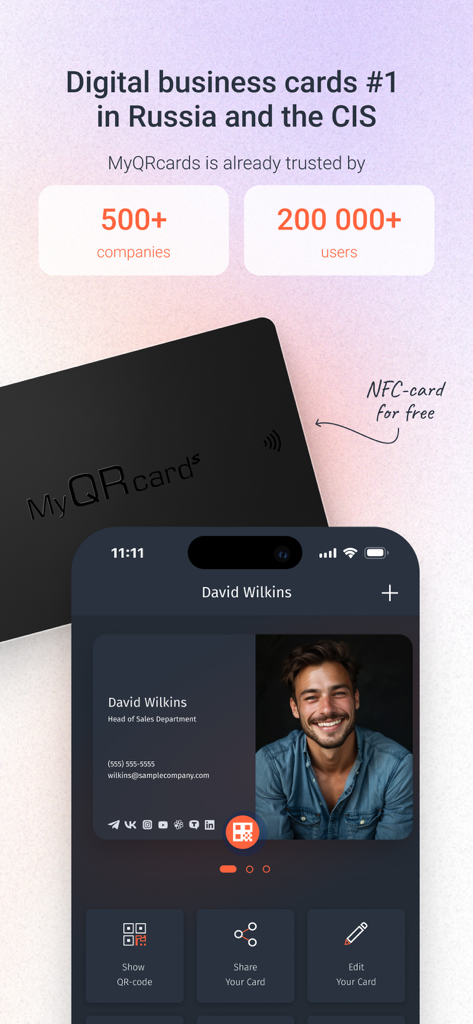
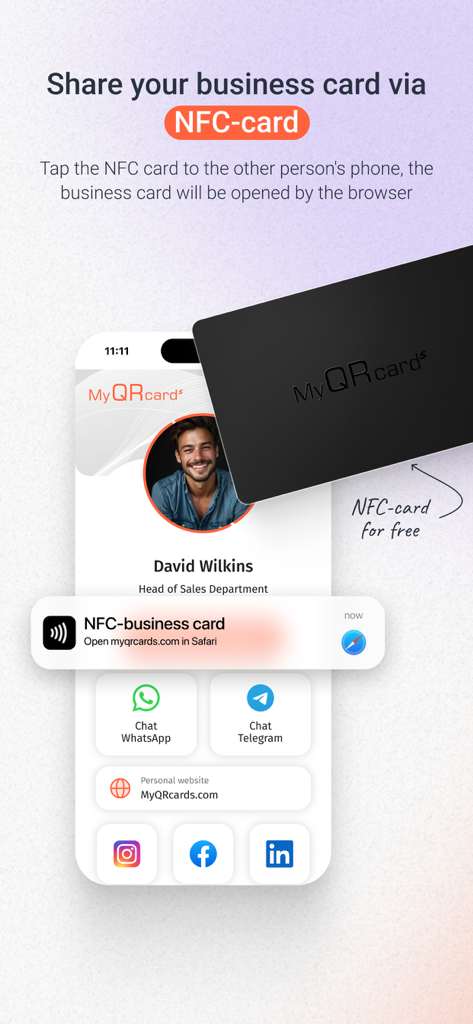
스마트폰 화면에 MyQRcards 디지털 명함 프로필이 검은색 NFC 카드 옆에 표시되어 있습니다.
스마트폰 화면에 MyQRcards 디지털 명함 프로필이 검은색 NFC 카드 옆에 표시되어 있습니다.

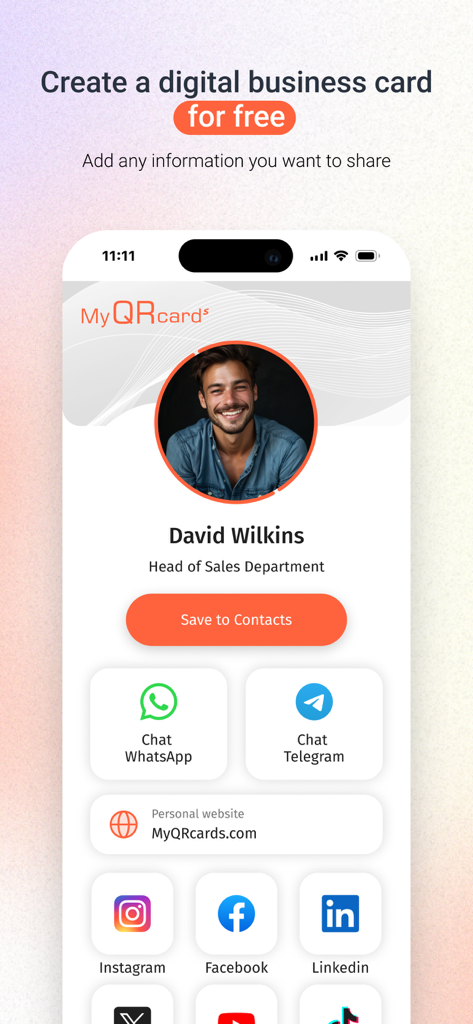
소셜 미디어 및 연락처 링크가 있는 영업 전문가용 디지털 명함을 보여주는 MyQRcards 앱 인터페이스
소셜 미디어 및 연락처 링크가 있는 영업 전문가용 디지털 명함을 보여주는 MyQRcards 앱 인터페이스

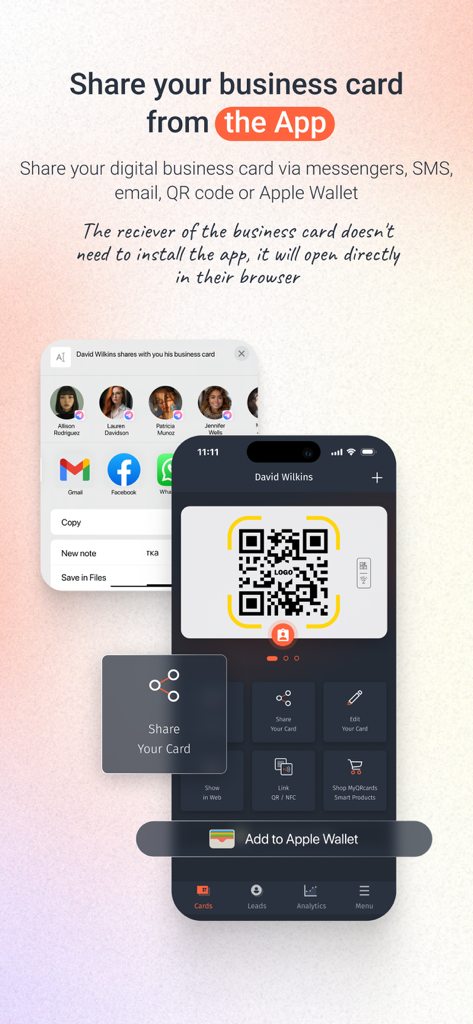
QR 코드와 Apple Wallet을 통해 디지털 명함을 공유하는 방법을 보여주는 MyQRcards 앱 인터페이스.
QR 코드와 Apple Wallet을 통해 디지털 명함을 공유하는 방법을 보여주는 MyQRcards 앱 인터페이스.

NFC 카드를 스마트폰에 탭하여 디지털 명함을 공유하는 모습.
NFC 카드를 스마트폰에 탭하여 디지털 명함을 공유하는 모습.

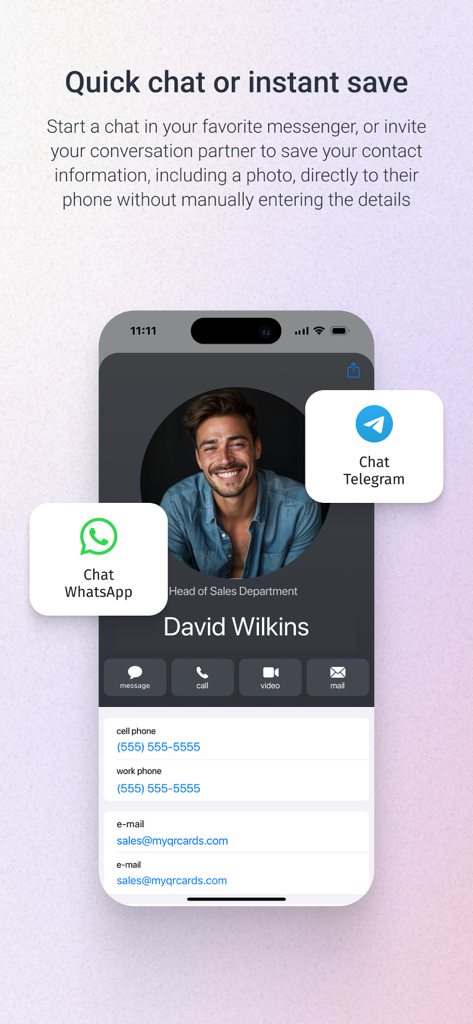
WhatsApp 및 Telegram 채팅 옵션이 있는 MyQRcards 디지털 명함
WhatsApp 및 Telegram 채팅 옵션이 있는 MyQRcards 디지털 명함

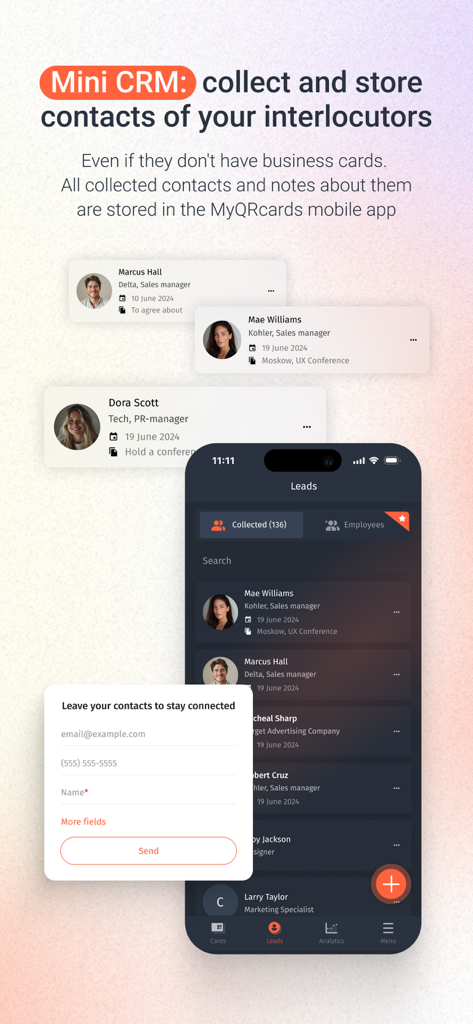
연락처를 수집하고 저장하는 미니 CRM 기능을 보여주는 MyQRcards 앱 인터페이스
연락처를 수집하고 저장하는 미니 CRM 기능을 보여주는 MyQRcards 앱 인터페이스

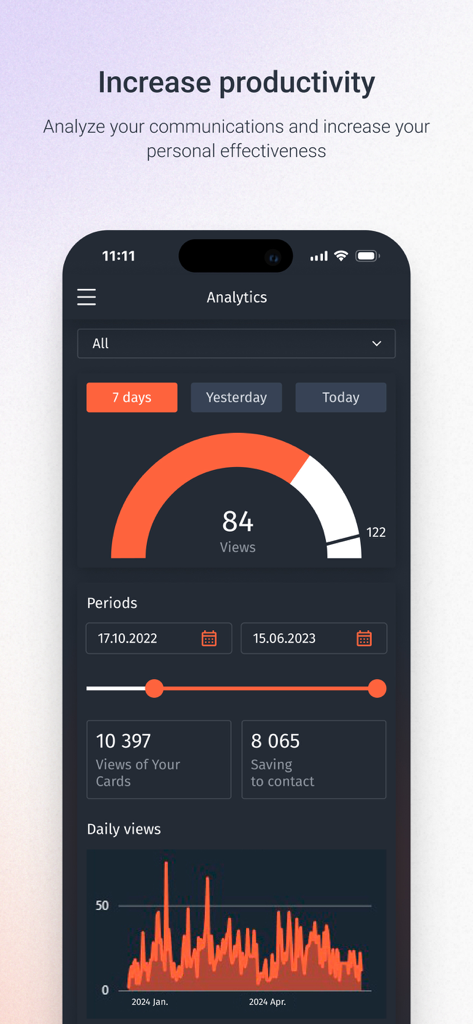
명함 조회수 및 연락처 저장 통계를 보여주는 MyQRcards 분석 대시보드
명함 조회수 및 연락처 저장 통계를 보여주는 MyQRcards 분석 대시보드

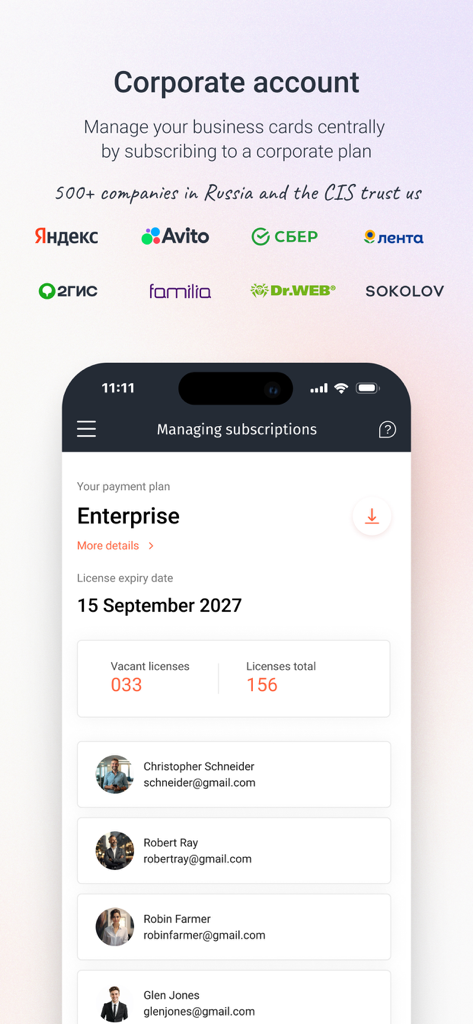
기업 계정 및 직원 라이선스를 관리하는 MyQRcards 앱의 대시보드 보기.

기업 계정 및 직원 라이선스를 관리하는 MyQRcards 앱의 대시보드 보기.

전문 네트워킹을 미래에 대비하세요

이 앱을 돋보이게 하는 도구, 141K+ 명의 사용자가 선택.

즉각적인 접근, 마찰 제로

QR 또는 NFC를 통해 몇 초 안에 프로필을 공유하세요. 수신자는 앱을 다운로드할 필요 없이 브라우저에서 즉시 명함을 보고 상호작용할 수 있습니다.

📥

원클릭 연락처 동기화

종이 명함이 사라지는 시대를 끝내세요. 사진과 세부 정보가 휴대폰 주소록에 직접 동기화되는 '연락처에 저장' 버튼으로 잊혀지지 않도록 하세요.

🌐

하이브리드 준비 네트워킹

디지털 작업 공간에서 돋보이세요. Zoom, Teams 또는 Skype 배경에 고유한 QR 코드를 쉽게 추가하여 가상 회의 중에 격차를 해소하세요.

앱 소개

에 대해 알아야 할 모든 것 MyQRcards.

설명

This is a popular application for creating electronic business cards with QR code. Impress everyone! Create electronic business cards directly in the app! Share your business card with one tap: directly in the app, or using a QR-code, or an additional smart medium (NFC-card, NFC-tag, QR/NFC-sticker, QR-badge or desktop sign with an electronic business card). Show the QR-code using the application or just click the button to send the link via SMS, WhatsApp or any other messenger. There is no need for your partner to install the app to read your electronic business card. With our application, you can create one infinite business card without any functional restrictions for personal use for free. The paid version allows you to create up to 10 electronic business cards: various business cards for projects, for business trips, etc. For businesses, we offer flexible tariff plans providing you with the opportunity not only to replace paper-based business cards with electronic ones, but also to manage your employees' business cards through a personal account. You can find more details on the website of our project: MyQRcards.com. Create business cards directly in the app within 30 seconds and share them when meeting someone or online. Add the QR-code from your business card to the conference background by taking a screenshot of the QR-code and placing it in the back in Zoom, Skype or Teams (to do this you need to use any other application where it is possible to insert a QR-code image). FAQ: >How can I share a ‘MyQRcards’ electronic business card? To share an electronic business card, just send the link from the application using any messenger or SMS-services. You can also ask your partner to point the smartphone camera at the QR-code of the business card in the app. The business card will be immediately opened in the browser, from where it’s possible to save it to the contact list by a couple of clicks. Furthermore, you can share your ‘MyQRcards’ electronic business card through an NFC-card, NFC-tag or sticker. >How can I save an electronic business card to a contact list? You can save an electronic business card to your contact list by just a couple of clicks. Each electronic business card has a ‘Save to Contacts’ button. When you click it, the business card will be immediately saved to the phone book. If you open an electronic business card using a PC, then your contact will be saved in the address book of the installed mail program. >Why do I need NFC-cards and QR/NFC-stickers for business cards? In addition to the business card created in the app, you can order a QR or NFC-card, as well as a QR or NFC-sticker made of various materials: soft-touch 3D-plastic, precious woods, metal or carbon (for more details please visit our website: MyQRcards.com). The use of an NFC-card will help you share your business card even without opening an application. Branded ‘MyQRcards’ cards can be linked to any business card an unlimited number of times directly in the app. Benefits of ‘MyQRcards’ electronic business cards - THERE IS NO NEED TO PRINT business cards - NO NEED TO INSTALL THE APPLICATION TO GET YOUR BUSINESS CARD - REDUCED COSTS - THERE IS A GUARANTEE THAT YOUR CONTACT WILL BE SAVED - WHEN YOU SHARE THE BUSINESS CARD AND CALL, A PHOTO WILL BE DISPLAYED - YOU WILL NEVER FORGET TO TAKE A BUSINESS CARD ANYMORE - YOU CAN BUSINESS CARDS JUST BY ONE TOUCH - MULTI-LANGUAGE (ENGLISH OR RUSSIAN) - AN INDIVIDUAL BUSINESS CARD FOR ANY OCCASION: FOR A PROJECT, CONFERENCE, FRIENDS, ETC. - SMART ACCESSORIES AND NFC-CARDS WHICH CAN BE USED IN THE APP - DATA STORAGE IN ACCORDANCE WITH FEDERAL LAW NO. 152: SAFE AND RELIABLE! - THE DATA IN ELECTRONIC BUSINESS CARDS ARE ALWAYS UP-TO-DATE - THE EASIEST WAY TO MAKE CONTACTS - PROTECT NATURE User Agreement and Privacy Policy:  http://www.myqrcards.com/agreement/en https://www.apple.com/legal/internet-services/itunes/dev/stdeula/

최신 버전

1.13.10

크기

105.3 MB

출시일

2022년 1월 11일

평생 필요할 마지막 명함

더 스마트하게 네트워킹하는 141,000명 이상의 전문가와 함께하세요. 30초 안에 무료 디지털 카드를 만들고 누구에게나 공유하세요. 상대방이 앱을 다운로드할 필요 없이 정보를 저장할 수 있습니다.

다운로드: App Store

App information, icons, screenshots, and descriptions displayed on this page are sourced from the Apple App Store and are the property of their respective developers. Download estimates and rankings are based on MWM's proprietary models and may not reflect actual figures. This page is provided for informational and analytical purposes only.

Believe this page infringes your intellectual property? File a dispute