
이 페이지는 앱이나 개발자의 공식 페이지가 아니며, 정보 제공 및 논평을 목적으로 작성된 독립 편집 간행물입니다. 명시적으로 달리 언급되지 않는 한, 해당 앱이나 개발자는 MWM, Apple, Google Play, 앱 퍼블리셔 또는 앱 개발자와 제휴, 보증, 후원, 승인 또는 공식적으로 연결되어 있지 않으며, 이 페이지의 어떤 내용도 해당 앱이 MWM의 서비스를 사용하여 개발되었음을 의미하지 않습니다. 모든 상표, 로고, 스크린샷 및 기타 콘텐츠는 해당 소유자의 자산입니다.

MyScript Notes: AI Handwriting
업계 최고의 AI를 활용하여 손글씨를 검색 가능한 전문 문서로 변환하세요. 무한한 브레인스토밍부터 복잡한 수학 문제 해결까지, iPad 그 이상의 공간에서 최고의 생산성 작업 환경을 경험해 보세요.
다운로드
6M+사용자 평점
총 평가 수
112K+개발사
카테고리
Productivity지원 언어
11최신 버전
7.0.12크기
204.9 MB출시일
2016년 8월 10일AI 기반 지능으로 워크플로우를 마스터하세요
아날로그의 창의성과 디지털의 생산성 사이의 간극을 메우세요. MyScript Notes는 손글씨를 즉시 전문적이고 검색 가능하며 활용 가능한 데이터로 변환합니다.
마법 같은 손글씨 변환
Apple Pencil로 자연스럽게 쓰면 세계 최고 수준의 AI가 66개 언어로 실시간으로 노트를 깔끔한 텍스트로 변환해 줍니다.
STEM 및 전문가용 정밀도
복잡한 수학 방정식을 즉석에서 풀고, 손으로 그린 다이어그램을 PowerPoint 및 LaTeX 내보내기에 적합한 완벽하고 편집 가능한 도형으로 변환하세요.
자주 묻는 질문
에 대해 알아야 할 모든 것 MyScript Notes: AI Handwriting
MyScript Notes: AI 필기 기능이란 무엇인가요?
MyScript Notes는 사용자가 손으로 메모와 문서를 작성하고, 무한 캔버스에서 아이디어를 구상하며, PDF에 주석을 달 수 있도록 하는 앱입니다. AI 필기 인식을 사용하여 변환합니다.
MyScript Notes는 필기를 타이핑된 텍스트로 변환해주나요?
네, MyScript Notes는 필기와 수학식을 정확하게 타이핑된 텍스트로 변환합니다. 또한 그려진 다이어그램을 디지털 사용에 적합한 완벽한 모양으로 변환합니다.
MyScript Notes에서 PDF에 주석을 달 수 있나요?
네, MyScript Notes를 사용하면 기존 파일을 PDF로 가져와 펜 제스처를 사용하여 앱 내에서 직접 주석을 달 수 있습니다.
MyScript Notes는 필기 인식에서 어떤 언어를 지원하나요?
MyScript Notes는 66개 언어로 된 필기를 이해하고 처리하여 광범위한 언어 호환성을 제공합니다.
MyScript Notes는 메모를 위한 무한 캔버스를 제공하나요?
네, MyScript Notes는 자유로운 메모, 브레인스토밍, 마인드 맵핑을 위한 끝없는 캔버스를 제공하여 아이디어를 정리할 수 있는 무제한 공간을 제공합니다.
MyScript Notes에서 여러 기기 간에 메모를 동기화할 수 있나요?
네, MyScript Notes는 모바일 플랫폼에서 작동하여 사용자가 모든 호환 기기에서 메모에 액세스하고 검색할 수 있도록 하여 크로스 플랫폼 액세스를 제공합니다.
MyScript Notes는 제 데이터를 서버에 저장하나요?
MyScript Notes는 사용자 개인 정보를 존중하며 명시적인 사용자 동의 없이 서버에 콘텐츠를 저장하지 않아 데이터 보안을 보장합니다.
MyScript Notes에서 사용할 수 있는 편집 도구는 무엇인가요?
MyScript Notes는 편집을 위한 직관적인 펜 제스처, 하이라이트를 위한 마커, 콘텐츠 선택을 위한 올가미, 정확한 삭제를 위한 지우개를 제공합니다.
MyScript Notes는 수학 방정식에 도움이 되나요?
네, MyScript Notes를 사용하면 사용자가 수학 방정식과 행렬을 손으로 쓸 수 있습니다. 간단한 계산을 풀고 수학을 LaTeX 또는 이미지로 복사할 수 있습니다.
MyScript Notes는 다크 모드를 지원하나요?
네, MyScript Notes에는 눈에 편안한 다크 모드가 포함되어 생산성을 높이고 다양한 조명 조건에서 편안한 시청 경험을 제공하도록 설계되었습니다.
MyScript Notes에서 사용할 수 있는 AI 기반 기능은 무엇인가요?
MyScript Notes에는 AI 학습 세트가 포함되어 있으며, 설명, 요약, 퀴즈, 채팅 옵션을 통해 학습 및 메모 정리를 향상시킵니다.
다음 스크린샷과 설명은 앱의 공식 스토어 목록에서 직접 가져온 것이며 앱 개발자의 자산입니다.
앱 스토어
스크린샷
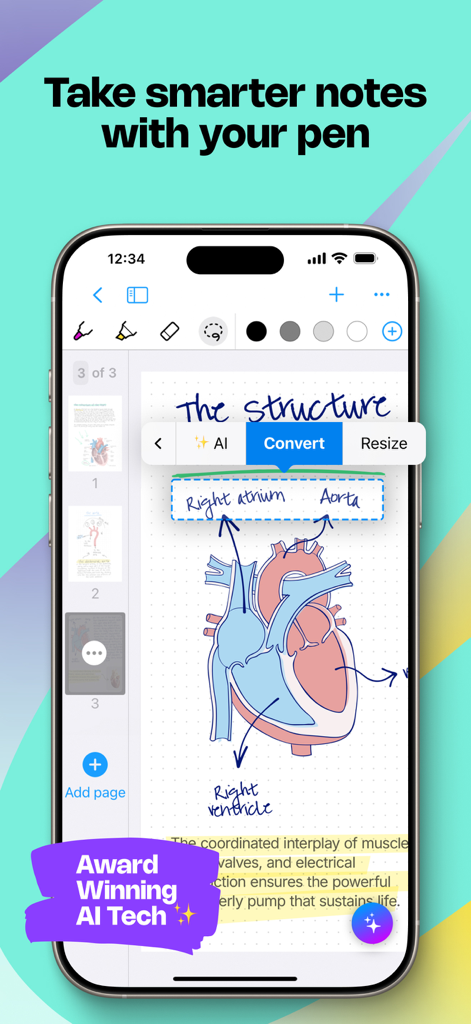
해부학적 심장 다이어그램과 손글씨 레이블을 텍스트로 변환하는 AI 메뉴가 표시된 MyScript Notes 앱의 스마트폰 화면.
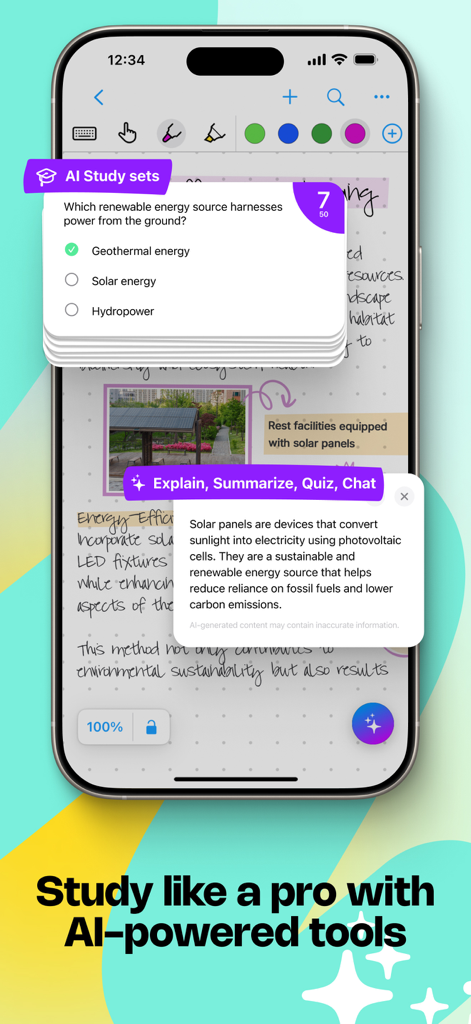
AI 기반 학습 세트 및 콘텐츠 설명 도구가 포함된 손글씨 노트가 표시된 iPhone 화면.
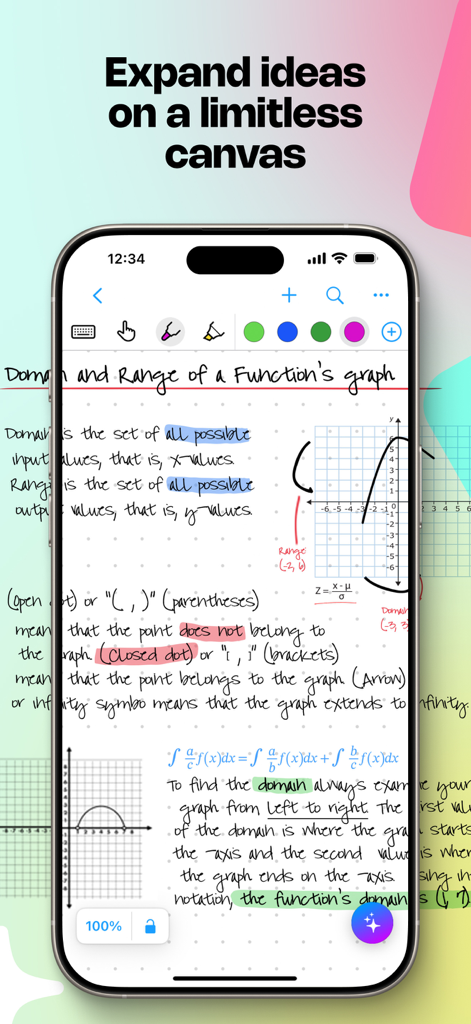
무한한 디지털 캔버스 위에 수학 노트와 다이어그램이 손글씨로 적힌 모바일 앱 화면.
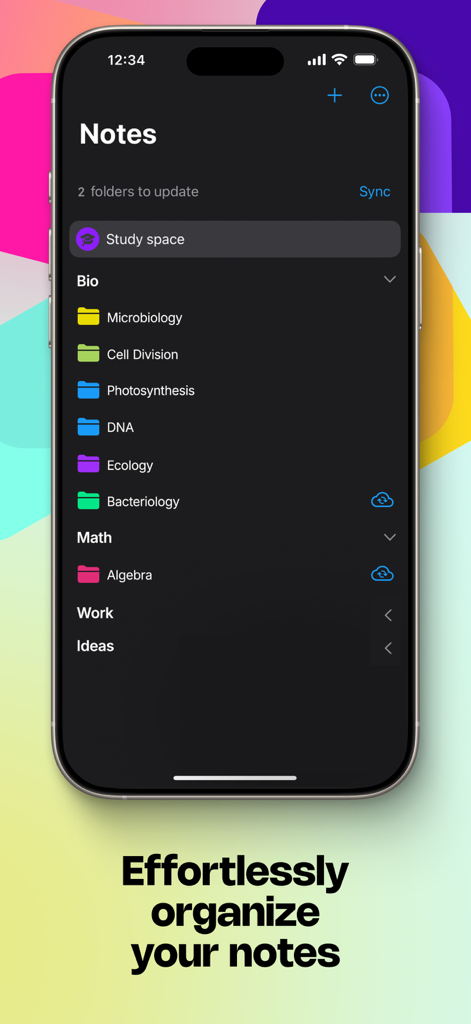
생물 및 수학과 같은 과목별로 분류된 MyScript Notes의 정리된 노트 폴더가 표시된 iPhone 화면.
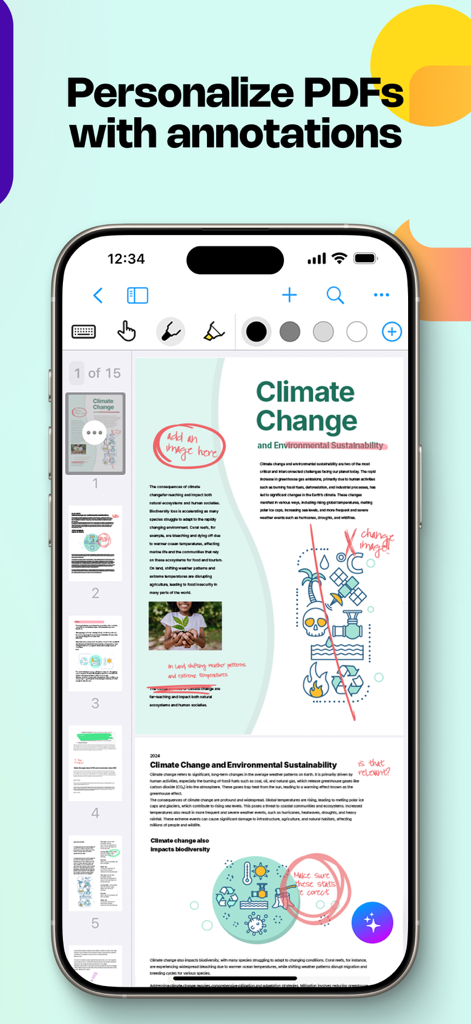
PDF 문서 위에 손글씨 형광펜 표시와 노트가 표시된 iPhone의 MyScript Notes 인터페이스.
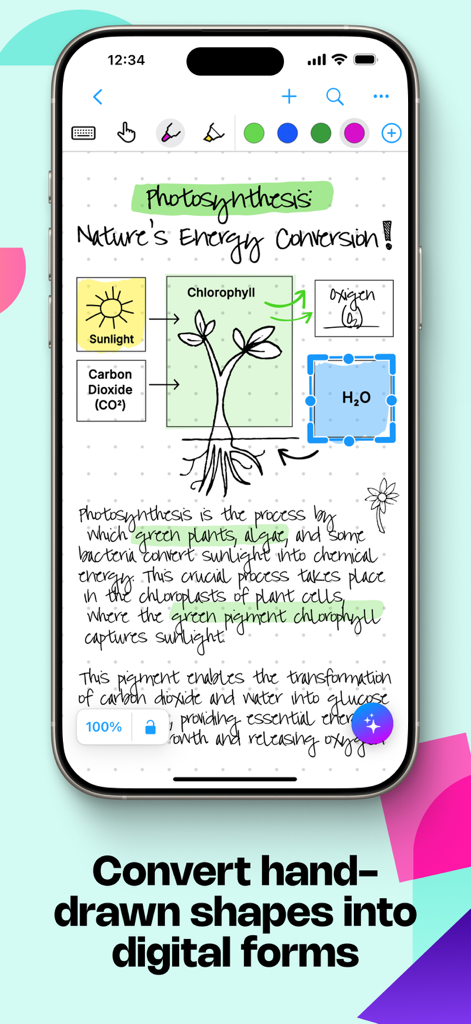
생물학 손글씨 노트와 광합성 다이어그램이 깔끔한 디지털 도형으로 변환되는 MyScript Notes 앱 인터페이스.
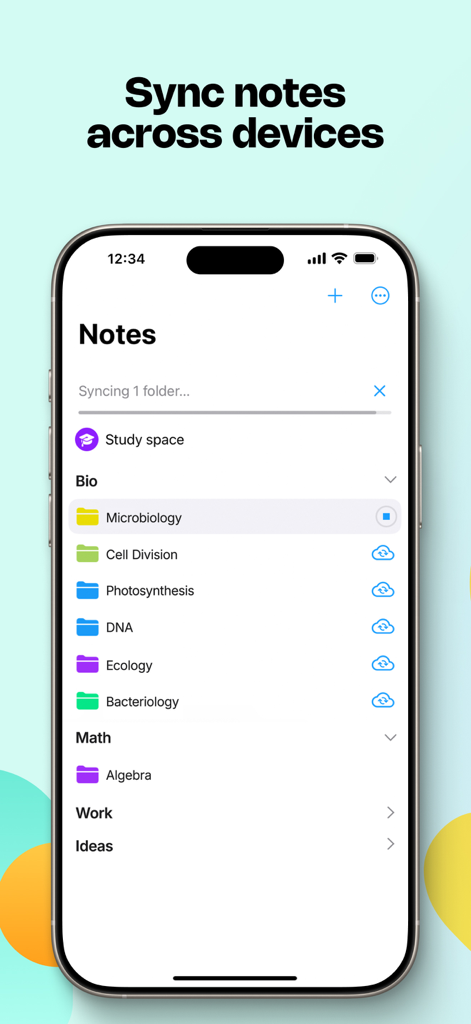
정리된 학습 폴더와 기기 간 동기화 기능이 표시된 iPhone의 MyScript Notes 앱 인터페이스.
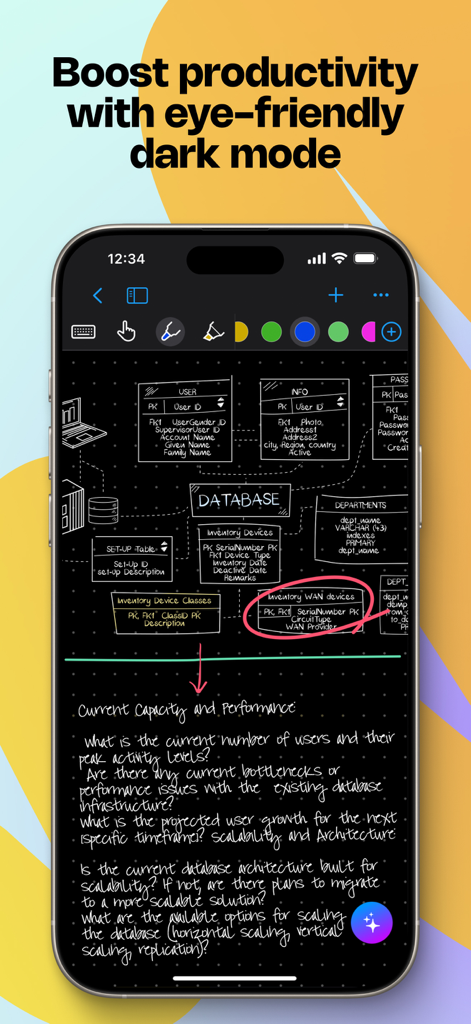
손으로 그린 데이터베이스 다이어그램과 노트가 포함된 다크 모드의 MyScript Notes 앱이 표시된 스마트폰.
설명
Download
비슷한 앱
유사한 기능과 사용자 경험을 가진 앱

Notion: Notes, Tasks, AI
Notion Labs, Incorporated

Freenotes®: AI Notes Taking
Hangzhou Free Notes Technology Co., Ltd

Structured - Daily Planner
unorderly GmbH

Google Tasks: Get Things Done
Google LLC

TickTick:To-Do List & Calendar
Appest Limited

Noteful: Notes & PDF Markup
Noteful Technologies Ltd

Todoist: To Do List & Calendar
Doist Inc.

To do list MinimaList & Widget
Inner Grow Limited

monday.com - Work Platform
monday.com Ltd.
이 페이지는 앱이나 개발자의 공식 페이지가 아니며, 정보 제공 및 논평을 목적으로 작성된 독립 편집 간행물입니다. 명시적으로 달리 언급되지 않는 한, 해당 앱이나 개발자는 MWM, Apple, Google Play, 앱 퍼블리셔 또는 앱 개발자와 제휴, 보증, 후원, 승인 또는 공식적으로 연결되어 있지 않으며, 이 페이지의 어떤 내용도 해당 앱이 MWM의 서비스를 사용하여 개발되었음을 의미하지 않습니다. 모든 상표, 로고, 스크린샷 및 기타 콘텐츠는 해당 소유자의 자산입니다.