n-Track Tuner Pro
n-Track Tuner Pro
다운로드: App Store

이 페이지는 앱이나 개발자의 공식 페이지가 아니며, 정보 제공 및 논평을 목적으로 작성된 독립 편집 간행물입니다. 명시적으로 달리 언급되지 않는 한, 해당 앱이나 개발자는 MWM, Apple, Google Play, 앱 퍼블리셔 또는 앱 개발자와 제휴, 보증, 후원, 승인 또는 공식적으로 연결되어 있지 않으며, 이 페이지의 어떤 내용도 해당 앱이 MWM의 서비스를 사용하여 개발되었음을 의미하지 않습니다. 모든 상표, 로고, 스크린샷 및 기타 콘텐츠는 해당 소유자의 자산입니다.

로고: n-Track Tuner Pro
다운로드: App Store

n-Track Tuner Pro

0.1센트 정확도로 DAW급 알고리즘의 힘을 활용하세요. 무대 위든 스튜디오든, 모든 악기를 위한 고급 스펙트럼, 소노그램 및 3D 보기를 사용하여 사운드를 시각화하세요.

주요 수치

다운로드

147K+

사용자 평점

4.7/5

총 평가 수

400

개발사

n-Track S.r.l.

카테고리

Music

지원 언어

2

최신 버전

10.3.2

크기

66.2 MB

출시일

2013년 6월 26일
기능

현대 음악가를 위한 프로급 정밀도

고급 n-Track Studio 오디오 엔진으로 구동되는 이 튜너는 전문 공연 및 스튜디오 녹음에 필요한 정확도, 깊이 및 시각적 피드백을 제공합니다.

스튜디오급 정확도

모든 줄에서 완벽한 음정을 요구하는 사람들을 위해 설계된 전문가급 알고리즘으로 놀라운 0.1센트 정밀도를 경험하세요.

고급 시각 분석

실시간 스펙트럼, 소노그램 및 3D 보기를 통해 바늘 이상의 기능을 탐색하고 악기의 배음 및 주파수 변화를 시각화하세요.

다음 스크린샷과 설명은 앱의 공식 스토어 목록에서 직접 가져온 것이며 앱 개발자의 자산입니다.

앱 스토어

스크린샷
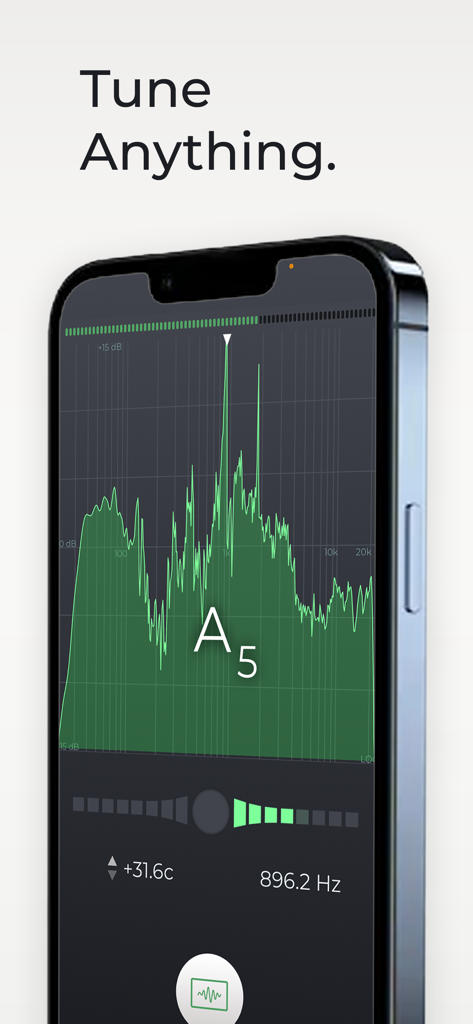
n-Track Tuner Pro - n-Track Tuner Pro 앱이 악기 튜닝을 위한 전문 스펙트럼 분석기 인터페이스를 보여줌
n-Track Tuner Pro 앱이 악기 튜닝을 위한 전문 스펙트럼 분석기 인터페이스를 보여줌

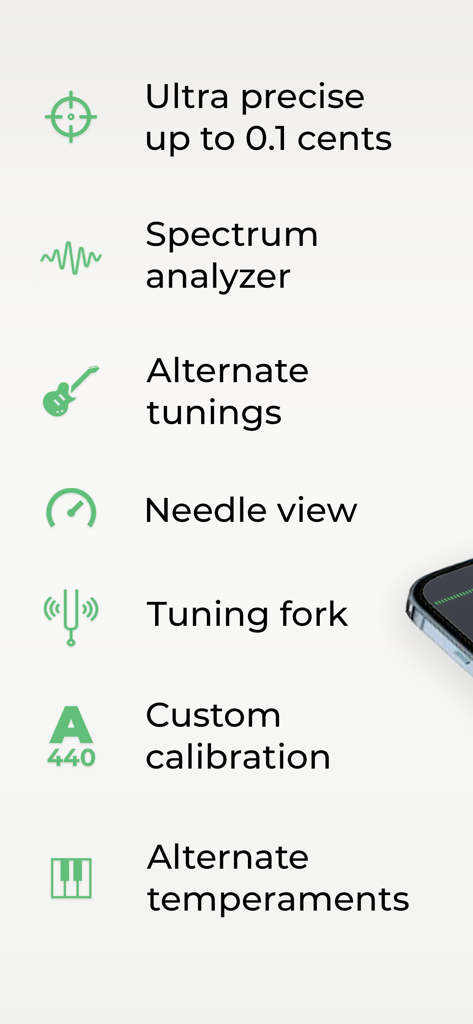
n-Track Tuner Pro - n-Track Tuner Pro 앱을 위한 전문 튜닝 기능 목록

n-Track Tuner Pro 앱을 위한 전문 튜닝 기능 목록

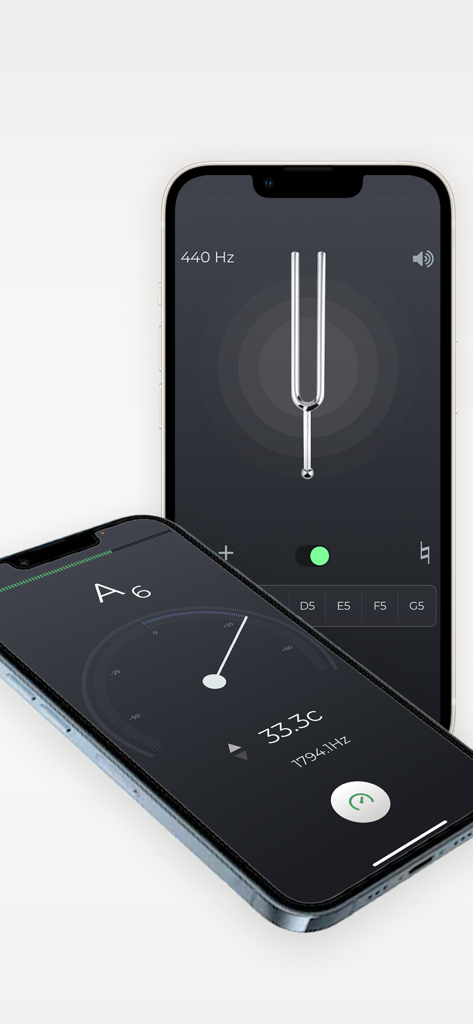
n-Track Tuner Pro - 두 개의 iPhone에서 니들 및 튜닝 포크 모드를 보여주는 전문 악기 튜너 앱 인터페이스
두 개의 iPhone에서 니들 및 튜닝 포크 모드를 보여주는 전문 악기 튜너 앱 인터페이스

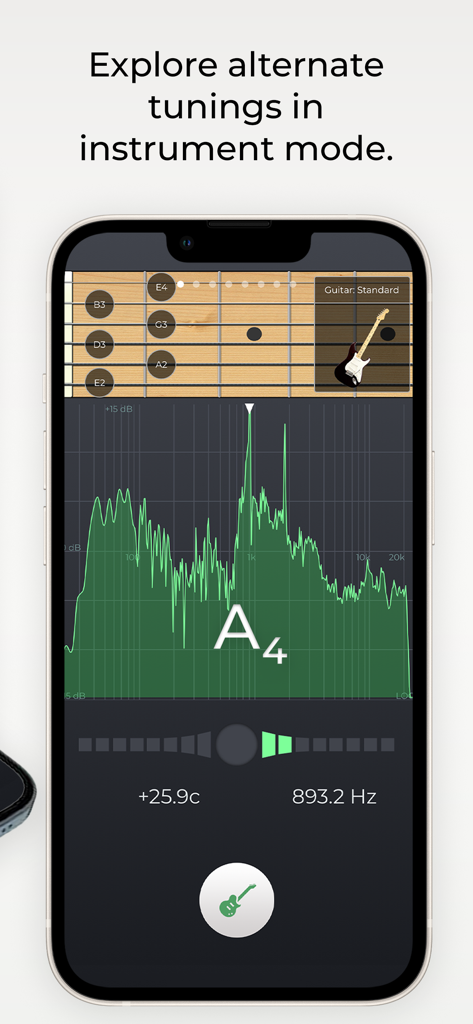
n-Track Tuner Pro - n-Track Tuner Pro 앱 인터페이스가 녹색 주파수 스펙트럼 분석기와 함께 악기 모드에서 기타 튜닝을 보여줌
n-Track Tuner Pro 앱 인터페이스가 녹색 주파수 스펙트럼 분석기와 함께 악기 모드에서 기타 튜닝을 보여줌

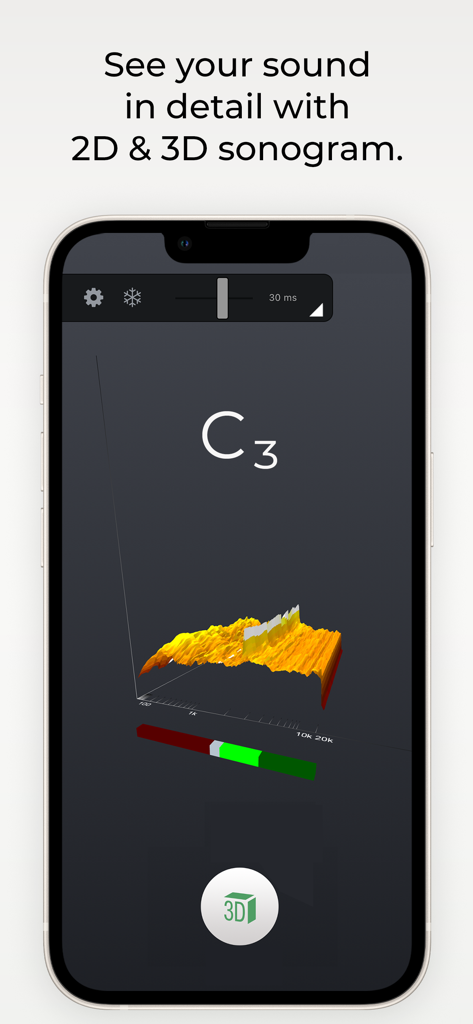
n-Track Tuner Pro - n-Track Tuner Pro 앱의 오디오 주파수 스펙트럼 3D 소노그램 시각화

n-Track Tuner Pro 앱의 오디오 주파수 스펙트럼 3D 소노그램 시각화

설명

Tune your guitar, bass or other instruments with n-Track Tuner. Use this tuner in an easy, intuitive and free way with the integrated microphone of your smartphone. Downloaded over 5 million times! Just put your iPhone, iPod Touch or iPad next to your instrument and play each string. High precision and sensitivity thanks to the advanced audio recognition algorithm also used for n-Track Studio 8. n-Track Tuner works great as a guitar tuner, violin, viola, violoncello, bass, piano and wind instruments tuner. NEW: 6 different views: •||| Spectrum Analyzer |||• The spectrum analyzer provides a visual feedback of the notes played by the instrument and shows a small arrow to highlight the harmonic whose pitch the tuner is tracking. •||| Instruments |||• Use the manual mode to select and tune each string according to the selected instrument tuning (guitar, bass, violin, viola, cello, double bass, banjo, ukulele, mandolin, harp, and piano) Get the pro version to unlock all instruments views. •||| Tune Fork |||• For those who prefer to manually tune their instrument the 'Diapason' view lets you play a reference tone, 'A' (440 hz) or any other note that you can select dragging the frequency slider. •||| Needle |||• A handy old style tuner to accurately detect the frequencies of your instrument. •||| Sonogram |||• (PRO feature) The "Sonogram" tab shows how the frequency spectrum evolves with time, and shows how the note that the tuner is following evolves by tracing a green line. •||| 3D view |||• (PRO feature) 3D view lets you follow how the audio spectrum changes over time. ADVANCED FEATURES • adjust tuning sensitivity and precision up to 0.1 cents • western and latin note namings, alternate temperaments • calibrate the tuner for non-standard tunings: tune the reference note, tap on the display and select 'Calibrate' to set the note as the new reference • adjust the spectrum analyzer visualization options, select thicker spectrum lines, smooth out or highlights peaks, increase or decrease spectrum accuracy, zoom into a specific area of the spectrum Contact us: http://ntrack.com/support

Download

다운로드: App Store

이 페이지는 앱이나 개발자의 공식 페이지가 아니며, 정보 제공 및 논평을 목적으로 작성된 독립 편집 간행물입니다. 명시적으로 달리 언급되지 않는 한, 해당 앱이나 개발자는 MWM, Apple, Google Play, 앱 퍼블리셔 또는 앱 개발자와 제휴, 보증, 후원, 승인 또는 공식적으로 연결되어 있지 않으며, 이 페이지의 어떤 내용도 해당 앱이 MWM의 서비스를 사용하여 개발되었음을 의미하지 않습니다. 모든 상표, 로고, 스크린샷 및 기타 콘텐츠는 해당 소유자의 자산입니다.