Nexans

Nexans

다운로드: App Store
로고: Nexans

Nexans: 전기 전문가를 위한 필수 디지털 툴벨트

주머니에서 바로 EASYCALC™ 케이블 사이즈, 즉각적인 기술 데이터 시트, 실시간 제품 인증으로 현장 업무를 간소화하세요.

개발사

Nexans France

카테고리

Business

다운로드

14K+

사용자 평점

3.7/5

총 평가 수

0

지원 언어

-

귀하의 디지털 툴박스

이 인터페이스를 사용하는 14K+ 명의 사용자.

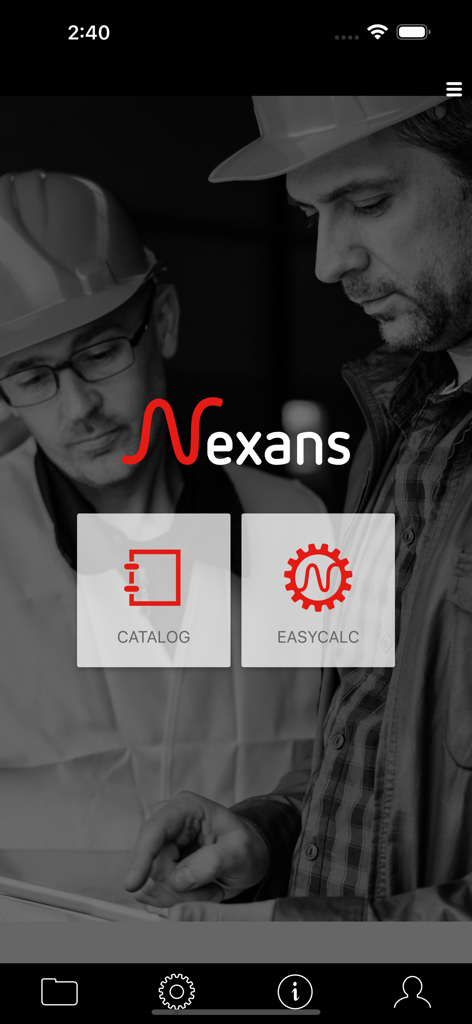
Nexans 모바일 앱 홈 화면. 전기 기술자를 위한 카탈로그 및 EasyCalc 기능 표시.
Nexans 모바일 앱 홈 화면. 전기 기술자를 위한 카탈로그 및 EasyCalc 기능 표시.

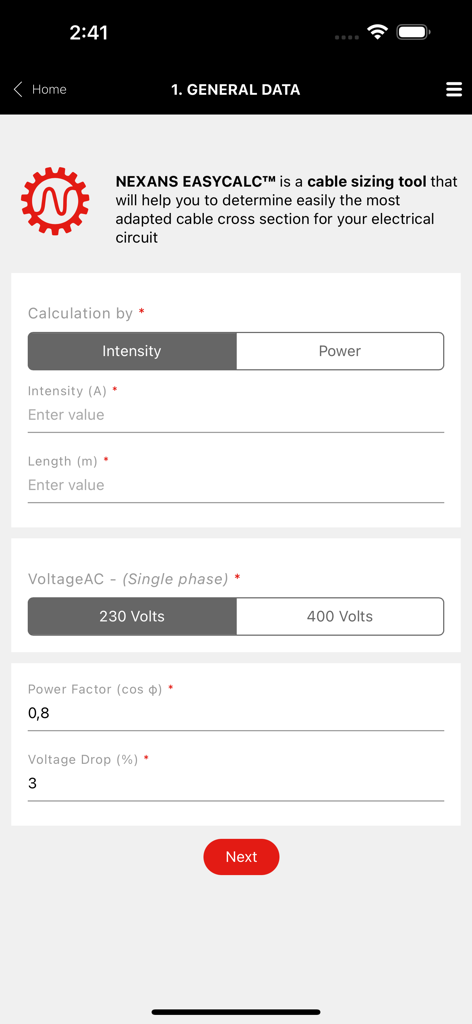
전기 회로 데이터를 입력하기 위한 Nexans EasyCalc 케이블 사이즈 조정 도구 인터페이스
전기 회로 데이터를 입력하기 위한 Nexans EasyCalc 케이블 사이즈 조정 도구 인터페이스

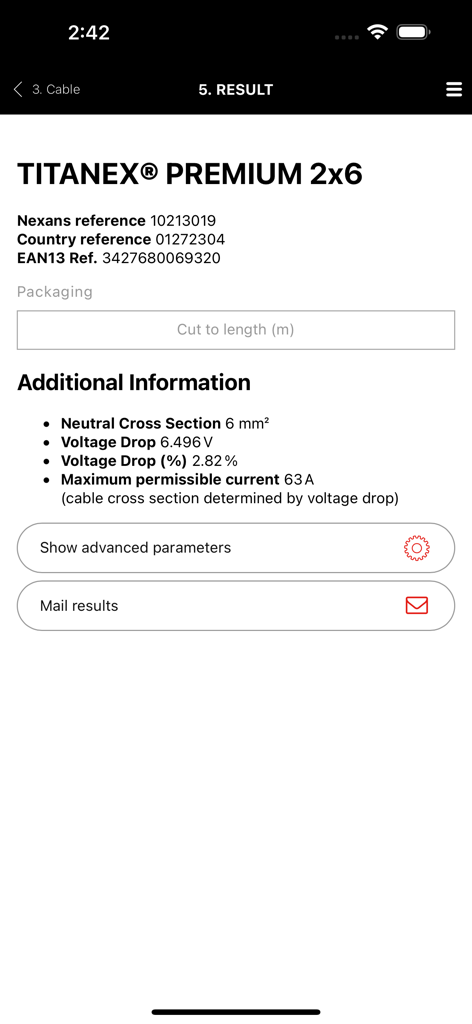
Nexans 앱 EasyCalc 결과 화면. Titanex 프리미엄 케이블에 대한 기술 데이터 표시.
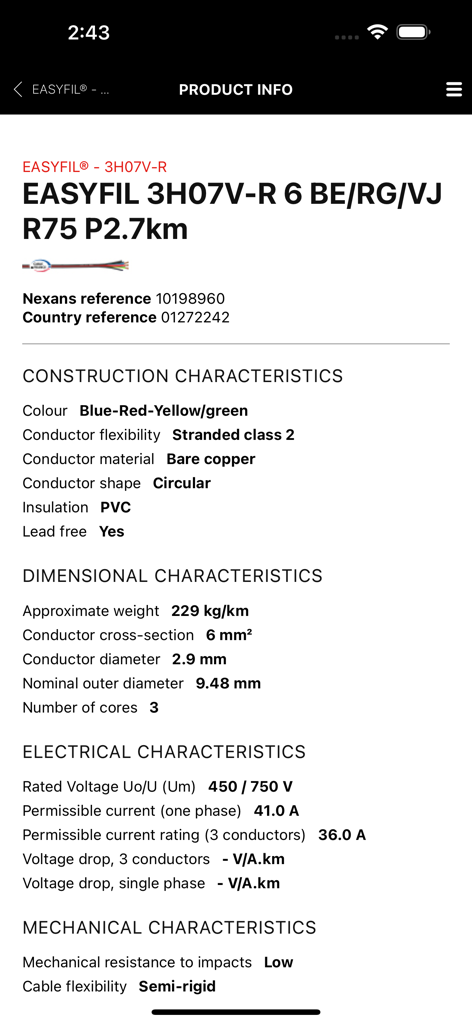
Nexans 앱 EasyCalc 결과 화면. Titanex 프리미엄 케이블에 대한 기술 데이터 표시.

모바일 앱 화면에 표시되는 Nexans Easyfil 케이블의 기술 사양 및 제품 정보
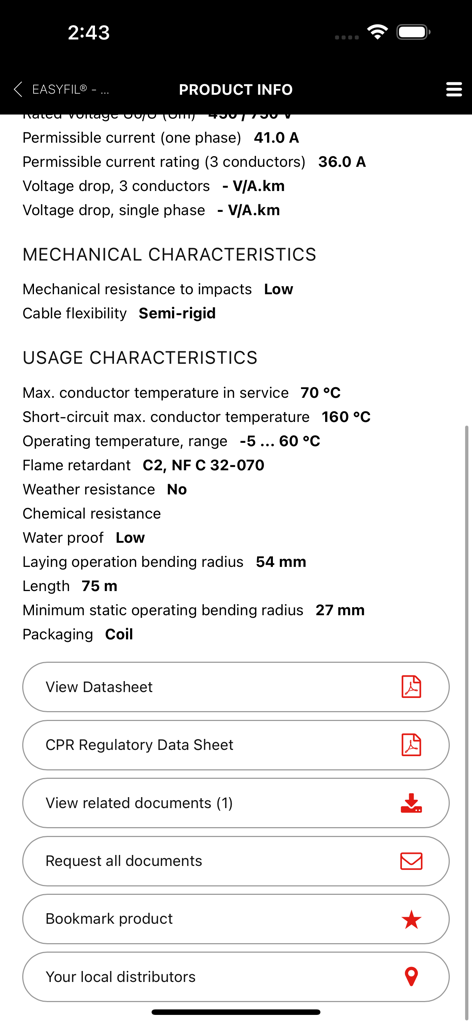
모바일 앱 화면에 표시되는 Nexans Easyfil 케이블의 기술 사양 및 제품 정보

Nexans 앱 화면. 케이블 기술 사양 및 데이터 시트 다운로드 옵션 표시.

Nexans 앱 화면. 케이블 기술 사양 및 데이터 시트 다운로드 옵션 표시.

전기 전문가를 위한 정밀 도구

이 앱을 돋보이게 하는 도구, 14K+ 명의 사용자가 선택.

자동화된 EASYCALC™ 사이즈 조정

수동 계산 오류를 제거하세요. 특정 전력, 길이 및 환경 조건을 기반으로 4가지 빠른 단계로 이상적인 케이블 단면적을 결정하세요.

📸

즉각적인 기술 라이브러리

바코드를 스캔하여 데이터 시트, 설치 설명서 및 규정 문서를 즉시 액세스하세요. 종이 바인더 없이 필요한 모든 기술 데이터.

🛡️

정품 인증 방지

명성을 보호하고 현장 안전을 보장하세요. Nexans 제품의 진위 여부를 즉시 확인하여 정품 품질을 설치하고 있는지 확인하세요.

앱 소개

에 대해 알아야 할 모든 것 Nexans.

설명

Nexans’ app provides quick and efficient access to information about Nexans’ products, when you are on the move. Access to product datasheets, installation instructions, regulatory information, user manuals and all related documents. to find the product you want, just enter its reference number, perform a general search or just browse the catalogue. Once you have identified the product, you can access datasheets, installation instructions, user manuals, environmental declarations and other documents. Products can be easily identified thanks to product pictures. Documents can be downloaded and stored on your phone for later use, or sent to one or more e-mail addresses. Note that datasheets cannot be stored on the phone as they are subject to change and it is important to access only the latest version. Scanning a barcode on a Nexans’ product provides you with immediate access to product information without having to search. Depending on your country, the App may provide the following features EASYCALC: Our cable sizing tool– electrical installers, electricians, end-users – that will help you determine the most adapted cable cross section for your installation; Calculation is performed in 4 quick and easy steps. Step1: Fill in general information regarding your installation: intensity/power, length to be installed, voltage and current type (single phase, three phase) Step 2: Select the required cable and conductor types. You will be able to select the one you wish to use among the most common cable families. A short description and a picture of the cable will help you identify easily the one you need. Once the cable type has been chosen, you will have to specify the type of conductor (single core, multicore, with or without PE, with or without neutral) and the number of phases. Again, a corresponding picture will help you check your selection. Step 3: Specify installation conditions: environment (air/ground) and laying options. Pictograms illustrating the various options will facilitate your selection. Step 4: View calculation results: Nexans EASYCALC™ will provide you with the corresponding Nexans product reference. You can then send the results per email or contact Nexans to get additional information PRODUCT AUTHENTICATION You can now validate the authenticity of Nexans products by scanning the label available on the packaging. This module works with a specific sticker tagged on the products. It will allow to check if the product is not counterfeit. STORE LOCATOR Allow you to access the product reseller. The app makes use of your phone’s GPS for geolocation, allowing it to suggest addresses, but with a manual override for when your position is not accurately known. WARRANTY FORMS A facility for filling out warranty forms for heating cables. The procedure is the same as completing the form on paper, but with the added advantage that you can mail it to yourself, send a copy to Nexans, who will store it for you, and even mail it to your customer, for example. GENERAL INFORMATION The app requires a network connection to work properly. All the data are retrieved in real time direct from Nexans’ web servers, ensuring that the information is always up to date. The app is free to download and use, but your phone service provider may charge you for the data traffic, typically as part of your call and data plan. Optionally, in the app’s settings menu, you can define a data download limit.

최신 버전

2.3.3

크기

27.1 MB

출시일

2012년 2월 7일

다음 설치를 마스터할 준비가 되셨나요?

Nexans로 툴벨트를 갖추세요. 지금 앱을 다운로드하여 현장에서 바로 EasyCalc™, 기술 데이터 시트, 전문 보증 도구에 즉시 액세스하세요.

다운로드: App Store

App information, icons, screenshots, and descriptions displayed on this page are sourced from the Apple App Store and are the property of their respective developers. Download estimates and rankings are based on MWM's proprietary models and may not reflect actual figures. This page is provided for informational and analytical purposes only.

Believe this page infringes your intellectual property? File a dispute