
이 페이지는 앱이나 개발자의 공식 페이지가 아니며, 정보 제공 및 논평을 목적으로 작성된 독립 편집 간행물입니다. 명시적으로 달리 언급되지 않는 한, 해당 앱이나 개발자는 MWM, Apple, Google Play, 앱 퍼블리셔 또는 앱 개발자와 제휴, 보증, 후원, 승인 또는 공식적으로 연결되어 있지 않으며, 이 페이지의 어떤 내용도 해당 앱이 MWM의 서비스를 사용하여 개발되었음을 의미하지 않습니다. 모든 상표, 로고, 스크린샷 및 기타 콘텐츠는 해당 소유자의 자산입니다.


Notebook – Notes, Notepad
이 앱은 당신의 생각에 물리적 형태를 부여합니다. 모든 아이디어는 즉시 디지털화되며, 단순한 메모를 넘어 복잡한 프로젝트로 확장됩니다. 종이와 펜의 한계를 벗어나, 모든 영감을 즉각적으로 포착하고 조직화합니다.
다운로드
5M+사용자 평점
총 평가 수
29.4K개발사
카테고리
Productivity지원 언어
29최신 버전
6.8.29크기
224.4 MB출시일
2016년 5월 22일Apple 생태계 사용자를 위한 포괄적인 생산성 도구 평가
'Notebook – Notes, Notepad' 앱 분석
멀티모달 노트 작성
텍스트, 이미지, 스케치, 체크리스트, 오디오, 비디오 등 다양한 형식의 미디어를 하나의 노트에 통합하여 풍부하고 포괄적인 정보를 기록할 수 있습니다.
Apple 생태계 최적화 기능
Siri, SharePlay, 드래그 앤 드롭, 분할 보기, Apple Pencil 지원 등 iOS 및 iPadOS의 고유 기능을 활용하여 Apple 기기에서 생산성을 극대화하고 원활한 사용 경험을 제공합니다.
완벽한 기기 간 동기화 및 오프라인 접근
모든 Apple 기기에서 노트를 즉시 동기화하고, 네트워크 연결 없이 오프라인에서도 작업하여 중단 없는 생산성을 유지할 수 있습니다.
고급 검색 기능
노트, 사진 내 개체 및 텍스트, 필기 및 오디오 노트 내 텍스트를 포함한 모든 콘텐츠를 빠르고 정확하게 검색하여 필요한 정보를 쉽게 찾을 수 있습니다.
비디오 노트 카드 및 화면 녹화
비디오 카드를 사용하여 생각을 기록하고, 화면과 자신을 동시에 녹화하며, 비디오에 챕터를 추가하고 공유하여 아이디어를 효과적으로 전달할 수 있습니다.
실시간 협업 도구
동료, 친구와 실시간으로 노트를 공유하고 공동 작업하며, 비디오 통화 및 공유 가능한 링크를 통해 효율적인 팀워크와 프로젝트 관리를 지원합니다.
칸반 스타일 노트보드 및 스페이스
칸반 스타일의 시각적인 보드를 활용하여 프로젝트와 아이디어를 효율적으로 관리하고, 실시간 협업 스페이스에서 아이디어를 공동으로 브레인스토밍할 수 있습니다.
스마트 북마크 및 오프라인 읽기
온라인 콘텐츠를 지능형 카드 형식으로 저장하고, 광고 없이 오프라인에서 읽을 수 있어 정보를 효율적으로 수집하고 관리하며 지식을 확장할 수 있습니다.
자주 묻는 질문
에 대해 알아야 할 모든 것 Notebook – Notes, Notepad
What is Notebook – Notes & To Do app?
Notebook – Notes & To Do is an app that allows users to write notes, add files, create to-dos, sketch ideas, and record audio. It syncs instantly across devices and to the cloud.
Does Notebook – Notes & To Do sync across multiple devices?
Yes, Notebook – Notes & To Do synchronizes all notes and notebooks across your devices and to the cloud. You can also take notes offline and continue on another device when connected.
What types of notes can I create in Notebook – Notes & To Do?
Notebook – Notes & To Do allows you to create text notes, add images, sketches, checklists, audio, videos, and scan documents. You can also include PDFs, Word documents, and spreadsheets.
Does Notebook – Notes & To Do support handwritten notes?
Yes, Notebook – Notes & To Do supports handwritten notes. Users can handwrite their thoughts using Apple Pencil for both iPhone and iPad versions of the app.
How can I organize my notes in Notebook – Notes & To Do?
Notebook – Notes & To Do offers organization through Nested Collections, allowing related notes to be grouped in a hierarchy. You can also use Noteboards for kanban-style visual organization.
Can users collaborate on notes in Notebook – Notes & To Do?
Yes, Notebook – Notes & To Do enables real-time collaboration. Users can share and collaborate on Noteboards, brainstorm in Spaces with audio/video calls, and create Public Notes with shareable links.
What kind of search functions are available in Notebook – Notes & To Do?
Notebook – Notes & To Do offers quick search within or across notebooks. It also searches for objects and text within photos, text within handwritten notes, and text within audio notes.
Can Notebook – Notes & To Do scan documents and business cards?
Yes, Notebook – Notes & To Do can scan documents and business cards. This feature allows users to capture physical information directly into their notes.
What features does Notebook Pro offer in Notebook – Notes & To Do?
Notebook Pro provides more storage, allows creation of long notes and large files, Email In functionality to save emails as notes, access to premium covers, and custom recurring reminders.
Is Notebook – Notes & To Do secure and private for users?
Yes, Notebook – Notes & To Do is privacy-focused and secure. It features secure notes, GDPR compliance, encryption at rest, multi-factor authentication, and is ad-free.
Is Notebook – Notes & To Do available on Apple Watch?
Yes, Notebook – Notes & To Do is available on Apple Watch. Users can record audio notes, scribble to create new notes, check off checklist items, and create photo notes.
Does Notebook – Notes & To Do provide journaling suggestions?
Yes, Notebook – Notes & To Do provides journaling suggestions. It offers personalized journaling prompts based on user activity to enhance their journaling habit.
Can I record audio and video directly within Notebook – Notes & To Do?
Yes, Notebook – Notes & To Do allows direct recording of audio and video. Users can create audio note cards for ideas/meetings and video note cards to capture thoughts with screen and self recording.
Does Notebook – Notes & To Do work offline?
Yes, Notebook – Notes & To Do works offline. Users can take notes without an internet connection and continue working on other devices once connected to a network.
How are subscriptions managed for Notebook Pro in Notebook – Notes & To Do?
Subscriptions for Notebook Pro auto-renew unless cancelled and are charged via your Apple iTunes account. Prices vary by location, and you can manage your subscription in account settings after purchase.
다음 스크린샷과 설명은 앱의 공식 스토어 목록에서 직접 가져온 것이며 앱 개발자의 자산입니다.
앱 스토어
스크린샷
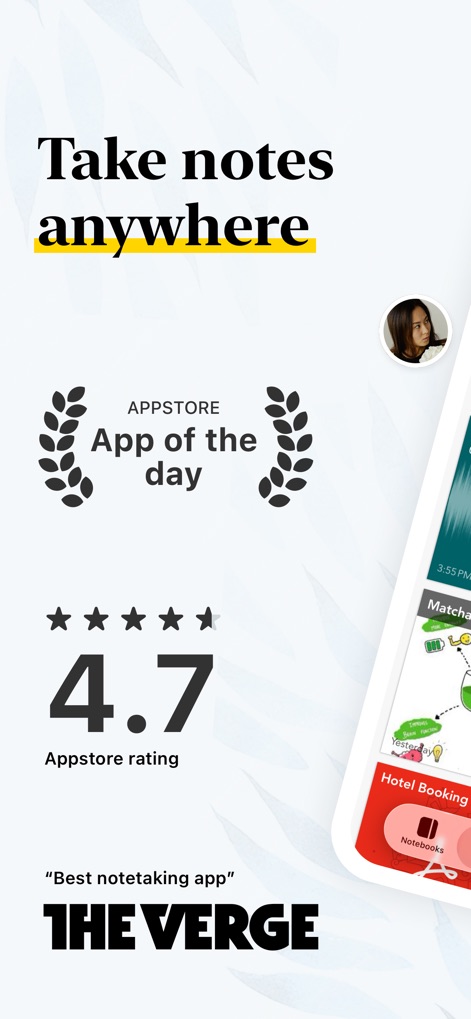
이 앱은 App Store '오늘의 앱'으로 선정되었으며, 사용자 평점 4.7점을 기록하며 높은 만족도와 신뢰성을 보여줍니다.
최고의 평가 앱
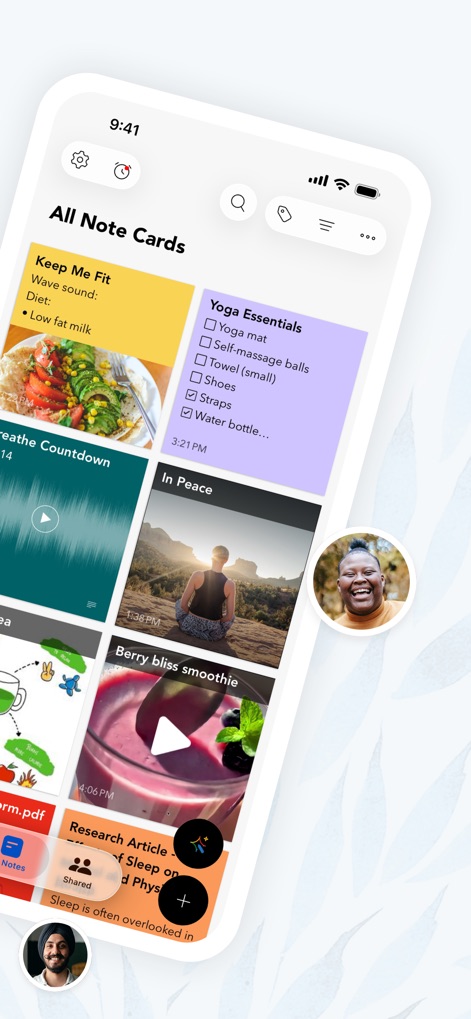
이 앱은 텍스트, 오디오 및 이미지와 같은 다양한 형식의 노트 카드를 지원하여, 사용자가 모든 아이디어를 효과적으로 기록할 수 있도록 합니다.
다양한 노트 카드
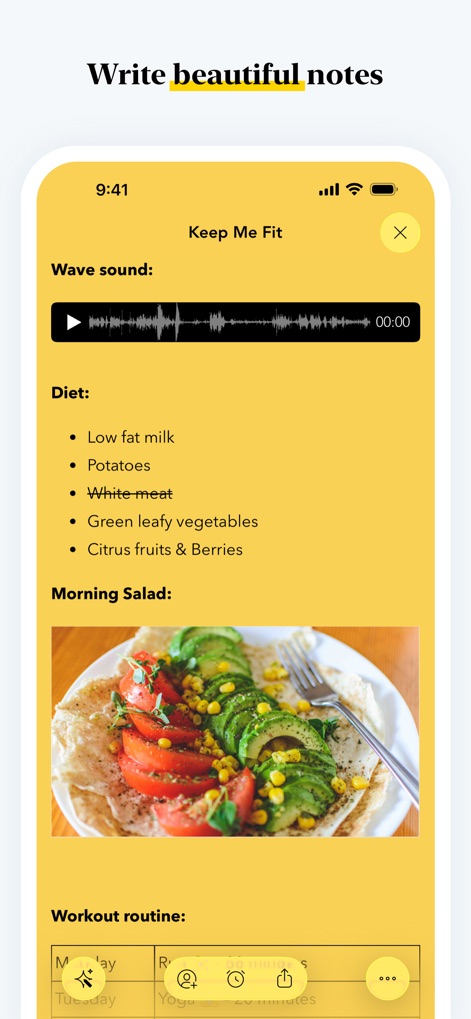
이 앱을 사용하면 오디오 웨이브폼과 사진을 통합하여 텍스트 메모를 풍부하게 작성할 수 있어, 사용자의 아이디어를 더욱 생생하게 기록합니다.
풍부한 노트 작성
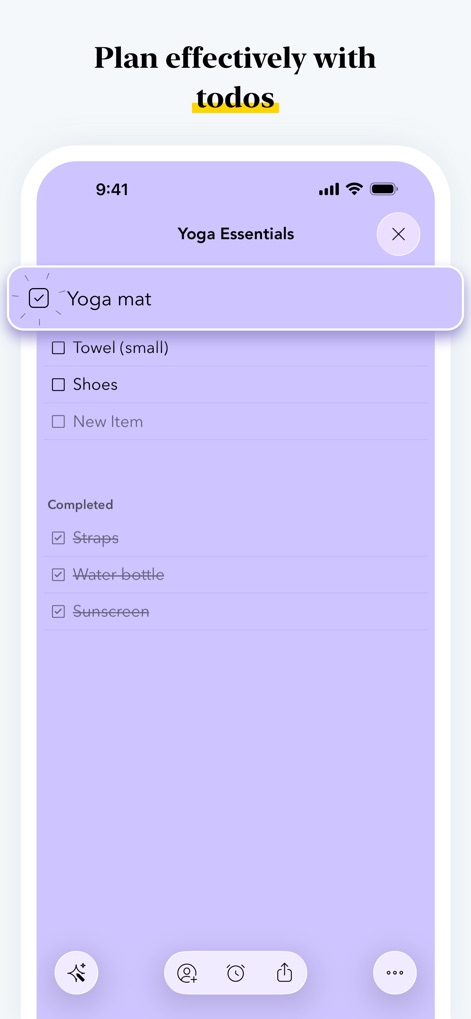
이 앱은 전용 체크리스트 노트 카드를 제공하여 '요가 필수품'과 같은 할 일 목록을 생성하고, 항목을 완료로 표시하여 효율적인 계획 수립을 돕습니다.
효율적인 할 일 관리
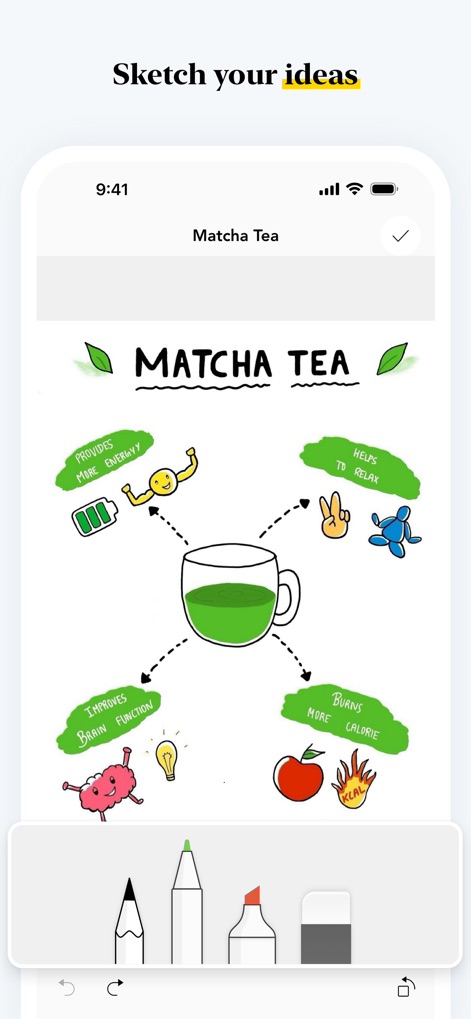
사용자는 이 도구를 통해 '말차'에 대한 아이디어를 시각적으로 스케치할 수 있으며, 다양한 드로잉 도구와 같은 기능을 활용하여 생각을 자유롭게 표현할 수 있습니다.
아이디어 시각화
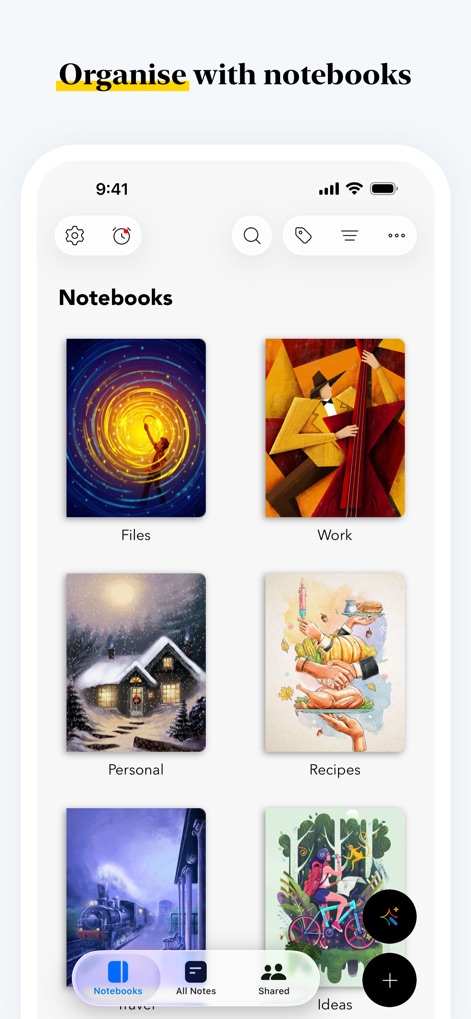
이 앱은 '파일', '업무', '개인'과 같은 카테고리로 노트를 시각적으로 분류할 수 있는 다양한 노트북 커버와 함께 중첩된 컬렉션 기능을 제공합니다.
깔끔한 노트 정돈
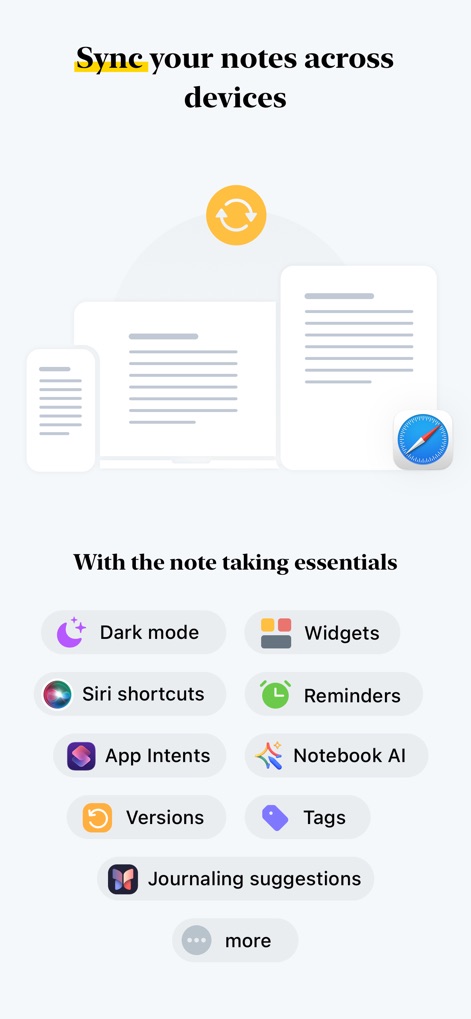
이 앱은 모든 기기에서 노트를 동기화하여 연속적인 작업을 보장하며, 다크 모드와 위젯 등 다양한 필수 생산성 기능을 제공합니다.
기기 간 완벽 동기화
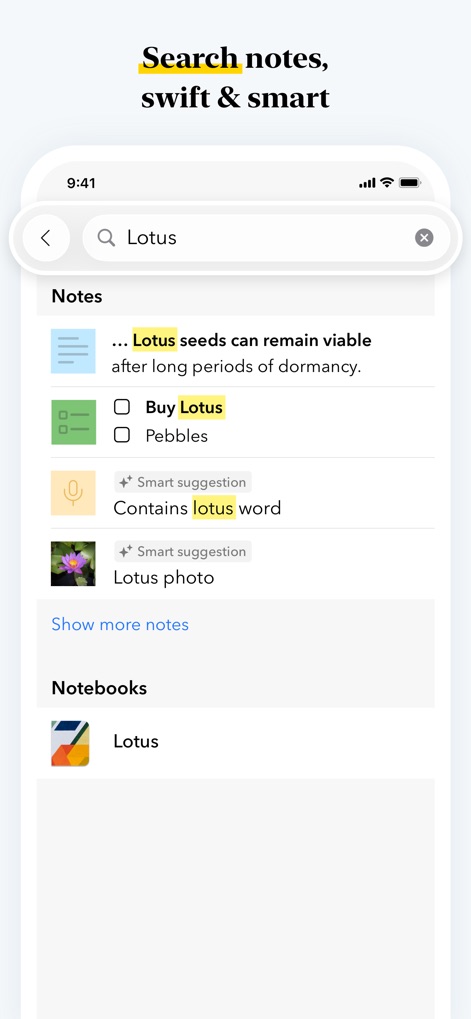
이 앱은 'Lotus'와 같은 키워드를 사용하여 텍스트 노트뿐만 아니라 오디오 및 사진 노트에서도 관련 정보를 빠르게 검색하고 스마트 제안을 제공합니다.
스마트 빠른 검색
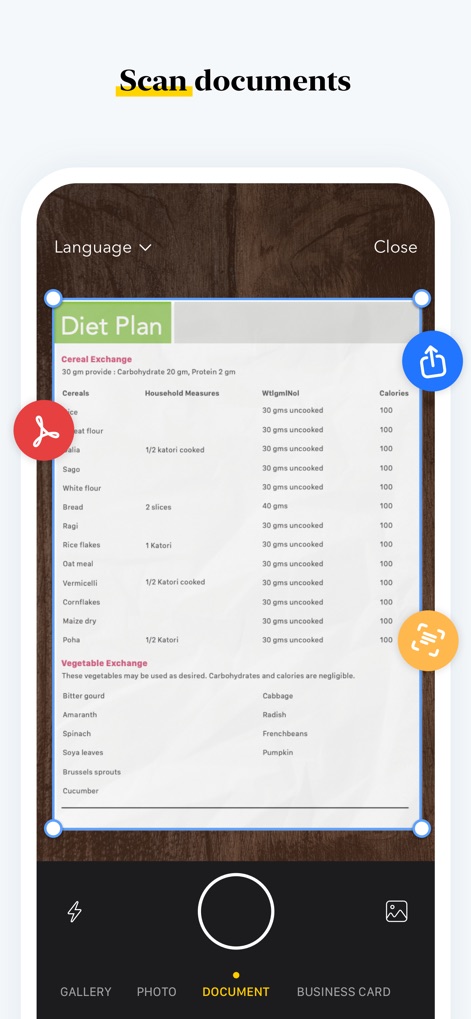
사용자는 이 앱의 문서 스캔 기능을 통해 '식단 계획'과 같은 물리적 문서를 디지털화하고, 간편한 자르기 및 공유 도구를 활용할 수 있습니다.
문서 스캔 관리
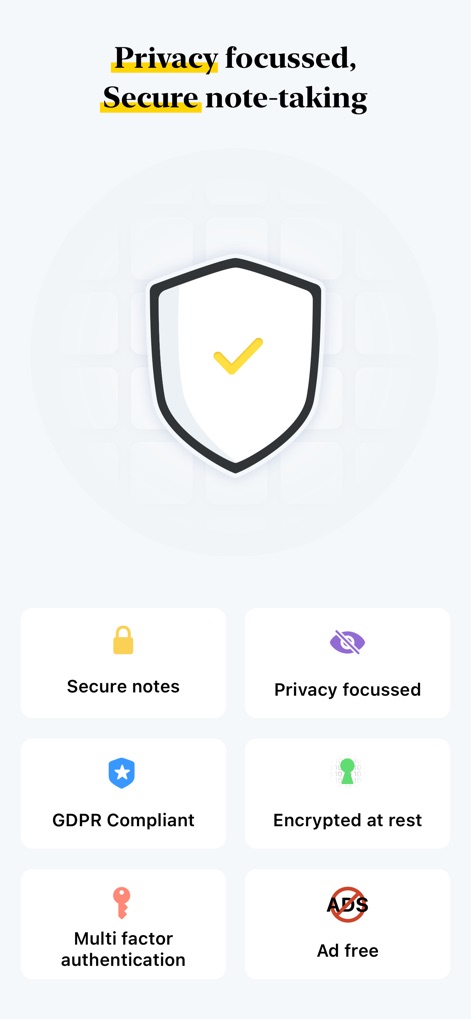
이 앱은 저장된 데이터 암호화 및 다단계 인증과 같은 강력한 보안 기능을 제공하여, 사용자의 개인 정보와 노트를 안전하게 보호합니다.
안전한 개인 정보 보호
설명
Download
비슷한 앱
유사한 기능과 사용자 경험을 가진 앱

Notion: Notes, Tasks, AI
Notion Labs, Incorporated

Freenotes®: AI Notes Taking
Hangzhou Free Notes Technology Co., Ltd

Structured - Daily Planner
unorderly GmbH

Google Tasks: Get Things Done
Google LLC

TickTick:To-Do List & Calendar
Appest Limited

Noteful: Notes & PDF Markup
Noteful Technologies Ltd

Todoist: To Do List & Calendar
Doist Inc.

To do list MinimaList & Widget
Inner Grow Limited

monday.com - Work Platform
monday.com Ltd.
이 페이지는 앱이나 개발자의 공식 페이지가 아니며, 정보 제공 및 논평을 목적으로 작성된 독립 편집 간행물입니다. 명시적으로 달리 언급되지 않는 한, 해당 앱이나 개발자는 MWM, Apple, Google Play, 앱 퍼블리셔 또는 앱 개발자와 제휴, 보증, 후원, 승인 또는 공식적으로 연결되어 있지 않으며, 이 페이지의 어떤 내용도 해당 앱이 MWM의 서비스를 사용하여 개발되었음을 의미하지 않습니다. 모든 상표, 로고, 스크린샷 및 기타 콘텐츠는 해당 소유자의 자산입니다.