
이 페이지는 앱이나 개발자의 공식 페이지가 아니며, 정보 제공 및 논평을 목적으로 작성된 독립 편집 간행물입니다. 명시적으로 달리 언급되지 않는 한, 해당 앱이나 개발자는 MWM, Apple, Google Play, 앱 퍼블리셔 또는 앱 개발자와 제휴, 보증, 후원, 승인 또는 공식적으로 연결되어 있지 않으며, 이 페이지의 어떤 내용도 해당 앱이 MWM의 서비스를 사용하여 개발되었음을 의미하지 않습니다. 모든 상표, 로고, 스크린샷 및 기타 콘텐츠는 해당 소유자의 자산입니다.

다운로드
87K+사용자 평점
총 평가 수
1M+개발사
카테고리
Productivity지원 언어
33최신 버전
2.0크기
2.6 MB출시일
2016년 5월 23일당신의 두 번째 뇌, 내장되어 있습니다
빠른 기록부터 복잡한 프로젝트까지, Apple Notes는 이미 가지고 있는 가장 강력한 도구입니다. 속도, 보안, 그리고 당신의 삶 전체를 아우르는 완벽한 정리를 위해 설계되었습니다.
생각을 연결하세요
"»" 바로가기를 사용하여 노트를 연결하여 개인 지식 웹을 만드세요. 구조화된 디지털 라이브러리를 구축하는 학생 및 전문가에게 완벽합니다.
텍스트를 넘어선 검색
고급 OCR 기술을 통해 스캔한 영수증, 화이트보드 사진, 심지어 직접 쓴 글씨 안에서도 키워드를 검색하여 즉시 검색할 수 있습니다.
자주 묻는 질문
에 대해 알아야 할 모든 것 Notes
Notes 앱에서 메모에 첨부 파일을 추가할 수 있나요?
네, Notes 앱을 사용하면 PDF, 사진, 지도, 웹 링크 등 다양한 첨부 파일을 메모에 직접 추가할 수 있습니다.
Notes 앱에서 음성 녹음 및 받아쓰기 기능을 지원하나요?
네, Notes 앱은 메모에 음성을 직접 녹음하고 받아쓰는 기능을 지원합니다. 사용자는 이러한 녹음 내용을 다시 재생할 수 있습니다.
Notes 앱으로 문서를 스캔할 수 있나요?
네, Notes 앱에는 기본 문서 스캐너가 내장되어 있습니다. 사용자는 종이 문서를 메모에 직접 스캔하여 쉽게 저장하고 액세스할 수 있습니다.
Notes 앱에서 민감한 정보를 어떻게 보호하나요?
Notes 앱을 사용하면 개별 메모를 잠금 처리하여 민감하거나 개인적인 데이터를 보호할 수 있습니다. 이 기능을 통해 앱 내의 개인 정보를 보호할 수 있습니다.
Notes 앱에서 체크리스트를 만들고 관리할 수 있나요?
네, 사용자는 식료품 목록이나 할 일 목록을 포함한 다양한 목적으로 Notes 앱에서 체크리스트를 만들 수 있습니다. 항목은 완료됨으로 표시할 수 있습니다.
Notes 앱에서 그리기 및 스케치 기능을 지원하나요?
네, Notes 앱은 호환되는 iPad에서 손가락이나 Apple Pencil을 사용하여 메모 또는 인라인 PDF에 직접 그리거나 스케치하는 기능을 지원합니다. 다양한 붓 스타일과 색상을 제공합니다.
Notes 앱을 열지 않고 메모를 빠르게 만드는 방법은 무엇인가요?
사용자는 제어 센터에 빠른 메모를 추가하거나, iPad에서 Apple Pencil로 오른쪽 하단에서 위로 스와이프하거나, 키보드에서 Fn-Q를 사용하여 앱을 열지 않고도 빠른 메모를 작성할 수 있습니다.
Notes 앱에서 메모 내의 특정 텍스트를 검색할 수 있나요?
네, Notes 앱을 사용하면 메모, 필기체, 그리고 영수증이나 청구서와 같은 사진 및 스캔된 문서 내의 텍스트까지 검색할 수 있습니다.
Notes 앱에서 메모를 서로 연결하는 방법은 무엇인가요?
사용자는 아이디어를 연결하기 위해 Notes 앱 내에서 한 메모를 다른 메모로 연결할 수 있습니다. 작성 중에 링크를 추가하는 바로 가기 방법은 메모 내에서 ">>"를 입력하는 것입니다.
Notes 앱에서 폴더 및 태그로 메모를 구성할 수 있나요?
네, Notes 앱은 폴더, 하위 폴더, 태그를 포함한 구성 옵션을 제공합니다. 사용자는 메모에 #요리 또는 #경비와 같은 태그를 직접 입력하거나 필기할 수 있습니다.
Notes 앱에서 공유 메모 및 폴더에 대한 공동 작업을 할 수 있나요?
네, Notes 앱은 전체 공유 폴더 또는 특정 공유 메모에 대한 공동 작업을 지원합니다. 사용자는 친구를 멘션하여 중요한 업데이트를 알릴 수 있습니다.
Notes 앱에서 공유 메모의 공동 작업자 활동을 볼 수 있나요?
네, Notes 앱은 활동 보기를 제공합니다. 이 기능은 공유 메모 내의 각 공동 작업자의 활동에 대한 일별 요약을 제공합니다.
Notes 앱은 Apple Watch에서도 사용할 수 있나요?
네, Notes 앱은 Apple Watch에서도 사용할 수 있습니다. 사용자는 손목에서 직접 받아쓰기나 Siri를 사용하여 모든 iCloud 메모를 보고, 메모를 고정하고, 체크리스트 항목을 완료하고, 새 메모를 만들 수 있습니다.
Notes 앱에서 서식 옵션을 지원하나요?
네, Notes 앱을 사용하면 다양한 텍스트 스타일을 적용할 수 있습니다. 여기에는 제목, 본문, 글머리 기호 목록 및 강조 표시가 포함되어 메모 프레젠테이션을 향상시킬 수 있습니다.
Notes 앱에서 메모 내의 텍스트 섹션을 축소할 수 있나요?
네, 사용자는 섹션 헤더 옆을 탭하여 Notes 앱에서 텍스트를 축소할 수 있습니다. 이렇게 하면 셰브론이 나타나 메모 내용을 압축하여 볼 수 있습니다.
다음 스크린샷과 설명은 앱의 공식 스토어 목록에서 직접 가져온 것이며 앱 개발자의 자산입니다.
앱 스토어
스크린샷
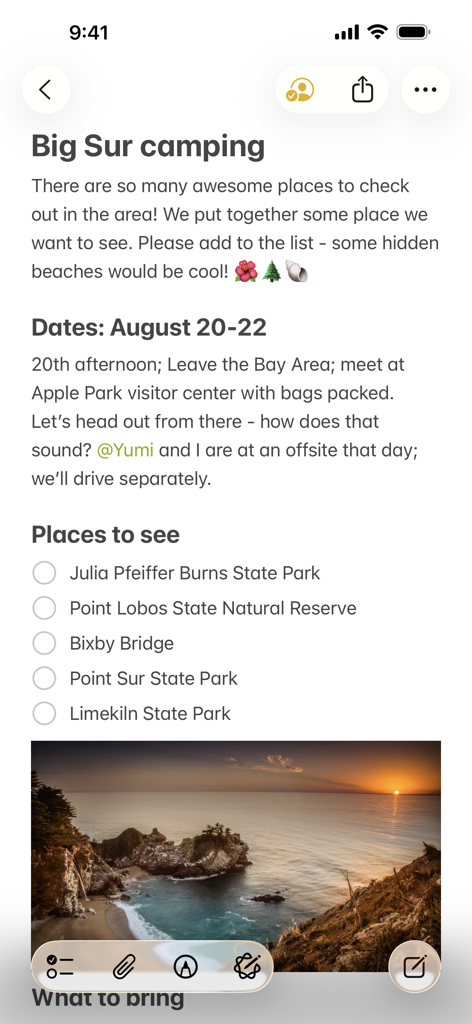
Apple Notes의 공유 노트 'Big Sur 캠핑'으로, 장소 목록과 해변 풍경 사진이 포함되어 있습니다.
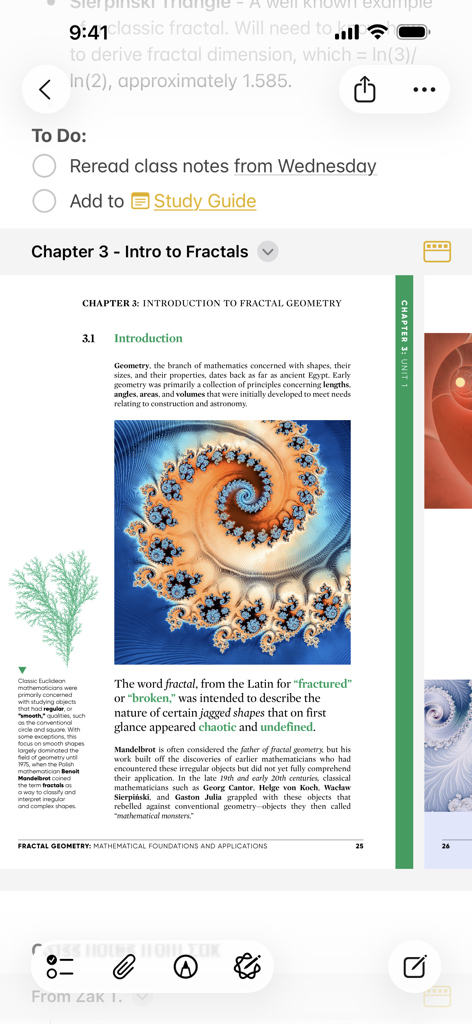
Apple Notes 앱에 프랙탈 기하학에 대한 PDF 문서와 함께 할 일 목록이 표시됩니다.
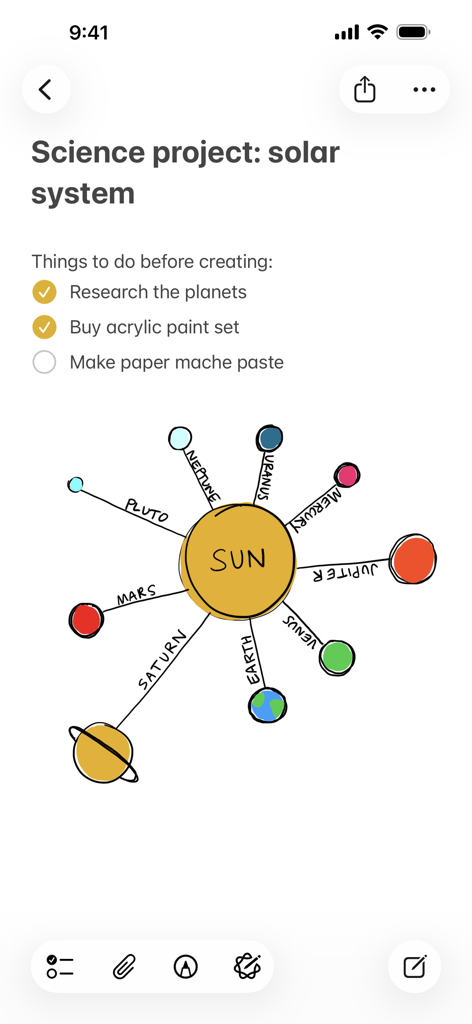
Apple Notes의 과학 프로젝트 노트로, 할 일 목록과 태양계의 다채로운 손 그림 다이어그램이 특징입니다.
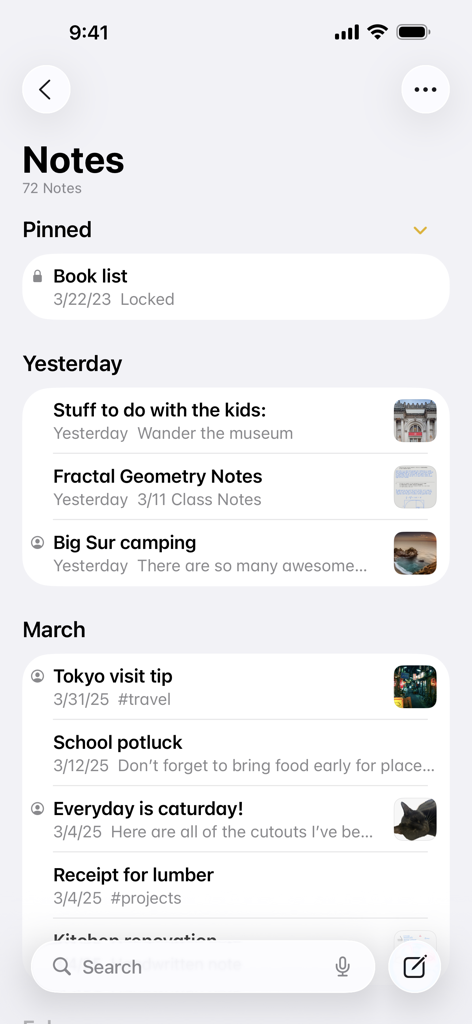
Apple Notes 앱의 메인 인터페이스로, 미리보기 썸네일과 함께 고정 및 시간순으로 정렬된 노트 목록을 표시합니다.
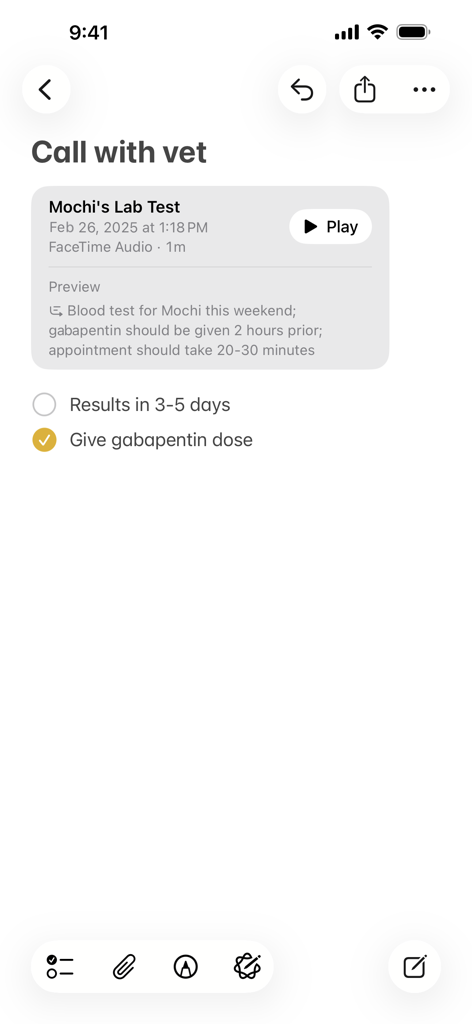
수의사 방문을 위한 확인된 작업 목록과 텍스트 미리 보기가 있는 오디오 녹음이 표시된 Apple Notes의 노트입니다.
설명
Download
비슷한 앱
유사한 기능과 사용자 경험을 가진 앱

Notion: Notes, Tasks, AI
Notion Labs, Incorporated

Freenotes®: AI Notes Taking
Hangzhou Free Notes Technology Co., Ltd

Structured - Daily Planner
unorderly GmbH

Google Tasks: Get Things Done
Google LLC

TickTick:To-Do List & Calendar
Appest Limited

Noteful: Notes & PDF Markup
Noteful Technologies Ltd

Todoist: To Do List & Calendar
Doist Inc.

To do list MinimaList & Widget
Inner Grow Limited

monday.com - Work Platform
monday.com Ltd.
이 페이지는 앱이나 개발자의 공식 페이지가 아니며, 정보 제공 및 논평을 목적으로 작성된 독립 편집 간행물입니다. 명시적으로 달리 언급되지 않는 한, 해당 앱이나 개발자는 MWM, Apple, Google Play, 앱 퍼블리셔 또는 앱 개발자와 제휴, 보증, 후원, 승인 또는 공식적으로 연결되어 있지 않으며, 이 페이지의 어떤 내용도 해당 앱이 MWM의 서비스를 사용하여 개발되었음을 의미하지 않습니다. 모든 상표, 로고, 스크린샷 및 기타 콘텐츠는 해당 소유자의 자산입니다.