NovelVoice - Novels read aloud
다운로드: App Store

이 페이지는 앱이나 개발자의 공식 페이지가 아니며, 정보 제공 및 논평을 목적으로 작성된 독립 편집 간행물입니다. 명시적으로 달리 언급되지 않는 한, 해당 앱이나 개발자는 MWM, Apple, Google Play, 앱 퍼블리셔 또는 앱 개발자와 제휴, 보증, 후원, 승인 또는 공식적으로 연결되어 있지 않으며, 이 페이지의 어떤 내용도 해당 앱이 MWM의 서비스를 사용하여 개발되었음을 의미하지 않습니다. 모든 상표, 로고, 스크린샷 및 기타 콘텐츠는 해당 소유자의 자산입니다.


로고: NovelVoice - Novels read aloud
다운로드: App Store

NovelVoice - Novels read aloud

AO3, Wattpad, Royal Road의 좋아하는 이야기들을 핸즈프리로 정주행하세요. 운전 중이나 운동 중, 또는 눈을 휴식하면서 서브컬처 문학을 즐길 수 있는 직장인과 학생을 위한 최고의 '라이프 해킹' 도구입니다.

주요 수치

다운로드

60K+

사용자 평점

4.1/5

총 평가 수

500

개발사

Kazuhiro Yamada

카테고리

Books

지원 언어

8

최신 버전

21.3.0

크기

94.0 MB

출시일

2015년 12월 2일
기능

좋아하는 이야기를 핸즈프리로 정주행하세요

Wattpad, Royal Road, AO3의 수천 개의 챕터를 고음질 오디오북으로 변환하세요. 출퇴근길, 체육관, 또는 긴 하루 끝에 눈을 휴식할 때 완벽합니다.

끊김 없는 자동 페이지 넘김

몰입을 방해받지 마세요. 앱이 자동으로 다음 챕터를 감지하고 불러오므로, 운전하거나 일하는 동안 휴대폰을 만지지 않고도 계속 들을 수 있습니다.

고속 생산성

최대 2.0배속까지 조절 가능한 재생 속도와 장르에 맞춘 맞춤형 음성 톤으로 2,000화 분량의 읽기 목록을 빠르게 정복하세요.

다음 스크린샷과 설명은 앱의 공식 스토어 목록에서 직접 가져온 것이며 앱 개발자의 자산입니다.

앱 스토어

스크린샷
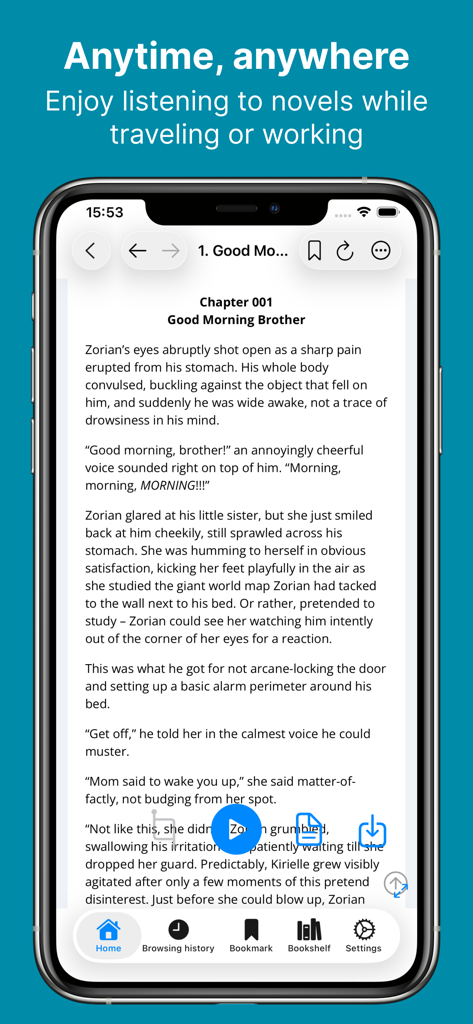
NovelVoice - Novels read aloud - 웹소설 챕터와 오디오 낭독 재생 버튼이 있는 NovelVoice 앱 인터페이스를 보여주는 스마트폰 화면
웹소설 챕터와 오디오 낭독 재생 버튼이 있는 NovelVoice 앱 인터페이스를 보여주는 스마트폰 화면

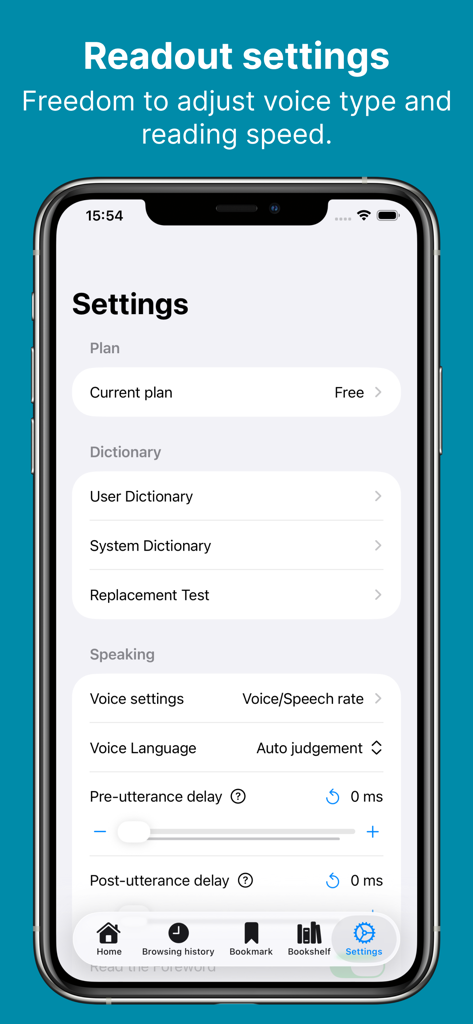
NovelVoice - Novels read aloud - 음성 맞춤 설정 및 말하기 속도 조절을 보여주는 NovelVoice 앱 설정 메뉴
음성 맞춤 설정 및 말하기 속도 조절을 보여주는 NovelVoice 앱 설정 메뉴

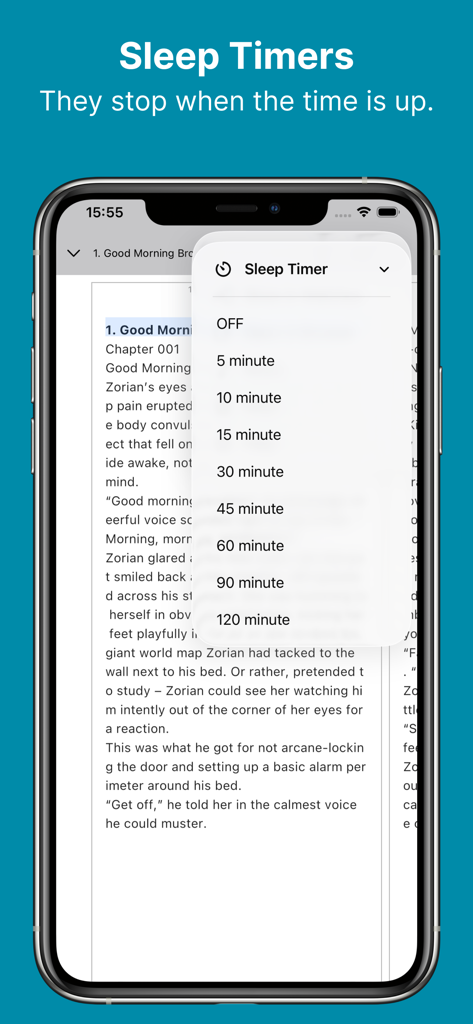
NovelVoice - Novels read aloud - 웹소설 챕터 위에 시간 옵션이 있는 수면 타이머 메뉴를 보여주는 NovelVoice 앱 인터페이스
웹소설 챕터 위에 시간 옵션이 있는 수면 타이머 메뉴를 보여주는 NovelVoice 앱 인터페이스

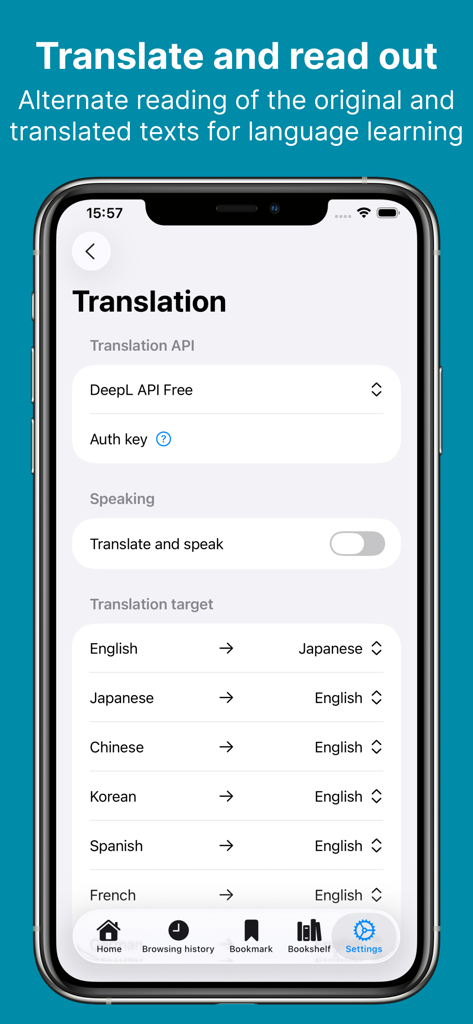
NovelVoice - Novels read aloud - 언어 학습 옵션 및 DeepL 연동을 보여주는 NovelVoice 앱 번역 설정 화면
언어 학습 옵션 및 DeepL 연동을 보여주는 NovelVoice 앱 번역 설정 화면

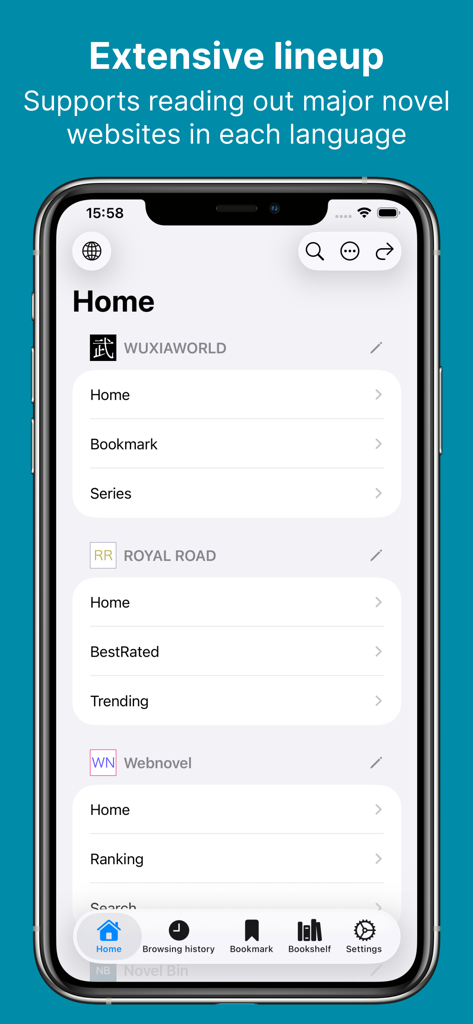
NovelVoice - Novels read aloud - Wuxiaworld 및 Royal Road를 포함하여 지원되는 웹소설 사이트 목록을 표시하는 NovelVoice 앱의 홈 화면
Wuxiaworld 및 Royal Road를 포함하여 지원되는 웹소설 사이트 목록을 표시하는 NovelVoice 앱의 홈 화면

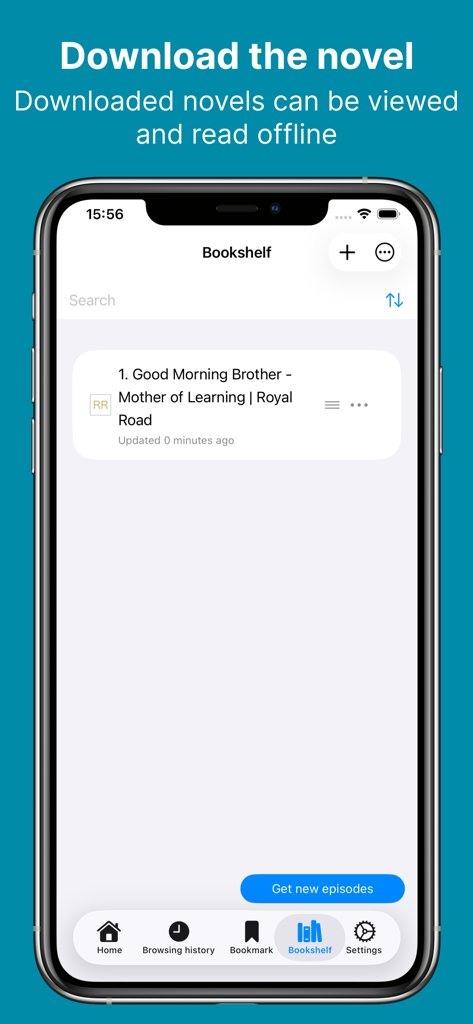
NovelVoice - Novels read aloud - 오프라인 독서를 위해 다운로드된 소설을 보여주는 NovelVoice 앱 서재
오프라인 독서를 위해 다운로드된 소설을 보여주는 NovelVoice 앱 서재

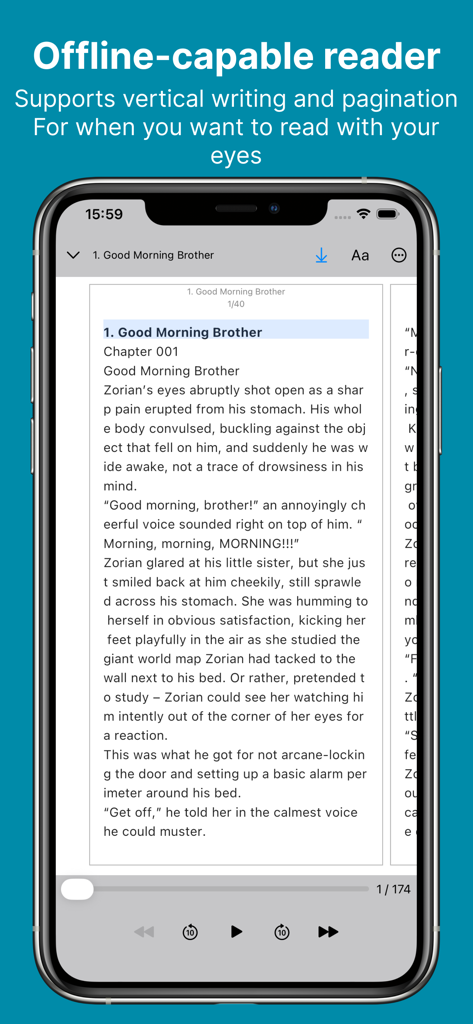
NovelVoice - Novels read aloud - 웹소설용 오프라인 독서기를 보여주는 NovelVoice 앱 인터페이스

웹소설용 오프라인 독서기를 보여주는 NovelVoice 앱 인터페이스

설명

You can listen to novels posted on web novel sites. You can enjoy novels on the move or while working, and your eyes will not get tired. # How to Listen to the Novel - Tap the link to the novel site from the home page. - In WebView, navigate to the novel's episode page and tap ▷. # Recommended for situations like this - On a commuter train where it's hard to take out your phone. - When you're driving. - During housework or work when both hands are busy. - While working out or running at the gym. - Relaxing before bedtime. - Use the translation function for language learning. # Useful Features - Adjustment of voice type and height - Adjustment of reading speed - Automatic page forwarding (if there is a link to the next story on the page, after the reading of the page is completed, it automatically moves to the next story and reads it out loud) - User dictionary - Sleep timer - Browsing history - Bookmarks - Translation(DeepL) - Download the novel (you can browse and read offline) - File import (txt/pdf/epub/zip) - You can import from the menu on the Bookshelf tab. - Backup/Restore - Music player - HTML parser can be configured for unsupported novel sites # Supported Novel Sites - Wuxiaworld - Royal Road - Webnovel - NovelBin - Creative Novels - MoonQuill - Inkitt - wattpad - Scribble Hub - Inkspired - Archive of Our Own - Grimms' fairy tales - Wikisource - Project Gutenberg - Volare Novels - Asian Hobbyist - Genesis Translations - Galaxy Translations - TRAVIS Translations - Fantasy World Online - Foxaholic - Moonlight Novels - NovelBin - Ranobes - NovelFull - FictionPress # Terms and Policies - https://shinagawa.app/listen-to-novels/terms-and-conditions/ - https://shinagawa.app/listen-to-novels/privacy-policy/

Download

다운로드: App Store

이 페이지는 앱이나 개발자의 공식 페이지가 아니며, 정보 제공 및 논평을 목적으로 작성된 독립 편집 간행물입니다. 명시적으로 달리 언급되지 않는 한, 해당 앱이나 개발자는 MWM, Apple, Google Play, 앱 퍼블리셔 또는 앱 개발자와 제휴, 보증, 후원, 승인 또는 공식적으로 연결되어 있지 않으며, 이 페이지의 어떤 내용도 해당 앱이 MWM의 서비스를 사용하여 개발되었음을 의미하지 않습니다. 모든 상표, 로고, 스크린샷 및 기타 콘텐츠는 해당 소유자의 자산입니다.








