ONE Control Plus
ONE Control Plus
다운로드: App Store

이 페이지는 앱이나 개발자의 공식 페이지가 아니며, 정보 제공 및 논평을 목적으로 작성된 독립 편집 간행물입니다. 명시적으로 달리 언급되지 않는 한, 해당 앱이나 개발자는 MWM, Apple, Google Play, 앱 퍼블리셔 또는 앱 개발자와 제휴, 보증, 후원, 승인 또는 공식적으로 연결되어 있지 않으며, 이 페이지의 어떤 내용도 해당 앱이 MWM의 서비스를 사용하여 개발되었음을 의미하지 않습니다. 모든 상표, 로고, 스크린샷 및 기타 콘텐츠는 해당 소유자의 자산입니다.


로고: ONE Control Plus
다운로드: App Store

ONE Control Plus

전문 등급의 제어 센터로 창의적인 워크플로우를 간소화하세요. Mackie Control 에뮬레이션부터 사용자 정의 모듈식 레이아웃까지, 원하는 촉각적 정밀도로 DAW 및 비디오 편집 소프트웨어를 완전히 제어하세요.

주요 수치

다운로드

11K+

사용자 평점

2.8/5

총 평가 수

0

개발사

Visuality srl

카테고리

Music

지원 언어

1

최신 버전

1.4.21

크기

117.4 MB

출시일

2022년 4월 25일
기능

스튜디오 워크플로우 마스터하기

iPad를 전문 제어 센터로 바꿔보세요. ONE Control Plus는 값비싼 하드웨어의 번거로움 없이 DAW, 플러그인 및 창작 소프트웨어에 대한 촉각적이고 낮은 지연 시간의 제어를 제공합니다.

사용자 정의 모듈식 컨트롤러

페이더, XY 패드, 노브로 완벽한 인터페이스를 디자인하세요. 고유한 프로덕션 스타일과 복잡한 오케스트라 라이브러리에 맞게 사용자 정의 MIDI 및 OSC 명령을 매핑하세요.

원활한 DAW 통합

Logic Pro, Ableton Live, Cubase 등과 즉시 연동하세요. 데스크톱 세션과 완벽하게 동기화되는 동적 레이블로 충실한 Mackie Control 에뮬레이션을 즐기세요.

다음 스크린샷과 설명은 앱의 공식 스토어 목록에서 직접 가져온 것이며 앱 개발자의 자산입니다.

앱 스토어

스크린샷
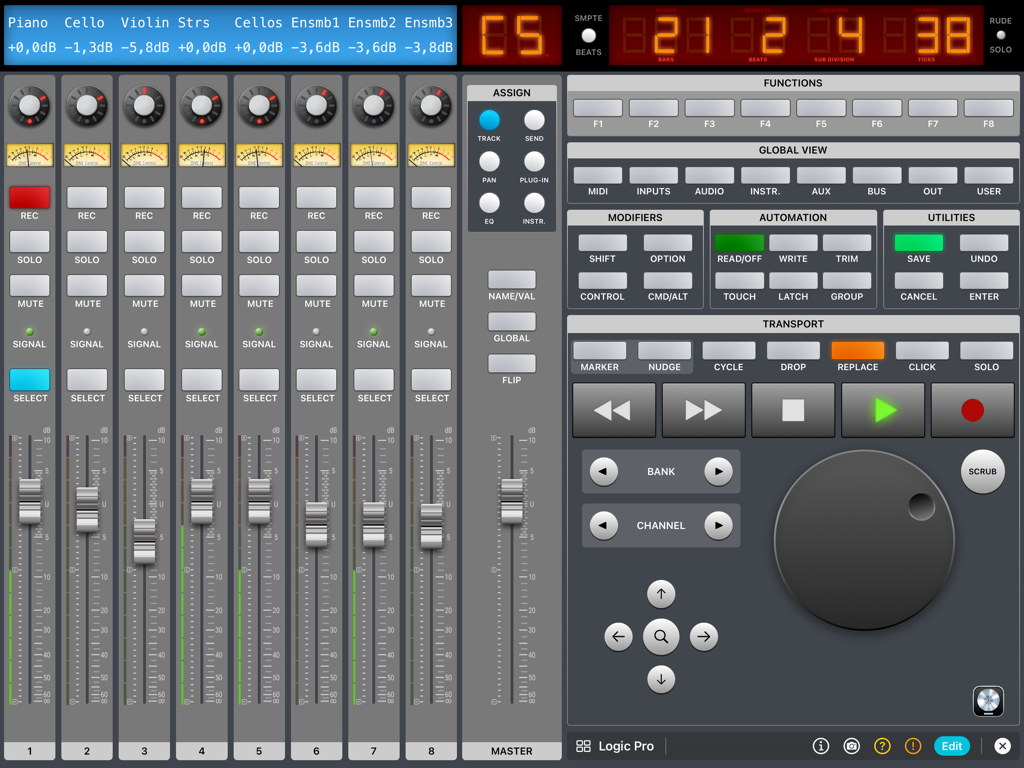
ONE Control Plus - ONE Control Plus iPad 앱 인터페이스는 디지털 페이더 및 전송 제어가 있는 Logic Pro DAW 컨트롤러를 특징으로 합니다.
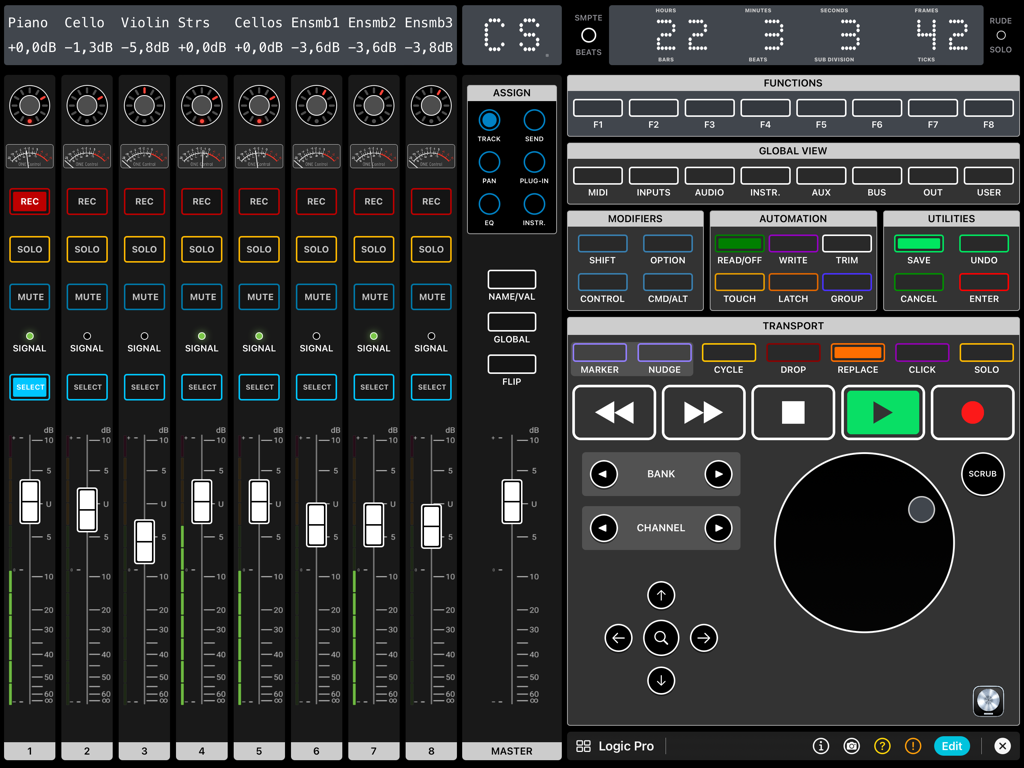
ONE Control Plus iPad 앱 인터페이스는 디지털 페이더 및 전송 제어가 있는 Logic Pro DAW 컨트롤러를 특징으로 합니다.

ONE Control Plus - iPad 인터페이스는 Logic Pro용 페이더, 전송 버튼 및 조그 휠이 있는 전문 디지털 DAW 컨트롤러를 보여줍니다.
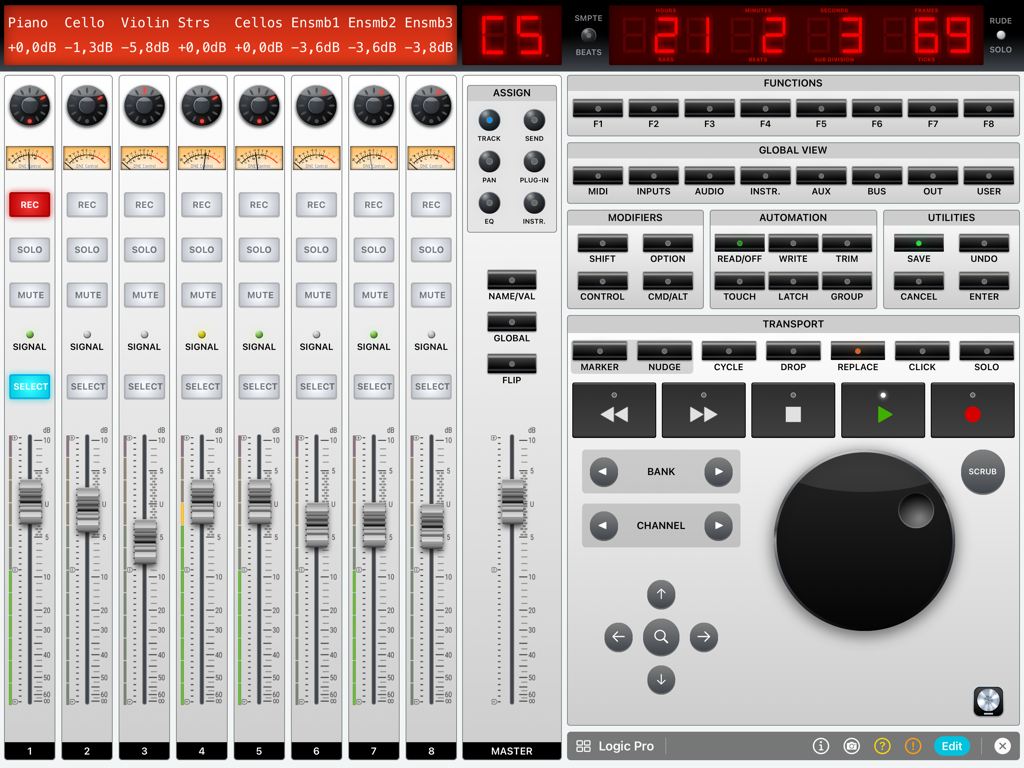
iPad 인터페이스는 Logic Pro용 페이더, 전송 버튼 및 조그 휠이 있는 전문 디지털 DAW 컨트롤러를 보여줍니다.

ONE Control Plus - iPad 화면에 Logic Pro용 페이더 및 전송 제어가 있는 디지털 오디오 워크스테이션 믹서가 표시됩니다.
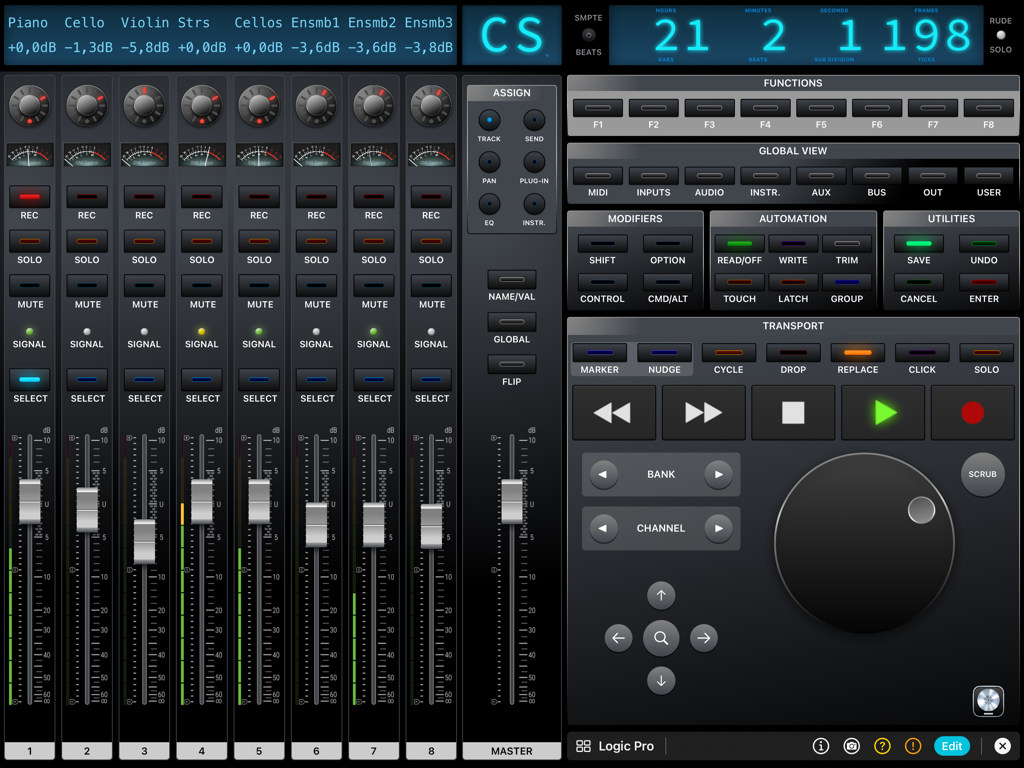
iPad 화면에 Logic Pro용 페이더 및 전송 제어가 있는 디지털 오디오 워크스테이션 믹서가 표시됩니다.

ONE Control Plus - ONE Control Plus Logic Pro 디지털 믹서 인터페이스는 iPad에서 채널 페이더, 전송 제어 및 조그 휠을 특징으로 합니다.
ONE Control Plus Logic Pro 디지털 믹서 인터페이스는 iPad에서 채널 페이더, 전송 제어 및 조그 휠을 특징으로 합니다.

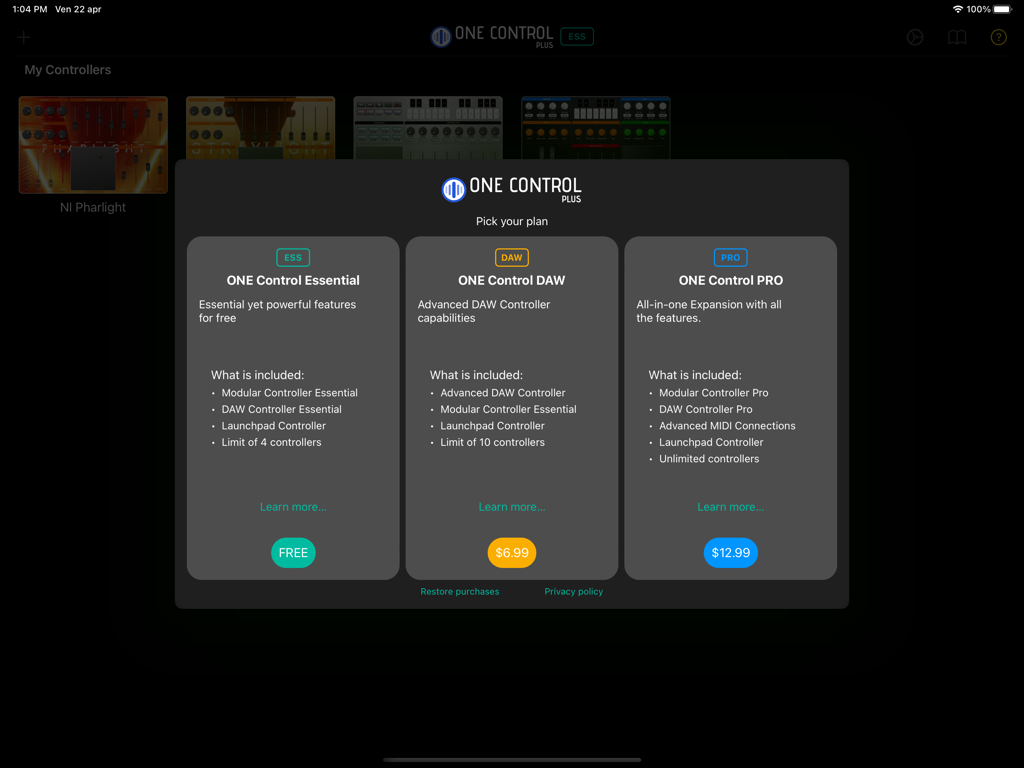
ONE Control Plus - ONE Control Plus 앱의 Essential, DAW, PRO 옵션을 보여주는 가격 책정 계층.
ONE Control Plus 앱의 Essential, DAW, PRO 옵션을 보여주는 가격 책정 계층.

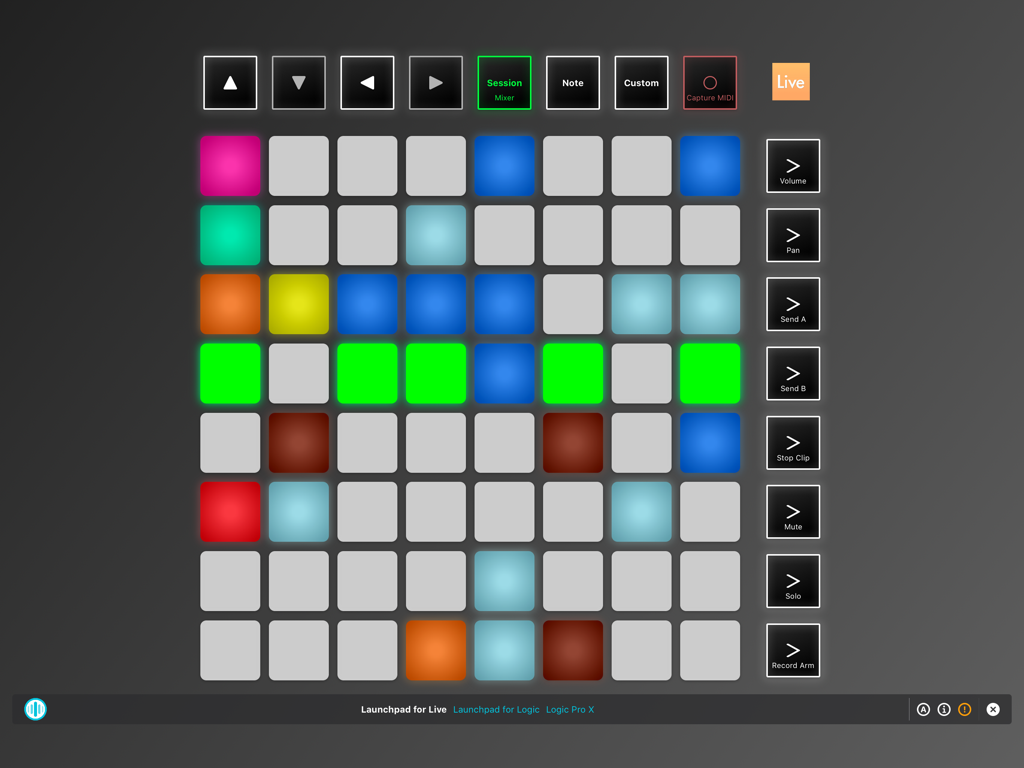
ONE Control Plus - iPad용 ONE Control Plus 앱의 가상 Launchpad 컨트롤러 인터페이스.
iPad용 ONE Control Plus 앱의 가상 Launchpad 컨트롤러 인터페이스.

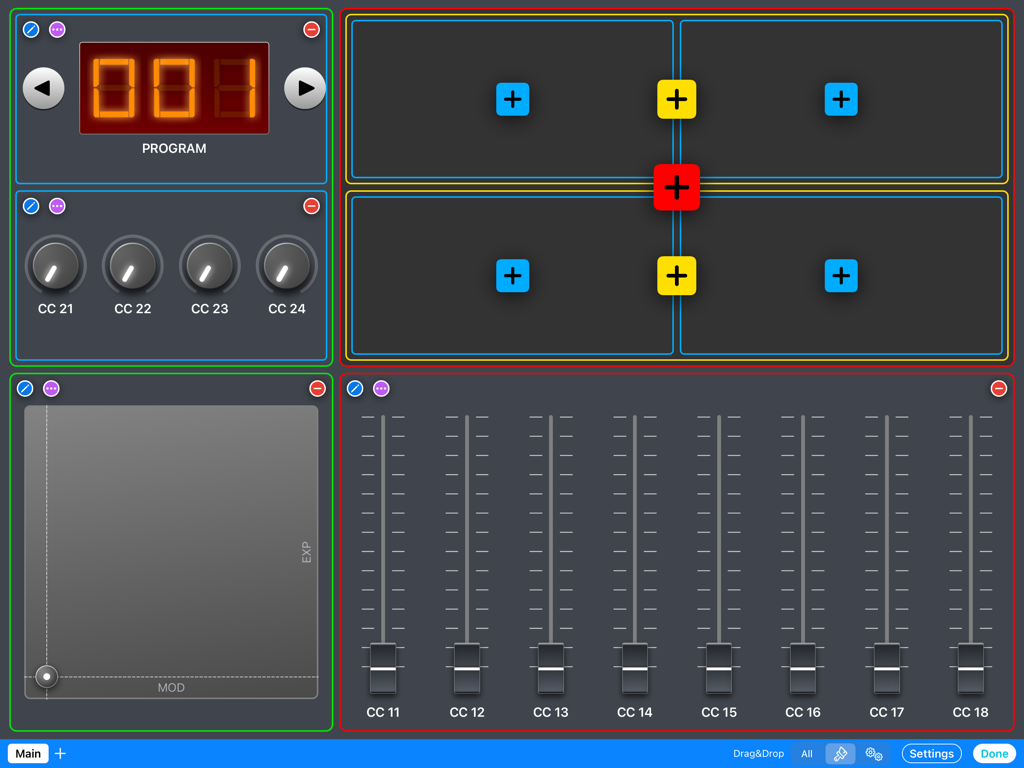
ONE Control Plus - iPad 화면에 페이더, 노브, XY 패드 및 프로그램 제어가 있는 사용자 정의 모듈식 MIDI 컨트롤러 레이아웃이 표시됩니다.
iPad 화면에 페이더, 노브, XY 패드 및 프로그램 제어가 있는 사용자 정의 모듈식 MIDI 컨트롤러 레이아웃이 표시됩니다.

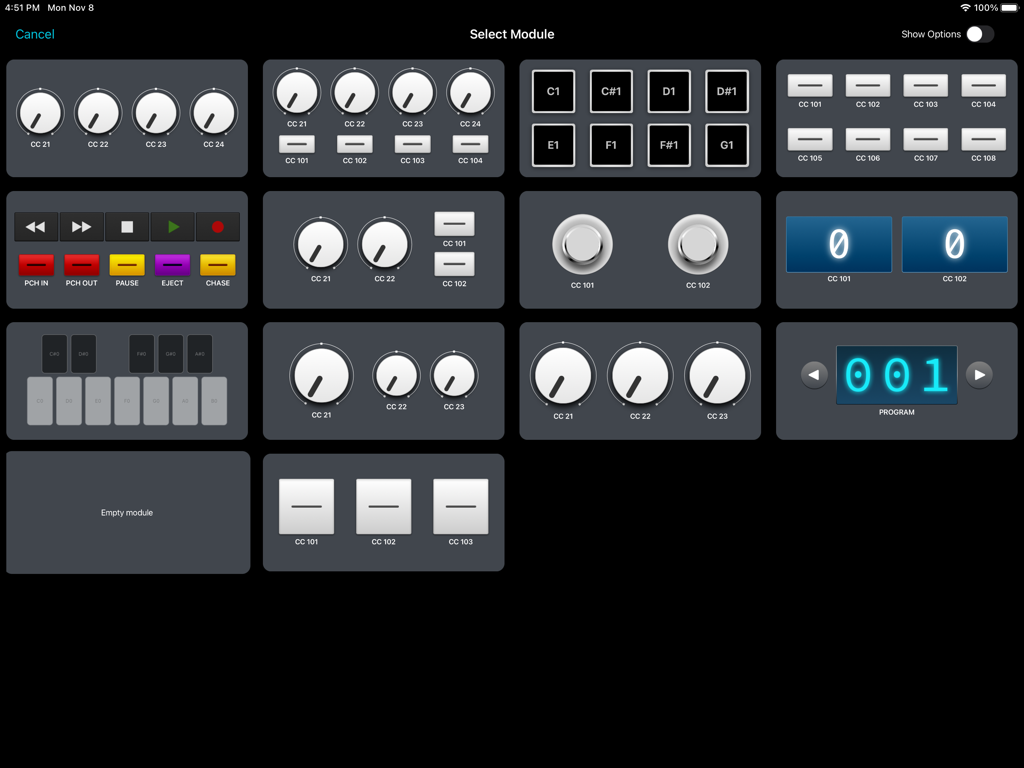
ONE Control Plus - ONE Control Plus 앱 인터페이스는 노브, 패드, 전송 제어와 같은 사용자 정의 가능한 MIDI 및 OSC 모듈 선택 그리드를 보여줍니다.
ONE Control Plus 앱 인터페이스는 노브, 패드, 전송 제어와 같은 사용자 정의 가능한 MIDI 및 OSC 모듈 선택 그리드를 보여줍니다.

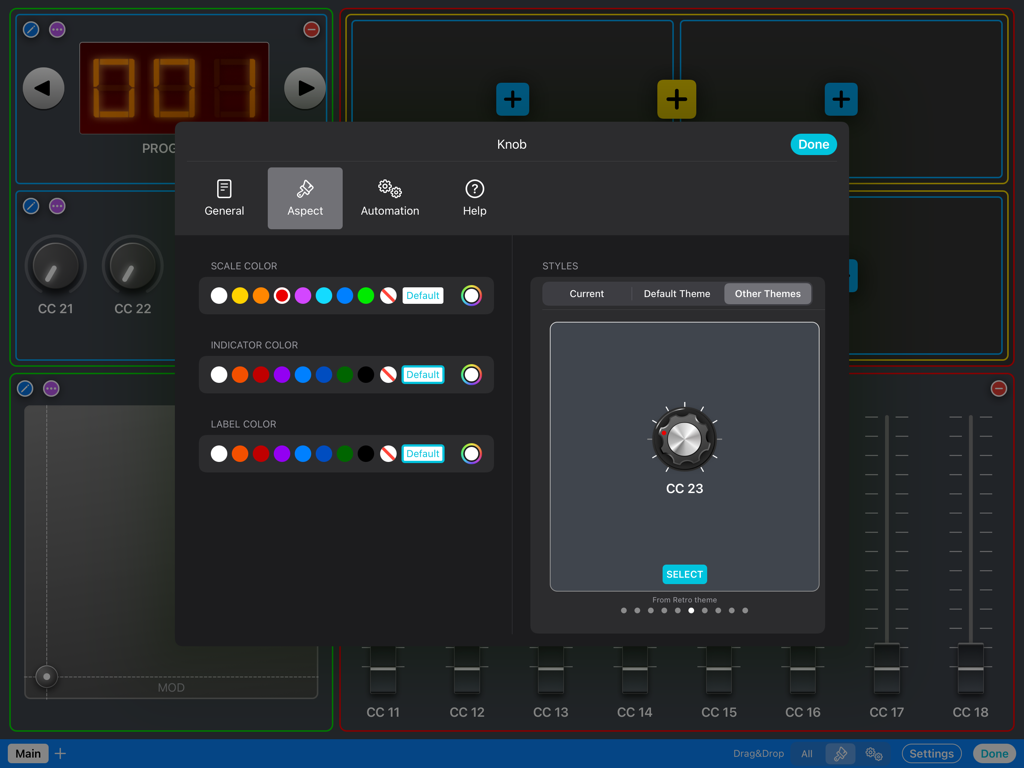
ONE Control Plus - ONE Control Plus의 노브 색상 및 스타일 옵션을 포함한 MIDI 노브 모양에 대한 사용자 정의 메뉴.
ONE Control Plus의 노브 색상 및 스타일 옵션을 포함한 MIDI 노브 모양에 대한 사용자 정의 메뉴.

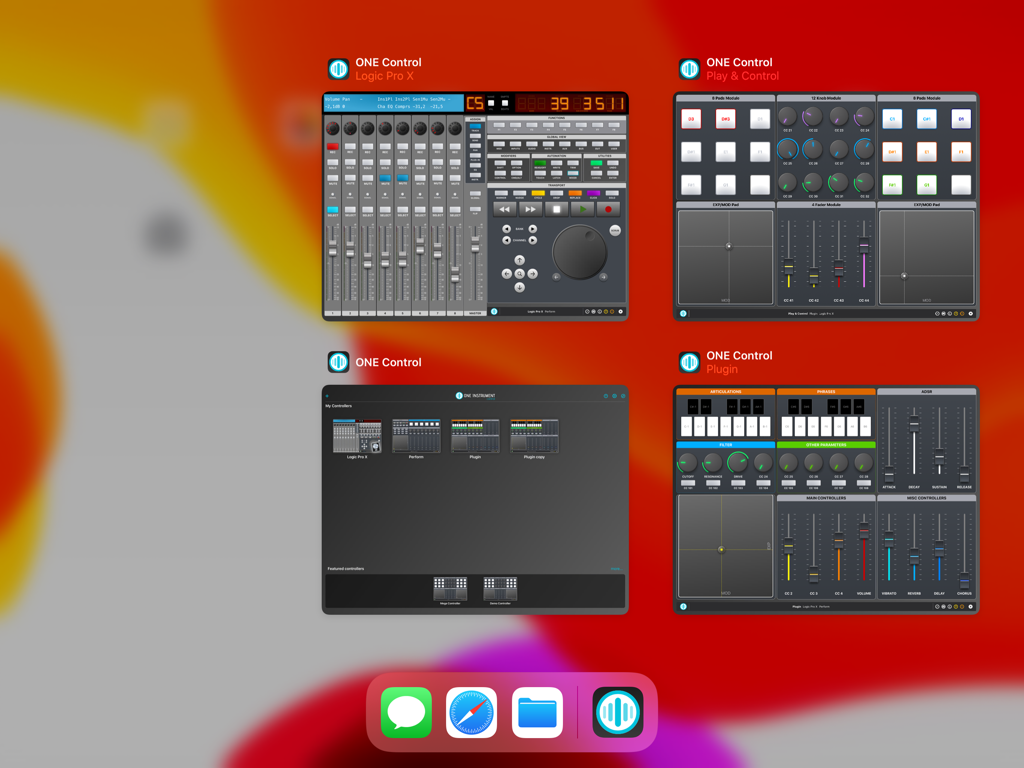
ONE Control Plus - iPad에서 여러 DAW 및 MIDI 제어 표면을 보여주는 4개의 동시 ONE Control Plus 창.

iPad에서 여러 DAW 및 MIDI 제어 표면을 보여주는 4개의 동시 ONE Control Plus 창.

설명

ONE Control Plus introduces a unified app with all the features of ONE Control DAW and ONE Control PRO, adding a free plan with essential yet powerful features.  If you’re happy with the Essential plan, enjoy it for free, forever. Yet, If you want to make the most of ONE Control, choose a one-time In-App Purchase Expansion Pack. Existing ONE Control DAW and PRO users will find an automatic, free of charge, migration process to ONE Control Plus. Essential (Free) * Essential Modular Controller * Essential DAW Controller * Launchpad controller * Limit of 4 controllers DAW Expansion Pack (In-App purchase) * Advanced DAW Controllers * Essential Modular Controller * Launchpad controller * Limit of 10 controllers PRO Expansion Pack (In-App purchase) * Pro Modular Controller * Pro DAW Controllers * Advanced MIDI communication * OSC Support * Unlimited Controllers MAIN FEATURES Modular Controller - Compose your MIDI/OSC controllers with a few touches - Choose between dozens of customizable modules: Faders, Knobs, Buttons, Pads, Keyswitches, XY Pads, Envelopes, Stepper, Interactive Displays, Keyboards and Background panels - Four amazing themes: Default, Minimal, Modern and Retro (PRO) - Many customisable control styles (PRO) - Configure your control’s aspect and actions exclusively, with custom events: MIDI Messages (CC, Note On/Off, etc.), MMC commands (Transport, Punch In/Out, etc.), OSC commands, Pitch Bend, Realtime Messages, and RPN/NRPN - Customisable Multi-Step components (PRO) - Add background textures and images. Apply effects to backgrounds. (PRO) - Save up to 128 presets (patches) for each controller (PRO) - Organise your controller in multiple pages (PRO) - Add help, comments and best practices for your collaborators (PRO) DAW Controller - Faithful replica of the glorious Mackie Control Surface (MCU) - Customisable templates for the main DAWs: Apple Logic Pro (Logic Control emulation) Steinberg Cubase/Nuendo Ableton Live Cakewalk by BandLab Universal Audio LUNA PerSonus Studio One MOTU Digital Performer Cockos Reaper Reason Studios Sony Vegas Waveform Tracktion Bitwig Studio Image Line FL Studio Adobe Audition Adobe Premiere Blackmagic Design DaVinci Resolve - Generic Mackie Control Universal template for other DAWs and Hardware - Dynamic buttons (labels and colors change depending on the current context) - Cheat Sheets for the major DAWs included - VU-Meters (PRO) - Customisable buttons (PRO) Launchpad Controller - Faithful replica of the Novation Launchpad X - Compatible with Ableton Live and Logic Pro 10.6+ - Play/record clips (Live) and live loops (Logic) - Control mixer parameters: Volume, Pan, Sends, Solo, Mute, Record Arm - Play MIDI notes - Billboard mode: Display scrolling messages at different speeds and aspects OTHER FEATURES - Supports wired, LAN and Bluetooth connections - Automatically connect to MIDI Network session (PRO) - Compatible with MacOS and Windows* hosts - Independent MIDI configuration for each controller - iPadOS multi-window support - Widget support: open your controller from the iPad Home Screen - Switch between your controllers with a single tap - Share your controllers with friends and collaborators - Save your controllers on iCloud Drive (PRO) - Optimized layouts for all iPad models, from the Mini to the iPad Pro 12.9" - Step by step guides to MIDI connection and DAW configuration - Online tutorials and videos *For Network MIDI connections with Windows PC, an RTP MIDI compatible driver is required. rtpMIDI is a free software fully compatible with ONE Control. Some MIDI interfaces also come with RTP MIDI drivers.

Download

다운로드: App Store

이 페이지는 앱이나 개발자의 공식 페이지가 아니며, 정보 제공 및 논평을 목적으로 작성된 독립 편집 간행물입니다. 명시적으로 달리 언급되지 않는 한, 해당 앱이나 개발자는 MWM, Apple, Google Play, 앱 퍼블리셔 또는 앱 개발자와 제휴, 보증, 후원, 승인 또는 공식적으로 연결되어 있지 않으며, 이 페이지의 어떤 내용도 해당 앱이 MWM의 서비스를 사용하여 개발되었음을 의미하지 않습니다. 모든 상표, 로고, 스크린샷 및 기타 콘텐츠는 해당 소유자의 자산입니다.







