One Man Band Live
One Man Band Live
다운로드: App Store

이 페이지는 앱이나 개발자의 공식 페이지가 아니며, 정보 제공 및 논평을 목적으로 작성된 독립 편집 간행물입니다. 명시적으로 달리 언급되지 않는 한, 해당 앱이나 개발자는 MWM, Apple, Google Play, 앱 퍼블리셔 또는 앱 개발자와 제휴, 보증, 후원, 승인 또는 공식적으로 연결되어 있지 않으며, 이 페이지의 어떤 내용도 해당 앱이 MWM의 서비스를 사용하여 개발되었음을 의미하지 않습니다. 모든 상표, 로고, 스크린샷 및 기타 콘텐츠는 해당 소유자의 자산입니다.

로고: One Man Band Live
다운로드: App Store

One Man Band Live

솔로 뮤지션을 위한 최고의 실시간 자동 반주 도구. 디지털 피아노를 연결하거나 수천 개의 호환 스타일 파일 및 사용자 정의 가능한 컨트롤로 이동 중에 연주하세요.

주요 수치

다운로드

5K+

사용자 평점

3.6/5

총 평가 수

0

개발사

Jos Maas

카테고리

Music

지원 언어

1

최신 버전

1.2

크기

2.6 MB

출시일

2018년 4월 22일
기능

손끝에서 펼쳐지는 전문 밴드

집에서든 무대에서든 디지털 피아노를 하이엔드 편곡 키보드로 바꾸고 실시간으로 전체 오케스트라를 이끌어보세요.

인터랙티브 자동 반주

당신의 리드를 따라가는 풀 밴드를 경험하세요. 왼손으로 코드를 연주하면 리듬 섹션이 당신의 연주에 즉시 적응합니다.

무제한 스타일 라이브러리

Yamaha PSR 및 Tyros 스타일 파일(.sty)과 완벽 호환됩니다. 수천 개의 무료 리듬 팩을 쉽게 가져와 전문적이고 다양한 사운드를 유지하세요.

다음 스크린샷과 설명은 앱의 공식 스토어 목록에서 직접 가져온 것이며 앱 개발자의 자산입니다.

앱 스토어

스크린샷
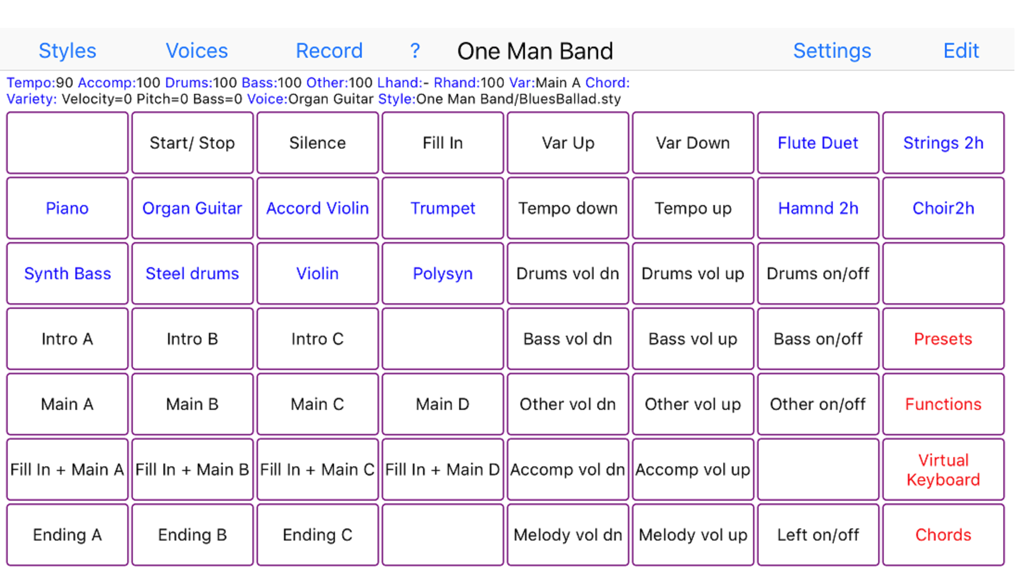
One Man Band Live - 음악 반주 및 악기 제어를 위한 버튼 그리드가 특징인 One Man Band Live 앱 인터페이스.
음악 반주 및 악기 제어를 위한 버튼 그리드가 특징인 One Man Band Live 앱 인터페이스.

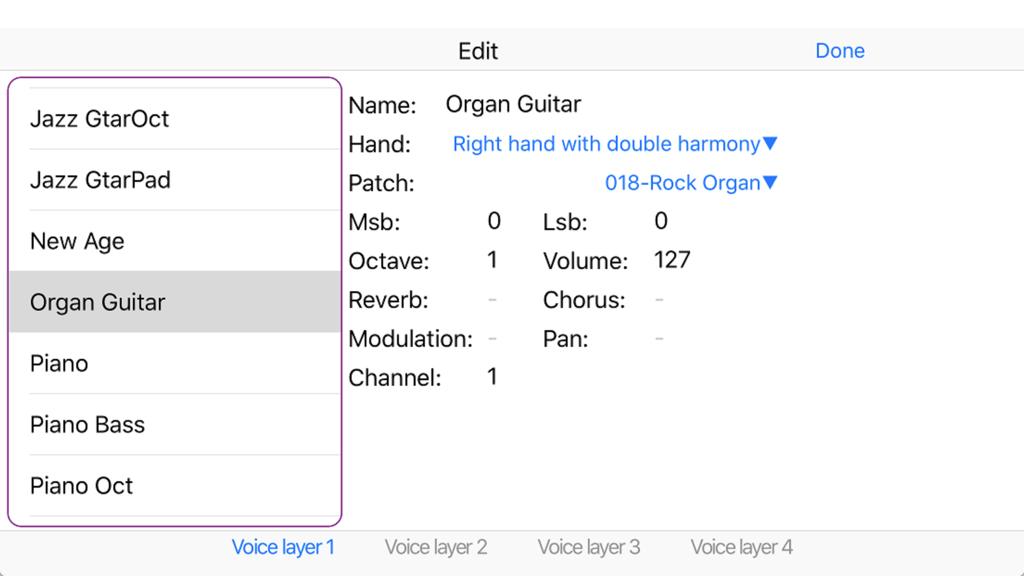
One Man Band Live - 오르간 기타 악기에 대한 설정을 보여주는 One Man Band Live의 음색 프리셋 편집 인터페이스
오르간 기타 악기에 대한 설정을 보여주는 One Man Band Live의 음색 프리셋 편집 인터페이스

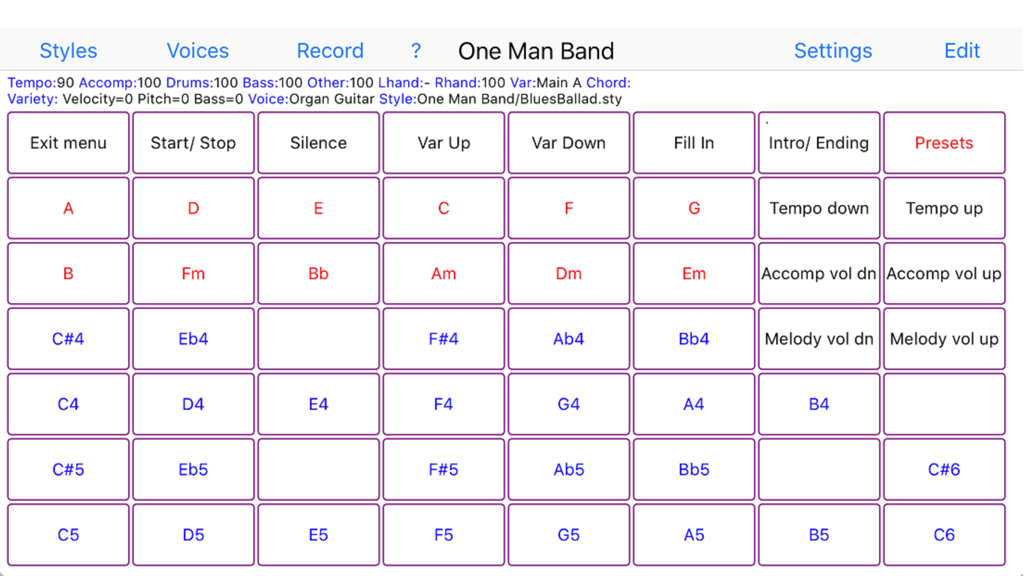
One Man Band Live - 음악 코드 및 반주 제어를 위한 버튼 그리드가 특징인 One Man Band Live 앱의 사용자 인터페이스

음악 코드 및 반주 제어를 위한 버튼 그리드가 특징인 One Man Band Live 앱의 사용자 인터페이스

설명

Change your digital piano or synthesizer into an arranger keyboard with realtime auto-accompaniment. Or use your iOS device on its own as a realtime arranger and be creative while traveling Connect your iPad, iPhone or iPod to your keyboard instrument with the camera connection kit and an USB AB cable or a MIDI interface cable (depending on what your keyboard uses for MIDI). Then start One Man Band and select the Settings button. Choose the MIDI In and MIDI Out port to your keyboard and press Done. Now select the red Presets button and choose one of the style/voice combinations. When you play a chord on the leftside of your keyboard instrument, the accompaniment will start to play. You can play the melody on the right side of the keyboard, it will have harmonies and instrument layers depending on the chosen voice. Select different style variations (Main, Fill, Intro, Ending) while you play. Switch to different accompaniment styles and melody voices with the buttons on top. Press Record and set the switch on to record MIDI files. When you don't have a keyboard instrument (yet) or can't make the connection at the moment, then there are options to use the iPad/iPhone/iPod as an accompaniment instrument on its own. Select the soundfont player at Settings/Ports/MidiOut and use the virtual keyboard to play chords and melody. One Man Band utilises standard style files compatible with the styles used in Yamaha PSR, DGX and Tyros arranger keyboards. There are thousands of these styles available on the internet. When you copy a zip-file with styles to OMB (download, email, icloud), the styles will be placed in a new style folder with the same name as the zip-file. The panel with 56 buttons is customisable. You can assign a function, voice, preset, chord or note to each of the buttons (except for the button top left) and create submenus with again 56 buttons each. Create your own voices with harmonies and instrument layering. There is also a free version (One Man Band Lite) in the App Store.

Download

다운로드: App Store

이 페이지는 앱이나 개발자의 공식 페이지가 아니며, 정보 제공 및 논평을 목적으로 작성된 독립 편집 간행물입니다. 명시적으로 달리 언급되지 않는 한, 해당 앱이나 개발자는 MWM, Apple, Google Play, 앱 퍼블리셔 또는 앱 개발자와 제휴, 보증, 후원, 승인 또는 공식적으로 연결되어 있지 않으며, 이 페이지의 어떤 내용도 해당 앱이 MWM의 서비스를 사용하여 개발되었음을 의미하지 않습니다. 모든 상표, 로고, 스크린샷 및 기타 콘텐츠는 해당 소유자의 자산입니다.







