Opus One: Digital Planner
다운로드: App Store

이 페이지는 앱이나 개발자의 공식 페이지가 아니며, 정보 제공 및 논평을 목적으로 작성된 독립 편집 간행물입니다. 명시적으로 달리 언급되지 않는 한, 해당 앱이나 개발자는 MWM, Apple, Google Play, 앱 퍼블리셔 또는 앱 개발자와 제휴, 보증, 후원, 승인 또는 공식적으로 연결되어 있지 않으며, 이 페이지의 어떤 내용도 해당 앱이 MWM의 서비스를 사용하여 개발되었음을 의미하지 않습니다. 모든 상표, 로고, 스크린샷 및 기타 콘텐츠는 해당 소유자의 자산입니다.

로고: Opus One: Digital Planner
다운로드: App Store

Opus One: Digital Planner

Apple 생태계를 위해 설계된 정교한 디지털 플래너. 클래식한 종이 스타일의 정리 방식과 현대적인 생산성 도구를 결합한 체계적인 작업 공간을 사용하여 일상 업무를 장기 목표와 조율하세요.

주요 수치

다운로드

100K+

사용자 평점

4.5/5

총 평가 수

900

개발사

PISO 13, Inc.

카테고리

Productivity

지원 언어

4

최신 버전

2.8.4

크기

231.3 MB

출시일

2016년 9월 14일
기능

단순한 업무가 아닌 삶을 마스터하세요

Opus One은 클래식한 종이 플래너와 현대적인 디지털 효율성 사이의 격차를 해소하여 사명에 헌신하는 성공한 사람들을 위한 전문적인 지휘 센터를 제공합니다.

가치 기반 생산성

단순한 할 일 목록을 넘어서세요. 일상 스케줄을 핵심 가치 및 장기 목표와 조율하여 모든 행동이 인생의 사명을 지원하도록 보장하세요.

원활한 Apple 통합

iPhone, iPad, Mac, Watch 전반에 걸쳐 통합된 워크플로우를 경험하세요. 파워 유저를 위해 설계된 강력한 위젯과 Siri 통합으로 제어권을 유지하세요.

다음 스크린샷과 설명은 앱의 공식 스토어 목록에서 직접 가져온 것이며 앱 개발자의 자산입니다.

앱 스토어

스크린샷
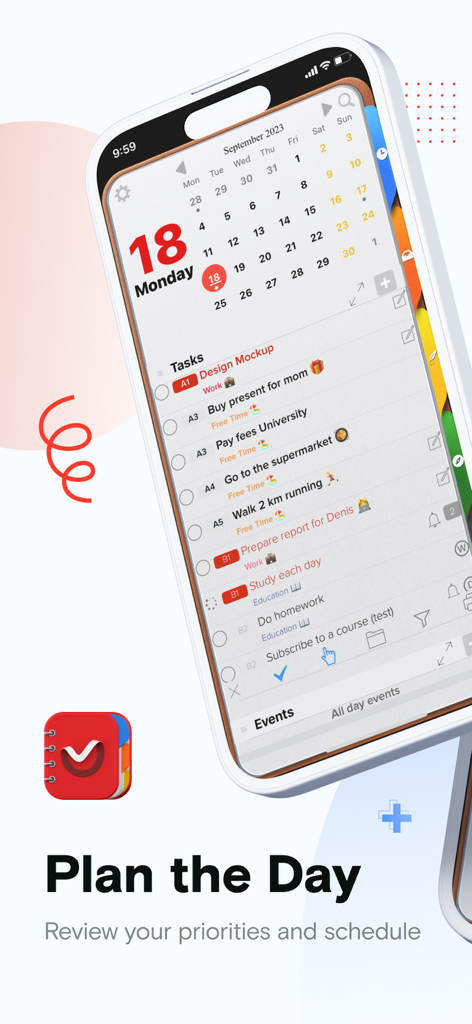
Opus One: Digital Planner - Opus One 디지털 플래너 앱 인터페이스가 iPhone에서 일일 작업 목록과 달력을 보여줍니다
Opus One 디지털 플래너 앱 인터페이스가 iPhone에서 일일 작업 목록과 달력을 보여줍니다

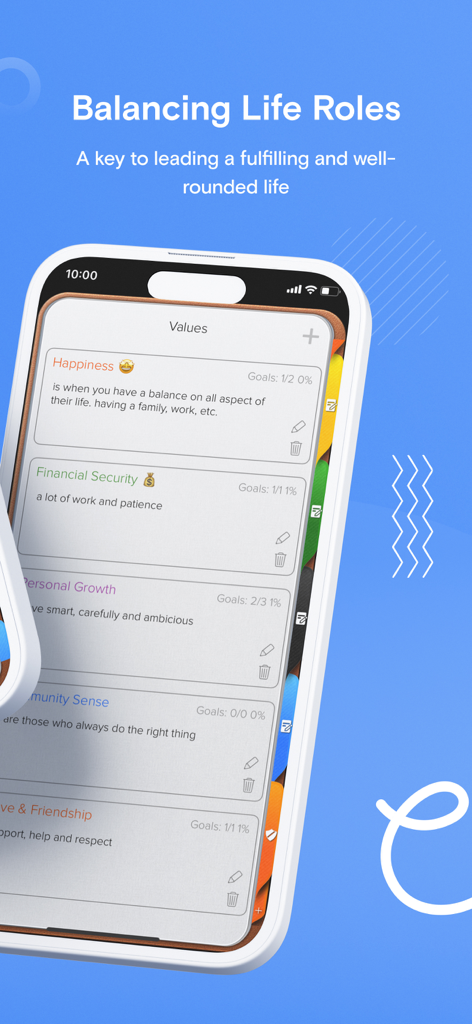
Opus One: Digital Planner - Opus One 디지털 플래너 인터페이스가 개인 가치 및 삶의 균형 범주를 표시합니다
Opus One 디지털 플래너 인터페이스가 개인 가치 및 삶의 균형 범주를 표시합니다

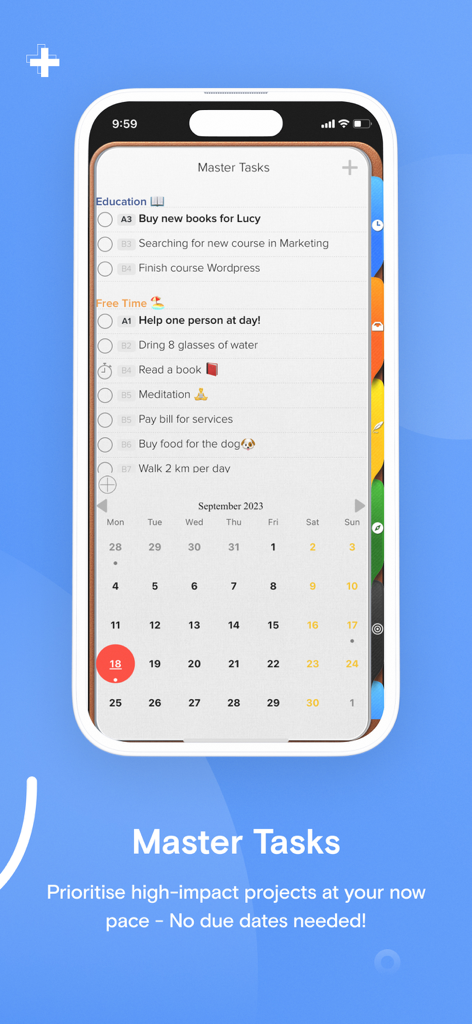
Opus One: Digital Planner - Opus One Digital Planner 인터페이스가 iPhone에서 마스터 작업 목록과 월별 달력 보기를 보여줍니다
Opus One Digital Planner 인터페이스가 iPhone에서 마스터 작업 목록과 월별 달력 보기를 보여줍니다

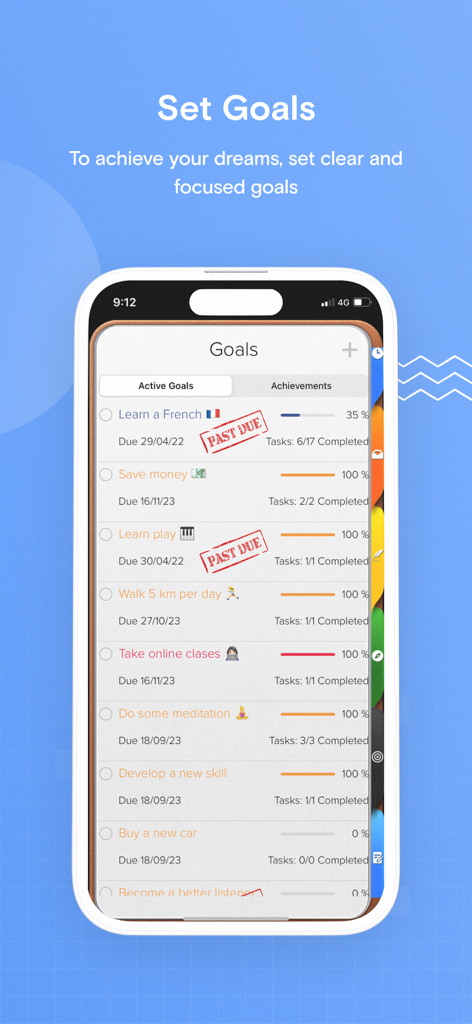
Opus One: Digital Planner - Opus One 디지털 플래너 앱 스크린샷으로 iPhone에서 진행률 표시줄이 있는 목표 추적 목록을 보여줍니다.
Opus One 디지털 플래너 앱 스크린샷으로 iPhone에서 진행률 표시줄이 있는 목표 추적 목록을 보여줍니다.

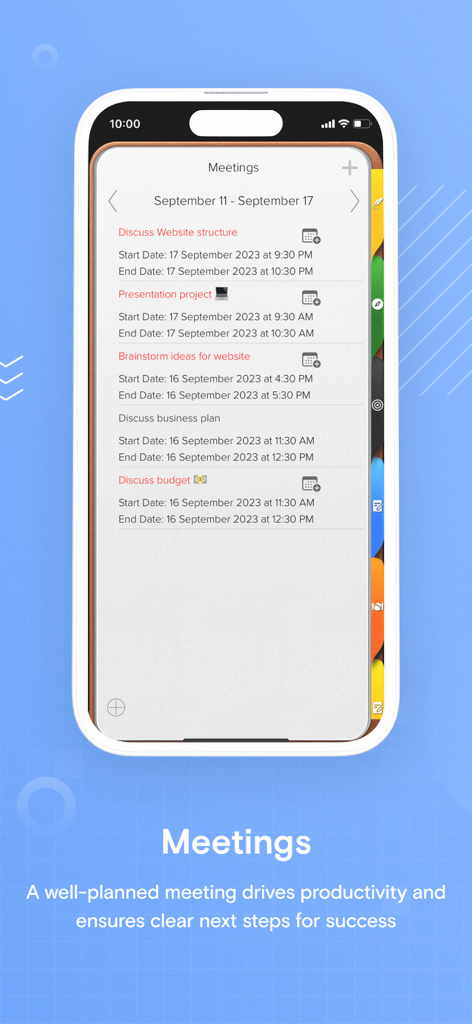
Opus One: Digital Planner - Opus One 앱 인터페이스가 날짜와 시간이 포함된 예정된 전문 회의 목록을 보여줍니다.
Opus One 앱 인터페이스가 날짜와 시간이 포함된 예정된 전문 회의 목록을 보여줍니다.

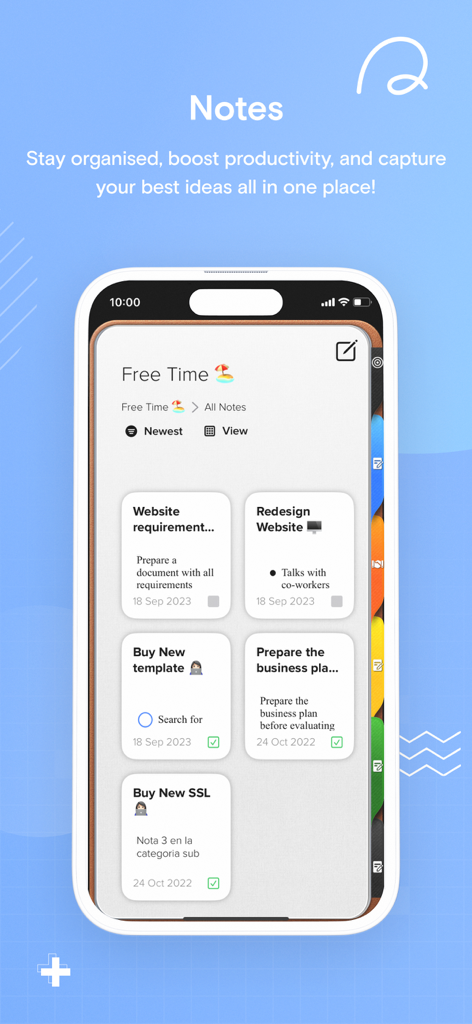
Opus One: Digital Planner - Opus One 디지털 플래너 앱의 노트 섹션이 iPhone에서 프로젝트 관리를 위한 작업 카드를 표시합니다.

Opus One 디지털 플래너 앱의 노트 섹션이 iPhone에서 프로젝트 관리를 위한 작업 카드를 표시합니다.

설명

An effective to do manager. Use our Master Task section to get everything off your mind, easily glance at your day or week on the Planner, move from the list to the schedule. Finally drag and drop to reorder, prioritize or reschedule tasks & events. Our powerful tools include: 1. Daily Task lists with status, priority and notes 2. Daily Schedule and Event integration with Calendar 3. Daily Notes with Motivational Quotes and the ability to include text and maps. 4. Master Task list with side Planner Views. 5. Task Alarms synced through out devices. 6. New Daily Notes section that allow you to change font, size and color for a specific text, phrase or paragraph. 7. Daily Quotes Widgets. 8. New Widgets for Daily Tasks and events at a glance, Mission statement, Values & Principles. 9. Planner Themes. 10. The new notes section will allow you to change font at any point in the note, Change font size up or down and Change font color. 11. Meeting Planner section The Universal Subscription includes: 1. Cloud synchronization across other iOS Devices and MacOS. 2. Weather Information including Current Weather, 10 Day Weather forecast with automatic city location. 3. Images, PDF's, checklists, maps & audio notes. 4. Sketch drawing canvas optimized for Apple Pencil 5. Color Coded Categories 6. Repeating Rules with advanced customization 7. Goals. 8. Add tasks using Siri. 9. Planner Themes. 10. The new notes section will allow you to change font at any point in the note, Change font size up or down and Change font color. Our auto renewable Universal Subscription is available on a Yearly or Monthly basis. One subscription will give you access to Opus One for iOS devices (iPhone and iPad) and MacOS Information About our Universal Subscription: - Payment will be charged to iTunes Account at confirmation of purchase - Subscription automatically renews unless auto-renew is turned off at least 24-hours before the end of the current period - Account will be charged for renewal within 24-hours prior to the end of the current period, and identify the cost of the renewal - Subscriptions may be managed by the user and auto-renewal may be turned off by going to the user's Account Settings after purchase - No cancellation of the current subscription is allowed during active subscription period - One subscription is valid for all Apple devices (iPhone, iPad and Mac) that have the same iCloud account. Privacy Policy: https://piso13.com/privacy-policy-2/ Terms of Service: https://piso13.com/terms-of-service/

Download

다운로드: App Store

이 페이지는 앱이나 개발자의 공식 페이지가 아니며, 정보 제공 및 논평을 목적으로 작성된 독립 편집 간행물입니다. 명시적으로 달리 언급되지 않는 한, 해당 앱이나 개발자는 MWM, Apple, Google Play, 앱 퍼블리셔 또는 앱 개발자와 제휴, 보증, 후원, 승인 또는 공식적으로 연결되어 있지 않으며, 이 페이지의 어떤 내용도 해당 앱이 MWM의 서비스를 사용하여 개발되었음을 의미하지 않습니다. 모든 상표, 로고, 스크린샷 및 기타 콘텐츠는 해당 소유자의 자산입니다.








