
이 페이지는 앱이나 개발자의 공식 페이지가 아니며, 정보 제공 및 논평을 목적으로 작성된 독립 편집 간행물입니다. 명시적으로 달리 언급되지 않는 한, 해당 앱이나 개발자는 MWM, Apple, Google Play, 앱 퍼블리셔 또는 앱 개발자와 제휴, 보증, 후원, 승인 또는 공식적으로 연결되어 있지 않으며, 이 페이지의 어떤 내용도 해당 앱이 MWM의 서비스를 사용하여 개발되었음을 의미하지 않습니다. 모든 상표, 로고, 스크린샷 및 기타 콘텐츠는 해당 소유자의 자산입니다.

Panels - Comic Reader
iPad, iPhone 및 Mac에서 원활한 iCloud 동기화, 고급 사용자 정의 및 모든 즐겨찾는 형식에 대한 네이티브 지원을 통해 라이브러리를 이전과는 다른 방식으로 경험하세요.
다운로드
1M+사용자 평점
총 평가 수
25K+개발사
카테고리
Books지원 언어
12최신 버전
3.9.11크기
160.6 MB출시일
2017년 10월 23일수집가를 위한 궁극의 디지털 라이브러리
Panels는 Apple 생태계를 위해 설계된 가장 진보되고 즐거운 만화 리더로, 개인 컬렉션을 완벽하게 제어할 수 있습니다.
통합 가져오기 및 소유권
미디어에 대한 제어권을 되찾으세요. iCloud, Dropbox, OneDrive 또는 OPDS를 통해 자체 개인 서버에서 CBR, CBZ 및 PDF 파일을 원활하게 가져오기 지원합니다.
정밀 독서 모드
서양 만화, 오른쪽에서 왼쪽으로 읽는 망가 또는 세로 웹툰이든, 당사의 적응형 엔진과 패널별 탐색 기능은 모든 스토리에 완벽한 보기를 제공합니다.
자주 묻는 질문
에 대해 알아야 할 모든 것 Panels - Comic Reader
Panels에서 지원하는 만화 파일 형식은 무엇인가요?
Panels는 CBR, CBZ, CB7, PDF, 만화 ePUB를 포함한 일반적인 만화 형식을 지원합니다. WebP와 같은 여러 이미지 형식도 지원합니다.
Panels는 여러 기기에서 읽기 진행 상황을 동기화하나요?
예, Panels는 모든 Mac 기기에서 읽기 진행 상황을 동기화합니다. 사용자는 동기화된 기기에서 중단한 부분부터 정확하게 다시 읽을 수 있습니다.
사용자는 Panels 앱에서 만화 라이브러리를 어떻게 관리할 수 있나요?
Panels는 직관적인 도구를 제공하여 라이브러리를 손쉽게 관리할 수 있습니다. 사용자는 폴더 색상, 로고를 변경하고 사용자 지정 이미지를 사용하여 컬렉션을 맞춤 설정할 수 있습니다.
Panels 앱에서 사용할 수 있는 읽기 모드는 무엇인가요?
Panels는 가로, 세로, 페이지별 보기 등 여러 읽기 프리셋을 제공합니다. 또한 만화 콘텐츠를 위해 특별히 오른쪽에서 왼쪽으로 읽는 기능도 제공합니다.
Panels로 만화 파일을 가져오는 방법은 무엇인가요?
Panels는 iCloud Drive, Dropbox, Microsoft OneDrive, Substack, OPDS, SMB를 통한 로컬 네트워크 공유, iTunes, 외장 드라이브, AirDrop 및 드래그 앤 드롭에서 파일을 가져오는 것을 지원합니다.
사용자는 Panels 앱 내에서 만화 콘텐츠를 보호할 수 있나요?
예, Panels를 사용하면 암호 또는 Face ID를 사용하여 파일 및 컬렉션을 보호할 수 있습니다. 읽기 세션을 숨겨주는 시크릿 모드도 사용할 수 있습니다.
Panels의 결제 모델은 어떻게 작동하나요?
Panels는 프리미엄 기능을 잠금 해제하기 위해 자동 갱신 구독 또는 일회성 구매를 제공합니다. 구독은 iTunes 계정으로 청구되며, 자동 갱신이 24시간 전에 꺼지지 않으면 갱신됩니다.
Panels 앱은 OPDS 서버를 지원하나요?
예, Panels는 OPDS를 지원합니다. 사용자는 Komga, Kavita, Codex와 같은 호환 OPDS 서버에서 만화를 스트리밍, 검색 및 다운로드할 수 있습니다.
Panels에는 만화 표시를 향상시키기 위한 페이지 필터가 있나요?
Panels는 만화 표시를 향상시키기 위한 페이지 필터를 제공합니다. 여기에는 노이즈 감소, 선명도 증가, 모아레 감소, 테두리 자르기 옵션이 포함됩니다.
Panels는 개인적인 읽기를 위한 시크릿 모드를 제공하나요?
예, Panels에는 시크릿 모드가 있습니다. 이를 통해 사용자는 읽기 세션을 숨겨 만화 콘텐츠의 개인 정보를 보장할 수 있습니다.
Panels는 여러 만화 파일을 동시에 다운로드할 수 있나요?
예, Panels를 사용하면 여러 만화 파일을 동시에 다운로드할 수 있습니다. 이 기능은 라이브러리를 구축하거나 업데이트할 때 효율성을 향상시킵니다.
다음 스크린샷과 설명은 앱의 공식 스토어 목록에서 직접 가져온 것이며 앱 개발자의 자산입니다.
앱 스토어
스크린샷
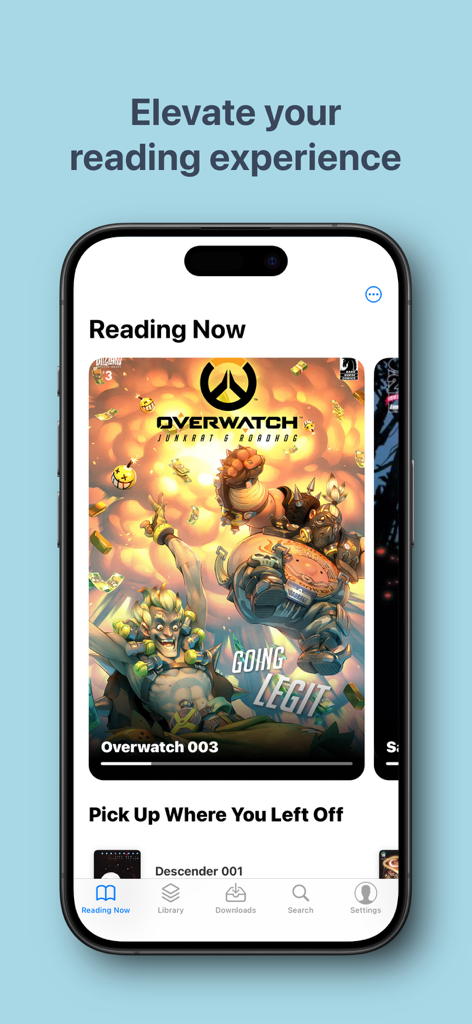
iPhone에서 현재 읽고 있는 목록과 만화 표지를 표시하는 Panels 만화 리더 앱 인터페이스
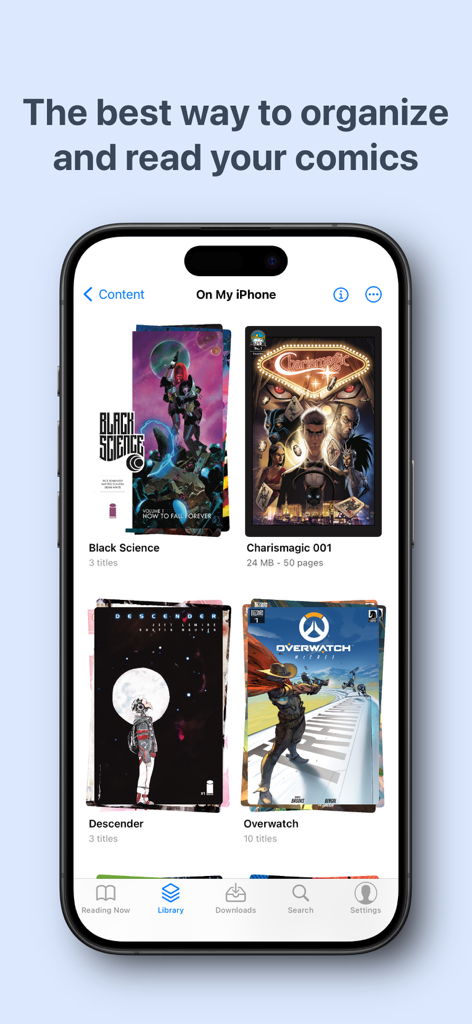
정리된 만화 컬렉션을 보여주는 iPhone의 Panels 앱 라이브러리 인터페이스
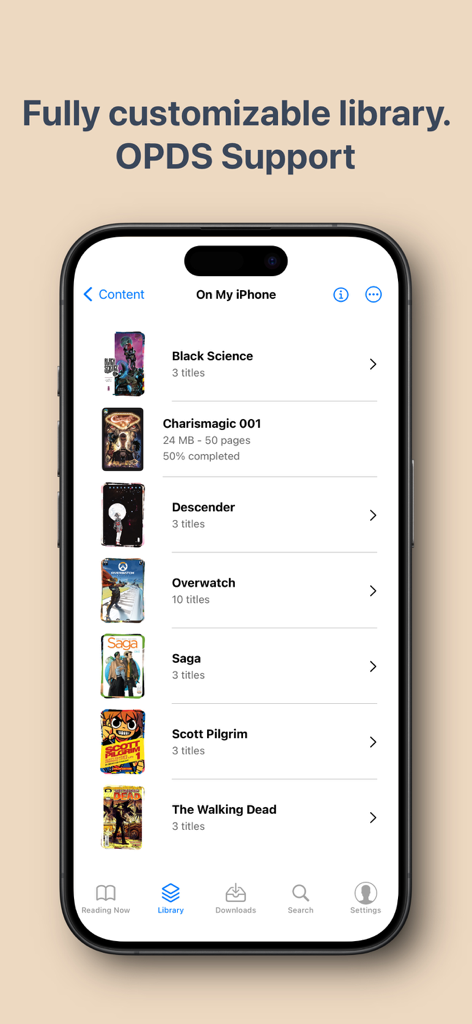
다양한 만화 제목을 포함하는 Panels 만화 리더 라이브러리를 표시하는 iPhone 화면
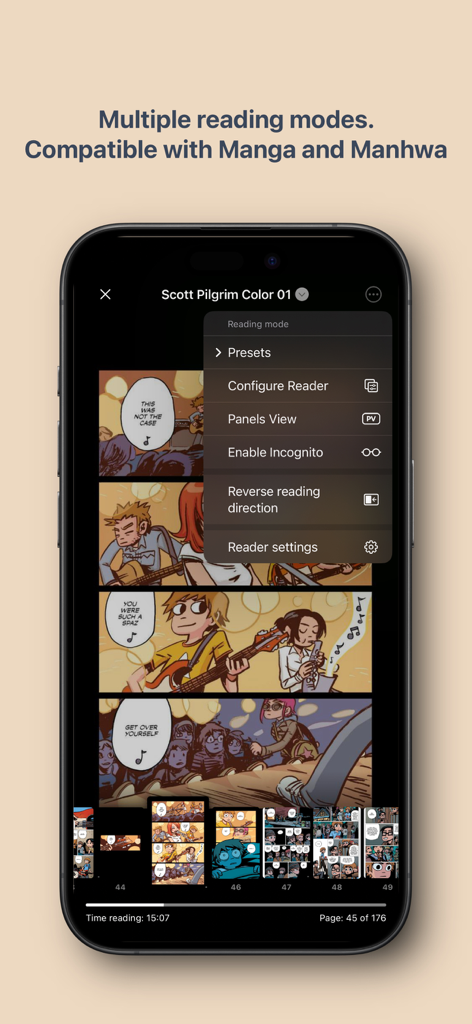
iPhone에서 여러 읽기 모드와 망가 호환성을 보여주는 Panels 만화 리더 인터페이스
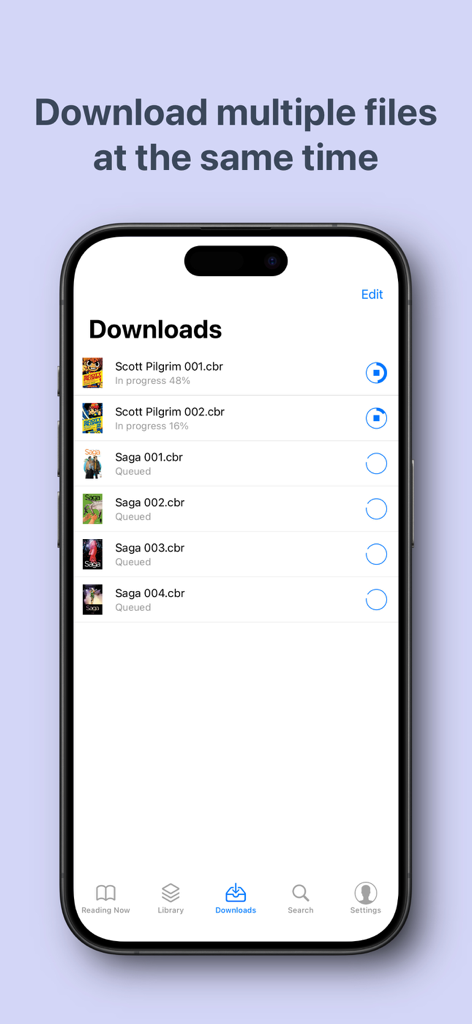
오프라인 읽기를 위해 다운로드 및 대기열에 있는 여러 만화 파일 표시 Panels 앱 인터페이스
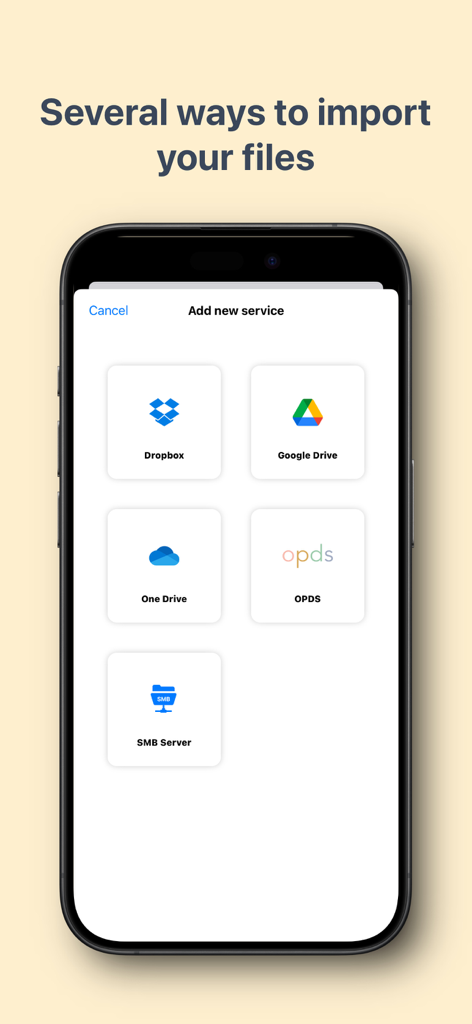
Dropbox, Google Drive, OneDrive, OPDS 및 SMB 서버에서 만화를 가져오는 옵션을 보여주는 Panels 앱 화면
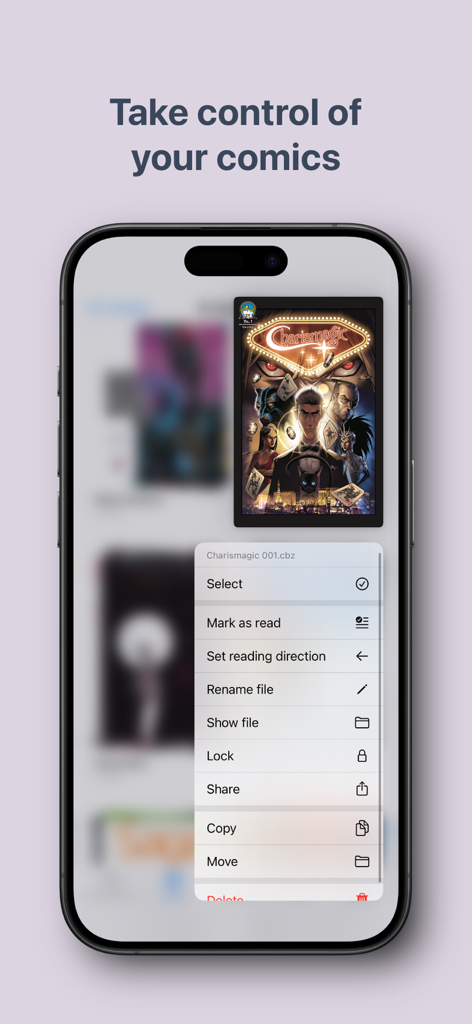
잠금, 공유, 읽기 방향 변경 옵션을 포함하여 만화 파일 구성 메뉴를 표시하는 Panels 앱이 있는 iPhone 화면.
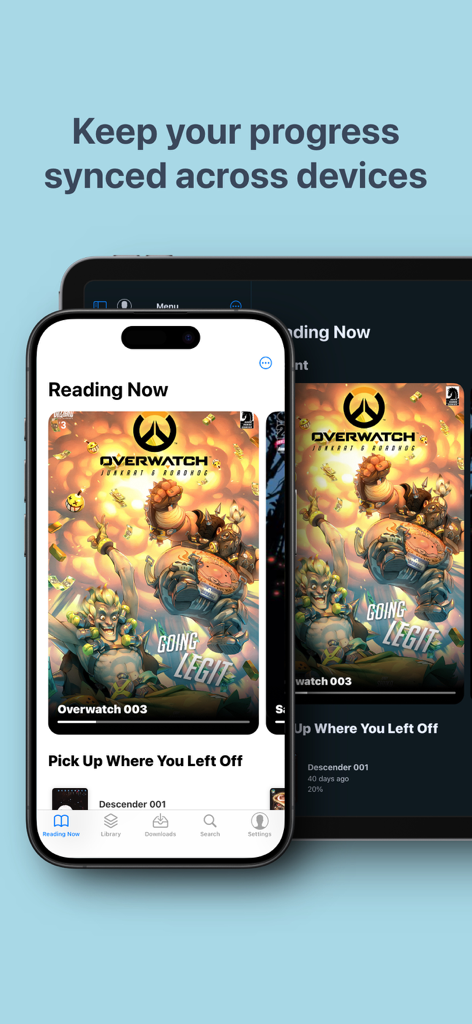
iPhone 및 iPad에서 동기화된 읽기 진행률을 보여주는 Panels 만화 리더 앱
설명
Download
비슷한 앱
유사한 기능과 사용자 경험을 가진 앱

WEBTOON: Manga, Comics, Manhwa
NAVER WEBTOON Ltd.

快看漫画
Kuaikan World (Beijing) Technology CO., LTD.

Tachimanga
继超 吴

WebComics - Webtoon, Manga
WEBCOMICS HOLDINGS HK LIMITED

GlobalComix: The Comics App
Global Publishing Interactive, Inc

漫画人极速版-看动漫画大全平台
中营 谢

百度阅读-电子书看书阅读神器
Beijing Baidu Netcom Science & Technology Co.,Ltd

Lovella: Novels & Audiobooks
FMPROJECT LIMITED

菠萝包轻小说-二次元阅读神器
Guangzhou Qingyue Network Technology Co.,Ltd.
이 페이지는 앱이나 개발자의 공식 페이지가 아니며, 정보 제공 및 논평을 목적으로 작성된 독립 편집 간행물입니다. 명시적으로 달리 언급되지 않는 한, 해당 앱이나 개발자는 MWM, Apple, Google Play, 앱 퍼블리셔 또는 앱 개발자와 제휴, 보증, 후원, 승인 또는 공식적으로 연결되어 있지 않으며, 이 페이지의 어떤 내용도 해당 앱이 MWM의 서비스를 사용하여 개발되었음을 의미하지 않습니다. 모든 상표, 로고, 스크린샷 및 기타 콘텐츠는 해당 소유자의 자산입니다.