
이 페이지는 앱이나 개발자의 공식 페이지가 아니며, 정보 제공 및 논평을 목적으로 작성된 독립 편집 간행물입니다. 명시적으로 달리 언급되지 않는 한, 해당 앱이나 개발자는 MWM, Apple, Google Play, 앱 퍼블리셔 또는 앱 개발자와 제휴, 보증, 후원, 승인 또는 공식적으로 연결되어 있지 않으며, 이 페이지의 어떤 내용도 해당 앱이 MWM의 서비스를 사용하여 개발되었음을 의미하지 않습니다. 모든 상표, 로고, 스크린샷 및 기타 콘텐츠는 해당 소유자의 자산입니다.

Participant 3rd Party Zoom App
불필요한 기능을 없애고 회의 집중도를 되찾으세요. 원탭 액세스로 즉시 참여하고, 이동 중에도 데이터 사용량을 최대 95% 절약하고, Apple Watch 및 Dynamic Island에서 직접 마이크나 카메라를 제어하세요.
다운로드
2M+사용자 평점
총 평가 수
6K+개발사
카테고리
Business지원 언어
32최신 버전
4.4크기
234.3 MB출시일
2020년 10월 22일전문 참석자를 위한 최적화
호스팅 도구의 복잡함 없이 효율성과 참여, 기여를 중시하는 사람들을 위해 설계된 의도적으로 미니멀한 Zoom 경험입니다.
Apple 생태계 통합
Apple Watch, Dynamic Island 또는 잠금 화면에서 제어하세요. 휴대폰을 보지 않고도 마이크를 음소거하거나 손을 들 수 있습니다.
스마트 데이터 절약 모드
어디서든 자신 있게 통화에 참여하세요. 셀룰러 또는 공용 Wi-Fi에서 안정적인 연결을 유지하기 위해 데이터 소비를 60-95% 줄입니다.
자주 묻는 질문
에 대해 알아야 할 모든 것 Participant 3rd Party Zoom App
What is the Participant 3rd Party Zoom App?
Participant is a video-focused 3rd-party Zoom client designed specifically for meeting participants. It simplifies the meeting experience by providing essential controls without host-specific features like sharing or polls.
How can I quickly join a meeting using the Participant app?
Yes, Participant app stores recent meeting IDs and passcodes. This allows users to rejoin meetings quickly with a single tap, eliminating the need to search for links or passcodes.
Does Participant app include a Data Saver Mode?
Yes, Participant app offers a Data Saver Mode. This feature turns off your camera and stops streaming videos, which can reduce data usage by approximately 60-95% depending on the number of participants.
Does the Participant app support Live Activity?
Yes, Participant app supports Live Activity. Users can control their microphone or raised hand directly from the Dynamic Island or Lock Screen on their iPhone.
Does Participant app support Zoom webinars?
No, Participant app does not currently support webinars. The application is designed for standard Zoom meetings, focusing on participant-level interactions.
Does Participant app have automatic raised hand detection?
Yes, Participant app offers an Automatic Raised Hand Detection feature. When enabled in Meeting Settings, the app automatically raises your Zoom hand when you physically raise your actual hand.
Does the Participant app offer threaded chat for users?
Yes, Pro users of Participant app can utilize threaded chat. This feature prevents accidental responses to everyone when the intent is to send a direct message.
Can Participant app share meetings to Apple TV or external displays?
Yes, the Participant app allows you to share your meeting to an Apple TV. You maintain full control over what content is displayed on the external screen.
Is Participant app an official Zoom client?
No, Participant is a 3rd-party Zoom client and is not endorsed, certified, warrantied, or supported by Zoom Communications Inc. It uses the Zoom SDK.
다음 스크린샷과 설명은 앱의 공식 스토어 목록에서 직접 가져온 것이며 앱 개발자의 자산입니다.
앱 스토어
스크린샷
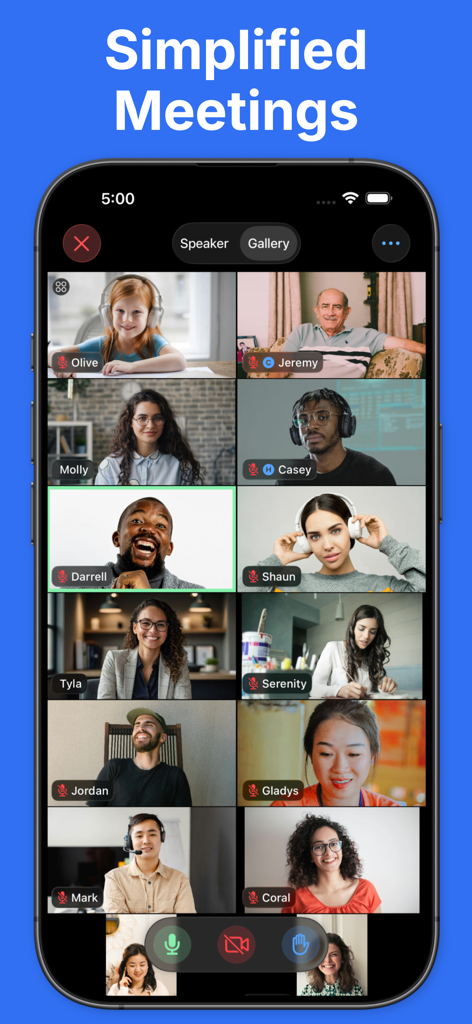
깔끔한 그리드 레이아웃으로 여러 참가자가 참여하는 Zoom 화상 회의를 보여주는 미니멀리스트 갤러리 보기를 보여주는 스마트폰 화면.
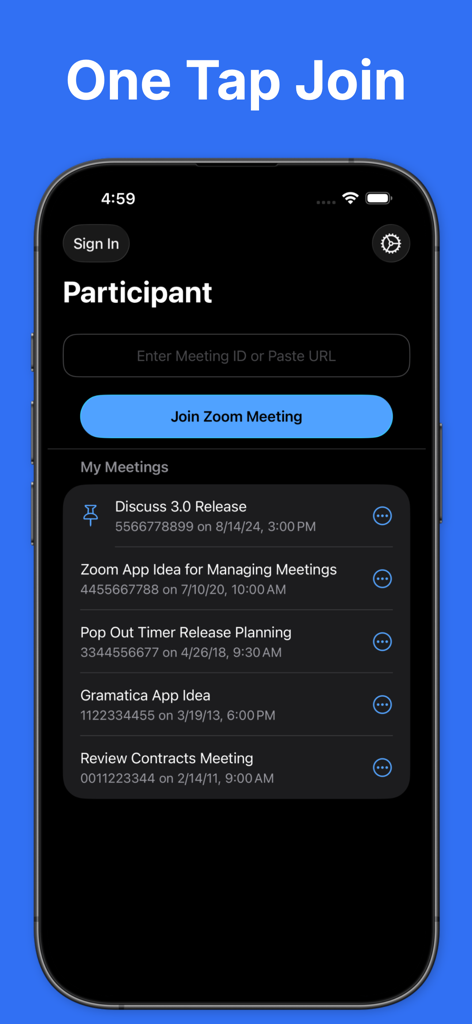
Zoom의 원탭 참여 기능과 최근 회의 목록을 보여주는 Participant 앱 인터페이스
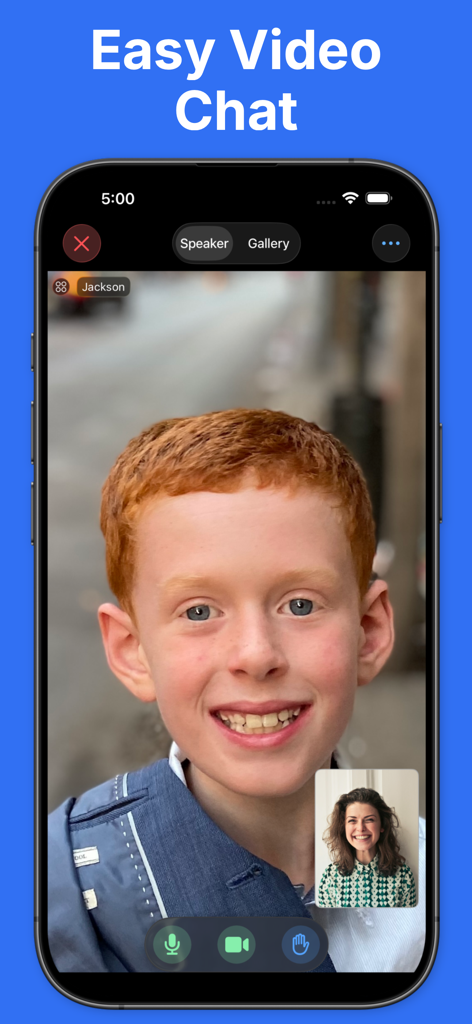
Zoom 회의를 위한 Participant 앱의 간단한 화상 채팅 인터페이스
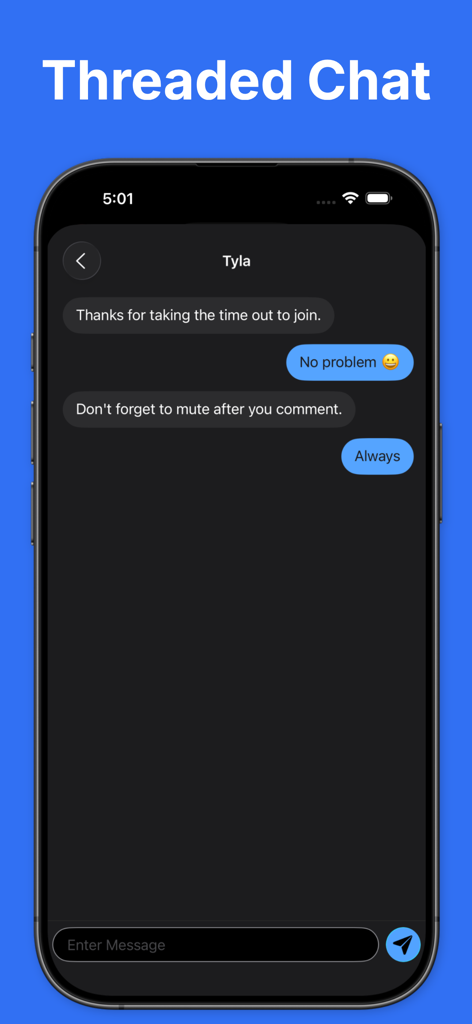
iPhone에서 직접 메시지 대화를 보여주는 Participant 앱의 스레드 채팅 인터페이스
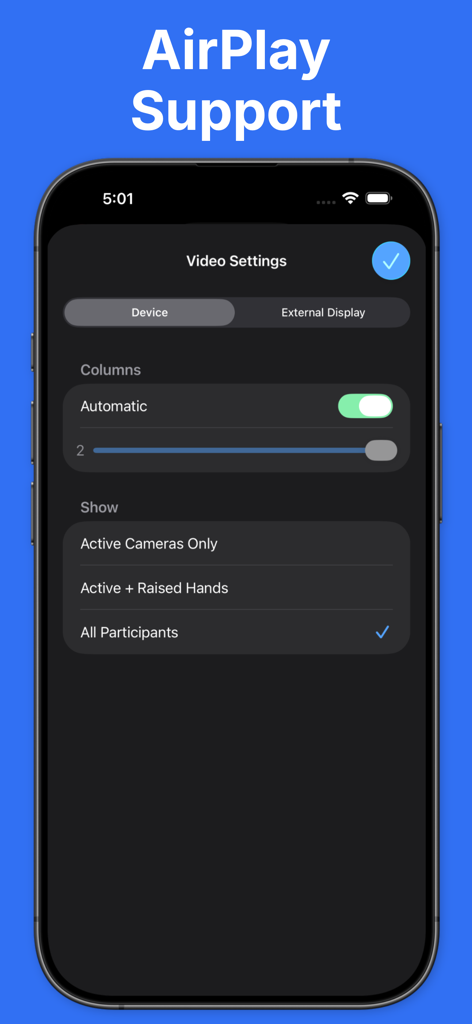
Participant 앱에서 AirPlay 및 외부 디스플레이 지원을 위한 비디오 설정 인터페이스
설명
Download
비슷한 앱
유사한 기능과 사용자 경험을 가진 앱






이 페이지는 앱이나 개발자의 공식 페이지가 아니며, 정보 제공 및 논평을 목적으로 작성된 독립 편집 간행물입니다. 명시적으로 달리 언급되지 않는 한, 해당 앱이나 개발자는 MWM, Apple, Google Play, 앱 퍼블리셔 또는 앱 개발자와 제휴, 보증, 후원, 승인 또는 공식적으로 연결되어 있지 않으며, 이 페이지의 어떤 내용도 해당 앱이 MWM의 서비스를 사용하여 개발되었음을 의미하지 않습니다. 모든 상표, 로고, 스크린샷 및 기타 콘텐츠는 해당 소유자의 자산입니다.