
이 페이지는 앱이나 개발자의 공식 페이지가 아니며, 정보 제공 및 논평을 목적으로 작성된 독립 편집 간행물입니다. 명시적으로 달리 언급되지 않는 한, 해당 앱이나 개발자는 MWM, Apple, Google Play, 앱 퍼블리셔 또는 앱 개발자와 제휴, 보증, 후원, 승인 또는 공식적으로 연결되어 있지 않으며, 이 페이지의 어떤 내용도 해당 앱이 MWM의 서비스를 사용하여 개발되었음을 의미하지 않습니다. 모든 상표, 로고, 스크린샷 및 기타 콘텐츠는 해당 소유자의 자산입니다.

Pass2U Wallet - Add store card
멤버십 카드, 쿠폰, 티켓을 디지털화하여 생활을 정리하세요. 원활한 Apple Wallet 연동, 맞춤형 디자인, 위치 기반 스마트 알림을 통해 결제 시 항상 혜택을 바로 사용할 수 있습니다.
다운로드
2M+사용자 평점
총 평가 수
7K+개발사
카테고리
Shopping지원 언어
12최신 버전
3.5.4크기
80.0 MB출시일
2016년 9월 27일디지털 라이프를 완벽하게 관리하세요
모든 멤버십 카드, 쿠폰, 탑승권을 하나의 정리된 허브로 통합하세요. 결제 과정을 간소화하고 다시는 혜택을 놓치지 마세요.
두툼한 지갑과 작별하세요
식료품 멤버십부터 헬스장 회원권까지 모든 것을 디지털화하세요. 어떤 카드도 빠뜨리지 않고 가벼운 디지털 지갑을 휴대하세요.
상황에 맞는 편리함
자주 가는 매장에 입장하면 잠금 화면에 자동 알림이 표시됩니다. 필요한 시간과 장소에 카드가 정확히 나타납니다.
자주 묻는 질문
에 대해 알아야 할 모든 것 Pass2U Wallet - Add store card
Pass2U Wallet는 어떤 종류의 패스를 관리할 수 있나요?
Pass2U Wallet은 스토어 카드, 쿠폰, 탑승권, 이벤트 티켓, 기프트 카드, 명함 등 다양한 패스를 관리하여 하나의 디지털 플랫폼으로 통합합니다.
Pass2U Wallet는 Apple Wallet과 통합되나요?
네, Pass2U Wallet은 Apple Wallet과 원활하게 통합됩니다. 이를 통해 사용자는 편리함을 위해 Apple Wallet 내에서 디지털 패스를 추가하고 관리할 수 있습니다.
사용자는 Pass2U Wallet으로 실물 카드를 어떻게 디지털화하나요?
사용자는 Pass2U Wallet에서 바코드를 쉽게 스캔하거나 사진에서 카드 이미지를 가져와 실물 카드를 디지털화합니다. 이렇게 하면 실물 패스가 디지털 형식으로 빠르게 변환됩니다.
Pass2U Wallet는 패스에 대한 스마트 알림을 제공하나요?
네, Pass2U Wallet은 이벤트 날짜 또는 사용자의 현재 위치를 기반으로 패스에 대한 스마트 알림을 자동으로 제공합니다. 이를 통해 사용자가 패스를 사용하는 것을 잊지 않도록 도와줍니다.
Pass2U Wallet는 사용자 개인 정보 또는 패스 세부 정보를 기록하나요?
아니요, Pass2U Wallet은 개인 정보를 기록하지 않습니다. 또한 사용자가 생성한 패스에 대한 세부 정보도 저장하지 않아 사용자 개인 정보 보호 및 보안을 보장합니다.
Pass2U Wallet는 Apple Watch와 호환되나요?
네, Pass2U Wallet은 Apple Watch를 지원합니다. 사용자는 iPhone에서 패스를 편집한 다음 Apple Watch 기기에서 직접 편리하게 스캔할 수 있습니다.
사용자는 iPhone에서 Pass2U Wallet의 패스를 어떻게 백업하나요?
사용자는 Apple ID를 통해 iCloud 설정에서 Wallet을 활성화하여 iPhone에서 Pass2U Wallet 패스를 백업합니다. 그런 다음 패스는 동일한 Apple ID를 사용하는 기기 간에 동기화됩니다.
다음 스크린샷과 설명은 앱의 공식 스토어 목록에서 직접 가져온 것이며 앱 개발자의 자산입니다.
앱 스토어
스크린샷
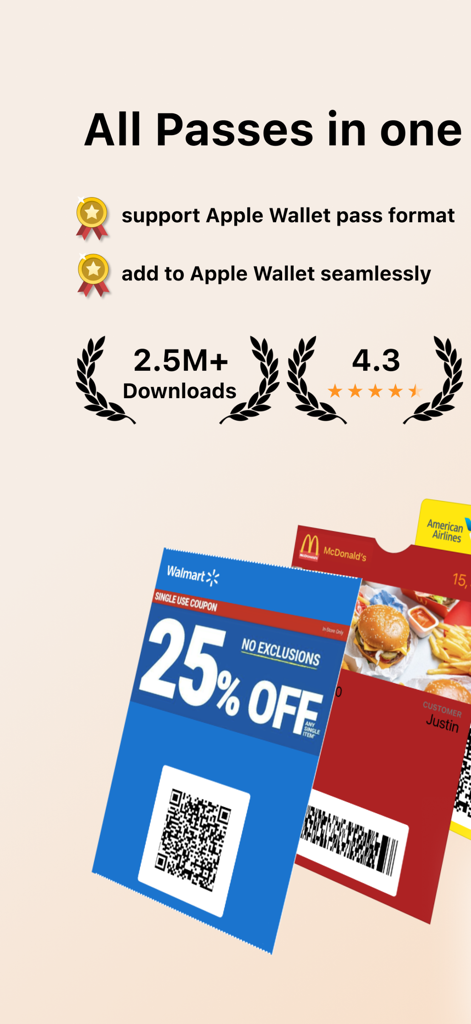
Apple Wallet 연동을 통해 디지털 쿠폰과 스토어 카드를 보여주는 Pass2U Wallet 앱 요약
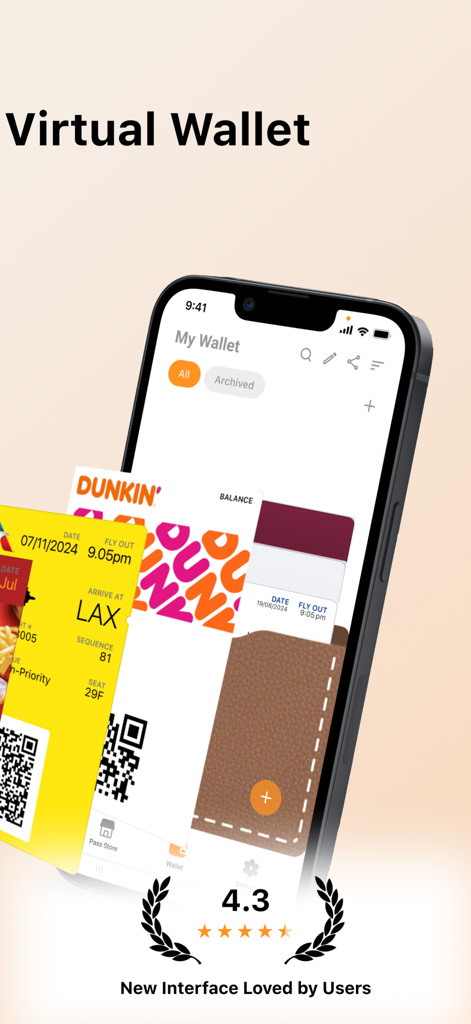
디지털화된 던킨 매장 카드와 항공 탑승권을 표시하는 iPhone의 Pass2U Wallet 앱 인터페이스
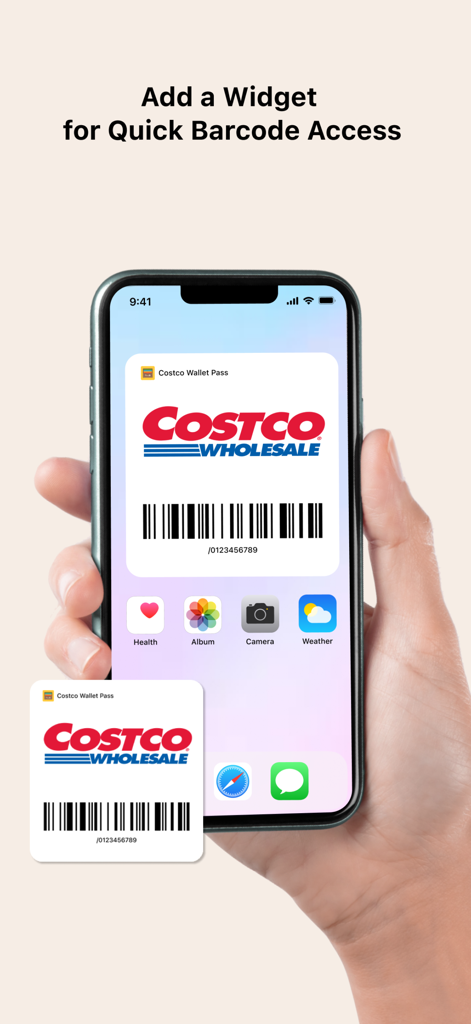
빠른 바코드 액세스를 위해 코스트코 매장 카드 위젯이 표시된 iPhone 홈 화면
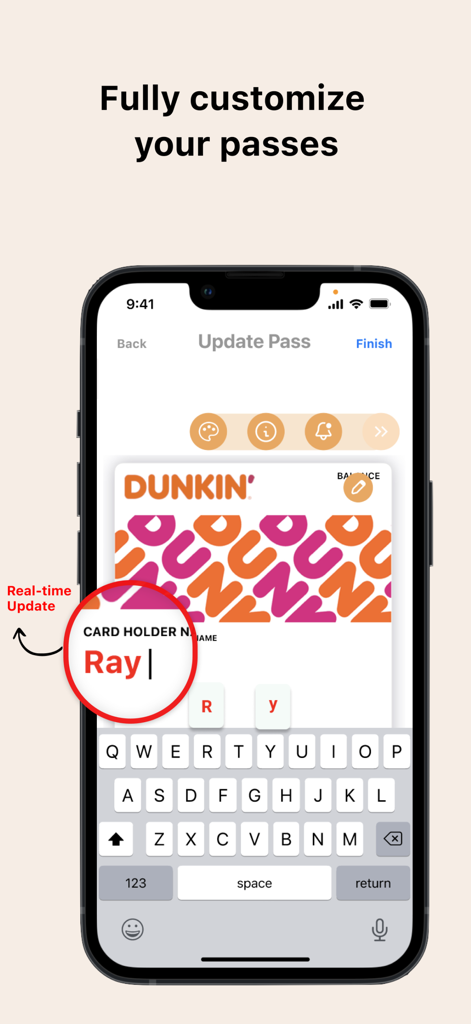
Pass2U Wallet 앱에서 디지털 던킨 멤버십 카드를 실시간으로 맞춤 설정하는 iPhone 화면
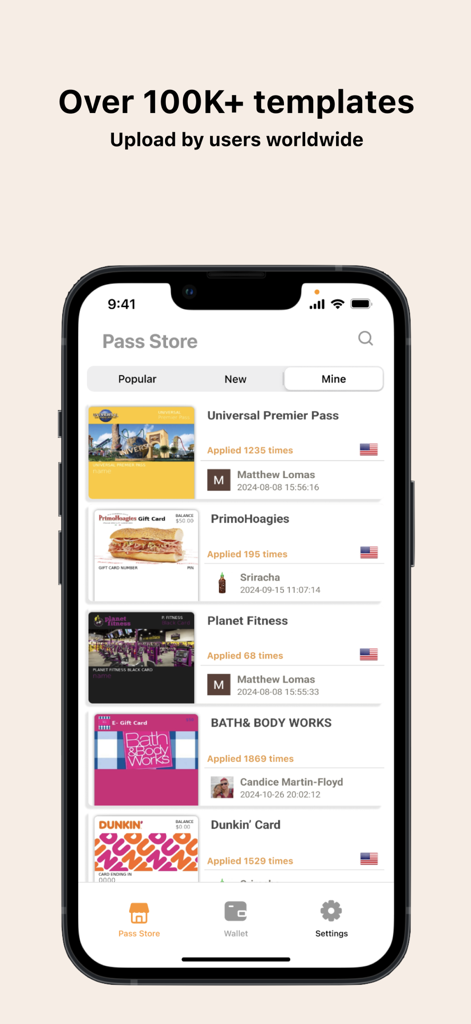
멤버십 및 리워드 카드를 위해 사용자가 업로드한 100,000개 이상의 템플릿을 제공하는 Pass2U Wallet 패스 스토어
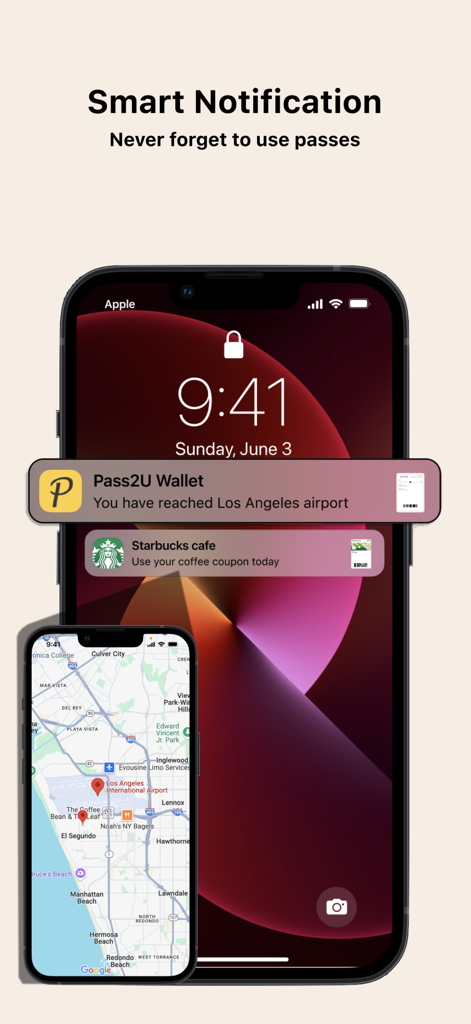
공항 탑승권과 스타벅스 커피 쿠폰에 대한 위치 기반 스마트 알림을 보여주는 iPhone 잠금 화면
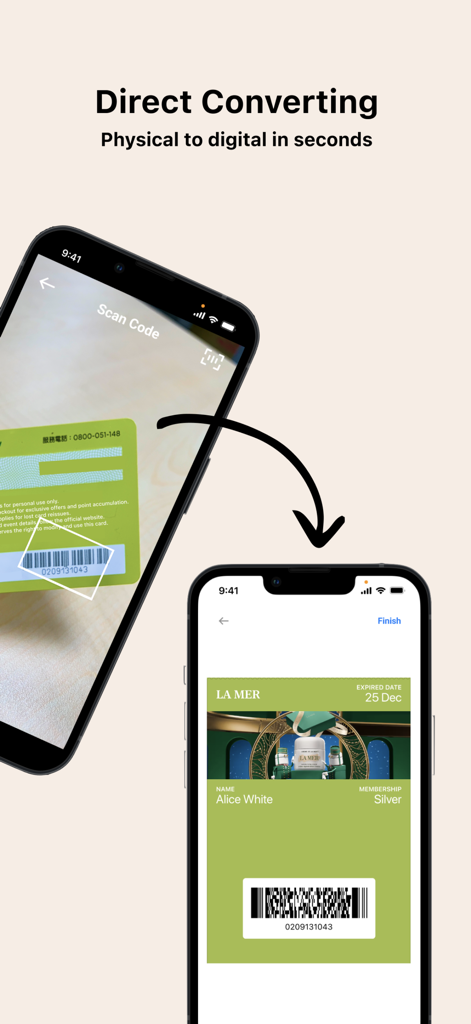
Pass2U Wallet 앱을 사용하여 실물 멤버십 카드를 스캔하고 디지털 패스로 변환하는 스마트폰
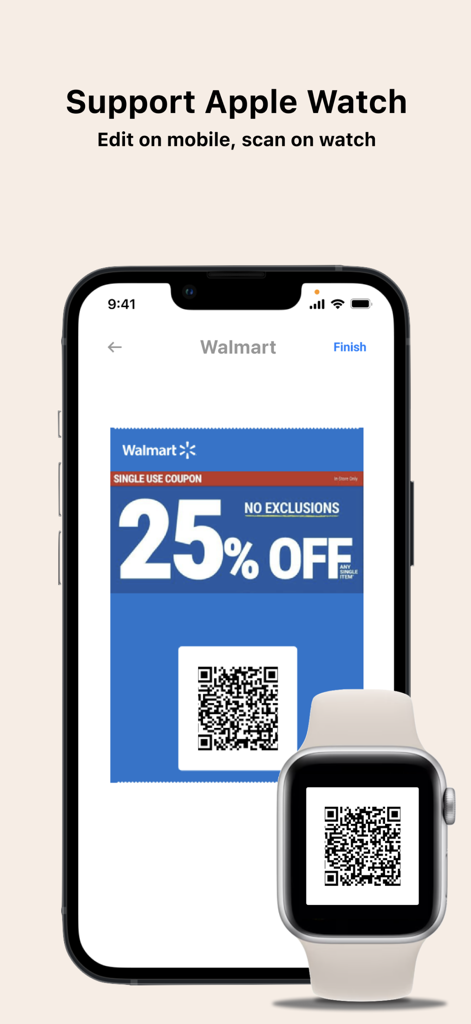
간편한 스캔을 위해 iPhone과 Apple Watch 모두에 디지털 월마트 쿠폰 QR 코드를 표시하는 Pass2U Wallet 앱
설명
Download
비슷한 앱
유사한 기능과 사용자 경험을 가진 앱




이 페이지는 앱이나 개발자의 공식 페이지가 아니며, 정보 제공 및 논평을 목적으로 작성된 독립 편집 간행물입니다. 명시적으로 달리 언급되지 않는 한, 해당 앱이나 개발자는 MWM, Apple, Google Play, 앱 퍼블리셔 또는 앱 개발자와 제휴, 보증, 후원, 승인 또는 공식적으로 연결되어 있지 않으며, 이 페이지의 어떤 내용도 해당 앱이 MWM의 서비스를 사용하여 개발되었음을 의미하지 않습니다. 모든 상표, 로고, 스크린샷 및 기타 콘텐츠는 해당 소유자의 자산입니다.