PDF Compressor App

PDF Compressor App

다운로드: App Store
로고: PDF Compressor App

PDF 압축기 앱: iOS용 전문가용 PDF 및 이미지 압축

'파일이 너무 큽니다' 오류에 대한 걱정을 멈추세요. 3가지 압축 수준과 100% 오프라인 보안으로 문서를 쉽게 축소하여 완전한 개인 정보를 보호하세요.

다운로드: App Store

개발사

Kirti Arya

카테고리

Business

다운로드

300

사용자 평점

1.0/5

총 평가 수

0

지원 언어

1

모든 탭에 담긴 간결함

이 인터페이스를 사용하는 300 명의 사용자.

App Store에서 상위 유료 비즈니스 앱으로 선정된 PDF 압축기 앱의 홍보 그래픽과 Apple 로고.

App Store에서 상위 유료 비즈니스 앱으로 선정된 PDF 압축기 앱의 홍보 그래픽과 Apple 로고.

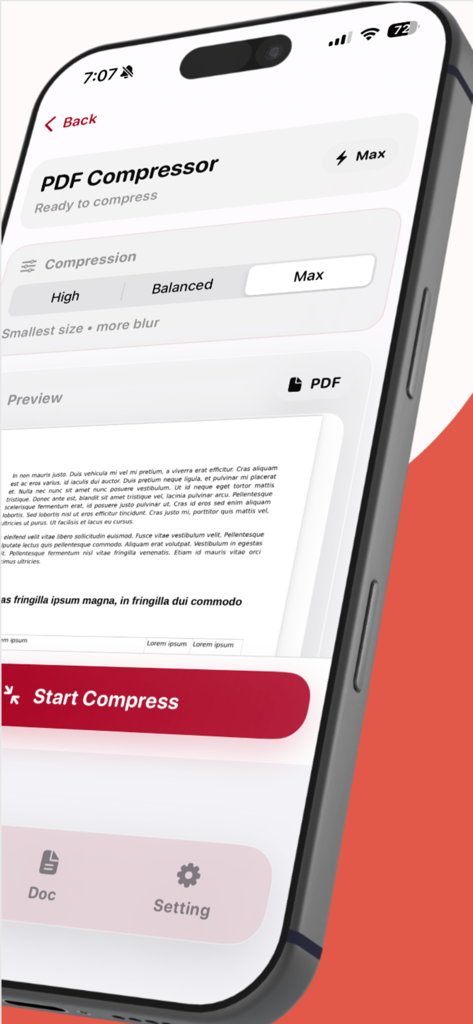
압축 옵션과 문서 미리보기를 보여주는 PDF 압축기 앱 인터페이스를 표시하는 iPhone

압축 옵션과 문서 미리보기를 보여주는 PDF 압축기 앱 인터페이스를 표시하는 iPhone

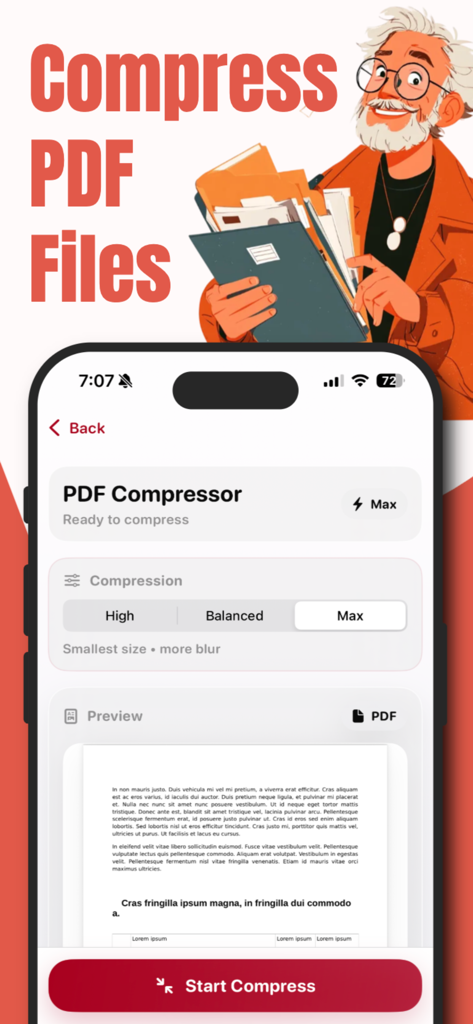
조정 가능한 압축 수준과 문서 미리보기를 보여주는 iPhone의 PDF 압축기 앱 인터페이스

조정 가능한 압축 수준과 문서 미리보기를 보여주는 iPhone의 PDF 압축기 앱 인터페이스

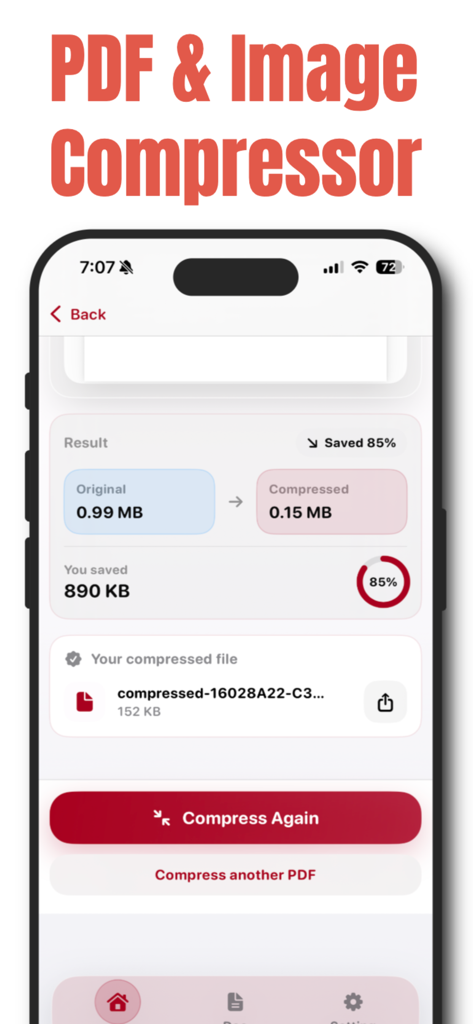
0.99MB에서 0.15MB로 PDF 파일 크기가 축소되고 85% 절감된 것을 보여주는 모바일 앱 화면.

0.99MB에서 0.15MB로 PDF 파일 크기가 축소되고 85% 절감된 것을 보여주는 모바일 앱 화면.

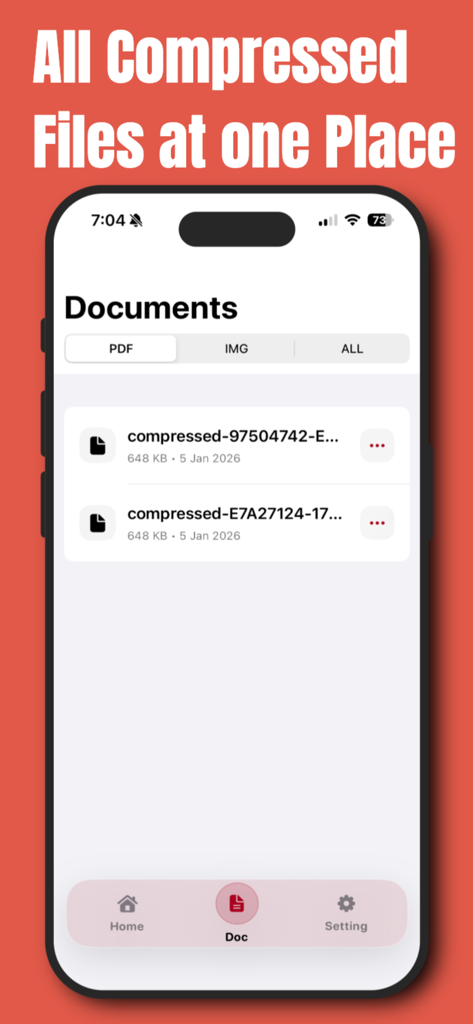
iPhone에서 정리된 압축 문서 목록을 보여주는 PDF 압축기 앱의 스크린샷

iPhone에서 정리된 압축 문서 목록을 보여주는 PDF 압축기 앱의 스크린샷

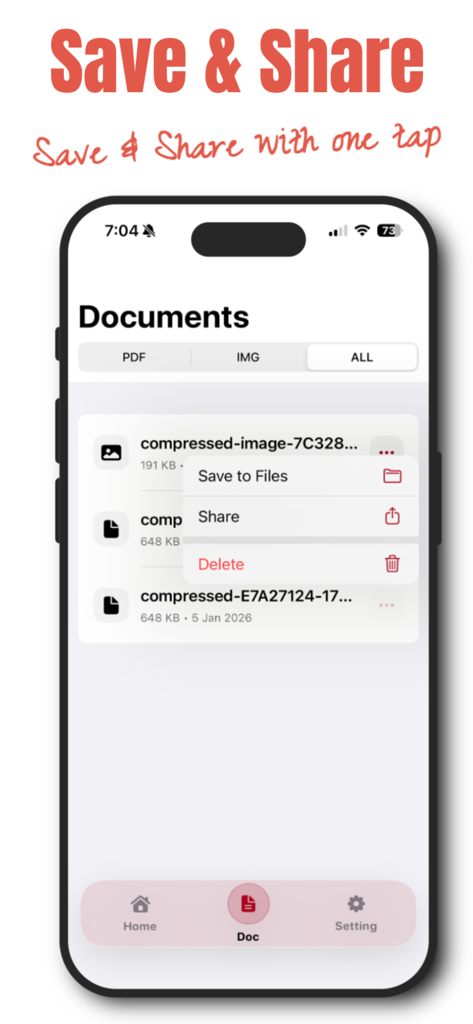
압축된 문서를 파일에 저장하거나 공유하는 메뉴가 있는 문서 목록을 보여주는 PDF 압축기 앱의 스크린샷.

압축된 문서를 파일에 저장하거나 공유하는 메뉴가 있는 문서 목록을 보여주는 PDF 압축기 앱의 스크린샷.

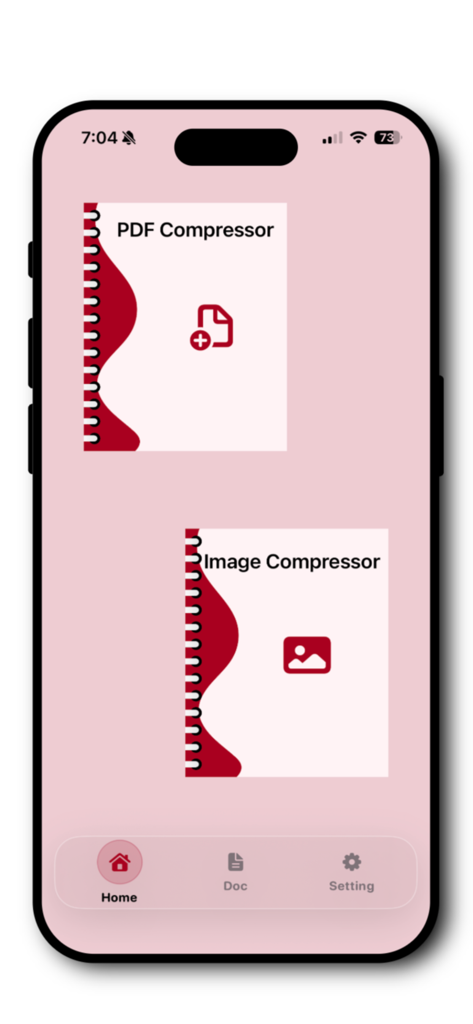
iPhone의 PDF 압축기 앱 홈 화면으로 PDF 및 이미지 압축 옵션을 보여줍니다.

iPhone의 PDF 압축기 앱 홈 화면으로 PDF 및 이미지 압축 옵션을 보여줍니다.

전문적인 워크플로우 간소화

이 앱을 돋보이게 하는 도구, 300 명의 사용자가 선택.

🔒

완전한 개인 정보 보호, 업로드 없음

민감한 계약서 및 문서를 iPhone에서 로컬로 처리하세요. 데이터는 기기를 벗어나지 않으므로 최대 보안을 보장합니다.

⚙️

적응형 압축 모드

정확한 3가지 수준을 선택하여 파일 크기와 선명도를 완벽하게 균형을 맞추고 포털 및 이메일에 대한 엄격한 업로드 제한을 충족하세요.

🚀

파일 크기 제한 무시

Slack, Gmail 또는 WhatsApp을 통해 고품질 PDF를 즉시 압축하고 공유하여 '파일이 너무 큽니다' 오류를 영구적으로 제거하세요.

앱 소개

에 대해 알아야 할 모든 것 PDF Compressor App.

설명

PDF Converter & Compressor – Fast, Smart & Secure Easily compress PDF files and images on your iPhone with PDF Converter & Compressor — a simple, powerful, and privacy-focused tool designed to reduce file size without compromising quality. Whether you need to share documents faster, save storage space, or upload files with size limits, this app helps you compress PDFs and images in just a few taps. Powerful PDF & Image Compression Reduce file size quickly with smart compression technology. You can compress: • PDF documents • Images (JPG, PNG, and more) • Scanned files and large documents Choose the compression level that fits your needs and get instant results. 3 Compression Levels – Full Control You decide how much to compress your files: • Maximum Compression – Best for sharing and saving space • Balanced Compression – Reduced size with good quality • Low Compression – Minimal size reduction with high quality Ideal for emails, cloud uploads, messaging apps, and professional use. All Compressed Files in One Place Never lose track of your documents. All compressed PDFs and images are automatically saved in a dedicated section, allowing you to: • View all compressed files • Preview documents anytime • Manage your files easily Everything stays organized and accessible. Save or Share Instantly Once compression is complete, you can: • Save files directly to the Files app • Share via WhatsApp, Mail, AirDrop, or any supported app • Send documents instantly without size issues No extra steps. No confusion. Fast, Offline & Secure • Lightning-fast processing • Works offline with no internet required • Files stay on your device • No uploads, no tracking, full privacy Your documents remain completely secure. Simple & Elegant iOS Design Designed specifically for iOS with a clean, modern interface that feels natural and easy to use. No technical knowledge needed — just select, compress, and share. Why Choose PDF Converter & Compressor? • Compress PDF and image files • Choose from three compression levels • Manage all compressed files in one place • Save to device or share instantly • Offline and privacy-friendly • Fast, simple, and reliable Privacy Poliy - https://compressedpdfimg.blogspot.com/2026/01/privacy-policy.html

최신 버전

1.0.4

크기

3.6 MB

출시일

2026년 1월 10일

파일 크기 제한 걱정 끝

iPhone에서 PDF 및 이미지를 안전하게 압축하세요. 업로드 및 인터넷이 필요 없습니다. 빠르고 전문적인 결과물을 몇 초 안에 얻을 수 있습니다.

다운로드: App Store

App information, icons, screenshots, and descriptions displayed on this page are sourced from the Apple App Store and are the property of their respective developers. Download estimates and rankings are based on MWM's proprietary models and may not reflect actual figures. This page is provided for informational and analytical purposes only.

Believe this page infringes your intellectual property? File a dispute