pdf compressor & compress pdf
다운로드: App Store

이 페이지는 앱이나 개발자의 공식 페이지가 아니며, 정보 제공 및 논평을 목적으로 작성된 독립 편집 간행물입니다. 명시적으로 달리 언급되지 않는 한, 해당 앱이나 개발자는 MWM, Apple, Google Play, 앱 퍼블리셔 또는 앱 개발자와 제휴, 보증, 후원, 승인 또는 공식적으로 연결되어 있지 않으며, 이 페이지의 어떤 내용도 해당 앱이 MWM의 서비스를 사용하여 개발되었음을 의미하지 않습니다. 모든 상표, 로고, 스크린샷 및 기타 콘텐츠는 해당 소유자의 자산입니다.

로고: pdf compressor & compress pdf
다운로드: App Store

pdf compressor & compress pdf

클라우드에 업로드하지 않고도 몇 초 만에 파일 크기를 줄입니다. 개인 정보 보호 및 전문적인 효율성을 위해 장치에서 민감한 PDF를 로컬로 병합, 분할 및 잠급니다.

주요 수치

다운로드

81K+

사용자 평점

4.5/5

총 평가 수

1K+

개발사

Sounak Sarkar

카테고리

Business

지원 언어

13

최신 버전

2.6

크기

8.1 MB

출시일

2022년 2월 19일
기능

문서 워크플로우 간소화

전문가 및 학생을 위한 필수 도구로, 완전한 개인 정보 보호를 유지하며 PDF를 오프라인으로 압축, 병합 및 보안합니다.

개인 정보 우선 처리

민감한 문서는 기기를 벗어나지 않습니다. 온라인 도구와 달리 모든 처리는 로컬에서 이루어져 100% 데이터 보안을 보장합니다.

정밀한 크기 제어

품질 슬라이더를 사용하여 파일을 쉽게 축소하여 학교 또는 직장 포털의 엄격한 업로드 제한을 충족하면서 가독성을 잃지 않도록 합니다.

다음 스크린샷과 설명은 앱의 공식 스토어 목록에서 직접 가져온 것이며 앱 개발자의 자산입니다.

앱 스토어

스크린샷
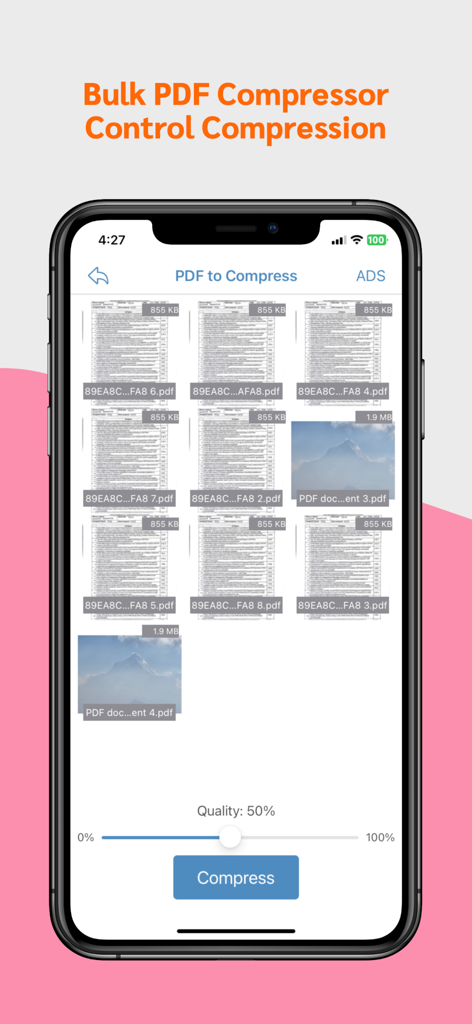
pdf compressor & compress pdf - 품질 슬라이더와 여러 파일이 있는 대량 PDF 압축기 앱 화면

품질 슬라이더와 여러 파일이 있는 대량 PDF 압축기 앱 화면

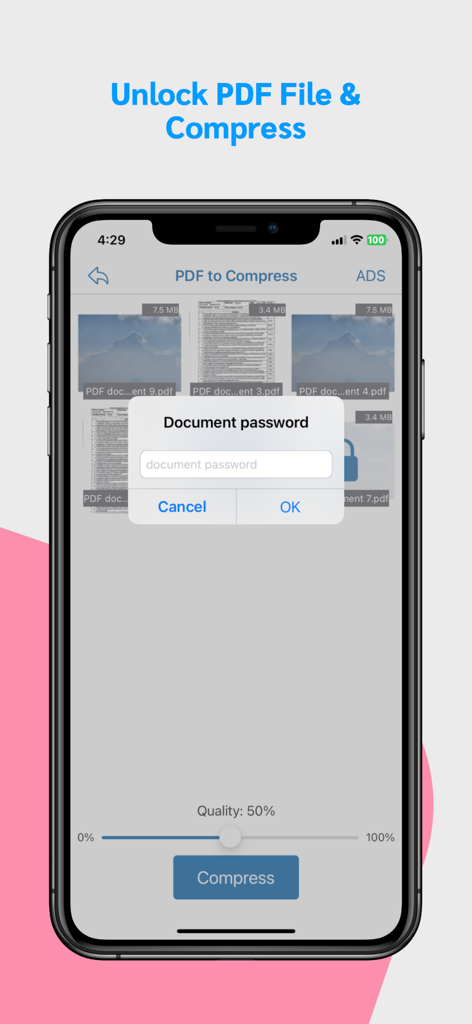
pdf compressor & compress pdf - 압축 전에 PDF 파일 잠금을 해제하는 암호 프롬프트를 보여주는 모바일 앱 인터페이스.
압축 전에 PDF 파일 잠금을 해제하는 암호 프롬프트를 보여주는 모바일 앱 인터페이스.

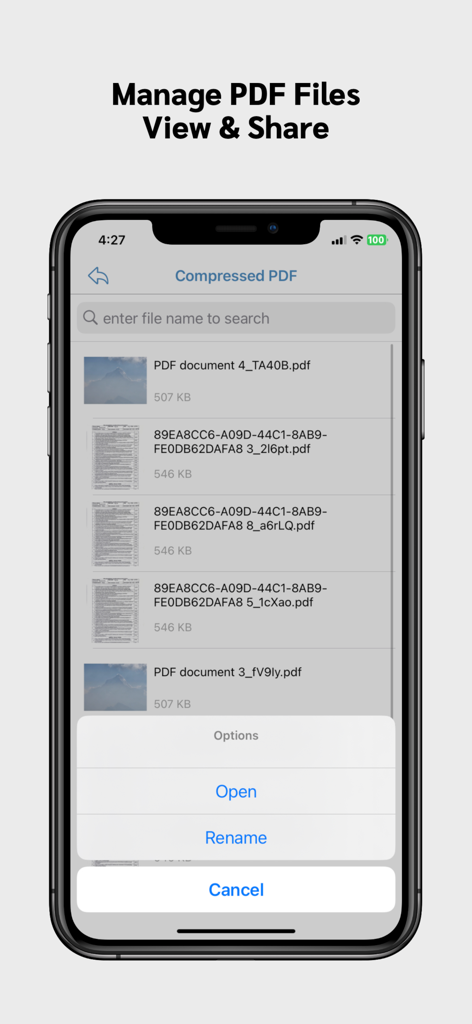
pdf compressor & compress pdf - 열기 또는 이름 바꾸기 옵션과 함께 압축된 PDF 파일 목록을 보여주는 모바일 앱 인터페이스
열기 또는 이름 바꾸기 옵션과 함께 압축된 PDF 파일 목록을 보여주는 모바일 앱 인터페이스

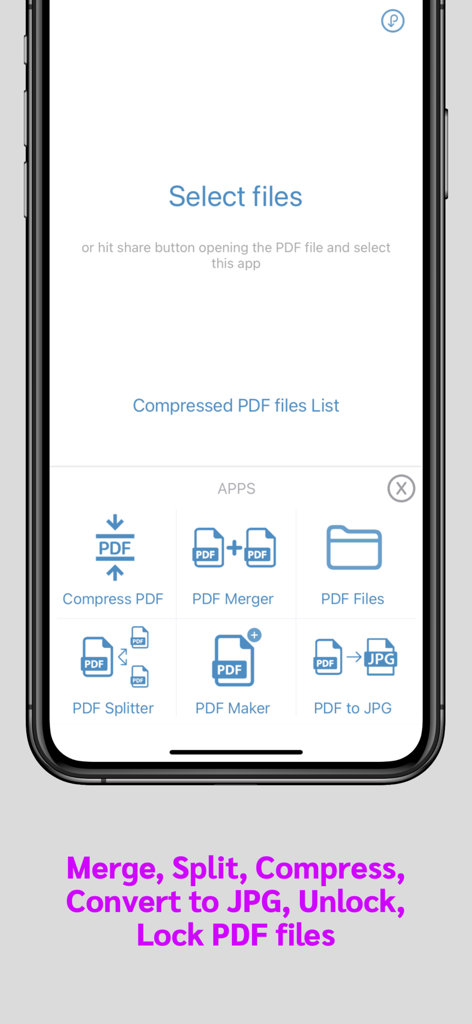
pdf compressor & compress pdf - PDF 압축, 병합, 분할 및 변환 도구를 보여주는 PDF 관리 앱의 모바일 인터페이스.

PDF 압축, 병합, 분할 및 변환 도구를 보여주는 PDF 관리 앱의 모바일 인터페이스.

설명

Introducing our Offline PDF Compressor app - shrink PDF files without internet. Free up space and share documents effortlessly. Compress large pdf files easily and quickly using this PDF compressor app. Save phone memory by reducing pdf file size. FEATURES: * Control amount of compression you want by sliding the quality slider. * Share compressed pdf files * Bulk compress PDF files * Merge PDF files * Split PDF files * Convert PDF to JPG (Single, Multiple images) * Lock PDF flle * Unlock PDF file Note: All PDF files are compressed locally. None of your files are uploaded to any of out servers. So your privacy is always protected. Our App can be used for free with Ads and limited features, however, you can purchase a PDF Compressor Premium subscription for the additional advanced features, and remove Ads. SUBSCRIPTION AND TERMS: When you download our App you can opt in to a 3 days free trial for monthly and 7 days free trial for yearly subscription. Our App offers auto-renewing monthly/yearly subscription options for access to the app's features and content. Your PDF Compressor Premium subscription will automatically renew at the end of each term and payment will be charged through your iTunes account. You can turn off auto-renew at any time from your iTunes account settings but refunds will not be provided for any unused portion of the term. To avoid renewal, you must cancel at least 24 hours before your subscription or trial ends. Your account will be charged for renewal within 24 hours prior to the end of the current period. Any unused portion of a free trial period will be forfeited if you purchase a subscription. SUBSCRIPTION PRICING: Premium Monthly: $0.99 / Month (3 days free trial) Premium Yearly: $5.99 / Year (7 days free trial) Read more about our terms, conditions, and privacy here: • Privacy Policy: https://www.racersoft.in • Terms of Use: https://racersoft.in/terms-of-use/

Download

다운로드: App Store

이 페이지는 앱이나 개발자의 공식 페이지가 아니며, 정보 제공 및 논평을 목적으로 작성된 독립 편집 간행물입니다. 명시적으로 달리 언급되지 않는 한, 해당 앱이나 개발자는 MWM, Apple, Google Play, 앱 퍼블리셔 또는 앱 개발자와 제휴, 보증, 후원, 승인 또는 공식적으로 연결되어 있지 않으며, 이 페이지의 어떤 내용도 해당 앱이 MWM의 서비스를 사용하여 개발되었음을 의미하지 않습니다. 모든 상표, 로고, 스크린샷 및 기타 콘텐츠는 해당 소유자의 자산입니다.