PDF Photos - JPG to PDF
다운로드: App Store

이 페이지는 앱이나 개발자의 공식 페이지가 아니며, 정보 제공 및 논평을 목적으로 작성된 독립 편집 간행물입니다. 명시적으로 달리 언급되지 않는 한, 해당 앱이나 개발자는 MWM, Apple, Google Play, 앱 퍼블리셔 또는 앱 개발자와 제휴, 보증, 후원, 승인 또는 공식적으로 연결되어 있지 않으며, 이 페이지의 어떤 내용도 해당 앱이 MWM의 서비스를 사용하여 개발되었음을 의미하지 않습니다. 모든 상표, 로고, 스크린샷 및 기타 콘텐츠는 해당 소유자의 자산입니다.

로고: PDF Photos - JPG to PDF
다운로드: App Store

PDF Photos - JPG to PDF

영수증, 메모, 사진을 몇 초 만에 고품질 PDF로 바꾸세요. 안전하게 문서를 스캔하고, 선명도 필터를 적용하고, 오프라인에서 맞춤형 레이아웃을 만들어 보세요. 이동 중인 바쁜 전문가, 프리랜서, 학생에게 완벽합니다.

주요 수치

다운로드

3K+

사용자 평점

4.2/5

총 평가 수

0

개발사

Muhammad Younas

카테고리

Business

지원 언어

1

최신 버전

1.0.1

크기

17.8 MB

출시일

2021년 7월 11일
기능

간편한 전문 PDF 제작

스캐너나 노트북 없이 물리적 문서를 고품질 디지털 파일로 변환하는 가장 빠른 방법입니다. 전문가 및 학생에게 적합합니다.

즉각적인 원탭 변환

이동 중 마이크로 생산성을 위한 간소화된 워크플로우로 영수증, 신분증 또는 메모를 몇 초 안에 세련된 PDF로 만드세요.

스마트 다중 사진 레이아웃

여러 사진을 하나의 구조화된 문서로 통합합니다. 전문적인 보험 청구, 경비 보고서 또는 체계적인 학습 가이드에 이상적입니다.

다음 스크린샷과 설명은 앱의 공식 스토어 목록에서 직접 가져온 것이며 앱 개발자의 자산입니다.

앱 스토어

스크린샷
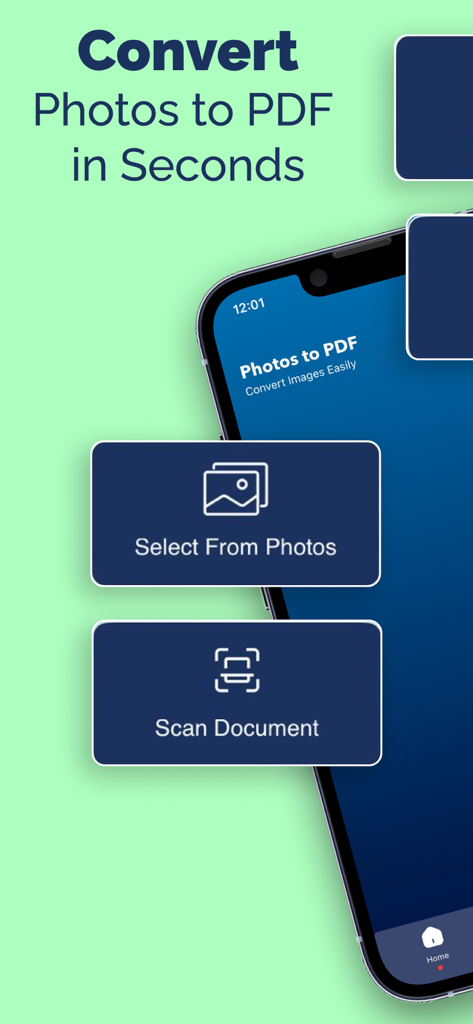
PDF Photos - JPG to PDF - 사진을 PDF로 변환하고 문서를 스캔하는 옵션을 보여주는 모바일 앱 화면
사진을 PDF로 변환하고 문서를 스캔하는 옵션을 보여주는 모바일 앱 화면

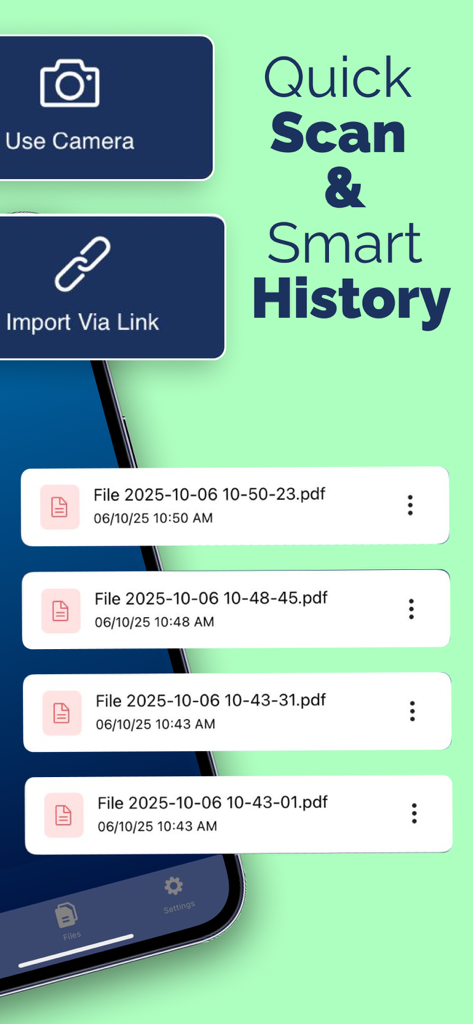
PDF Photos - JPG to PDF - 빠른 스캔 옵션과 변환된 PDF 파일 목록을 보여주는 모바일 앱 화면
빠른 스캔 옵션과 변환된 PDF 파일 목록을 보여주는 모바일 앱 화면

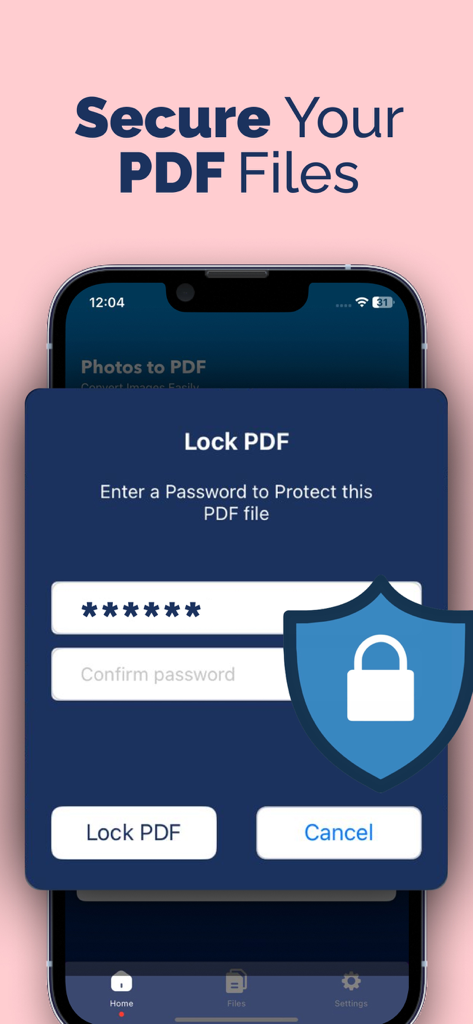
PDF Photos - JPG to PDF - PDF Photos 앱에서 PDF 파일 보안을 위한 비밀번호 보호 기능을 표시하는 스마트폰 화면
PDF Photos 앱에서 PDF 파일 보안을 위한 비밀번호 보호 기능을 표시하는 스마트폰 화면

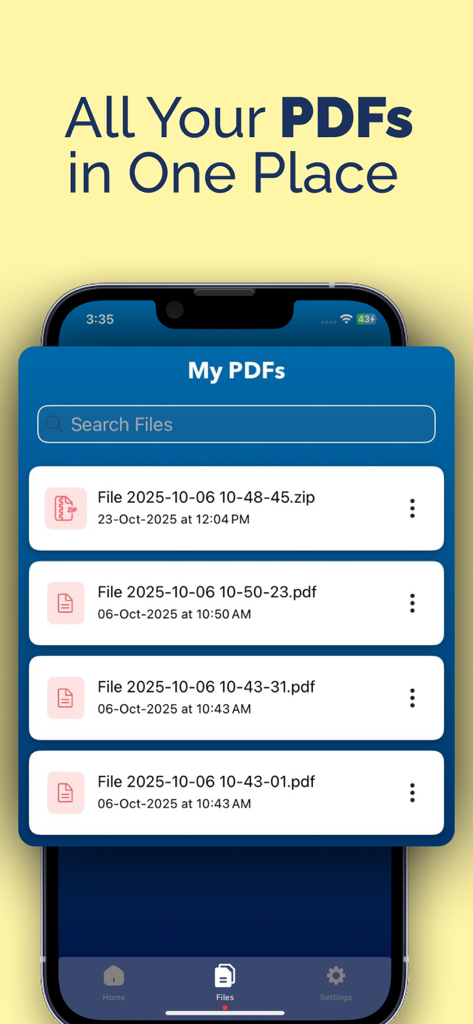
PDF Photos - JPG to PDF - PDF Photos 앱 내에서 정리된 PDF 파일 목록을 보여주는 스마트폰 화면
PDF Photos 앱 내에서 정리된 PDF 파일 목록을 보여주는 스마트폰 화면

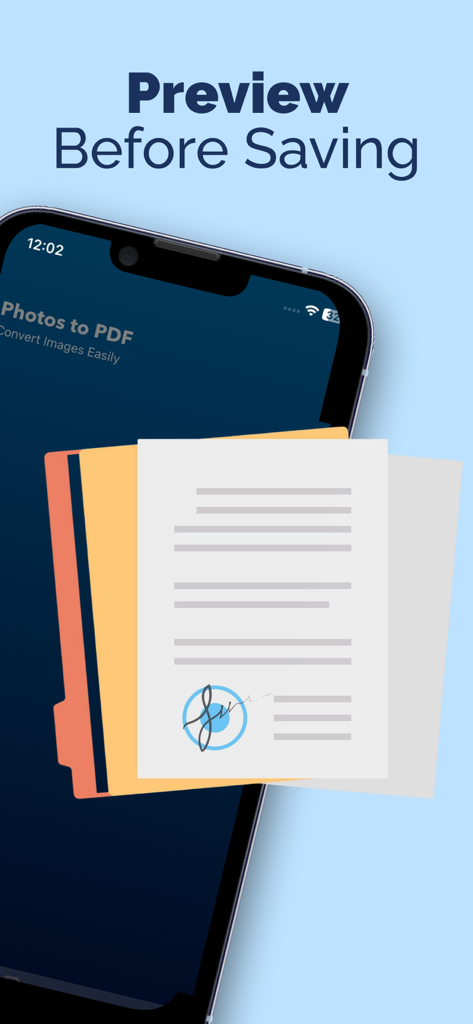
PDF Photos - JPG to PDF - 서명된 문서를 보여주는 PDF Photos 앱의 미리보기 화면

서명된 문서를 보여주는 PDF Photos 앱의 미리보기 화면

설명

Convert photos into PDF in few steps: 1. Select your input file or Scan Document 2. Add more photos to convert 3. Convert! It will only take a few seconds. 4. Save your file Photos to PDF Converter Features: Fast and Easy Fast conversion and the plus is no internet is required and one click to convert files Flexible Photos to PDF can be as powerful as you want. Want a simple converter? You got it. Want to perform image rotation? You got it. Organised Manage your PDF documents by enter their name Share and Print Export and share all your PDF documents right from the app with a single tap. Send via iMessage, Open in other apps, Print, etc. Filters Apply filters to your photos to enhance their beauty or to make them more clear. Layouts Take photos of documents or scan it then convert to pdf by one click. Choose from predefined Photo layouts. Convert jpg to pdf to easily print one or more photos on a page.Simple and intuitive interface makes PDF Photos the easiest JPG to PDF Converter PDF is created with watermark. To disable watermark, please get PRO version This app includes an optional auto-renewable subscription (Premium Pass): Premium Pass beings with a free trial period, then an auto-renewable monthly subscription when trial ends. Payment will be charged to your Apple account at confirmation of purchase and will automatically renew (at the duration/price selected) unless auto-renew is turned off at least 24 hrs before the end of the current period. Account will be charged for renewal within 24-hours prior to the end of the current period. Current subscription may not be cancelled during the active subscription period; however, you can manage your subscription and/or turn off auto-renewal by visiting your Apple Account Settings after purchase. Any unused portion of the free initial period will be forfeited when you purchase a subscription. Terms of Use https://sites.google.com/view/myapps-tech/terms-of-use Privacy Policy https://sites.google.com/view/myapps-tech/privacy-policy

Download

다운로드: App Store

이 페이지는 앱이나 개발자의 공식 페이지가 아니며, 정보 제공 및 논평을 목적으로 작성된 독립 편집 간행물입니다. 명시적으로 달리 언급되지 않는 한, 해당 앱이나 개발자는 MWM, Apple, Google Play, 앱 퍼블리셔 또는 앱 개발자와 제휴, 보증, 후원, 승인 또는 공식적으로 연결되어 있지 않으며, 이 페이지의 어떤 내용도 해당 앱이 MWM의 서비스를 사용하여 개발되었음을 의미하지 않습니다. 모든 상표, 로고, 스크린샷 및 기타 콘텐츠는 해당 소유자의 자산입니다.








