PDF to PowerPoint by Flyingbee

PDF to PowerPoint by Flyingbee

다운로드: App Store
로고: PDF to PowerPoint by Flyingbee

Flyingbee의 PDF to PowerPoint: PDF를 몇 초 안에 편집 가능한 슬라이드로 변환

레이아웃, 글꼴, 그래픽을 완벽하게 보존하는 전문적인 100% 로컬 변환. 데이터를 전혀 손상시키지 않고 iPad 또는 iPhone에서 오프라인으로 복잡한 문서를 안전하게 변환합니다.

개발사

Flyingbee Software Co., Ltd.

카테고리

Business

다운로드

80K+

사용자 평점

3.2/5

총 평가 수

0

지원 언어

12

모든 슬라이드의 정밀도

이 인터페이스를 사용하는 80K+ 명의 사용자.

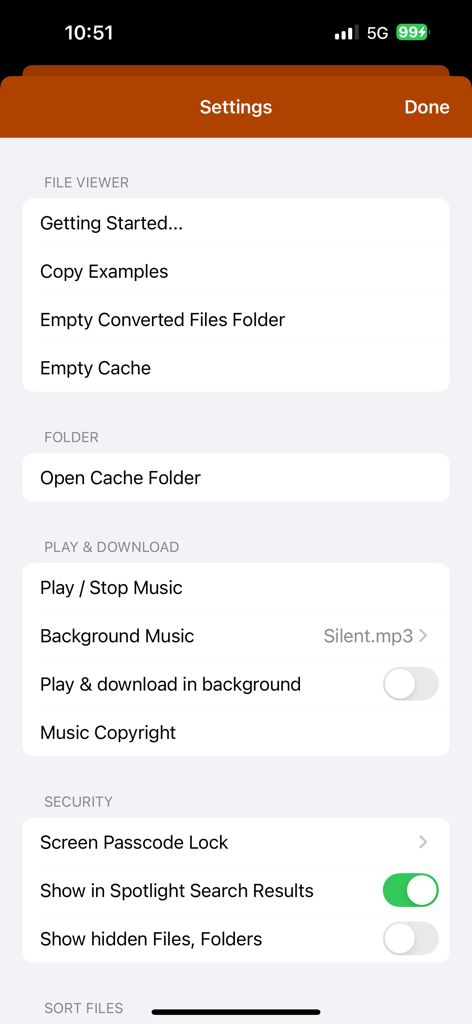
파일 관리 및 보안 설정을 보여주는 PDF to PowerPoint 변환기 앱의 설정 화면

파일 관리 및 보안 설정을 보여주는 PDF to PowerPoint 변환기 앱의 설정 화면

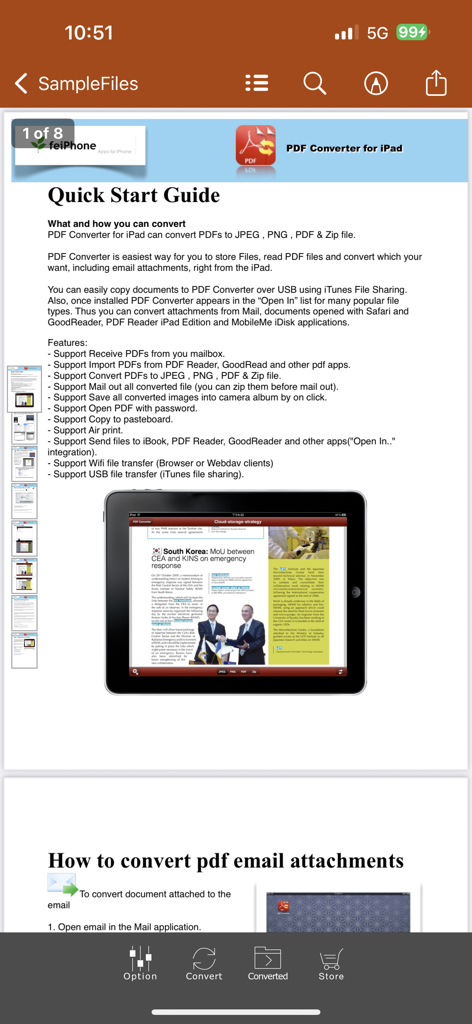
iPad에서 기능 및 변환 지침을 표시하는 PDF to PowerPoint 변환기 앱 내의 빠른 시작 가이드 페이지

iPad에서 기능 및 변환 지침을 표시하는 PDF to PowerPoint 변환기 앱 내의 빠른 시작 가이드 페이지

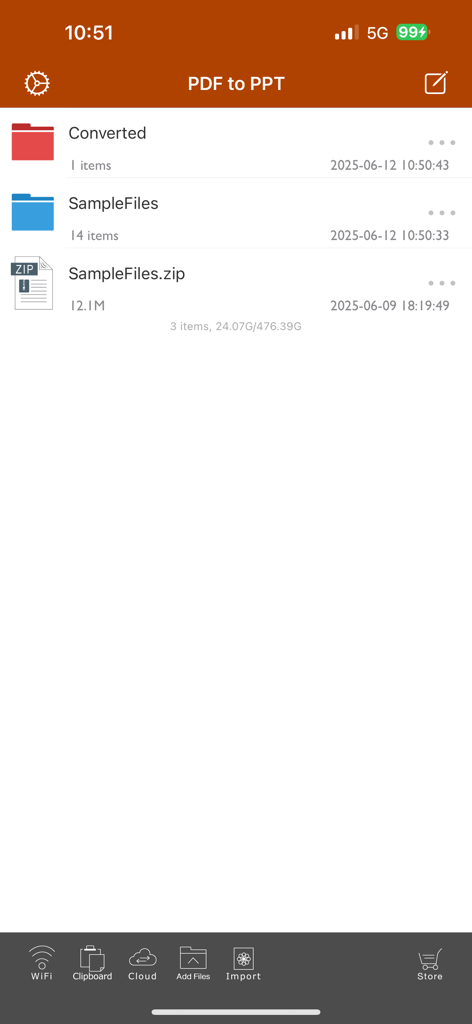
폴더와 샘플 파일이 표시된 PDF to PowerPoint 앱의 메인 파일 관리 화면.

폴더와 샘플 파일이 표시된 PDF to PowerPoint 앱의 메인 파일 관리 화면.

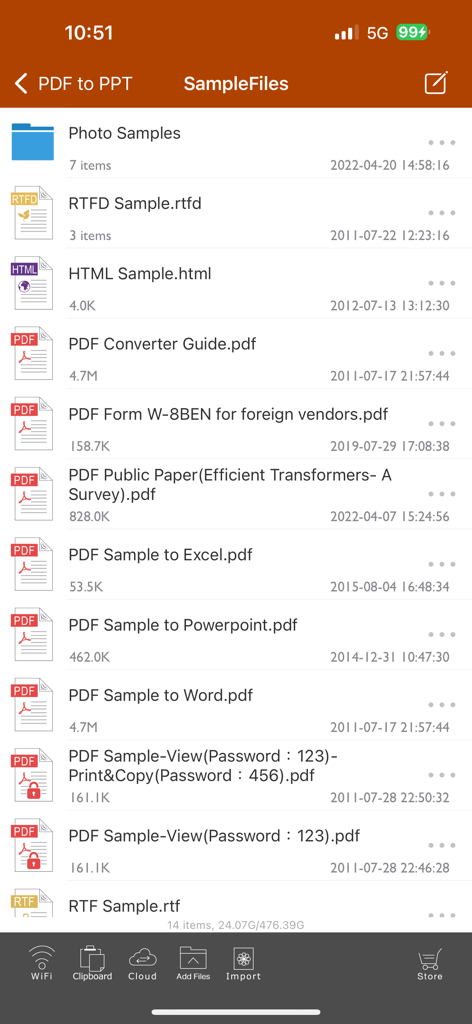
PDF to PowerPoint 변환기 앱 인터페이스의 샘플 파일 목록

PDF to PowerPoint 변환기 앱 인터페이스의 샘플 파일 목록

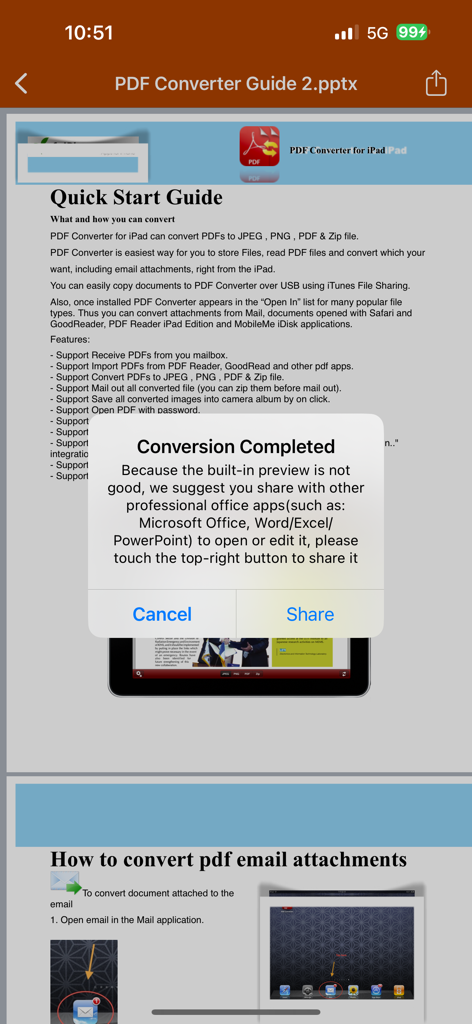
Microsoft Office 앱으로 공유하는 옵션과 함께 변환이 완료되었음을 알리는 PDF to PowerPoint 앱의 확인 팝업

Microsoft Office 앱으로 공유하는 옵션과 함께 변환이 완료되었음을 알리는 PDF to PowerPoint 앱의 확인 팝업

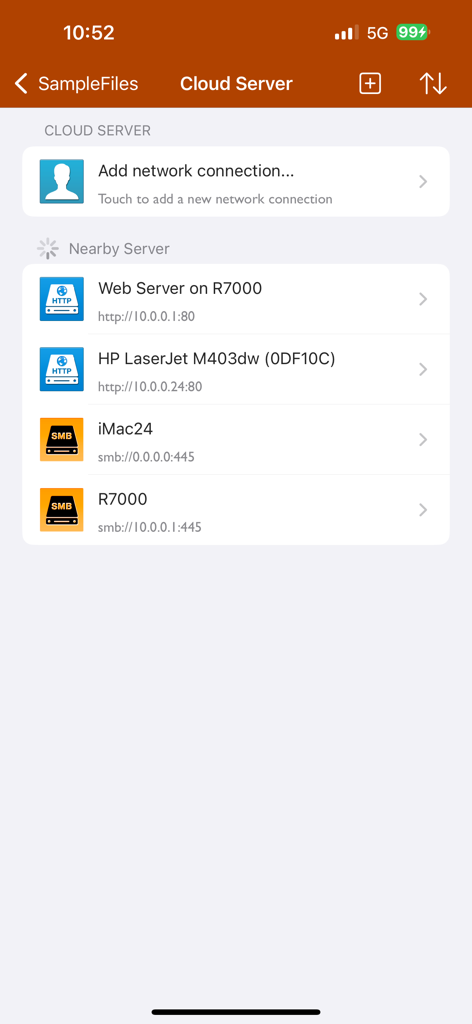
PDF to PowerPoint 앱 클라우드 서버 및 네트워크 연결 인터페이스

PDF to PowerPoint 앱 클라우드 서버 및 네트워크 연결 인터페이스

이동 중에 워크플로우를 마스터하세요

이 앱을 돋보이게 하는 도구, 80K+ 명의 사용자가 선택.

번개처럼 빠른 변환

50페이지 PDF를 20초 안에 변환하세요. 레이아웃, 글꼴, 이미지를 완벽하게 유지하는 높은 충실도의 결과물로 시간을 되찾으세요.

🔒

100% 개인 정보 보호 및 오프라인

민감한 회사 문서를 장치에서 로컬로 처리하세요. 인터넷이나 클라우드 업로드가 필요 없어 데이터가 어디서든 안전하고 액세스 가능하게 유지됩니다.

🎯

정확한 페이지 선택

관련 없는 콘텐츠로 시간을 낭비하지 마세요. 다음 중요한 프레젠테이션에 필요한 내용을 정확하게 추출하기 위해 특정 페이지 또는 범위를 선택하세요.

앱 소개

에 대해 알아야 할 모든 것 PDF to PowerPoint by Flyingbee.

설명

Flyingbee PDF to PowerPoint Converter convert PDF to PowerPoint documents quickly and efficiently. It convert PDF file back to files to editable and modifiable Microsoft Office PowerPoint Presentation with well-preserved original texts, images, layouts, hyperlinks, tables, and bezier graphics. it support opened in popular mobile office editor app(such as: Microsoft PowerPoint iOS, Polaris Office, WPS or QuickOffice).  Key Features: • Easily import PDF, convert a 50 pages PDF to PowerPoint within 20 secs, Extremely fast!! • Conversion Process 100% on your local iOS device, No internet connection need. • Output well organized powerpoint content, preserving content layout, the color, font style and images remain the same as the original pdf document, Very convenient tool, Reusing the presentation cannot be easier. • Convert any particular pages (e.g. 1, 3-8, 26 or all pages) to save your time. • Save time on learning complicated PowerPoint editing knowledge; • Save energy on skipping ads and annoying pop-up window ask for buying; • Connect to online cloud storage support, include Cloud Me, any FTP or WebDAV Server. • Offer you 4 ways to transfer files(Open in.., iTunes USB file sharing, Wifi Sharing and Cloud Disk) • Support Microsoft Office 2007, 2008, 2011, 2025 PowerPoint Application, not completely compatible with iWork Keynote.  == Quick Start Guide == Convert pdf to powerpoint in mail app can be as easy as three steps: 1. Open Mail app, use "Open In.." to send source PDF file to PDF to PowerPoint. 2. Go to PDF to PowerPoint app, touch to open the source PDF file where text come from. 3. Click "Convert" button to extract PDF to PowerPoint files.  Notice: Currently PDF to PowerPoint version don't have OCR function, the scanned PDF files will be extracted to image in powerpoint pptx. However, we suggest you to use other professional OCR app to recognize editable text from image.  Several sample files have been included, you can test it right now!  Q&A 1. Why I get "Converting failed" error message when I extracting from a PDF file? Do you have a PDF (Adobe Acrobat) file which cannot be printed, copied, or edited? Your PDF file has had password security and other restrictions added, you need remove restrictions.  2. Why some text in PDF file can not be extracted out? The PDF file format is complex, there are cases that text in a PDF file are actually pictures. We do not grantee PDF to PowerPoint will work for every PDF file, especially ones that have picture text, we suggest you to use professional OCR app to recognize text from image. == Subscriptions Information == Duration and price of each subscription are displayed in app storefront, updated at the time of purchase. Payment will be charged to iTunes account at confirmation of purchase. Subscriptions automatically renew unless auto-renew is turned off no later than 24 hours before the end of the current period. Subscriptions and auto-renewal can be managed/turned off in the iTunes account settings. Any unused portion of a free trial period is forfeited as soon as a subscription is purchased.  Terms of use & Privacy policy: https://www.flyingbee.com/term-of-service/ https://www.flyingbee.com/privacy-policy/ 

최신 버전

8.8.6

크기

79.2 MB

출시일

2015년 1월 22일

다시 입력하는 것을 멈추고 발표를 시작할 준비가 되셨나요?

iOS용 가장 빠르고 안전한 오프라인 변환기를 사용하는 80,000명 이상의 전문가들과 함께하세요. 20초 안에 완벽한 레이아웃의 PowerPoint 프레젠테이션을 받으세요.

다운로드: App Store

App information, icons, screenshots, and descriptions displayed on this page are sourced from the Apple App Store and are the property of their respective developers. Download estimates and rankings are based on MWM's proprietary models and may not reflect actual figures. This page is provided for informational and analytical purposes only.

Believe this page infringes your intellectual property? File a dispute