Photo Cut: Cutout pro & paste

Photo Cut: Cutout pro & paste

다운로드: App Store
로고: Photo Cut: Cutout pro & paste

PhotoCut: 누끼따고 붙여넣기 – 몇 초 만에 전문적인 제품 사진 만들기

판매자와 크리에이터를 위한 궁극의 AI 기반 배경 제거기 및 디자인 스튜디오. 디자인 경험 없이도 사진을 전환율 높은 상품 등록 및 멋진 소셜 게시물로 변환하세요.

개발사

IMAGIX AI Private Limited

카테고리

Graphics & Design

다운로드

527K+

사용자 평점

4.7/5

총 평가 수

6K+

지원 언어

17

디자인 파워 잠금 해제

이 인터페이스를 사용하는 527K+ 명의 사용자.

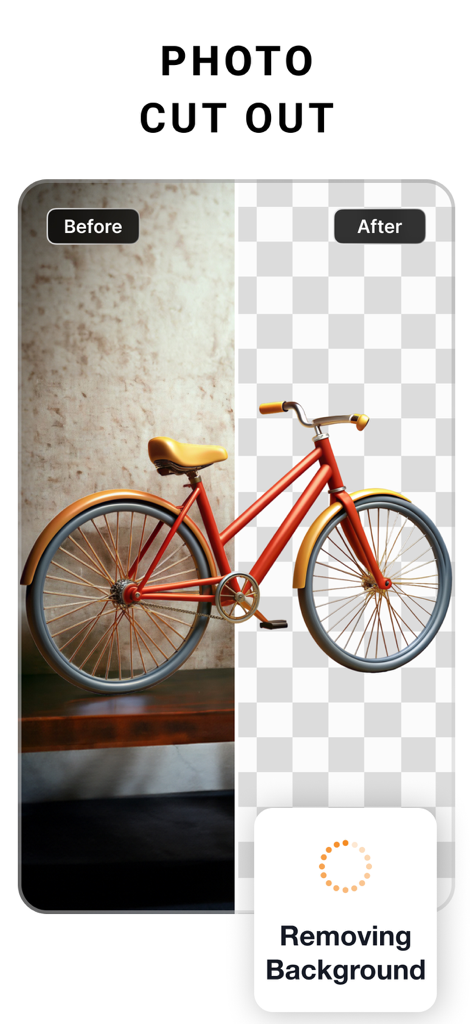
PhotoCut 앱을 사용하여 빨간색 자전거의 배경 제거 전후 비교
PhotoCut 앱을 사용하여 빨간색 자전거의 배경 제거 전후 비교

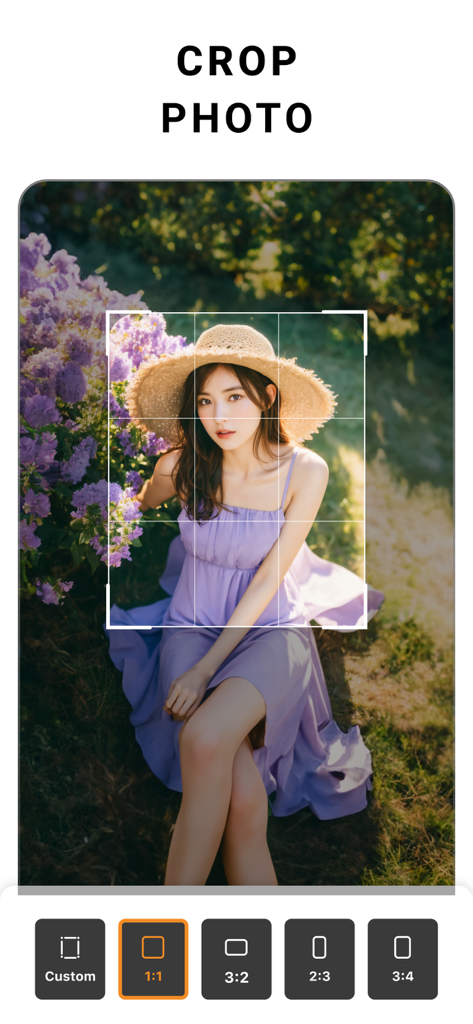
PhotoCut 모바일 앱 인터페이스, 종횡비 옵션과 여성 초상화가 있는 자르기 도구를 보여줌
PhotoCut 모바일 앱 인터페이스, 종횡비 옵션과 여성 초상화가 있는 자르기 도구를 보여줌

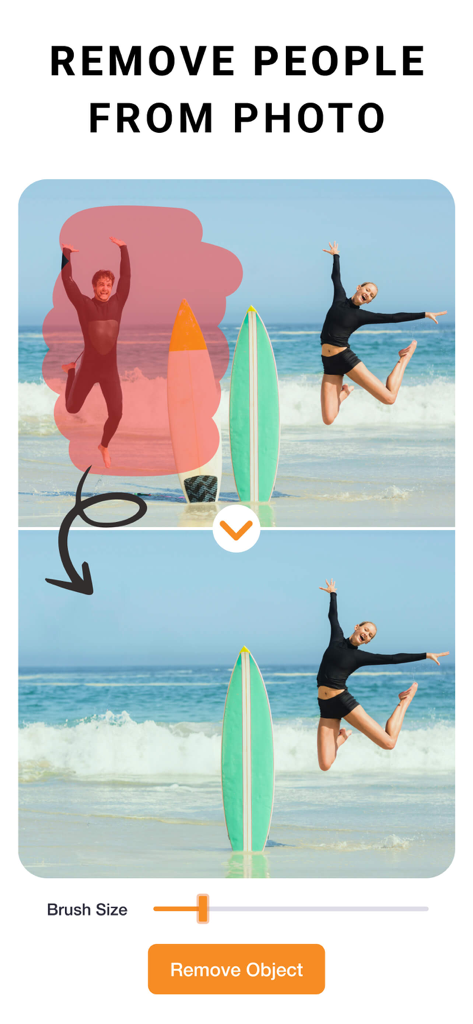
PhotoCut 앱 인터페이스, 개체 제거 도구를 사용하여 해변 사진에서 사람을 제거하는 방법 시연
PhotoCut 앱 인터페이스, 개체 제거 도구를 사용하여 해변 사진에서 사람을 제거하는 방법 시연

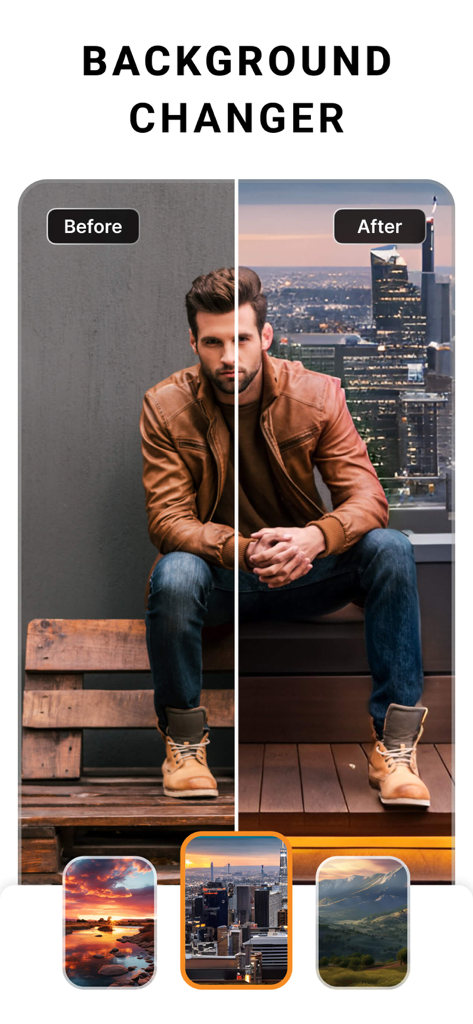
PhotoCut 배경 변경기 기능의 전후 시연, 도시 풍경 앞에 서 있는 남자
PhotoCut 배경 변경기 기능의 전후 시연, 도시 풍경 앞에 서 있는 남자

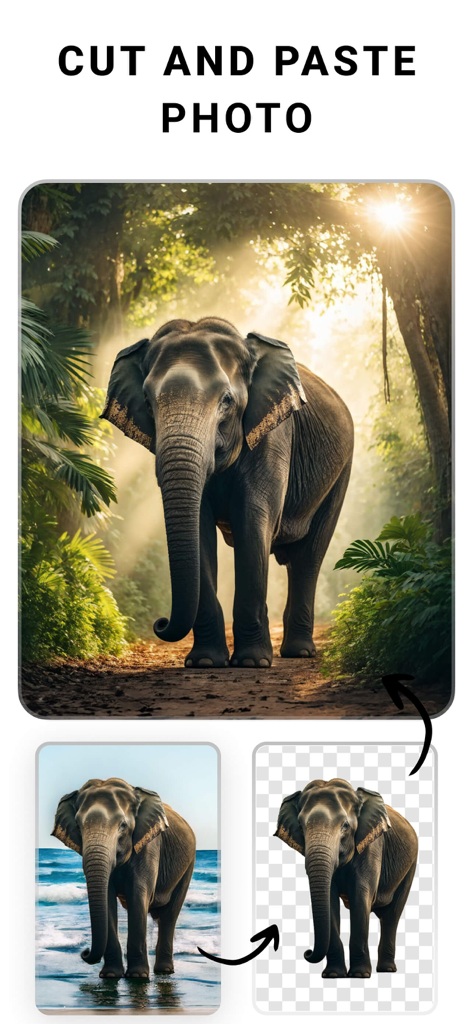
PhotoCut 앱을 사용하여 코끼리 누끼를 해변 배경에서 정글 장면으로 옮기는 것을 보여주는 시연
PhotoCut 앱을 사용하여 코끼리 누끼를 해변 배경에서 정글 장면으로 옮기는 것을 보여주는 시연

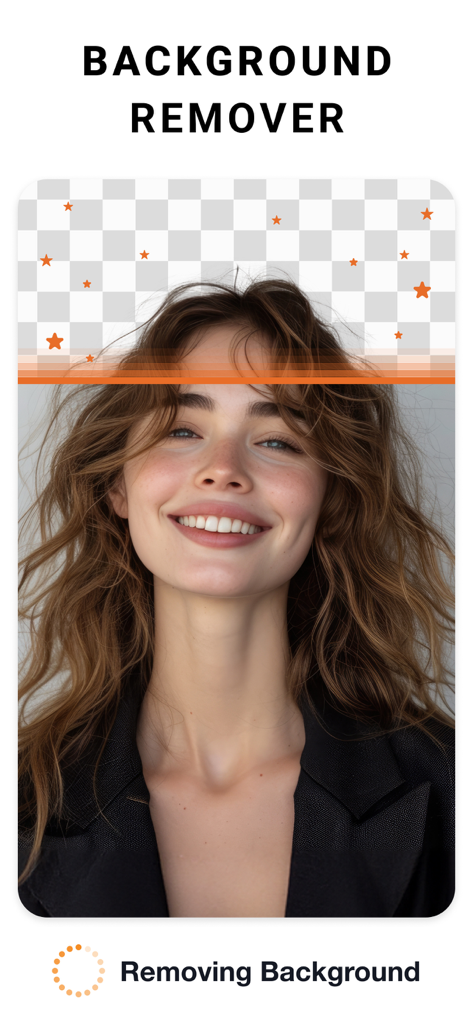
투명 체크무늬 패턴을 보여주는 배경 제거 도구로 편집 중인 여성 초상화
투명 체크무늬 패턴을 보여주는 배경 제거 도구로 편집 중인 여성 초상화

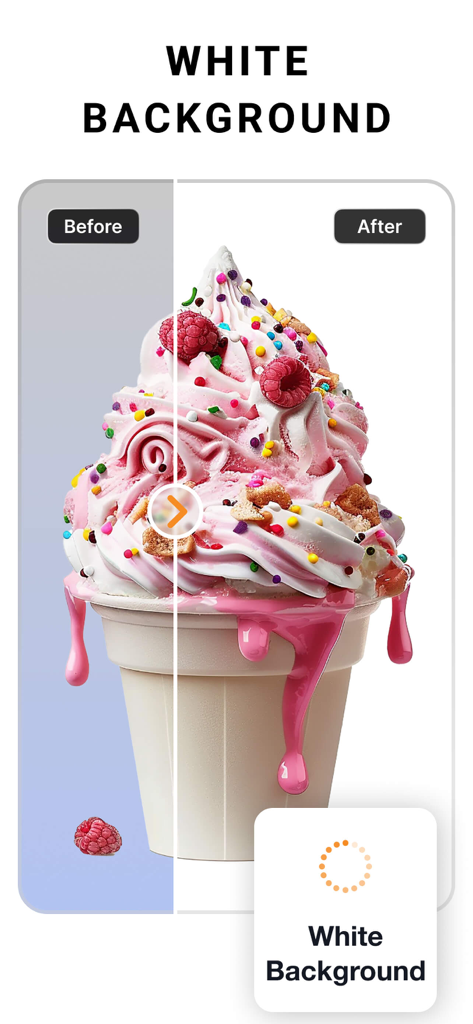
배경 제거 후 깨끗한 흰색 배경으로 교체된 아이스크림 사진의 전후 비교
배경 제거 후 깨끗한 흰색 배경으로 교체된 아이스크림 사진의 전후 비교

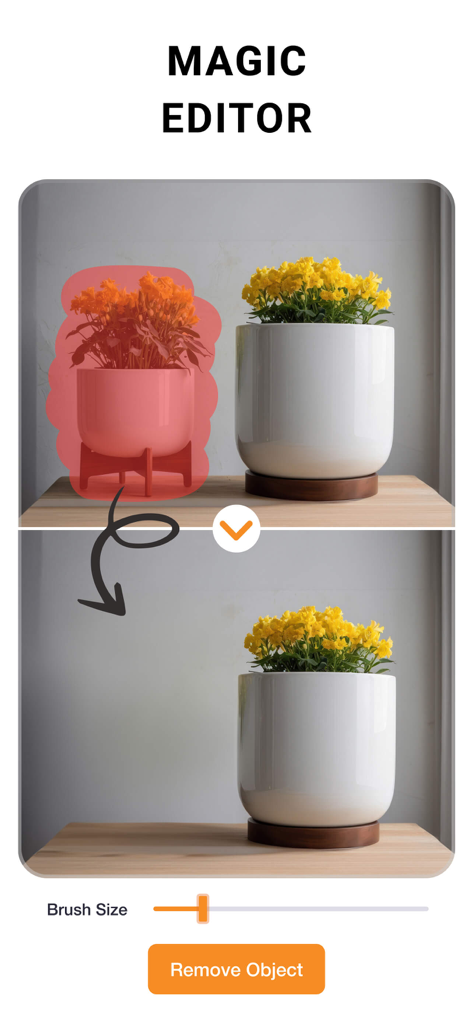
매직 에디터 기능으로 사진에서 화분 제거 전후 시연
매직 에디터 기능으로 사진에서 화분 제거 전후 시연

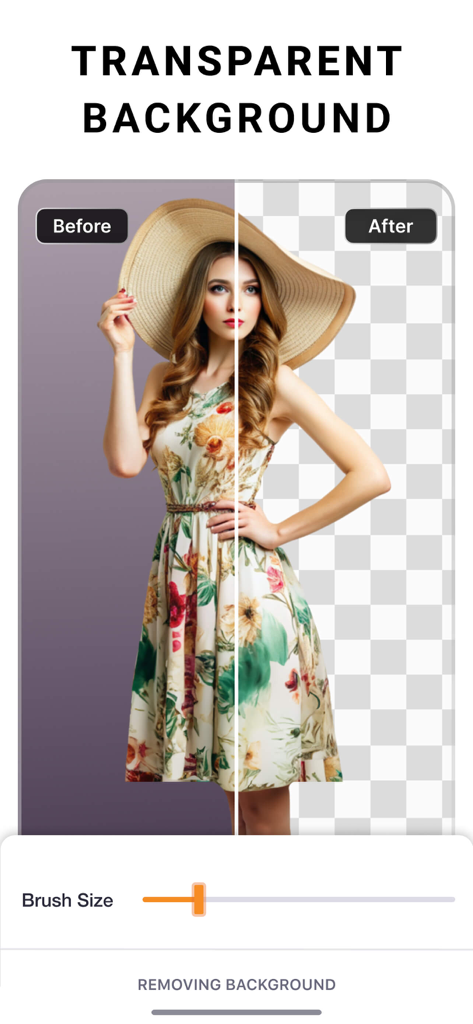
PhotoCut 앱의 투명 배경 제거 기능 전후 비교
PhotoCut 앱의 투명 배경 제거 기능 전후 비교

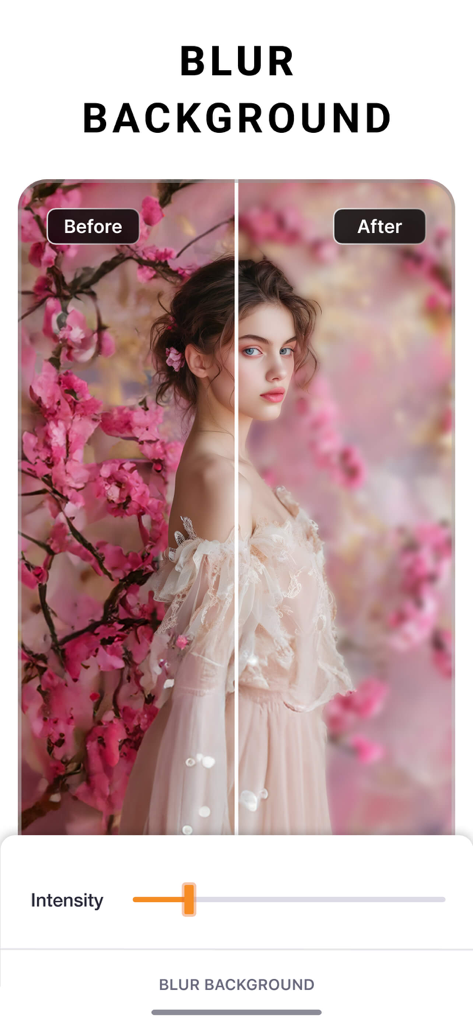
PhotoCut 앱에서 초상화 사진에 대한 배경 흐림 효과의 전후 비교

PhotoCut 앱에서 초상화 사진에 대한 배경 흐림 효과의 전후 비교

전문가처럼 디자인하고, 브랜드처럼 판매하세요

이 앱을 돋보이게 하는 도구, 527K+ 명의 사용자가 선택.

📸

즉석 스튜디오 배경

원탭으로 지저분한 배경을 제거하여 Etsy, Poshmark 또는 Shopify를 위한 깔끔하고 전문적인 제품 사진을 만드세요.

몇 초 만에 일괄 편집

하나의 전문적인 편집 및 배경 교체를 전체 제품 카탈로그에 한 번에 적용하여 몇 시간을 절약하세요.

시선을 사로잡는 마케팅 자산

디자인 학위 없이도 곡선 텍스트와 사용자 지정 그림자로 멋진 전단지, 소셜 게시물, 로고를 만드세요.

리뷰 분석

사용자 리뷰 인사이트.

감정 점수

31%
부정적

요약

This app receives widely mixed feedback, with a notable decline in user satisfaction following recent updates that many users report have ruined core functionality and complicated the user interface. While some praise its effective photo cutout capabilities and general ease of use, particularly in older versions, a significant number of complaints focus on an aggressive payment model that restricts essential features like saving photos without a subscription. Users also frequently highlight issues such as inconsistent background removal, the removal of previously available features like custom backgrounds, and general bugs related to saving edits and project management.

주요 테마

Core Functionality(16)
Payment Model(4)
Ad Experience(1)

앱 소개

에 대해 알아야 할 모든 것 Photo Cut: Cutout pro & paste.

설명

PhotoCut is an easy-to-use design studio and photo editor. No design experience required. From online selling to digital marketing to social media posting, PhotoCut is here to help. Get your design superpowers today! Seamlessly create, edit, and manage perfect product shots with just a few taps. Get Creative Create flyers, posters, invitations, cards, collages, logos, memes, profile pics, product photography, and stickers. Powerful Editing & Design Tools • Remove the background from photos. • Remove people & objects from any photo. • Change backgrounds behind models. Create various looks and scenes without a reshoot. • Swap backgrounds behind products for creating high-quality, professional product images. • Change the background of your photo with a quick touch. • Effortlessly cut out images like a pro using select, eraser and cutout tools. • Create professional-looking social media posts, flyers or posters for your business. • Save time by instantly editing multiple photos. Image Correction & More • Adjust and Customize Photos: Change contrast, exposure, saturation, fade, sharpness, vibrance, warmth, tint, shadows, highlights, and blur. • Apply stunning filters to your photos to add a “wow” effect. • Add special effects to the edges of your photos using outline and shadow tools. • Perfectly align photos, text, and any element with guided positioning, or auto alignment. • Create custom edge styles for photos with the outline and shadow tools. • Curve your text to match an arc or a circle. • Edit and modify text with alignment, letter and line spacing. • Position elements precisely with the nudge tool. Upgrade to PhotoCut Plus Create professional looking designs in seconds with Plus! Try PhotoCut Plus with a free trial! You’ll only be charged if you decide to keep it after the trial. Cancel anytime before the trial ends to avoid any charges. PhotoCut Plus subscriptions are charged annually to your iTunes Account after your 7 day trial ends. Subscriptions will then auto-renew every month or year unless turned off at least 24 hours before the end of the current period. Your iTunes account will be charged for renewal within 24 hours prior to the end of the current period. To stop auto-renewal, visit Account Settings in iTunes after purchase. - Terms of use: https://imagixai.com/terms.html - Privacy policy: https://imagixai.com/privacy_policy.html Please write to us at support.photocut@imagixai.com for any support queries.

최신 버전

1.4.4

크기

182.6 MB

출시일

2019년 5월 17일

귀사의 비즈니스에 전문적인 경쟁력을 더할 준비가 되셨나요?

527,000명이 넘는 기업가와 크리에이터들이 PhotoCut을 사용하여 일상적인 사진을 전환율 높은 자산으로 변환하고 있습니다. 오늘 무료 체험을 시작하고 디자인 파워를 얻으세요.

다운로드: App Store

App information, icons, screenshots, and descriptions displayed on this page are sourced from the Apple App Store and are the property of their respective developers. Download estimates and rankings are based on MWM's proprietary models and may not reflect actual figures. This page is provided for informational and analytical purposes only.

Believe this page infringes your intellectual property? File a dispute