PhotoCut - AI Photo Editor

PhotoCut - AI Photo Editor

다운로드: App Store
로고: PhotoCut - AI Photo Editor

PhotoCut - AI 사진 편집기: 몇 초 만에 전문가 수준의 편집

크리에이터와 1인 사업가를 위한 올인원 AI 툴킷. 손쉽게 배경을 제거하고, 생성형 채우기로 개체를 교체하고, 스튜디오 품질의 비주얼을 소셜 미디어 및 전자 상거래용으로 디자인하세요.

개발사

Human Apps - F.Z.E.

카테고리

Graphics & Design

다운로드

423K+

사용자 평점

4.3/5

총 평가 수

900

지원 언어

14

마법이 작동하는 모습

이 인터페이스를 사용하는 423K+ 명의 사용자.

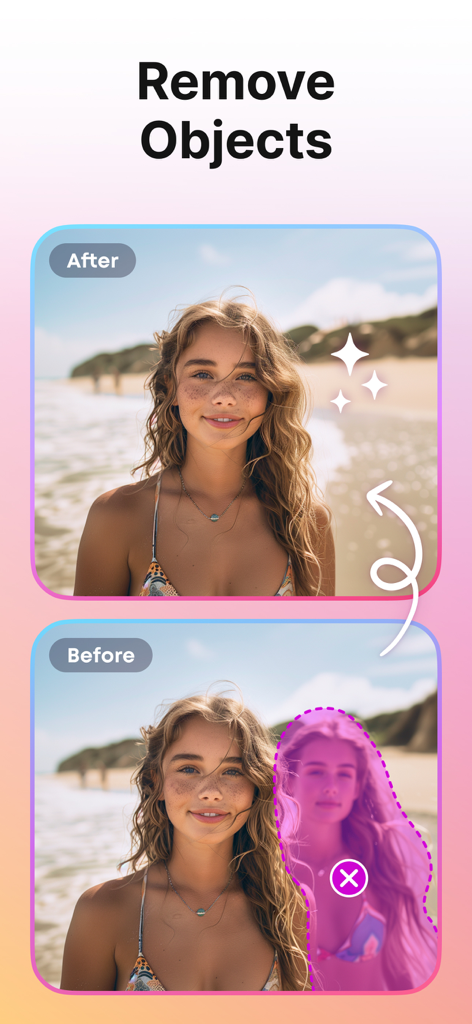
PhotoCut AI 개체 제거 도구를 사용하여 해변 사진에서 사람을 제거하는 전후 비교.
PhotoCut AI 개체 제거 도구를 사용하여 해변 사진에서 사람을 제거하는 전후 비교.

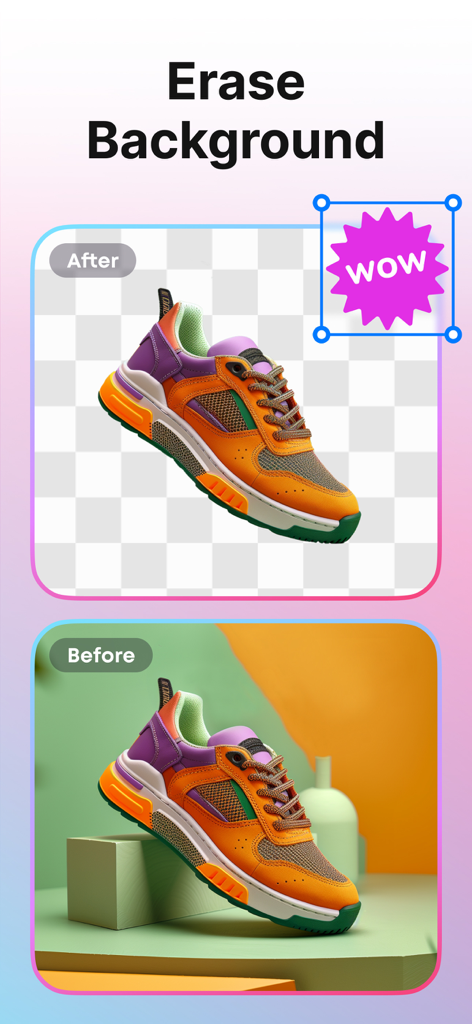
PhotoCut AI를 사용하여 배경이 제거된 스니커즈의 전후 비교
PhotoCut AI를 사용하여 배경이 제거된 스니커즈의 전후 비교

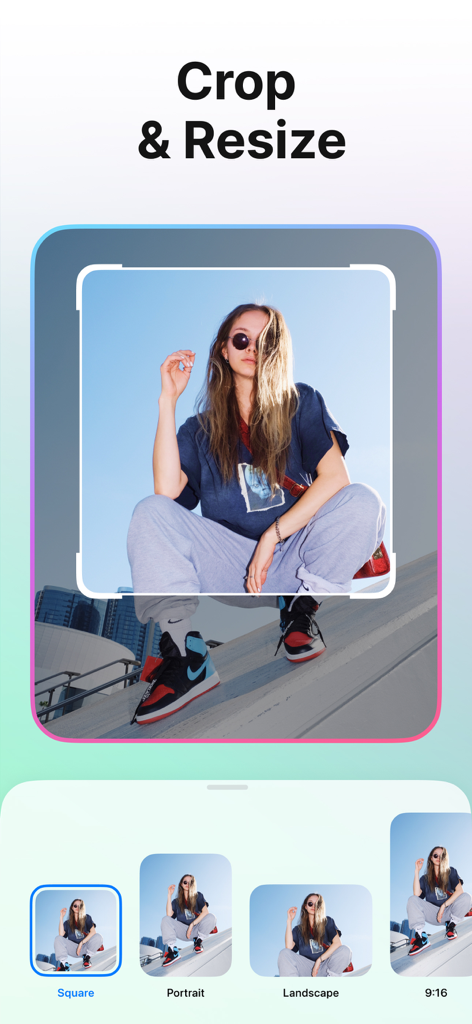
다양한 종횡비 사전 설정이 있는 PhotoCut 앱 자르기 및 크기 조정 기능을 보여주는 스마트폰 화면

다양한 종횡비 사전 설정이 있는 PhotoCut 앱 자르기 및 크기 조정 기능을 보여주는 스마트폰 화면

사람 및 제품 사진 촬영을 위한 다양한 창의적인 사진 템플릿
사람 및 제품 사진 촬영을 위한 다양한 창의적인 사진 템플릿

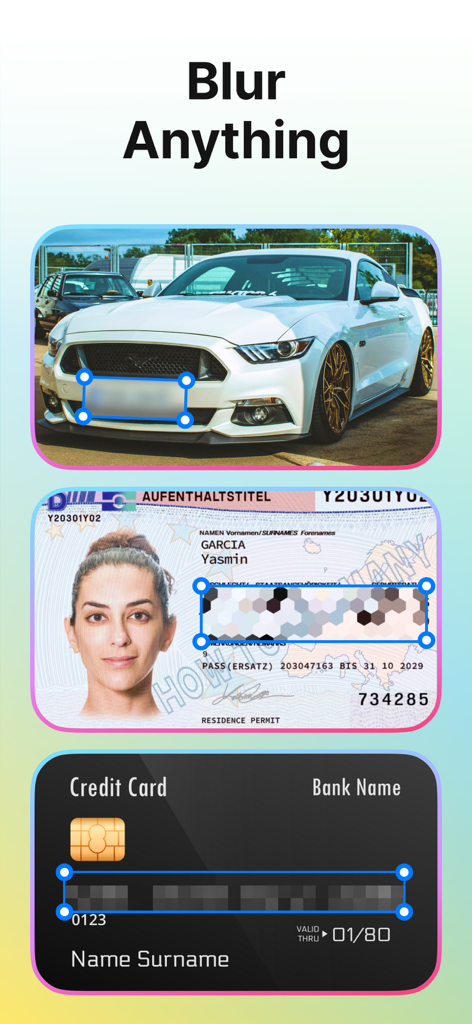
자동차, ID 카드 및 신용 카드의 민감한 정보를 숨기기 위해 흐림 효과 기능을 시연하는 PhotoCut 앱.
자동차, ID 카드 및 신용 카드의 민감한 정보를 숨기기 위해 흐림 효과 기능을 시연하는 PhotoCut 앱.

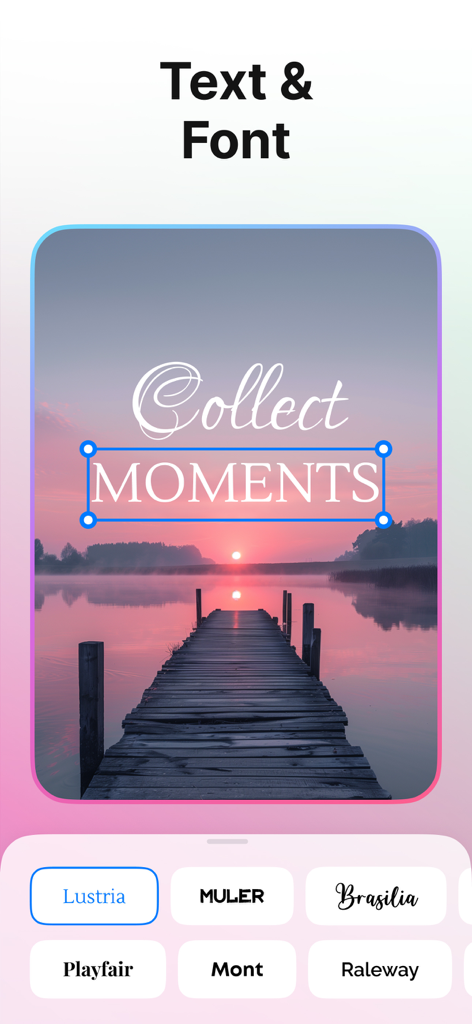
석양 풍경 사진에 텍스트 오버레이 및 글꼴 선택 옵션을 보여주는 PhotoCut 앱 인터페이스

석양 풍경 사진에 텍스트 오버레이 및 글꼴 선택 옵션을 보여주는 PhotoCut 앱 인터페이스

AI 기반 정밀도로 브랜드를 향상시키세요

이 앱을 돋보이게 하는 도구, 423K+ 명의 사용자가 선택.

🪄

즉석 스튜디오 배경

지저분한 방을 깨끗하고 전문적인 배경으로 교체하세요. 한 번의 탭으로 고급스러운 미학이 필요한 Etsy 판매자 및 인플루언서에게 적합합니다.

AI 마법 개체 제거

사진 촬영 방해꾼과 산만함을 제거하여 사진을 정리하세요. 생성형 채우기를 사용하여 개체를 교체하고 피드를 완벽하게 유지하세요.

📈

비즈니스 준비 템플릿

사진을 즉시 전문 광고 또는 제품 아이콘으로 바꾸세요. 참여율이 높은 레이아웃으로 부업 워크플로우를 가속화하세요.

리뷰 분석

사용자 리뷰 인사이트.

감정 점수

31%
부정적

요약

This app receives overwhelmingly negative feedback, largely due to an aggressive and often deceptive monetization model. Users frequently report unauthorized charges, difficulty canceling subscriptions, and high, unexpected costs after supposed "free trials," with many labelling it a scam. Core features like background and object removal are often deemed ineffective, producing poor quality results or failing to work as advertised, while some users also experience app instability, freezing, and issues with the app not opening, including on iOS 18.4.1 and iPhone 16 Pro Max. Although a few users found the interface easy to use and appreciated its ability to maintain image quality, these positives are overshadowed by widespread complaints about its functionality and billing practices.

주요 테마

Subscription & Billing Issues(22)
Feature Effectiveness(12)
App Stability(6)
Monetization Model(6)
Ease of Use(2)
Image Quality(1)

앱 소개

에 대해 알아야 할 모든 것 PhotoCut - AI Photo Editor.

설명

Discover a professional photo editor with AI! PhotoCut is designed to make your photos look great instantly and efficiently. MAIN FUNCTIONS: BACKGROUND ERASER Remove backgrounds automatically or manually. High quality and accurate removal is ensured by our AI technology. Exactly deletes backgrounds even in the most difficult areas! BACKGROUND CHANGER Change background to any other picture you want. We have many variants for this: a large selection of colors, gradients, textures. And also a big stock of photos, where you will definitely be able to find something suitable for your idea and photo! LAYERS Create collages, add as many layers as you like, swap layers easily, duplicate, replace, edit and more. Make your photos unique! OBJECT REMOVAL Remove unwanted objects, people, blemishes and whatever you want. MAGIC REPLACE Use generative filling to replace a thing with any other thing. BLUR - Automatically blur background in a photo - Manual blur. This way you can censor photos, documents, hide important information, blur faces and more. - Apply awesome effects like motion blur, pixel blur, zoom blur and more. TEMPLATES Use templates to speed up photo editing! Instantly make photos for ads, social media, products, sales, icons and more. CROP Cut and resize photos to required formats. TRANSFORM Transfigure and mirror your photo in the direction you want. OPACITY Adjust photo transparency. BORDER Add frames to photos of any size and color. SHADOWS Add shadows to your photo, change its transparency, direction, color and degree of blurring. FLIP You can mirror your image. Time to be creative! PhotoCut is always here to help you! Additional Subscription Information - Subscription may be cancelled at any time within the iTunes and App Store Apple ID Settings. All prices include applicable local sales taxes. - Payment will be charged to iTunes Account at confirmation of purchase. - Subscription automatically renews unless auto-renew is turned off at least 24-hours before the end of the current period. - Account will be charged for renewal within 24-hours prior to the end of the current period, and identify the cost of the renewal. - Subscriptions may be managed by the user and auto-renewal may be turned off by going to the user's Account Settings after purchase. We respect the privacy of users and don’t store any of our user's data, users' requests, and so on and do not have access to any private or non-public content. Privacy Policy: https://humanapps.net/privacy.html Terms of Use: https://humanapps.net/terms.html If you have any questions or suggestions for improving the app, please contact us at support@humanapps.net.

최신 버전

1.6.0

크기

115.0 MB

출시일

2023년 1월 12일

오늘부터 전문가처럼 만들기 시작하세요

PhotoCut을 사용하여 몇 초 만에 사진을 멋지고 전환율이 높은 비주얼로 바꾸는 423,000명 이상의 크리에이터 및 1인 사업가와 함께하세요.

다운로드: App Store
FAQ

자주 묻는 질문

에 대해 알아야 할 모든 것 PhotoCut - AI Photo Editor

PhotoCut - AI 사진 편집기는 무엇인가요?

PhotoCut은 사진을 즉각적이고 효율적으로 향상시키기 위해 설계된 전문 AI 사진 편집기입니다. 배경 제거, 개체 제거, 레이어, 흐림 효과와 같은 기능을 제공합니다.

PhotoCut - AI 사진 편집기로 사진에서 배경을 제거할 수 있나요?

네, PhotoCut은 자동 또는 수동 배경 제거를 위한 AI 기반 배경 지우개를 제공합니다. 복잡한 영역에서도 고품질의 정확한 제거를 보장합니다.

PhotoCut - AI 사진 편집기를 사용하면 사진 배경을 변경할 수 있나요?

네, PhotoCut을 사용하면 다양한 색상, 그라데이션, 질감 및 방대한 스톡 사진을 사용하여 배경을 변경할 수 있습니다. 사용자는 자신의 아이디어에 맞는 옵션을 찾을 수 있습니다.

PhotoCut - AI 사진 편집기로 사진에서 원치 않는 개체를 제거할 수 있나요?

네, PhotoCut에는 사진에서 원치 않는 개체, 사람, 잡티 또는 기타 요소를 제거하는 개체 제거 기능이 포함되어 있습니다.

PhotoCut - AI 사진 편집기의 매직 리플레이스 기능은 무엇인가요?

PhotoCut의 매직 리플레이스는 생성 채우기 기술을 사용하여 사진의 한 개체를 다른 원하는 개체로 대체합니다.

PhotoCut - AI 사진 편집기에서 사진 편집용 템플릿을 제공하나요?

네, PhotoCut은 광고, 소셜 미디어, 제품, 판매, 아이콘 등 다양한 용도로 사진 편집을 빠르게 완료할 수 있는 템플릿을 제공합니다. 100개 이상의 템플릿을 사용할 수 있습니다.

PhotoCut - AI 사진 편집기 구독을 어떻게 취소하나요?

iTunes 및 App Store Apple ID 설정에서 언제든지 PhotoCut 구독을 취소할 수 있습니다. 모든 가격에는 해당 지역의 판매세가 포함됩니다.

PhotoCut - AI 사진 편집기는 사용자 데이터나 개인 콘텐츠를 저장하나요?

아니요, PhotoCut은 사용자 개인 정보를 존중하며 사용자 데이터, 요청을 저장하지 않으며 개인 또는 비공개 콘텐츠에 액세스하지 않습니다.

PhotoCut - AI 사진 편집기로 사진의 민감한 정보를 흐리게 처리할 수 있나요?

네, PhotoCut은 사진, 문서, 중요 정보 숨기기, 얼굴 또는 신용카드 세부 정보 흐리게 처리 등 검열을 위한 수동 흐림 효과 옵션을 제공합니다.

PhotoCut - AI 사진 편집기는 이미지에 텍스트 추가를 지원하나요?

네, PhotoCut을 사용하면 사용자는 이미지에 텍스트를 추가할 수 있습니다. 이 앱은 텍스트 모양을 사용자 정의하기 위한 다양한 글꼴 옵션을 제공합니다.

App information, icons, screenshots, and descriptions displayed on this page are sourced from the Apple App Store and are the property of their respective developers. Download estimates and rankings are based on MWM's proprietary models and may not reflect actual figures. This page is provided for informational and analytical purposes only.

Believe this page infringes your intellectual property? File a dispute