Piano Doctor - A Piano Tuner
다운로드: App Store

이 페이지는 앱이나 개발자의 공식 페이지가 아니며, 정보 제공 및 논평을 목적으로 작성된 독립 편집 간행물입니다. 명시적으로 달리 언급되지 않는 한, 해당 앱이나 개발자는 MWM, Apple, Google Play, 앱 퍼블리셔 또는 앱 개발자와 제휴, 보증, 후원, 승인 또는 공식적으로 연결되어 있지 않으며, 이 페이지의 어떤 내용도 해당 앱이 MWM의 서비스를 사용하여 개발되었음을 의미하지 않습니다. 모든 상표, 로고, 스크린샷 및 기타 콘텐츠는 해당 소유자의 자산입니다.


로고: Piano Doctor - A Piano Tuner
다운로드: App Store

Piano Doctor - A Piano Tuner

진지한 음악가와 기술자를 위해 설계된 고급 하모닉 밴드 감지 및 실시간 스펙트럼 분석으로 낮은 음 튜닝의 어려움을 극복하세요.

주요 수치

다운로드

100

사용자 평점

1.0/5

총 평가 수

0

개발사

Jongseung Park

카테고리

Music

지원 언어

1

최신 버전

1.1.0

크기

6.3 MB

출시일

2024년 12월 12일
기능

콘서트 수준의 정밀도 달성

모든 88개 건반에 걸쳐 과학적인 정확도를 요구하는 기술자와 DIY 애호가를 위해 설계된 전문가 수준의 주파수 분석.

전체 범위 하모닉 추적

낮은 베이스 현을 쉽게 튜닝하세요. 당사의 알고리즘은 최대 7개의 하모닉 밴드를 분석하여 일반 마이크가 놓치는 A0와 같은 초저주파를 감지합니다.

듀얼 게이지 시각적 피드백

튜닝에 대한 완전한 확신을 가지세요. 듀얼 게이지와 실시간 스펙트럼 뷰어를 사용하여 톤 안정성과 주파수 확산을 동시에 모니터링하세요.

다음 스크린샷과 설명은 앱의 공식 스토어 목록에서 직접 가져온 것이며 앱 개발자의 자산입니다.

앱 스토어

스크린샷
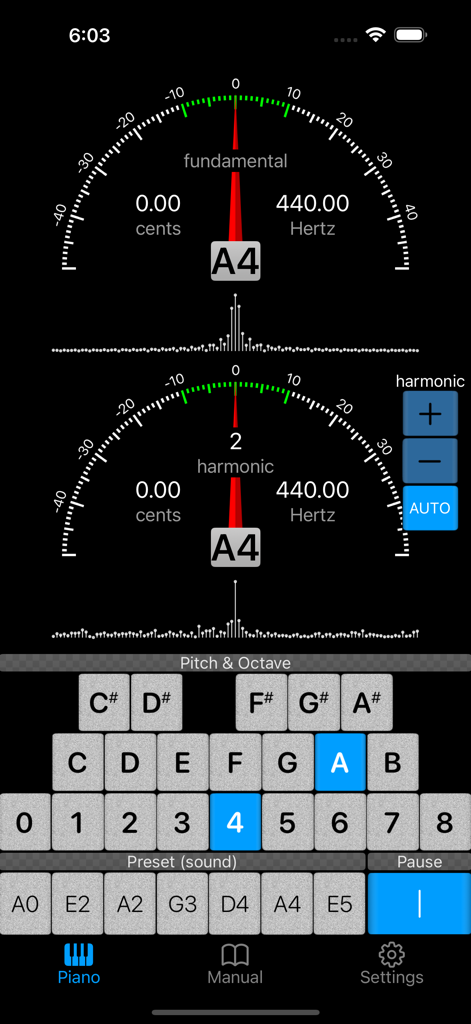
Piano Doctor - A Piano Tuner - 피아노 튜닝 앱 인터페이스에 음 A4에 대한 기본 및 하모닉 주파수 게이지 표시
피아노 튜닝 앱 인터페이스에 음 A4에 대한 기본 및 하모닉 주파수 게이지 표시

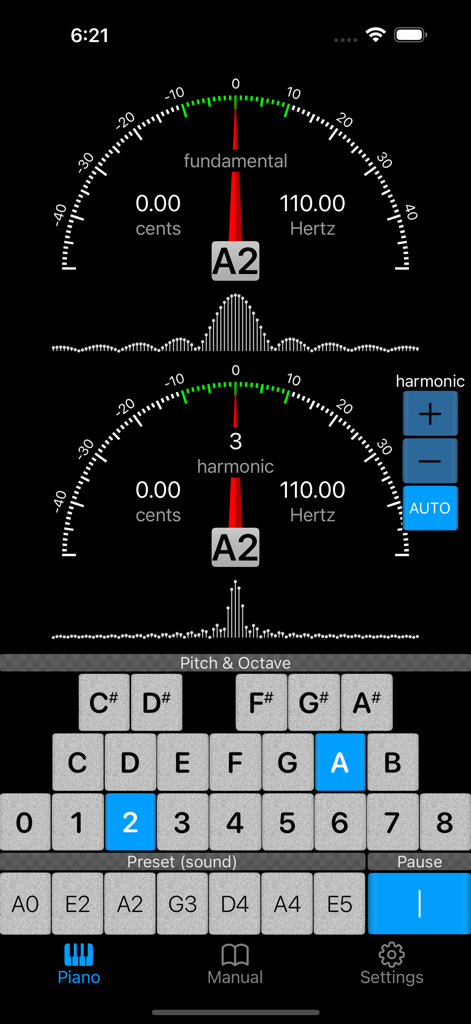
Piano Doctor - A Piano Tuner - 기본 및 하모닉 튜닝 게이지와 피치 선택이 표시된 피아노 닥터 앱 인터페이스
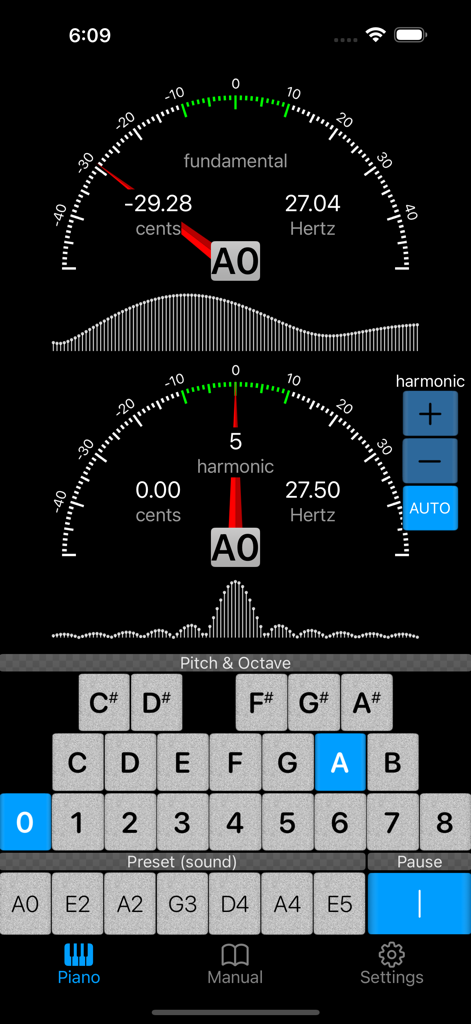
기본 및 하모닉 튜닝 게이지와 피치 선택이 표시된 피아노 닥터 앱 인터페이스

Piano Doctor - A Piano Tuner - 기본 및 하모닉 주파수 게이지가 있는 전문 피아노 튜너 앱 인터페이스
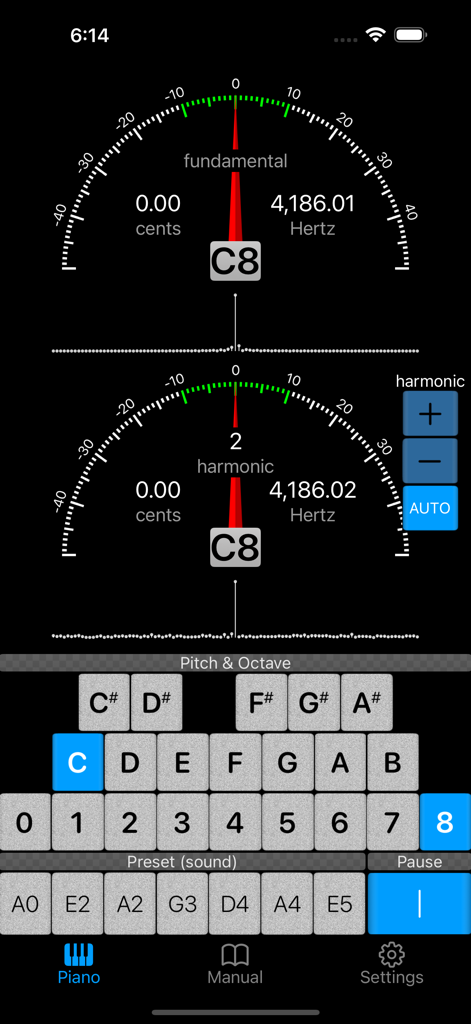
기본 및 하모닉 주파수 게이지가 있는 전문 피아노 튜너 앱 인터페이스

Piano Doctor - A Piano Tuner - 기본 및 하모닉 게이지를 표시하여 피아노를 정밀하게 튜닝하는 피아노 닥터 앱 인터페이스
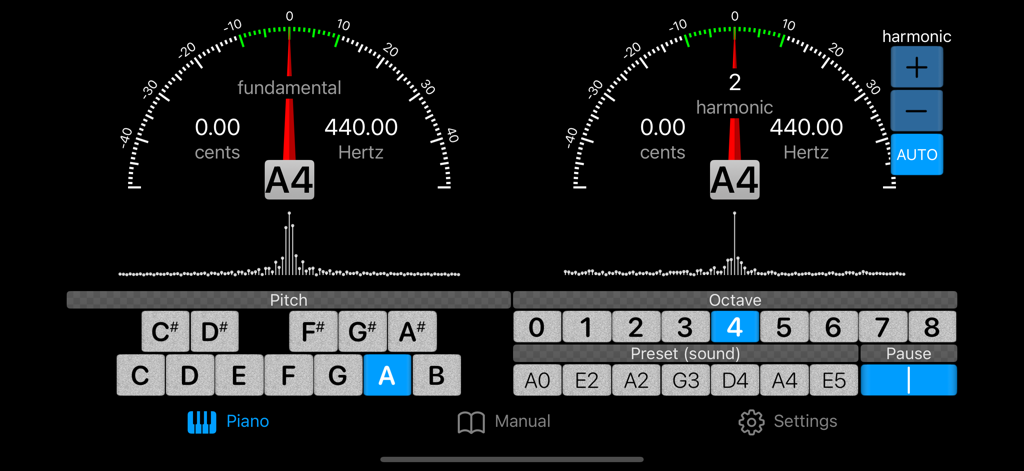
기본 및 하모닉 게이지를 표시하여 피아노를 정밀하게 튜닝하는 피아노 닥터 앱 인터페이스

Piano Doctor - A Piano Tuner - 기본 및 하모닉 게이지와 스펙트럼 뷰어를 보여주는 피아노 튜닝 앱 인터페이스
기본 및 하모닉 게이지와 스펙트럼 뷰어를 보여주는 피아노 튜닝 앱 인터페이스

Piano Doctor - A Piano Tuner - 소개, 용어, 시작하기 섹션을 표시하는 피아노 닥터 앱의 매뉴얼 화면
소개, 용어, 시작하기 섹션을 표시하는 피아노 닥터 앱의 매뉴얼 화면

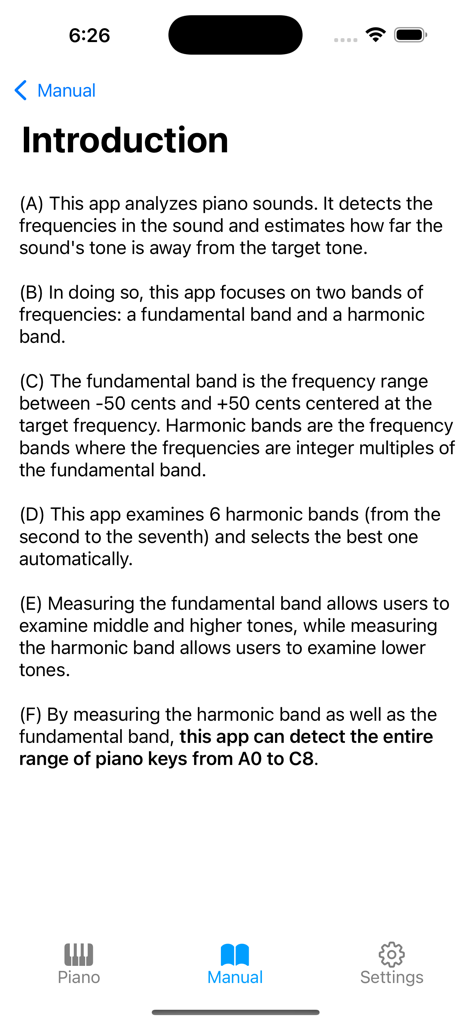
Piano Doctor - A Piano Tuner - 피아노 튜닝을 위한 주파수 감지를 설명하는 피아노 닥터 앱 매뉴얼의 소개 화면
피아노 튜닝을 위한 주파수 감지를 설명하는 피아노 닥터 앱 매뉴얼의 소개 화면

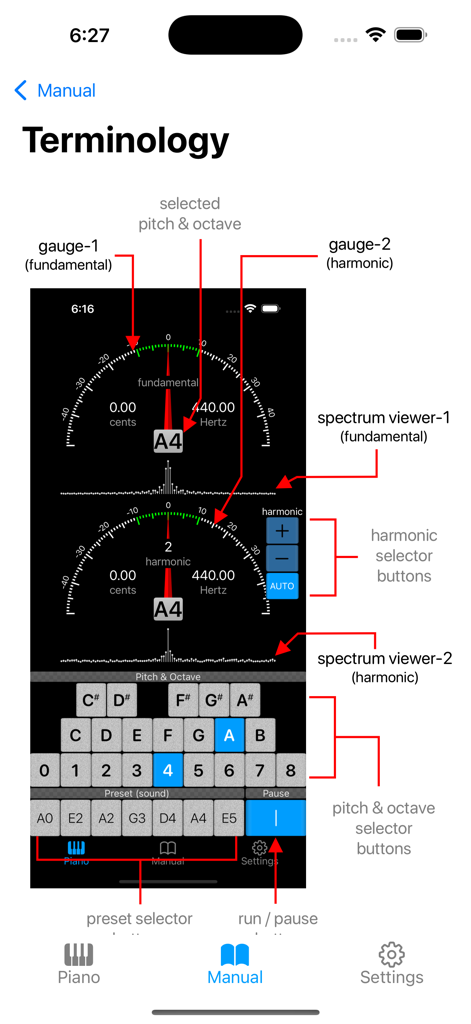
Piano Doctor - A Piano Tuner - 게이지 및 스펙트럼 뷰어를 포함한 피아노 닥터 앱의 사용자 인터페이스 구성 요소를 설명하는 다이어그램
게이지 및 스펙트럼 뷰어를 포함한 피아노 닥터 앱의 사용자 인터페이스 구성 요소를 설명하는 다이어그램

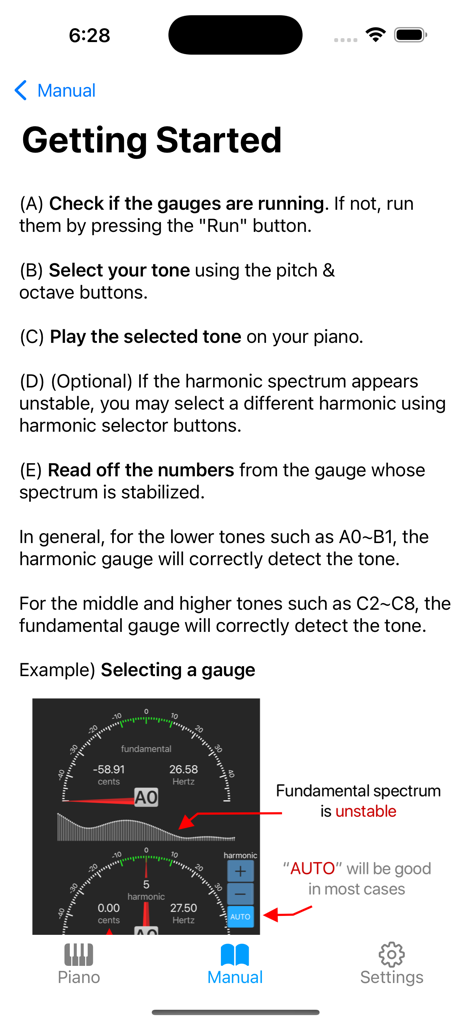
Piano Doctor - A Piano Tuner - 튜닝 지침 및 게이지 예시를 보여주는 피아노 닥터 앱의 시작하기 페이지 스크린샷
튜닝 지침 및 게이지 예시를 보여주는 피아노 닥터 앱의 시작하기 페이지 스크린샷

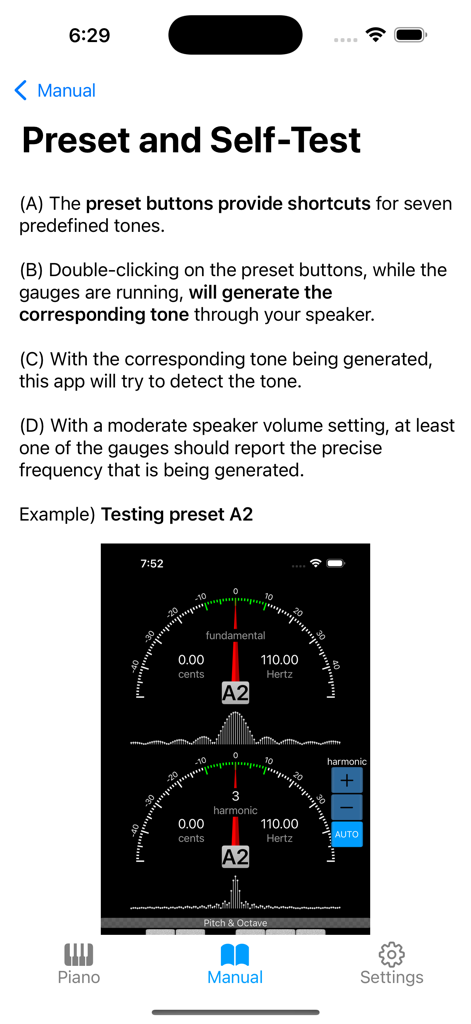
Piano Doctor - A Piano Tuner - 튜닝 게이지와 함께 사전 설정 및 자체 테스트 기능을 설명하는 피아노 닥터 앱의 교육용 매뉴얼 페이지.

튜닝 게이지와 함께 사전 설정 및 자체 테스트 기능을 설명하는 피아노 닥터 앱의 교육용 매뉴얼 페이지.

설명

This app analyzes piano sounds. It detects the frequencies in the sound and estimates how far the sound's tone is away from the target tone. While detecting the middle and higher tones of a piano can be done with little difficulty, detecting lower tones such as A0 (27.5Hz) raises a challenge. This is because most mobile devices' microphones cannot pick up such low tones. To overcome the difficulty, this app looks at two bands of frequencies: a fundamental band and a harmonic band. The fundamental band is the frequency range between -50 cents and +50 cents centered at the target frequency. Harmonic bands are the frequency bands where the frequencies are integer multiples of the fundamental band. This app examines 6 harmonic bands (from the second to the seventh) and selects the best one automatically. Measuring the fundamental band allows users to detect middle and higher tones, while measuring the harmonic band allows users to detect lower tones. By measuring the harmonic band as well as the fundamental band, this app can detect the entire range of piano tones from A0 to C8. To graphically show the detected tones, two gauges are provided: one for the fundamental tone and another for the harmonic tone. Two spectrum viewers are also provided alongside the corresponding gauges. While gauges are good at showing peak tones, spectrum viewers are showing frequency spreads in two-dimensional shapes. Spectrums help identify which band's measurement is stabilized and ready to be read. Buttons are used to select target pitch and octave quickly and randomly. Preset buttons are available for 7 preselected tones for easy-tone-selection and self-test. The preset buttons can also generate their corresponding tones through the device's speaker if they are double-clicked. This provides a self-test feature: with the self-generated tone on and the speaker at the proper volume, at least one of the gauges should report the precise tone that is being generated.

Download

다운로드: App Store

이 페이지는 앱이나 개발자의 공식 페이지가 아니며, 정보 제공 및 논평을 목적으로 작성된 독립 편집 간행물입니다. 명시적으로 달리 언급되지 않는 한, 해당 앱이나 개발자는 MWM, Apple, Google Play, 앱 퍼블리셔 또는 앱 개발자와 제휴, 보증, 후원, 승인 또는 공식적으로 연결되어 있지 않으며, 이 페이지의 어떤 내용도 해당 앱이 MWM의 서비스를 사용하여 개발되었음을 의미하지 않습니다. 모든 상표, 로고, 스크린샷 및 기타 콘텐츠는 해당 소유자의 자산입니다.







