Pixel art editor - Dottable -
다운로드: App Store

이 페이지는 앱이나 개발자의 공식 페이지가 아니며, 정보 제공 및 논평을 목적으로 작성된 독립 편집 간행물입니다. 명시적으로 달리 언급되지 않는 한, 해당 앱이나 개발자는 MWM, Apple, Google Play, 앱 퍼블리셔 또는 앱 개발자와 제휴, 보증, 후원, 승인 또는 공식적으로 연결되어 있지 않으며, 이 페이지의 어떤 내용도 해당 앱이 MWM의 서비스를 사용하여 개발되었음을 의미하지 않습니다. 모든 상표, 로고, 스크린샷 및 기타 콘텐츠는 해당 소유자의 자산입니다.


로고: Pixel art editor - Dottable -
다운로드: App Store

Pixel art editor - Dottable -

간편하게 레트로 스프라이트, 사용자 정의 게임 아이콘, 애니메이션 GIF를 디자인하세요. 잠자리에 들기 전 휴식을 취하든 통근 중이든, 모든 사람을 위해 만들어진 전문 도구를 사용하여 픽셀 완벽한 아이디어를 현실로 만드세요.

주요 수치

다운로드

205K+

사용자 평점

4.7/5

총 평가 수

10K+

개발사

Yosuke Seki

카테고리

Entertainment

지원 언어

2

최신 버전

2.16.3

크기

9.5 MB

출시일

2015년 1월 4일
기능

어디서든 레트로 비전을 만드세요

사용자 정의 소셜 미디어 아이콘, 게임 에셋을 만들거나 창의적인 두뇌 휴식으로 긴장을 푸는 최고의 픽셀 아트 스튜디오입니다.

즉각적인 픽셀 마법

갤러리의 모든 사진을 픽셀 아트 기반으로 변환하여 빈 캔버스에 대한 두려움 없이 창의력을 발휘하세요.

아이디어 애니메이션화

레이어를 프레임으로 변환하고 Discord 이모티콘, 프로필 사진 및 소셜 공유에 완벽한 고품질 GIF를 내보냅니다.

다음 스크린샷과 설명은 앱의 공식 스토어 목록에서 직접 가져온 것이며 앱 개발자의 자산입니다.

앱 스토어

스크린샷
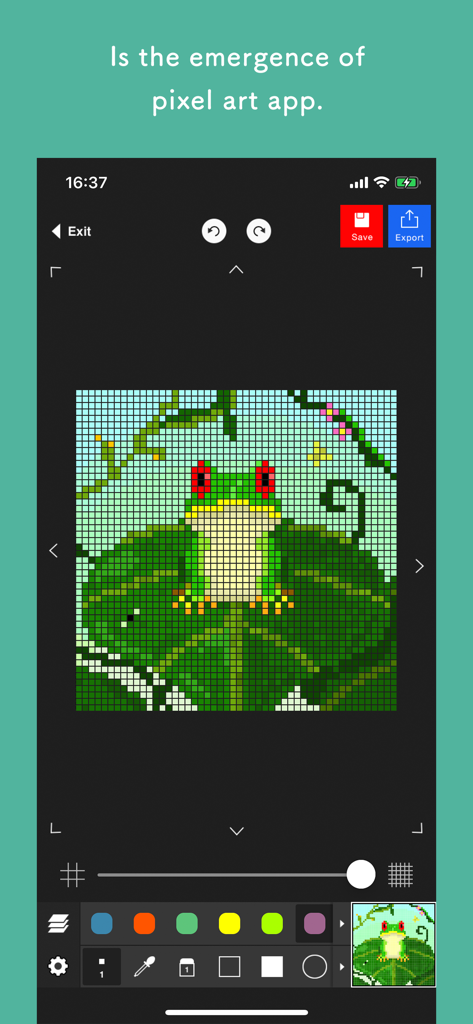
Pixel art editor - Dottable - - Dottable 앱 인터페이스의 스크린샷으로, 연잎 위의 개구리 픽셀 아트 그림을 보여줍니다.
Dottable 앱 인터페이스의 스크린샷으로, 연잎 위의 개구리 픽셀 아트 그림을 보여줍니다.

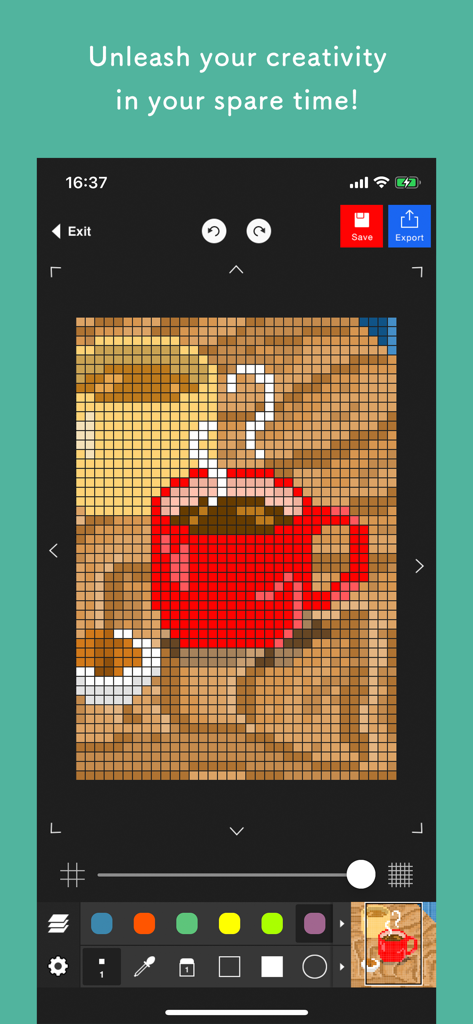
Pixel art editor - Dottable - - 빨간색 커피 머그잔 픽셀 아트 그림을 보여주는 Dottable 앱 인터페이스.
빨간색 커피 머그잔 픽셀 아트 그림을 보여주는 Dottable 앱 인터페이스.

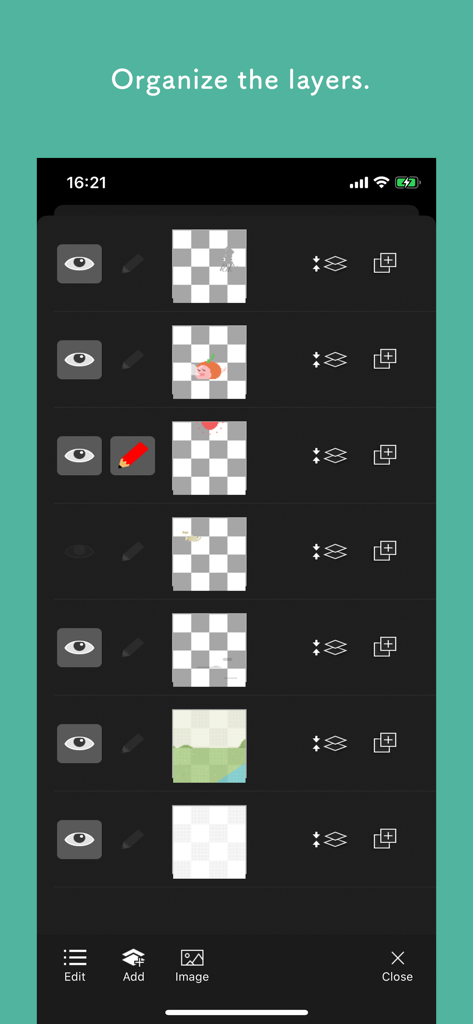
Pixel art editor - Dottable - - Dottable 픽셀 아트 편집기 모바일 애플리케이션에서 레이어를 구성하는 인터페이스.
Dottable 픽셀 아트 편집기 모바일 애플리케이션에서 레이어를 구성하는 인터페이스.

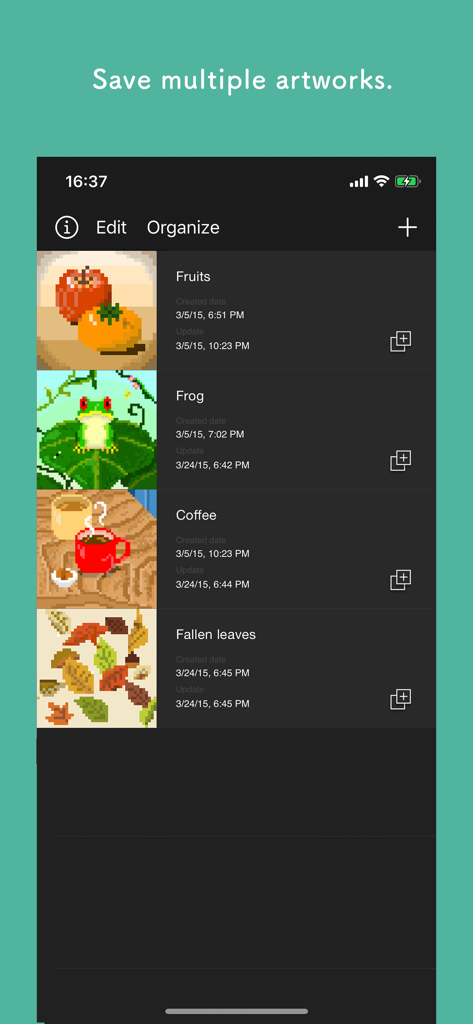
Pixel art editor - Dottable - - Dottable 앱의 갤러리 보기로, 과일, 개구리, 커피, 떨어진 잎을 포함한 저장된 픽셀 아트 프로젝트 목록을 보여줍니다.
Dottable 앱의 갤러리 보기로, 과일, 개구리, 커피, 떨어진 잎을 포함한 저장된 픽셀 아트 프로젝트 목록을 보여줍니다.

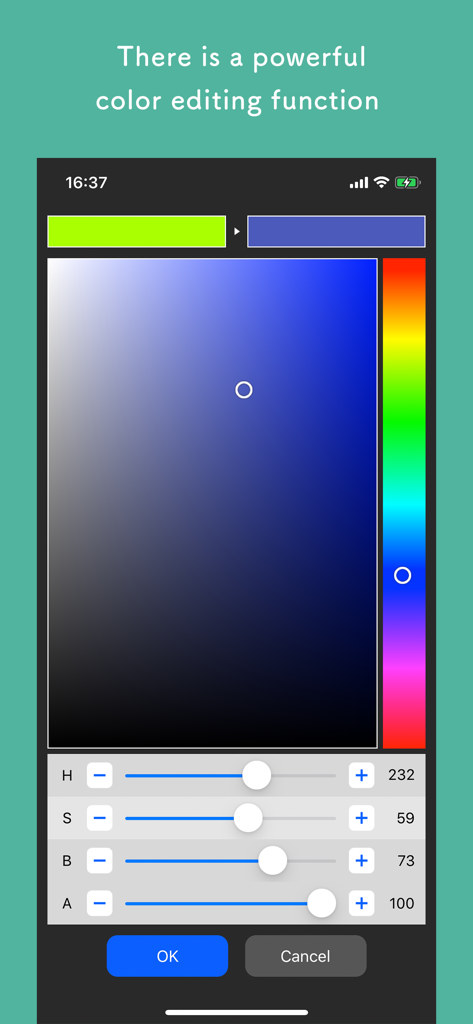
Pixel art editor - Dottable - - 색조, 채도, 밝기 및 투명도 슬라이더가 있는 Dottable 앱의 전문적인 색상 편집 화면.

색조, 채도, 밝기 및 투명도 슬라이더가 있는 Dottable 앱의 전문적인 색상 편집 화면.

설명

BE CREATIVE in your spare time!! This app enables you to make a pixel art easily. Although the operation is simple, it has layer editing, color making and other professional tools. Wanna make your original work during your spare time or before going to bed? To prevent a crash, creating a new project needs more than 300MB free space of your device. Sorry for the inconvenience. The app’s main functions are below. - Layer editing You can add, delete and copy layers. You can also choose the layer display or non-display and change the order of layers. - Various tools The app has basic tools to paint. (Pen, Syringe, blotting out, rectangle, circle, transfer... etc) - Animated GIF export Each layer is going to be one frame. - Undo, Redo You can cancel the line you draw. - Color making You can make your favorite color easily. It is also able to choose a color you would like to change to transparent. You can save 20 colors in maximum by a work. - Zoom-in, Zoom-out You can paint details by the Zoom-in, Zoom-out function. - Saving several works You can save several project files of your favorite works, so you can edit you work other day. - Setting canvas size You can set any canvas size from 5*5〜120*120. - Setting the dot size of exportation You can choose the dot size of exportation. The work will be saved as a png file in you r camera roll. - Rotate function You can rotate a work horizontally and vertically. - Selection area You can edit, transfer and copy only the area you selected. - Loading a picture for trace You can load a picture in forefront or back. You can set a rate of transparency, a position and a rate of magnification. - Conversion function of a picture to pixel art. It is able to convert a picture in camera roll to pixel art. After conversion, the pixel art will be loaded in new layer, so you can edit it.

Download

다운로드: App Store

이 페이지는 앱이나 개발자의 공식 페이지가 아니며, 정보 제공 및 논평을 목적으로 작성된 독립 편집 간행물입니다. 명시적으로 달리 언급되지 않는 한, 해당 앱이나 개발자는 MWM, Apple, Google Play, 앱 퍼블리셔 또는 앱 개발자와 제휴, 보증, 후원, 승인 또는 공식적으로 연결되어 있지 않으며, 이 페이지의 어떤 내용도 해당 앱이 MWM의 서비스를 사용하여 개발되었음을 의미하지 않습니다. 모든 상표, 로고, 스크린샷 및 기타 콘텐츠는 해당 소유자의 자산입니다.








