
이 페이지는 앱이나 개발자의 공식 페이지가 아니며, 정보 제공 및 논평을 목적으로 작성된 독립 편집 간행물입니다. 명시적으로 달리 언급되지 않는 한, 해당 앱이나 개발자는 MWM, Apple, Google Play, 앱 퍼블리셔 또는 앱 개발자와 제휴, 보증, 후원, 승인 또는 공식적으로 연결되어 있지 않으며, 이 페이지의 어떤 내용도 해당 앱이 MWM의 서비스를 사용하여 개발되었음을 의미하지 않습니다. 모든 상표, 로고, 스크린샷 및 기타 콘텐츠는 해당 소유자의 자산입니다.


Planner & Journal - Zinnia
이 앱은 사용자가 디지털 혼돈 속에서 자신만의 질서를 구축할 수 있도록 강력한 통제력을 부여합니다. 단순한 '플래너'가 아니라, 당신의 모든 생각과 계획을 위한 개인화된 사령부입니다.
다운로드
10M+사용자 평점
총 평가 수
71.8K개발사
카테고리
Lifestyle지원 언어
8최신 버전
1.45크기
209.0 MB출시일
2020년 2월 26일창의적이고 체계적인 개인을 위한 디지털 플래닝 및 저널링 솔루션 평가
Planner & Journal - Zinnia 앱 분석 보고서
고급 생산성 및 일정 관리 도구
이 앱은 디지털 캘린더 동기화, 맞춤형 캘린더, 다양한 템플릿, 그리고 시간 블로킹, 칸반, 포모도로와 같은 생산성 방법론을 지원하여 사용자가 효과적으로 습관, 목표, 시간을 관리할 수 있게 돕습니다.
광범위한 디지털 스튜디오 및 테마 콘텐츠
이 앱은 다양한 기성 저널, 플래너, 트래커, 스티커 및 테마 콘텐츠 컬렉션을 제공하여 사용자가 쉽게 미학적인 저널링을 시작하고 창의성을 발휘할 수 있게 해줍니다.
자기 관리 및 정신 건강 지원 기능
사용자가 자기 관리를 계획하고, 색상 코딩 및 트래커를 활용하며, 생각과 감정을 기록하고, 감사 저널링을 실천할 수 있게 하여 정신 건강 관리를 지원합니다.
실제와 같은 필기 및 드로잉 경험
이 도구는 실제 종이와 펜처럼 자연스러운 필기 및 스크리블 기능을 제공하며, 다양한 필기구와 조정 가능한 도구를 통해 사용자가 생생하게 스케치하고 그림을 그릴 수 있게 합니다.
PDF, 사진 및 노트 가져오기 및 주석 달기
이 앱은 PDF 문서, 개인 사진 및 노트 가져오기를 지원하며, 하이라이트 및 주석 달기 기능을 제공하여 사용자가 외부 자료를 저널에 통합하고 학습 및 정리 활동에 활용할 수 있습니다.
유연한 디지털 편집 도구
이 앱은 실행 취소, 객체 크기 조정 및 이동, 레이어 관리, 자르기 및 회전, 자동 날짜 템플릿과 같은 다양한 디지털 편집 기능을 제공하여 사용자가 콘텐츠를 자유롭게 조작하고 배치할 수 있도록 돕습니다.
간편한 공유 및 클라우드 동기화
이 도구는 사용자의 창작물을 인스타그램, 핀터레스트 등 소셜 네트워크에 직접 공유할 수 있게 하며, PDF 저장 옵션과 iCloud 동기화를 통해 작업물을 안전하게 보관하고 편리하게 공유할 수 있습니다.
정기적인 콘텐츠 및 기능 업데이트
이 도구는 매달 새로운 콘텐츠와 빈번한 기능 추가를 통해 사용자에게 지속적으로 신선한 자료와 향상된 경험을 제공합니다.
내부 및 외부 링크 기능
사용자가 저널 페이지 내부에 링크를 생성하거나 외부 웹 페이지에 연결할 수 있게 해주며, Etsy 플래너와의 호환성을 제공하여 정보를 효과적으로 연결하고 확장할 수 있습니다.
개인 디자인 저장 및 정리
사용자가 직접 만든 디자인이나 스튜디오에서 선호하는 요소를 저장하고 정리할 수 있게 해주어 개인화된 자료를 쉽게 관리할 수 있습니다.
자주 묻는 질문
에 대해 알아야 할 모든 것 Planner & Journal - Zinnia
How much does Zinnia Premium cost?
Zinnia Premium costs $3.99 USD per week, $8.99 USD per month, or $34.99 USD per year. Prices are subject to change. Any unused free trial portion is forfeited upon purchase.
Does Zinnia offer a free trial?
Yes, Zinnia offers a free 7-day trial for Zinnia Premium, providing access to all content. A free version with limited content is also available to get started.
How do I cancel Zinnia Premium auto-renewal?
You manage Zinnia Premium subscriptions and turn off auto-renewal through your Account Settings after purchase. Auto-renewal must be off at least 24 hours before the current period ends.
What features does Planner & Journal - Zinnia offer?
Planner & Journal - Zinnia offers calendars, trackers, stickers, ready-to-use journals, templates, and creative tools for digital planning and journaling. It supports productivity and mental wellness features.
Does Zinnia add new content regularly?
Yes, Zinnia adds new content every month, including new features. The app provides custom-curated and themed content collections for aesthetic journaling.
Can I use productivity methods like Pomodoro in Zinnia?
Yes, Zinnia's templates and design tools support various productivity methods. These include Timeblocking, Kanban, Pomodoro, and SMART goals, helping users manage their time effectively.
Does Zinnia sync with other digital calendars?
Yes, Zinnia syncs events to digital calendars such as Google Calendar. Users can also customize their calendar to align with their personal schedule within the app.
Does Zinnia support realistic handwriting?
Yes, Zinnia supports realistic handwriting. Users can handwrite naturally, scribble, sketch, doodle, and color with lifelike tools, offering adjustable opacity, size, and color.
Can Zinnia import external documents or images?
Yes, Zinnia imports PDFs, including linked and tabbed Etsy journals, and personal photos. It also allows importing notes to highlight and annotate from various sources.
How can I share my creations from Zinnia?
Zinnia allows sharing creations directly to social networks like Instagram, Pinterest, and Facebook. Users can also save their spreads as a PDF, archive, or preferred method.
Where can I find the Zinnia Privacy Policy?
The Zinnia Privacy Policy is available at http://pixiteapps.com/privacy-policy/.
What digital editing tools are available in Zinnia?
Zinnia provides digital editing tools including undo, resize objects, send to back/front, lock a layer, crop, rotate, and auto-date templates for versatile design customization.
How does Zinnia support mental health?
Zinnia supports mental health by helping users schedule and stay on top of self-care. It offers tools like color coding, trackers, and gratitude journaling to write thoughts and feelings.
Does Zinnia include mood tracking features?
Yes, Zinnia includes mood tracking features. Users can utilize templates like the "Mood Tracker" to log and visualize their emotional states, supporting self-awareness.
Does Zinnia offer customizable templates?
Yes, Zinnia offers a variety of customizable templates within its Studio. Users can select templates for managing habits, goals, time, and other aspects of their planning and journaling.
다음 스크린샷과 설명은 앱의 공식 스토어 목록에서 직접 가져온 것이며 앱 개발자의 자산입니다.
앱 스토어
스크린샷
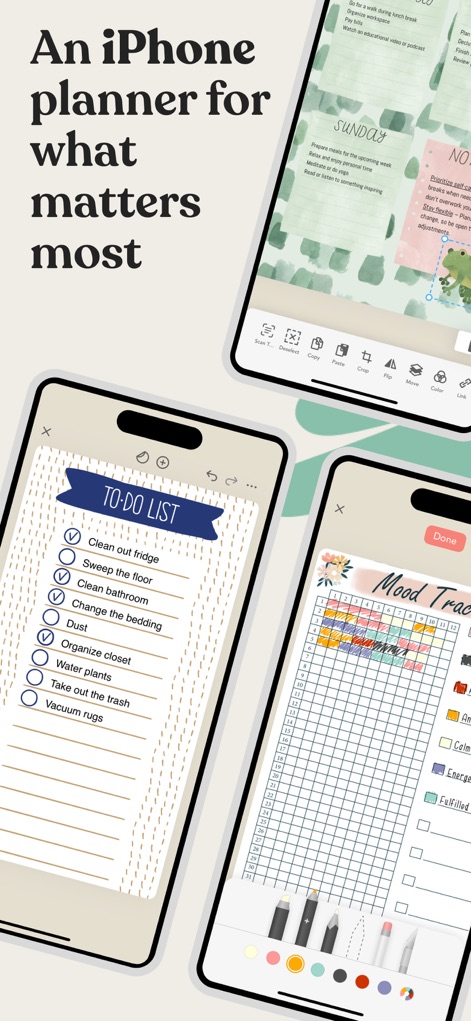
이 앱은 깔끔한 'To-Do List'와 다채로운 'Mood Tracker'를 통해 사용자의 하루를 체계적으로 정리할 수 있도록 돕습니다.
중요한 순간 기록
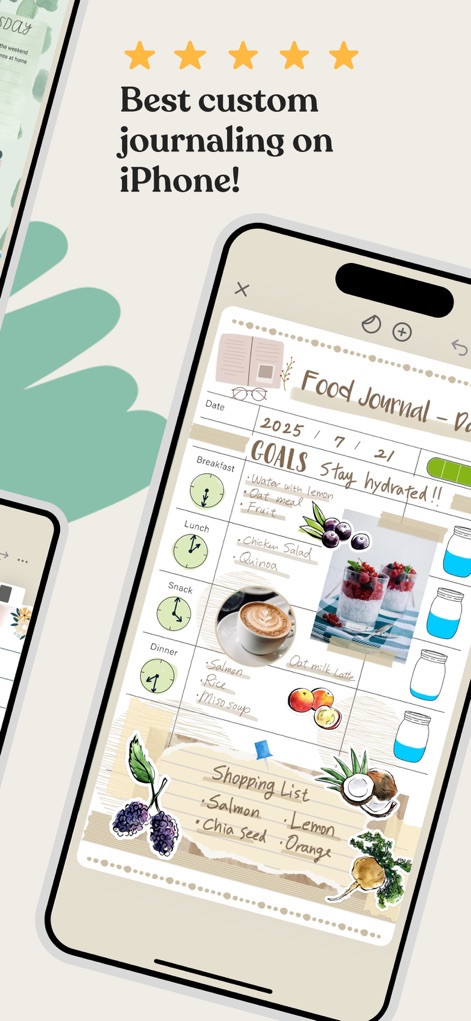
사용자는 이 앱의 유연한 레이아웃으로 식단을 기록하고, 개인적인 'GOALS'와 함께 'Shopping List'를 작성하여 건강한 습관을 관리할 수 있습니다.
맞춤형 저널링 경험
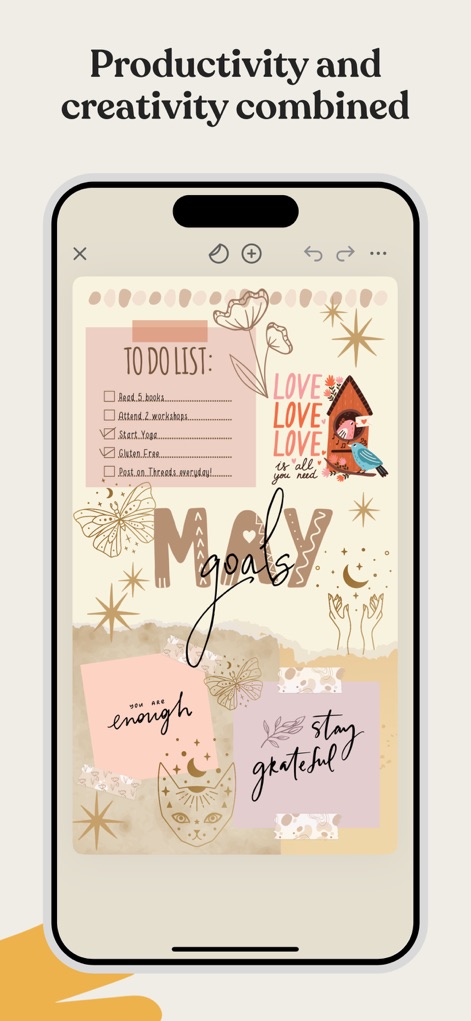
이 도구는 'TO DO LIST'와 'goals'를 명확하게 제시하며, 풍부한 '스티커'와 '장식 요소'로 개인의 창의성을 표현할 수 있게 합니다.
생산성과 창의력의 조화
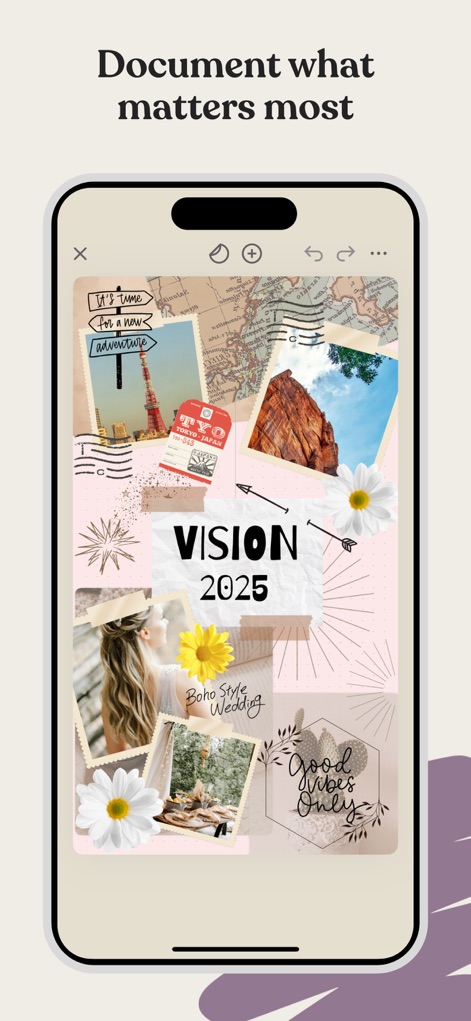
이 앱은 '사진 콜라주' 기능을 활용하여 'VISION 2025'와 같은 목표를 시각화하고, 다양한 '텍스트 요소'로 의미를 더해줍니다.
영감을 주는 비전 보드
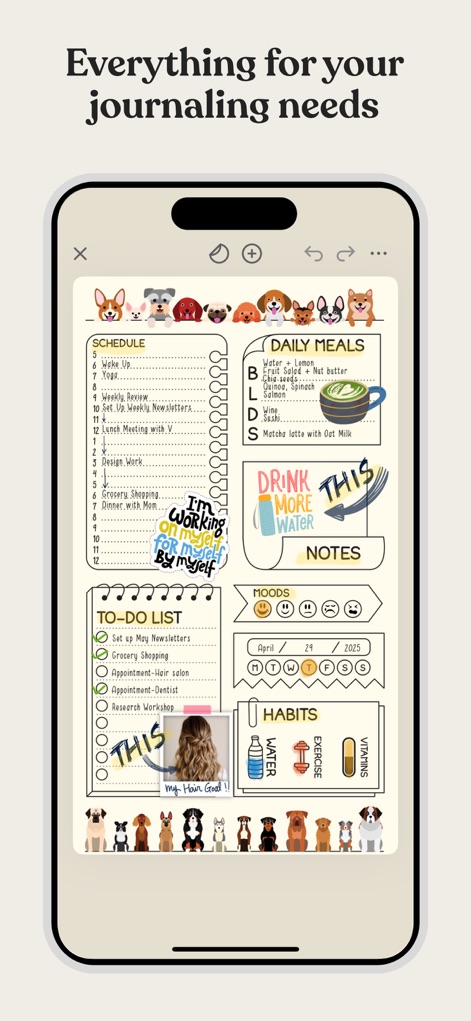
사용자는 이 앱에서 'DAILY MEALS'와 'HABITS' 트래커를 통해 일상 습관을 관리하고, 귀여운 '일러스트'로 플래너를 꾸밀 수 있습니다.
다기능 플래닝 도구
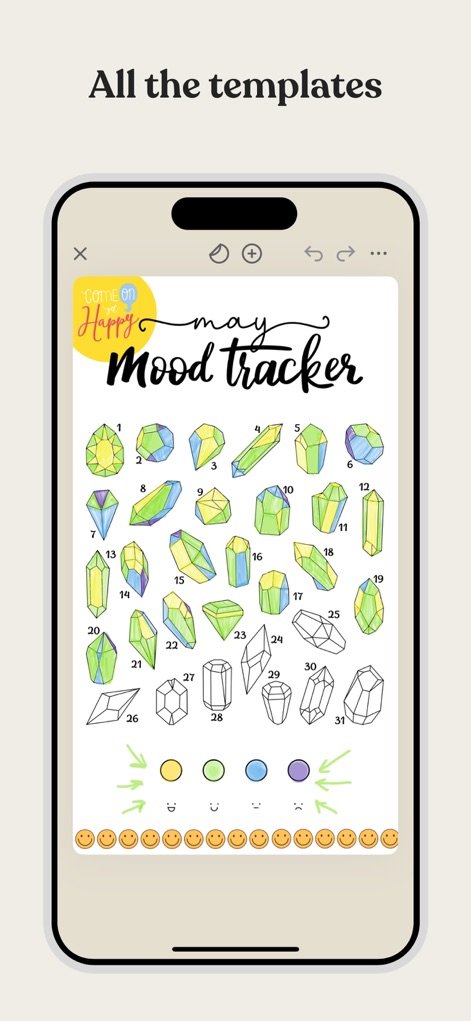
이 앱은 매달 기분을 기록할 수 있는 'mood tracker' 템플릿을 제공하며, '보석 일러스트'를 색칠하며 감정을 시각적으로 표현할 수 있습니다.
다채로운 감정 추적
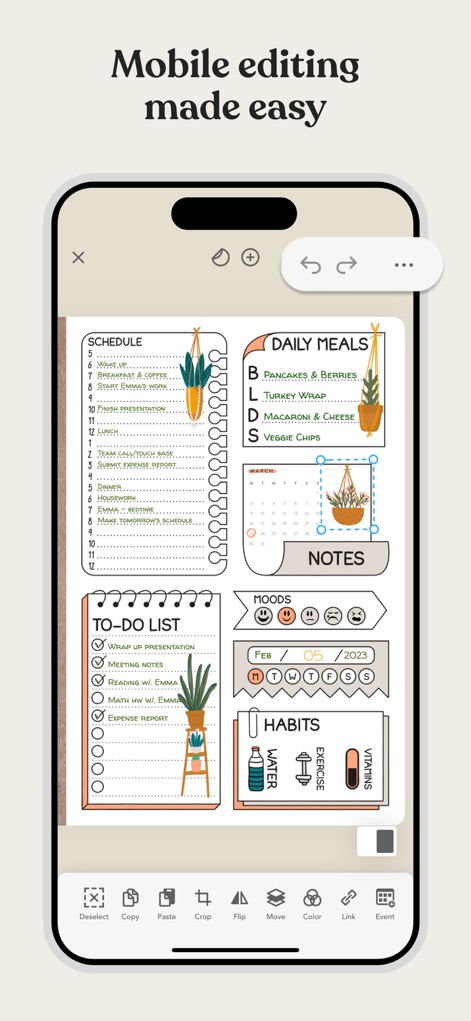
이 앱은 직관적인 '편집 도구 모음'을 통해 사용자가 요소를 쉽게 이동하고, '이미지 조작 기능'(예: 크롭, 색상 변경)으로 페이지를 완벽하게 맞춤 설정할 수 있게 합니다.
간편한 모바일 편집
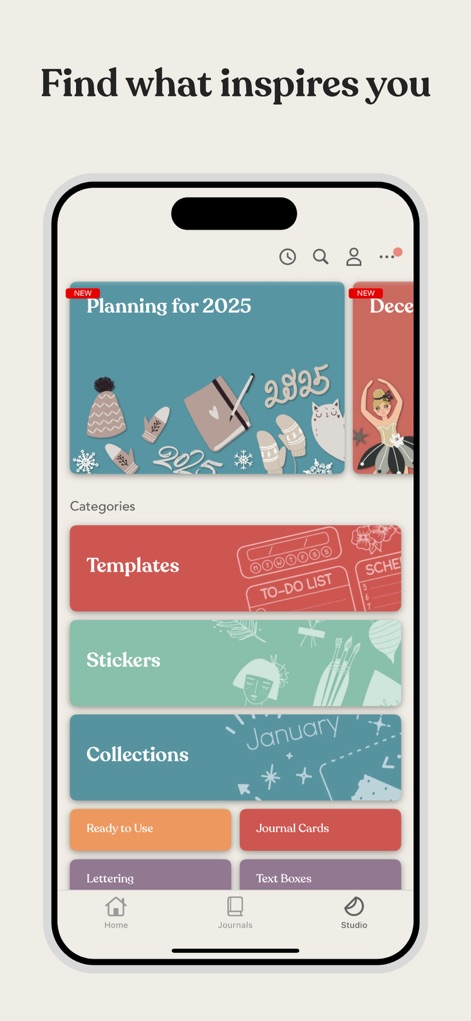
사용자는 이 앱의 'Studio'에서 다양한 '템플릿'과 '스티커' 컬렉션을 탐색하며, 개인화된 저널링을 위한 무한한 영감을 얻을 수 있습니다.
풍부한 스튜디오 라이브러리
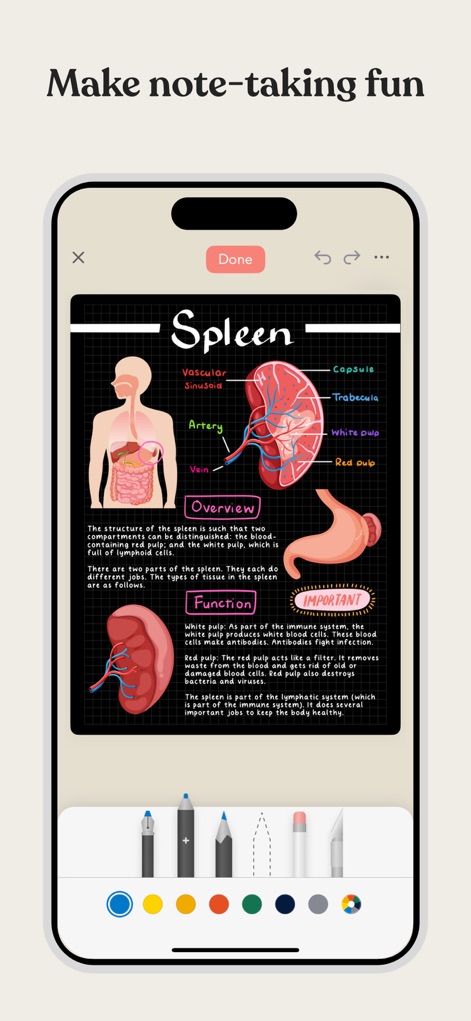
이 도구는 '해부학적 다이어그램'과 같은 복잡한 정보를 시각적으로 정리할 수 있으며, 다양한 '필기 도구'를 사용하여 자유롭게 주석을 달고 강조할 수 있습니다.
즐거운 노트 필기
설명
Download
비슷한 앱
유사한 기능과 사용자 경험을 가진 앱

Notion: Notes, Tasks, AI
Notion Labs, Incorporated

Freenotes®: AI Notes Taking
Hangzhou Free Notes Technology Co., Ltd

Structured - Daily Planner
unorderly GmbH

Google Tasks: Get Things Done
Google LLC

TickTick:To-Do List & Calendar
Appest Limited

Noteful: Notes & PDF Markup
Noteful Technologies Ltd

Todoist: To Do List & Calendar
Doist Inc.

To do list MinimaList & Widget
Inner Grow Limited

monday.com - Work Platform
monday.com Ltd.
이 페이지는 앱이나 개발자의 공식 페이지가 아니며, 정보 제공 및 논평을 목적으로 작성된 독립 편집 간행물입니다. 명시적으로 달리 언급되지 않는 한, 해당 앱이나 개발자는 MWM, Apple, Google Play, 앱 퍼블리셔 또는 앱 개발자와 제휴, 보증, 후원, 승인 또는 공식적으로 연결되어 있지 않으며, 이 페이지의 어떤 내용도 해당 앱이 MWM의 서비스를 사용하여 개발되었음을 의미하지 않습니다. 모든 상표, 로고, 스크린샷 및 기타 콘텐츠는 해당 소유자의 자산입니다.