Planning Center Music Stand

Planning Center Music Stand


다운로드: App Store
로고: Planning Center Music Stand

Planning Center Music Stand: 예배팀을 위한 최고의 디지털 악보집

종이 악보는 이제 그만. Planning Center Services 레퍼토리에 접근하고, 팀과 함께 악보에 주석을 달고, 무선으로 페이지 넘김을 동기화하여 방해 없는 완벽한 연주를 경험하세요.

개발사

Ministry Centered Technologies

카테고리

Business

다운로드

340K+

사용자 평점

3.5/5

총 평가 수

600

지원 언어

1

무대 위의 탁월함

이 인터페이스를 사용하는 340K+ 명의 사용자.

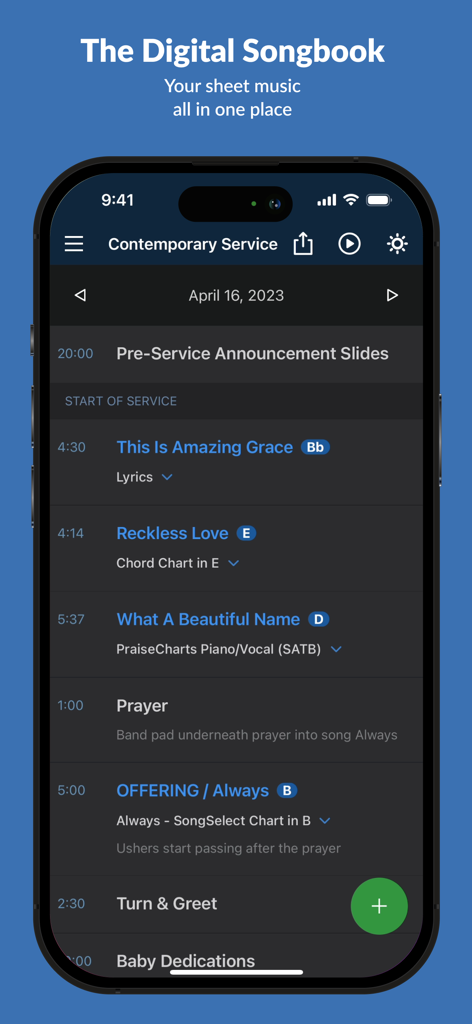
Planning Center Music Stand 앱에 노래 제목과 음계가 포함된 디지털 예배 서비스 일정이 표시됨

Planning Center Music Stand 앱에 노래 제목과 음계가 포함된 디지털 예배 서비스 일정이 표시됨

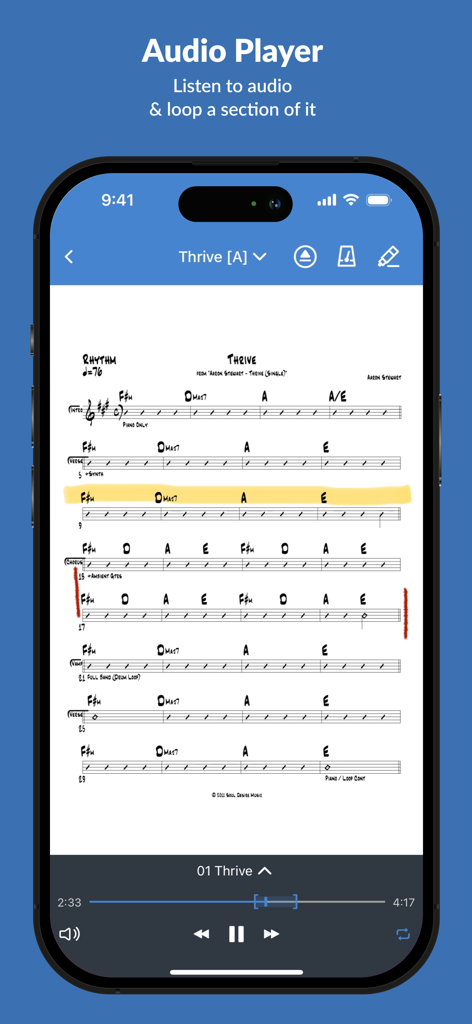
Planning Center Music Stand 앱 인터페이스에 연습을 위한 통합 오디오 플레이어가 있는 Thrive의 코드 시트가 표시됨

Planning Center Music Stand 앱 인터페이스에 연습을 위한 통합 오디오 플레이어가 있는 Thrive의 코드 시트가 표시됨

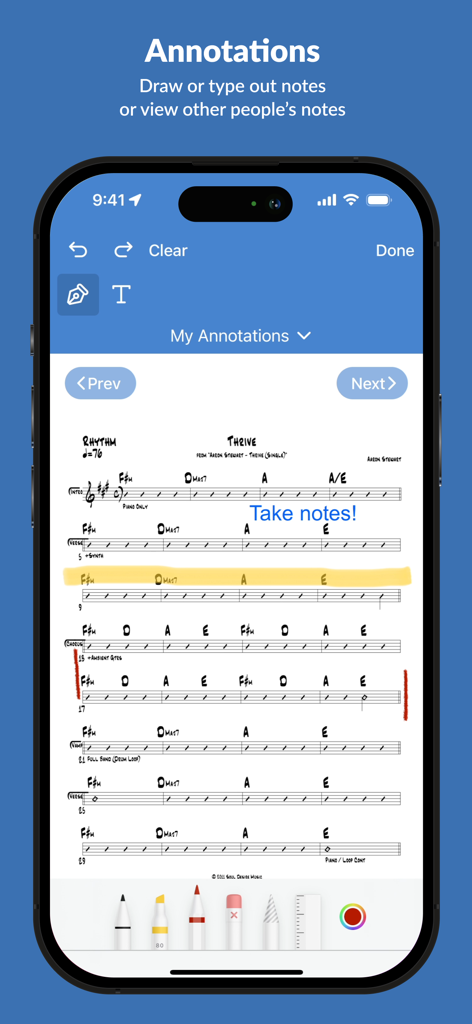
Planning Center Music Stand 주석 기능에 악보 차트에 디지털 노트가 표시됨

Planning Center Music Stand 주석 기능에 악보 차트에 디지털 노트가 표시됨

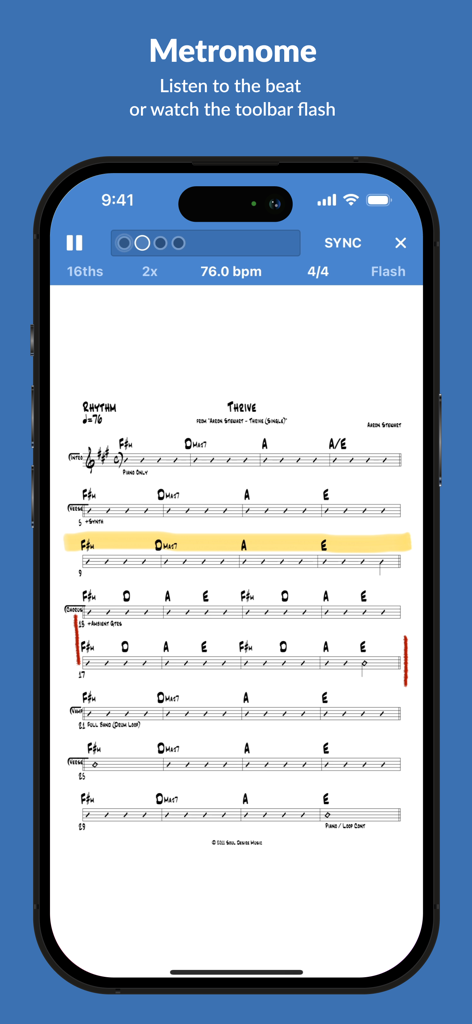
Planning Center Music Stand 앱의 통합 메트로놈 및 디지털 악보

Planning Center Music Stand 앱의 통합 메트로놈 및 디지털 악보

완벽한 주일을 위한 모든 것

이 앱을 돋보이게 하는 도구, 340K+ 명의 사용자가 선택.

☁️

즉각적인 생태계 동기화

세트리스트, 악보, 키가 Planning Center Services에서 자동으로 가져와지므로 수동 업로드 없이 항상 올바른 파일로 연습할 수 있습니다.

🦶

핸즈프리 연주

블루투스 풋 페달을 사용하여 손을 자유롭게 페이지를 넘기며 순간에 집중하세요. 'Sessions'를 사용하여 단일 마스터 장치에서 모든 연주자의 화면을 무선으로 제어할 수 있습니다.

✏️

스마트 무대 도구

디지털 펜으로 악보에 표시하고, 내장 메트로놈으로 박자를 유지하고, 다크 모드를 전환하여 무대 조명 아래에서 화면을 눈에 띄지 않게 하세요.

앱 소개

에 대해 알아야 할 모든 것 Planning Center Music Stand.

설명

Planning Center Music Stand is a digital music reader that connects to your Planning Center Services account to let you flip through pages and take notes. Features include: 1.) Log in to Planning Center, open any plan in your schedule, and choose which PDF to view for each song. 2.) Turn pages hands-free using a Bluetooth foot pedal, by swiping, tapping the edge of the page, or using a MIDI device. 3.) Use Annotation Tools (highlighter, pen, text) to take notes which are stored online for each user. See your notes from other files and keys. View other user's annotations, merge them with your own, or print your annotated PDFs. 4.) Listen to audio attached to each song and loop sections of the audio. 5.) The integrated metronome changes tempo as you advance to new songs. Listen to the beat or watch the toolbar flash. 6.) Rearrange the pages for any PDF to prevent awkward page turns. 7.) Pinch to Zoom the pages to your liking and save that setting for the future. 8.) Use online or offline. Offline mode stores the last 10 viewed plans. Notes taken offline sync when you reconnect. 9.) Sessions: Allow 1 device to wirelessly control the page turns of any connected devices. 10.) External display: Connect any TV or projector via an HDMI or VGA adapter, or via Airplay mirroring to an Apple TV. Displays two pages at a time. 11.) Use "dark mode" to keep your screen dim on stage. 12.) Editors can reorder items in the plan, add new songs to the plan, edit existing items, or delete them. NOTE: This application requires a Planning Center Services account with Music Stand enabled.

최신 버전

4.7.2

크기

90.3 MB

출시일

2010년 5월 4일

무거운 바인더를 버릴 준비가 되셨나요?

340,000명 이상의 예배 리더 및 뮤지션과 함께하세요. 이미 신뢰하고 있는 Planning Center 생태계 안에서 악보를 동기화하고, 편곡에 주석을 달고, 자신감 있게 팀을 이끄세요.

다운로드: App Store

App information, icons, screenshots, and descriptions displayed on this page are sourced from the Apple App Store and are the property of their respective developers. Download estimates and rankings are based on MWM's proprietary models and may not reflect actual figures. This page is provided for informational and analytical purposes only.

Believe this page infringes your intellectual property? File a dispute