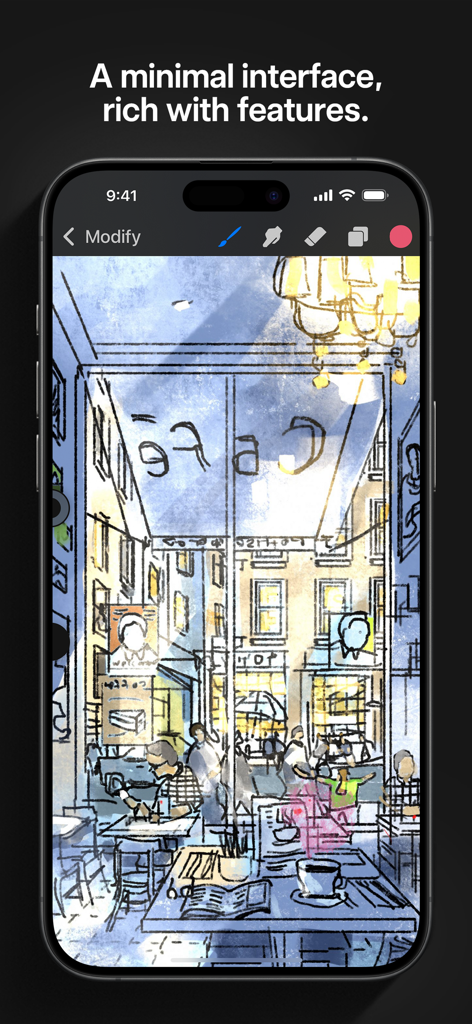
Procreate Pocket의 미니멀 인터페이스를 사용하여 iPhone으로 그린 바쁜 카페의 디지털 스케치.
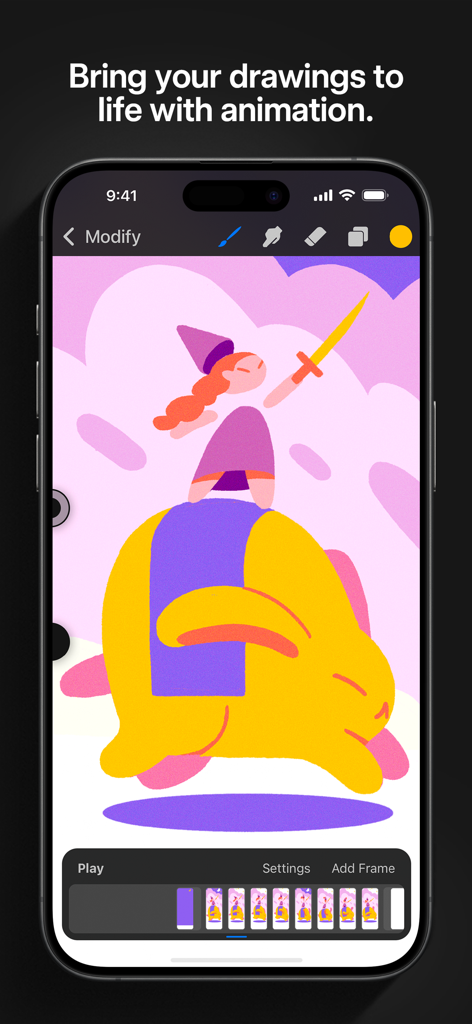
Procreate Pocket 앱이 iPhone에 표시되며, 애니메이션 타임라인과 다채로운 캐릭터 일러스트가 표시됩니다.
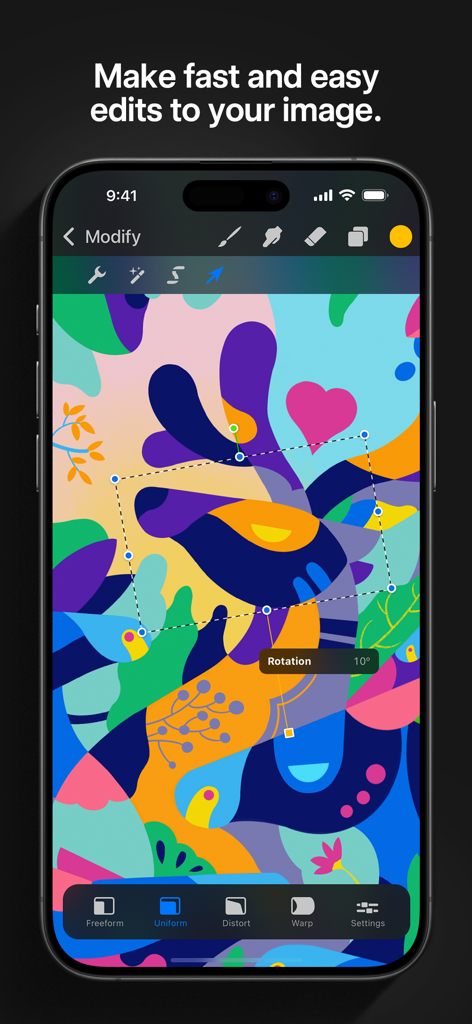
Procreate Pocket 앱이 iPhone에서 디지털 아트용 회전 및 변환 도구를 보여줍니다.
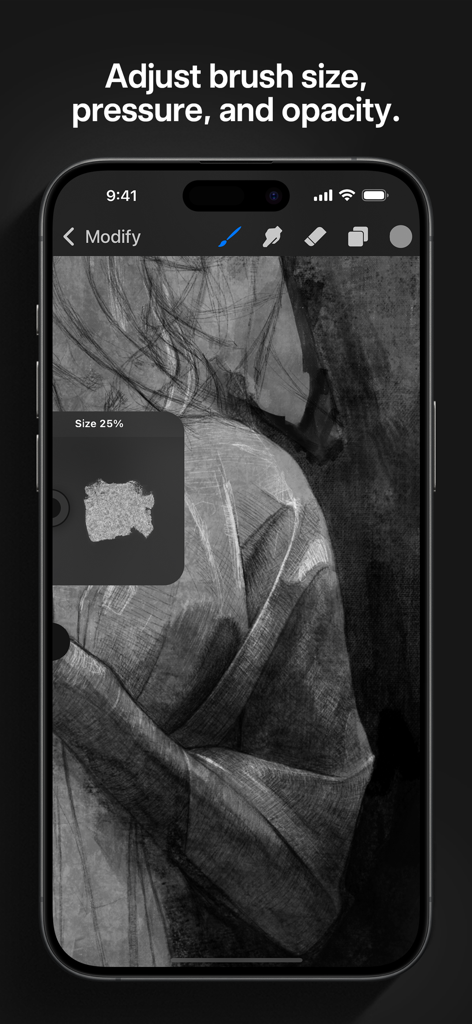
Procreate Pocket 인터페이스에서 iPhone에서 디지털 스케칭을 위한 브러시 크기 및 압력 조정을 보여줍니다.
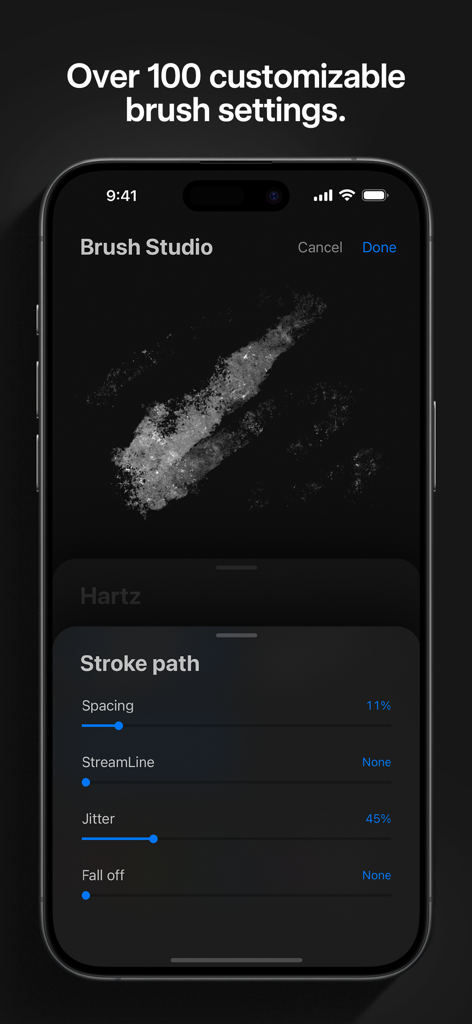
iPhone에서 Procreate Pocket 브러시 스튜디오 인터페이스로, 어두운 모드에서 간격 및 지터와 같은 사용자 정의 가능한 브러시 스트로크 설정을 보여줍니다.
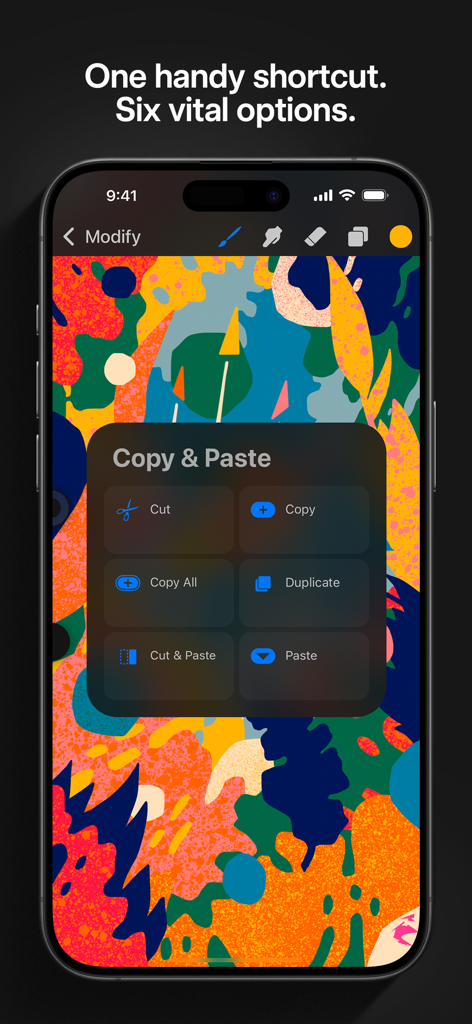
Procreate Pocket 바로가기 메뉴가 iPhone의 다채로운 일러스트 위에 복사 및 붙여넣기 옵션을 표시합니다.
주머니 속의 프로 스튜디오
이 앱을 돋보이게 하는 도구, 4M+ 명의 사용자가 선택.
🎨
이동 중에도 전문가급 파워
64비트 Valkyrie 엔진을 활용하여 수백 개의 사용자 정의 가능한 브러시로 고해상도 16k 캔버스를 만들어 업계 표준 결과물을 얻으세요.
✨
완벽한 스트로크, 손쉽게
QuickShape와 StreamLine을 사용하여 선을 부드럽게 하고 완벽한 모양을 고정하여 전문가 수준의 디지털 아트를 빠르고 쉽게 만드세요.
🎬
크리에이터 이코노미를 위한 설계
프로세스를 자동으로 기록하고 4K 타임랩스 비디오를 내보내 TikTok 및 Instagram Reels에 창의적인 여정을 직접 공유하세요.
앱 소개
에 대해 알아야 할 모든 것 Procreate Pocket.
설명
App of the Year winner Procreate Pocket is the most feature-packed and versatile art app ever designed for iPhone.
Procreate Pocket has everything you need to create expressive sketches, rich paintings, gorgeous illustrations, and beautiful animations. Offering hundreds of handmade brushes, a suite of intuitive artistic tools, an advanced layer system, and the powerful Valkyrie graphics engine. Work on the couch, on the train, at the beach, or while waiting in line for coffee.
It’s a complete art studio in the palm of your hand.
Highlights:
• High resolution canvases — up to 16k by 4k on compatible devices
• Intuitive Dark Mode interface made for iPhone
• Revolutionary QuickShape feature for perfect shapes
• Smooth and responsive smudge sampling
• Powered by Valkyrie, the lightning-fast 64-bit painting engine
• Create art in stunning 64-bit color
• 250 levels of undo and redo
• Continuous auto-save — never lose work again
Breakthrough brushes:
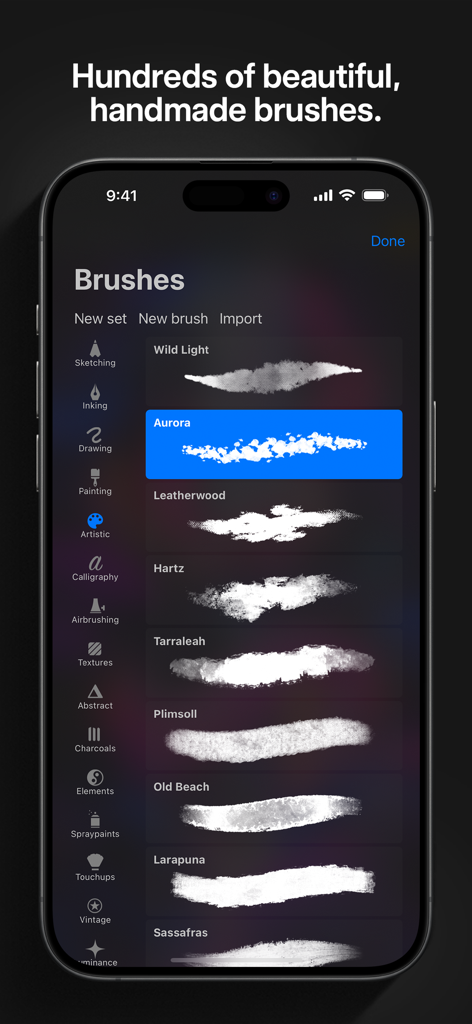
• Packed with 100s of beautifully crafted brushes
• Brush sets keep your painting, sketching, and drawing brushes organized
• Over 100 customizable settings for every brush
• Brush Studio — design custom brushes
• Import and export custom Procreate brushes
• Import Adobe® Photoshop® brushes, and run them faster than Photoshop®
Full-featured layering system:
• Layer your art for precise control over details and composition
• Create Layer and Clipping Masks for non-destructive editing
• Stay organized by combining layers into groups
• Transform objects simultaneously across multiple layers
• Access over 25 layer blend modes for industry-grade compositing
Color without compromise:
• Fill your line work with ColorDrop
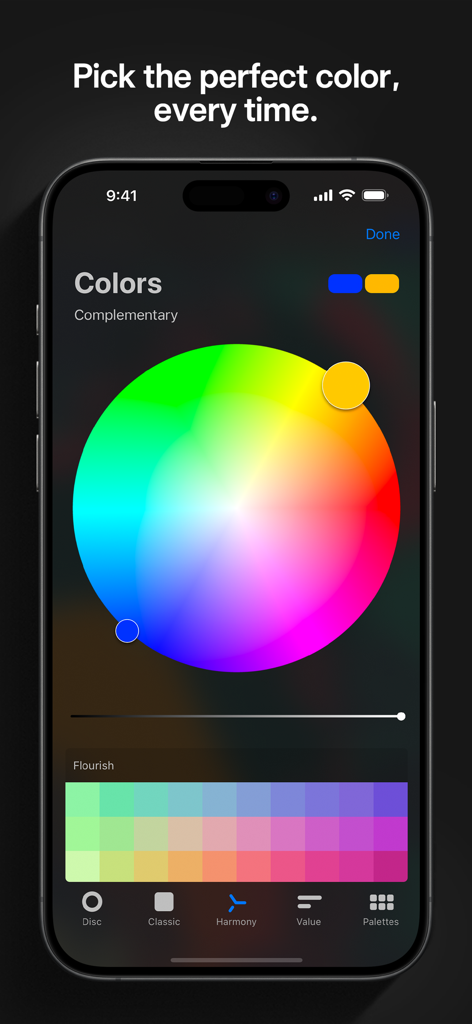
• Disc, Classic, Harmony, Value, and Palette color panels
• Import color profiles for color matching
• Assign Color Dynamics to any brush
Precision design tools:
• Add vector text to your illustrations
• Easily import all your favorite fonts
• Crop and resize your canvas for perfect composition
• Perspective, isometric, 2D, and symmetry visual guides
• Drawing Assist perfects your strokes in real time
• StreamLine smooths your strokes for beautiful lettering and expert inking
Animation Assist:
• Easy frame-by-frame animation with customizable onion skinning
• Create storyboards, GIFs, animatics, and simple animations
• Export your animations in the full resolution of your canvas
Dramatic finishing effects:
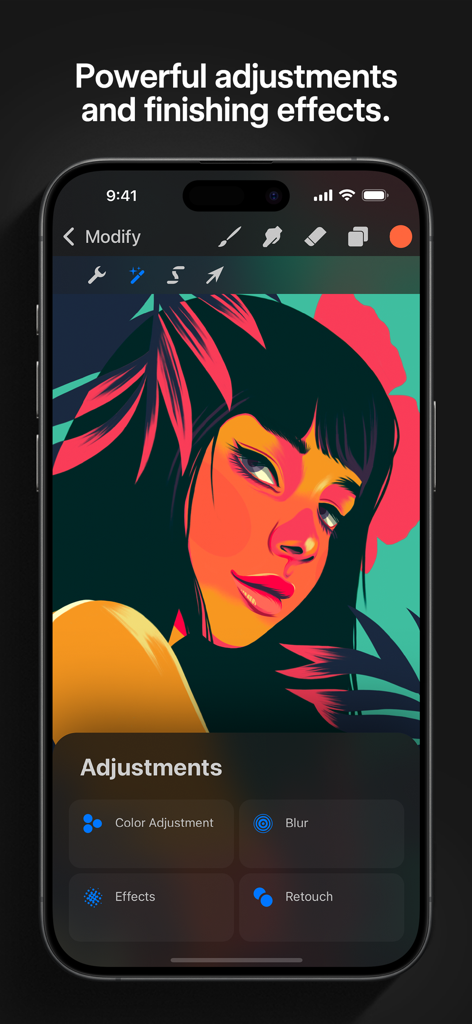
• Gradient Map — remap your image’s colors with a customizable gradient
• Glitch, Chromatic Aberration, Glow, and Halftone to add new dimensions to your work
• Gaussian and Motion Blur filters for depth and movement, or use Sharpen for perfect clarity
• Advanced Noise filter gives you more control for a classic, retro look
• Adjust Hue, Saturation, or Brightness in real time
• Powerful image adjustments including Color Balance, Curves, and HSB
• Bring your art to life with the fun, intuitive, and creative Warp, Symmetry, and Liquify Dynamics
Time-lapse replay:
• Relive your creative journey with Procreate's celebrated Time-lapse Replay
• Export your Time-lapse recording in 4K for high-end video production
• Share a short, 30-second version of your Time-lapse on your socials
Reference Companion:
• Keep a full canvas or reference image with you at all times
• Paint on your face with AR
• Color-pick right from the reference window
Import assets and share your creations:
• Import or export your art as Adobe® Photoshop® PSD files
• Import Adobe® ASE and ACO Color Palettes
• Import images files such as JPG, PNG, and TIFF
• Drag and drop artworks, brushes, palettes, and fonts between applications• Export to AirDrop, iCloud Drive, Photos, iTunes, Dropbox, Google Drive, Facebook, X (formerly Twitter), Instagram, TikTok, Weibo, Mail, and more
• Share your art as PDF, JPEG, PNG, TIFF, GIF, HEVC, or MP4 files
최신 버전
4.0.15
크기
317.3 MB
출시일
2014년 12월 17일
세상 최고의 아트 스튜디오를 주머니에 넣으세요
출퇴근길, 커피 타임, 자투리 시간을 걸작으로 바꾸는 4백만 명 이상의 크리에이터들과 함께하세요. 일회성 구매, 구독료 없음, 무한한 창의성.
FAQ
자주 묻는 질문
에 대해 알아야 할 모든 것 Procreate Pocket
Procreate Pocket란 무엇인가요?
Procreate Pocket은 iPhone용 수상 경력에 빛나는 아트 앱입니다. 고급 도구와 강력한 그래픽 엔진을 사용하여 스케치, 그림, 일러스트레이션 및 애니메이션 제작을 위한 완벽한 스튜디오를 제공합니다.
Procreate Pocket으로 애니메이션을 만들 수 있나요?
네, Procreate Pocket에는 프레임별 애니메이션, 스토리보드, GIF 및 애니매틱을 지원하는 애니메이션 도우미가 있습니다. 사용자는 전체 캔버스 해상도로 애니메이션을 내보낼 수 있습니다.
Procreate Pocket에서 사용할 수 있는 브러시가 몇 개나 되나요?
Procreate Pocket에는 수백 개의 아름답게 제작된 수제 브러시가 포함되어 있습니다. 사용자는 브러시 스튜디오를 사용하여 사용자 지정 브러시를 디자인하고 Adobe® Photoshop® 브러시를 가져올 수 있습니다.
Procreate Pocket은 고해상도 캔버스를 지원하나요?
네, Procreate Pocket은 고해상도 캔버스를 지원하여 호환되는 장치에서 최대 16k x 4k 픽셀까지 생성할 수 있습니다. 이는 상세하고 전문적인 작품을 보장합니다.
Procreate Pocket에서 브러시를 사용자 지정할 수 있나요?
네, Procreate Pocket은 모든 브러시에 대해 100가지 이상의 사용자 지정 가능한 설정을 제공합니다. 사용자는 브러시 스튜디오 기능을 사용하여 완전히 새로운 사용자 지정 브러시를 디자인할 수도 있습니다.
Procreate Pocket은 어떤 종류의 마무리 효과를 제공하나요?
Procreate Pocket은 그라디언트 맵, 글리치, 색수차, 글로우, 하프톤, 가우시안/모션 블러, 선명도 및 고급 노이즈와 같은 강력한 마무리 효과를 제공하여 예술적인 조정을 합니다.
Procreate Pocket에는 레이어 시스템이 있나요?
네, Procreate Pocket은 모든 기능을 갖춘 레이어 시스템을 제공합니다. 레이어 및 클리핑 마스크, 레이어 그룹화, 여러 레이어 변환 및 25개 이상의 레이어 혼합 모드를 포함합니다.
Procreate Pocket은 Adobe Photoshop 파일을 가져오고 내보낼 수 있나요?
네, Procreate Pocket을 사용하면 사용자가 Adobe® Photoshop® PSD 파일로 아트를 가져오고 내보낼 수 있습니다. 또한 Adobe® ASE 및 ACO 색상 팔레트를 가져오는 것도 지원합니다.
Procreate Pocket에 연속 자동 저장 기능이 있나요?
네, Procreate Pocket에는 연속 자동 저장 기능이 포함되어 있습니다. 이를 통해 사용자는 작업을 잃지 않고 창작 과정에서 마음의 평화를 얻을 수 있습니다.
Procreate Pocket에는 일러스트레이션을 위한 텍스트 도구가 포함되어 있나요?
네, Procreate Pocket은 벡터 텍스트를 일러스트레이션에 추가하고 좋아하는 글꼴을 쉽게 가져올 수 있는 기능을 포함하여 정밀 디자인 도구를 제공합니다.
Procreate Pocket은 스트로크 안정성을 어떻게 지원하나요?
Procreate Pocket은 실시간으로 스트로크를 완벽하게 만드는 그리기 지원과 아름다운 글자 및 전문적인 잉크 처리를 위해 스트로크를 부드럽게 하는 스트림라인을 사용하여 스트로크 안정성을 지원합니다.
Procreate Pocket에서 사용할 수 있는 색상 도구는 무엇인가요?
Procreate Pocket은 라인 작업 채우기를 위한 ColorDrop과 디스크, 클래식, 조화, 값, 팔레트를 포함한 다양한 색상 패널을 제공합니다. 또한 색상 프로필 가져오기도 지원합니다.
App information, icons, screenshots, and descriptions displayed on this page are sourced from the Apple App Store and are the property of their respective developers. Download estimates and rankings are based on MWM's proprietary models and may not reflect actual figures. This page is provided for informational and analytical purposes only.
Believe this page infringes your intellectual property? File a dispute