
이 페이지는 앱이나 개발자의 공식 페이지가 아니며, 정보 제공 및 논평을 목적으로 작성된 독립 편집 간행물입니다. 명시적으로 달리 언급되지 않는 한, 해당 앱이나 개발자는 MWM, Apple, Google Play, 앱 퍼블리셔 또는 앱 개발자와 제휴, 보증, 후원, 승인 또는 공식적으로 연결되어 있지 않으며, 이 페이지의 어떤 내용도 해당 앱이 MWM의 서비스를 사용하여 개발되었음을 의미하지 않습니다. 모든 상표, 로고, 스크린샷 및 기타 콘텐츠는 해당 소유자의 자산입니다.


다운로드
250k+사용자 평점
총 평가 수
4.7K개발사
카테고리
Photo & Video지원 언어
18최신 버전
2.0.4크기
1.7 GB출시일
2023년 11월 22일이 종합 분석은 iPad 기반 창작자를 위한 Procreate Dreams의 핵심 기능과 사용자 경험에 미치는 영향을 평가합니다.
Procreate Dreams 앱 심층 분석: 혁신적인 2D 애니메이션 및 비디오 편집 도구
강력한 프레임별 애니메이션 도구
이 도구는 전통적인 애니메이션 기법을 위한 강력한 프레임별 애니메이션 도구를 제공합니다.
차세대 실시간 렌더링 엔진
이 앱은 대기 시간 없이 즉각적인 피드백을 제공하는 차세대 실시간 렌더링 엔진을 특징으로 합니다.
정교한 키프레임 애니메이션
사용자가 모션 및 시네마틱 애니메이션을 위해 정교한 키프레임을 추가하여 움직임과 효과를 세밀하게 제어할 수 있게 해줍니다.
광범위한 브러시 라이브러리
사용자가 풍부하고 질감 있는 수많은 브러시로 예술적인 애니메이션을 제작할 수 있게 해줍니다.
광범위한 자산 가져오기 호환성
이 도구는 다양한 형식의 비디오, 오디오, Procreate 파일 및 사용자 지정 브러시를 포함한 광범위한 자산 가져오기 호환성을 지원합니다.
통합된 비디오 및 오디오 편집
사용자가 비디오, 사진, 오디오, 텍스트를 가져와 편집하고, 음성 해설 및 음악을 추가하며, 타이포그래피를 스타일링할 수 있게 해주는 통합된 편집 기능을 제공합니다.
유연한 내보내기 및 공유 옵션
이 앱은 H264, HEVC, ProRes 코덱을 포함한 다양한 형식으로 비디오를 내보내고, 투명 비디오 및 PNG 시퀀스를 지원하며, 프로젝트 파일을 공유할 수 있는 유연한 내보내기 및 공유 옵션을 제공합니다.
최대 16K 해상도 지원
이 앱은 사용자가 최대 16K 해상도로 그림을 그릴 수 있게 하여 고품질의 세부적인 작업을 가능하게 합니다.
반응형 멀티트랙 타임라인
이 앱은 여러 요소를 동시에 관리하고 편집할 수 있는 반응형 멀티트랙 타임라인을 제공하여 복잡한 프로젝트를 용이하게 합니다.
직관적인 터치 모션 기록
이 도구는 사용자가 터치를 통해 움직임이나 효과를 손쉽게 기록할 수 있도록 지원하여 워크플로우를 간소화합니다.
자주 묻는 질문
에 대해 알아야 할 모든 것 Procreate Dreams
What is Procreate Dreams?
Procreate Dreams is an award-winning iPad animation app. It combines drawing, frame-by-frame animation, keyframing, and video editing to create rich 2D animations, expressive videos, and captivating stories.
Does Procreate Dreams support frame-by-frame animation?
Yes, Procreate Dreams supports powerful frame-by-frame animation. It offers over 300 textured brushes, customizable onion skins, and compatibility with existing Procreate brushes, enabling hand-drawn animations.
Can I import my existing Procreate brushes into Procreate Dreams?
Yes, Procreate Dreams is compatible with all Procreate brushes. Users can import their custom and purchased Procreate brushes, expanding their creative options for animation projects.
Does Procreate Dreams have a multi-track timeline?
Yes, Procreate Dreams features a responsive multi-track timeline. This allows users to seamlessly compose and manage video, photos, audio, and type, facilitating layered animations and complex projects.
What video and image file formats can Procreate Dreams import?
Procreate Dreams imports video and photos in JPG, PNG, TGA, Procreate, MP4, GIF, and ProRes formats. It also supports importing layered Procreate files and Procreate Animation Assist as Flipbooks.
Can I add sound, music, and voice-overs to my projects in Procreate Dreams?
Yes, Procreate Dreams allows users to import, edit, and trim audio. You can add voice-overs and music in formats like MP3, AIFF, WAV, FLAC, AAC, CAFF, M4A, AC3, and MP2.
Does Procreate Dreams use keyframes for animation effects?
Yes, Procreate Dreams uses keyframes for precise motion and cinematic animations. Users can modify easing and apply various effects such as HSB, opacity, Gaussian blur, lens blur, noise, and sharpen with keyframes.
Are there ads or subscriptions required for Procreate Dreams?
No, Procreate Dreams does not contain any ads or require subscriptions. It is a one-time purchase application, providing full access to all its powerful animation and editing features.
What is the maximum drawing resolution supported by Procreate Dreams?
Procreate Dreams supports drawing at up to 16K resolution. This high resolution ensures detailed and professional-quality artwork for animations and illustrations within the app.
Can Procreate Dreams export transparent videos or image sequences for professional pipelines?
Yes, Procreate Dreams exports transparent video and PNG sequences with transparency. Users can also export the current frame as a transparent image for integration into professional workflows.
Can I draw over videos in Procreate Dreams?
Yes, Procreate Dreams allows users to draw over their imported video content. This feature enhances creative control, enabling custom annotations or artistic overlays directly on top of video footage.
Does Procreate Dreams offer real-time rendering?
Yes, Procreate Dreams features a next-generation, real-time rendering engine. This technology ensures immediate visual feedback, making waiting for renders a thing of the past and enhancing workflow efficiency.
Does Procreate Dreams have an auto-save feature?
Yes, Procreate Dreams includes continuous auto-save and undo history. This ensures users never lose their artwork and can easily revert changes, providing a secure and flexible creative environment.
다음 스크린샷과 설명은 앱의 공식 스토어 목록에서 직접 가져온 것이며 앱 개발자의 자산입니다.
앱 스토어
스크린샷
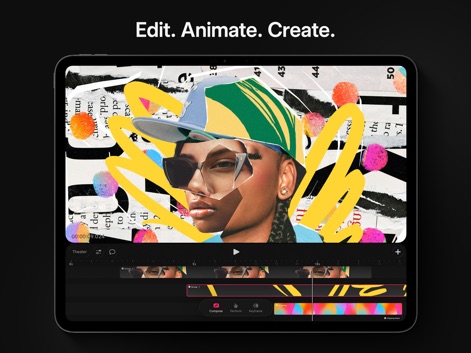
이 앱은 다양한 미디어 요소를 한데 모아 복잡한 구성 작업을 수행하며, 직관적인 멀티트랙 타임라인과 클리핑 마스크 효과를 통해 창의적인 비디오 편집을 가능하게 합니다.
강력한 멀티트랙 편집
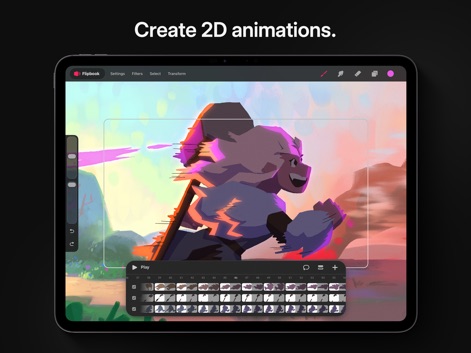
사용자는 이 도구를 통해 매력적인 2D 애니메이션을 만들 수 있으며, 하단의 플립북 인터페이스로 각 프레임을 정밀하게 제어하고 사용자 정의 가능한 어니언 스킨으로 부드러운 움직임을 구현합니다.
2D 애니메이션 제작
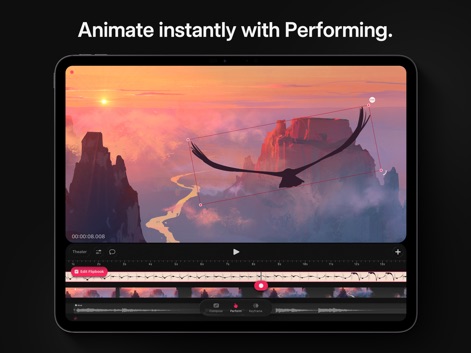
이 앱은 사용자가 퍼포밍 기능으로 터치를 통해 움직임을 기록하여 실시간 애니메이션을 만들 수 있게 하며, 타임라인에서 음악 트랙과 동기화하여 다이내믹한 연출을 지원합니다.
퍼포밍으로 즉시 애니메이션
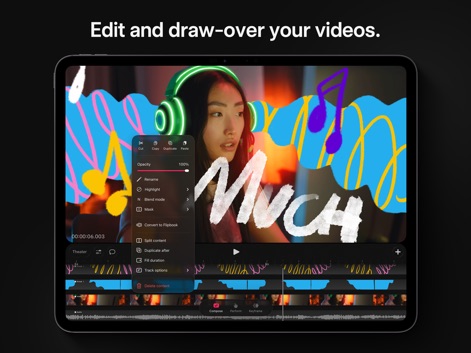
사용자는 가져온 비디오 위에 자유롭게 그림을 그리거나 텍스트를 추가할 수 있으며, 블렌드 모드 옵션과 레이어 마스킹 기능을 활용하여 영상 콘텐츠를 개성 있게 변형합니다.
비디오에 그리기 및 편집
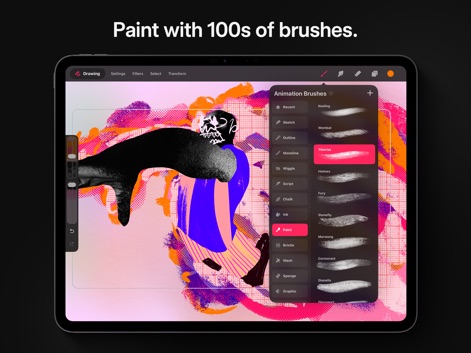
이 앱은 300가지 이상의 아름다운 질감 브러시를 제공하여 사용자의 창작 활동을 풍성하게 하며, 커스텀 브러시 가져오기 기능을 통해 개인화된 드로잉 경험을 선사합니다.
풍부한 브러시 라이브러리
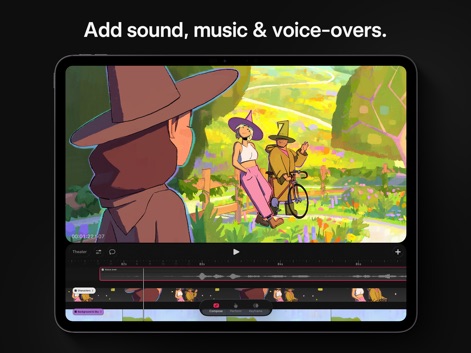
사용자는 애니메이션에 음악과 음성 해설을 쉽게 추가하여 스토리를 풍부하게 만들 수 있으며, 멀티트랙 오디오 편집으로 다양한 사운드 요소를 정교하게 조절합니다.
사운드 및 보이스오버 추가
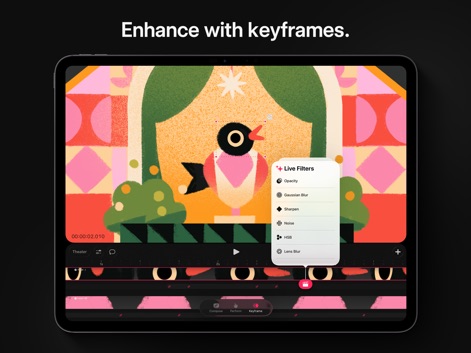
이 도구는 키프레임 기능을 통해 움직임과 효과의 정밀한 전환을 가능하게 하며, 다양한 라이브 필터(예: 가우시안 블러, 노이즈)를 적용하여 애니메이션의 시각적 품질을 향상시킵니다.
키프레임으로 역동성 추가
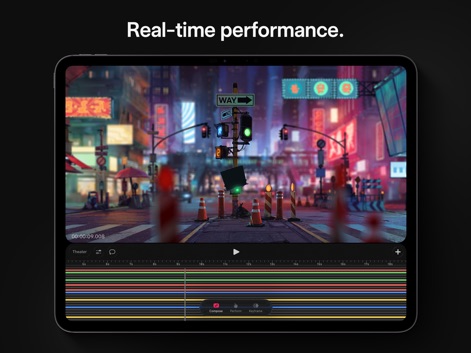
이 앱은 차세대 실시간 렌더링 엔진을 통해 복잡한 프로젝트도 지연 없이 즉각적으로 확인할 수 있으며, 다양한 색상으로 구분된 트랙은 여러 요소를 한눈에 관리하도록 돕습니다.
실시간 렌더링 성능
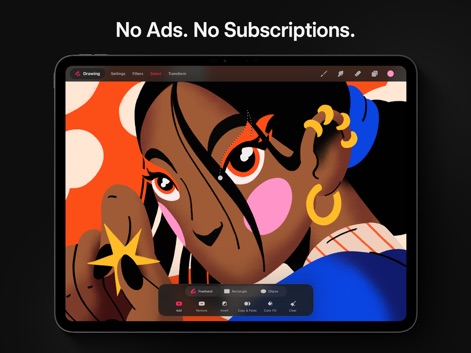
사용자는 프리핸드 선택 도구와 같은 다양한 선택 옵션을 활용하여 특정 영역을 정교하게 제어할 수 있으며, 워프 및 왜곡 도구로 드로잉을 영구적으로 변형하여 독창적인 결과를 얻을 수 있습니다.
정교한 선택 및 편집
설명
Download




이 페이지는 앱이나 개발자의 공식 페이지가 아니며, 정보 제공 및 논평을 목적으로 작성된 독립 편집 간행물입니다. 명시적으로 달리 언급되지 않는 한, 해당 앱이나 개발자는 MWM, Apple, Google Play, 앱 퍼블리셔 또는 앱 개발자와 제휴, 보증, 후원, 승인 또는 공식적으로 연결되어 있지 않으며, 이 페이지의 어떤 내용도 해당 앱이 MWM의 서비스를 사용하여 개발되었음을 의미하지 않습니다. 모든 상표, 로고, 스크린샷 및 기타 콘텐츠는 해당 소유자의 자산입니다.