ToonSquid
ToonSquid
다운로드: App Store

이 페이지는 앱이나 개발자의 공식 페이지가 아니며, 정보 제공 및 논평을 목적으로 작성된 독립 편집 간행물입니다. 명시적으로 달리 언급되지 않는 한, 해당 앱이나 개발자는 MWM, Apple, Google Play, 앱 퍼블리셔 또는 앱 개발자와 제휴, 보증, 후원, 승인 또는 공식적으로 연결되어 있지 않으며, 이 페이지의 어떤 내용도 해당 앱이 MWM의 서비스를 사용하여 개발되었음을 의미하지 않습니다. 모든 상표, 로고, 스크린샷 및 기타 콘텐츠는 해당 소유자의 자산입니다.

로고: ToonSquid
다운로드: App Store

ToonSquid

손으로 그린 애니메이션의 매력과 강력한 키프레이밍 및 본 리깅을 결합하세요. 프레임별 스케치부터 복잡한 캐릭터 리깅까지, iPad 아티스트를 위해 설계된 데스크탑 수준의 워크플로우로 4K에서 비전을 현실로 만드세요.

주요 수치

다운로드

265K+

사용자 평점

4.6/5

총 평가 수

1K+

개발사

Keiwan Donyagard

카테고리

Graphics & Design

지원 언어

2

최신 버전

2.0.17

크기

46.3 MB

출시일

2022년 8월 1일
기능

iPad용 데스크탑 수준의 스튜디오

모바일 워크플로우에서 타협을 멈추세요. ToonSquid는 하나의 강력하고 구독이 필요 없는 환경에서 리깅 및 키프레이밍과 같은 고급 애니메이션 기능을 제공합니다.

프레임별 애니메이션과 키프레임의 만남

두 세계의 장점을 모두 활용하세요: 손으로 애니메이션을 그리거나 전문적인 이징 곡선을 사용하여 움직임과 레이어 속성을 즉시 자동화하세요.

고급 리깅 및 본

역운동학으로 캐릭터에 생동감을 불어넣으세요. 각 프레임을 다시 그릴 필요 없이 자연스럽게 움직이는 정교한 리깅을 만드세요.

FAQ

자주 묻는 질문

에 대해 알아야 할 모든 것 ToonSquid

ToonSquid는 무엇인가요?

ToonSquid는 iPad용 강력한 2D 아트 및 애니메이션 스튜디오입니다. 손으로 그린 전통적인 애니메이션과 키프레임, 유연한 레이어 시스템, 다양한 사용자 정의 가능한 예술 도구를 결합하여 아이디어를 생생하게 구현합니다.

ToonSquid는 전통적인 프레임별 애니메이션을 지원하나요?

예, ToonSquid는 전통적인 손으로 그린 프레임별 애니메이션을 지원합니다. 사용자는 개별 그림을 만들고 타임라인 내에서 표시 시간을 제어하여 정밀한 애니메이션 시퀀스를 만들 수 있습니다.

사용자는 ToonSquid에서 키프레임을 사용하여 레이어 속성을 애니메이션할 수 있나요?

예, ToonSquid를 사용하면 사용자는 키프레임을 사용하여 시간 경과에 따른 레이어 및 효과 속성을 애니메이션할 수 있습니다. 키프레임 간의 부드럽고 유기적인 움직임을 만들기 위한 광범위한 사용자 정의 가능한 이징 커브 사전 설정 라이브러리를 제공합니다.

다음 스크린샷과 설명은 앱의 공식 스토어 목록에서 직접 가져온 것이며 앱 개발자의 자산입니다.

앱 스토어

스크린샷
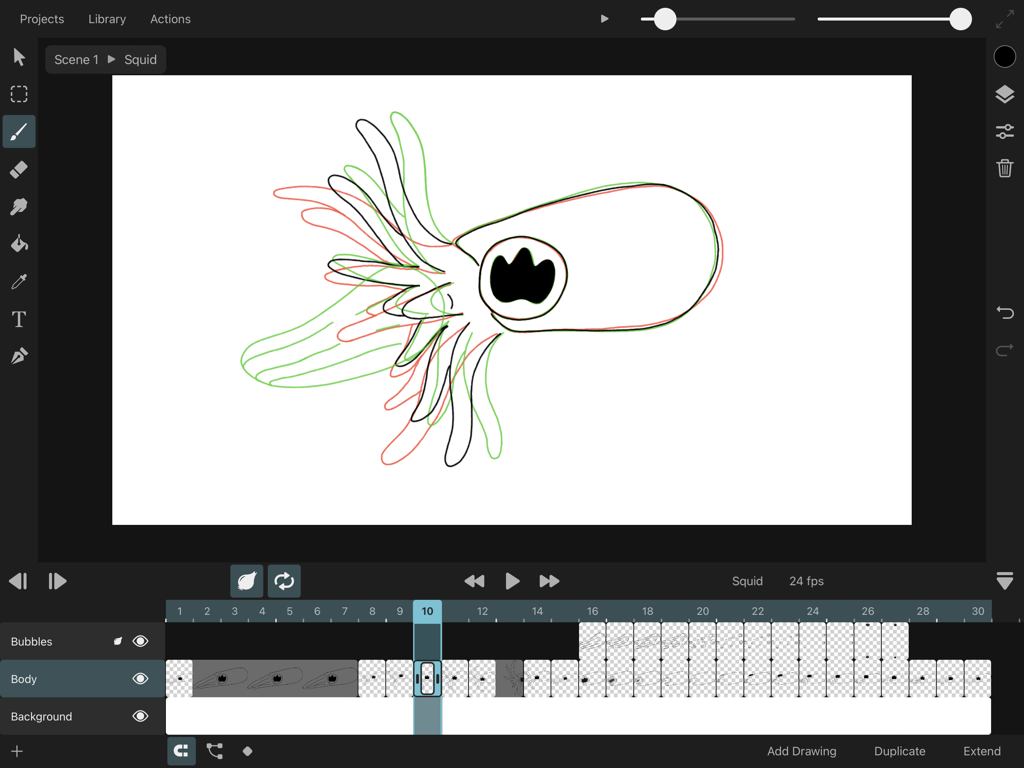
ToonSquid - ToonSquid iPad 애니메이션 인터페이스, 양파 껍질 렌더링 및 프레임별 타임라인 표시
ToonSquid iPad 애니메이션 인터페이스, 양파 껍질 렌더링 및 프레임별 타임라인 표시

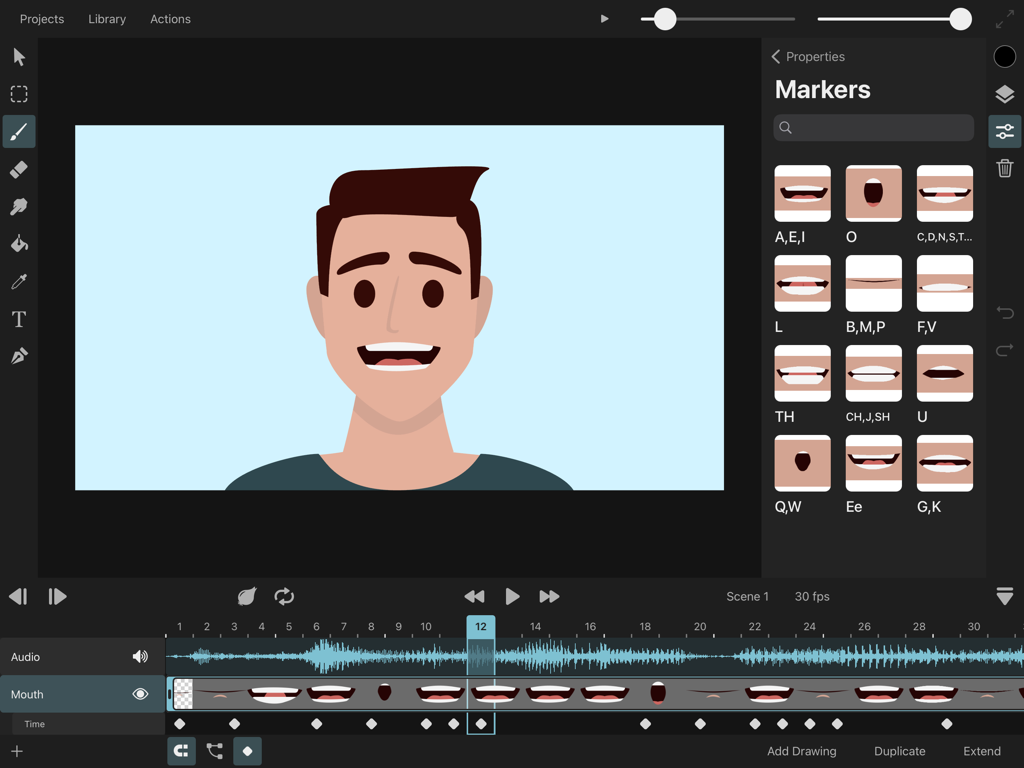
ToonSquid - ToonSquid 앱 인터페이스, 립싱크 음소 기호 및 오디오 파형이 표시된 캐릭터 애니메이션을 iPad에 표시
ToonSquid 앱 인터페이스, 립싱크 음소 기호 및 오디오 파형이 표시된 캐릭터 애니메이션을 iPad에 표시

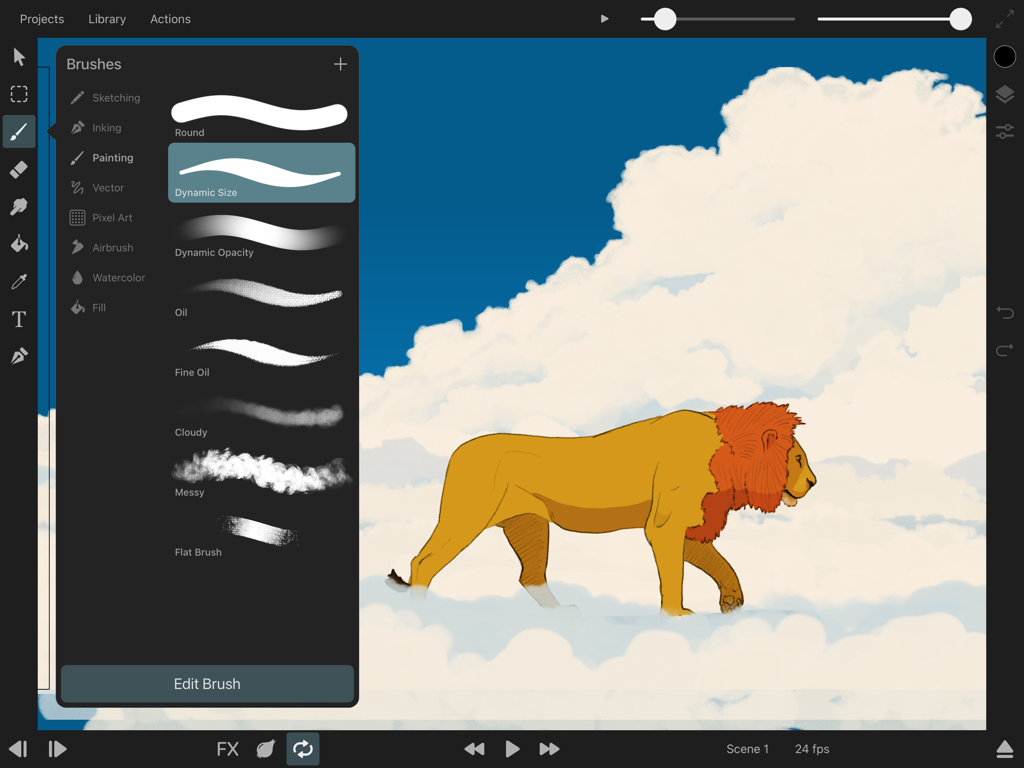
ToonSquid - ToonSquid 앱 인터페이스, 브러시 선택 메뉴 및 구름 위의 사자 일러스트 표시
ToonSquid 앱 인터페이스, 브러시 선택 메뉴 및 구름 위의 사자 일러스트 표시

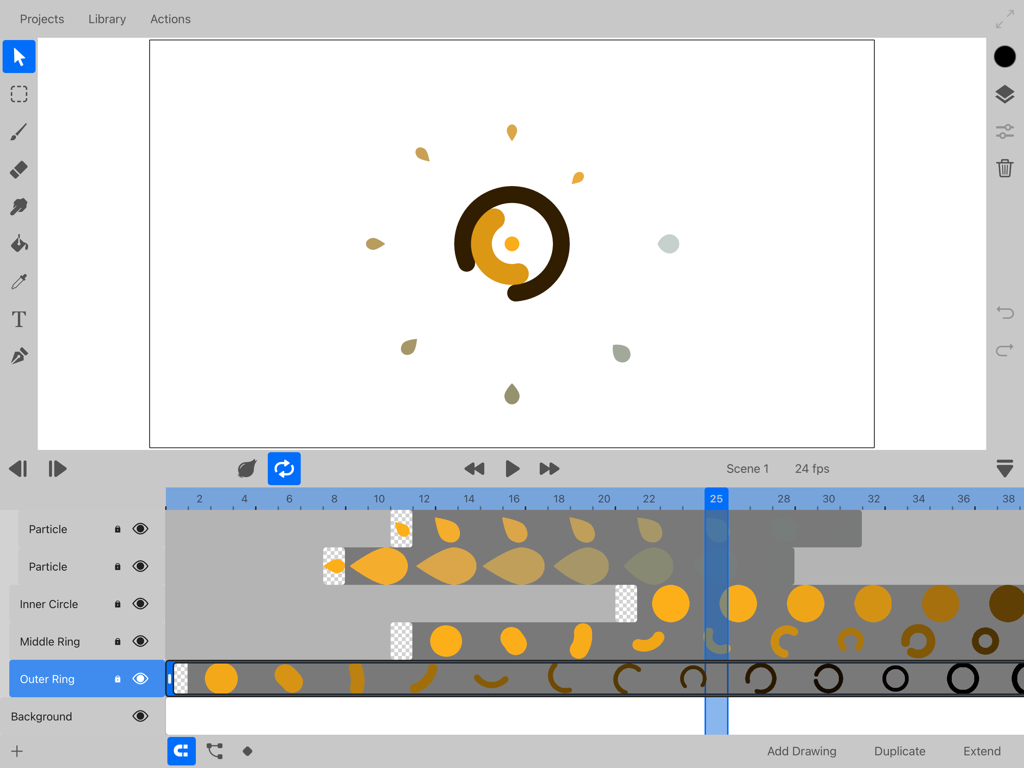
ToonSquid - ToonSquid 앱 인터페이스, 레이어와 키프레임이 표시된 2D 애니메이션 타임라인 표시
ToonSquid 앱 인터페이스, 레이어와 키프레임이 표시된 2D 애니메이션 타임라인 표시

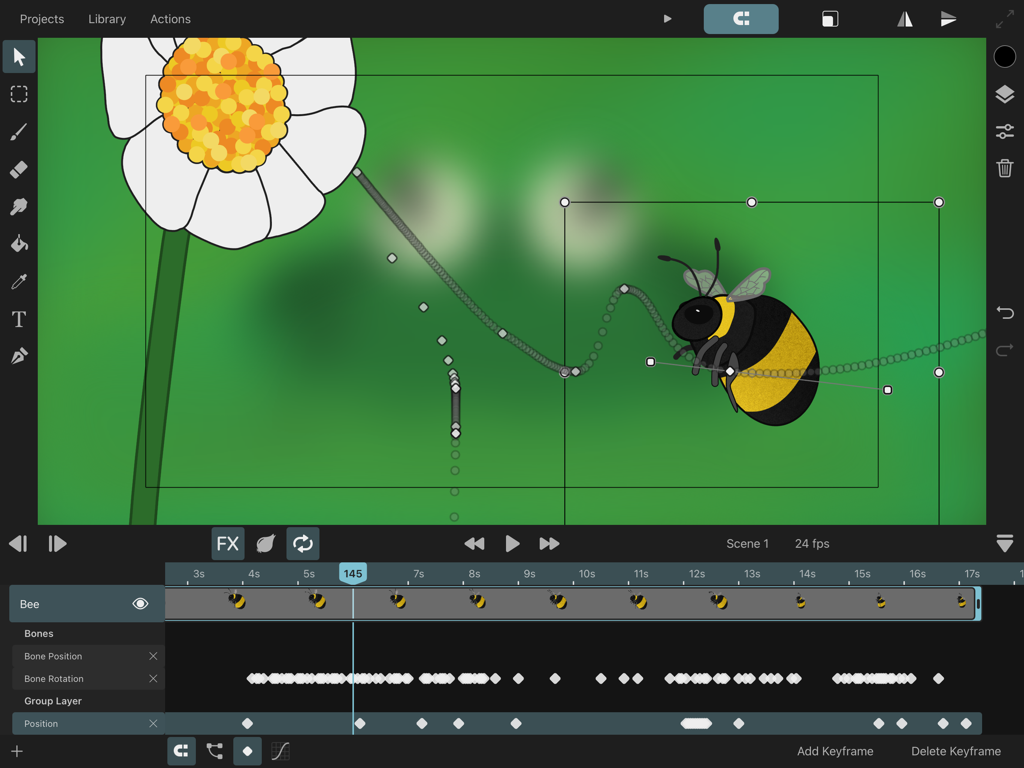
ToonSquid - ToonSquid 앱 인터페이스, 모션 경로와 타임라인 키프레임이 표시된 벌 애니메이션 표시
ToonSquid 앱 인터페이스, 모션 경로와 타임라인 키프레임이 표시된 벌 애니메이션 표시

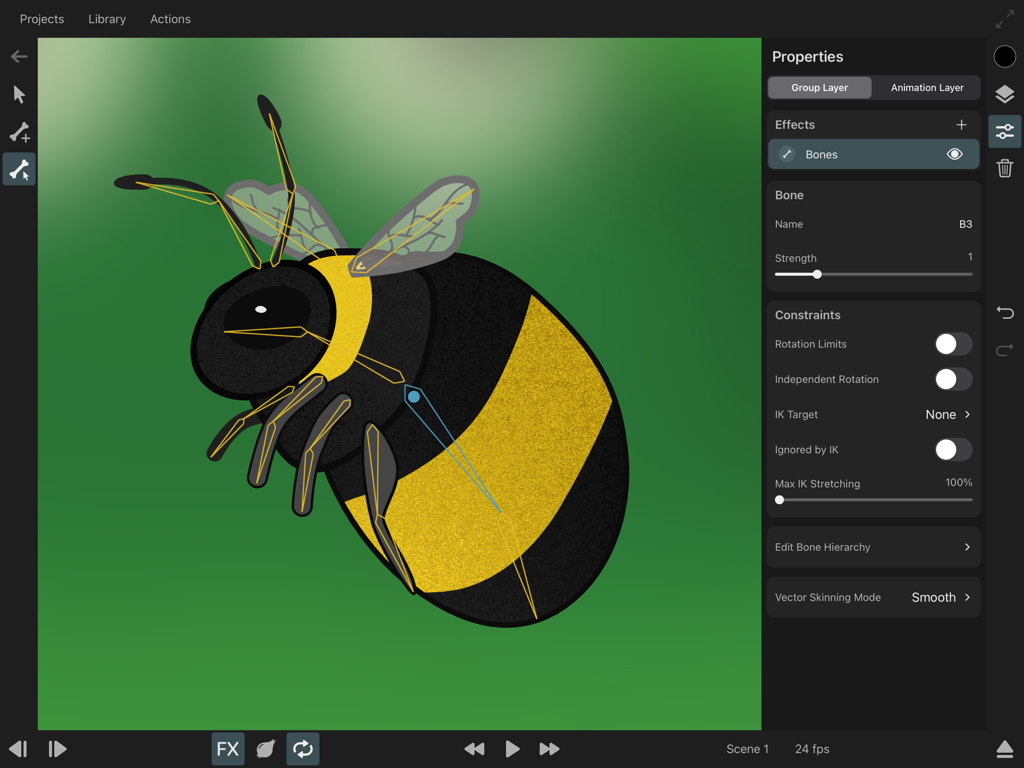
ToonSquid - ToonSquid 애니메이션 앱에서 골격 본과 역운동학 제약 조건으로 리깅되는 호박벌 캐릭터
ToonSquid 애니메이션 앱에서 골격 본과 역운동학 제약 조건으로 리깅되는 호박벌 캐릭터

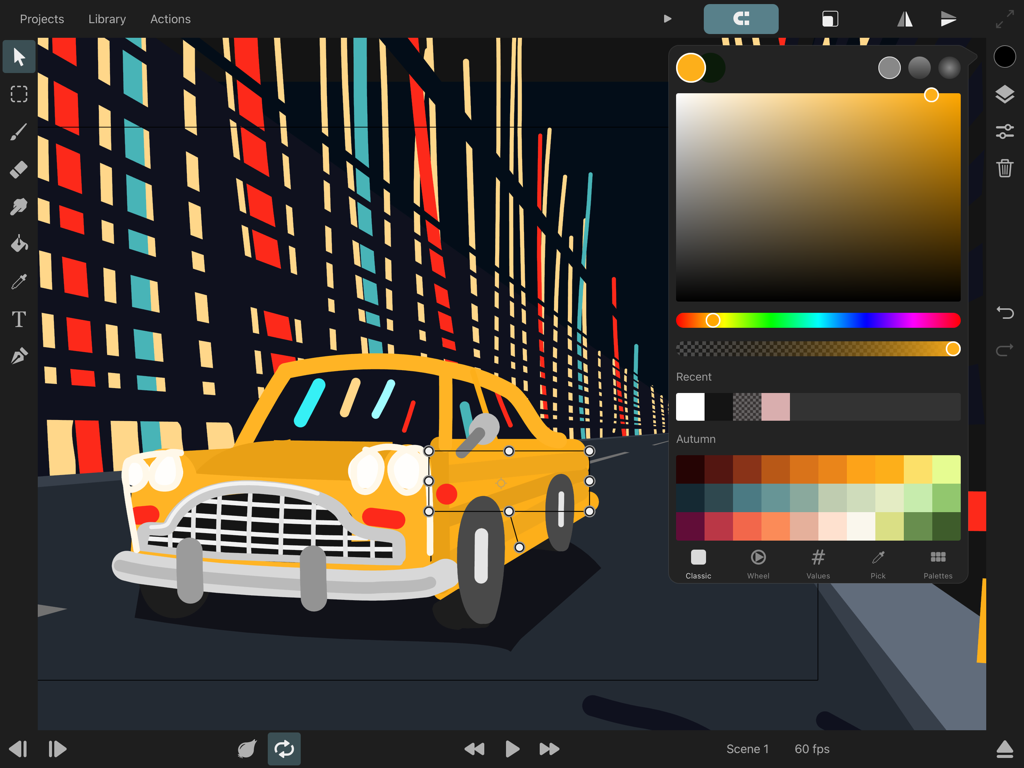
ToonSquid - ToonSquid 앱 인터페이스, iPad에서 색상 선택기가 열린 노란색 자동차의 2D 애니메이션 표시
ToonSquid 앱 인터페이스, iPad에서 색상 선택기가 열린 노란색 자동차의 2D 애니메이션 표시

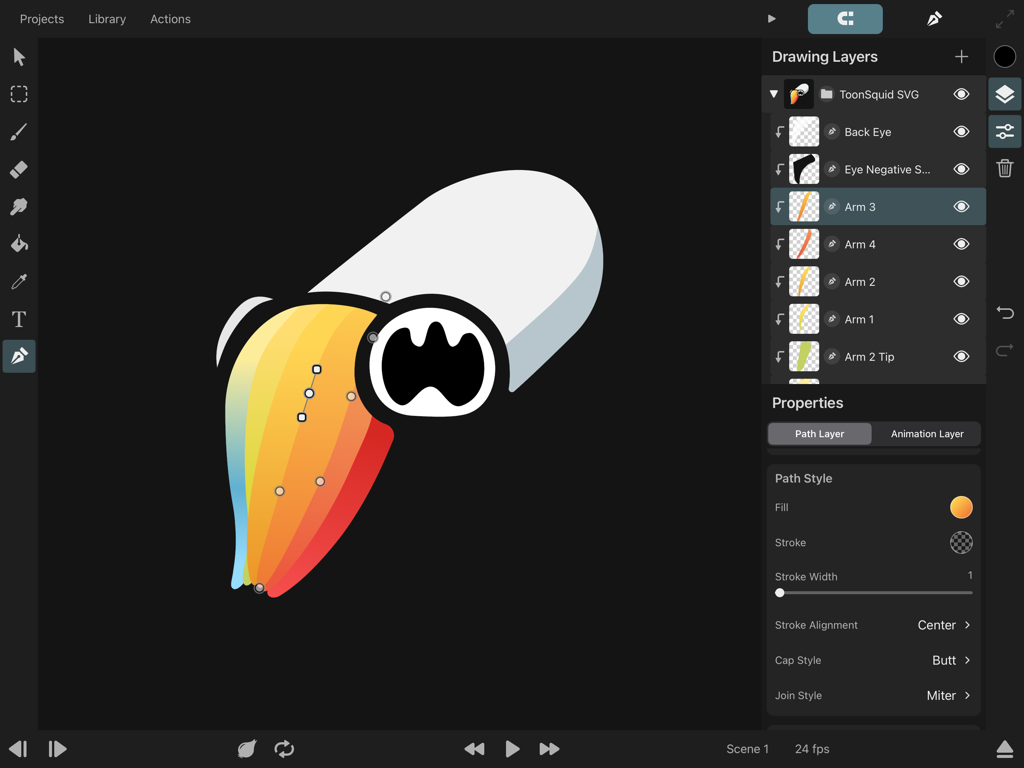
ToonSquid - iPad의 ToonSquid 애니메이션 앱 인터페이스, 색상이 지정된 캐릭터의 드로잉 레이어 및 벡터 경로 편집 표시
iPad의 ToonSquid 애니메이션 앱 인터페이스, 색상이 지정된 캐릭터의 드로잉 레이어 및 벡터 경로 편집 표시

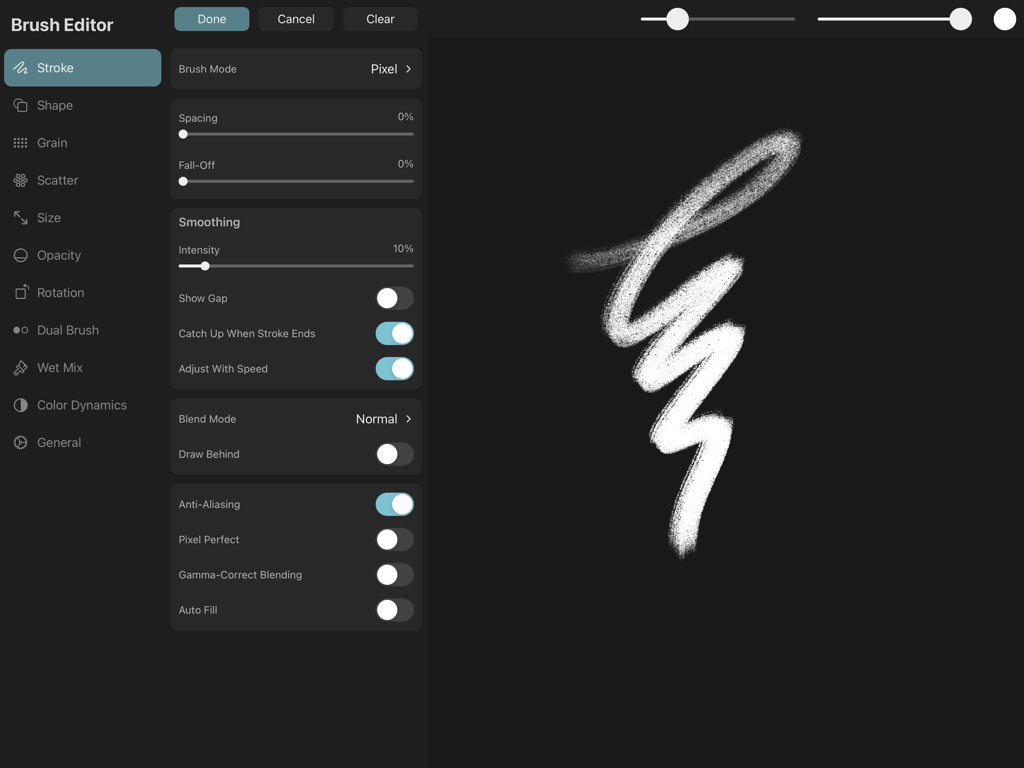
ToonSquid - ToonSquid의 브러시 편집기 인터페이스, 스트로크 설정 및 질감 브러시 미리 보기 표시.
ToonSquid의 브러시 편집기 인터페이스, 스트로크 설정 및 질감 브러시 미리 보기 표시.

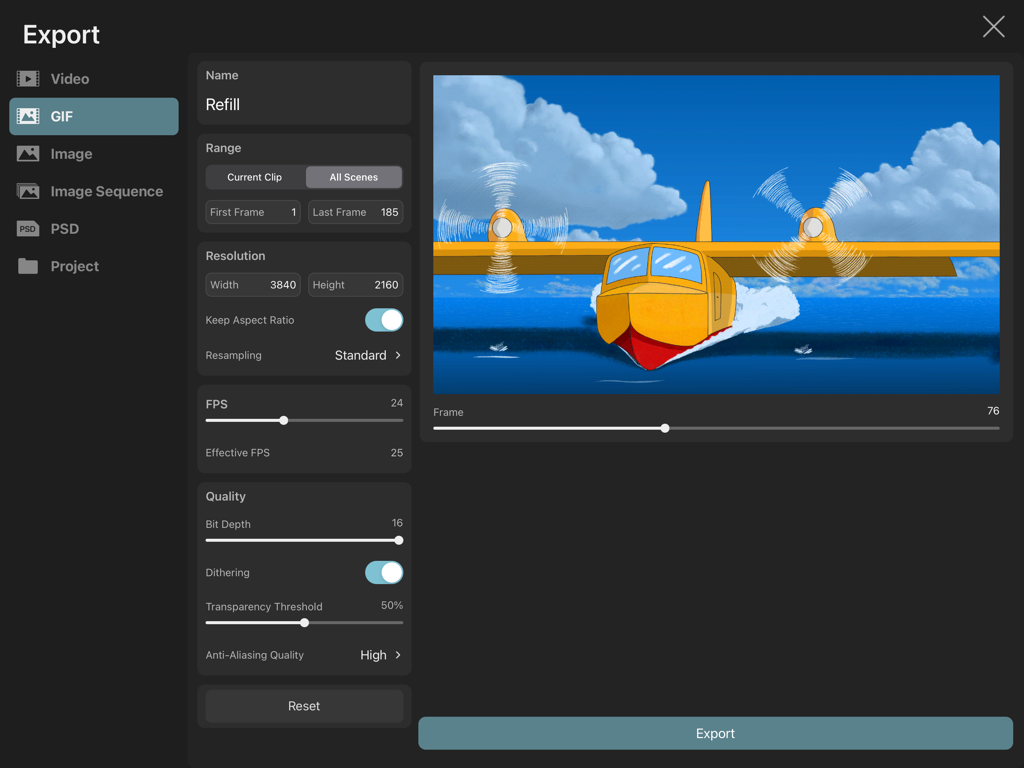
ToonSquid - ToonSquid 앱 인터페이스, 노란색 수상 비행기의 4K 애니메이션 GIF 내보내기 설정 표시.

ToonSquid 앱 인터페이스, 노란색 수상 비행기의 4K 애니메이션 GIF 내보내기 설정 표시.

설명

ToonSquid is the powerful 2D art and animation studio for your iPad. Its flexible layer system allows you to combine the charm of hand-drawn traditional animation with keyframes that automatically animate layer properties over time. With a library full of beautiful, blazing-fast and fully customizable pixel and vector brushes, animatable effects, a smudge tool, animated text and vector shapes, bones with inverse kinematics, video and audio layers, camera movements, symbols and many more features, ToonSquid makes it easy to bring your vision to life. Traditional Animation - Create hand-drawn frame-by-frame animations - Control how long you want to show each drawing in the timeline - Draw in resolutions of up to 4k Keyframe Animation - Add keyframes to automatically animate layer and effects properties over time - Choose from an extensive list of customizable easing curve presets to create organic motion between keyframes - Easily loop your keyframe animation Powerful Layer System - Define the order and length of each element in your animation using layers and drawings and a flexible timeline - Organize your layers into groups for a clean workflow or to animate multiple layers at once - Use the camera layer to quickly define the visible portion of your animation in the export - Mask layers to other layers, even when their contents are animated - Choose from 27 industry-standard layer blend modes for beautiful compositing effects Fully-customizable Brushes - Draw gorgeous brush strokes with ToonSquid's state-of-the-art digital brush engine - Take full advantage of Apple Pencil's pressure and tilt sensitivity and the iPad Pro's 120Hz display for lag-free drawing - Use vector brushes to create brush strokes that are sharp at every zoom level - Edit the 60+ brush settings and import custom textures to create a brush library that is perfectly tailored to your art style - Blend your strokes together using the smudge tool - Draw in a variety of styles such as sketching, inking, wet mixing, pixel art, and more - Export and share your custom brushes with others - Import your existing library of Adobe® Photoshop® brushes Vector Shapes - Create custom shapes using the path tool by placing and editing each curve control point - Quickly add common vector shapes from the shape library - Import SVG files - Fill and stroke your shapes with beautiful gradients and edit them directly on the canvas - Animate the visible length of a path using its trim properties Animatable Effects - Create character rigs using bones and add inverse kinematics constraints - Create custom meshes to deform pixel layers when they are part of a bone rig - Animate perspective and warp effects - Apply adjustments, blur, pixelation, drop shadow, chroma key, halftone, parallax and more effects Efficient symbol workflow - Split your animation into separate clips that you can then reuse multiple times using symbols - Make edits to an animation clip and immediately see the changes in all of its symbol instances - Use frame markers to speed up your lip-syncing workflow Text - Add text layers and animate their appearance - Import your favorite fonts Color - Use ToonSquid's powerful color picker with plenty of different interfaces to choose the exact colors you need - Create custom color palettes and share them outside the application - Pick colors straight from the canvas using the pipette tool - Fill connected regions quickly with the fill tool Audio and Video - Add audio clips to your timeline and perform lip-syncing animations - Import videos, GIFs and images into your project and work with them through symbols Transform - Animate a layer's position, rotation and scale properties using keyframes - Build transform hierarchies to achieve more advanced movements - Edit your layer's motion path directly on the canvas Numerous Export Formats - Export your work in one of many common file formats such as MP4, MOV, GIF, PNG, JPEG, PSD, and more.

Download

다운로드: App Store

이 페이지는 앱이나 개발자의 공식 페이지가 아니며, 정보 제공 및 논평을 목적으로 작성된 독립 편집 간행물입니다. 명시적으로 달리 언급되지 않는 한, 해당 앱이나 개발자는 MWM, Apple, Google Play, 앱 퍼블리셔 또는 앱 개발자와 제휴, 보증, 후원, 승인 또는 공식적으로 연결되어 있지 않으며, 이 페이지의 어떤 내용도 해당 앱이 MWM의 서비스를 사용하여 개발되었음을 의미하지 않습니다. 모든 상표, 로고, 스크린샷 및 기타 콘텐츠는 해당 소유자의 자산입니다.