
이 페이지는 앱이나 개발자의 공식 페이지가 아니며, 정보 제공 및 논평을 목적으로 작성된 독립 편집 간행물입니다. 명시적으로 달리 언급되지 않는 한, 해당 앱이나 개발자는 MWM, Apple, Google Play, 앱 퍼블리셔 또는 앱 개발자와 제휴, 보증, 후원, 승인 또는 공식적으로 연결되어 있지 않으며, 이 페이지의 어떤 내용도 해당 앱이 MWM의 서비스를 사용하여 개발되었음을 의미하지 않습니다. 모든 상표, 로고, 스크린샷 및 기타 콘텐츠는 해당 소유자의 자산입니다.

QR Code Reader,Barcode Scanner
이 앱은 단순한 스캐너가 아니다. 코드로 암호화된 현실을 해체하고, 당신의 의지대로 재구성할 막강한 권능이다.
다운로드
12.5M+사용자 평점
총 평가 수
149.2K개발사
카테고리
Utilities지원 언어
35최신 버전
2026.1.4크기
180.1 MB출시일
2017년 4월 17일QR Code Reader, Barcode Scanner 앱 분석: 주요 기능 및 사용자 가치
이 테크 분석 보고서는 'QR Code Reader, Barcode Scanner' 앱의 핵심 기능을 평가하고, 다양한 사용자층에게 제공하는 실질적인 이점을 심층적으로 탐구합니다.
즉시 스캔 기능
이 앱은 사용자가 어떠한 QR 코드나 바코드든 카메라를 통해 즉시 스캔할 수 있도록 지원하여, 신속한 정보 접근을 가능하게 합니다.
스마트 쇼핑 도우미
이 앱은 스마트 제품 스캐너 및 가격 비교 도구로 기능하여, 사용자가 상점에서 제품 바코드를 스캔하여 가격을 비교하고 현명한 구매 결정을 내릴 수 있도록 돕습니다.
코드 생성기
사용자는 웹사이트 링크, 연락처 정보, 프로모션 등을 위한 맞춤형 QR 코드 및 바코드를 직접 생성할 수 있어, 개인 및 비즈니스 목적에 활용할 수 있습니다.
스캔 기록 및 조회
모든 스캔은 자동으로 기록에 저장되며, 사용자는 내장된 바코드 검색 기능을 통해 과거 스캔 내역을 다시 확인하고, 제품을 검색하거나 스캔한 연락처 정보를 검색할 수 있습니다.
일괄 스캔
이 도구는 여러 개의 바코드를 한 번에 스캔하고 폴더에 저장할 수 있는 일괄 스캔 기능을 포함하여, 재고 관리나 대량 스캔 작업에 효율성을 더합니다.
재고 관리 기능
사용자는 바코드를 스캔하여 제품 정보를 얻고, 집이나 비즈니스의 재고를 효율적으로 추적하고 관리할 수 있는 간단한 정리 도구를 활용할 수 있습니다.
광범위한 형식 지원
이 도구는 QR CODE, EAN13, UPC, ITF14, CODE128 등 주요 바코드 형식을 포함한 광범위한 코드 형식을 지원하여 다양한 상황에서 유연하게 사용할 수 있게 합니다.
맞춤형 코드 디자인
이 앱은 사용자가 생성하는 QR 코드를 템플릿으로 개인화하거나 AI 기반 사용자 지정을 통해 마케팅 및 소셜 미디어 브랜딩 목적에 맞춰 활용할 수 있도록 지원합니다.
자주 묻는 질문
에 대해 알아야 할 모든 것 QR Code Reader,Barcode Scanner
What is QR Air?
QR Air is a smart QR code and barcode scanner designed for everyday use. It instantly scans QR codes and barcodes, also functioning as a generator and product scanner.
How do I scan QR codes and barcodes with QR Air?
Yes, QR Air supports instant scanning of both QR codes and barcodes. Users simply open the app and point their camera at the code for immediate results.
Can QR Air generate QR codes and barcodes?
Yes, QR Air includes a built-in QR code generator and barcode maker. Users can create custom codes for websites, contact details, promotions, and business applications, as shown in the app interface.
Does QR Air support scanning multiple barcodes at once?
Yes, QR Air offers batch scanning capabilities. Its batch barcode scanner allows users to scan multiple barcodes simultaneously and save them in folders, ideal for inventory management.
Can QR Air be used for price comparison when shopping?
Yes, QR Air functions as a smart product scanner and price checker. It allows users to instantly compare deals and make informed shopping choices, acting as a general price scanner.
Does QR Air save a history of my scanned items?
Yes, QR Air automatically stores every scan in a detailed history. Users can revisit past scans, search for products, or retrieve contact information using the built-in barcode lookup.
Is QR Air compatible with iPhone and iPad devices?
Yes, QR Air is fully optimized for iPhone and iPad. It functions as a fast QR code scanner for iPhone and a reliable QR reader for iPad, delivering smooth performance across iOS devices.
Does the QR Air app offer a dark mode option?
Yes, QR Air supports dark mode. The app integrates with iOS system settings to provide a comfortable viewing experience in low light conditions, as shown in the app's interface.
Can QR Air display product information like nutrition details?
Yes, QR Air provides product lookup capabilities. Users can scan barcodes to retrieve product details, including nutritional information, as demonstrated in the app's product lookup screen.
What is Air Apps One?
Air Apps One is a subscription service providing access to over 30 premium apps, including QR Air. It offers various productivity, fitness, and learning applications within a single plan.
What subscription plans does Air Apps One offer?
Air Apps One subscriptions are available in 1-week, 1-month, and 1-year options. These plans offer flexible access to all premium apps included in the subscription.
How are payments handled for Air Apps One subscriptions?
Payments for Air Apps One subscriptions are charged to your iTunes account. Charges occur at purchase confirmation and at the beginning of each renewal period.
How do Air Apps One free trials work?
Free trials for Air Apps One convert automatically to paid plans. To avoid charges, users must cancel their trial at least 24 hours before the renewal date in iTunes settings.
다음 스크린샷과 설명은 앱의 공식 스토어 목록에서 직접 가져온 것이며 앱 개발자의 자산입니다.
앱 스토어
스크린샷
즉시 QR 스캔
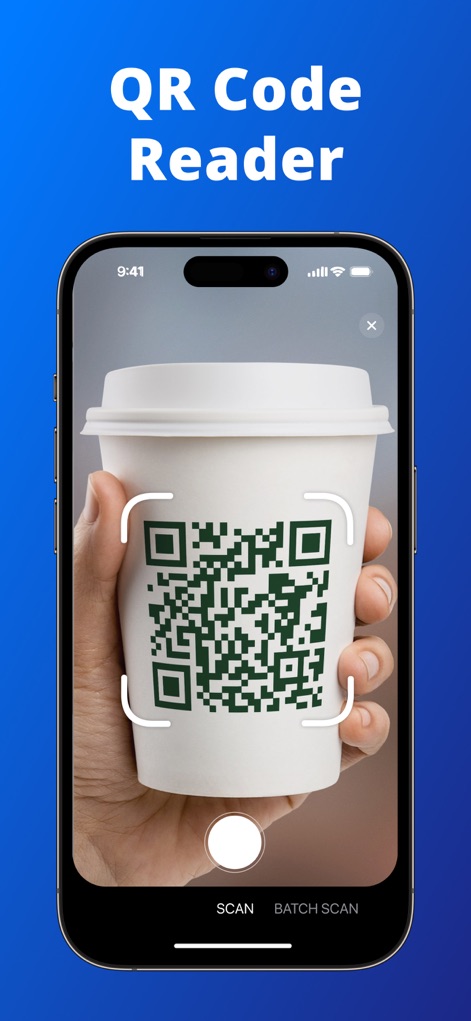
이 앱은 QR 코드를 빠르고 정확하게 인식합니다. 사용자는 커피 컵에 있는 QR 코드와 하단의 'Scan' 버튼을 통해 즉시 스캔을 시작할 수 있습니다.
간편한 바코드 인식
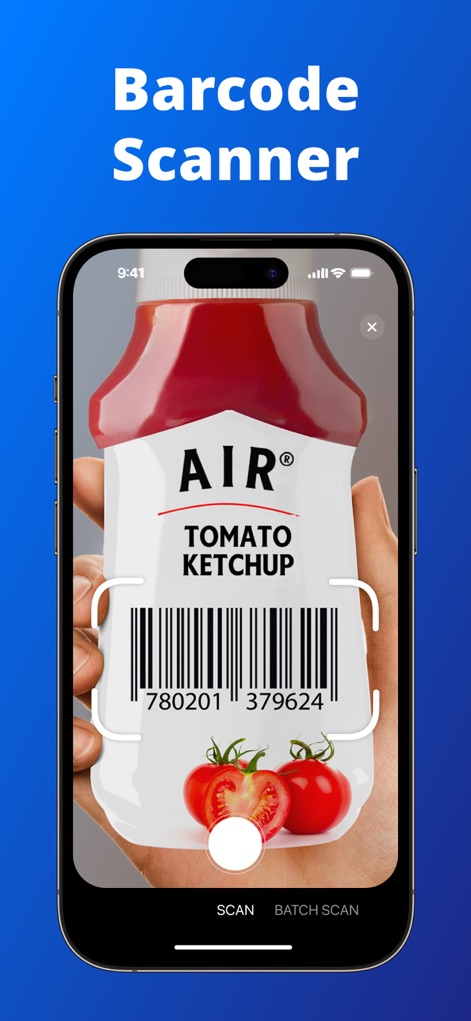
이 도구는 다양한 제품의 바코드를 효율적으로 스캔합니다. 사용자는 케첩 병의 바코드와 함께 하단에 위치한 'Batch Scan' 옵션을 활용하여 여러 코드를 처리할 수 있습니다.
맞춤형 코드 생성
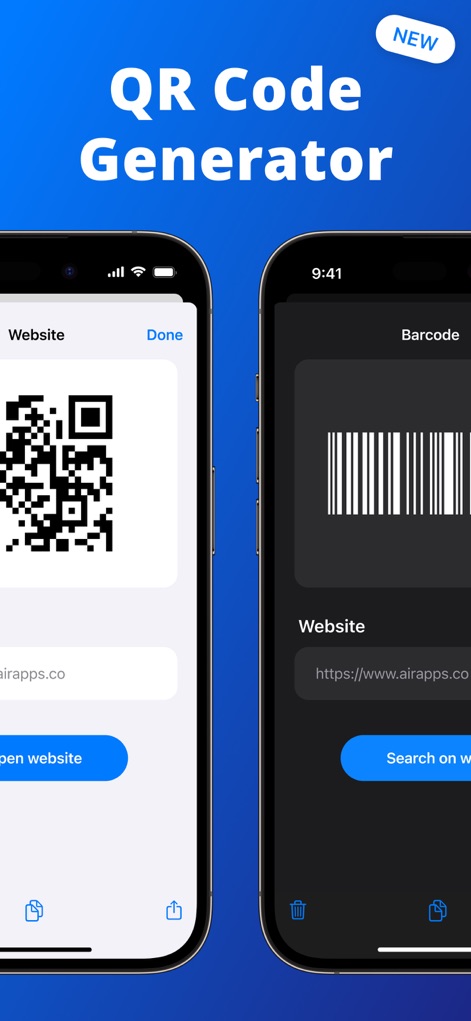
이 앱은 웹사이트를 위한 QR 코드와 바코드를 손쉽게 생성할 수 있도록 지원합니다. 밝은 모드에서 생성된 QR 코드와 어두운 모드에서 보이는 바코드 생성 인터페이스를 통해 사용자는 유연하게 코드를 만들 수 있습니다.
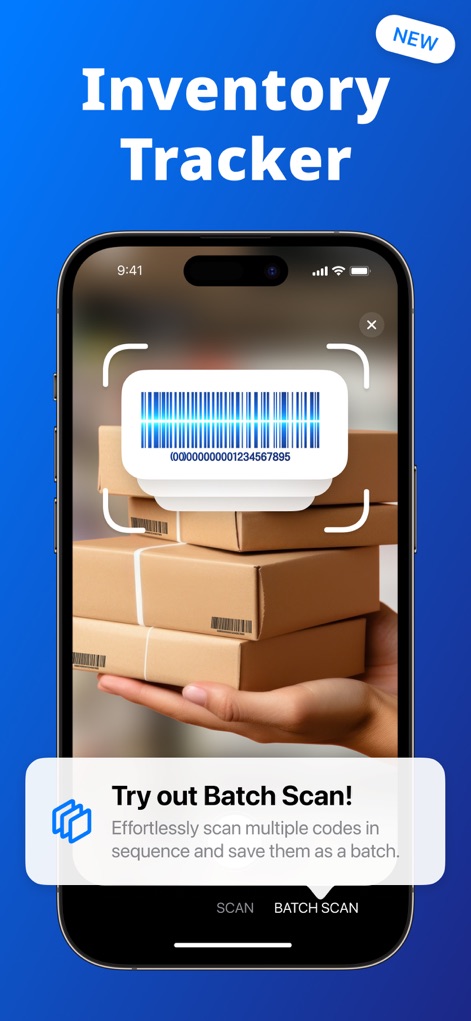
효율적인 재고 관리
이 도구는 여러 개의 바코드를 동시에 스캔하여 재고 관리를 간소화합니다. 사용자는 쌓여있는 상자들의 바코드를 스캔하며 'Batch Scan' 기능 안내 팝업을 통해 편리함을 경험할 수 있습니다.
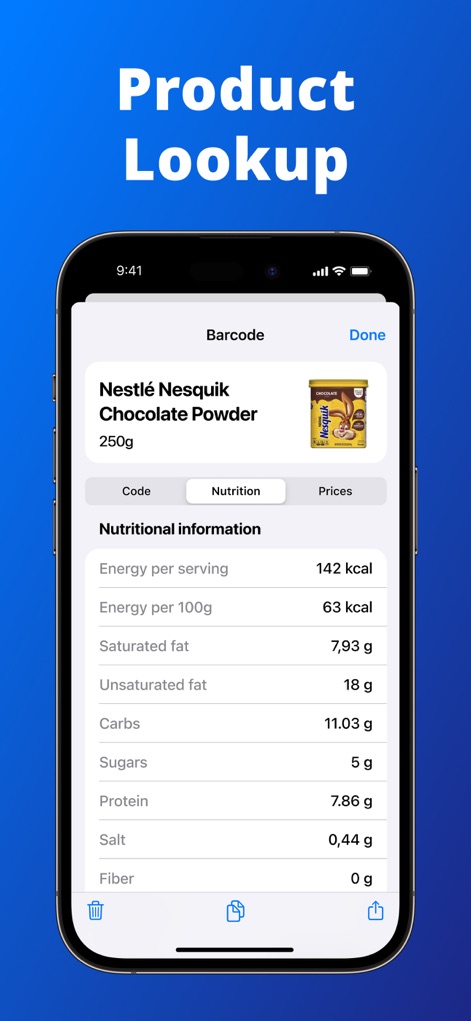
상세한 제품 정보
이 앱은 스캔한 제품의 영양 정보에 대한 상세한 개요를 제공합니다. 사용자는 'Nutrition' 탭에서 제공되는 칼로리와 탄수화물 정보를 통해 제품의 특징을 확인할 수 있습니다.
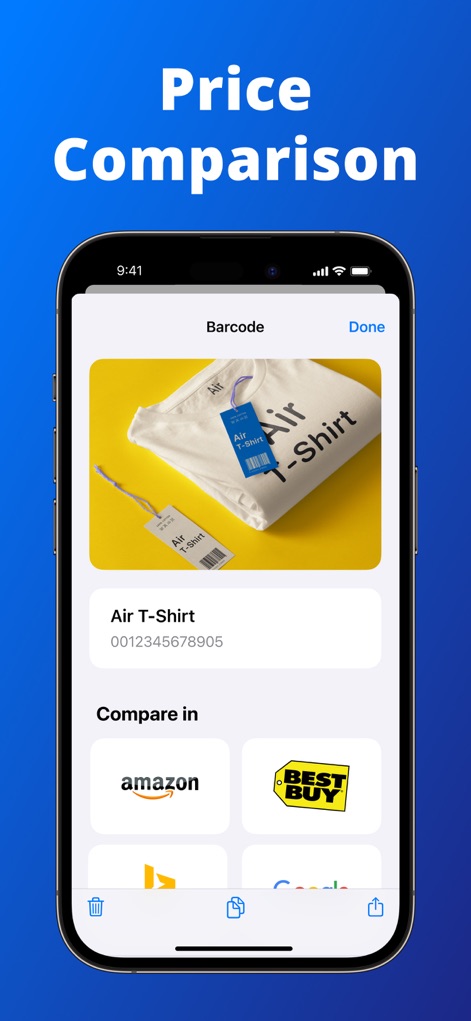
현명한 가격 비교
이 도구는 사용자가 다양한 온라인 상점에서 제품 가격을 비교할 수 있도록 돕습니다. 'Air T-Shirt' 이미지와 함께 Amazon, Best Buy 등의 플랫폼 로고를 통해 최저가를 쉽게 찾을 수 있습니다.
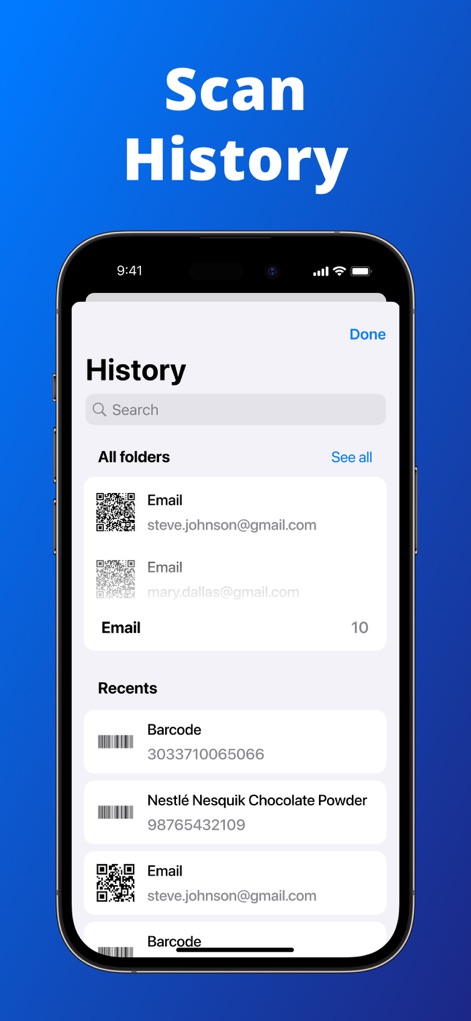
편리한 스캔 기록
이 앱은 사용자의 모든 스캔 내역을 체계적으로 저장하여 손쉽게 관리할 수 있게 합니다. 'All folders' 섹션에 저장된 이메일 QR 코드와 'Recents'에 표시된 제품 바코드 기록을 통해 언제든지 정보를 재확인할 수 있습니다.
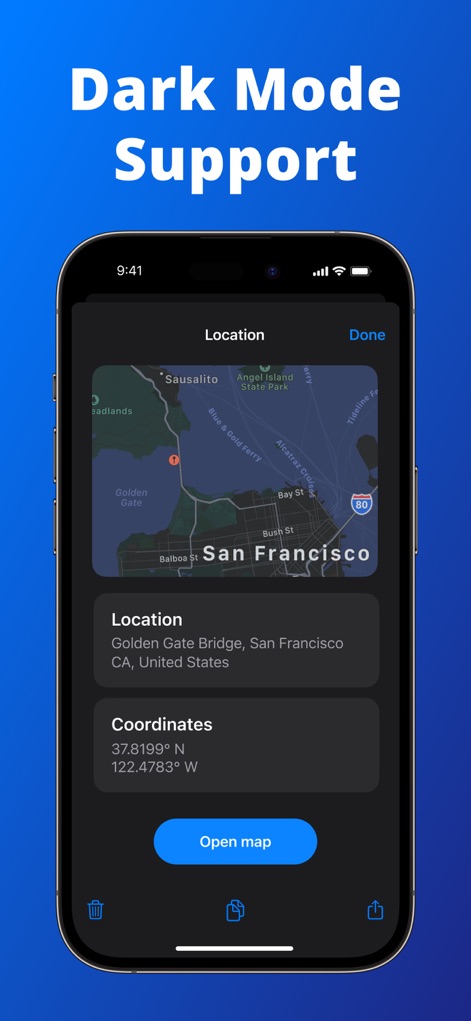
몰입형 다크 모드
이 앱은 사용자의 눈을 편안하게 해주는 다크 모드를 완벽하게 지원합니다. 샌프란시스코의 위치 정보가 표시된 지도와 깔끔하게 정리된 좌표 필드를 통해 다크 모드에서도 모든 정보를 명확하게 확인할 수 있습니다.
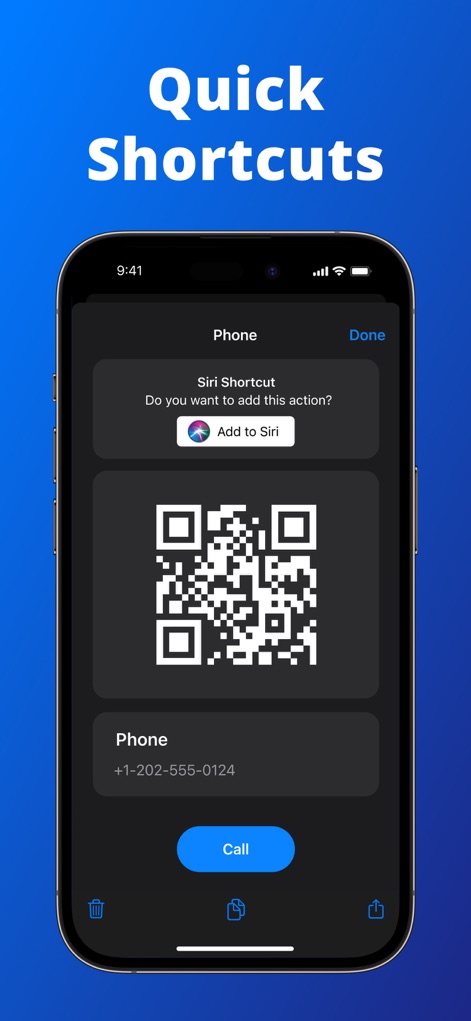
빠른 단축키 기능
이 도구는 자주 사용하는 기능을 위한 빠른 단축키를 제공하여 편의성을 높입니다. 'Add to Siri' 버튼과 특정 전화번호를 연결하는 QR 코드를 통해 사용자는 음성 명령으로도 기능을 실행할 수 있습니다.
설명
Download
비슷한 앱
유사한 기능과 사용자 경험을 가진 앱

Me QR - QR Code Generator
ME TEAM LTD

QR Code Reader/QR Scanner App
MixerBox Inc.

QR Code Barcode: Scanner Maker
DE BITT LTD

QR Code Reader & QR Scanner ·
Simple Health Limited

Scan QR Code & Barcode
Mars Mobile LLC

QR Bot
Petr Polasek

QR Reader- Scanner & Generator
SAN MOBILE YAZILIM TICARET LIMITED SIRKETI

What's App -QR code scanner
DIGITALSTALK PRIVATE LIMITED

Power Barcode Scanner
Irvinesoft Inc
이 페이지는 앱이나 개발자의 공식 페이지가 아니며, 정보 제공 및 논평을 목적으로 작성된 독립 편집 간행물입니다. 명시적으로 달리 언급되지 않는 한, 해당 앱이나 개발자는 MWM, Apple, Google Play, 앱 퍼블리셔 또는 앱 개발자와 제휴, 보증, 후원, 승인 또는 공식적으로 연결되어 있지 않으며, 이 페이지의 어떤 내용도 해당 앱이 MWM의 서비스를 사용하여 개발되었음을 의미하지 않습니다. 모든 상표, 로고, 스크린샷 및 기타 콘텐츠는 해당 소유자의 자산입니다.