QR Stopwatch
QR Stopwatch
다운로드: App Store

이 페이지는 앱이나 개발자의 공식 페이지가 아니며, 정보 제공 및 논평을 목적으로 작성된 독립 편집 간행물입니다. 명시적으로 달리 언급되지 않는 한, 해당 앱이나 개발자는 MWM, Apple, Google Play, 앱 퍼블리셔 또는 앱 개발자와 제휴, 보증, 후원, 승인 또는 공식적으로 연결되어 있지 않으며, 이 페이지의 어떤 내용도 해당 앱이 MWM의 서비스를 사용하여 개발되었음을 의미하지 않습니다. 모든 상표, 로고, 스크린샷 및 기타 콘텐츠는 해당 소유자의 자산입니다.

로고: QR Stopwatch
다운로드: App Store

QR Stopwatch

클립보드를 버리고 수동 데이터 입력을 없애세요. QR 코드를 스캔하는 것만으로 여러 참가자를 자동으로 추적할 수 있습니다. 체육 교사, 코치, 행사 주최자를 위한 궁극의 핸즈프리 솔루션입니다.

주요 수치

다운로드

54K+

사용자 평점

1.0/5

총 평가 수

0

개발사

Ursin Tanner

카테고리

Sports

지원 언어

1

최신 버전

2.0

크기

2.7 MB

출시일

2016년 9월 5일
기능

타이밍 작업을 효율화하세요

체육 교사와 코치가 마찰 없이 전문적인 정확도로 그룹 타이밍을 관리할 수 있는 최고의 도구입니다.

핸즈프리 스캔

QR 코드를 보여주는 것만으로 타이머를 즉시 시작하거나 중지하세요. 클릭이 필요 없어 호루라기와 클립보드를 든 손이 자유롭습니다.

자동 참가자 기록

이름을 수동으로 입력할 필요가 없습니다. 앱이 QR 코드에서 자동으로 항목을 생성하여 바쁜 수업이나 경기 중에 데이터 입력 시간을 몇 시간이나 절약해 줍니다.

다음 스크린샷과 설명은 앱의 공식 스토어 목록에서 직접 가져온 것이며 앱 개발자의 자산입니다.

앱 스토어

스크린샷
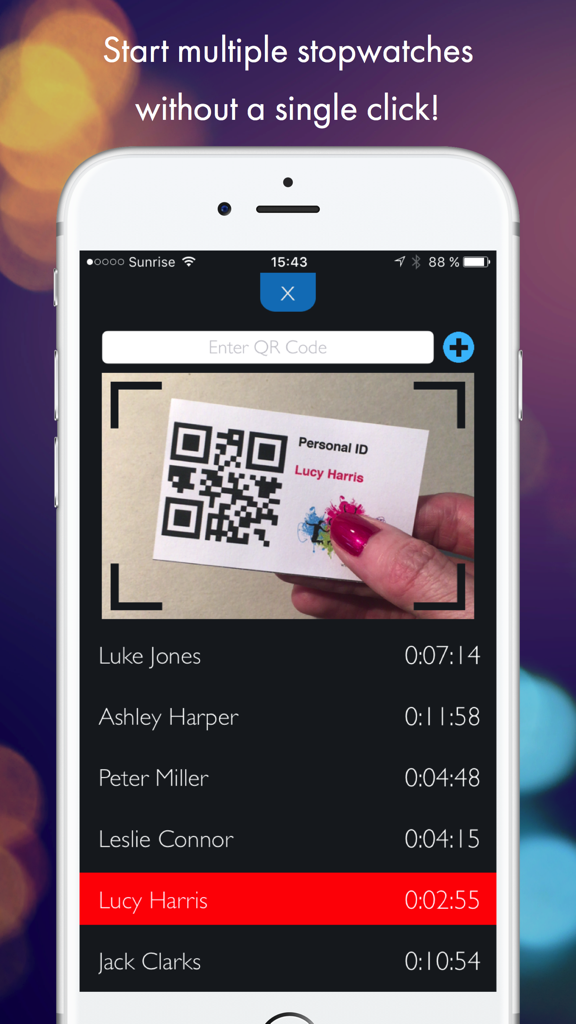
QR Stopwatch - QR 코드 개인 ID 카드를 스캔하는 카메라와 다양한 참가자의 기록된 시간 목록을 보여주는 QR 스톱워치 모바일 앱 인터페이스.
QR 코드 개인 ID 카드를 스캔하는 카메라와 다양한 참가자의 기록된 시간 목록을 보여주는 QR 스톱워치 모바일 앱 인터페이스.

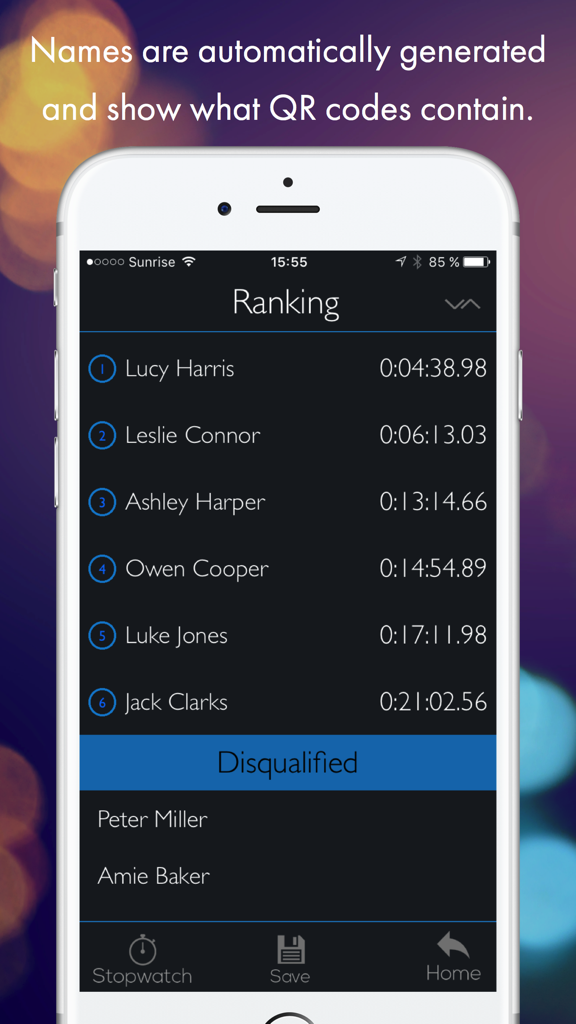
QR Stopwatch - 참가자 순위 목록과 완료 시간을 보여주는 QR 스톱워치 앱 인터페이스
참가자 순위 목록과 완료 시간을 보여주는 QR 스톱워치 앱 인터페이스

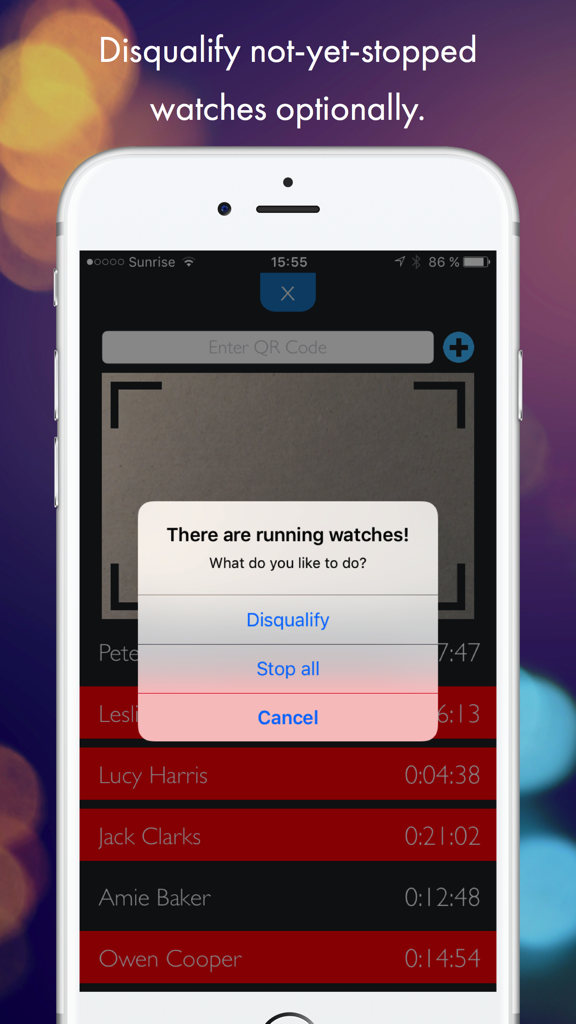
QR Stopwatch - Lucy Harris 및 Jack Clarks와 같은 참가자에 대해 실격 처리를 하거나 실행 중인 모든 타이머를 중지하는 옵션이 포함된 알림을 보여주는 QR 스톱워치 앱 스크린샷.
Lucy Harris 및 Jack Clarks와 같은 참가자에 대해 실격 처리를 하거나 실행 중인 모든 타이머를 중지하는 옵션이 포함된 알림을 보여주는 QR 스톱워치 앱 스크린샷.

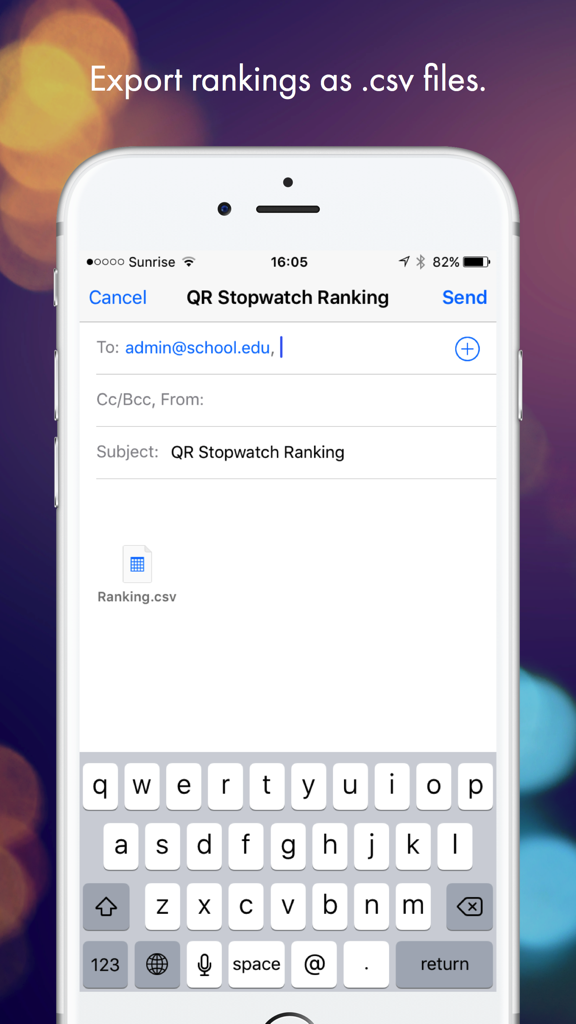
QR Stopwatch - CSV 형식의 QR 스톱워치 순위 파일의 이메일 내보내기를 보여주는 인터페이스
CSV 형식의 QR 스톱워치 순위 파일의 이메일 내보내기를 보여주는 인터페이스

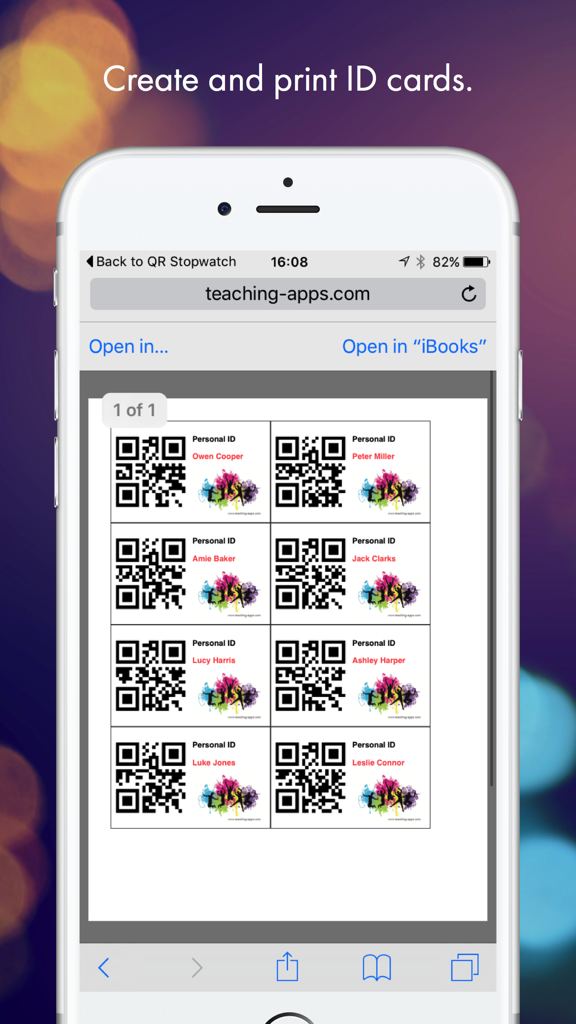
QR Stopwatch - teaching-apps 웹사이트에서 가져온 QR 코드와 이름이 포함된 인쇄 가능한 개인 ID 카드를 보여주는 스마트폰 화면

teaching-apps 웹사이트에서 가져온 QR 코드와 이름이 포함된 인쇄 가능한 개인 ID 카드를 보여주는 스마트폰 화면

설명

Use this clever app for the timekeeping of several people, starting at different times or as group. It works without a single click - just show it any QR code to start a new stopwatch! HOW IT WORKS 1) SINGLE START: Use this clever app for the timekeeping of various persons, starting at different times. Simply hold the QR code in front of the scanner. The app will then automatically generate your name and a new individual stopwatch will be started. If you scan the code again, the timer stops. It’s also possible to resume the same watch again. 2) MASS START: If all participants are starting at the same time, then you should use the mass start mode. Start the stopwatch without any further adjustments and simply record the finishing time and the name of the runners when they reach the finish line. EXAMPLES OF USE - Reporting of working time. - Timekeeping of sporting events. - Report the students’ work time for special tasks. -> NO CLICKS Start the app and it will automatically take the time of all shown QR codes until you stop the scanner. -> NO TYPING OF NAMES The app automatically creates new items if a new QR code is shown. The name is whatever the QR code contains. -> GET A RANKING Choose the sort order: Would you like to know the fastest or slowest time? Decide if not-yet-stopped watches will be disqualified or stop all operating watches at once. -> SAVE AUTOMATICALLY Close the app and work on the same data the next day. All data is saved automatically. -> EXPORT Save and export rankings by email as .csv files. -> MANUAL INTERVENTION Use your finger to tap on a name to start a stopwatch manually. Tap again to stop it. As administrator you can also stop all running timers at the same time. If there is a person without QR code, it is possible to add a timer manually. -> CREATE MULTIPLE QR CODES ONLINE AT http://www.teaching-apps.com Simply type in all names/items at once and get multiple QR codes in a PDF, which you can then print and save. It couldn’t be any easier! Each QR code is embedded in a student ID card in a credit card size. These cards can be used for different apps and uses. Be sure to subscribe to the newsletter to receive updates on any new apps.

Download

다운로드: App Store

이 페이지는 앱이나 개발자의 공식 페이지가 아니며, 정보 제공 및 논평을 목적으로 작성된 독립 편집 간행물입니다. 명시적으로 달리 언급되지 않는 한, 해당 앱이나 개발자는 MWM, Apple, Google Play, 앱 퍼블리셔 또는 앱 개발자와 제휴, 보증, 후원, 승인 또는 공식적으로 연결되어 있지 않으며, 이 페이지의 어떤 내용도 해당 앱이 MWM의 서비스를 사용하여 개발되었음을 의미하지 않습니다. 모든 상표, 로고, 스크린샷 및 기타 콘텐츠는 해당 소유자의 자산입니다.








