Qu MixPad
Qu MixPad
다운로드: App Store

이 페이지는 앱이나 개발자의 공식 페이지가 아니며, 정보 제공 및 논평을 목적으로 작성된 독립 편집 간행물입니다. 명시적으로 달리 언급되지 않는 한, 해당 앱이나 개발자는 MWM, Apple, Google Play, 앱 퍼블리셔 또는 앱 개발자와 제휴, 보증, 후원, 승인 또는 공식적으로 연결되어 있지 않으며, 이 페이지의 어떤 내용도 해당 앱이 MWM의 서비스를 사용하여 개발되었음을 의미하지 않습니다. 모든 상표, 로고, 스크린샷 및 기타 콘텐츠는 해당 소유자의 자산입니다.

로고: Qu MixPad
다운로드: App Store

Qu MixPad

콘솔에서 벗어나 모든 청취 위치에서 정밀하게 믹싱하세요. iPad에서 모든 처리 파라미터, 라우팅 제어, 장면 관리에 직접 액세스하세요.

주요 수치

다운로드

11K+

사용자 평점

1.0/5

총 평가 수

0

개발사

Allen & Heath Ltd

카테고리

Music

지원 언어

-

최신 버전

1.1.3

크기

98.9 MB

출시일

2025년 6월 2일
기능

전문적인 믹싱의 자유

모든 프리앰프, 페이더, 처리 파라미터에 대한 정밀한 무선 제어로 Qu-5, Qu-6 또는 Qu-7 콘솔의 잠재력을 최대한 발휘하세요.

구속 없는 오디오 엔지니어링

사운드 부스에서 벗어나세요. 관객의 관점에서 믹싱하거나 무대에서 완벽한 모니터 레벨을 실시간으로 조정하세요.

정밀 처리 및 RTA

터치스크린 정확도로 DEEP 프리앰프, 게이트, 컴프레서를 제어하세요. 내장 RTA를 사용하여 피드백을 즉시 식별하고 제거하세요.

다음 스크린샷과 설명은 앱의 공식 스토어 목록에서 직접 가져온 것이며 앱 개발자의 자산입니다.

앱 스토어

스크린샷
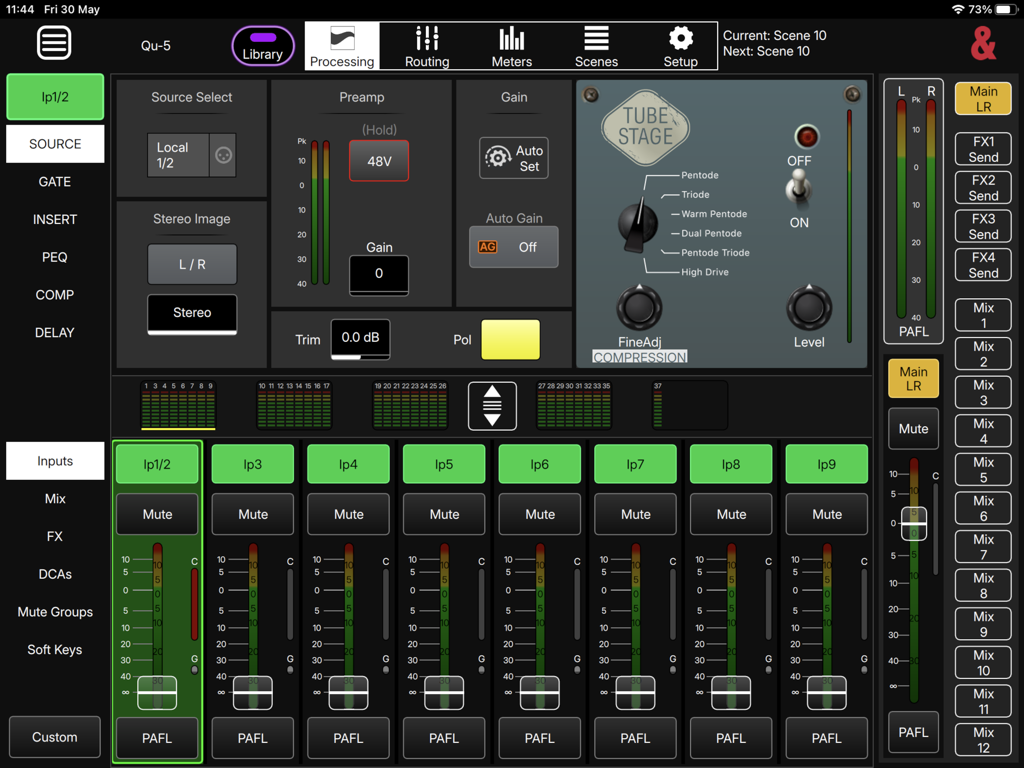
Qu MixPad - iPad용 Qu MixPad 앱의 인터페이스로, 디지털 믹서의 프리앰프 및 컴프레서 설정과 같은 채널 처리 제어를 보여줍니다.
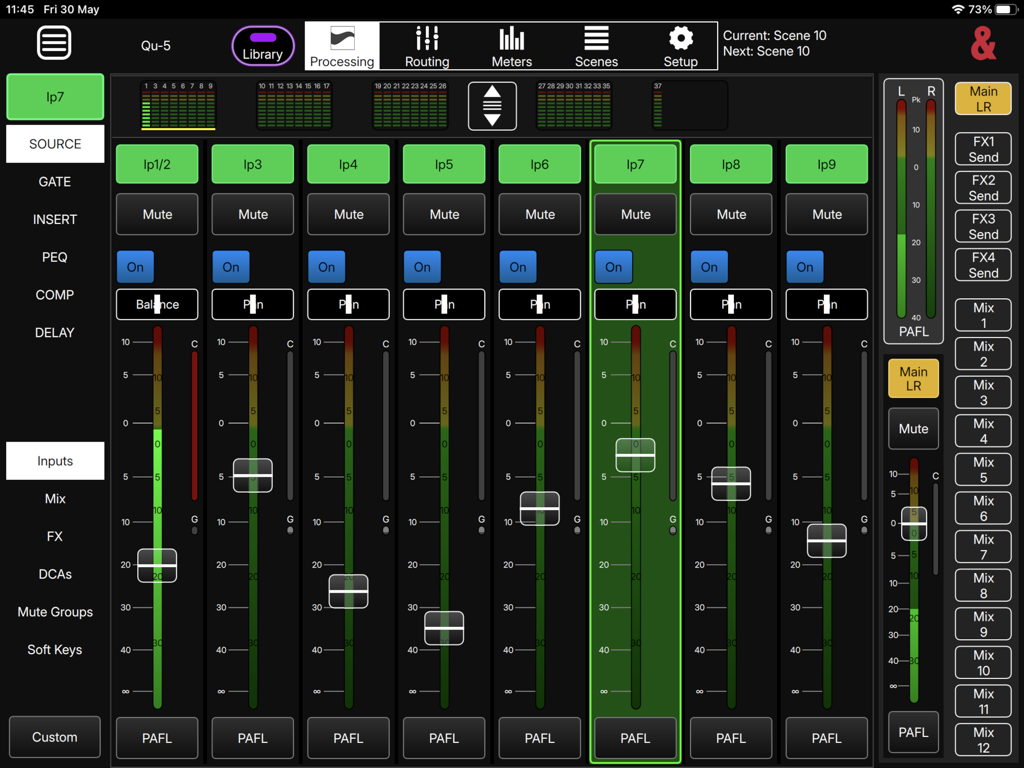
iPad용 Qu MixPad 앱의 인터페이스로, 디지털 믹서의 프리앰프 및 컴프레서 설정과 같은 채널 처리 제어를 보여줍니다.

Qu MixPad - 라이브 사운드를 위한 페이더 및 채널 컨트롤이 있는 iPad의 디지털 오디오 믹싱 인터페이스
라이브 사운드를 위한 페이더 및 채널 컨트롤이 있는 iPad의 디지털 오디오 믹싱 인터페이스

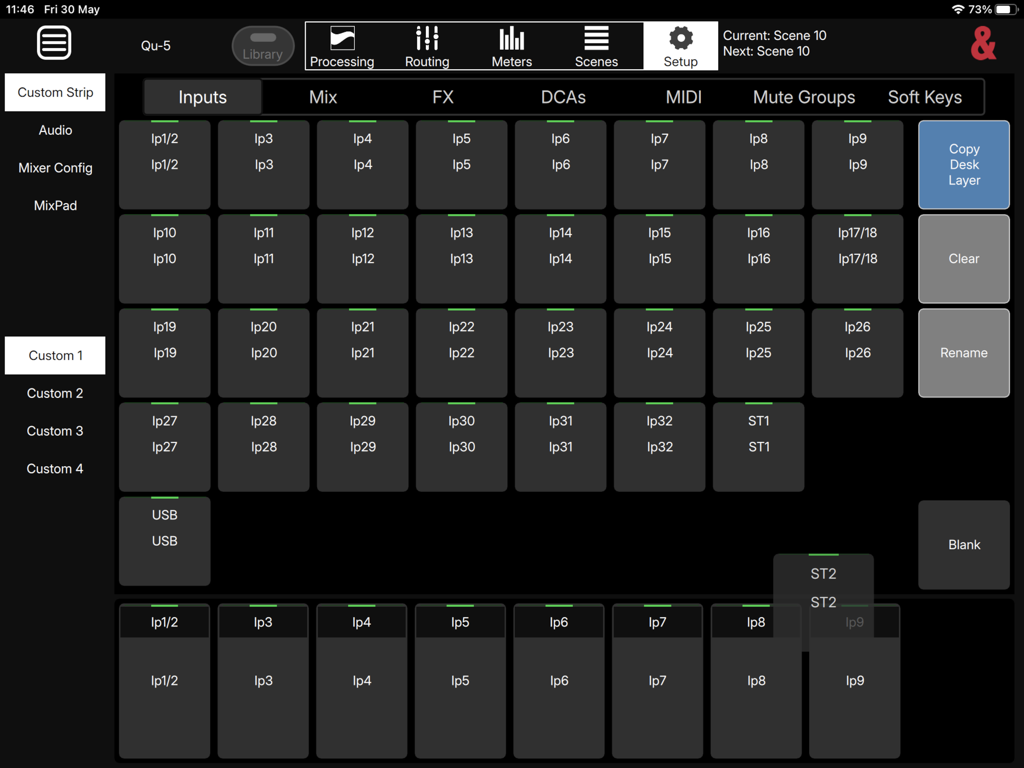
Qu MixPad - 오디오 입력에 대한 사용자 정의 스트립 구성을 보여주는 Qu MixPad 앱의 설정 화면.
오디오 입력에 대한 사용자 정의 스트립 구성을 보여주는 Qu MixPad 앱의 설정 화면.

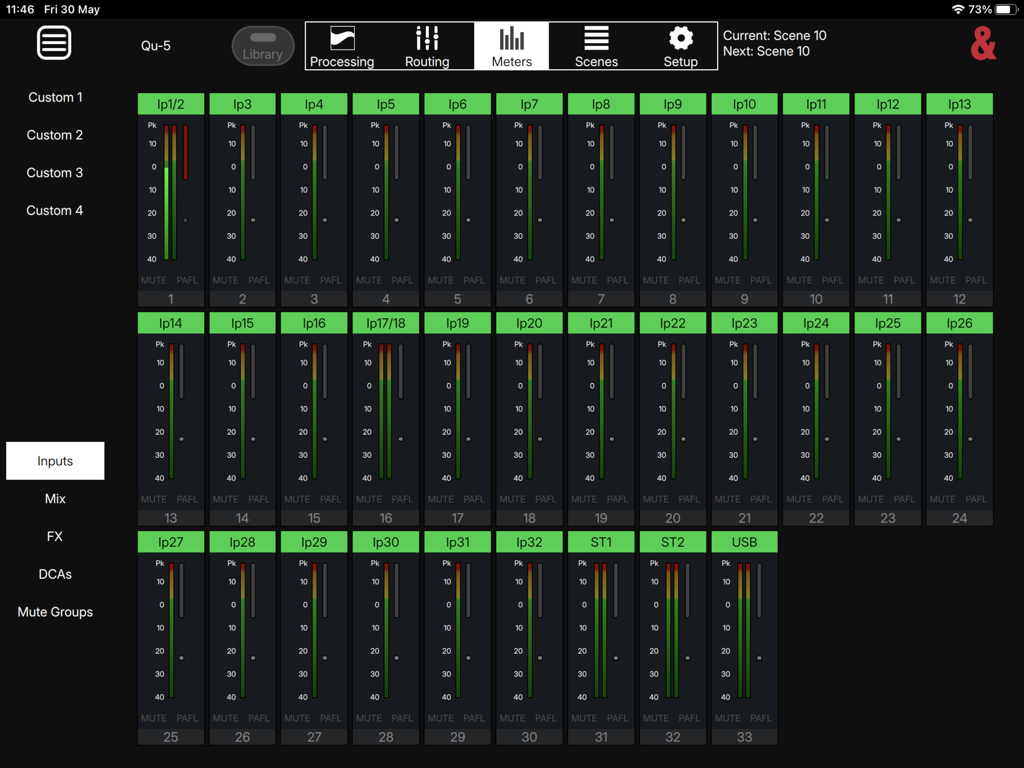
Qu MixPad - 여러 오디오 입력 채널 미터를 보여주는 Qu MixPad 앱 인터페이스
여러 오디오 입력 채널 미터를 보여주는 Qu MixPad 앱 인터페이스

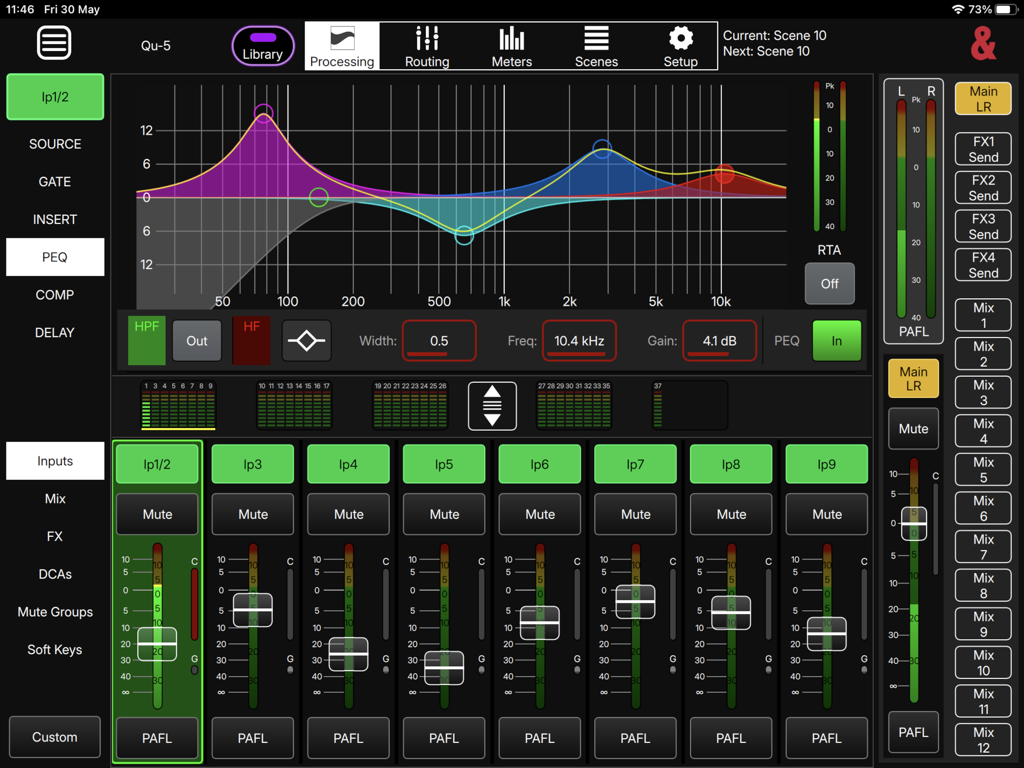
Qu MixPad - 파라메트릭 EQ 곡선과 입력 채널 페이더를 보여주는 Qu MixPad 전문 오디오 믹싱 인터페이스
파라메트릭 EQ 곡선과 입력 채널 페이더를 보여주는 Qu MixPad 전문 오디오 믹싱 인터페이스

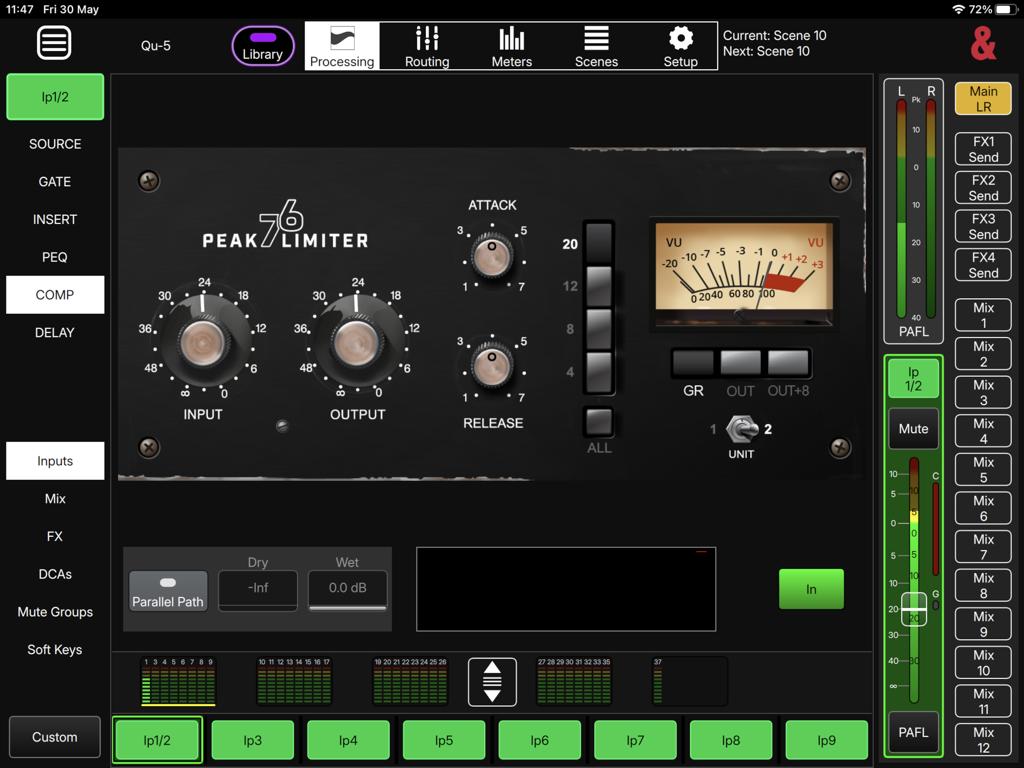
Qu MixPad - iPad용 Qu MixPad 앱의 Peak 76 리미터 인터페이스

iPad용 Qu MixPad 앱의 Peak 76 리미터 인터페이스

설명

Qu-MixPad release V1.1.3: This version is for Qu-5 / Qu-5D, Qu-6 / Qu-6D, Qu-7 / Qu-7D mixers running V1.1.* firmware. Please note: It is NOT compatible with Qu-16, Qu-24, Qu-32, Qu-Pac or Qu-SB mixers. Qu-MixPad allows control of a Qu digital mixing console over a wired or wireless network. It can be used simultaneously and independently of the Qu surface, so it can provide supplementary local control as well as giving the engineer the freedom to move around and mix from different listening positions. Two devices running Qu-MixPad can be connected and used at the same time as using the Qu surface, giving three separate points for control of all mixes. It provides the following: Level and Routing Control - Send levels, panning/balance, assignments, pre/post settings and mutes from all channels to all mixes Output send levels for all mixes Send and Return levels for FX DCA and Mute Group control, including assignments Processing Control - Input channel Preamp/DEEP Preamp Model/HPF/Gate/Insert/PEQ/Compressor Mix channel Insert/Feedback Assistant/GEQ/PEQ/Compressor DEEP compressors and GEQ’s FX Parameters and FX Return PEQ Access to all Libraries Other features include – Scene and Cue List Management Global filters, scene filters and channel safe control Works with Qu User Permissions Copy/Paste and Reset functionality Full control of Signal Generator and assignments 4 custom layers with the ability to copy or use/follow desk layers All input/output/processing metering Channel RTA Mixer config including stereo linking and mix type PAFL setup and selection Channel naming/colour SoftKey and MIDI strips setup and use Follow Channel/Mix Select option

Download

다운로드: App Store

이 페이지는 앱이나 개발자의 공식 페이지가 아니며, 정보 제공 및 논평을 목적으로 작성된 독립 편집 간행물입니다. 명시적으로 달리 언급되지 않는 한, 해당 앱이나 개발자는 MWM, Apple, Google Play, 앱 퍼블리셔 또는 앱 개발자와 제휴, 보증, 후원, 승인 또는 공식적으로 연결되어 있지 않으며, 이 페이지의 어떤 내용도 해당 앱이 MWM의 서비스를 사용하여 개발되었음을 의미하지 않습니다. 모든 상표, 로고, 스크린샷 및 기타 콘텐츠는 해당 소유자의 자산입니다.







