Quantiloop Pro - Live Looper
다운로드: App Store

이 페이지는 앱이나 개발자의 공식 페이지가 아니며, 정보 제공 및 논평을 목적으로 작성된 독립 편집 간행물입니다. 명시적으로 달리 언급되지 않는 한, 해당 앱이나 개발자는 MWM, Apple, Google Play, 앱 퍼블리셔 또는 앱 개발자와 제휴, 보증, 후원, 승인 또는 공식적으로 연결되어 있지 않으며, 이 페이지의 어떤 내용도 해당 앱이 MWM의 서비스를 사용하여 개발되었음을 의미하지 않습니다. 모든 상표, 로고, 스크린샷 및 기타 콘텐츠는 해당 소유자의 자산입니다.


로고: Quantiloop Pro - Live Looper
다운로드: App Store

Quantiloop Pro - Live Looper

4트랙 루핑, 원활한 MIDI 통합 및 핸즈프리 컨트롤로 연주를 완벽하게 제어하세요. 모바일 환경에서 하드웨어 수준의 신뢰성을 요구하는 뮤지션을 위해 제작되었습니다.

주요 수치

다운로드

55K+

사용자 평점

4.8/5

총 평가 수

600

개발사

Stephan Marx

카테고리

Music

지원 언어

1

최신 버전

2.98.5

크기

15.9 MB

출시일

2016년 9월 30일
기능

라이브 연주 수준을 높이세요

부피가 큰 하드웨어를 핸즈프리 제어, 원활한 곡 구성 및 스튜디오급 통합을 위해 설계된 전문 4트랙 루퍼로 교체하세요.

프로급 MIDI 및 핸즈프리 제어

MIDI 풋 컨트롤러를 연결하여 바닥에서 전체를 제어하거나, iPad를 만지지 않고도 자동 녹음 및 카운트인을 사용하여 루프를 만드세요.

복잡한 곡 구성

4개의 전용 트랙으로 반복적인 루프에서 벗어나세요. 풀 밴드 사운드를 위해 매끄럽게 전환되는 Verse, Chorus 및 Bridge 섹션을 만드세요.

다음 스크린샷과 설명은 앱의 공식 스토어 목록에서 직접 가져온 것이며 앱 개발자의 자산입니다.

앱 스토어

스크린샷
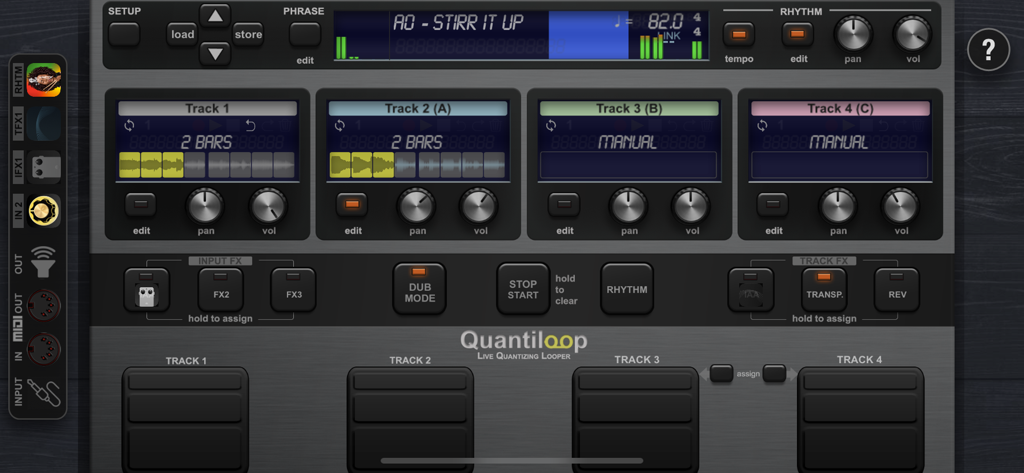
Quantiloop Pro - Live Looper - 4개의 트랙과 성능 제어 기능이 있는 Quantiloop Pro 라이브 루퍼 기본 인터페이스
4개의 트랙과 성능 제어 기능이 있는 Quantiloop Pro 라이브 루퍼 기본 인터페이스

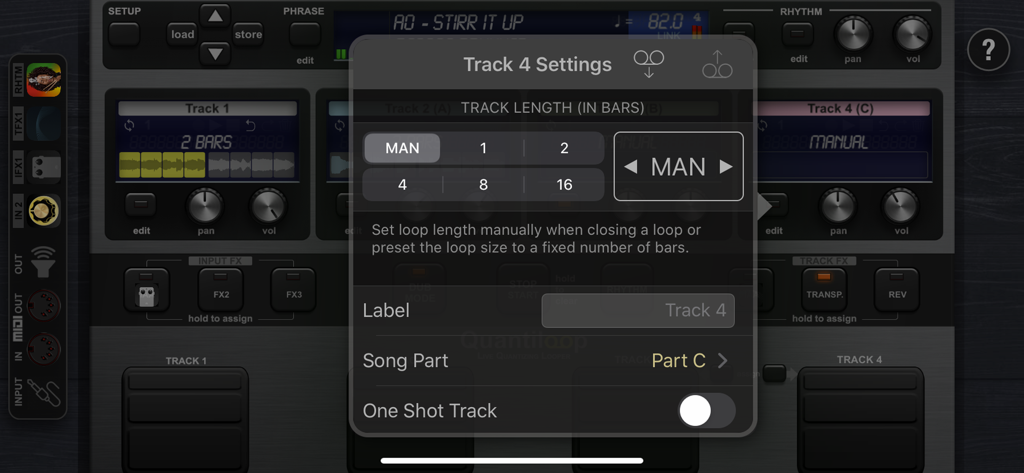
Quantiloop Pro - Live Looper - 트랙 길이 및 곡 파트 설정 오버레이를 표시하는 Quantiloop Pro 앱 인터페이스
트랙 길이 및 곡 파트 설정 오버레이를 표시하는 Quantiloop Pro 앱 인터페이스

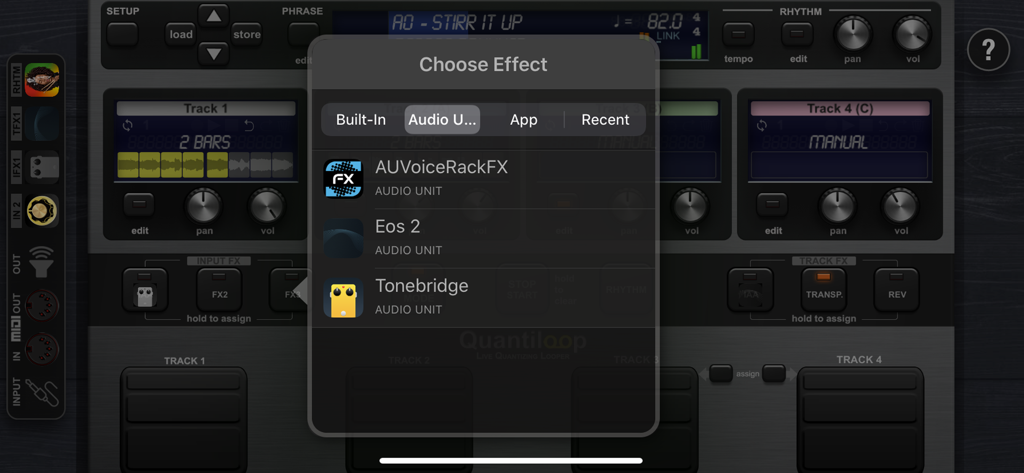
Quantiloop Pro - Live Looper - Audio Unit 플러그인 지원을 보여주는 Quantiloop Pro 효과 선택 메뉴
Audio Unit 플러그인 지원을 보여주는 Quantiloop Pro 효과 선택 메뉴

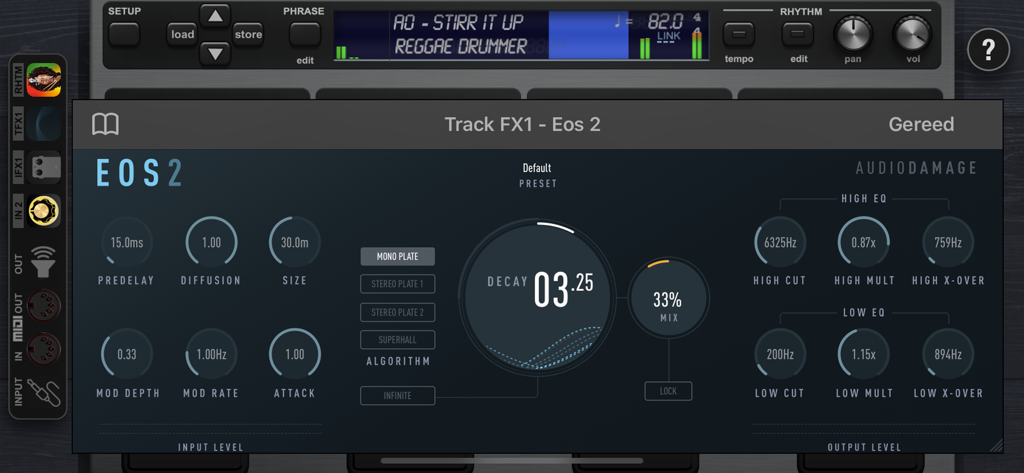
Quantiloop Pro - Live Looper - 전문적인 AUv3 오디오 효과 플러그인 인터페이스를 보여주는 Quantiloop Pro 앱
전문적인 AUv3 오디오 효과 플러그인 인터페이스를 보여주는 Quantiloop Pro 앱

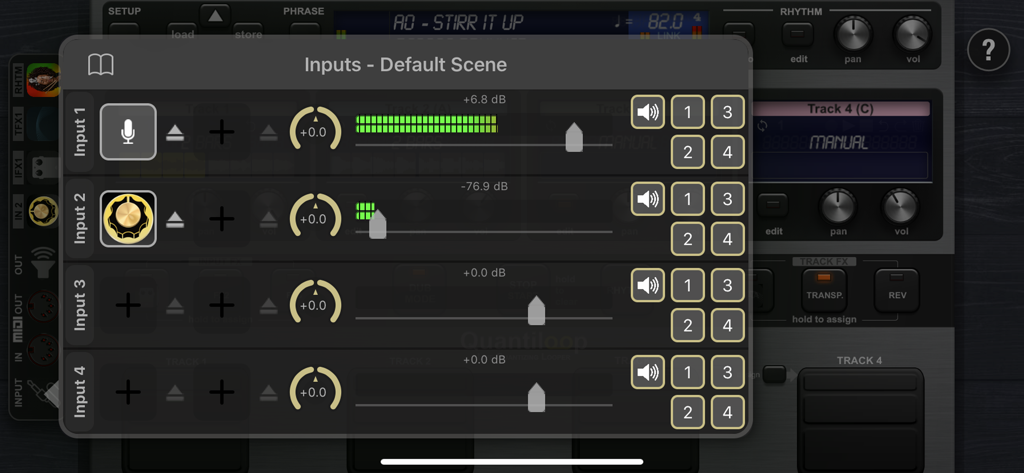
Quantiloop Pro - Live Looper - 오디오 레벨 미터 및 채널 라우팅이 포함된 Quantiloop Pro 입력 설정 인터페이스
오디오 레벨 미터 및 채널 라우팅이 포함된 Quantiloop Pro 입력 설정 인터페이스

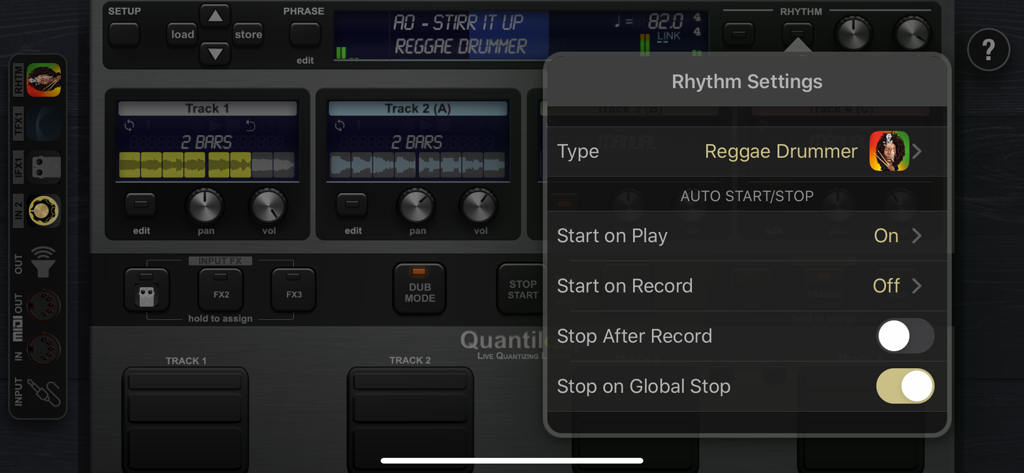
Quantiloop Pro - Live Looper - Reggae Drummer 옵션과 자동 시작 및 정지 제어 기능이 표시된 Quantiloop Pro의 리듬 설정 메뉴
Reggae Drummer 옵션과 자동 시작 및 정지 제어 기능이 표시된 Quantiloop Pro의 리듬 설정 메뉴

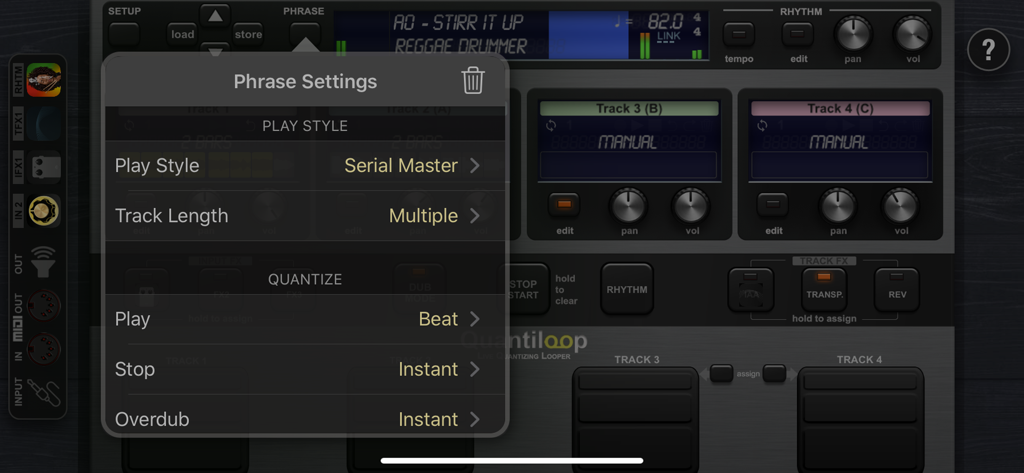
Quantiloop Pro - Live Looper - 재생 스타일 및 퀀타이즈 옵션이 표시된 Quantiloop Pro의 프레이즈 설정 메뉴

재생 스타일 및 퀀타이즈 옵션이 표시된 Quantiloop Pro의 프레이즈 설정 메뉴

설명

Built for Live performance and hands free use, Quantiloop recreates the simplicity of a hardware loop pedal in an iOS app. Attach a MIDI foot controller and control it the way you want. No MIDI controller at hand; just preset your loop length, enable auto–record or a count–in and your loops will automatically close, no hands or feet required. Big onscreen controls allow for easy configuration and tactile control by vocalists or beat boxers. Focus on your performance instead of fiddling with dip switches or complex menu’s. Be Creative Create 4 tracks with endless layers of overdubs to build your performance. Record a Chorus, Verse and Bridge and switch between them seamlessly or create a 1 bar percussie loop on track one, a 4 bar chord progression on track two and layer a bass line on top, all in perfect synchronisation. Rhythm Guide The builtin rhythm guide provides a rhythmic backing. Use the internal metronome for practice, import drum loops from virtually anywhere or host and control your favourite rhythm apps to enhance your performance. MIDI master lets you control MIDI hardware, and MIDI slave lets Quantiloop follow it. Ableton Link lets you even play in time over WiFi with external apps and devices. Quantisation aligns your actions to the nearest measure or beat so you stay in time, and real-time tempo control sets the pace. Prefer setting your own pace, disable quantisation and Quantiloop will react to your actions with minimum latency to create tight synchronised recordings. FX Assign up to 3 simultaneous effects to the input. Use the built-in transpose to covert your guitar into a bass, or host your guitar amp sim directly in Quantiloop. The results will be recorded into your loops. Or assign up to 3 simultaneous track effects to the output. Use the tape stop to add drama, introduce a key change to build up your performance, or host an Inter-App audio/AU reverb processor. Track FX may be assigned to a single track, all tracks or the combined output. Features • Free, Synced and Paralel,Serial, Mixed Playing Styles • Multiple Quantise Modes • Multiple Stop Modes • Unique Dub Mode and Mute Mode • Unlimited Overdubs • Overdub Decay • Undo / Redo • Auto Record • High quality stereo audio • Clear loop status display • Rhythm guide with optional auto-start, auto-stop and count-in • Audible and Visual Metronome • Send start, stop and host sync to hosted rhythm apps. • Sync to host when embedded in an Inter-App-Audio host • Real-time Tempo Control • Extensive MIDI control • Multiple Assignments per MIDI controller (tap, hold, double tap) • MIDI Program Change support for changing presets • Supports Audiobus and Inter-App-Audio and Audio Units (AUv3) • Individual outputs for each track and rhythm • Synchronise to other apps and devices with Ableton Link • MIDI clock sync (both slave and master) • 4 physical/iaa/au/audiobus inputs routable to any track • 8 outputs (main, monitor, track 1-4, rhythm, input out) • 3 assignable input Fx, including transpose, reverb and IAA, AUv3 • 3 assignable track Fx, including transpose, reverse, tape stop, fade and IAA, AUv3 • Cloud (iCloud, Dropbox, Audioshare …) import / export • AudioCopy/Paste • Open In • Store Phrase Presets in unlimited banks with 100 presets each • Individual Volume and panning controls for each track

Download

다운로드: App Store

이 페이지는 앱이나 개발자의 공식 페이지가 아니며, 정보 제공 및 논평을 목적으로 작성된 독립 편집 간행물입니다. 명시적으로 달리 언급되지 않는 한, 해당 앱이나 개발자는 MWM, Apple, Google Play, 앱 퍼블리셔 또는 앱 개발자와 제휴, 보증, 후원, 승인 또는 공식적으로 연결되어 있지 않으며, 이 페이지의 어떤 내용도 해당 앱이 MWM의 서비스를 사용하여 개발되었음을 의미하지 않습니다. 모든 상표, 로고, 스크린샷 및 기타 콘텐츠는 해당 소유자의 자산입니다.







