QuickPlan Basic - Project Plan

QuickPlan Basic - Project Plan

다운로드: App Store
로고: QuickPlan Basic - Project Plan

QuickPlan Basic - 프로젝트 계획: 시각적 전략가를 위한 전문가용 간트 차트

자연스러운 제스처, 원활한 Microsoft Project 통합, 완전한 개인 정보 보호 기능으로 iPad에서 프로젝트 타임라인을 마스터하세요. 구독이나 서버 없이 순수한 효율성만 제공합니다.

다운로드: App Store

개발사

皓 李

카테고리

Business

다운로드

102K+

사용자 평점

4.6/5

총 평가 수

400

지원 언어

7

시각화된 효율성

이 인터페이스를 사용하는 102K+ 명의 사용자.

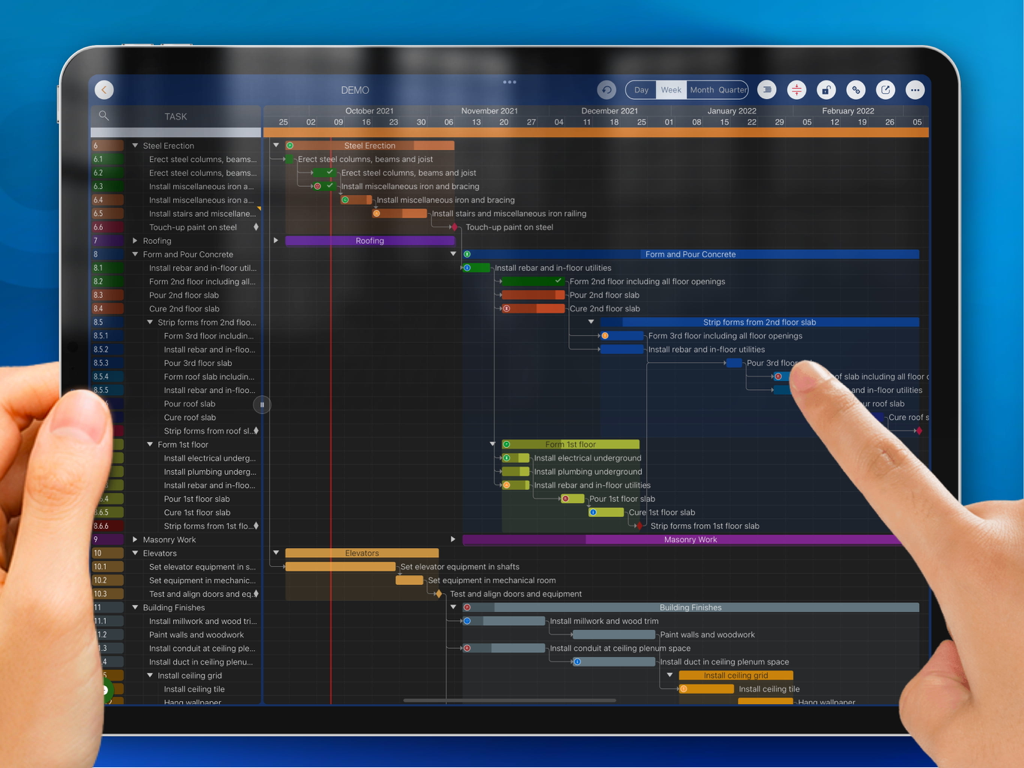
한 사람이 iPad용 QuickPlan Basic 프로젝트 계획 앱에서 상세한 간트 차트를 관리하기 위해 터치 제스처를 사용하고 있습니다.
한 사람이 iPad용 QuickPlan Basic 프로젝트 계획 앱에서 상세한 간트 차트를 관리하기 위해 터치 제스처를 사용하고 있습니다.

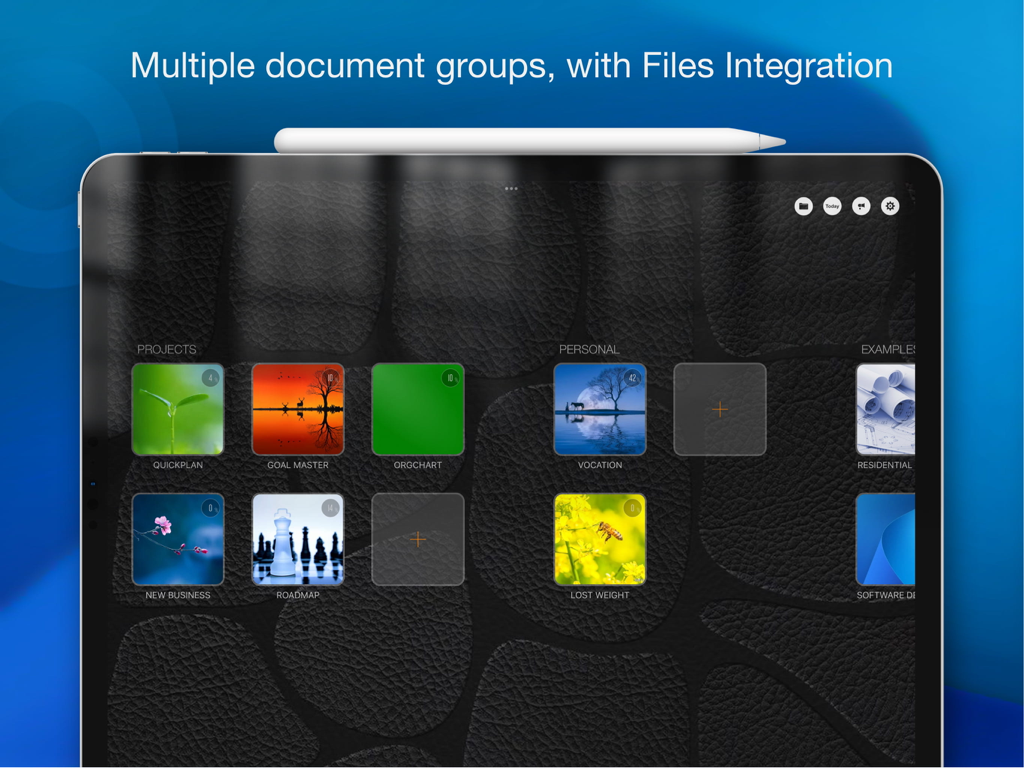
iPad의 QuickPlan Basic 앱 대시보드에 여러 프로젝트 문서 그룹 및 파일 통합이 표시됩니다.
iPad의 QuickPlan Basic 앱 대시보드에 여러 프로젝트 문서 그룹 및 파일 통합이 표시됩니다.

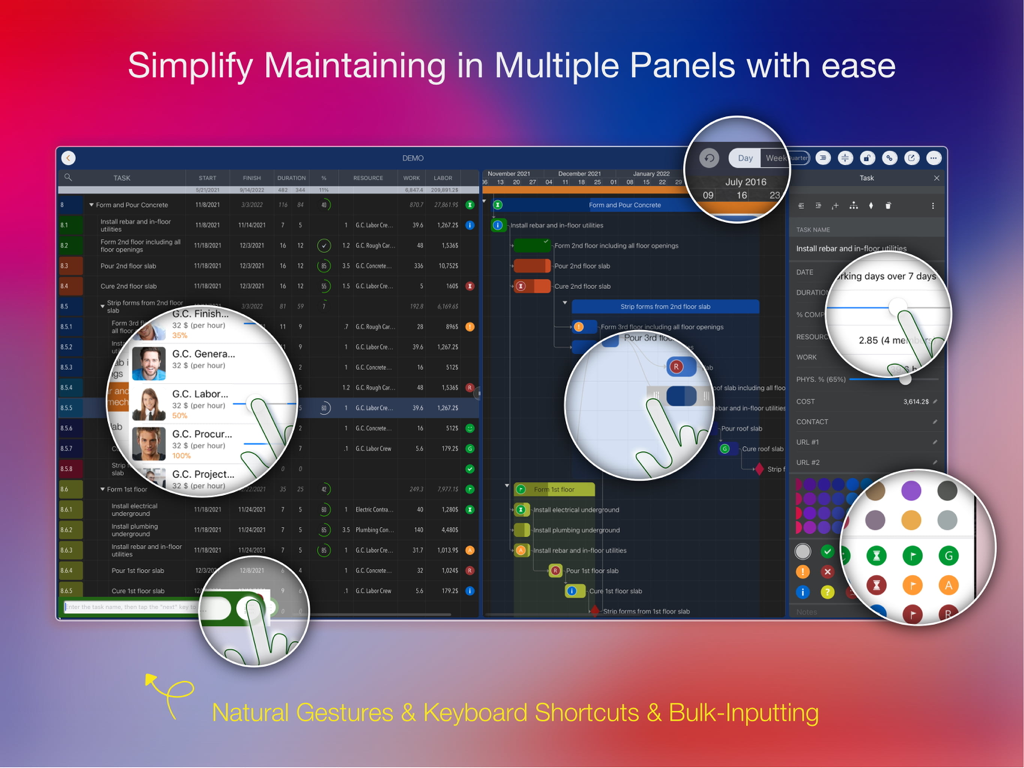
QuickPlan Basic 프로젝트 관리자의 iPad 인터페이스에 간트 차트와 자연스러운 제스처 강조 표시가 있는 여러 작업 패널이 표시됩니다.
QuickPlan Basic 프로젝트 관리자의 iPad 인터페이스에 간트 차트와 자연스러운 제스처 강조 표시가 있는 여러 작업 패널이 표시됩니다.

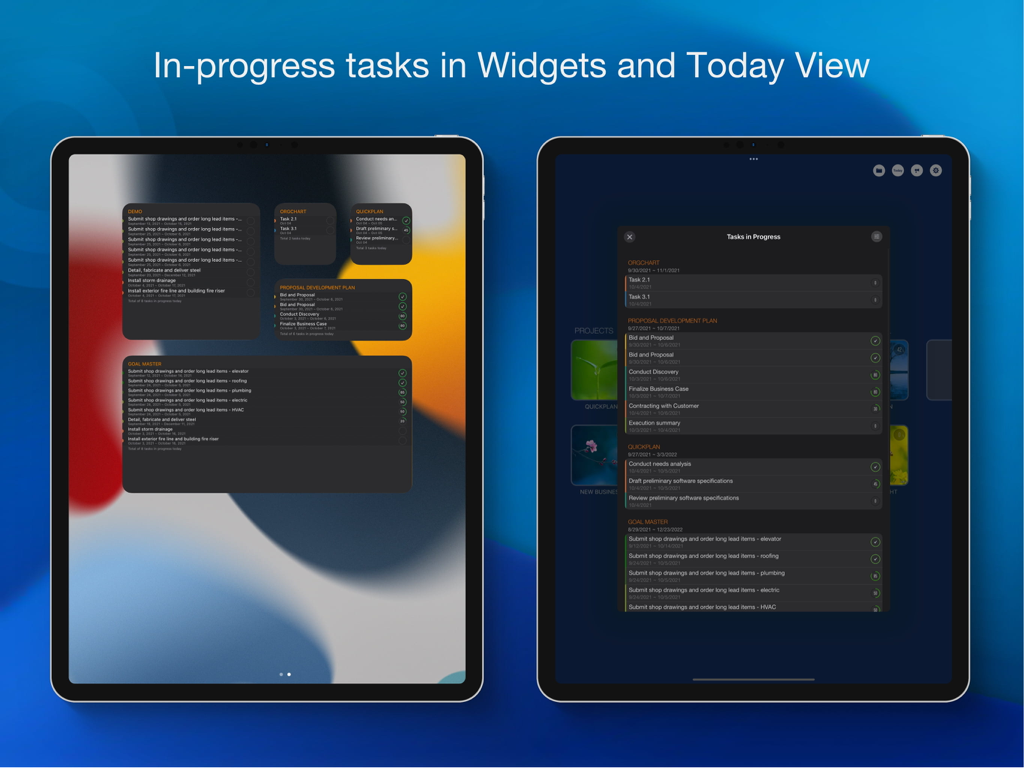
QuickPlan 앱이 iPad 위젯 및 오늘 보기에서 진행 중인 프로젝트 작업을 표시합니다.
QuickPlan 앱이 iPad 위젯 및 오늘 보기에서 진행 중인 프로젝트 작업을 표시합니다.

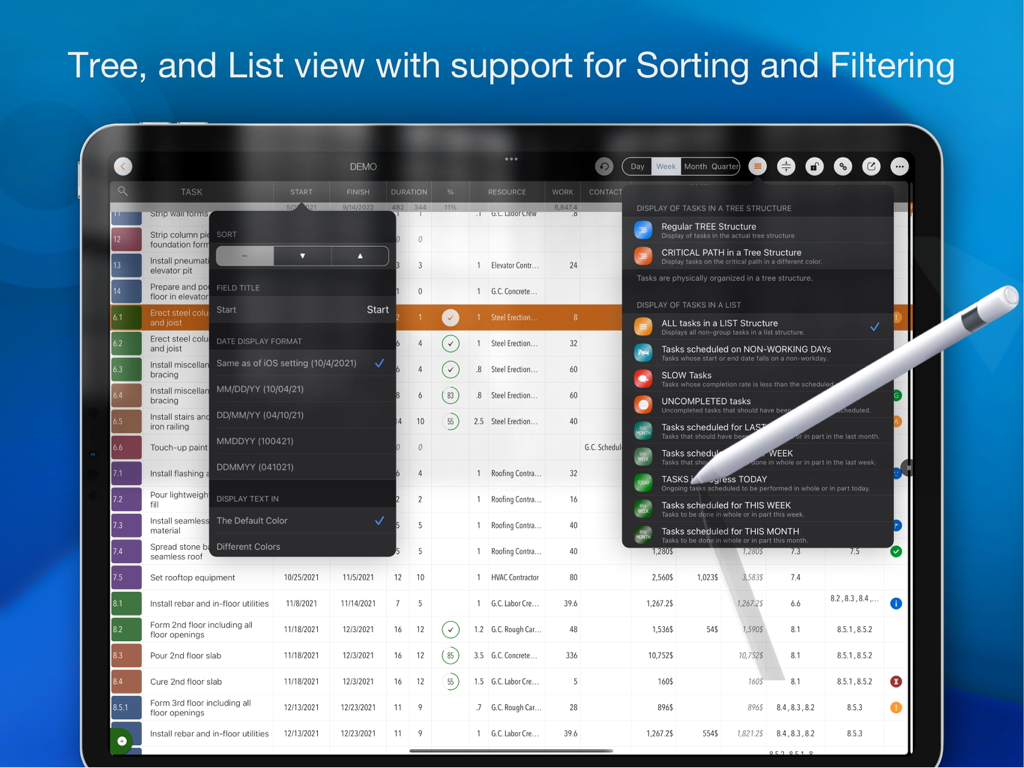
Apple Pencil을 사용하여 작업 목록 정렬 및 필링 옵션을 보여주는 iPad의 QuickPlan 프로젝트 관리 앱.
Apple Pencil을 사용하여 작업 목록 정렬 및 필링 옵션을 보여주는 iPad의 QuickPlan 프로젝트 관리 앱.

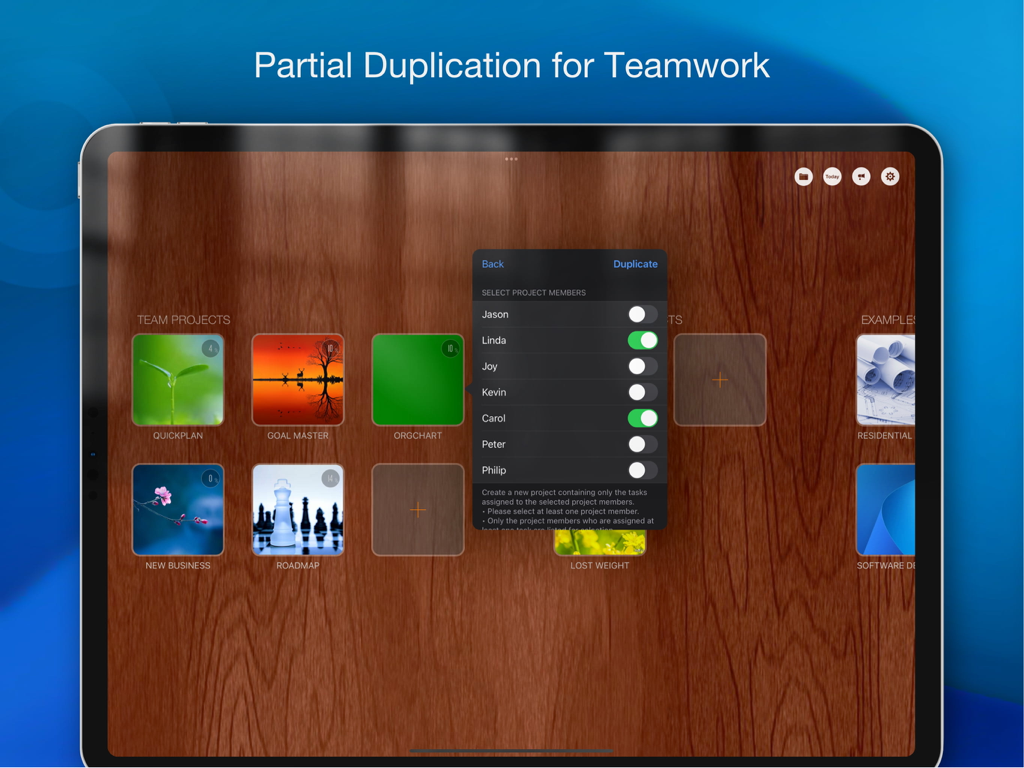
QuickPlan 앱에서 특정 팀원을 선택하여 프로젝트 복제 기능을 보여주는 iPad 인터페이스.
QuickPlan 앱에서 특정 팀원을 선택하여 프로젝트 복제 기능을 보여주는 iPad 인터페이스.

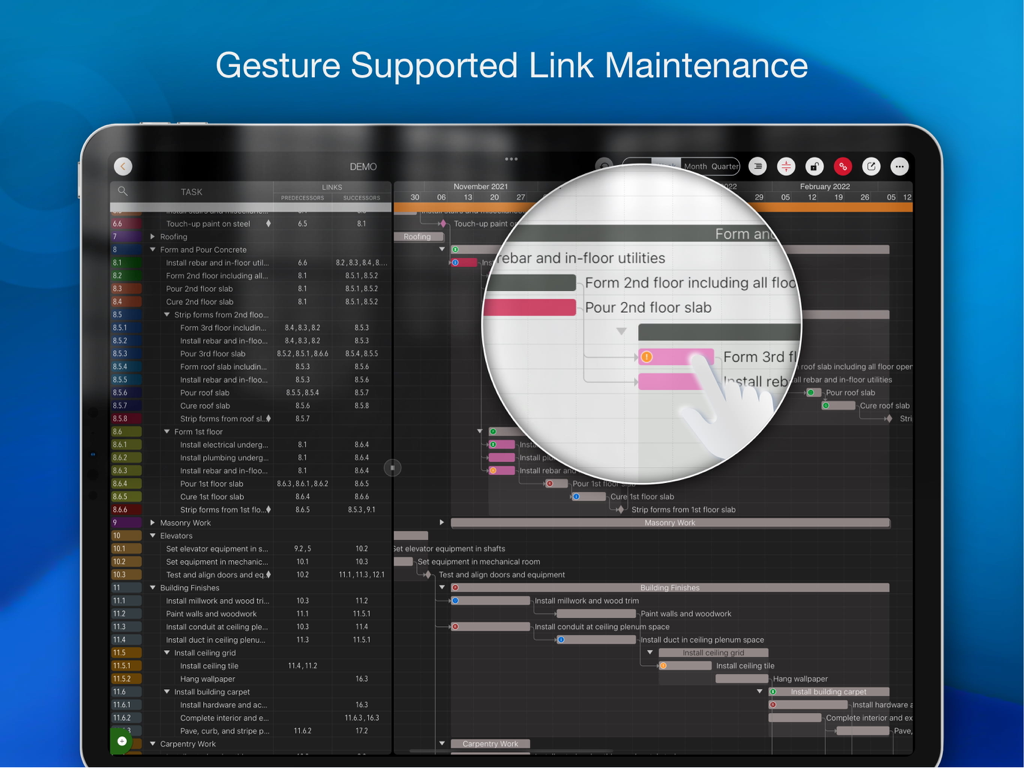
간트 차트에서 제스처 지원 링크 유지 관리를 보여주는 QuickPlan 프로젝트 관리 앱의 iPad 화면.
간트 차트에서 제스처 지원 링크 유지 관리를 보여주는 QuickPlan 프로젝트 관리 앱의 iPad 화면.

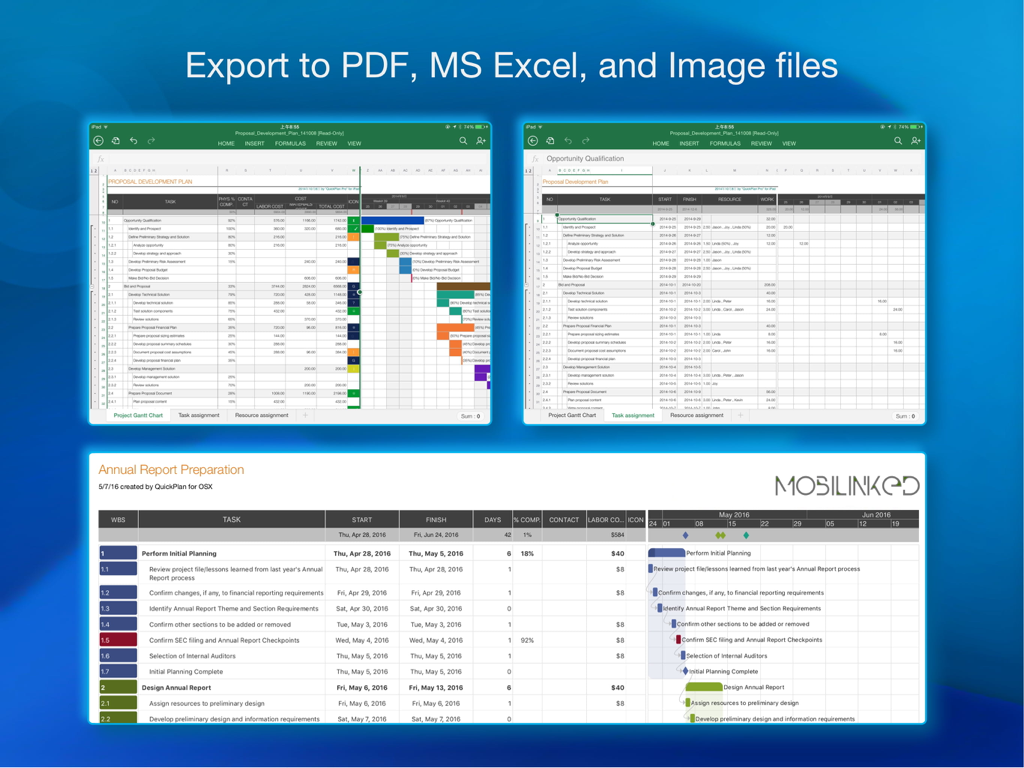
QuickPlan Basic 프로젝트 계획을 PDF, MS Excel 및 이미지 파일로 내보내는 옵션을 보여주는 iPad 스크린샷.
QuickPlan Basic 프로젝트 계획을 PDF, MS Excel 및 이미지 파일로 내보내는 옵션을 보여주는 iPad 스크린샷.

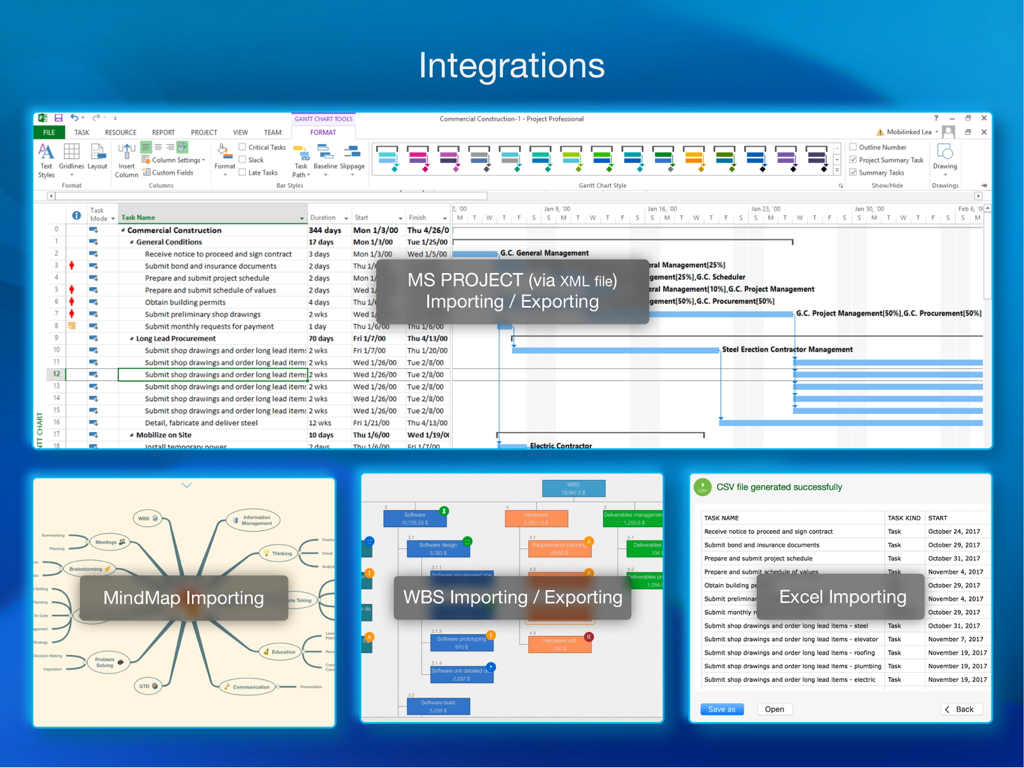
MS Project XML, MindMap, WBS 및 Excel 가져오기 및 내보내기 옵션을 보여주는 QuickPlan 통합 개요.
MS Project XML, MindMap, WBS 및 Excel 가져오기 및 내보내기 옵션을 보여주는 QuickPlan 통합 개요.

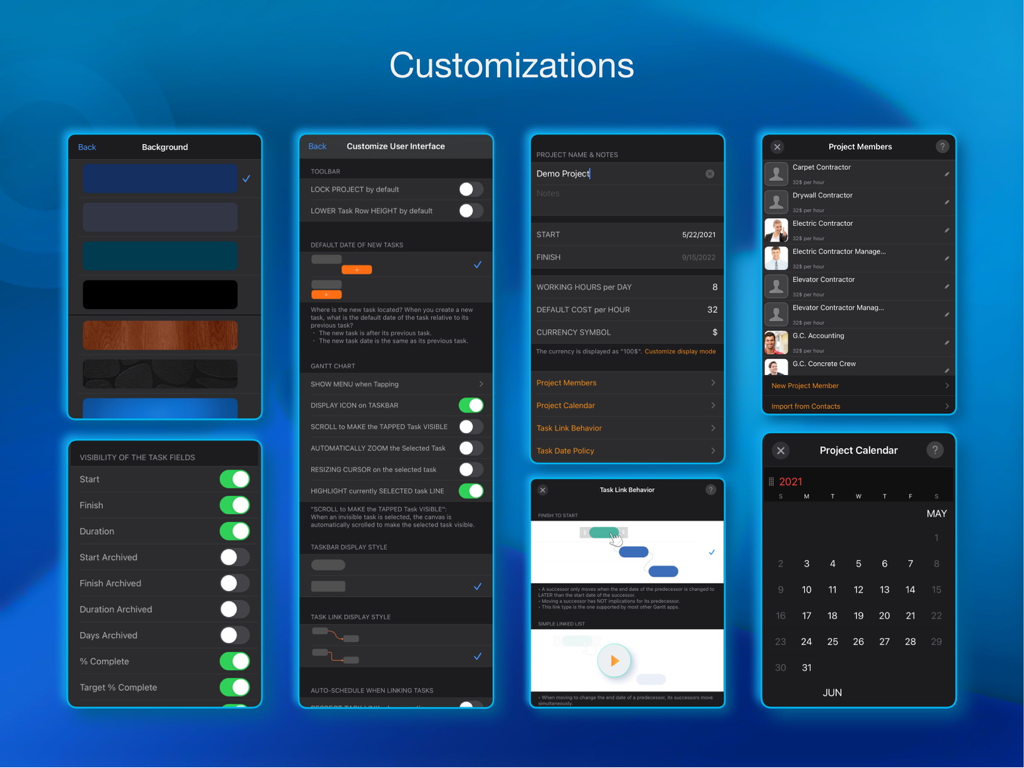
UI 배경, 프로젝트 구성원 및 작업 동작에 대한 다양한 프로젝트 관리 사용자 지정 설정을 보여주는 앱 화면 모음.

UI 배경, 프로젝트 구성원 및 작업 동작에 대한 다양한 프로젝트 관리 사용자 지정 설정을 보여주는 앱 화면 모음.

정확하게 타임라인을 마스터하세요

이 앱을 돋보이게 하는 도구, 102K+ 명의 사용자가 선택.

👆

촉각적 간트 계획

번거로운 메뉴는 잊으세요. 자연스러운 제스처를 사용하여 차트에서 직접 작업을 생성, 연결 및 이동하여 복잡한 일정 계획을 직관적이고 유연하게 만드세요.

📂

원활한 Office 통합

현장과 사무실 간의 격차를 해소하세요. Microsoft Project, Excel, PDF와 완벽하게 호환되어 팀이 모든 플랫폼에서 동기화 상태를 유지하도록 합니다.

🛡️

개인 정보 보호 및 오프라인 제어

데이터는 귀하의 규칙에 따라 관리됩니다. 프로젝트를 로컬 또는 개인 iCloud, Dropbox, OneDrive를 통해 저장하세요. 타사 서버나 지속적인 인터넷 연결이 필요 없습니다.

전 세계 사용자들에게 사랑받는 앱

Trusted by 102K+ 명이 이 앱을 사랑합니다.

"

"마침내 현장에서 일하는 나만큼 열심히 일하는 프로젝트 도구를 찾았습니다. iPad에서 자연스러운 제스처만 사용하여 건설 타임라인을 조정할 수 있다는 것은 정말 혁신적입니다. 현장에서 떠나기도 전에 의존성을 즉시 업데이트하고 PDF 보고서를 현장 감독관에게 AirDrop할 수 있습니다. 현장 방문을 위해 무거운 노트북을 휴대할 필요가 완전히 사라졌습니다."

James R., 수석 현장 감독관
"

"독립 컨설턴트로서 저는 전문적인 모습과 빠른 업무 처리가 필요합니다. QuickPlan을 사용하면 커피 미팅 중에 고객과 실시간으로 복잡한 프로젝트 로드맵을 브레인스토밍할 수 있습니다. MS Project 내보내기가 완벽하여 구독 부담 없이 기업 고객 시스템과 통합할 수 있습니다. 또한, 로컬 저장소의 개인 정보 보호 기능은 고객에게 완전한 안심을 제공합니다."

Sarah L., 전략 비즈니스 컨설턴트

앱 소개

에 대해 알아야 할 모든 것 QuickPlan Basic - Project Plan.

설명

Project planning has never been easier. Project management with natural gestures on the Gantt chart, synchronization and sharing of projects across multiple devices and teams, and support for integration with Microsoft Project Plan. *** This is the BASIC edition with some in-app purchases. *** Get this edition if you only need the basic features for project planning. For all the features, get the **PRO** edition with a one-time payment by searching "QuickPlan, Project Gantt Chart" in App Store or visiting https://quickplan.app/getapps. ## PRIVACY FOCUSED Projects are saved locally on the device or in iCloud Drive, developer team does not have a server to store user-created data. With NATURAL GESTUREs on a clean and elegant interface, project management is more accessible, faster and more efficient than ever before. Visualize, manage and simplify projects flexibly and efficiently with Gantt charts, outline list and property editor, create tasks, organize your project calendar and resources, track status. It's easier than you think, with a minimum of effort and learning. QuickPlan app supports exporting projects to image, Excel, PDF, Microsoft Project and WBS files. AND to import projects from Microsoft Project, WBS and Mind-map files. The app supports synchronization of project plans between the same user's macOS and iOS devices and supports team collaboration via iCloud Drive. And it supports syncing and sharing via OneDrive and Dropbox. QuickPlan also supports duplicating projects by members for better teamwork. QuickPlan optimizes the best features of Microsoft Project Plan and brings them to iPad - without the complexity - providing users of all experience levels with an INTUITIVE and discoverable project management experience. ## EFFICIENT MAINTENANCE - Gestures for tasks: create, remove, move, indent and outdent, change order. - Gestures to zoom in and out, collapse and expand. - Keyboard shortcuts. - Batch input. - The most fluid Gantt chart app on a clean interface. ## STRONG PLANNING - Multiple Projects. - Supports duplication of the entire project and duplication by specific members. - Organize tasks into REAL task groups and sub-projects. - Task color, icon, contact, and required task fields. - Five levels of outline (plus sub-project, for a total of ten levels of outline). - Gesture-based management of task links. - Lock editing, row height. - Integration with the iOS Files app. - Manual and automatic project backup. - Project currency, charge rate, project resources, calendar, task date policy. ## TREE and LIST - Representation as a tree with support for displaying key paths. - Representation as a list with support for sorting and filtering. ## UI CUSTOMISATION - Customization of the task column title and visibility. - Style of the task bar. ## REPORTING - Export as image, PDF and Microsoft Excel (including three sheets). - With options to customize the output. ## SYNC - Sync projects between iOS and Mac devices via iCloud Drive, OneDrive and Dropbox. ## TEAM COLLABORATION - Sync between team members via iCloud Drive. ## INTEGRATION - Export and import Microsoft Project XML files. - Import and export SwiftApp WBS files. - Import from Microsoft Excel files. - Import from iThought Map files. ## SHARE - Supports Airdrop, OneDrive, Dropbox. ## TEAMWORK - Create a new project by exporting tasks for the selected project members. ## NOTIFICATION - Widget to track ongoing tasks (iOS 14 or later). - Today widget and Local Notification. The best project planning app for iPad. - Initialize, discuss, present and share your plan. - Export it to Microsoft Project Plan to work on it PC. - Strategic Planning. - Import MS Project XML file and reports, tracking. - Plan actions in meetings, confirm. - Guide employees.

최신 버전

17.0

크기

99.5 MB

출시일

2014년 1월 7일

어디서든 프로젝트를 관리하세요

데스크톱 소프트웨어의 복잡함을 버리고 iPad에서 가장 직관적인 간트 차트를 사용하는 100,000명 이상의 전문가와 함께하세요. 지금 무료로 계획을 시작하세요.

다운로드: App Store