개인 정보 보호에 민감한 전문가를 위한 궁극의 페이퍼리스 솔루션입니다. 고속 스캔, 전문적인 OCR, 사용자 지정 워크플로 자동화를 경험하십시오. 모든 작업은 100% 기기에서 처리되며 데이터 수집은 전혀 없습니다.
개발사
iSolid SPRL
카테고리
Business
다운로드
7K+
사용자 평점
4.8/5
총 평가 수
0
지원 언어
8
효율성을 시각적으로 확인하십시오
이 인터페이스를 사용하는 7K+ 명의 사용자.
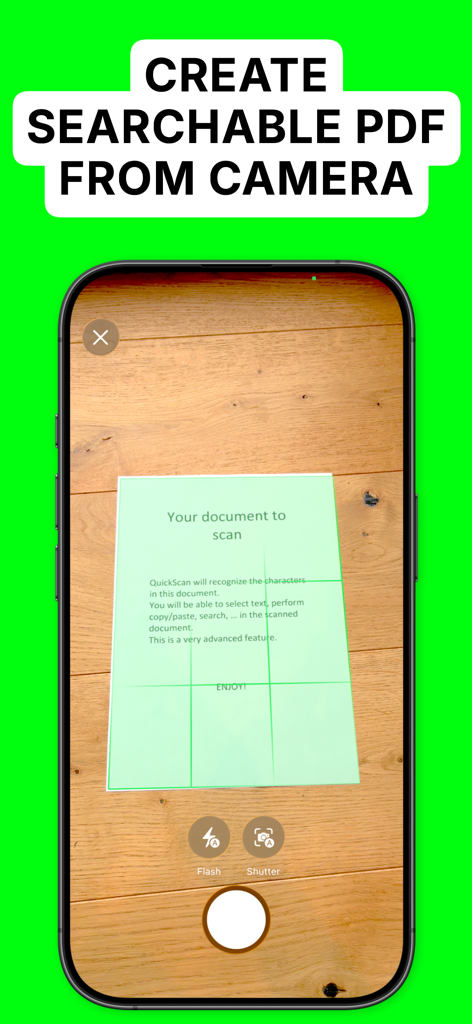
QuickScan Enterprise OCR을 사용하여 스마트폰으로 종이 문서를 스캔하여 검색 가능한 PDF를 만드는 중
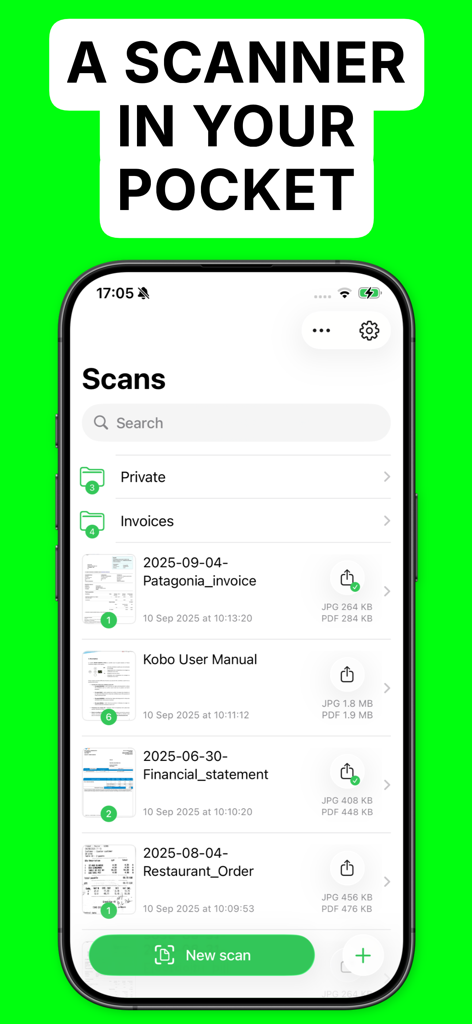
iPhone에서 QuickScan Enterprise 앱 인터페이스에 스캔된 문서 및 폴더 목록이 표시됨
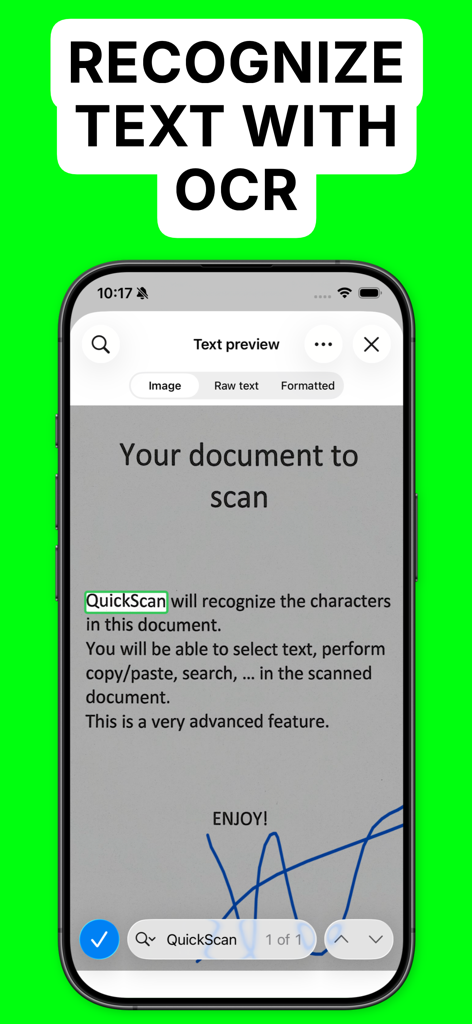
QuickScan Enterprise에서 OCR 텍스트 인식 및 문서 서명을 보여주는 iPhone 화면
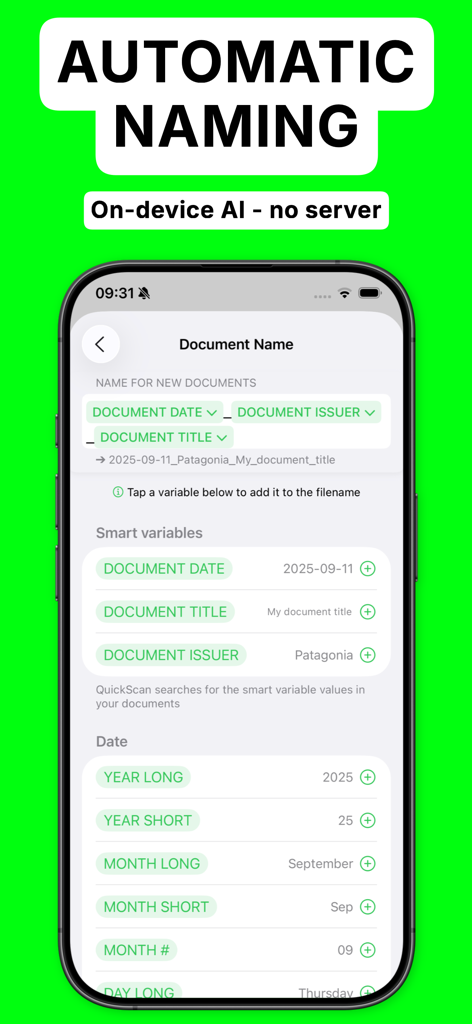
QuickScan Enterprise 앱에서 날짜 및 발행자와 같은 스마트 변수를 사용하여 자동 문서 명명 설정을 보여주는 스마트폰 화면
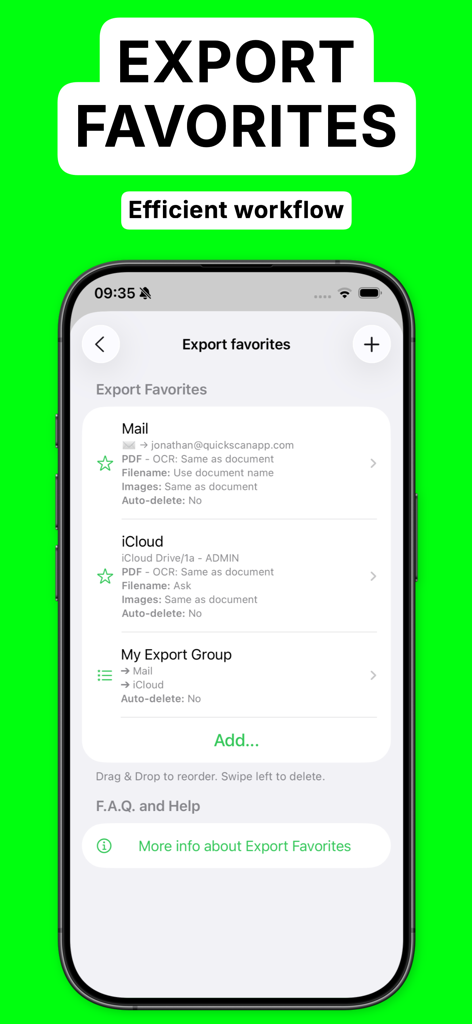
효율적인 자동 문서 워크플로를 위한 즐겨찾기 내보내기 화면을 보여주는 QuickScan Enterprise OCR 앱
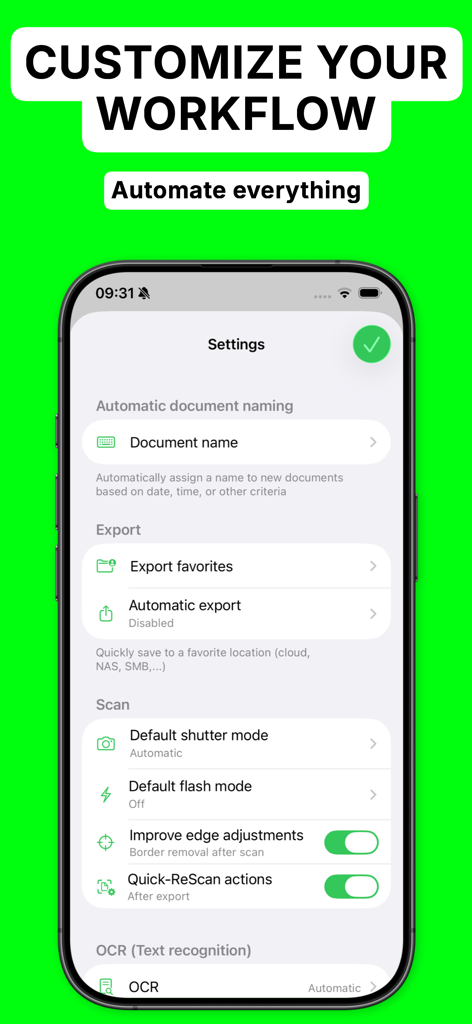
iPhone에서 워크플로 사용자 지정 및 자동화 옵션을 보여주는 QuickScan Enterprise 앱 설정 화면
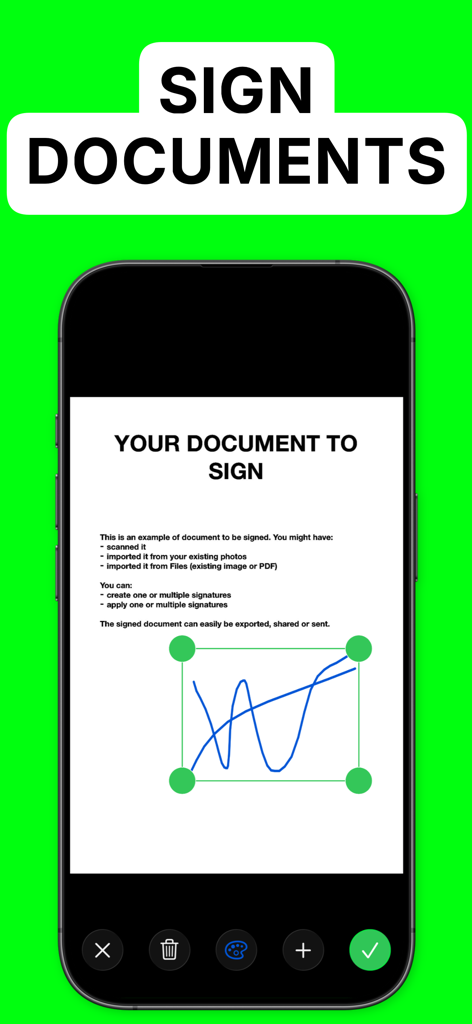
QuickScan Enterprise OCR에서 문서에 대한 디지털 서명 기능을 보여주는 스마트폰 디스플레이
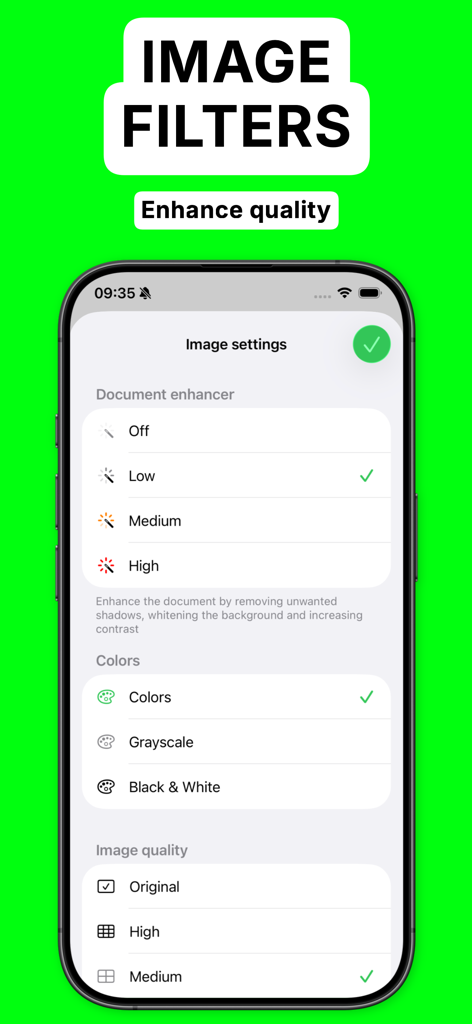
QuickScan Enterprise 인터페이스에서 문서 향상 및 이미지 품질 설정을 표시
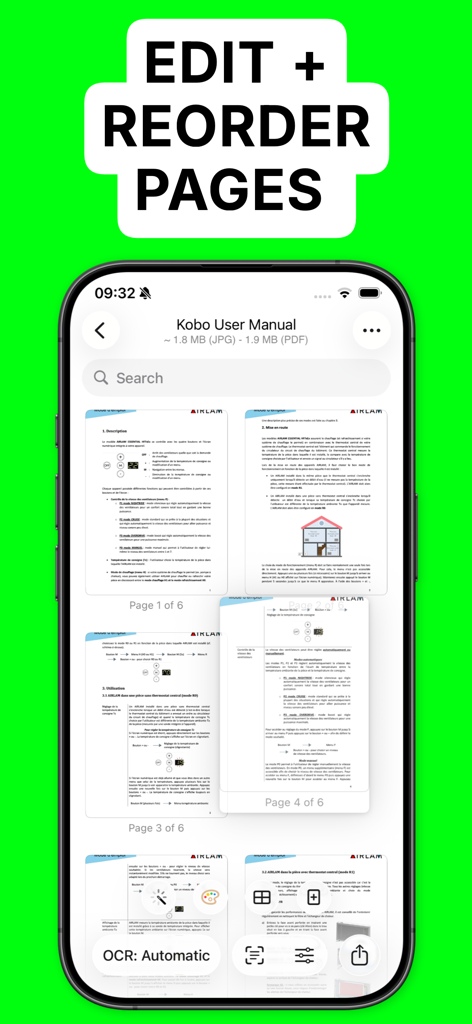
사용자가 스캔된 문서의 페이지를 편집하고 순서를 재정렬하는 QuickScan Enterprise 앱 인터페이스
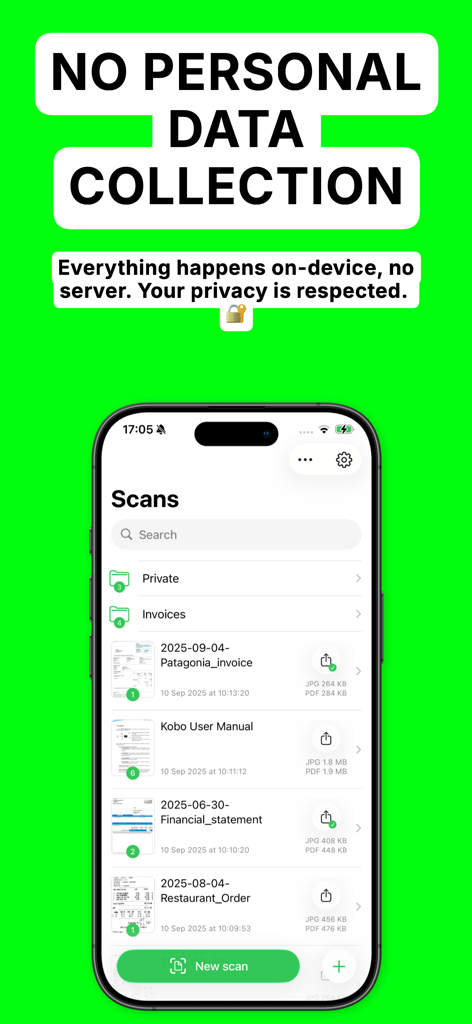
QuickScan Enterprise 앱 화면에 문서 목록과 개인 데이터 수집 없음이라는 개인 정보 보호 보증이 표시됨
효율성과 보안의 결합
이 앱을 돋보이게 하는 도구, 7K+ 명의 사용자가 선택.
🔒
완벽한 데이터 개인 정보 보호
모든 처리는 기기에서 로컬로 이루어집니다. 데이터 수집이 없으며 인터넷이 필요 없어 엄격한 개인 정보 보호 표준을 준수합니다.
⚡
고급 자동화
사용자 지정 명명 규칙과 '즐겨찾기 내보내기' 기능을 사용하여 몇 시간씩 절약하십시오. 문서를 특정 클라우드 폴더 및 NAS로 즉시 라우팅합니다.
🖊️
OCR 및 전문가 서명
업계 최고의 OCR로 고품질 검색 가능한 PDF를 생성하고 손가락이나 Apple Pencil을 사용하여 자연스럽게 문서에 서명하십시오.
앱 소개
에 대해 알아야 할 모든 것 QuickScan Enterprise - OCR.
설명
QuickScan Enterprise is a specific version of QuickScan, made for businesses or schools. NO DATA COLLECTION.
### iOS integration ###
• QuickScan has been designed specifically for iOS & iPadOS for seamless integration and an exceptional user experience.
### Scan & import ###
• Scan with your camera (automatic document detection & automatic angle correction)
• Import existing images
• Import existing PDF files
• Organize your documents in folders
### OCR (text recognition) ###
• Professional-quality OCR on images and existing PDFs
• Make documents searchable with text integrated into PDFs (search, select, copy, paste)
• Automatic language detection and dictionary matching for highly accurate results
### SIGN ###
• Add signatures to your documents
• Create signatures with your finger, Apple Pencil, or import existing signatures
• Adjust size and color for a polished look
### Automate ###
• Automatic document/file naming with patterns (e.g., document date, title, issuer, time, text, counter)
• 'Export Favorites': Automatically export to preconfigured locations (cloud, email, etc.) with custom settings (color, black & white, filename, format)
• 'Export Groups': Export to multiple locations simultaneously by grouping Export Favorites
• Automatic deletion of documents after successful export
• iOS Home screen & Lock screen Widgets & Control Center controls. Associate an Export Favorite to the widget for instant export to that favorite after the scan started by tapping the widget.
• Place document automatically in the configured folder when the scan is started from a Widget/Shortcut associated to an Export Favorite
• Siri Shortcuts compatible
• Launch scan directly from the home screen with a long press on the app icon (or using a widget)
### Export ###
• Export in PDF with the recognized text integrated (very advanced feature). This allows to search/copy & paste into the generated PDF.
• Export recognized text as a .txt file
• Export as images with optional filters (grayscale, black & white)
• Save to cloud services with Favorites (iCloud Drive, Dropbox, Google Drive, OneDrive, WebDAV, paperless-ngx, pCloud, NAS, SMB, NextCloud, and more)
• Export anywhere (to Files, to any Drive, E-mail, message, Airdrop, …), or to the cloud
• Apply image filters (grayscale, black & white), crop, rotate images
• Easily adjust output file size and quality with real-time size estimation
• ... and much more, there are really many useful features
Everything is processed on your device: No internet connection required and ZERO data collection.
There’s no quicker, easier way to scan, OCR, and manage documents beautifully
SUPPORTED LANGUAGES FOR OCR:
• ENGLISH
• GERMAN
• FRENCH
• SPANISH
• ITALIAN
• PORTUGUESE
• CHINESE
• KOREAN
• JAPANESE
• UKRAINIAN
• RUSSIAN
• VIETNAMESE
• THAI
• ARABIC
• ARABIC NAJDI
• Danish
• Swedish
• Dutch
• Norwegian
• Norwegian Nynorsk
• Norwegian Bokmål
• Czech
• Polish
• Romanian
• Turkish
• Indonesian
• Malay
• Other languages are supported but do not benefit from the enhanced accuracy provided by language dictionaries
I hope you’ll save a lot of time thanks to the efficiency of QuickScan!
Your privacy matters: everything happens locally, on your device! This app does not use any server. No personal data is collected.
최신 버전
9.0.5
크기
26.5 MB
출시일
2023년 4월 3일
QuickScan Enterprise로 비즈니스 워크플로를 보호하십시오
데이터 수집 없이 전문적인 OCR을 경험하십시오. 문서 관리를 자동화하고 민감한 데이터를 안전하게 로컬에 보관하십시오.
App information, icons, screenshots, and descriptions displayed on this page are sourced from the Apple App Store and are the property of their respective developers. Download estimates and rankings are based on MWM's proprietary models and may not reflect actual figures. This page is provided for informational and analytical purposes only.
Believe this page infringes your intellectual property? File a dispute