QuillBot: AI Writing, Keyboard

QuillBot: AI Writing, Keyboard

다운로드: App Store다운로드: Google Play
로고: QuillBot: AI Writing, Keyboard

QuillBot: 올인원 AI 작문 키보드

모든 앱에서 자신 있게 소통하세요. 수백만 명의 학생과 전문가가 신뢰하는 작문 도구로 톤을 다듬고, 문법을 즉시 수정하고, 이동 중에도 아이디어를 생성하세요.

다운로드: App Store

개발사

QuillBot, a Learneo Inc. business

카테고리

Productivity

다운로드

2M+

사용자 평점

4.7/5

총 평가 수

6K+

지원 언어

1

글쓰기, 향상시키세요

이 인터페이스를 사용하는 2M+ 명의 사용자.

어디서든 글쓰기를 강화한다는 헤드라인과 3,500만 명의 사용자 언급이 있는 QuillBot 스플래시 화면.
어디서든 글쓰기를 강화한다는 헤드라인과 3,500만 명의 사용자 언급이 있는 QuillBot 스플래시 화면.

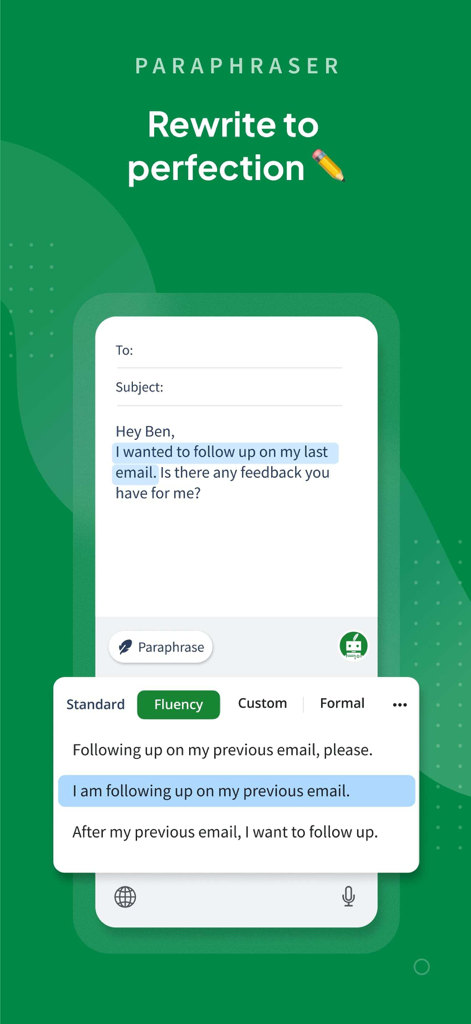
AI 구문 변경 도구가 더 나은 유창성을 위해 이메일을 다시 작성하는 것을 보여주는 QuillBot 모바일 앱 인터페이스
AI 구문 변경 도구가 더 나은 유창성을 위해 이메일을 다시 작성하는 것을 보여주는 QuillBot 모바일 앱 인터페이스

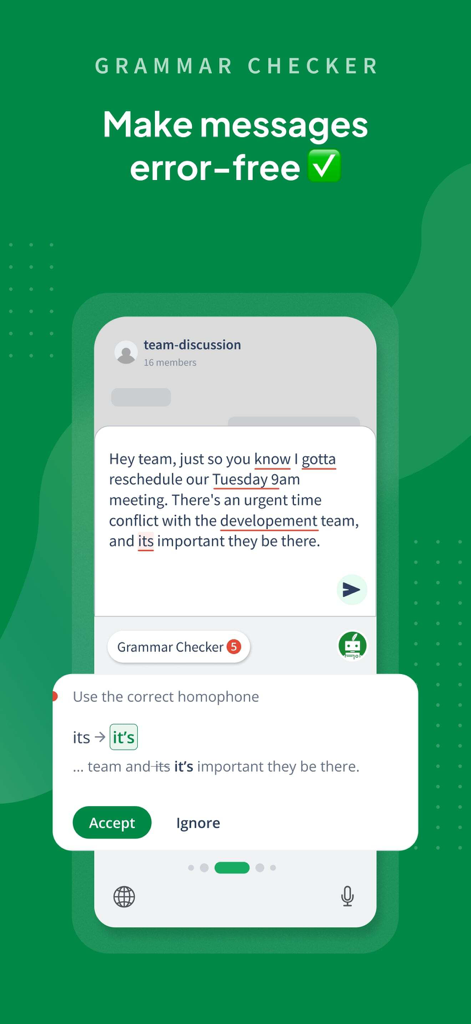
AI가 동음이의어 오류를 수정하는 것을 보여주는 QuillBot 모바일 앱 인터페이스 팀 메시지의
AI가 동음이의어 오류를 수정하는 것을 보여주는 QuillBot 모바일 앱 인터페이스 팀 메시지의

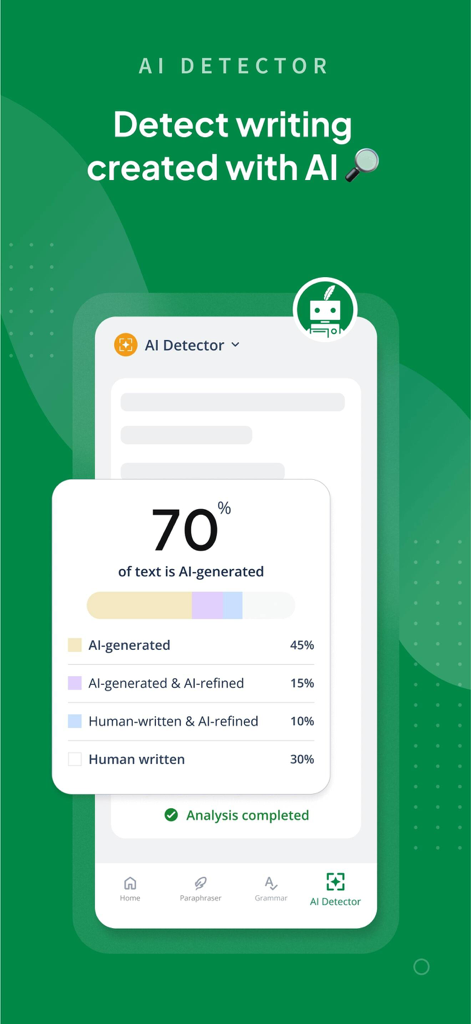
분석된 텍스트의 70%가 AI 생성되었음을 나타내는 상세 보고서를 보여주는 QuillBot AI 감지기의 인터페이스
분석된 텍스트의 70%가 AI 생성되었음을 나타내는 상세 보고서를 보여주는 QuillBot AI 감지기의 인터페이스

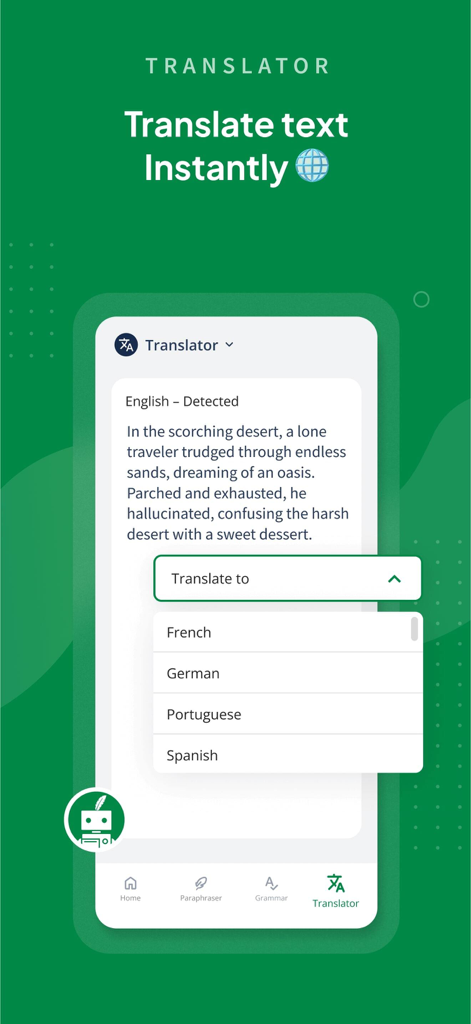
인스턴트 텍스트 번역을 위한 언어 선택 메뉴가 있는 QuillBot AI 번역기 인터페이스를 보여주는 모바일 화면
인스턴트 텍스트 번역을 위한 언어 선택 메뉴가 있는 QuillBot AI 번역기 인터페이스를 보여주는 모바일 화면

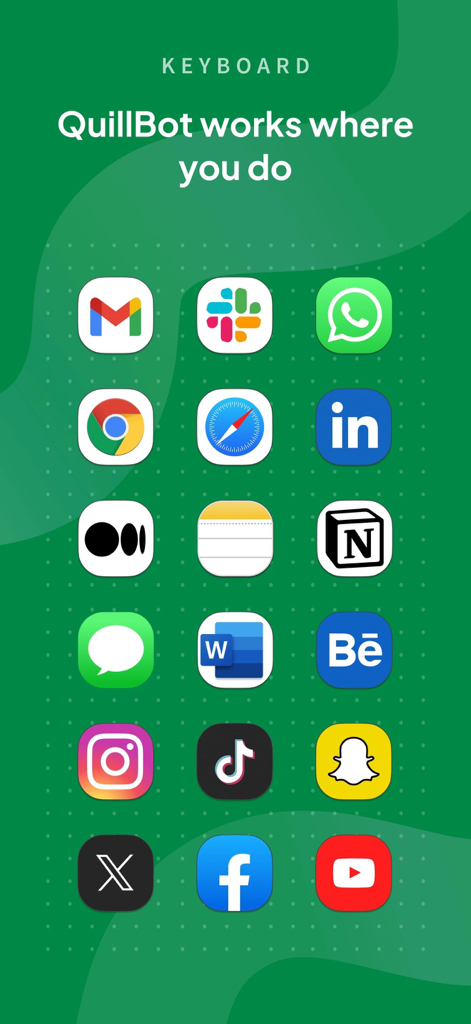
Gmail, Slack, LinkedIn을 포함한 인기 앱 아이콘 그리드 QuillBot 키보드 호환성을 보여줌
Gmail, Slack, LinkedIn을 포함한 인기 앱 아이콘 그리드 QuillBot 키보드 호환성을 보여줌

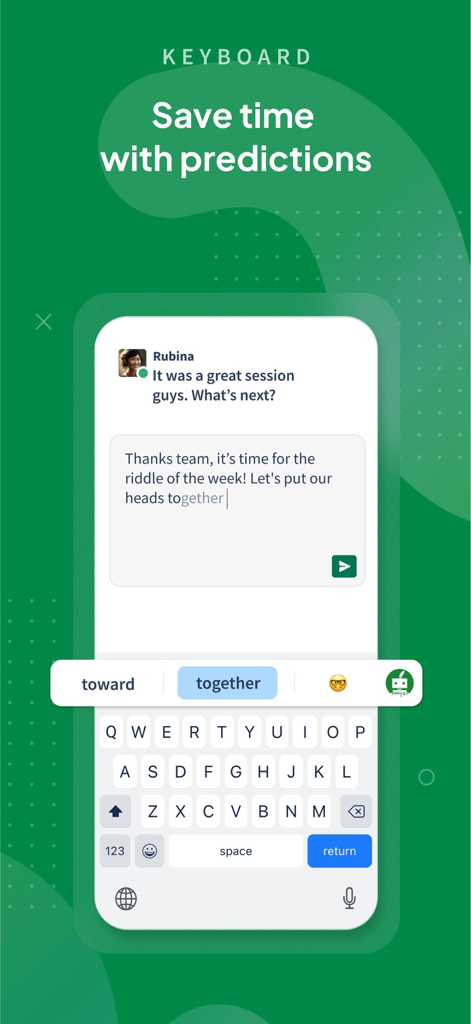
입력을 절약하기 위한 예측 텍스트 제안을 보여주는 QuillBot 모바일 키보드 인터페이스
입력을 절약하기 위한 예측 텍스트 제안을 보여주는 QuillBot 모바일 키보드 인터페이스

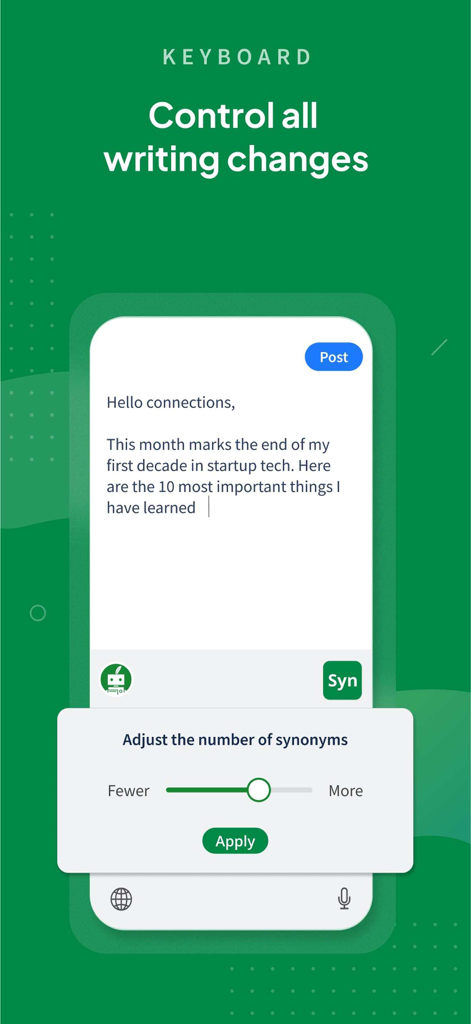
텍스트 초안의 동의어 수를 조정하는 슬라이더가 있는 QuillBot 모바일 키보드 인터페이스

텍스트 초안의 동의어 수를 조정하는 슬라이더가 있는 QuillBot 모바일 키보드 인터페이스

글쓰기를 즉시 향상시키세요

이 앱을 돋보이게 하는 도구, 2M+ 명의 사용자가 선택.

⌨️

AI 기반 키보드

Slack, Gmail, Instagram과 같은 좋아하는 앱에서 직접 구문을 변경하고, 문법을 수정하고, 번역하세요.

🎓

모든 톤 마스터하기

청중에 맞춰 Academic, Formal, Creative 모드 간에 전환하여 항상 최고의 모습을 보여주세요.

오류 없는 자신감

모든 오타를 잡고 AI 생성 텍스트를 검색하여 작업이 깔끔하고 독창적이며 전문적인지 확인하세요.

전 세계 사용자들에게 사랑받는 앱

Trusted by 2M+ 명이 이 앱을 사랑합니다.

"

"첫 언어가 영어가 아닌 대학원생에게 QuillBot은 완전히 판도를 바꾸었습니다. 'Academic' 모드는 논문을 전문적이고 기술적으로 들리도록 다듬는 데 도움이 되며, AI 감지기는 제출 전에 마음의 평화를 줍니다. 마치 주머니 속에 개인 편집자가 있는 것 같습니다."

Elena Rodriguez
"

"키보드 통합은 제 작업 흐름에 놀랍습니다. 'Formal' 모드로 전환하여 고객 이메일에 답장하거나 'Shorten'으로 Slack 메시지를 더 간결하게 만들 수 있으며, 이 모든 것이 제가 사용 중인 앱을 벗어나지 않고 가능합니다. 시간을 많이 절약해주고 제 글쓰기를 노력 없이 멋지게 보이게 합니다."

Marcus Thompson

앱 소개

에 대해 알아야 할 모든 것 QuillBot: AI Writing, Keyboard.

설명

Communicate confidently anywhere with QuillBot - AI Writing and Keyboard QuillBot makes it easy to write on the go for free. Our AI-powered writing app now goes beyond paraphrasing, grammar checking, AI detection, and translation to allow you to generate content with AI and save documents. Whether you’re sending an important text, drafting a work email, or crafting the perfect social media post, QuillBot’s AI keyboard ensures your writing is clear, polished, and effective. Key Features Our AI writing app now includes 6 powerful tools: Paraphraser, Grammar Checker, AI Detector, Translator, Generative AI, and Document Save. Free Grammar Checker Fix punctuation, grammar, and spelling mistakes instantly. In addition to checking spelling, our proofreader can also rephrase unclear or unconventionally phrased sentences. AI Paraphraser Paraphrase your writing in various styles to improve its flow, uniqueness, and impact. AI Detector Scan your writing for AI-generated content and receive a free detailed report on how AI may have been used in your text. Translator Translate text in over 50 languages instantly. Keyboard Our AI Writing Keyboard gives you instant access to Grammar Checker, Paraphraser, and Translator in any app. Enjoy seamless writing support wherever you type; review, rephrase, and translate your text without switching apps. Generative AI Generate new text from scratch, whether it’s emails, captions, or big ideas. Collaborate with AI to brainstorm, refine, and write seamlessly in real time. Document Storage Save and revisit drafts whenever you like with built-in document storage. Our powerful editor combines all your tools in a distraction-free space. It’s perfect for drafting, refining, and sharing your work or saving it for later. Paraphrasing Modes Free - Standard: Paraphrase text with new vocabulary and word order - Fluency: Improve clarity and readability - Generative AI: A free account also allows for 5 AI generations per day Premium - Humanize: Rewrite in a natural, authentic style - Formal: Rephrase in a sophisticated tone - Academic: Make text more technical and scholarly - Simple: Present text in easy-to-understand language - Creative: Produce original, innovative phrasing - Expand: Increase text length - Shorten: Make text more concise - Custom: Rewrite text to match your unique instructions - Generative AI: With Premium, you also get access to unlimited AI generation How the Keyboard App Works - Install QuillBot - AI Writing Keyboard App for iOS from the App Store - Create a free account (optional) - Enable keyboard permissions to allow full use of QuillBot’s AI tools - Start writing, reviewing, and generating with AI anywhere you type QuillBot Premium: Even More Power Premium unlocks 10+ paraphrasing modes, advanced grammar suggestions, unlimited words in Paraphraser, and more. Visit quillbot.com/premium to upgrade. Why Choose QuillBot - The original AI Paraphraser—trusted by millions worldwide - 10+ styles to customize your text - Custom mode for unlimited flexibility - Expert-trained algorithms for high-quality results - Detailed AI detection reports - Support for 20+ languages in paraphrasing, 6 in grammar, and 50+ in translation - Now with Generative AI, chat with AI and offline document saving on the app - Free access to core tools: Paraphraser, Grammar Checker, Translator, AI Detector, and Generative AI App Privacy and Data Safety At QuillBot, we value your data security. To view our Privacy Policy, please visit https://quillbot.com/privacy. For more information about our Terms and Conditions, visit https://quillbot.com/terms. Write better. Everywhere. For free. Install QuillBot - AI Writing Keyboard for iOS today to paraphrase, generate, chat, translate, detect AI, and save your writing anywhere you type.

최신 버전

2.0.3

크기

127.5 MB

출시일

2023년 10월 21일

모든 곳에서 더 잘 쓰세요

자신 있게 소통하는 2백만 명 이상의 학생 및 전문가와 함께하세요. 지금 QuillBot AI 키보드를 설치하고 모든 앱에서 글쓰기를 완벽하게 만드세요.

다운로드: App Store다운로드: Google Play
FAQ

자주 묻는 질문

에 대해 알아야 할 모든 것 QuillBot: AI Writing, Keyboard

QuillBot: AI Writing, Keyboard란 무엇인가요?

QuillBot: AI Writing, Keyboard는 AI 기반 글쓰기 지원을 제공하는 앱입니다. 의사소통을 개선하기 위해 패러프레이징, 문법 검사, AI 감지, 번역, 생성형 AI 및 문서 저장과 같은 도구를 제공합니다.

QuillBot 앱의 주요 기능은 무엇인가요?

QuillBot 앱에는 패러프레이저, 문법 검사기, AI 감지기, 번역기, 생성형 AI, 문서 저장의 6가지 강력한 도구가 포함되어 있습니다. 이러한 기능은 다양한 애플리케이션에서 글쓰기를 향상시키기 위해 설계되었습니다.

QuillBot: AI Writing, Keyboard가 문법 오류를 수정해 줄 수 있나요?

네, QuillBot: AI Writing, Keyboard에는 무료 문법 검사기가 포함되어 있습니다. 구두점, 문법 및 철자 오류를 즉시 수정하고 명확성과 정확성을 높이기 위해 명확하지 않은 문장을 다시 작성할 수 있습니다.

QuillBot이 작성된 콘텐츠에 대한 AI 감지기를 제공하나요?

네, QuillBot은 AI 감지기를 제공합니다. 글쓰기를 스캔하여 AI 생성 콘텐츠를 식별하고 텍스트 내 AI 사용에 대한 자세한 보고서를 제공합니다.

QuillBot 번역기가 지원하는 언어는 몇 개입니까?

QuillBot 번역기는 50개 이상의 언어를 지원합니다. 즉각적인 텍스트 번역을 통해 사용자는 앱 내에서 다양한 언어 장벽을 효과적으로 소통할 수 있습니다.

QuillBot AI Writing Keyboard를 설치하고 사용하는 방법은 무엇인가요?

App Store에서 QuillBot AI Writing Keyboard 앱을 설치하고, 선택적으로 무료 계정을 만든 다음, 키보드 권한을 활성화하십시오. 그런 다음 입력하는 모든 곳에서 글쓰기, 검토 및 콘텐츠 생성을 위한 QuillBot의 AI 도구에 액세스할 수 있습니다.

QuillBot Premium은 어떤 독점 기능을 제공하나요?

QuillBot Premium은 10개 이상의 패러프레이징 모드, 고급 문법 제안, 패러프레이저의 무제한 단어, 무제한 AI 생성을 잠금 해제합니다. 더 정교한 도구로 글쓰기 경험을 향상시킵니다.

QuillBot: AI Writing, Keyboard는 무료 애플리케이션인가요?

네, QuillBot: AI Writing, Keyboard는 패러프레이저, 문법 검사기, 번역기, AI 감지기, 생성형 AI를 포함한 핵심 도구에 무료로 액세스할 수 있습니다. 무료 계정은 하루 5번의 AI 생성을 받습니다.

QuillBot에서 사용할 수 있는 패러프레이징 모드는 무엇입니까?

QuillBot은 Standard 및 Fluency와 같은 무료 모드를 제공합니다. 프리미엄 모드에는 Humanize, Formal, Academic, Simple, Creative, Expand, Shorten 및 Custom이 포함되어 텍스트를 재구성하기 위한 다양한 옵션을 제공합니다.

QuillBot: AI Writing, Keyboard는 사용자 데이터를 안전하게 보호하나요?

네, QuillBot: AI Writing, Keyboard는 데이터 보안을 우선시합니다. 사용자는 QuillBot 웹사이트에서 개인 정보 보호 정책 및 이용 약관을 검토하여 데이터가 처리되는 방식에 대한 자세한 내용을 확인할 수 있습니다.