
이 페이지는 앱이나 개발자의 공식 페이지가 아니며, 정보 제공 및 논평을 목적으로 작성된 독립 편집 간행물입니다. 명시적으로 달리 언급되지 않는 한, 해당 앱이나 개발자는 MWM, Apple, Google Play, 앱 퍼블리셔 또는 앱 개발자와 제휴, 보증, 후원, 승인 또는 공식적으로 연결되어 있지 않으며, 이 페이지의 어떤 내용도 해당 앱이 MWM의 서비스를 사용하여 개발되었음을 의미하지 않습니다. 모든 상표, 로고, 스크린샷 및 기타 콘텐츠는 해당 소유자의 자산입니다.


Refresh | Web
수동 새로고침을 멈추고 경쟁 우위를 확보하세요. 무작위 간격, 다중 탭 지원 및 iPhone, iPad, Mac 전반에 걸친 100% 온디바이스 개인 정보 보호 기능으로 브라우징을 자동화하세요.
다운로드
700사용자 평점
총 평가 수
0개발사
카테고리
News지원 언어
1최신 버전
1.2.0크기
1.7 MB출시일
2024년 12월 29일경쟁 우위를 확보하세요
가장 빠른 티켓 출시, 속보, 재고 추적을 위해 설계된 정밀 도구로 Safari 브라우징을 자동화하세요.
스마트 자동 새로고침
손가락 하나 대지 않고 고수요 재고 또는 티켓 대기열을 자동으로 모니터링하도록 사용자 지정 간격을 설정하세요.
탐지 방지 무작위화 도구
봇으로 표시되는 것을 방지하기 위해 인간의 행동을 모방하는 무작위 새로고침 간격으로 탐지를 피하세요.
다음 스크린샷과 설명은 앱의 공식 스토어 목록에서 직접 가져온 것이며 앱 개발자의 자산입니다.
앱 스토어
스크린샷
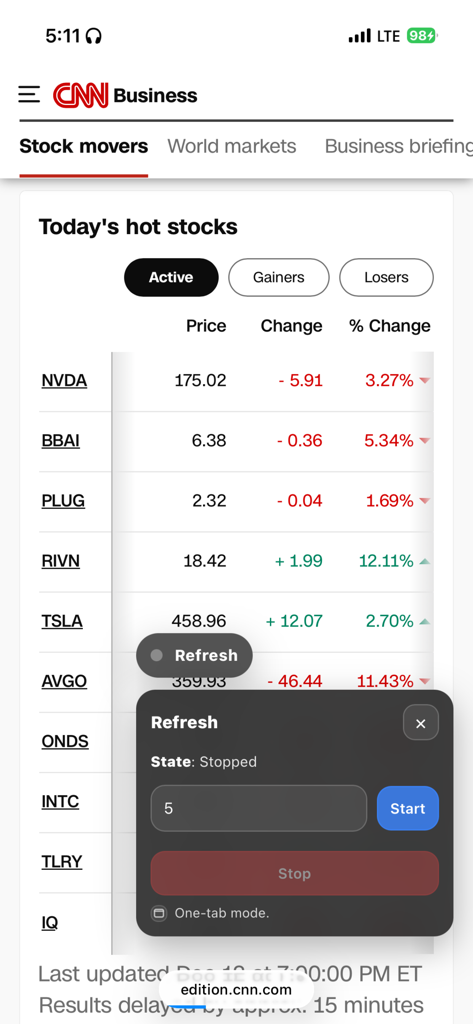
자동 새로고침을 위한 주식 시장 뉴스 페이지에서 Refresh Web Safari 확장 프로그램 인터페이스
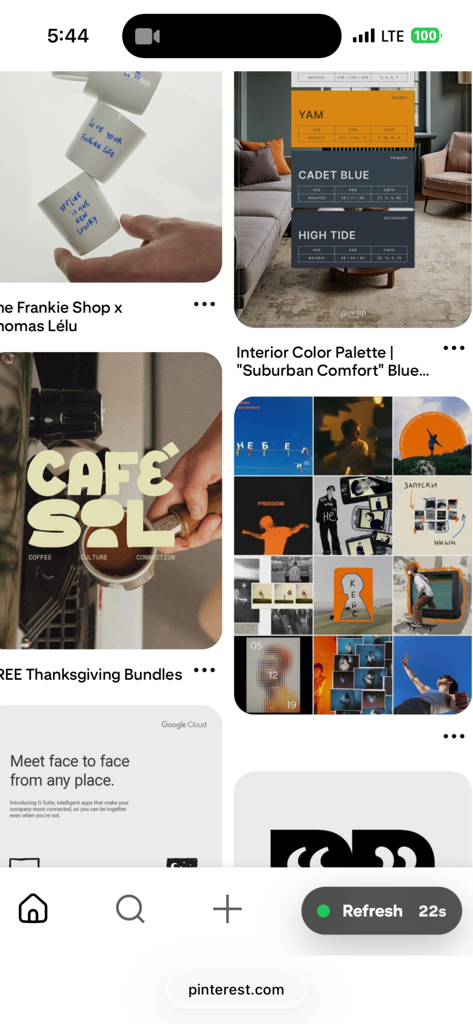
iPhone에서 22초 카운트다운이 표시되는 Refresh Web Safari 확장 프로그램 인터페이스
설명
Download
비슷한 앱
같은 카테고리의 상위 앱

X
X Corp.

REDDIT, INC.

Substack
Substack Inc.

NYTimes: US and Global News
The New York Times Company

Nextdoor: Neighborhood Network
Nextdoor.com, Inc.

CrimeRadar Dispatch Audio
Scoopz Inc.

NewsBreak: Local News & Alerts
Particle Media Inc.

Ground News
Snapwise Inc.

Google News
Google LLC
이 페이지는 앱이나 개발자의 공식 페이지가 아니며, 정보 제공 및 논평을 목적으로 작성된 독립 편집 간행물입니다. 명시적으로 달리 언급되지 않는 한, 해당 앱이나 개발자는 MWM, Apple, Google Play, 앱 퍼블리셔 또는 앱 개발자와 제휴, 보증, 후원, 승인 또는 공식적으로 연결되어 있지 않으며, 이 페이지의 어떤 내용도 해당 앱이 MWM의 서비스를 사용하여 개발되었음을 의미하지 않습니다. 모든 상표, 로고, 스크린샷 및 기타 콘텐츠는 해당 소유자의 자산입니다.