Remote for VLC, PC & Mac

Remote for VLC, PC & Mac

다운로드: App Store
로고: Remote for VLC, PC & Mac

VLC, PC 및 Mac용 리모컨: 홈 시어터를 위한 궁극의 무선 컨트롤러

소파에서 컴퓨터까지 왔다 갔다 하는 번거로움을 끝내세요. iPhone이나 Apple Watch에서 마우스와 키보드를 직접 관리하면서 VLC, 넷플릭스, 유튜브를 제어하세요.

개발사

Adarsh Urs

카테고리

Entertainment

다운로드

144K+

사용자 평점

4.2/5

총 평가 수

0

지원 언어

8

소파에서의 명령

이 인터페이스를 사용하는 144K+ 명의 사용자.

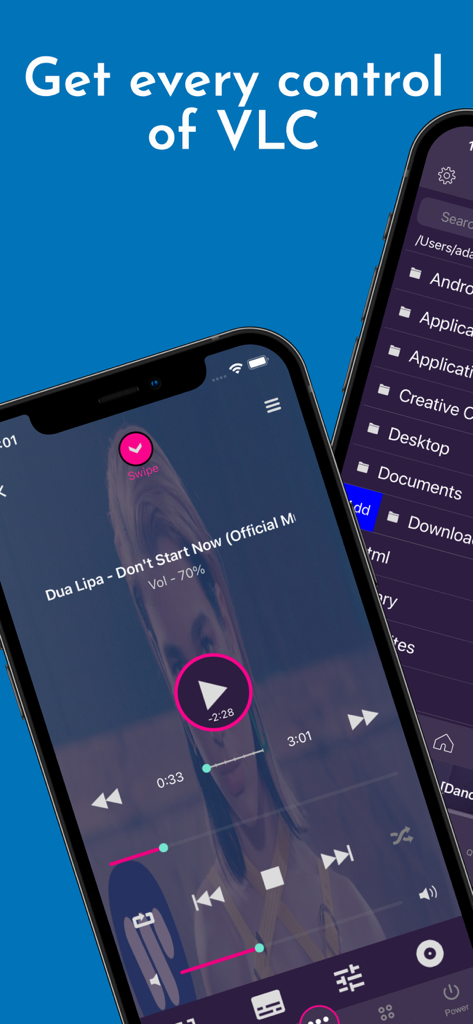
iPhone에서 미디어 재생 컨트롤과 컴퓨터 파일 브라우저를 보여주는 VLC 리모컨 앱 인터페이스.
iPhone에서 미디어 재생 컨트롤과 컴퓨터 파일 브라우저를 보여주는 VLC 리모컨 앱 인터페이스.

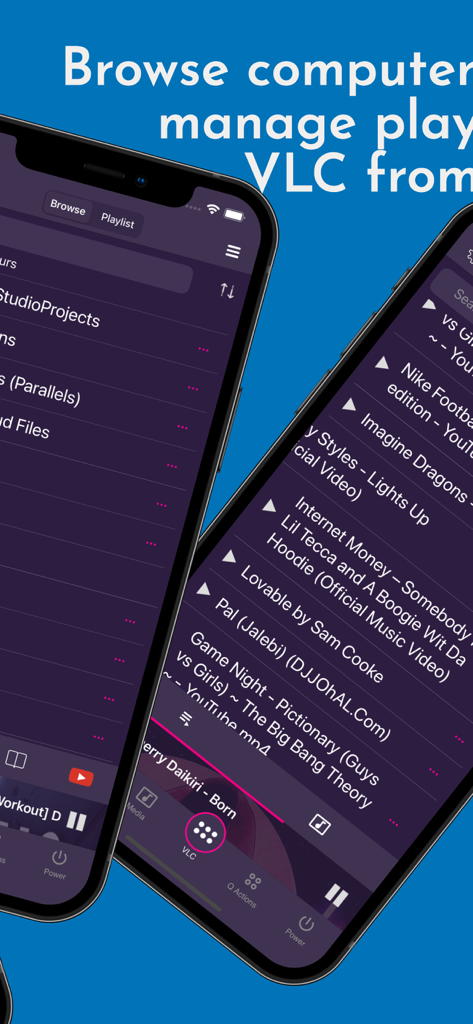
컴퓨터 파일을 탐색하고 미디어 재생 목록을 관리하는 VLC 리모컨 앱 인터페이스를 보여주는 스마트폰 화면
컴퓨터 파일을 탐색하고 미디어 재생 목록을 관리하는 VLC 리모컨 앱 인터페이스를 보여주는 스마트폰 화면

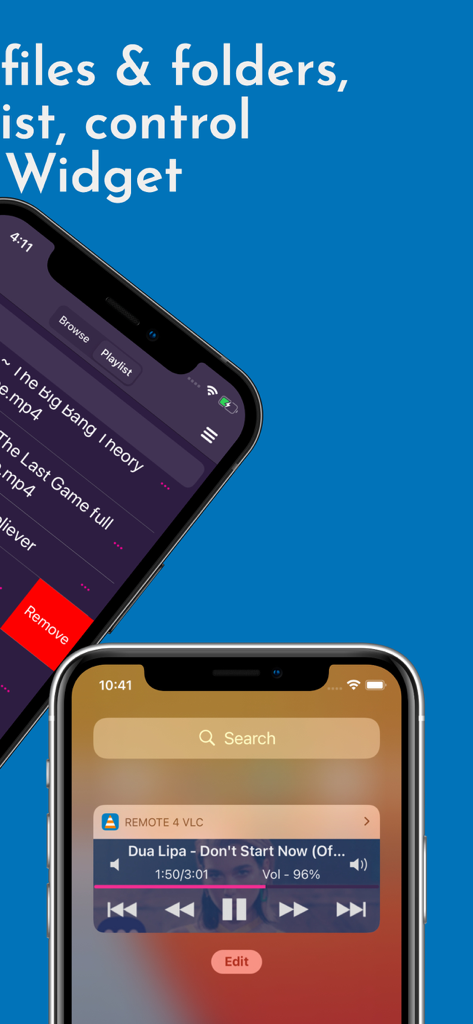
미디어 재생 목록과 잠금 화면 재생 제어 위젯을 보여주는 VLC 리모컨 앱 인터페이스
미디어 재생 목록과 잠금 화면 재생 제어 위젯을 보여주는 VLC 리모컨 앱 인터페이스

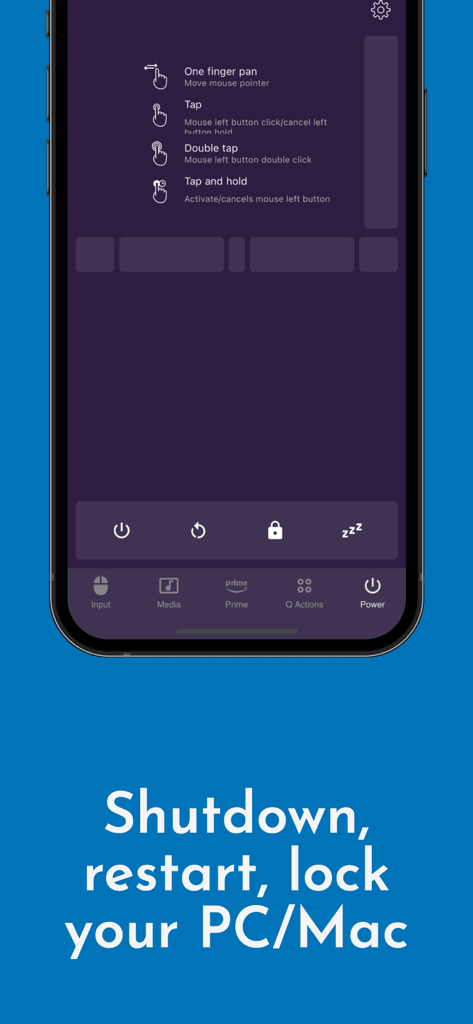
PC 및 Mac용 종료, 재시작, 잠금과 같은 시스템 전원 제어를 보여주는 VLC용 리모컨 앱 인터페이스
PC 및 Mac용 종료, 재시작, 잠금과 같은 시스템 전원 제어를 보여주는 VLC용 리모컨 앱 인터페이스

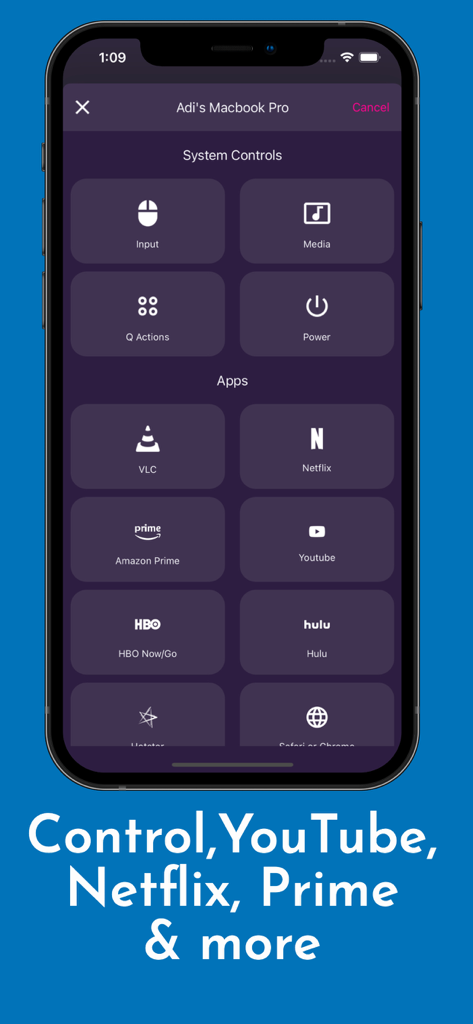
VLC, 넷플릭스, 유튜브를 위한 시스템 제어 및 스트리밍 바로가기가 있는 앱 인터페이스
VLC, 넷플릭스, 유튜브를 위한 시스템 제어 및 스트리밍 바로가기가 있는 앱 인터페이스

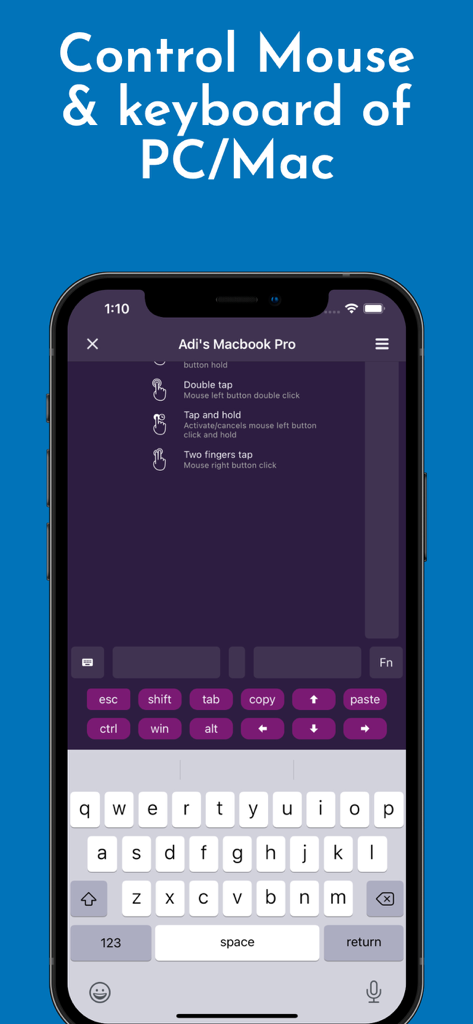
PC 및 Mac용 마우스 및 키보드 제어를 보여주는 VLC 리모컨 앱 인터페이스
PC 및 Mac용 마우스 및 키보드 제어를 보여주는 VLC 리모컨 앱 인터페이스

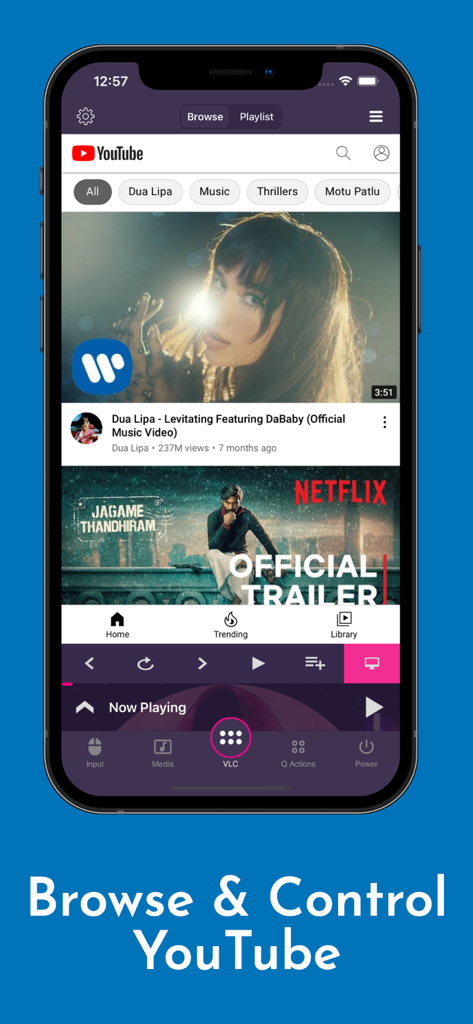
재생 버튼으로 유튜브 비디오를 탐색하고 제어하는 VLC용 리모컨 앱을 보여주는 iPhone 스크린샷
재생 버튼으로 유튜브 비디오를 탐색하고 제어하는 VLC용 리모컨 앱을 보여주는 iPhone 스크린샷

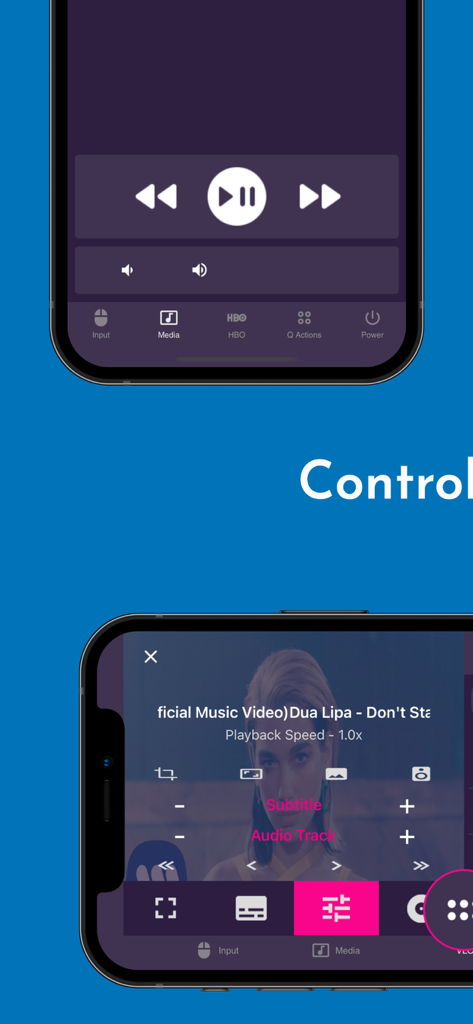
재생 및 미디어 설정이 포함된 VLC 리모컨 모바일 앱 인터페이스
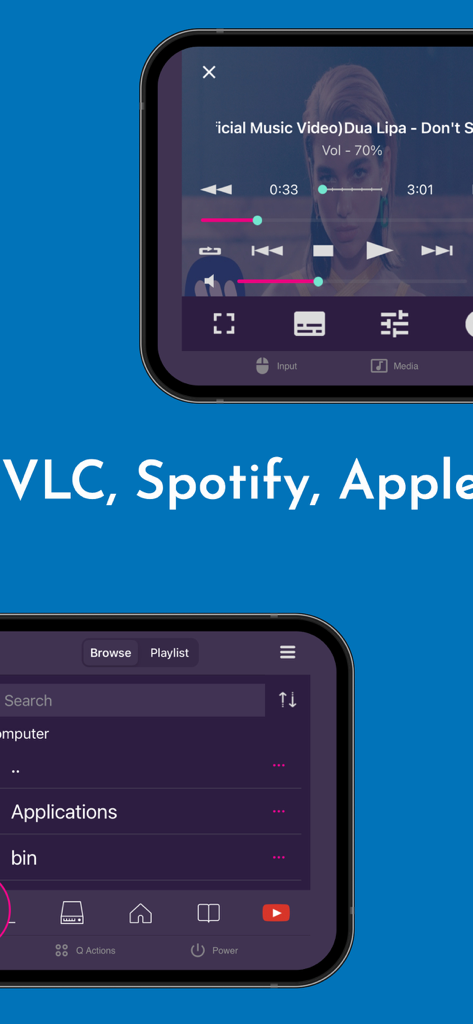
재생 및 미디어 설정이 포함된 VLC 리모컨 모바일 앱 인터페이스

VLC 리모컨 앱에서 미디어 재생 및 파일 탐색을 보여주는 스마트폰 화면
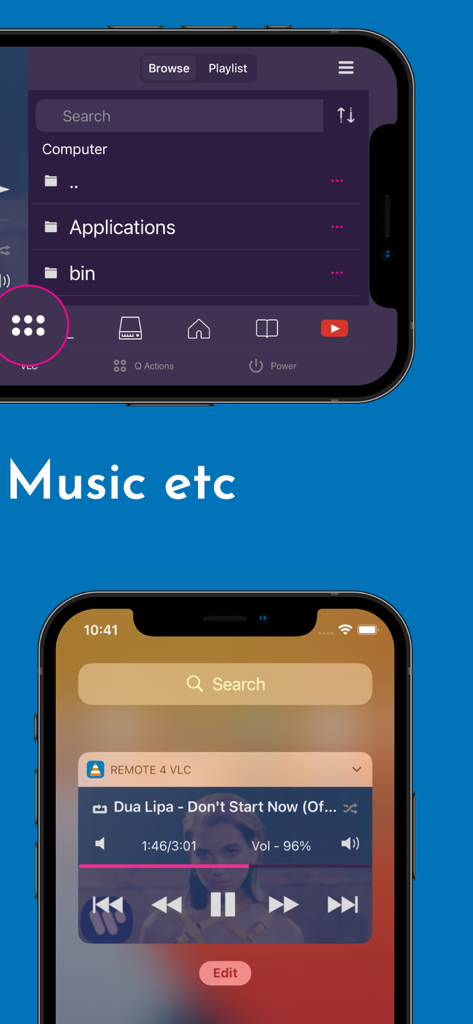
VLC 리모컨 앱에서 미디어 재생 및 파일 탐색을 보여주는 스마트폰 화면

컴퓨터 파일 브라우저와 잠금 화면 음악 재생 제어를 보여주는 VLC 리모컨 모바일 앱 인터페이스

컴퓨터 파일 브라우저와 잠금 화면 음악 재생 제어를 보여주는 VLC 리모컨 모바일 앱 인터페이스

홈 미디어를 완벽하게 제어하세요

이 앱을 돋보이게 하는 도구, 144K+ 명의 사용자가 선택.

📺

단순한 VLC 제어 그 이상

VLC 미디어 플레이어, 넷플릭스, 유튜브, 아마존 프라임을 원활하게 제어하세요. 키보드에 손을 대지 않고도 재생, 일시 정지, 볼륨 조절, 트랙 건너뛰기가 가능합니다.

🖱️

완벽한 데스크톱 리모컨

내장된 마우스와 키보드로 컴퓨터를 조작하세요. 침대에서 원격으로 파일을 관리하고, 브라우저를 실행하고, PC나 Mac을 종료하거나 재시작할 수도 있습니다.

손목에서 이루어지는 제어

휴대폰이 주머니에 있어도 Apple Watch나 잠금 화면 위젯을 사용하여 즉시 재생을 관리하는 궁극의 편리함을 경험하세요.

앱 소개

에 대해 알아야 할 모든 것 Remote for VLC, PC & Mac.

설명

The simplest VLC Remote you'll ever find. Period. But now the simplest VLC Remote is also a complete Mac Remote & PC Remote app. Groping in the dark for keyboard shortcuts whilst watching a movie or racing to your computer in the middle of a steamy date just to change the music track? well, you'll no longer have to do that. Meet VLC media player’s most compatible, up-to-date and user-friendly partner—VLC Mobile Remote for iOS. VLC M Remote is the most convenient way of controlling VLC Player from your smartphones and tablets. No more couch-to-computer workouts. If you watch movies and videos offline or online on your computers, this VLC Remote gives you the awesome power to control VLC Media Player wherever you're seated, whether in the kitchen or in the garden. Just install the app, sit back, relax and remotely control VLC Player, Netflix, YouTube and Amazon Prime from the couch. Works well with VLC running on both Desktops & Laptops based Windows, Mac OS or Linux. "This is the best remote app for VLC and can't even think about watching movies without it" - Vishal "App does everything I need it to with a modern UI and nice features. Setup is very in-depth and simple to understand" - Colby347 Remote for VLC This VLC Remote Control App lets you control VLC Media Player on your desktop or laptop and allows you to browse, play your computer files as well as YouTube videos. + With this VLC Remote App, You don't need to install any software on your PC or Mac! (or alternatively, install our helper app, VMR Connect to your PC/Mac for easy setup) + 'Setup Wizard' step by step guide makes it easy to setup VLC Media Player with this VLC Remote app. + Control VLC from Apple Watches + This VLC Remote App auto connects to VLC Player when you're on same Wi-Fi + Stop, Play and Pause + Control volume, next track and previous track + Seek control, fast forward and fast rewind + Toggle full-screen, Repeat, Shuffle, Loop, Aspect Ratio, Audio Track + Manage Subtitle, playback speed, crop + DVD Controls + Use this app as a PC remote to access all your media files. + Works as a YouTube remote. + Manage playlist + Add subtitle files to currently playing video (supports .srt files only and requires VLC v2.2.0 or up). + Play online media files (Website videos, radio channels etc) + Take screenshot or snap of video frame + Set a folder as 'Home location' + Save favourite folders + Home Screen Widget & Notification controls + Lock screen notification controls/widget + Incoming call handling with soft pause & soft resume options + Use device volume buttons to control VLC volume + Handle multiple files on the saved computer + Fast scrolling on browse & playlists + Switch Audio output devices + Sort Browse list + Save multiple host/computer addresses + Quit VLC Media player directly from the App PC Remote & Mac Remote (Windows & Mac) With VMR Connect on your Windows PC or Mac, it also works as a complete Remote for your PC or Mac. This app is the most convenient way to watch not only offline videos but also online videos from Netflix, YouTube, Amazon Prime, HBO, HotStar etc. + Mouse & Keyboard Remote + System Power Control (Shutdown, restart, sleep etc) + Works as Netflix Remote, Amazon Prime Remote, YouTube Remote. + Remote control for any media player. + Launch and Control Chrome, Firefox or any other internet browser on your PC/Mac. All You Need + VLC Media player ( v2.0 or newer) on your Windows PC, Mac computers or Linux PC + Common local network (LAN or WiFi) connection between your phone & desktop or laptop + Install VMR Connect (Optional) to Windows PC or Mac from https://vlcmobileremote.com/download Supported Operating Systems + Works as a VLC Remote with Windows, OSX/Mac OS and Linux operating systems. + With Windows systems, works as a PC Remote Controller. + Also Works as Mac Remote for Mac OS running devices. Visit our website for more info - https://vlcmobileremote.com/ "Terms of Use: https://vlcmobileremote.com/terms/"

최신 버전

2.6.10

크기

38.0 MB

출시일

2016년 9월 16일

소파에서 미디어를 완벽하게 제어할 준비가 되셨나요?

iPhone을 VLC, 넷플릭스 및 전체 PC 또는 Mac을 위한 강력한 마스터 컨트롤러로 바꾼 144,000명 이상의 사용자들과 함께하세요.

다운로드: App Store

App information, icons, screenshots, and descriptions displayed on this page are sourced from the Apple App Store and are the property of their respective developers. Download estimates and rankings are based on MWM's proprietary models and may not reflect actual figures. This page is provided for informational and analytical purposes only.

Believe this page infringes your intellectual property? File a dispute