
이 페이지는 앱이나 개발자의 공식 페이지가 아니며, 정보 제공 및 논평을 목적으로 작성된 독립 편집 간행물입니다. 명시적으로 달리 언급되지 않는 한, 해당 앱이나 개발자는 MWM, Apple, Google Play, 앱 퍼블리셔 또는 앱 개발자와 제휴, 보증, 후원, 승인 또는 공식적으로 연결되어 있지 않으며, 이 페이지의 어떤 내용도 해당 앱이 MWM의 서비스를 사용하여 개발되었음을 의미하지 않습니다. 모든 상표, 로고, 스크린샷 및 기타 콘텐츠는 해당 소유자의 자산입니다.

Riverside Podcast Video Studio
당신의 폰을 전문가용 스튜디오로 둔갑시키는 이 앱의 뻔뻔한 능력은 경탄스럽다. 콘텐츠 창작의 새로운 표준을 제시한다.
다운로드
1M+사용자 평점
총 평가 수
24.1K개발사
카테고리
Photo & Video지원 언어
1최신 버전
4.11.1크기
320.0 MB출시일
2021년 4월 4일전문가 수준의 콘텐츠 제작을 위한 핵심 기능 평가
Riverside Podcast Video Studio 앱 분석
전문가 수준의 고품질 녹화
이 앱은 고품질 로컬 녹화 기능을 통해 안정적인 인터넷 연결 없이도 최대 10명의 참가자를 위한 전문가 수준의 HD 오디오 및 비디오를 개별 트랙으로 녹화할 수 있게 해줍니다.
텍스트 기반 편집 기능
이 도구는 전사본을 편집하는 것만으로 비디오 또는 오디오를 손쉽게 편집할 수 있도록 하여, 불필요한 부분이나 말더듬, 공백을 쉽게 제거할 수 있습니다.
AI 기반 음성-텍스트 변환
이 앱은 녹음 내용을 몇 초 만에 99% 정확도로 100개 이상의 언어로 전사본을 생성하여, 콘텐츠 접근성을 높이고 편집 과정을 간소화합니다.
자동 캡션 및 자막 생성
이 도구는 AI 기반으로 비디오에 자동으로 캡션과 자막을 추가하여 콘텐츠의 접근성을 높이고 시청자 참여를 유도하며, 브랜드에 맞게 손쉽게 사용자 정의할 수 있습니다.
소셜 미디어용 클립 생성
이 도구는 긴 비디오에서 짧은 클립을 손쉽게 생성하여 팟캐스트 클립, YouTube Shorts 또는 Instagram 릴과 같은 소셜 미디어 콘텐츠를 신속하게 제작하고 공유할 수 있게 해줍니다.
고급 오디오 도구
이 앱은 최첨단 도구를 활용하여 사운드를 개선하고 배경 소음을 제거함으로써 오디오 품질을 향상시킵니다.
텔레프롬프터
이 기능은 스크립트를 업로드하고 글꼴 크기와 속도를 조절하여 발표자가 자연스럽게 대본을 읽으며 녹화할 수 있도록 지원합니다.
클라우드 통합
이 도구는 모든 녹음 파일을 자동으로 클라우드에 업로드하여, 사용자의 소중한 콘텐츠가 손실되지 않도록 보장합니다.
자주 묻는 질문
에 대해 알아야 할 모든 것 Riverside Podcast Video Studio
What is Riverside Podcast Video Studio?
Riverside is a powerful podcast and video maker that allows users to record and edit video and audio easily. It includes AI features like captions, transcription, and a teleprompter, enabling high-quality content creation from anywhere.
Does Riverside Podcast Video Studio record in high quality?
Yes, Riverside records PRO quality audio and video. It captures individual HD tracks for up to 10 participants, saving files in WAV and up to 4K resolution formats, ensuring crisp details regardless of internet connection.
Does Riverside Podcast Video Studio include a teleprompter?
Yes, Riverside includes a teleprompter feature. Users can upload scripts, select font size, and adjust speed to stay focused and on point for professional talking videos.
How accurate is Riverside's AI transcription and what languages does it support?
Riverside's AI transcription is 99% accurate and works with over 100 languages. It transcribes speech-to-text in seconds, providing precise transcripts of recordings.
Can I edit videos by editing text in Riverside Podcast Video Studio?
Yes, Riverside offers text-based editing. Users edit video or audio by simply editing the transcript on their phone, allowing easy cutting, trimming, and removal of filler words or pauses.
How do I create short clips for social media using Riverside?
Riverside allows users to create short clips easily by recording shorts or selecting parts of their video. This is ideal for podcast clips, YouTube shorts, or Instagram reels, enabling quick export and sharing.
Does Riverside Podcast Video Studio provide automatic captions?
Yes, Riverside provides auto captions and subtitles using AI. Users can add and customize them in seconds to fit their brand, making videos accessible and enhancing engagement.
Does Riverside Podcast Video Studio support multi-cam recording?
Yes, Riverside supports multi-cam recording. Users can utilize their iPhone as a second camera to record from multiple angles, enhancing production value for various content types.
How many participants can record simultaneously in Riverside Podcast Video Studio?
Riverside Podcast Video Studio allows recording with up to 10 participants at a time. It captures individual HD audio and video tracks for each participant, ensuring high-quality output.
Is Riverside Podcast Video Studio free to download?
Yes, Riverside Podcast Video Studio is free to download. Users can experience its content creation features by downloading the app from the store.
Where can I find the Privacy Policy for Riverside Podcast Video Studio?
The Privacy Policy for Riverside Podcast Video Studio is available at the URL: https://riverside.fm/privacy-policy. This link is provided within the app description.
다음 스크린샷과 설명은 앱의 공식 스토어 목록에서 직접 가져온 것이며 앱 개발자의 자산입니다.
앱 스토어
스크린샷
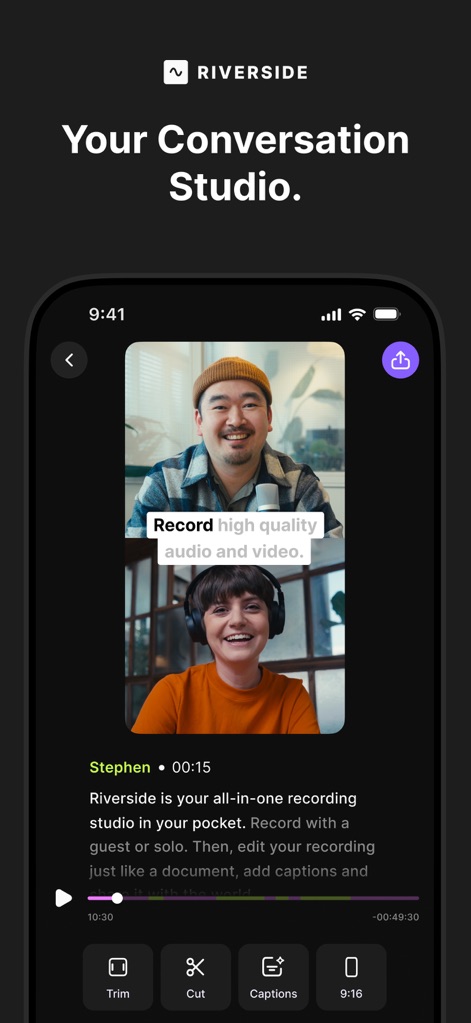
이 앱은 사용자가 고품질 오디오 및 비디오를 녹화할 수 있게 하며, 트림, 자르기, 캡션 추가 같은 텍스트 기반 편집 옵션을 제공합니다.
고품질 영상 제작
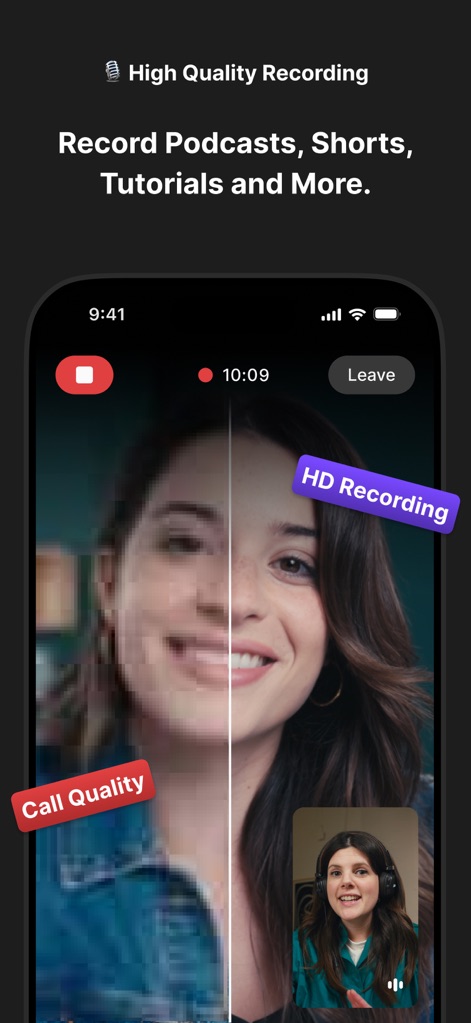
이 도구는 일반 통화 품질과 대비되는 선명한 HD 녹화 기능을 통해 사용자의 콘텐츠가 항상 최상의 화질을 유지하도록 보장합니다.
선명한 HD 녹화
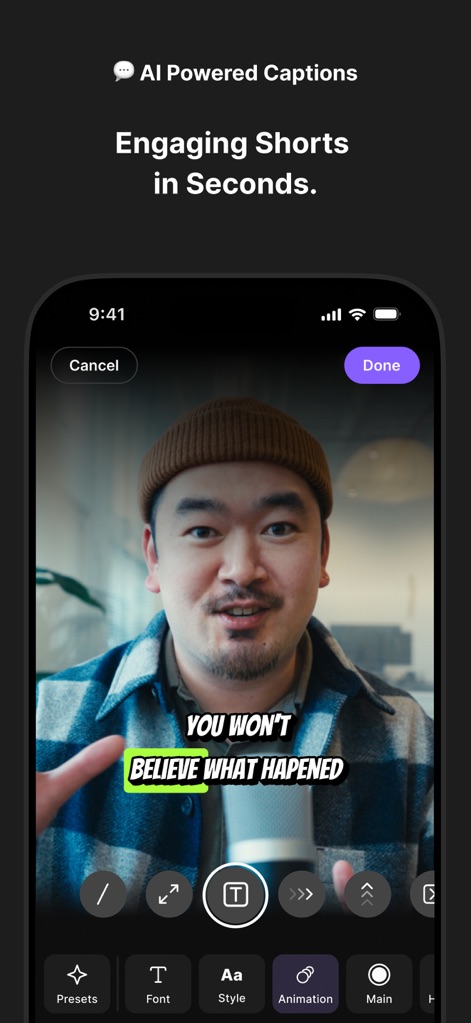
이 앱은 AI 기반 자동 캡션 기능을 제공하여 사용자가 영상에 빠르게 텍스트를 추가할 수 있게 하며, 글꼴 및 애니메이션 스타일을 맞춤 설정할 수 있습니다.
AI 자동 캡션
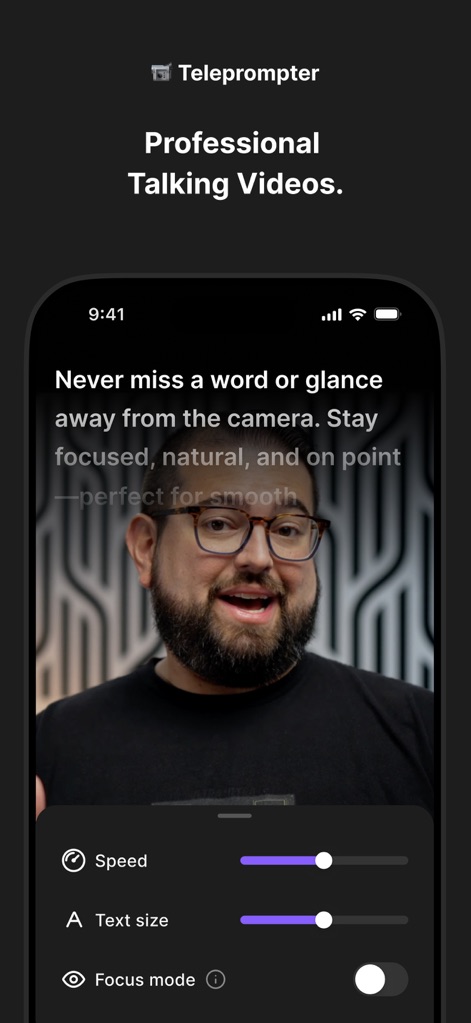
사용자는 텔레프롬프터 기능을 활용하여 대본을 자연스럽게 읽을 수 있으며, 스크롤 속도 및 텍스트 크기를 편리하게 조절할 수 있습니다.
전문적인 텔레프롬프터
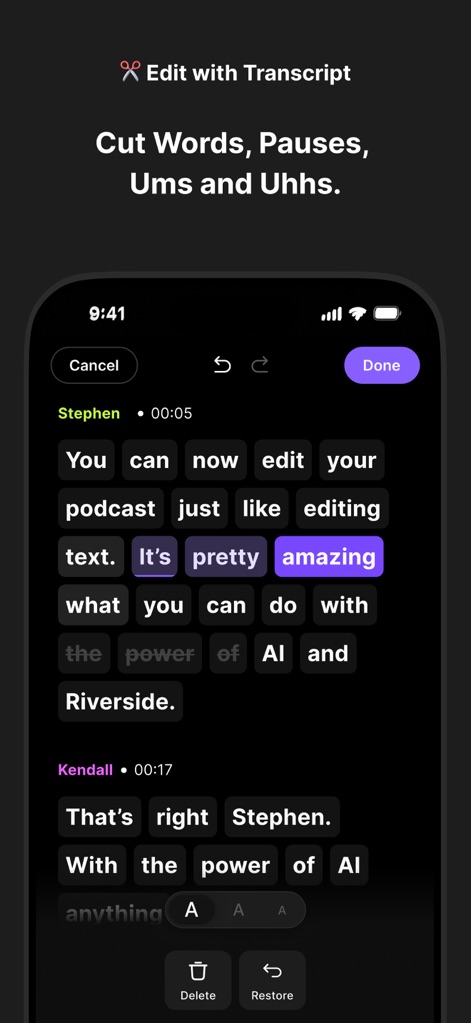
이 도구는 녹화된 오디오 및 비디오를 스크립트 기반으로 편집할 수 있도록 하여, 사용자가 텍스트를 수정하는 방식으로 영상에서 개별 단어를 삭제하거나 되돌릴 수 있습니다.
스크립트 기반 편집
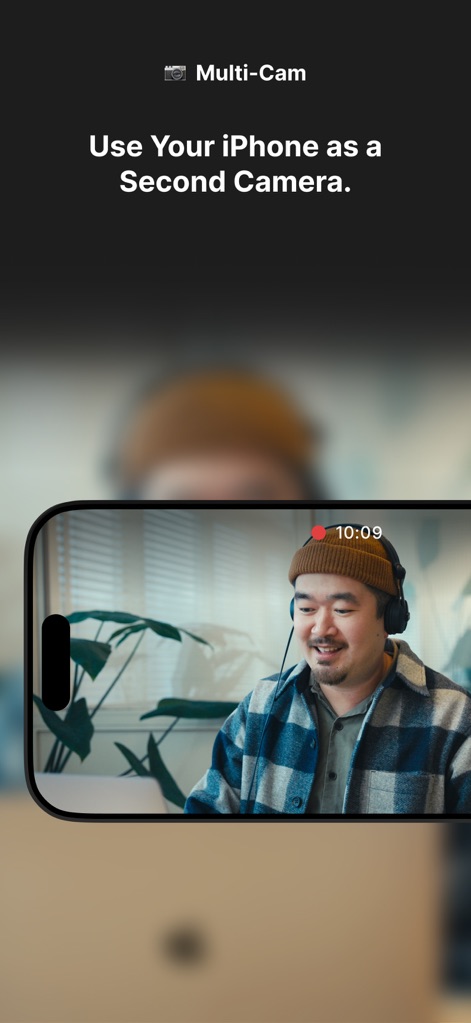
사용자는 아이폰을 보조 카메라로 활용하여 다중 각도에서 동시에 녹화할 수 있어, 더욱 풍부하고 동적인 영상 콘텐츠를 제작할 수 있습니다.
다중 카메라 녹화
설명
Download
비슷한 앱
유사한 기능과 사용자 경험을 가진 앱

Teleprompter
Teleprompter Apps Ltd

BIGVU Teleprompter Captions AI
BIGVU INC

Teleprompter for Video
Norton Five Ltd

Teleprompter.com
Teleprompter LLC

Vmake: AI Talking Video Editor
Starii Tech Pty Ltd

说得AI提词器相机-全能的脚本创作提词拍摄快速剪辑口播神器
Hangzhou Gaishi Technology Co., Ltd.

Teleprompter-Record Script
晨铭 李

Verba: Captions & Video Editor
Verba Creative Inc.

Teleprompter: Video Recording
志威 王
이 페이지는 앱이나 개발자의 공식 페이지가 아니며, 정보 제공 및 논평을 목적으로 작성된 독립 편집 간행물입니다. 명시적으로 달리 언급되지 않는 한, 해당 앱이나 개발자는 MWM, Apple, Google Play, 앱 퍼블리셔 또는 앱 개발자와 제휴, 보증, 후원, 승인 또는 공식적으로 연결되어 있지 않으며, 이 페이지의 어떤 내용도 해당 앱이 MWM의 서비스를 사용하여 개발되었음을 의미하지 않습니다. 모든 상표, 로고, 스크린샷 및 기타 콘텐츠는 해당 소유자의 자산입니다.