Road Trip Planner™
Road Trip Planner™
다운로드: App Store

이 페이지는 앱이나 개발자의 공식 페이지가 아니며, 정보 제공 및 논평을 목적으로 작성된 독립 편집 간행물입니다. 명시적으로 달리 언급되지 않는 한, 해당 앱이나 개발자는 MWM, Apple, Google Play, 앱 퍼블리셔 또는 앱 개발자와 제휴, 보증, 후원, 승인 또는 공식적으로 연결되어 있지 않으며, 이 페이지의 어떤 내용도 해당 앱이 MWM의 서비스를 사용하여 개발되었음을 의미하지 않습니다. 모든 상표, 로고, 스크린샷 및 기타 콘텐츠는 해당 소유자의 자산입니다.

로고: Road Trip Planner™
다운로드: App Store

Road Trip Planner™

세심한 여행자를 위한 프라이버시 중심의 툴킷입니다. 구독과 데이터 추적 없이 단 한 번의 구매로 경로 매핑, 연료비 추적, 심층적인 일정 관리를 경험하세요. 오프라인 지원으로 앞길을 든든하게 해줍니다.

주요 수치

다운로드

209K+

사용자 평점

4.2/5

총 평가 수

3K+

개발사

William Modesitt

카테고리

Travel

지원 언어

1

최신 버전

4.8.4

크기

7.6 MB

출시일

2016년 3월 31일
기능

여행의 모든 순간을 완벽하게 관리하세요

구독 없이 정밀함, 프라이버시, 그리고 자유로운 도로 여행을 소중히 여기는 여행자를 위한 전문가급 계획 도구입니다.

프라이버시 보호 및 구독 불필요

한 번 결제하고 완전한 디지털 주권을 누리세요. 당사는 귀하의 데이터를 수집하거나 월 구독료를 청구하지 않습니다.

정밀한 경로 물류 관리

모든 경유지의 자동 연료비 추정, 여행 시간, 도착 일정을 통해 여행의 불확실성을 제거하세요.

다음 스크린샷과 설명은 앱의 공식 스토어 목록에서 직접 가져온 것이며 앱 개발자의 자산입니다.

앱 스토어

스크린샷
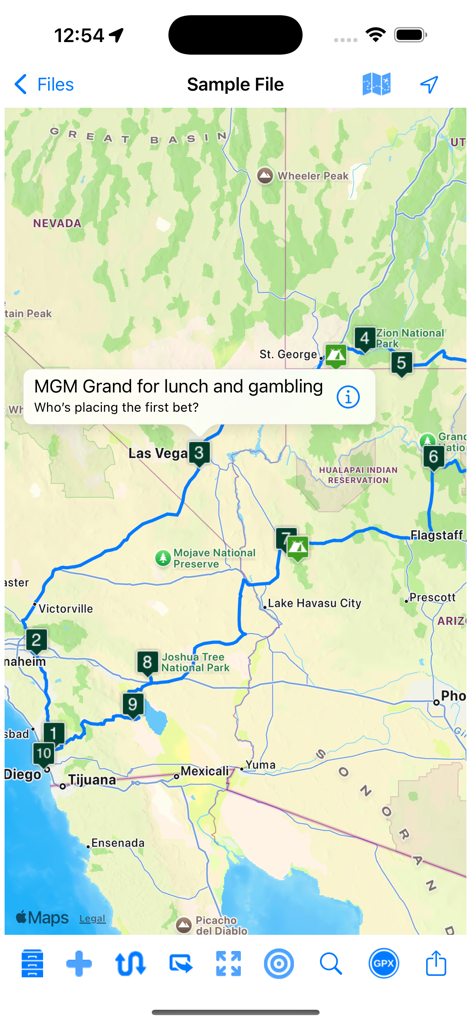
Road Trip Planner™ - 미국 남서부를 가로지르는 번호가 매겨진 경유지가 있는 여행 경로를 보여주는 Road Trip Planner 앱의 지도 뷰.
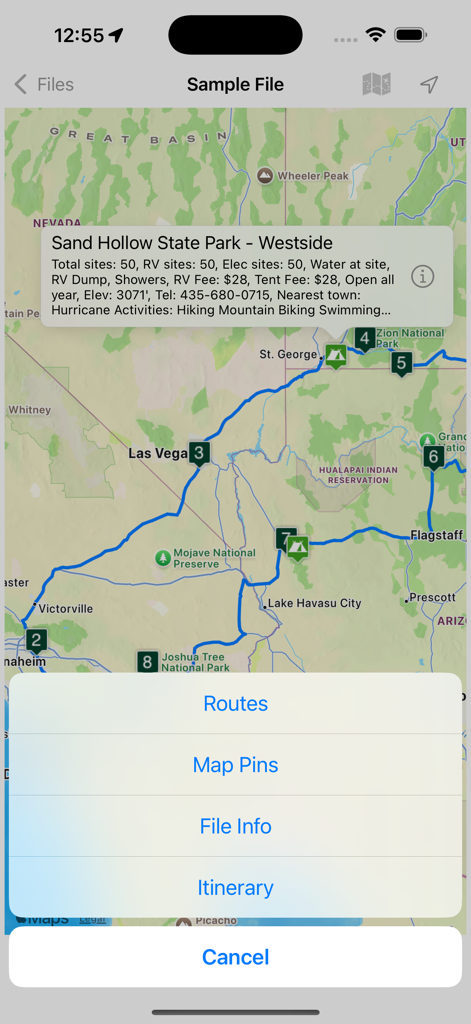
미국 남서부를 가로지르는 번호가 매겨진 경유지가 있는 여행 경로를 보여주는 Road Trip Planner 앱의 지도 뷰.

Road Trip Planner™ - 여행 경로와 캠핑장 정보를 보여주는 Road Trip Planner 앱의 지도 인터페이스.
여행 경로와 캠핑장 정보를 보여주는 Road Trip Planner 앱의 지도 인터페이스.

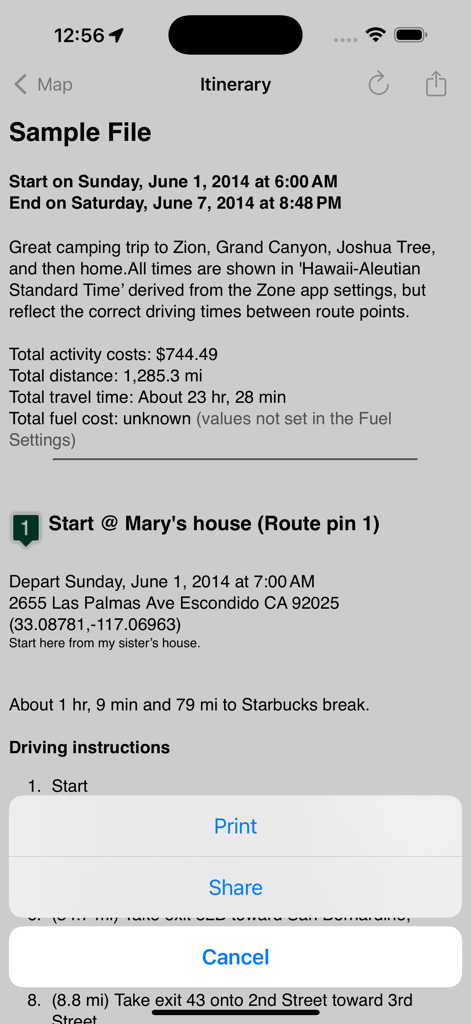
Road Trip Planner™ - 비용 및 운전 경로가 포함된 상세한 여행 일정을 표시하는 Road Trip Planner 앱 인터페이스.
비용 및 운전 경로가 포함된 상세한 여행 일정을 표시하는 Road Trip Planner 앱 인터페이스.

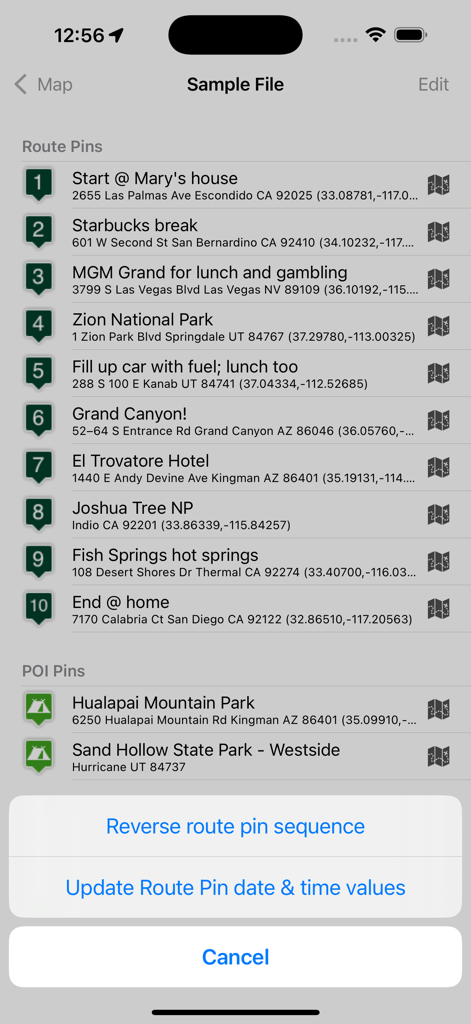
Road Trip Planner™ - 경로 핀과 관심 지점이 포함된 순차적 일정을 표시하는 Road Trip Planner 앱.
경로 핀과 관심 지점이 포함된 순차적 일정을 표시하는 Road Trip Planner 앱.

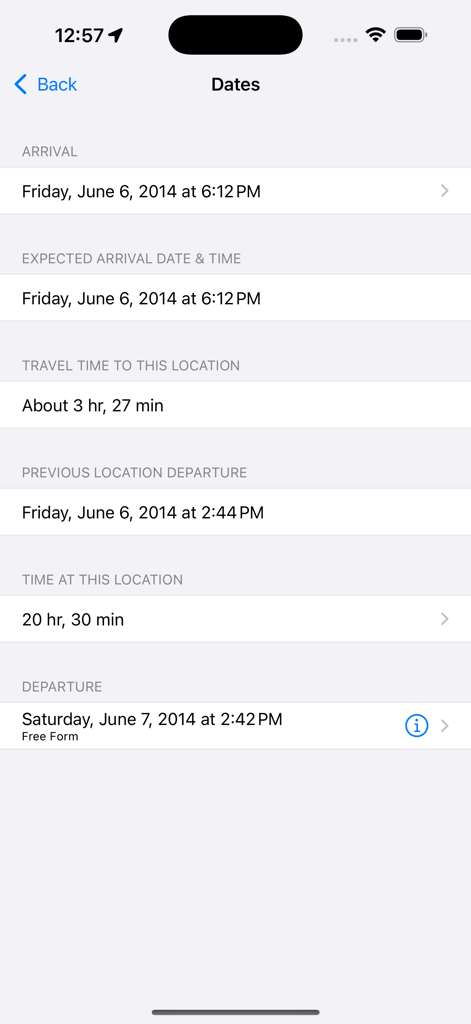
Road Trip Planner™ - 상세한 로드 트립 일정 날짜 및 여행 시간.

상세한 로드 트립 일정 날짜 및 여행 시간.

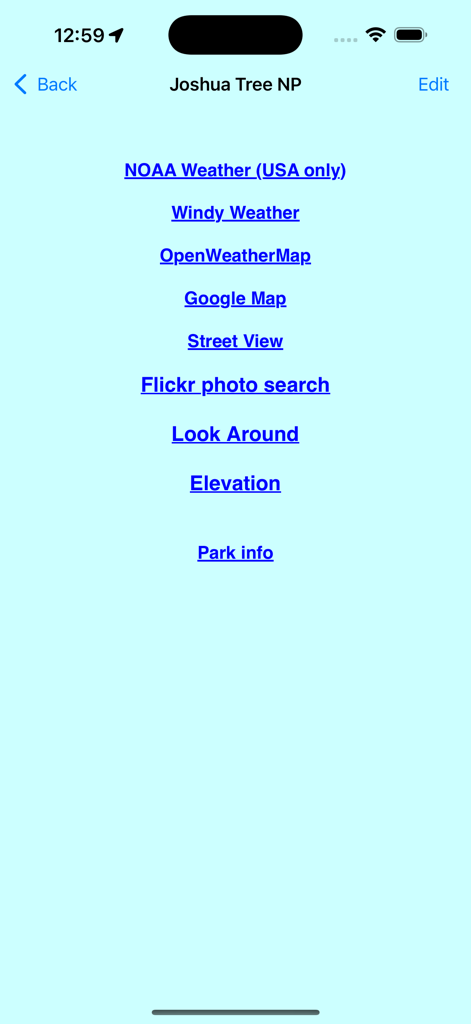
Road Trip Planner™ - 조슈아 트리 국립공원의 날씨 및 지도를 위한 외부 링크 목록.

조슈아 트리 국립공원의 날씨 및 지도를 위한 외부 링크 목록.

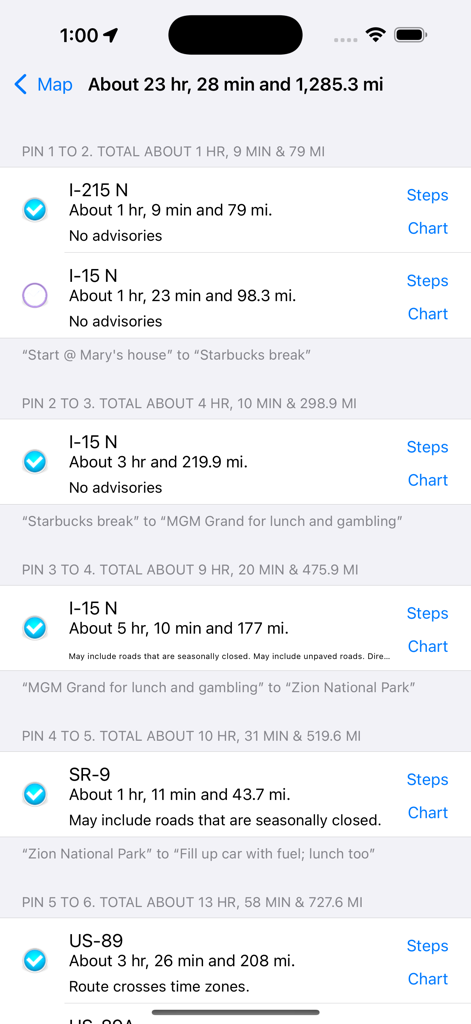
Road Trip Planner™ - 계획된 여정의 거리와 여행 시간을 보여주는 로드 트립 구간 목록.

계획된 여정의 거리와 여행 시간을 보여주는 로드 트립 구간 목록.
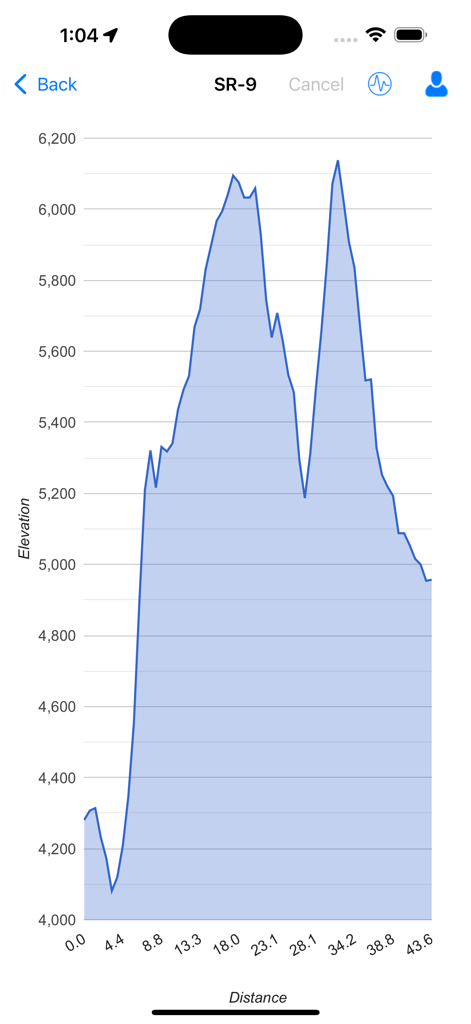
Road Trip Planner™ - 여행 경로의 거리에 따른 고도 변화를 보여주는 고도 프로필 차트.

여행 경로의 거리에 따른 고도 변화를 보여주는 고도 프로필 차트.
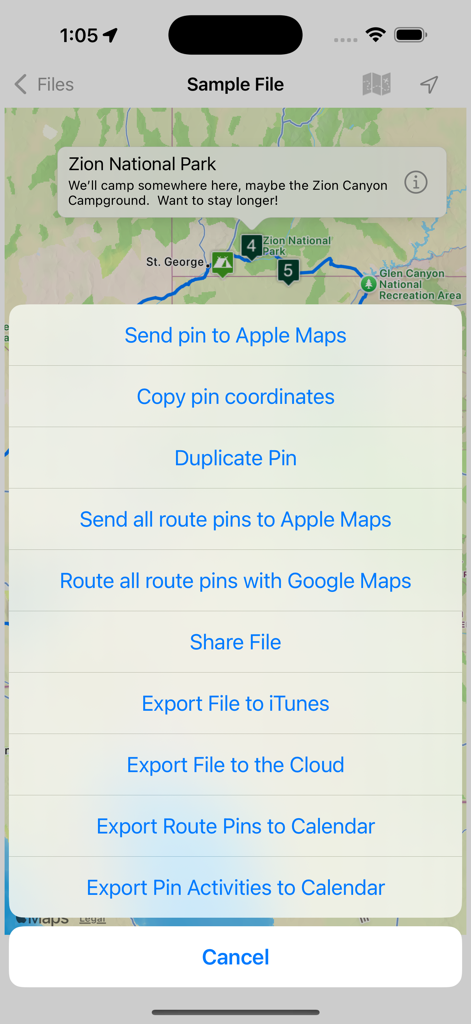
Road Trip Planner™ - 내보내기 메뉴와 경로 핀이 표시된 자이언 국립공원 지도를 보여주는 Road Trip Planner 앱.

내보내기 메뉴와 경로 핀이 표시된 자이언 국립공원 지도를 보여주는 Road Trip Planner 앱.

설명

Place pins on a worldwide map for each location you want to visit, then see your route. Enter trip details for each location and create a complete trip itinerary. Multiple sample files are available, including an informative Route 66 sample file. You can demo this app by downloading our free RTP Viewer app. RPT Viewer is virtually identical to this app except with RTP Viewer you can’t save your edits. Road Trip Planner does not require any subscription and respects your privacy by not collecting any of your data. MAP PINS HOLD WHAT YOU NEED. Each pin shows: - arrival date & time - departure date & time - travel time to this location - time spent at this location - name of pin (such as John’s house) - address of pin - notes and images - custom pin color and icon - URL for related information - weather reports - transport type (driving or walking) - Internet Search results - list of activities (lodging, sights to see, etc.) - choose between multiple routes (if available) - view driving distance between pins, driving time, fuel cost, travel advisories, turn-by-turn driving directions - Export pin data to your calendar. EACH PIN CAN HAVE MANY ACTIVITIES. For each activity you can record: - name of activity - activity date, time and duration - cost - phone - FAX - address - URL - email address - confirmation number - notes - picture There are two types of pins. Route Pins are used to create the route. POI Pins mark points of interest on the map. Choose between Apple Maps or OpenStreet Maps. Cache non-Apple maps to disk for offline use. See the settings and Help for more info. For air and rail routes a straight line can be displayed between pins. Add, remove or rearrange the pins in any order you wish. Routes and pins can be sent to Apple Maps. Import and export GPX data files. Each trip can be saved as a separate document. Perfect for anyone who wants to maintain a record of past trips. VIEW YOUR TRIP ON YOUR MAC with our Road Trip Planner app available from the Mac App Store. Send location data to Road Trip Planner directly from any of our location-savvy apps. THE ITINERARY HOLDS ALL OF THE DETAILS. Share it and take it with you. - print the itinerary or share it easily - includes a map image with pins and routes, activities for each Route Pin, costs for each activity, total fuel cost, total trip cost, information for Points of Interest Pins, and driving instructions. USE THE TO-DO CHECKLIST. Make sure you don’t forget anything. We respond quickly to suggestions and questions in our forum. PLEASE CONTACT US IF YOU HAVE A QUESTION OR AN ISSUE. We promise we'll respond as quickly as we can. For more info visit the Road Trip Planner web site at https://roadtripplanner.modesittsoftware.com PLEASE READ CAREFULLY BEFORE PURCHASING: The mapping and routing functionality Road Trip Planner uses is based upon Apple’s maps technology. If Apple Maps cannot find a route between map pins, then neither can Road Trip Planner. Please test the area you wish to travel using Apple’s Maps app to ensure that the area can be routed. If it cannot be routed, please submit the issue to Apple. If Apple Maps cannot perform routing in the area you wish to travel then neither can Road Trip Planner.

Download

다운로드: App Store

이 페이지는 앱이나 개발자의 공식 페이지가 아니며, 정보 제공 및 논평을 목적으로 작성된 독립 편집 간행물입니다. 명시적으로 달리 언급되지 않는 한, 해당 앱이나 개발자는 MWM, Apple, Google Play, 앱 퍼블리셔 또는 앱 개발자와 제휴, 보증, 후원, 승인 또는 공식적으로 연결되어 있지 않으며, 이 페이지의 어떤 내용도 해당 앱이 MWM의 서비스를 사용하여 개발되었음을 의미하지 않습니다. 모든 상표, 로고, 스크린샷 및 기타 콘텐츠는 해당 소유자의 자산입니다.