RobotStudio® AR Viewer
다운로드: App Store

이 페이지는 앱이나 개발자의 공식 페이지가 아니며, 정보 제공 및 논평을 목적으로 작성된 독립 편집 간행물입니다. 명시적으로 달리 언급되지 않는 한, 해당 앱이나 개발자는 MWM, Apple, Google Play, 앱 퍼블리셔 또는 앱 개발자와 제휴, 보증, 후원, 승인 또는 공식적으로 연결되어 있지 않으며, 이 페이지의 어떤 내용도 해당 앱이 MWM의 서비스를 사용하여 개발되었음을 의미하지 않습니다. 모든 상표, 로고, 스크린샷 및 기타 콘텐츠는 해당 소유자의 자산입니다.


로고: RobotStudio® AR Viewer
다운로드: App Store

RobotStudio® AR Viewer

RobotStudio® 클라우드에서 직접 동기화된 고급 AR 시뮬레이션을 통해 ABB 로봇 솔루션을 실물 크기로 구현하세요. 설계를 최적화하고 안전 구역을 검증하며 시운전을 가속화할 수 있습니다.

주요 수치

다운로드

2K+

사용자 평점

4.2/5

총 평가 수

0

개발사

ABB Information Systems AG

카테고리

Business

지원 언어

1

최신 버전

2025.4

크기

321.3 MB

출시일

2020년 7월 1일
기능

로보틱스 계획을 마스터하세요

초기 구상부터 최종 시운전까지, 저희 AR 툴셋을 통해 절대적인 확신을 가지고 ABB 로봇 셀을 설계, 테스트 및 배포할 수 있습니다.

정확한 공간 프로토타이핑

실물 크기의 가상 로봇을 실제 환경에 배치하여 도달 범위, 적합성 및 작업장 레이아웃을 검증하여 추측을 제거하세요.

위험 완화 및 안전

하드웨어가 도착하기 전에 셀 설계가 엄격한 산업 표준을 충족하는지 확인하기 위해 안전 구역 및 잠재적 충돌을 실시간으로 시각화하세요.

다음 스크린샷과 설명은 앱의 공식 스토어 목록에서 직접 가져온 것이며 앱 개발자의 자산입니다.

앱 스토어

스크린샷
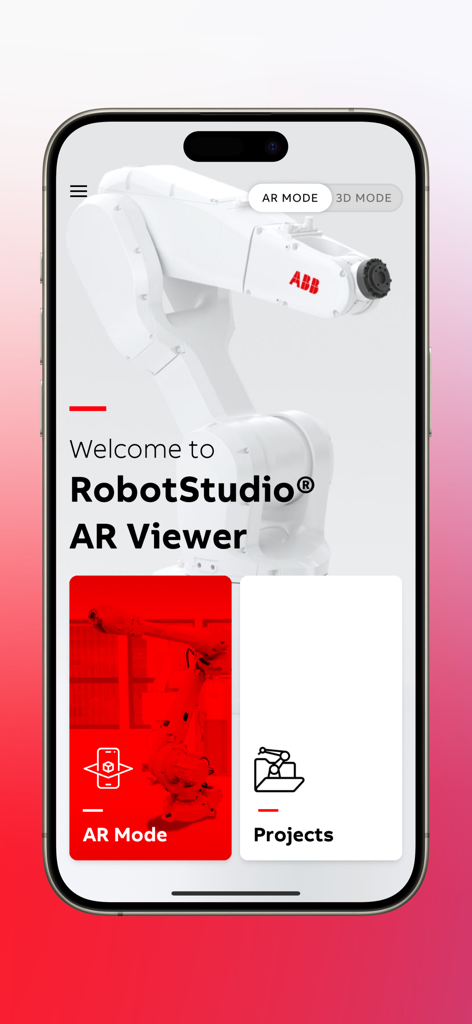
RobotStudio® AR Viewer - ABB 로봇 팔과 AR 모드 및 프로젝트 탐색 버튼이 있는 RobotStudio AR Viewer 앱의 환영 화면
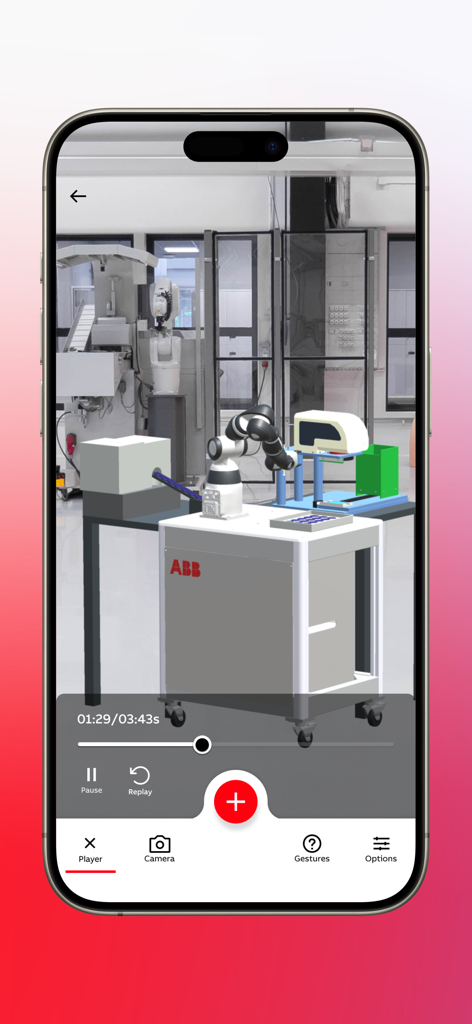
ABB 로봇 팔과 AR 모드 및 프로젝트 탐색 버튼이 있는 RobotStudio AR Viewer 앱의 환영 화면

RobotStudio® AR Viewer - 실제 공장 환경에서 ABB RobotStudio AR Viewer가 산업용 로봇 시뮬레이션을 표시하고 있음
실제 공장 환경에서 ABB RobotStudio AR Viewer가 산업용 로봇 시뮬레이션을 표시하고 있음

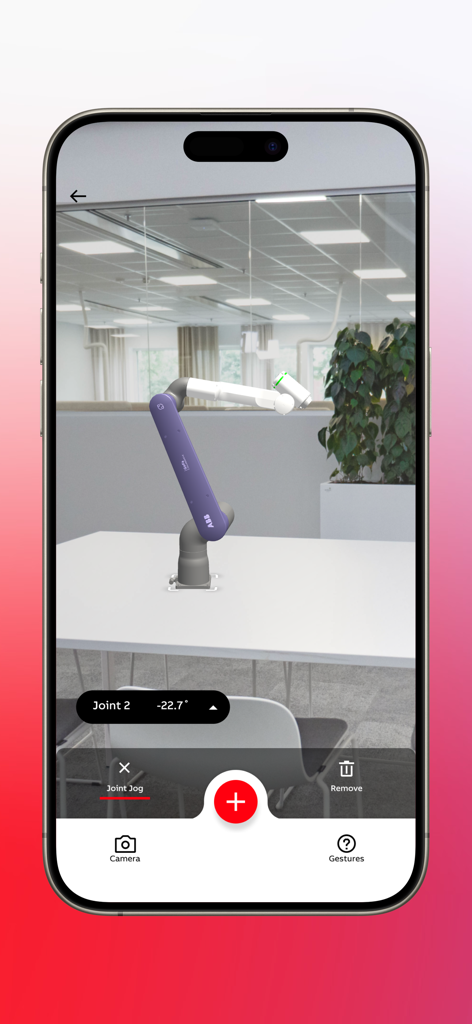
RobotStudio® AR Viewer - 모바일 장치에서 조인트 조그 제어 인터페이스가 있는 증강 현실에서 시각화된 ABB 협동 로봇
모바일 장치에서 조인트 조그 제어 인터페이스가 있는 증강 현실에서 시각화된 ABB 협동 로봇

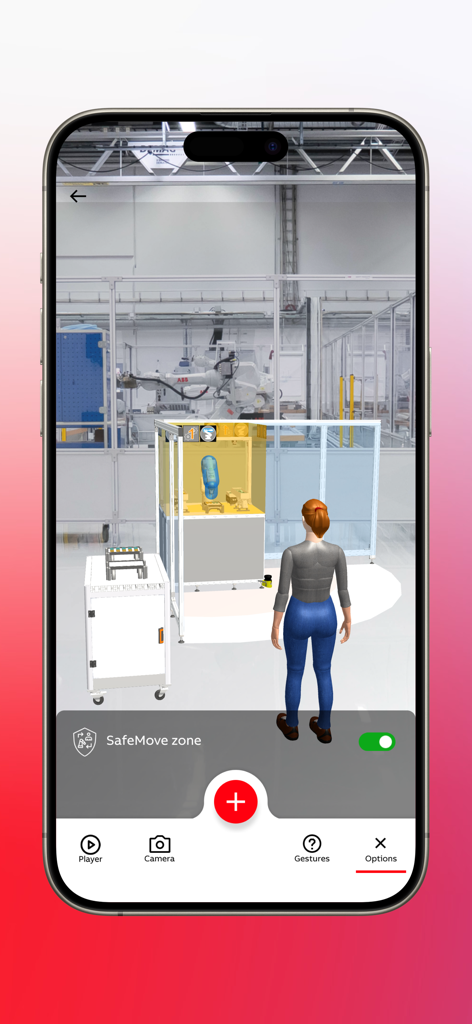
RobotStudio® AR Viewer - 공장 환경에서 ABB 로봇 셀 및 SafeMove 안전 구역의 AR 시각화
공장 환경에서 ABB 로봇 셀 및 SafeMove 안전 구역의 AR 시각화

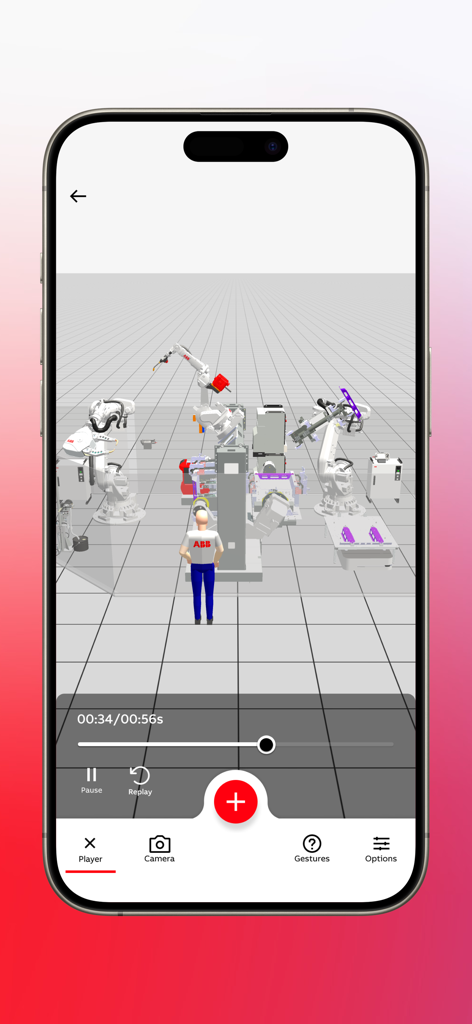
RobotStudio® AR Viewer - RobotStudio AR Viewer 앱에서 여러 산업용 로봇과 가상 작업자의 3D 시뮬레이션
RobotStudio AR Viewer 앱에서 여러 산업용 로봇과 가상 작업자의 3D 시뮬레이션

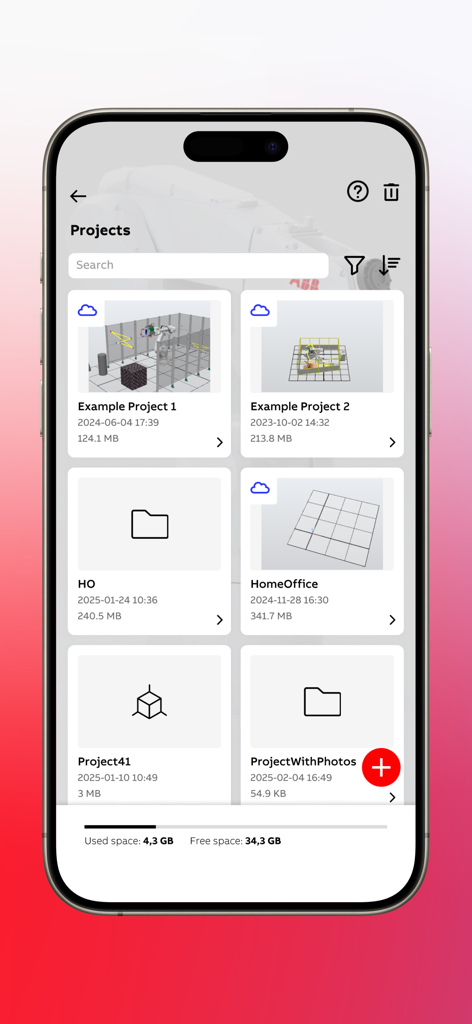
RobotStudio® AR Viewer - RobotStudio AR Viewer 앱의 프로젝트 관리 화면으로, 저장된 로봇 시뮬레이션 프로젝트 목록과 사용 가능한 저장 공간을 보여줌
RobotStudio AR Viewer 앱의 프로젝트 관리 화면으로, 저장된 로봇 시뮬레이션 프로젝트 목록과 사용 가능한 저장 공간을 보여줌

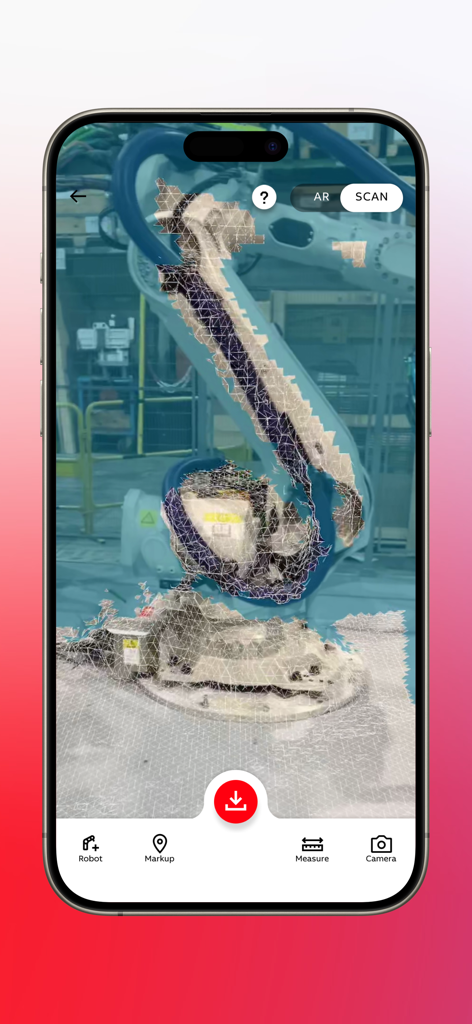
RobotStudio® AR Viewer - 공장 환경에서 산업용 로봇 팔의 3D 와이어프레임 메쉬 스캔을 표시하는 ABB RobotStudio AR Viewer 앱
공장 환경에서 산업용 로봇 팔의 3D 와이어프레임 메쉬 스캔을 표시하는 ABB RobotStudio AR Viewer 앱

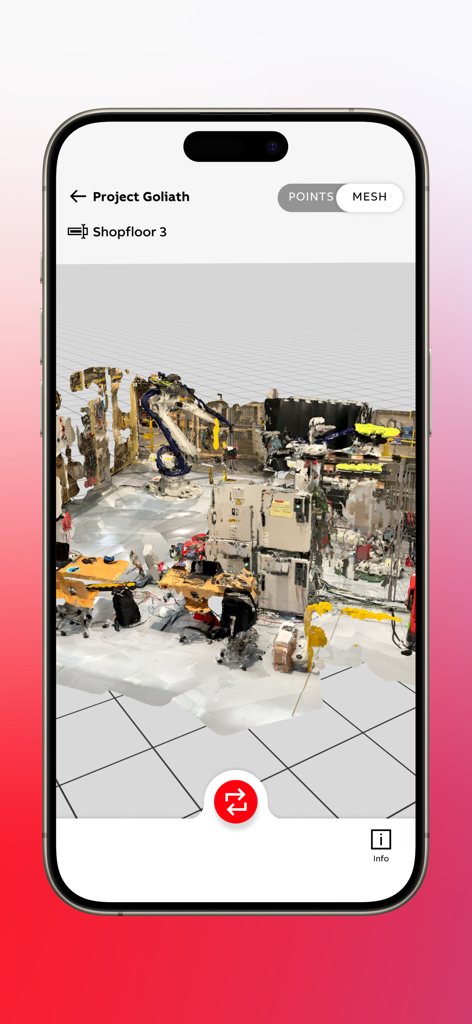
RobotStudio® AR Viewer - RobotStudio AR Viewer에서 로봇 팔 시뮬레이션이 있는 산업용 작업장의 3D 메쉬 스캔

RobotStudio AR Viewer에서 로봇 팔 시뮬레이션이 있는 산업용 작업장의 3D 메쉬 스캔

설명

RobotStudio® AR Viewer is an advanced Augmented Reality application that lets you discover and visualize ABB robots and robotic solutions - either in real environment or in 3D. Tailored for users aiming to expedite design and commissioning processes, it offers an exact, full-scale replica of your RobotStudio® simulations, with precise cycle times and movements. Whether you are engaged in replacement, brownfield, or greenfield projects, RobotStudio® AR Viewer enables faster and more accurate prototyping. Utilize the built-in scanning feature (available on supported devices) to capture your real-world environment, then add markups, measurements, and virtual robots to the scan. Upload your scan directly to a RobotStudio® Cloud project to continue refining your simulation. RobotStudio® AR Viewer − an indispensable tool for robotics professionals. Key Features - Extensive Robot Library: Quickly access over 30 pre-engineered robotic solutions and more than 40 ABB robot models. - Real-World Visualization: Place and animate complete robotic cells at full scale on your shop floor. - AR & 3D Modes: Switch between Augmented Reality and 3D views for maximum flexibility. - Multi-Robot Visualization: Interact with multiple robots simultaneously to test complex workflows. - Joint Jog Control: Test reach, adjust robot joints, and prevent collisions in real time. - Cycle Time Clock & Scaling: View accurate cycle times, and scale models from 10% to 200% to suit your workspace. - Safety Zones: Instantly visualize safety zones and minimize operational risks. - Import Your Own Simulations: Easily bring in your RobotStudio® files by utilizing RobotStudio® Cloud for precise AR or 3D visualization. - Scanning & Environment Mapping (on supported devices): Capture your existing setup, generate a file compatible with RobotStudio®, and annotate it with markups and measurements. - Local Project Management: Store scans, photos, and videos in separate projects for easy reference and sharing.

Download

다운로드: App Store

이 페이지는 앱이나 개발자의 공식 페이지가 아니며, 정보 제공 및 논평을 목적으로 작성된 독립 편집 간행물입니다. 명시적으로 달리 언급되지 않는 한, 해당 앱이나 개발자는 MWM, Apple, Google Play, 앱 퍼블리셔 또는 앱 개발자와 제휴, 보증, 후원, 승인 또는 공식적으로 연결되어 있지 않으며, 이 페이지의 어떤 내용도 해당 앱이 MWM의 서비스를 사용하여 개발되었음을 의미하지 않습니다. 모든 상표, 로고, 스크린샷 및 기타 콘텐츠는 해당 소유자의 자산입니다.








