
이 페이지는 앱이나 개발자의 공식 페이지가 아니며, 정보 제공 및 논평을 목적으로 작성된 독립 편집 간행물입니다. 명시적으로 달리 언급되지 않는 한, 해당 앱이나 개발자는 MWM, Apple, Google Play, 앱 퍼블리셔 또는 앱 개발자와 제휴, 보증, 후원, 승인 또는 공식적으로 연결되어 있지 않으며, 이 페이지의 어떤 내용도 해당 앱이 MWM의 서비스를 사용하여 개발되었음을 의미하지 않습니다. 모든 상표, 로고, 스크린샷 및 기타 콘텐츠는 해당 소유자의 자산입니다.

RoByte: Remote for Roku TV App
잃어버린 리모컨을 찾느라 고생하지 마세요. 즉각적인 검색을 위한 전체 키보드, 터치패드 탐색, 원활한 볼륨 조절 기능으로 TV를 손쉽게 제어하세요.
다운로드
9M+사용자 평점
총 평가 수
279K+개발사
카테고리
Utilities지원 언어
1최신 버전
2.2.13크기
19.8 MB출시일
2016년 4월 11일Roku를 완벽하게 제어하세요
바쁜 가정과 파워 스트리머를 위해 설계된 가장 직관적이고 기능이 풍부한 리모컨입니다.
손쉬운 텍스트 입력
알파벳을 하나하나 클릭하지 마세요. iPhone 키보드를 사용하여 영화를 검색하거나 몇 초 만에 앱에 로그인하세요.
원활한 멀티 TV 설정
탭 한 번으로 집 안의 모든 Roku 기기를 즉시 연결하고 전환하세요.
자주 묻는 질문
에 대해 알아야 할 모든 것 RoByte: Remote for Roku TV App
RoByte는 Roku 기기와 어떻게 연결되나요?
RoByte는 네트워크를 자동으로 검색하여 Roku 기기를 찾습니다. RoByte가 성공적으로 연결되려면 Roku와 iPhone/iPad가 동일한 Wi-Fi 네트워크에 연결되어 있어야 합니다.
RoByte 앱으로 여러 Roku 플레이어를 제어할 수 있나요?
네, RoByte 앱은 여러 Roku 플레이어와 페어링할 수 있습니다. 기기를 즉시 찾아 하나의 앱에서 다른 Roku 장치를 관리할 수 있습니다.
RoByte에 텍스트 입력을 위한 키보드가 포함되어 있나요?
네, RoByte에는 Netflix 또는 Hulu와 같은 채널에 유용한 빠른 텍스트 입력을 위한 키보드가 포함되어 있습니다. 이 기능은 RoByte Premium의 일부입니다.
RoByte Free에는 어떤 기능이 있나요?
RoByte Free는 재생/일시 중지, 빨리 감기, 되감기 기능 및 여러 Roku 장치와 페어링할 수 있는 기능을 포함한 기본 Roku 원격 제어를 제공합니다.
RoByte 앱은 어떤 프리미엄 기능을 제공하나요?
RoByte Premium 기능에는 채널 전환기, 볼륨 제어, 키보드 및 음성 검색, 향상된 탐색을 위한 터치패드가 포함됩니다.
RoByte를 위해 Roku TV에서 모바일 앱 제어를 어떻게 활성화하나요?
제어를 활성화하려면 Roku TV에서 설정 > 시스템 > 고급 시스템 설정 > 모바일 앱으로 제어 로 이동한 다음 "사용"을 선택하십시오. 이렇게 하면 RoByte가 Roku 장치와 통신할 수 있습니다.
RoByte 앱으로 채널을 직접 변경할 수 있나요?
네, RoByte 앱을 사용하면 탭 한 번으로 쉽게 채널을 변경할 수 있습니다. 이 채널 전환기 기능은 RoByte Premium에서 사용할 수 있습니다.
RoByte는 복잡한 설정이 필요한가요?
아니요, RoByte는 복잡한 설정이 필요하지 않습니다. 네트워크를 자동으로 검색하여 Roku를 찾기 때문에 연결 프로세스가 쉽고 간단합니다.
RoByte 앱이 Roku에 연결되지 않는 이유는 무엇인가요?
일반적으로 Roku와 모바일 장치가 동일한 Wi-Fi 네트워크에 있지 않은 경우 연결 문제가 발생합니다. RoByte를 다시 설치하거나 Roku의 Wi-Fi 연결을 확인하면 이러한 문제가 해결되는 경우가 많습니다.
다음 스크린샷과 설명은 앱의 공식 스토어 목록에서 직접 가져온 것이며 앱 개발자의 자산입니다.
앱 스토어
스크린샷
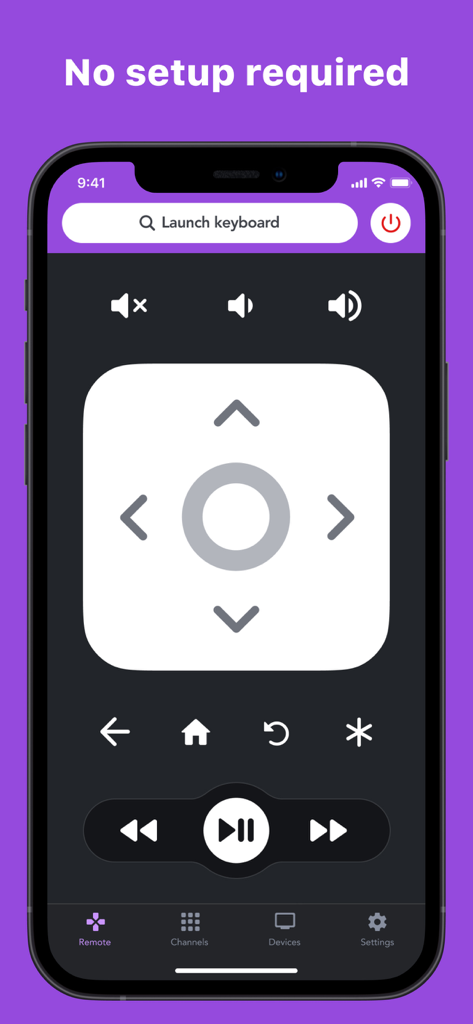
방향 패드와 재생 제어 기능이 있는 스마트폰 화면의 RoByte Roku 리모컨 앱 인터페이스
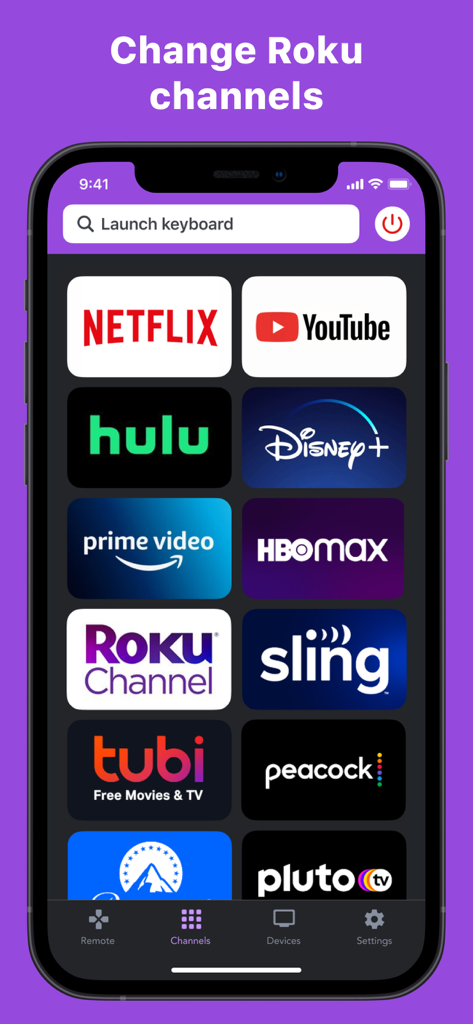
Roku TV에서 빠른 선택을 위한 스트리밍 채널 아이콘 그리드를 보여주는 RoByte 앱 인터페이스
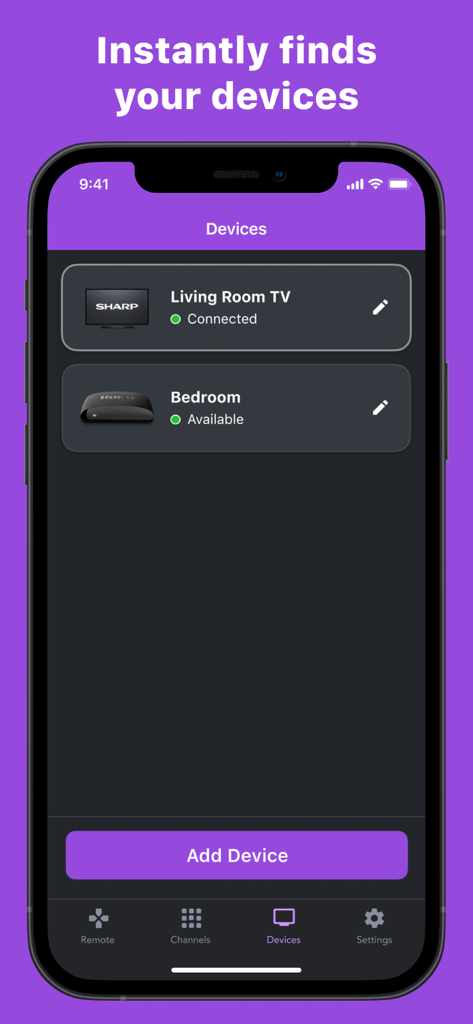
홈 네트워크에서 검색 및 연결된 Roku 기기 목록을 보여주는 RoByte 앱 인터페이스
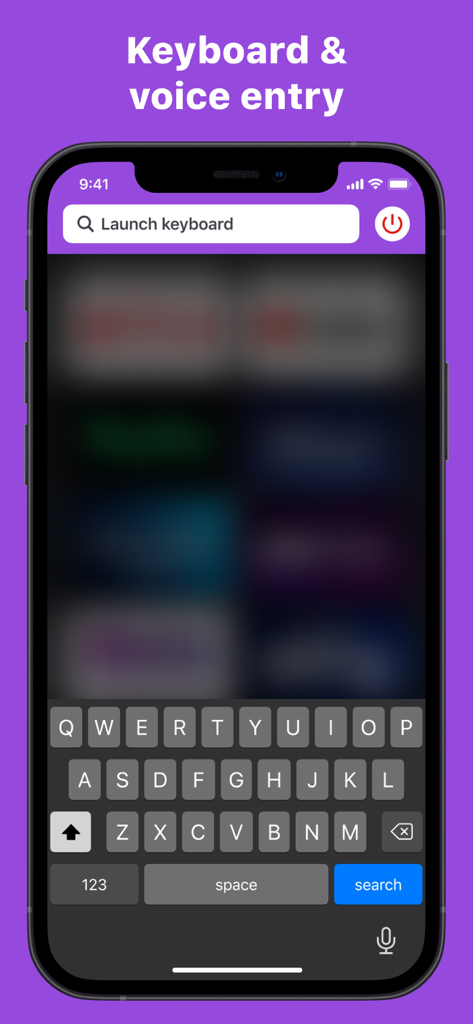
Roku TV 제어를 위한 키보드 및 음성 입력 기능을 보여주는 RoByte 앱 인터페이스
설명
Download
비슷한 앱
유사한 기능과 사용자 경험을 가진 앱

Skylight App
Glimpse LLC.

Remote Control for Samsung TV・
Red Paket sp. z o.o.

BARDI Smart Home
nadi digital indonesia, pt

LG TV Remote Control Smart TVs
Aleh Piashkou

UPPAbaby Home
Thorley Industries LLC

Calex Smart
Electro Cirkel Retail BV

Remote Control for TV Stick
Pol Nadal Serra

Firestick・Fire TV Remote Stick
Jonathan Reed

Bravia Controller - Sony TV
YONGXING JIN
이 페이지는 앱이나 개발자의 공식 페이지가 아니며, 정보 제공 및 논평을 목적으로 작성된 독립 편집 간행물입니다. 명시적으로 달리 언급되지 않는 한, 해당 앱이나 개발자는 MWM, Apple, Google Play, 앱 퍼블리셔 또는 앱 개발자와 제휴, 보증, 후원, 승인 또는 공식적으로 연결되어 있지 않으며, 이 페이지의 어떤 내용도 해당 앱이 MWM의 서비스를 사용하여 개발되었음을 의미하지 않습니다. 모든 상표, 로고, 스크린샷 및 기타 콘텐츠는 해당 소유자의 자산입니다.