이 페이지는 앱이나 개발자의 공식 페이지가 아니며, 정보 제공 및 논평을 목적으로 작성된 독립 편집 간행물입니다. 명시적으로 달리 언급되지 않는 한, 해당 앱이나 개발자는 MWM, Apple, Google Play, 앱 퍼블리셔 또는 앱 개발자와 제휴, 보증, 후원, 승인 또는 공식적으로 연결되어 있지 않으며, 이 페이지의 어떤 내용도 해당 앱이 MWM의 서비스를 사용하여 개발되었음을 의미하지 않습니다. 모든 상표, 로고, 스크린샷 및 기타 콘텐츠는 해당 소유자의 자산입니다.
RPGEmu for RPG Maker MV
iPhone 또는 iPad에서 RPG Maker MV 및 MZ의 최고를 경험하세요. Safari에서 직접 게임을 다운로드하고 PC 없이 사용자 지정 가상 키보드로 즉시 플레이하세요.
RPGEmu는 인디 게임을 위한 궁극적인 다리 역할을 하여 번거로운 컴퓨터 없이 iOS 기기에서 RPG Maker MV 및 MZ 게임을 네이티브로 실행할 수 있습니다.
즉각적인 Safari 가져오기
노트북은 잊으세요. Safari에서 직접 인디 게임 .zip 파일을 다운로드하고 PC 동기화 없이 몇 초 안에 실행하세요.
원활한 가상 컨트롤
'Z 키 누르기' 화면에서 다시는 멈추지 마세요. 사용자 지정 가상 키보드는 비주얼 노벨 및 RPG 메커니즘에 최적화되어 있습니다.
다음 스크린샷과 설명은 앱의 공식 스토어 목록에서 직접 가져온 것이며 앱 개발자의 자산입니다.
앱 스토어
스크린샷
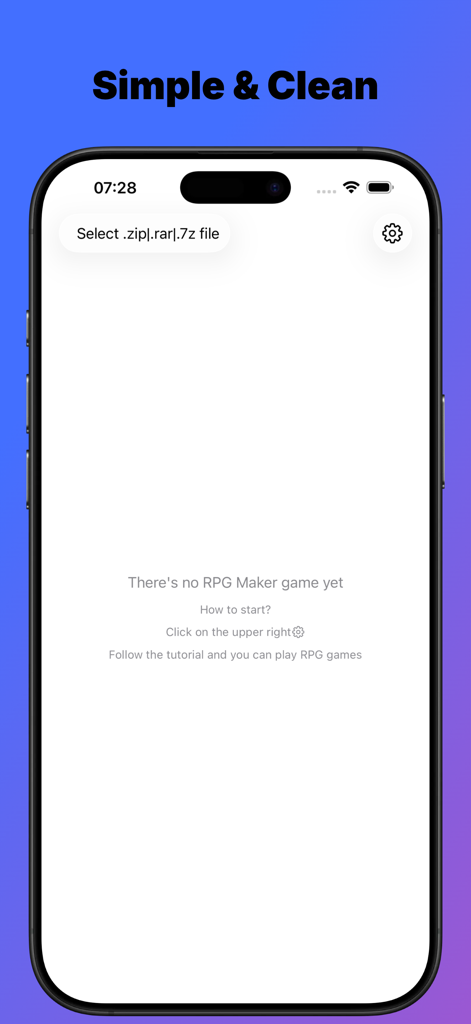
RPGEmu 앱의 메인 인터페이스로, iPhone에서 RPG Maker 게임 파일을 가져오는 옵션을 보여줍니다.
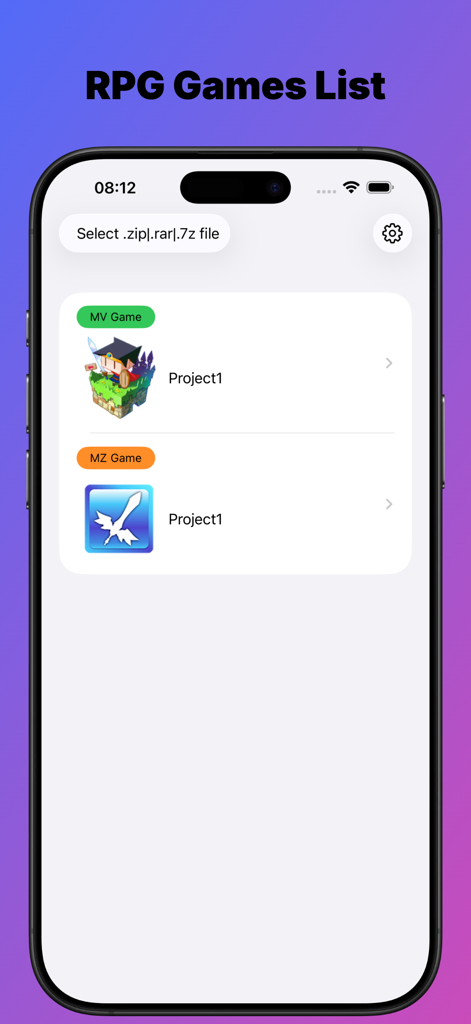
RPGEmu 앱 인터페이스 내에서 가져온 RPG Maker MV 및 MZ 게임 목록
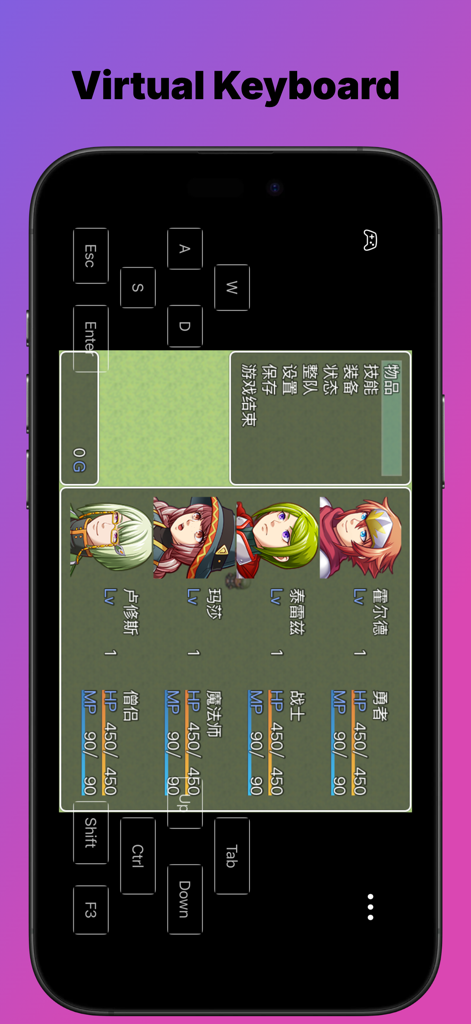
RPG Maker 게임 메뉴 위에 가상 키보드 오버레이가 있는 RPGEmu 앱을 보여주는 스마트폰 화면.
설명
Why RPGEmu not others?
1.SwiftUI design, to play or not to play the RPG Maker MV games is easier than ever
2.Support zip files downloaded by Safari directly, that means you do not need to have any windows pc
3.Virtual keyboard, sometimes it is not a plus but a must, if you want to go on playing the visual novels
Notes:
To get the RPG maker MV games, it is really very easy.
You could search "rpg maker mv game free download" by Google.
One of the search result maybe:
https://itch.io/games/tag-rpg-maker-mv
There're many free those games to download, most of them should be ok to play with this app, if it does not, let me know.
RPG maker MV is game framework, so one is ok, another is ok too, as both of them are made with the same tool.
Maybe you have encountered such situation:
When you downloaded a wonderful Visual Novel game from website, you do not want to play it on your windows pc, while you want to play it on your iPhone or iPad.
If the visual novel game is made with RPG Maker MV, you are good to go with this app then.
RPGEmu gives your a new chance to play those windows games which made by RPG Maker MV tool on your iPhone or iPad.
Though RPGEmu itself does not supply any games, it is not very hard to get "RPG Maker MV Games".
I have tried it by myself, just search google, it is really too easy to get many visual novel games which made with "RPG Maker MV".
If you could play those games on your windows pc, it should be ok to play them on your iPhone or iPad.
I noted such kind of visual novel games do heavily depends on keyboard, so I made a virtual keyboard.
Notes: when you see "Press Z to start", you could press "Enter" to start also.
RPGEmu also supports RPG Maker MZ game.
The game was made with RPG Maker MV tool, we call it RPG Maker MV game, or [MV Game].
The game was made with RPG Maker MZ tool, we call it RPG Maker MZ game, or [MZ Game].
Once you installed RPGEmu, you have the ability to play windows [MV Game] on your iPhone or iPad.
If you also want to play windows [MZ Game] on your iPhone or iPad, you will need to purchase [MZ Function].
[MZ Function] is a non-consume product, once you purchased it, you get the ability to play [MZ Game] on your iPhone or iPad device forever.
You will only need to purchase [MZ Function] when you imported a MZ game file, if no MZ game file, you do not need to pay for [MZ Function].
Note:
When you imported the game zip file, the transfer process may need minutes to finish, please do not leave the app RPGEmu, or else, transfer process will be terminated and app will crash.
Do not leave screen that means you should not go to Home Screen or open another APP, you must keep you are on the RPGEmu's screen.
Of course, if you have to open another app, that's ok, just open the RPGEmu again, and start to transfer the game zip file from beginning again.
This behavior is not a BUG, hope you could understand it.
After transfer process finished, you could leave RPGEmu and back to RPGEmu, only when the file is in transferring, you could not leave RPGEmu.
이 페이지는 앱이나 개발자의 공식 페이지가 아니며, 정보 제공 및 논평을 목적으로 작성된 독립 편집 간행물입니다. 명시적으로 달리 언급되지 않는 한, 해당 앱이나 개발자는 MWM, Apple, Google Play, 앱 퍼블리셔 또는 앱 개발자와 제휴, 보증, 후원, 승인 또는 공식적으로 연결되어 있지 않으며, 이 페이지의 어떤 내용도 해당 앱이 MWM의 서비스를 사용하여 개발되었음을 의미하지 않습니다. 모든 상표, 로고, 스크린샷 및 기타 콘텐츠는 해당 소유자의 자산입니다.