SA Contacts Lite

SA Contacts Lite

다운로드: App Store
로고: SA Contacts Lite

SA Contacts Lite: 스트레스 없는 연락처 관리를 위한 전문가용 솔루션

주소록을 Excel로 손쉽게 동기화, 병합 및 내보내세요. 정리된 연락처, 안전한 백업 및 전문 네트워크에 대한 정확한 제어를 필요로 하는 파워 유저를 위해 설계되었습니다.

개발사

ShenZhen SamApp Technology Development Co., Ltd

카테고리

Business

다운로드

434K+

사용자 평점

4.0/5

총 평가 수

2K+

지원 언어

10

한눈에 보는 정확성

이 인터페이스를 사용하는 434K+ 명의 사용자.

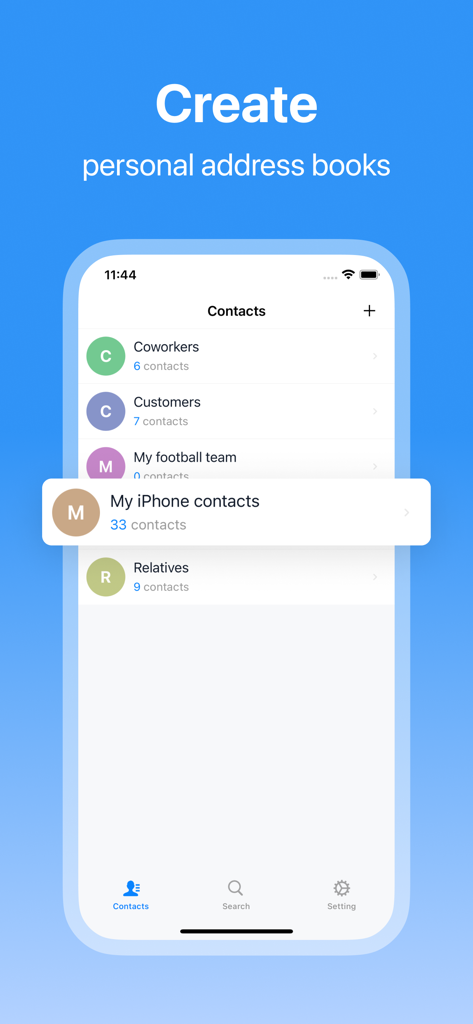
SA Contacts Lite 앱 인터페이스에서 동료 및 고객과 같은 다양한 연락처 그룹을 보여주어 쉽게 정리할 수 있습니다.

SA Contacts Lite 앱 인터페이스에서 동료 및 고객과 같은 다양한 연락처 그룹을 보여주어 쉽게 정리할 수 있습니다.

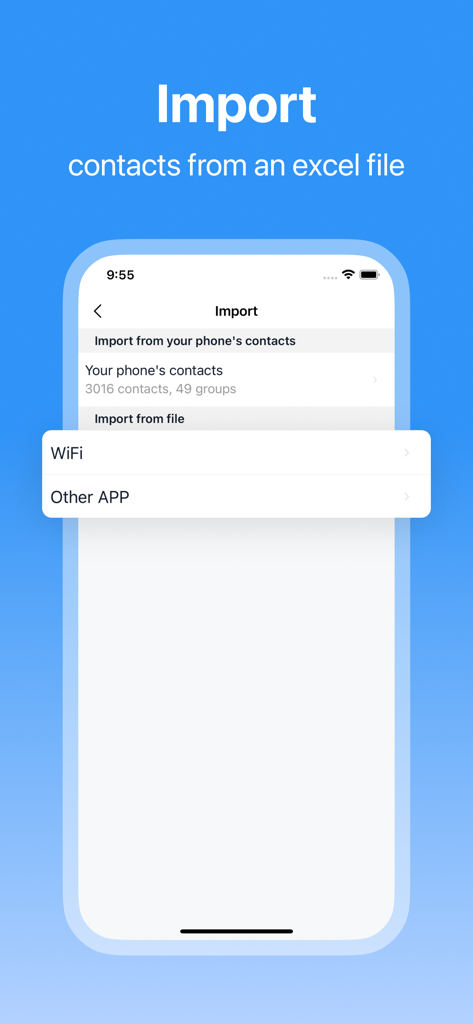
SA Contacts Lite 앱 화면에서 WiFi 또는 기타 앱을 통해 Excel 파일에서 연락처를 가져오는 옵션을 보여줍니다.

SA Contacts Lite 앱 화면에서 WiFi 또는 기타 앱을 통해 Excel 파일에서 연락처를 가져오는 옵션을 보여줍니다.

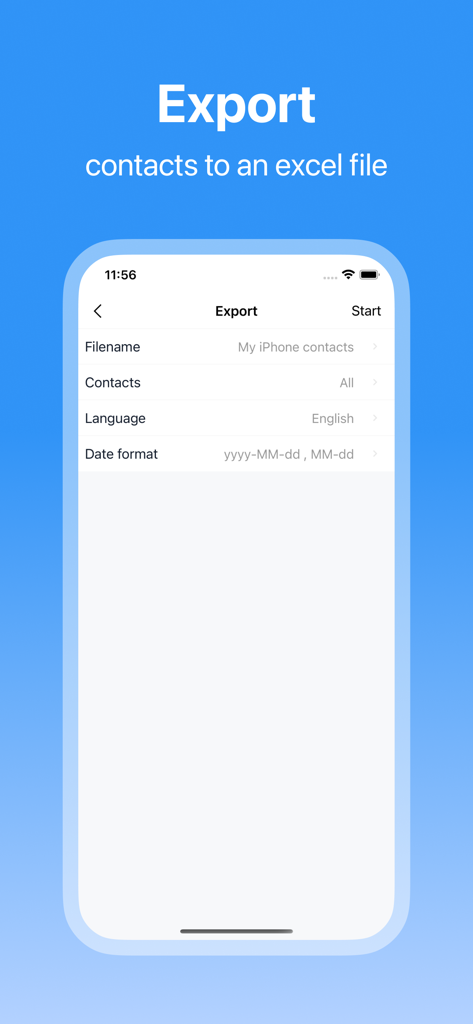
iPhone 연락처를 Excel 스프레드시트로 내보내는 설정을 보여주는 SA Contacts Lite 앱의 인터페이스

iPhone 연락처를 Excel 스프레드시트로 내보내는 설정을 보여주는 SA Contacts Lite 앱의 인터페이스

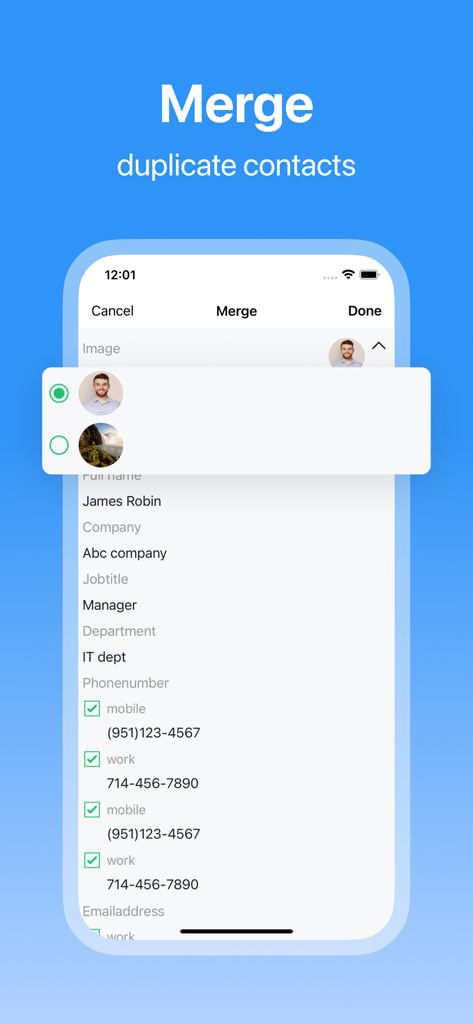
연락처 프로필을 정리하고 정리하는 모습을 보여주는 SA Contacts Lite 앱의 중복 연락처 병합 기능 스크린샷

연락처 프로필을 정리하고 정리하는 모습을 보여주는 SA Contacts Lite 앱의 중복 연락처 병합 기능 스크린샷

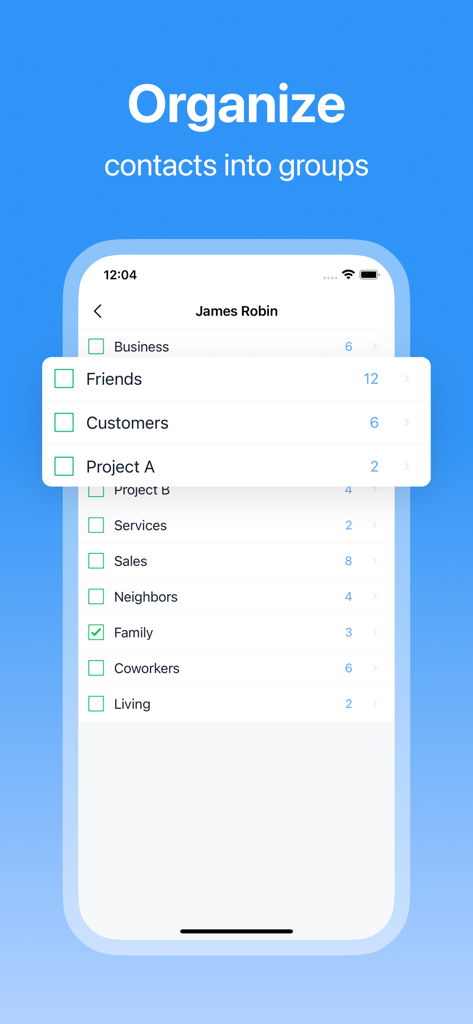
연락처에 대해 비즈니스, 친구, 고객과 같은 범주로 그룹 정리 기능을 보여주는 SA Contacts Lite의 스크린샷

연락처에 대해 비즈니스, 친구, 고객과 같은 범주로 그룹 정리 기능을 보여주는 SA Contacts Lite의 스크린샷

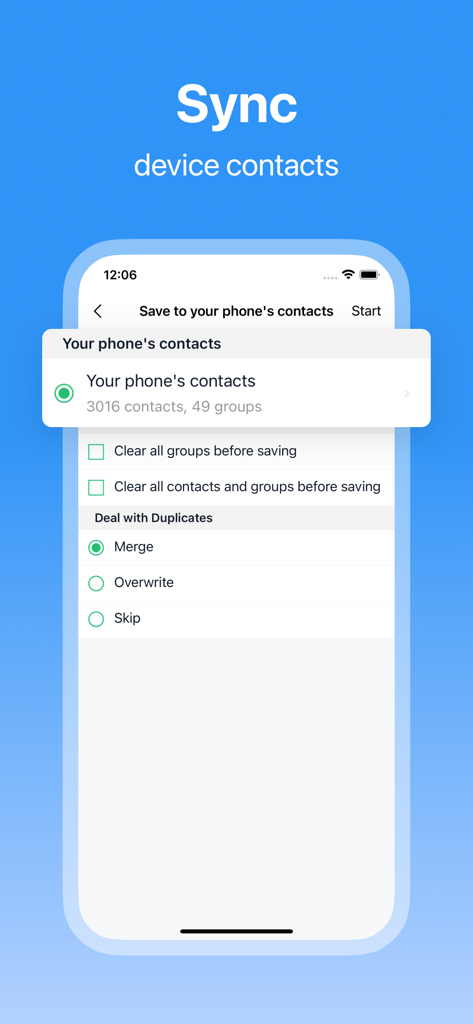
장치 연락처 동기화 및 중복 병합 옵션을 보여주는 SA Contacts Lite 앱 인터페이스

장치 연락처 동기화 및 중복 병합 옵션을 보여주는 SA Contacts Lite 앱 인터페이스

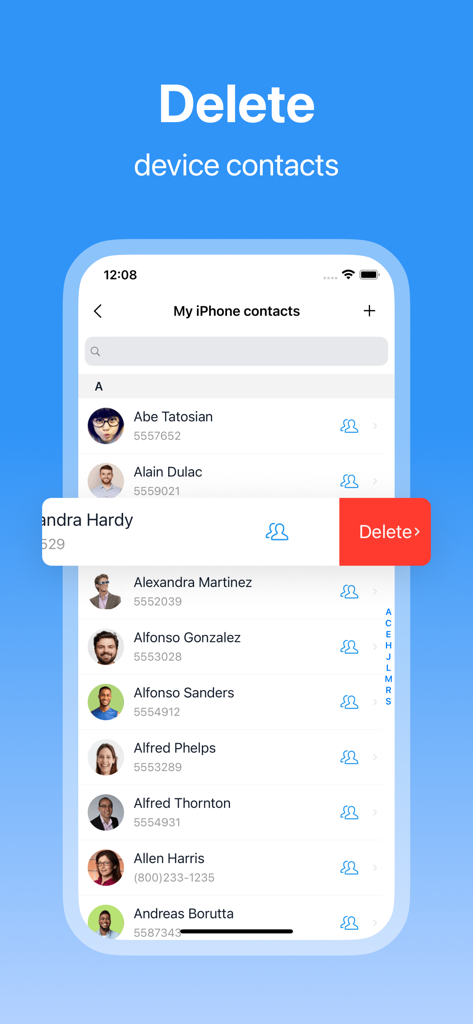
SA Contacts Lite 앱에서 장치 연락처 삭제 기능을 보여주는 스크린샷

SA Contacts Lite 앱에서 장치 연락처 삭제 기능을 보여주는 스크린샷

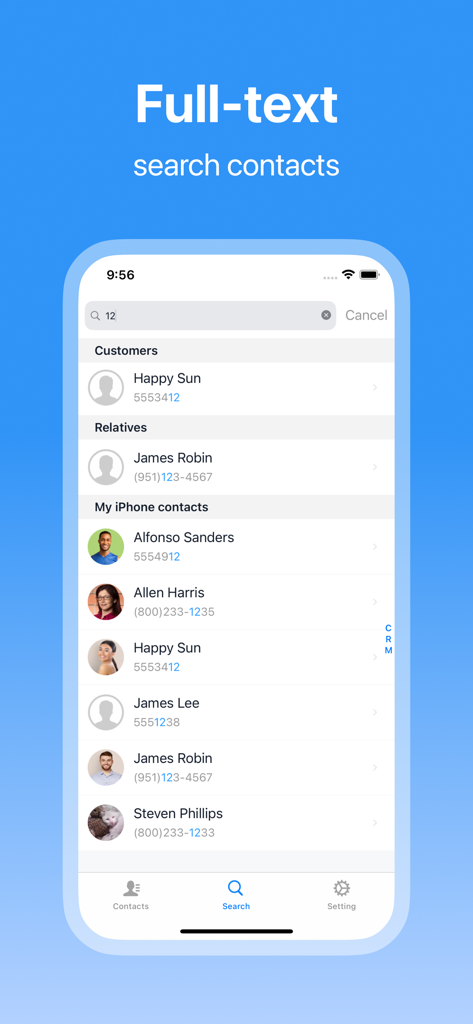
SA Contacts Lite 앱의 전체 텍스트 연락처 검색 기능을 보여주는 스크린샷

SA Contacts Lite 앱의 전체 텍스트 연락처 검색 기능을 보여주는 스크린샷

전문 네트워크 마스터하기

이 앱을 돋보이게 하는 도구, 434K+ 명의 사용자가 선택.

📊

전문적인 Excel 통합

연락처(사진 포함)를 Excel 또는 VCF 형식으로 원활하게 내보냅니다. 배치 편집 또는 회사 CRM 업데이트에 완벽합니다.

🧹

스마트 중복 정리

중복 항목을 즉시 감지하고 병합합니다. 유효하지 않은 정보를 자동으로 제거하여 깔끔하고 전문적인 데이터베이스를 유지하세요.

🛡️

안정적인 백업 및 동기화

가장 가치 있는 잠재 고객이 절대 사라지지 않도록 하세요. 로컬 주소록을 만들고 실시간 동기화를 사용하여 완전한 데이터 주권을 확보하세요.

앱 소개

에 대해 알아야 할 모든 것 SA Contacts Lite.

설명

Looking for a more efficient way to manage your contacts? SA Contacts offers a one-stop solution that makes managing your address book a breeze. Whether it’s syncing, organizing, importing/exporting, or merging duplicates, SA Contacts has you covered, helping you handle your contacts with ease. Key Features: • Smart Sync: Manage a duplicate copy of your phone contacts with real-time sync, ensuring no data is ever lost. • Personalized Address Books: Create multiple local address books to suit your needs, and easily import/export contacts. • Effortless Import/Export: Supports Excel and VCF formats for quick and easy contact management, with cloud storage integration for secure backups. • Accurate Merging: Automatically detect and merge duplicate contact information, keeping your address book clean and accurate. • Comprehensive Management: Batch clean up invalid contacts, quickly find the contacts you need, and manage contact groups effortlessly. • Unique Photo Support: Import and export contact photos, even embedding them into Excel cells for a more personalized address book. Additionally, SA Contacts provides a way for millions of existing users to continue using the old version, preserving their classic experience. Whether you’re a new or existing user, you’ll find the perfect management method in SA Contacts. SA Contacts makes it easy to handle any contact management needs, ensuring your address book stays organized. The Lite version offers all the features of the paid version without any usage limits, only with some ads. Download SA Contacts now and start a new journey in contact management!

최신 버전

3.5.2

크기

31.4 MB

출시일

2010년 11월 2일

오늘 전문 네트워크를 관리하세요

SA Contacts Lite를 사용하여 중복 항목을 병합하고 Excel로 쉽게 내보내는 430,000명 이상의 전문가들과 함께하세요. 지금 다운로드하고 주소록 정리를 무료로 시작하세요.

다운로드: App Store

App information, icons, screenshots, and descriptions displayed on this page are sourced from the Apple App Store and are the property of their respective developers. Download estimates and rankings are based on MWM's proprietary models and may not reflect actual figures. This page is provided for informational and analytical purposes only.

Believe this page infringes your intellectual property? File a dispute