
이 페이지는 앱이나 개발자의 공식 페이지가 아니며, 정보 제공 및 논평을 목적으로 작성된 독립 편집 간행물입니다. 명시적으로 달리 언급되지 않는 한, 해당 앱이나 개발자는 MWM, Apple, Google Play, 앱 퍼블리셔 또는 앱 개발자와 제휴, 보증, 후원, 승인 또는 공식적으로 연결되어 있지 않으며, 이 페이지의 어떤 내용도 해당 앱이 MWM의 서비스를 사용하여 개발되었음을 의미하지 않습니다. 모든 상표, 로고, 스크린샷 및 기타 콘텐츠는 해당 소유자의 자산입니다.

다운로드
540K+사용자 평점
총 평가 수
100개발사
카테고리
Utilities지원 언어
10최신 버전
3.194크기
236.7 MB출시일
2012년 8월 1일안전 및 지원에 대한 귀하의 직접 연결
전문적인 도움이 한 번의 탭으로 가까이 있는 전담 안전 네트워크를 통해 캠퍼스 또는 직장에서 안심하세요.
원탭 긴급 경고
모든 초가 중요할 때 조직의 보안 팀에 직접 연결하여 911보다 빠른 대응을 위해 정확한 위치를 제공합니다.
솔로 작업을 위한 스마트 체크인
상태와 위치를 담당자에게 공유하여 자신 있게 늦게까지 일하거나 공부하여 외딴 지역에서 결코 혼자 있지 않도록 하세요.
자주 묻는 질문
에 대해 알아야 할 모든 것 SafeZone
SafeZone 앱은 무엇인가요?
SafeZone 앱은 사용자를 조직의 대응팀에 직접 연결하여 긴급 상황, 응급 처치 상황 또는 덜 긴급한 필요에 도움을 받을 수 있는 무료 애플리케이션입니다.
누가 SafeZone 앱을 사용할 수 있나요?
SafeZone 솔루션을 사용하는 조직의 개인만 앱을 사용할 수 있습니다. 사용자는 조직 이메일(대학 또는 직장)로 가입해야 합니다.
SafeZone 앱은 무료로 사용할 수 있나요?
네, SafeZone 앱은 무료입니다. 사용자를 조직의 대응팀에 무료로 직접 연결합니다.
SafeZone 앱을 사용하여 긴급 상황에서 어떻게 도움을 받을 수 있나요?
네, 긴급 상황에서 도움을 받을 수 있습니다. SafeZone 앱의 "긴급" 버튼을 누르면 대응팀이 사용자의 상황과 위치를 알림 받습니다.
SafeZone 앱의 '응급 처치' 기능은 무엇인가요?
'응급 처치' 기능을 사용하면 사용자가 자신이나 근처에 있는 사람이 응급 처치가 필요한 경우 조직의 대응팀에 연락할 수 있습니다. 팀은 사용자의 위치와 함께 알림을 받습니다.
혼자 일할 때 SafeZone 앱으로 체크인할 수 있나요?
네, SafeZone 앱을 사용하면 체크인하여 혼자 일할 때 팀에 상태를 공유할 수 있습니다. 이 기능은 안전 팁에 대한 액세스도 제공합니다.
SafeZone 앱은 긴급 알림을 제공하나요?
네, SafeZone을 사용하면 중대한 사건 중에 조직으로부터 긴급 알림 및 안내를 받을 수 있습니다.
SafeZone 영역 밖에서 경고를 발생시키면 어떻게 되나요?
정의된 SafeZone 영역 밖에서 경고 버튼을 누르면 앱이 해당 영역 밖에 있음을 표시하고 현지 긴급 서비스에 전화할 수 있는 단일 탭 통화를 제공합니다.
SafeZone 앱이 셔틀 버스 위치를 추적할 수 있나요?
네, 조직에서 안전 셔틀 버스를 제공하는 경우 SafeZone 앱 내에서 실시간 위치를 볼 수 있습니다.
SafeZone 앱은 위치 서비스를 사용하나요?
네, SafeZone 애플리케이션은 백그라운드에서 실행되는 동안 위치 서비스를 사용합니다. GPS를 지속적으로 사용하면 배터리 수명이 크게 단축될 수 있습니다.
SafeZone 앱은 어떻게 경고를 보내나요?
경고 버튼을 누르면 SafeZone 앱에 "경고 전송 준비 중..."이라는 카운트다운이 표시된 다음 현재 GPS 위치와 함께 "경고 전송 중"이 표시됩니다.
SafeZone 앱은 경고 중에 내 GPS 위치를 표시하나요?
네, 경고 중에 SafeZone 앱은 현재 GPS 위치 좌표를 표시합니다. 이 정보는 대응팀과 공유됩니다.
SafeZone 앱에서 직접 보안 또는 긴급 서비스에 전화할 수 있나요?
네, 경고가 전송된 후 SafeZone 앱에는 "보안 전화" 및 "000 전화" (현지 긴급 서비스) 버튼이 제공됩니다.
다음 스크린샷과 설명은 앱의 공식 스토어 목록에서 직접 가져온 것이며 앱 개발자의 자산입니다.
앱 스토어
스크린샷
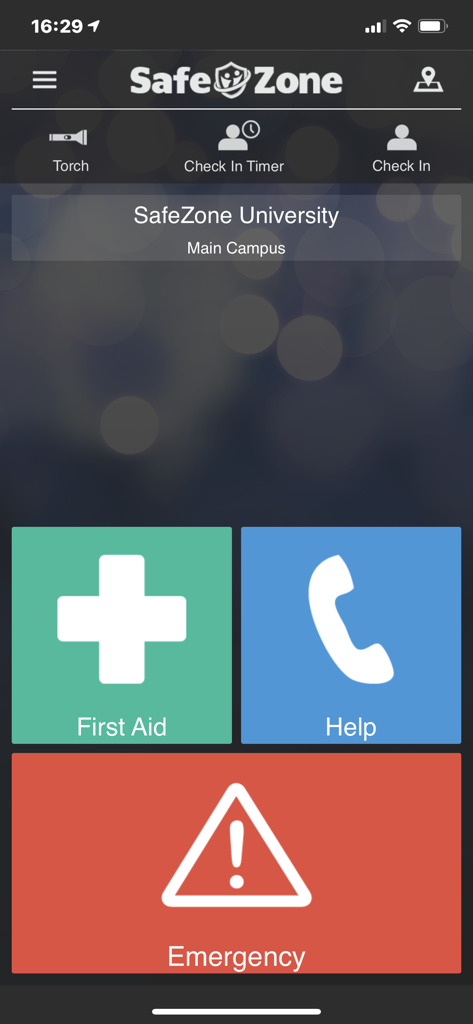
SafeZone 앱 대시보드에 응급 처치 도움 및 긴급 연락 버튼 표시
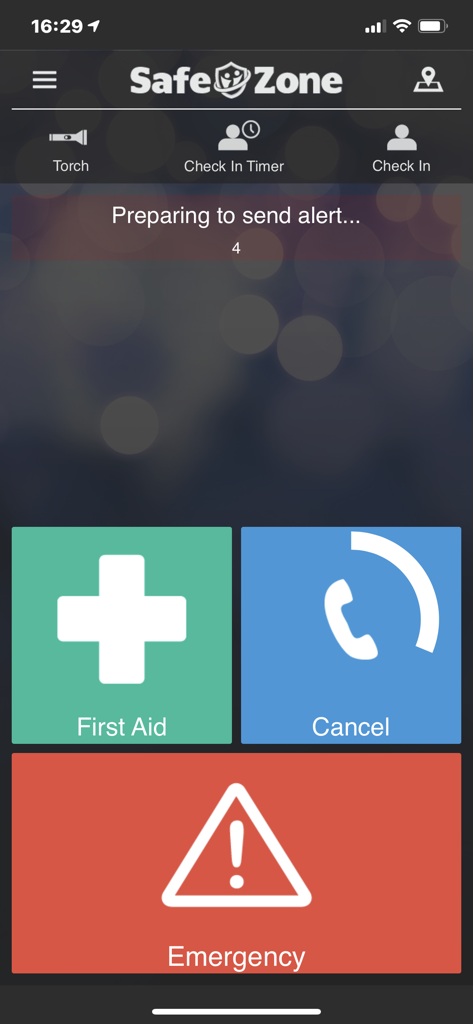
SafeZone 모바일 앱 인터페이스에 응급 처치 및 긴급 버튼이 크게 표시되고 경고를 보내기 위해 타이머 준비
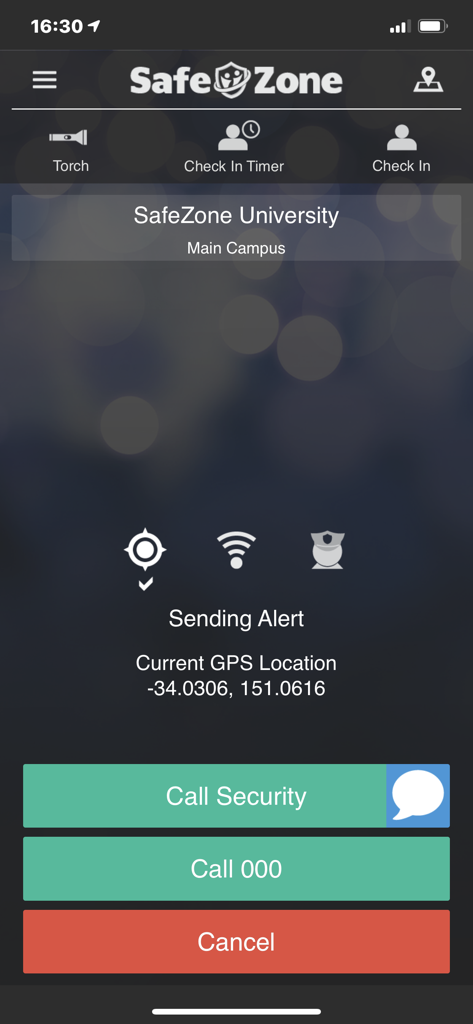
SafeZone 앱 인터페이스에 현재 GPS 좌표와 보안 또는 긴급 서비스에 전화하는 옵션이 표시된 긴급 경고 진행 중 표시
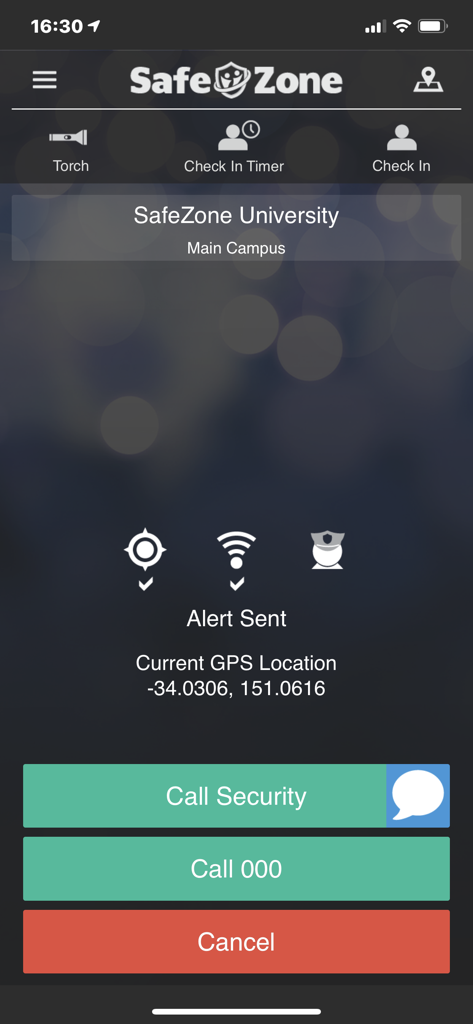
SafeZone 앱 인터페이스에 기관 보안 및 긴급 통화 옵션이 표시된 경고 전송 화면 표시
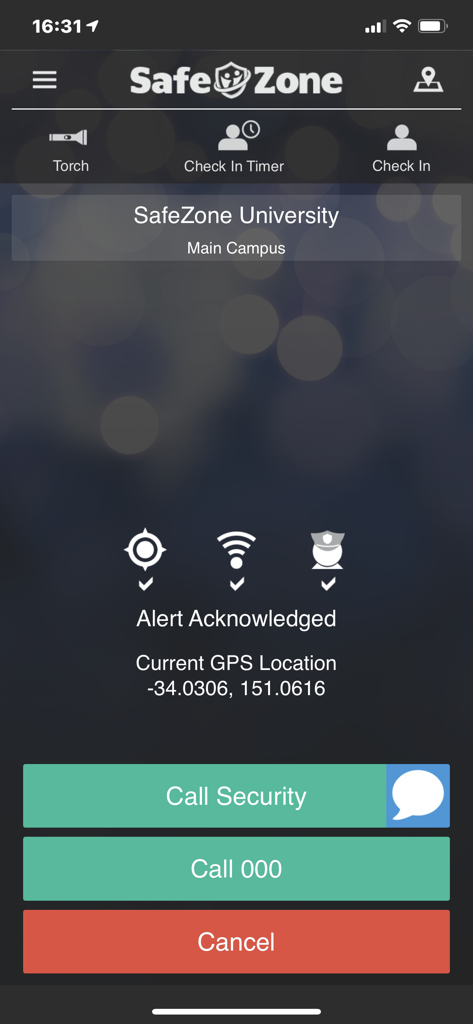
SafeZone 앱 인터페이스에 승인된 경고 및 긴급 연락 옵션 표시
설명
Download
비슷한 앱
유사한 기능과 사용자 경험을 가진 앱

SafeNow™
SafeNow GmbH
Záchranka
Medical Information Technologies, s.r.o.

Noonlight: Feel Protected 24/7
Noonlight, Inc.

Kaaval Uthavi
Tamil Nadu Police
Hjelp 113
Stiftelsen Norsk Luftambulanse

112NL
Politie Nederland

EchoSOS
MobileMed Sarl

Pol-App(Kerala Police)
Kerala Police
Emergency Plus
National Triple Zero Awareness Work Group
이 페이지는 앱이나 개발자의 공식 페이지가 아니며, 정보 제공 및 논평을 목적으로 작성된 독립 편집 간행물입니다. 명시적으로 달리 언급되지 않는 한, 해당 앱이나 개발자는 MWM, Apple, Google Play, 앱 퍼블리셔 또는 앱 개발자와 제휴, 보증, 후원, 승인 또는 공식적으로 연결되어 있지 않으며, 이 페이지의 어떤 내용도 해당 앱이 MWM의 서비스를 사용하여 개발되었음을 의미하지 않습니다. 모든 상표, 로고, 스크린샷 및 기타 콘텐츠는 해당 소유자의 자산입니다.