Samposium: Performance Sampler
다운로드: App Store

이 페이지는 앱이나 개발자의 공식 페이지가 아니며, 정보 제공 및 논평을 목적으로 작성된 독립 편집 간행물입니다. 명시적으로 달리 언급되지 않는 한, 해당 앱이나 개발자는 MWM, Apple, Google Play, 앱 퍼블리셔 또는 앱 개발자와 제휴, 보증, 후원, 승인 또는 공식적으로 연결되어 있지 않으며, 이 페이지의 어떤 내용도 해당 앱이 MWM의 서비스를 사용하여 개발되었음을 의미하지 않습니다. 모든 상표, 로고, 스크린샷 및 기타 콘텐츠는 해당 소유자의 자산입니다.

로고: Samposium: Performance Sampler
다운로드: App Store

Samposium: Performance Sampler

실험적인 사운드 디자인을 위한 촉각적인 악기로 iOS 기기를 변환하세요. 구독료 없이 유동적인 멀티터치 컨트롤, 전문적인 FX 체인, 원활한 MIDI 통합을 경험하세요.

주요 수치

다운로드

400

사용자 평점

5.0/5

총 평가 수

0

개발사

SynthFam DSP LLC

카테고리

Music

지원 언어

1

최신 버전

1.02

크기

398.2 MB

출시일

2025년 11월 29일
기능

당신의 소닉 아이덴티티 조각하기

실시간 조작을 위해 설계된 촉각적이고 모듈식에서 영감을 받은 퍼포먼스 샘플러를 경험하세요. 구독 없이도 전문적인 도구로 오디오를 구부리고, 비틀고, 시퀀싱하여 당신의 창의적 소유권을 존중합니다.

촉각 샘플 조각

임상적인 클릭을 넘어서세요. 유동적인 멀티터치 제스처를 사용하여 '샘플 퍼티'처럼 오디오를 형성하고 iPad를 진정으로 표현력 있는 악기로 만드세요.

모듈러급 FX 체인

각 패드마다 사용자 지정 신호 경로를 구축하세요. 풍부한 앰비언트 텍스처부터 혼란스러운 노이즈까지, 각 샘플은 자체 독립적이고 재정렬 가능한 FX 체인을 갖추고 있습니다.

다음 스크린샷과 설명은 앱의 공식 스토어 목록에서 직접 가져온 것이며 앱 개발자의 자산입니다.

앱 스토어

스크린샷
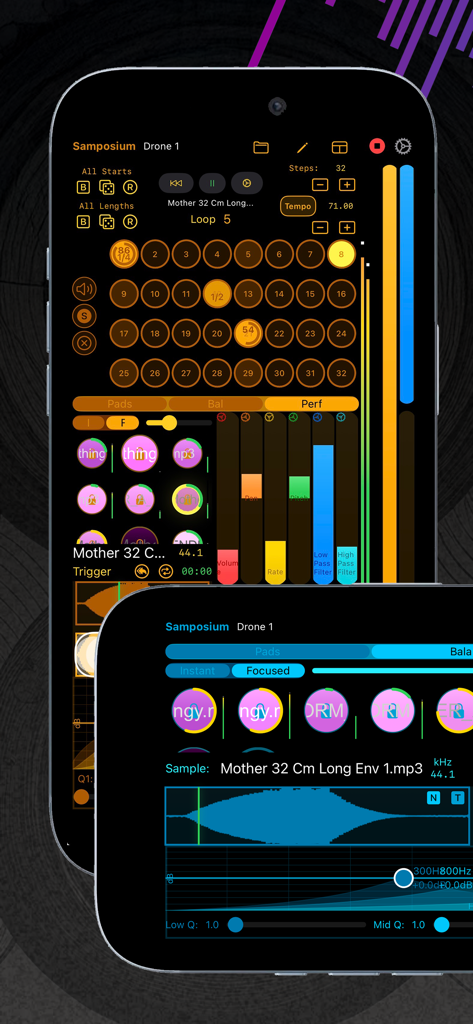
Samposium: Performance Sampler - 스마트폰 화면에 32단계 시퀀서와 오디오 파형 편집을 보여주는 Samposium 퍼포먼스 샘플러 앱 인터페이스
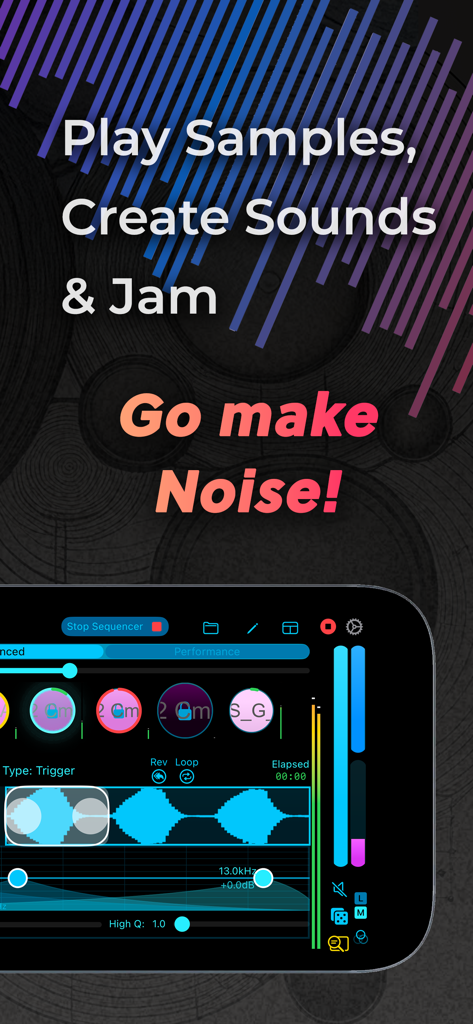
스마트폰 화면에 32단계 시퀀서와 오디오 파형 편집을 보여주는 Samposium 퍼포먼스 샘플러 앱 인터페이스

Samposium: Performance Sampler - 오디오 파형과 터치 컨트롤이 있는 Samposium 음악 퍼포먼스 샘플러 인터페이스를 표시하는 스마트폰 화면
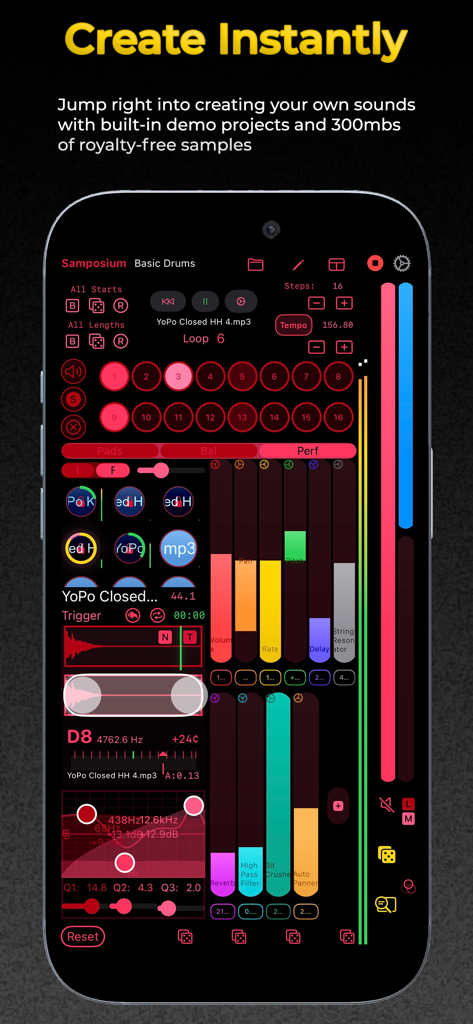
오디오 파형과 터치 컨트롤이 있는 Samposium 음악 퍼포먼스 샘플러 인터페이스를 표시하는 스마트폰 화면

Samposium: Performance Sampler - iPhone의 Samposium 퍼포먼스 샘플러 앱 인터페이스, 다채로운 오디오 페이더 및 샘플 패드 표시
iPhone의 Samposium 퍼포먼스 샘플러 앱 인터페이스, 다채로운 오디오 페이더 및 샘플 패드 표시

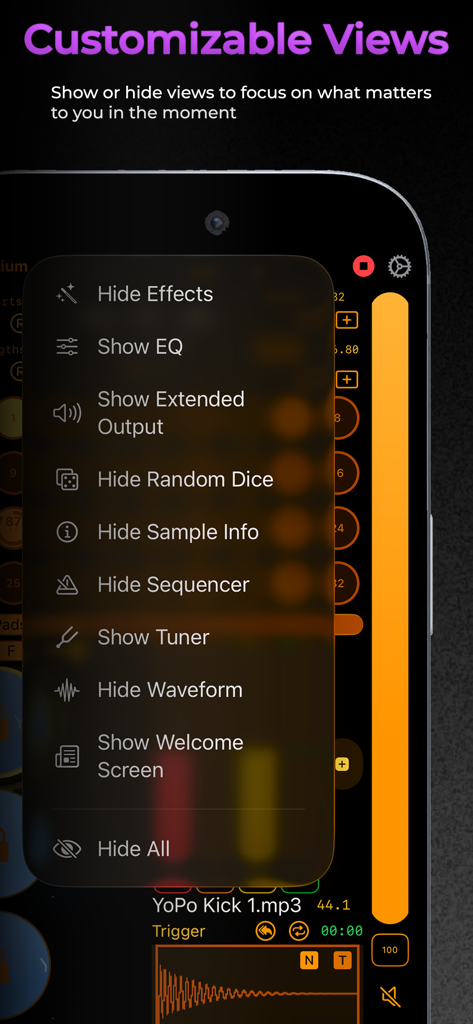
Samposium: Performance Sampler - 음악 제작 워크플로우 최적화를 위한 사용자 지정 가능한 보기 메뉴를 보여주는 Samposium 앱 스크린샷
음악 제작 워크플로우 최적화를 위한 사용자 지정 가능한 보기 메뉴를 보여주는 Samposium 앱 스크린샷

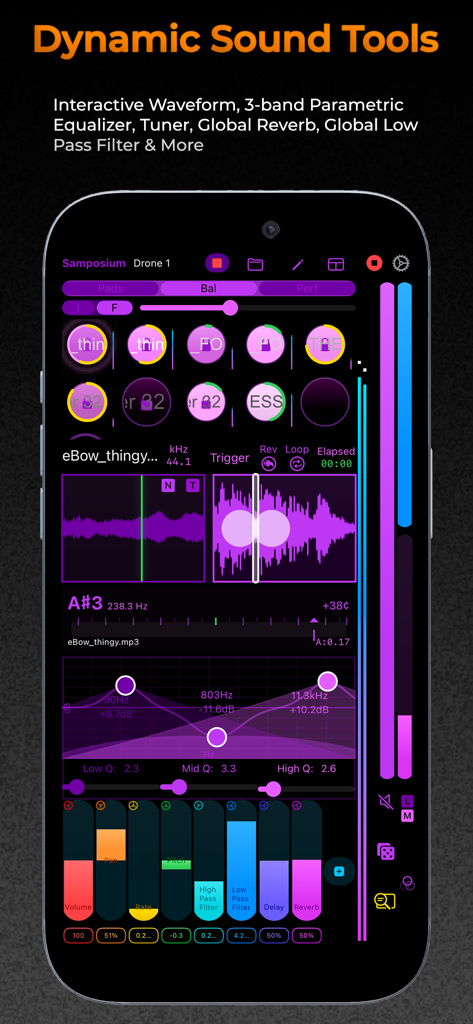
Samposium: Performance Sampler - 모바일 음악 제작을 위한 대화형 파형과 3밴드 파라메트릭 이퀄라이저를 보여주는 Samposium 앱 인터페이스
모바일 음악 제작을 위한 대화형 파형과 3밴드 파라메트릭 이퀄라이저를 보여주는 Samposium 앱 인터페이스

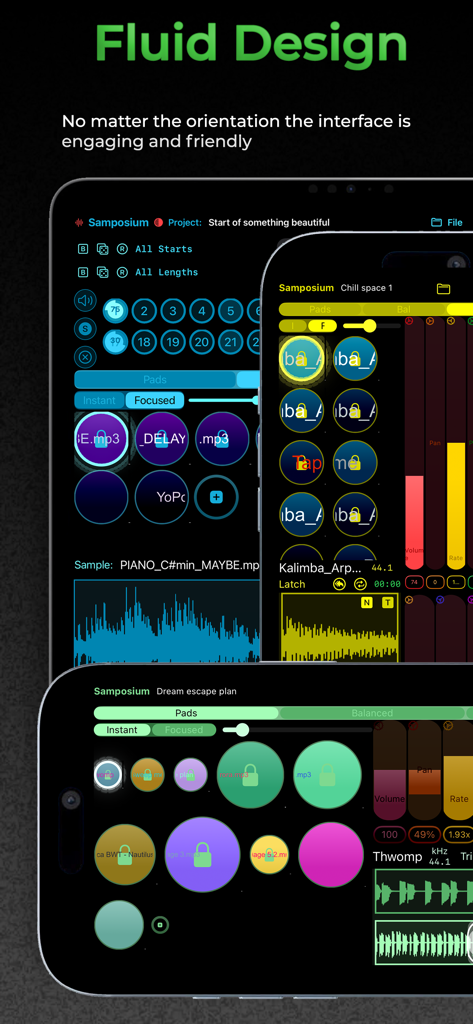
Samposium: Performance Sampler - 가로 및 세로 방향의 여러 장치에 표시되는 Samposium 음악 샘플러 앱 인터페이스, 유동적인 디자인 강조
가로 및 세로 방향의 여러 장치에 표시되는 Samposium 음악 샘플러 앱 인터페이스, 유동적인 디자인 강조

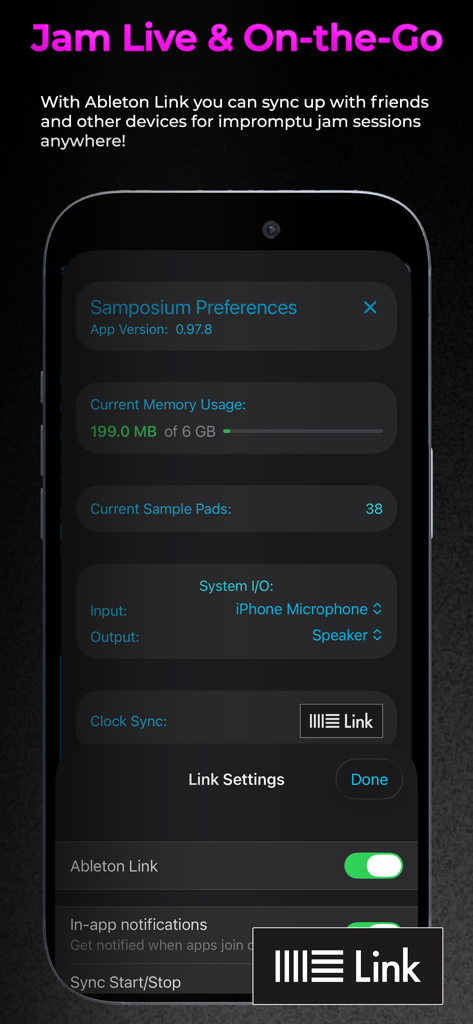
Samposium: Performance Sampler - 라이브 음악 퍼포먼스를 위한 Ableton Link 동기화 설정을 보여주는 Samposium 앱 환경 설정 화면
라이브 음악 퍼포먼스를 위한 Ableton Link 동기화 설정을 보여주는 Samposium 앱 환경 설정 화면

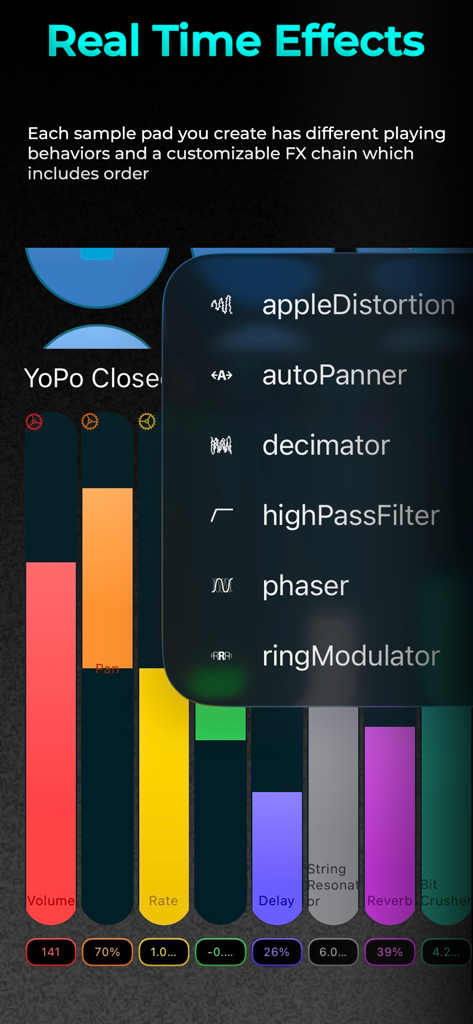
Samposium: Performance Sampler - 실시간 오디오 효과 메뉴와 다채로운 사운드 파라미터 컨트롤을 보여주는 Samposium 앱 인터페이스
실시간 오디오 효과 메뉴와 다채로운 사운드 파라미터 컨트롤을 보여주는 Samposium 앱 인터페이스

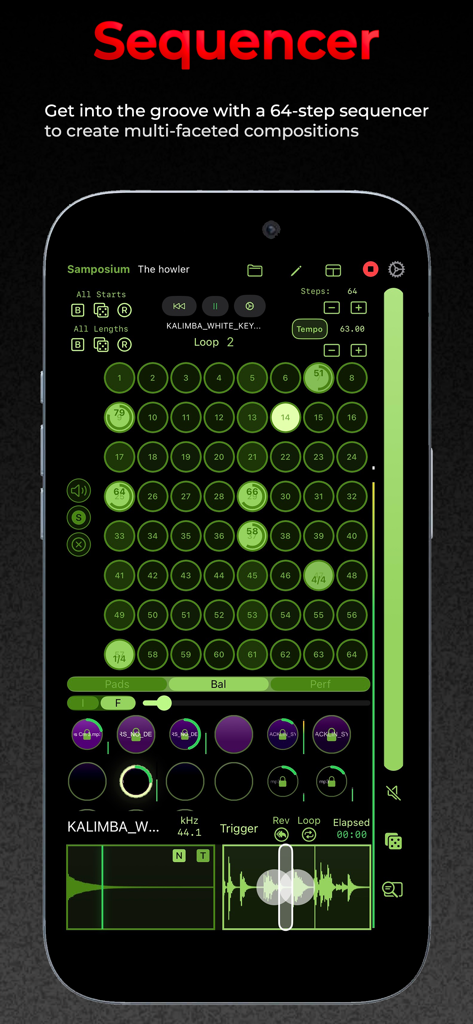
Samposium: Performance Sampler - 녹색 샘플 패드와 오디오 파형 그리드를 보여주는 Samposium 모바일 음악 제작 앱의 64단계 시퀀서 인터페이스.

녹색 샘플 패드와 오디오 파형 그리드를 보여주는 Samposium 모바일 음악 제작 앱의 64단계 시퀀서 인터페이스.

설명

Samposium is an immersive music sampler app built for real-time audio manipulation and performance. It gives you powerful flexibility for creating “sample putty,” malleable, performative sound that invokes creativity using dynamic, real-time effects on one or more samples. Samposium’s clean, fluid interface combines modern iOS design with robust sound-shaping tools. Whether you’re performing live, jamming on the go, or just exploring new sounds, Samposium invites you to play and experiment with audio all with the touch of your fingertips. Samposium’s tactile approach to sample-based music creation was influenced by the experience of modular synthesizers and the vibe of improvisation. Through multi-touch gestures, Samposium lets you fluidly bend, shape, twist and sculpt samples into rich textured arrangements. Each sample pad you create has a customizable FX chain which includes order, different playing behaviors, interactive waveforms, a parametric EQ, tuner and more. Sequencing one or multiple sample pads gives you the flexibility to create beautifully layered ambient textures or descend into destructive chaotic noise. Another key feature is resampling Samposium’s main output which enables you to record your performance or create sub compositions to add to your projects. Samposium turns your iOS device into an interactive musical instrument. Now available on iPad and iPhone. -== Features Include: ==- -- Intuitive multi-touch controls and gestures -- Fully customizable sample pads: colors, behaviors, sizes, and positions -- Each sample pad has its own FX chain, including effects order -- Waveform selection to customize a sample -- 3-band parametric EQ -- Per sample pad tuner -- 6 choke groups -- Resampling and Mic/Line In recording -- UI adapts fluidly to any orientation -- Color customization for a personal and colorblind-friendly setup -- Light/Dark mode -- Different layouts to prioritize workflows -- Show or hide views to focus on what matters -- Sequencer with up to 64 steps, with capabilities of 512 steps -- Ableton Link integration -- MIDI Learn to map MIDI CC to each sample pad -- Quick inspiration randomizing with dice -- Bundled project demos to get you creating right away -- 300mbs of royalty-free samples -- Available as a standalone app (AUv3 plugin is in beta) -- High quality, detailed user guide -- No subscription fee Questions? help@synthfamdsp.com Join our community on Discord https://www.synthfamdsp.com

Download

다운로드: App Store

이 페이지는 앱이나 개발자의 공식 페이지가 아니며, 정보 제공 및 논평을 목적으로 작성된 독립 편집 간행물입니다. 명시적으로 달리 언급되지 않는 한, 해당 앱이나 개발자는 MWM, Apple, Google Play, 앱 퍼블리셔 또는 앱 개발자와 제휴, 보증, 후원, 승인 또는 공식적으로 연결되어 있지 않으며, 이 페이지의 어떤 내용도 해당 앱이 MWM의 서비스를 사용하여 개발되었음을 의미하지 않습니다. 모든 상표, 로고, 스크린샷 및 기타 콘텐츠는 해당 소유자의 자산입니다.







