SanDisk Memory Zone
SanDisk Memory Zone
다운로드: App Store

이 페이지는 앱이나 개발자의 공식 페이지가 아니며, 정보 제공 및 논평을 목적으로 작성된 독립 편집 간행물입니다. 명시적으로 달리 언급되지 않는 한, 해당 앱이나 개발자는 MWM, Apple, Google Play, 앱 퍼블리셔 또는 앱 개발자와 제휴, 보증, 후원, 승인 또는 공식적으로 연결되어 있지 않으며, 이 페이지의 어떤 내용도 해당 앱이 MWM의 서비스를 사용하여 개발되었음을 의미하지 않습니다. 모든 상표, 로고, 스크린샷 및 기타 콘텐츠는 해당 소유자의 자산입니다.


로고: SanDisk Memory Zone
다운로드: App Store

SanDisk Memory Zone

월별 클라우드 구독 없이 즉시 공간을 확보하고, 추억을 자동으로 백업하고, 파일을 암호화하여 안전하게 보호하세요.

주요 수치

다운로드

2M+

사용자 평점

4.4/5

총 평가 수

50K+

개발사

SanDisk Corporation

카테고리

Productivity

지원 언어

18

최신 버전

2.3.1

크기

111.8 MB

출시일

2024년 8월 12일
기능

디지털 공간을 완벽하게 제어하세요

iPhone 및 SanDisk Drive의 궁극적인 동반 앱입니다. 월별 클라우드 구독 없이도 파일을 손쉽게 백업, 정리 및 보호할 수 있습니다.

즉시 휴대폰 공간 확보

대용량 4K 동영상과 고해상도 사진을 몇 초 만에 드라이브로 이동하세요. 가장 중요한 순간에 '저장 공간 부족' 알림을 걱정하지 마세요.

스마트 자동 백업

설정하고 잊어버리세요. SanDisk 장치를 연결할 때마다 사진, 동영상 및 연락처가 자동으로 저장되어 추억을 안전하게 보호합니다.

FAQ

자주 묻는 질문

에 대해 알아야 할 모든 것 SanDisk Memory Zone

SanDisk Memory Zone 앱은 무엇에 사용되나요?

SanDisk Memory Zone 앱은 사용자가 iOS 기기의 디지털 콘텐츠를 백업, 관리 및 보호하도록 도와줍니다. 공간을 확보하고, 파일을 정리하고, 암호 보호를 통해 추억을 안전하게 지킬 수 있습니다.

SanDisk Memory Zone 앱을 사용하려면 SanDisk 외장 드라이브가 필요한가요?

네, SanDisk Memory Zone 앱을 사용하려면 호환되는 SanDisk 휴대폰 드라이브 제품이 필요합니다. 이 드라이브는 앱에 포함되어 있지 않으며 별도로 판매됩니다.

SanDisk Memory Zone 앱을 사용하여 iPhone의 공간을 어떻게 확보할 수 있나요?

SanDisk Memory Zone 앱을 사용하면 사진, 비디오 및 기타 파일을 iPhone에서 호환되는 SanDisk 저장 장치로 빠르게 전송할 수 있습니다. 이 작업을 통해 휴대폰의 공간을 확보할 수 있습니다.

다음 스크린샷과 설명은 앱의 공식 스토어 목록에서 직접 가져온 것이며 앱 개발자의 자산입니다.

앱 스토어

스크린샷
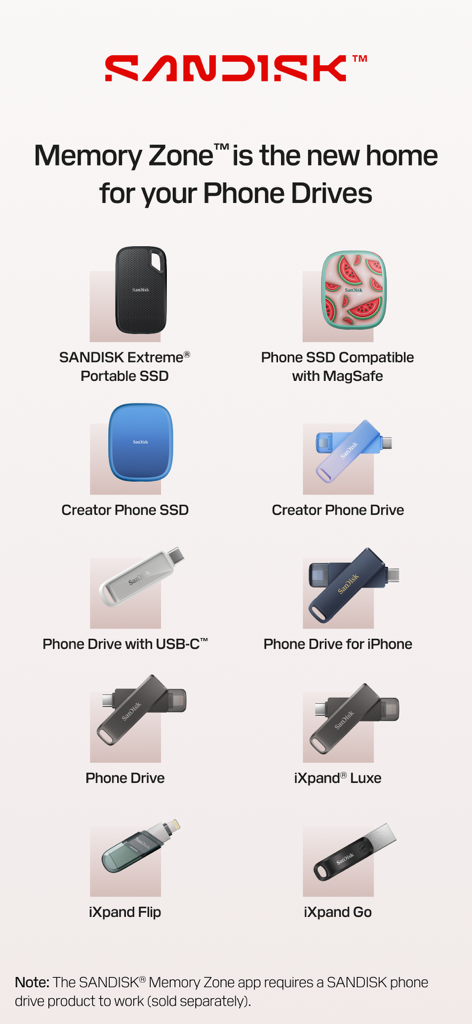
SanDisk Memory Zone - Memory Zone 앱과 호환되는 SanDisk 휴대용 SSD 및 휴대폰 드라이브 목록
Memory Zone 앱과 호환되는 SanDisk 휴대용 SSD 및 휴대폰 드라이브 목록

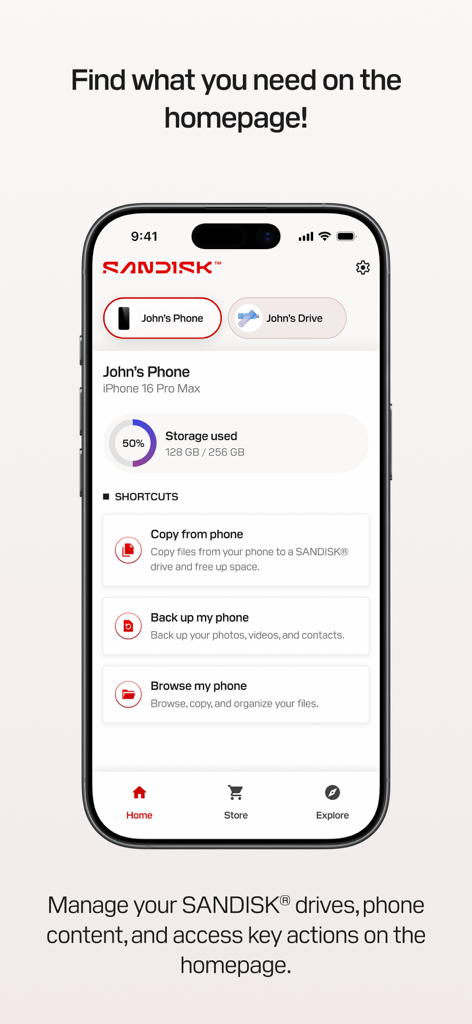
SanDisk Memory Zone - iPhone의 SanDisk Memory Zone 앱 홈 화면. 저장 공간 사용량과 백업 및 파일 관리를 위한 빠른 실행 바로 가기가 표시됩니다.
iPhone의 SanDisk Memory Zone 앱 홈 화면. 저장 공간 사용량과 백업 및 파일 관리를 위한 빠른 실행 바로 가기가 표시됩니다.

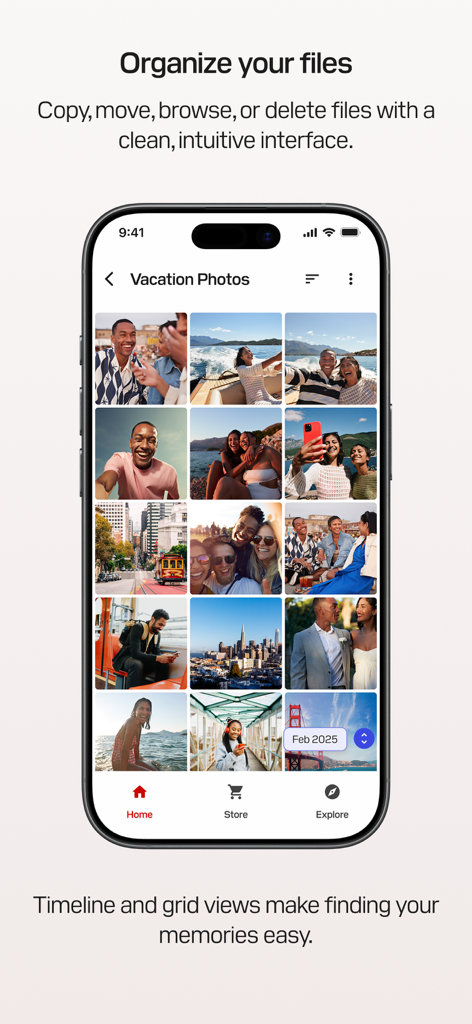
SanDisk Memory Zone - 그리드 보기로 정리된 휴가 사진을 보여주는 SanDisk Memory Zone 앱 인터페이스
그리드 보기로 정리된 휴가 사진을 보여주는 SanDisk Memory Zone 앱 인터페이스

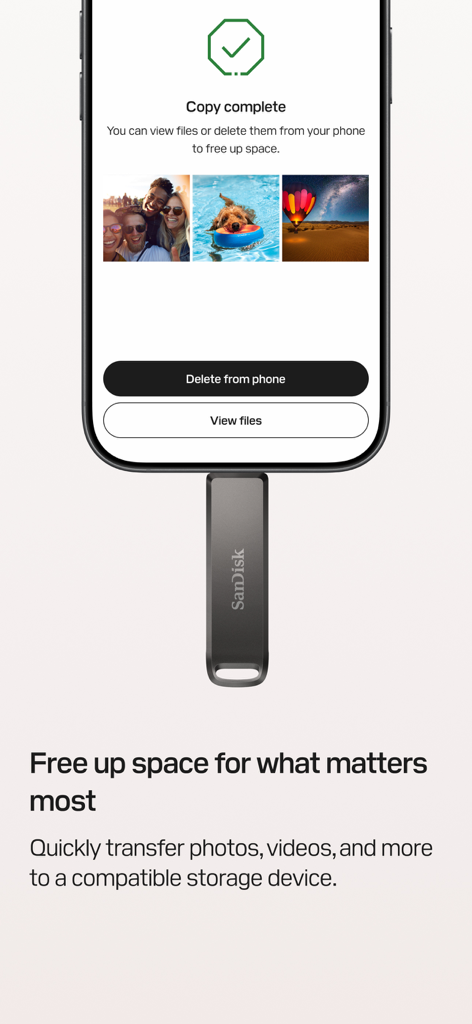
SanDisk Memory Zone - 물리적 드라이브로 사진을 전송한 후 완료 화면을 보여주는 SanDisk Memory Zone 앱 인터페이스
물리적 드라이브로 사진을 전송한 후 완료 화면을 보여주는 SanDisk Memory Zone 앱 인터페이스

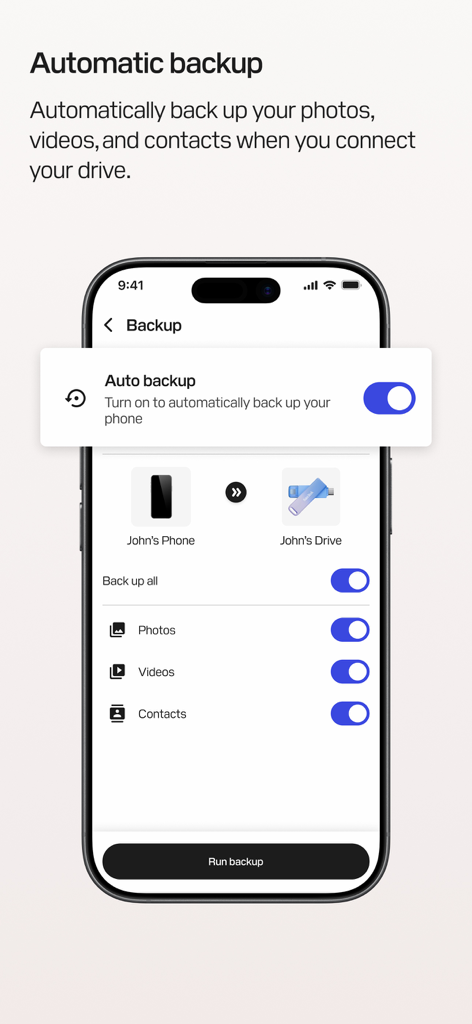
SanDisk Memory Zone - iPhone에서 사진, 동영상 및 연락처에 대한 자동 백업 설정을 보여주는 SanDisk Memory Zone 앱
iPhone에서 사진, 동영상 및 연락처에 대한 자동 백업 설정을 보여주는 SanDisk Memory Zone 앱

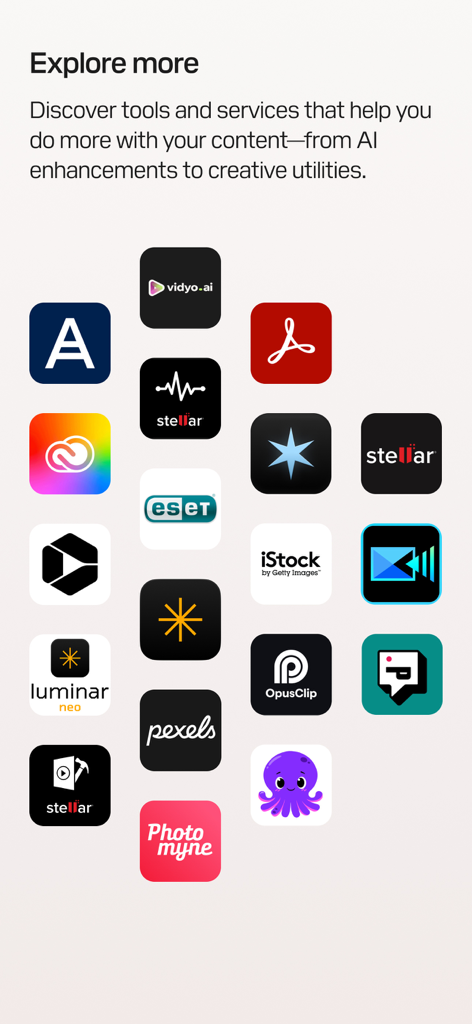
SanDisk Memory Zone - 탐색할 더 많은 항목이라는 제목 아래 크리에이티브 도구 및 AI 개선 기능을 위한 타사 앱 아이콘 그리드를 보여주는 SanDisk Memory Zone 앱의 화면

탐색할 더 많은 항목이라는 제목 아래 크리에이티브 도구 및 AI 개선 기능을 위한 타사 앱 아이콘 그리드를 보여주는 SanDisk Memory Zone 앱의 화면

설명

SANDISK® Memory Zone™ is a powerful, easy-to-use app that helps you back up, manage, and protect your digital content.¹ Whether you're freeing up space, organizing files, or helping safeguard your memories with password protection, the SANDISK® Memory Zone™ app gives you complete control over your photos, videos, contacts, and more. This app replaces the legacy iXpand® Drive app for iOS. Please use this app for all future use with supported storage devices. When used with a compatible SANDISK® Phone Drive, the SANDISK® Memory Zone™ app makes it easy to back up,² transfer, and manage your photos, videos, and contacts between your iPhone and your computer. What is a SANDISK® Phone Drive? A SANDISK® Phone Drive is a USB drive designed to conveniently share your files on your iPhone and your computer while on-the-go — whether you’re connected online or offline. Simply connect the drive to your iPhone to quickly free up space on your device, or use it to transfer photos, videos, and other files to your Mac or PC devices. To learn more about all products compatible with SANDISK® Memory Zone™ app, go to our support page: https://support-en.sandisk.com/app/answers/detailweb/a_id/52065 Key Features Organize Your Files Browse, move, copy, or delete files with a clean, intuitive interface that puts you in control of your content. Media Timeline & Grid Views Navigate your photos and videos in a timeline or immersive grid layout to quickly find and relive your memories. Free Up Space Quickly transfer files from your iPhone to a compatible storage device so you can make room for what matters most. Automatic Backup Set it once and your photos, videos, and contacts will automatically back up² when your device is connected. Help secure Your Files Add an extra layer of protection with encryption and password-secured storage for your most important content. Storage Insights Easily view available, used, and total space on your connected device—no more guessing. Explore More Discover tools and services that help you do more with your content—from AI enhancements to creative utilities. Support: Please visit Sandisk support at: https://shop.sandisk.com/support Third-Party Notices: https://downloads.sandisk.com/downloads/temp/sandisk-memory-zone-ios.txt Company Info http://www.sandisk.com Legal 1. iOS 15 or higher required for SANDISK® Memory Zone™ app. SANDISK® drives not included with SANDISK® Memory Zone™ app. 2. SANDISK® Memory Zone™ app required. Available for download from the App Store. iOS 15 or higher required. Set up automatic backup within app settings. Terms and conditions apply. For more information on Sandisk’s Vulnerability Disclosure Policy, please visit: https://shop.sandisk.com/support/product-security/vulnerability-disclosure-policy SANDISK, the SANDISK logo, and Memory Zone are registered trademarks or trademarks of Sandisk Corporation or its affiliates in the US and/or other countries. All other marks are the property of their respective owners. Product specifications subject to change without notice. Pictures shown may vary from actual products. © 2025 Sandisk Corporation or its affiliates. All rights reserved.

Download

다운로드: App Store

이 페이지는 앱이나 개발자의 공식 페이지가 아니며, 정보 제공 및 논평을 목적으로 작성된 독립 편집 간행물입니다. 명시적으로 달리 언급되지 않는 한, 해당 앱이나 개발자는 MWM, Apple, Google Play, 앱 퍼블리셔 또는 앱 개발자와 제휴, 보증, 후원, 승인 또는 공식적으로 연결되어 있지 않으며, 이 페이지의 어떤 내용도 해당 앱이 MWM의 서비스를 사용하여 개발되었음을 의미하지 않습니다. 모든 상표, 로고, 스크린샷 및 기타 콘텐츠는 해당 소유자의 자산입니다.