Scan it: Quick scanner

Scan it: Quick scanner

다운로드: App Store
로고: Scan it: Quick scanner

Scan it: 전문가를 위한 궁극의 포켓 스캐너

문서를 손쉽게 디지털화하고, OCR로 텍스트를 추출하고, iCloud에 즉시 동기화하세요. iPhone 및 iPad에서 무서류 업무 흐름을 마스터하는 빠르고 안전하며 원활한 방법입니다.

다운로드: App Store

개발사

Filip Nemecek

카테고리

Business

다운로드

36K+

사용자 평점

4.8/5

총 평가 수

0

지원 언어

1

실제 효율성

이 인터페이스를 사용하는 36K+ 명의 사용자.

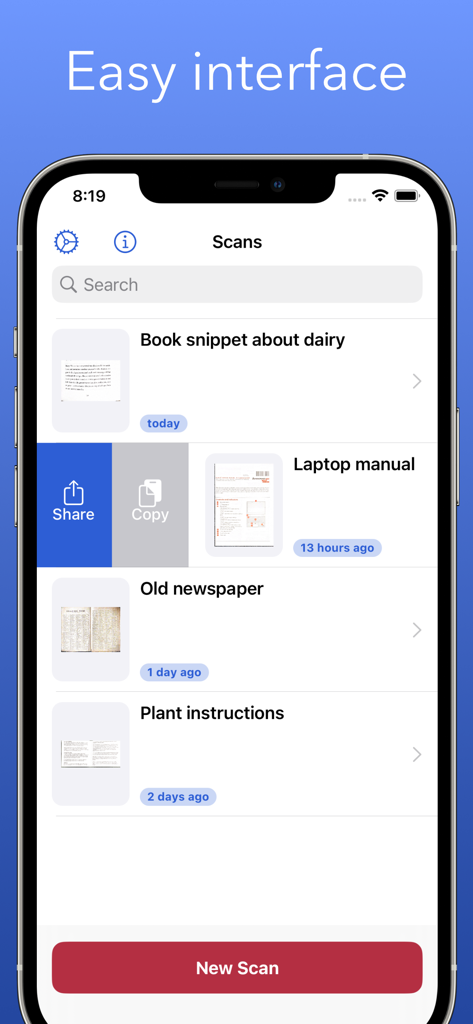
Scan it 앱 문서 목록 보기에서 iPhone의 쉬운 인터페이스 표시

Scan it 앱 문서 목록 보기에서 iPhone의 쉬운 인터페이스 표시

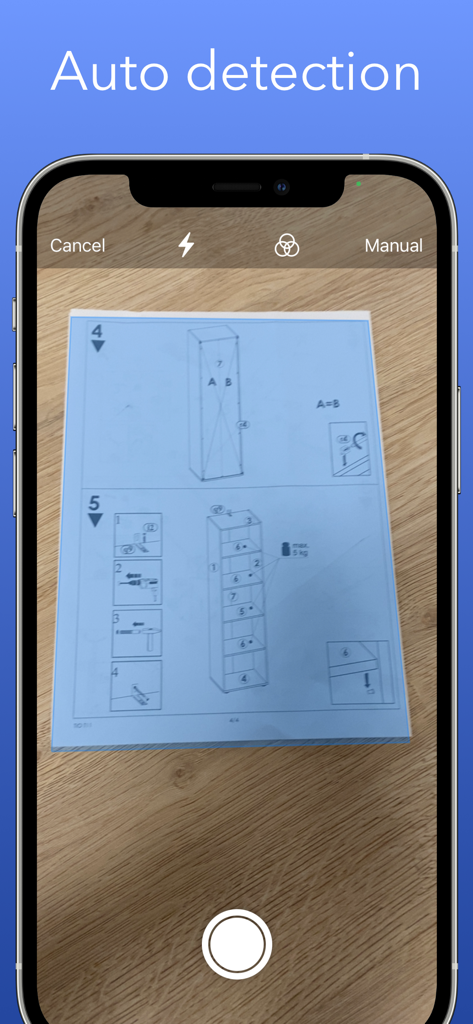
iPhone 화면에서 문서 가장자리를 자동으로 감지하는 Scan it 앱

iPhone 화면에서 문서 가장자리를 자동으로 감지하는 Scan it 앱

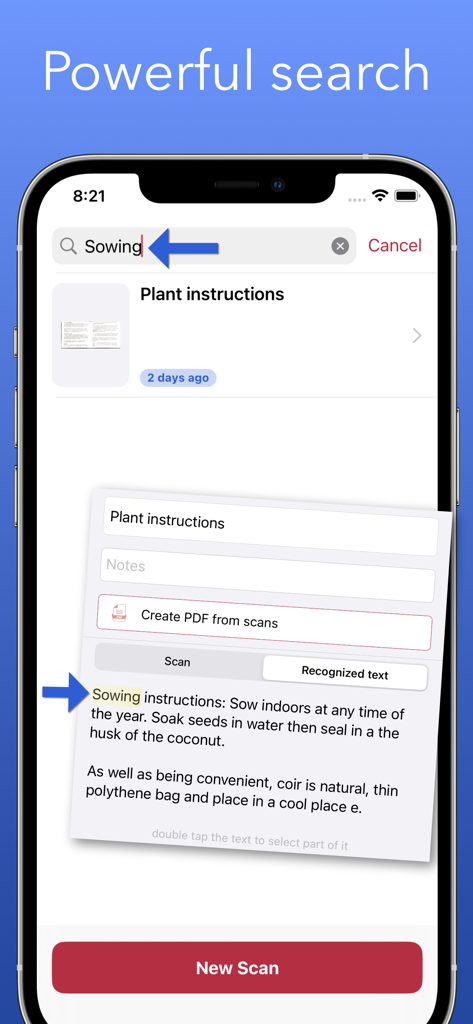
iPhone 화면에서 OCR을 사용하여 스캔된 문서 내의 특정 텍스트를 찾는 Scan it 앱의 강력한 검색 기능 표시

iPhone 화면에서 OCR을 사용하여 스캔된 문서 내의 특정 텍스트를 찾는 Scan it 앱의 강력한 검색 기능 표시

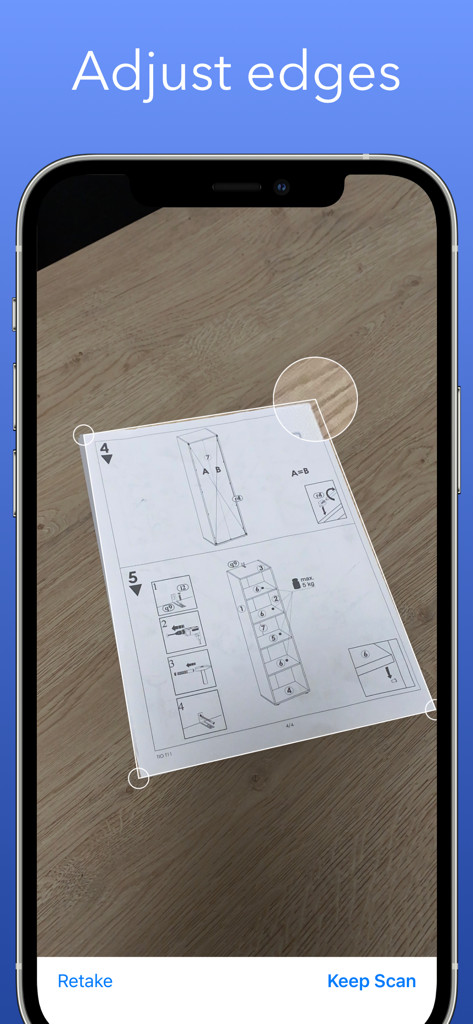
스캔된 문서에 대한 수동 가장자리 조정을 보여주는 iPhone 인터페이스

스캔된 문서에 대한 수동 가장자리 조정을 보여주는 iPhone 인터페이스

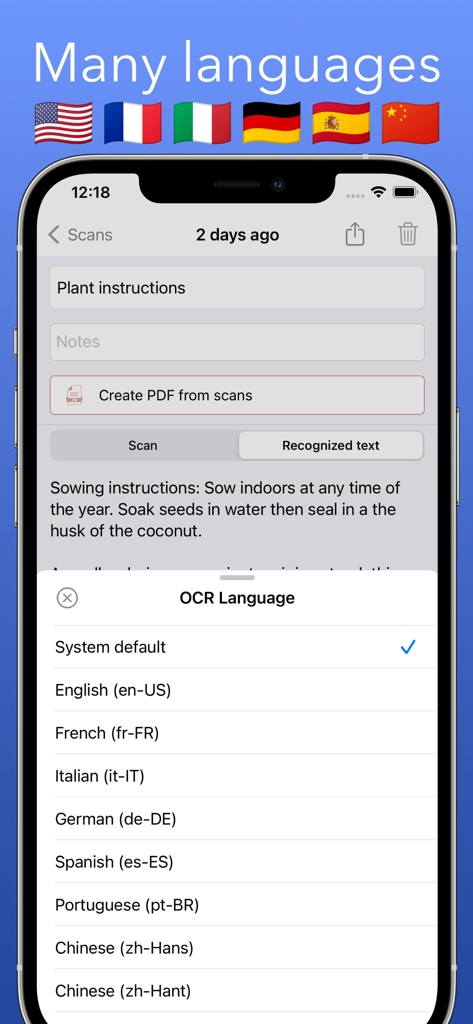
텍스트 인식을 위한 OCR 언어 옵션을 보여주는 Scan it 앱

텍스트 인식을 위한 OCR 언어 옵션을 보여주는 Scan it 앱

무서류 생활을 위한 전문가 도구

이 앱을 돋보이게 하는 도구, 36K+ 명의 사용자가 선택.

즉시 가장자리 감지

자동 자르기와 전문적인 필터를 사용하여 모든 문서를 깨끗하고 읽기 쉽게 만들어 시간을 절약하세요.

🔍

검색 가능한 OCR 텍스트

스캔을 데이터로 바꾸세요. 명함이나 계약서에서 전화번호, 이메일, 텍스트를 즉시 추출하세요.

☁️

클라우드 네이티브 워크플로우

파일은 귀하의 것입니다. 모든 것이 iCloud Drive에 자동으로 동기화되어 iPhone, iPad 및 Mac 간에 원활하게 액세스할 수 있습니다.

앱 소개

에 대해 알아야 할 모든 것 Scan it: Quick scanner.

설명

Easy to use scanner. Convert scans into PDF for easy sharing. *Free version offers 5 scans every month. Upgrade to Pro to remove the limit* The app can export scanned documents as PDF and also does text recognition (OCR). You can easily access all text content or perhaps just the website address or phone number. You scanned documents are automatically saved to iCloud Drive and available on all your Apple devices. iPad version supports drag and drop so you can quickly drag scanned documents to other apps. | Scan Scan one or multiple pages and adjust the edges if needed before saving the final scan. The app automatically detects the edges of the document for better experience. You can rotate the scanned document or apply Grayscale, Black & White or Photo filters. Just make sure to do these edits before confirming the scan. | Export Easily share scanned documents as individual images or create PDF from all the pages in one scan. | iCloud All scanned documents are automatically uploaded to your iCloud Drive for easy access and backup. Just look for the "Scan it" folder. You can also customize this to export single PDF from multiple scans. | Text Recognition Scan it features OCR which means that scanned text will get recognized and you can quickly make use of it. For example if you scan business card you will get tappable links in results allowing you to make a call, send an email, open Safari or maps depending on the contents. This recognized text can also be easily shared. Examples where app can help: * Scan business cards to quickly save contact information like an email or phone number * Scan receipts to keep track of expenses * Scan interesting book pages or other articles for later * Scan and archive invoices and other important documents * Paper notes, mindmaps and other important texts so you never lose it

최신 버전

4.0.1

크기

12.9 MB

출시일

2020년 4월 29일

업무 흐름을 간소화할 준비가 되셨나요?

Scan it을 사용하여 물리적 문서를 즉시 검색 가능한 PDF로 바꾸는 36,000명 이상의 디지털 우선 전문가들과 함께하세요. 오늘 iPhone 및 iPad에서 무서류 여정을 시작하세요.

다운로드: App Store

App information, icons, screenshots, and descriptions displayed on this page are sourced from the Apple App Store and are the property of their respective developers. Download estimates and rankings are based on MWM's proprietary models and may not reflect actual figures. This page is provided for informational and analytical purposes only.

Believe this page infringes your intellectual property? File a dispute