Scan & Translate+ Text Grabber

Scan & Translate+ Text Grabber

다운로드: App Store
로고: Scan & Translate+ Text Grabber

Scan & Translate+ 텍스트 추출기: 손끝에서 바로 경험하는 OCR 및 즉시 번역

90개 이상의 언어로 된 문서를 손쉽게 디지털화하고 번역하세요. 1000만 명의 전문가 및 여행자가 참여하여 인쇄된 텍스트를 몇 초 안에 편집 가능하고, 음성으로 들을 수 있으며, 번역된 데이터로 변환합니다.

다운로드: App Store

개발사

Aisberg Inc LLC

카테고리

Productivity

다운로드

10M+

사용자 평점

4.4/5

총 평가 수

149K+

지원 언어

15

앱의 작동 모습

이 인터페이스를 사용하는 10M+ 명의 사용자.

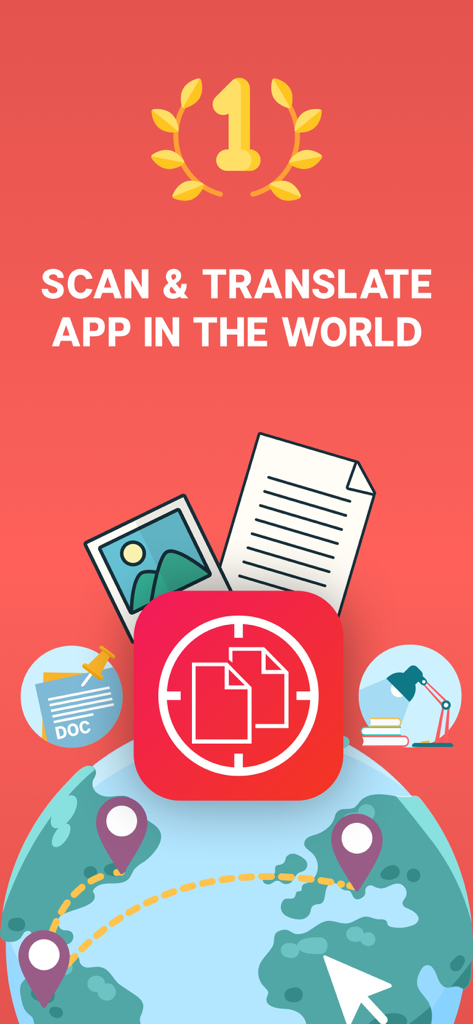
글로벌 아이콘 및 문서 기호가 있는 최고의 스캔 및 번역 앱의 홍보 배너
글로벌 아이콘 및 문서 기호가 있는 최고의 스캔 및 번역 앱의 홍보 배너

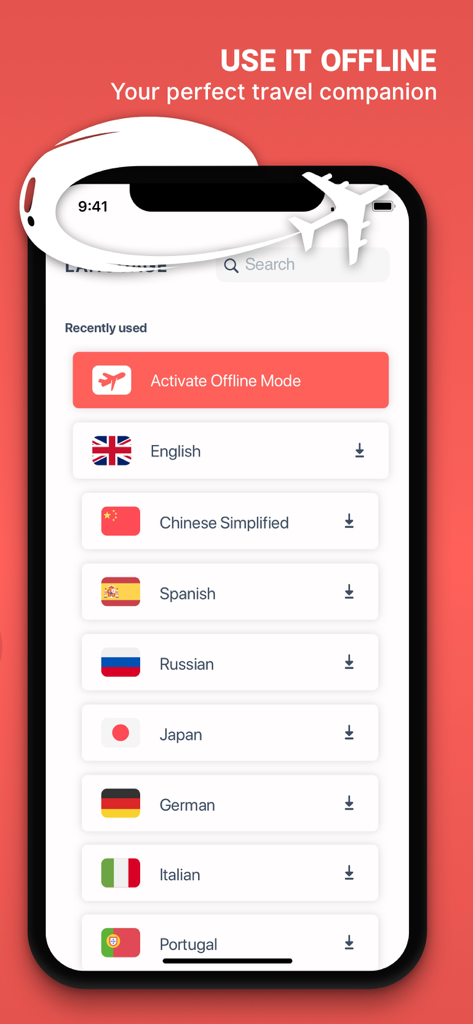
여행을 위한 다운로드 가능한 언어 목록과 함께 오프라인 번역 모드를 보여주는 앱 화면
여행을 위한 다운로드 가능한 언어 목록과 함께 오프라인 번역 모드를 보여주는 앱 화면

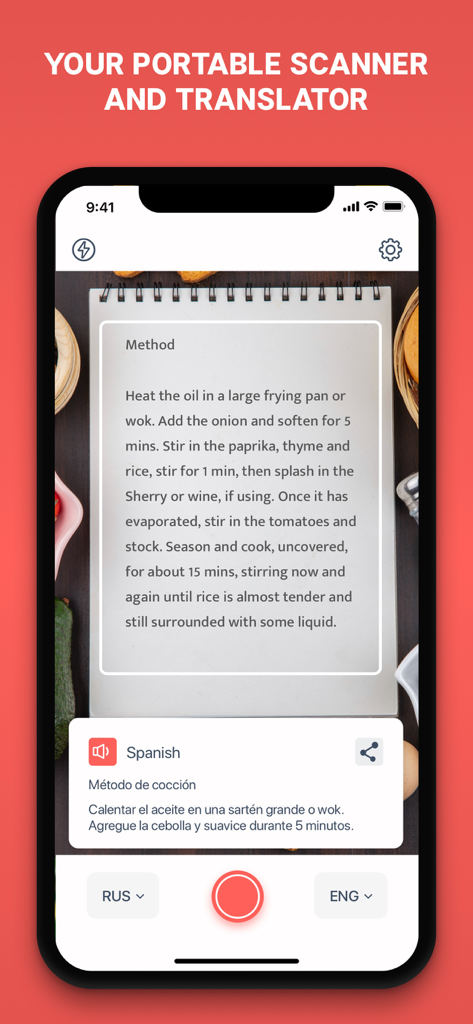
인쇄된 레시피를 스캔하고 스페인어 번역을 제공하는 Scan and Translate 앱
인쇄된 레시피를 스캔하고 스페인어 번역을 제공하는 Scan and Translate 앱

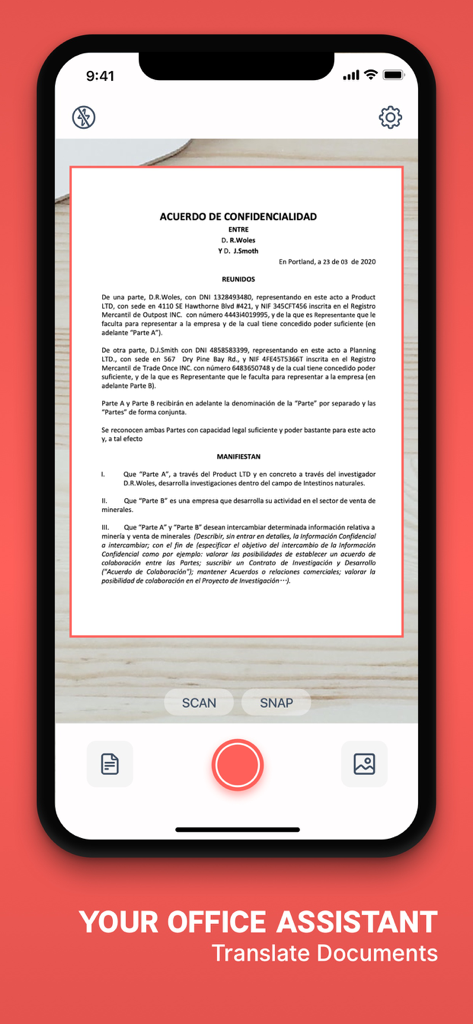
iPhone 화면에서 스페인어 기밀 유지 계약서를 스캔하는 Scan and Translate 앱
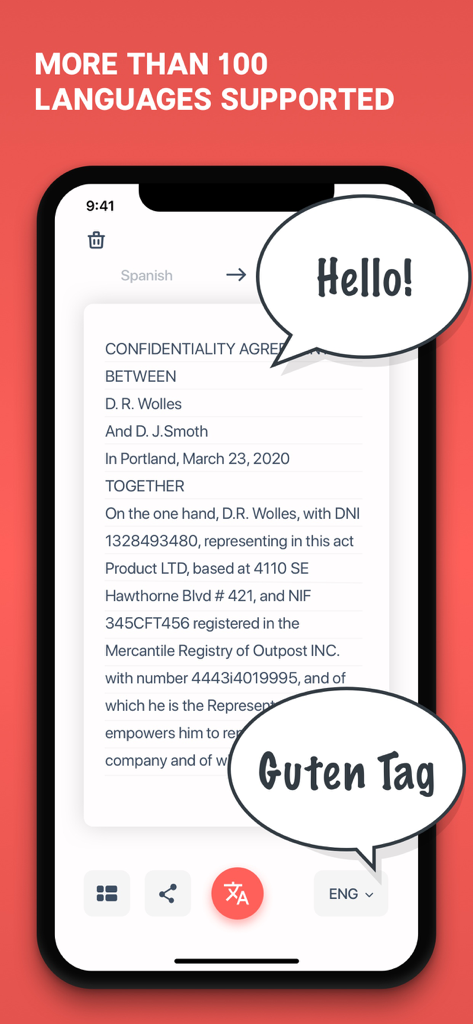
iPhone 화면에서 스페인어 기밀 유지 계약서를 스캔하는 Scan and Translate 앱

다국어 지원이 포함된 스캔된 비즈니스 문서를 보여주는 Scan and Translate 앱 인터페이스
다국어 지원이 포함된 스캔된 비즈니스 문서를 보여주는 Scan and Translate 앱 인터페이스

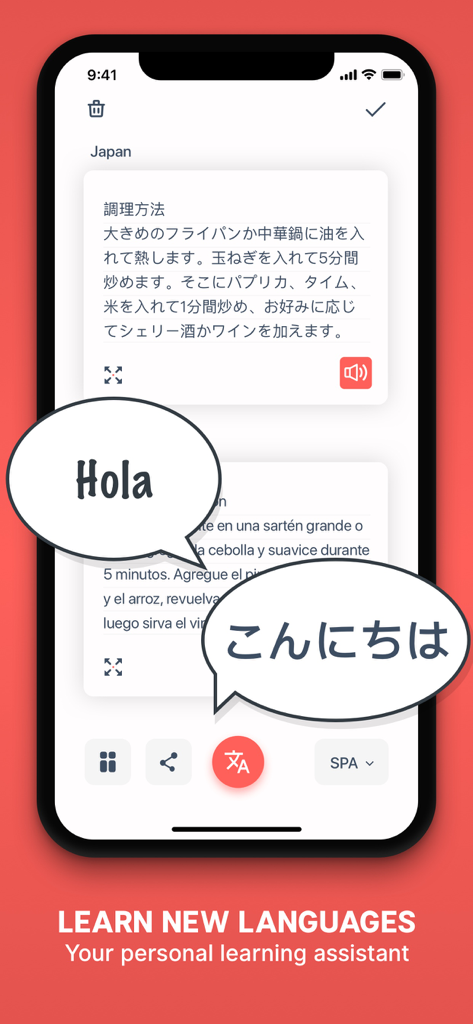
일본어 텍스트가 스페인어로 번역되고 Hola 및 Konnichiwa라는 음성 말풍선이 표시되는 모바일 앱 인터페이스.

일본어 텍스트가 스페인어로 번역되고 Hola 및 Konnichiwa라는 음성 말풍선이 표시되는 모바일 앱 인터페이스.

글로벌 워크플로우 마스터하기

이 앱을 돋보이게 하는 도구, 10M+ 명의 사용자가 선택.

📄

정밀 OCR 스캔

수동 타이핑은 그만하고 스캔을 시작하세요. 책, 비즈니스 계약서 또는 기술 매뉴얼에서 텍스트를 즉시 추출하여 편집 가능한 디지털 형식으로 변환하세요.

🌎

즉각적인 글로벌 번역

국제 비즈니스 및 여행을 완벽하게 자신 있게 탐색하세요. 메뉴, 거리 표지판, 제품 라벨에 대해 90개 이상의 언어로 높은 정확도의 번역을 받으세요.

🔊

44개 이상의 언어로 번역을 들어보세요. 이동 중에 발음 연습을 완벽하게 하거나 중요한 정보를 흡수하는 데 이상적입니다.

리뷰 분석

사용자 리뷰 인사이트.

감정 점수

7%
부정적

요약

User feedback for the app is overwhelmingly negative, with a significant number of users reporting that the application stops working after an update or a period of time, often around a year after purchase. The most common technical issues include persistent "server busy" or "no internet connection" errors, rendering the app unusable, especially for those who paid for subscriptions. Many customers express frustration over being charged for a non-functional service and a complete lack of responsive customer support for refunds or troubleshooting. Despite these critical flaws, a small number of users initially praised the app for its ease of use, natural translation quality for specific languages like Chinese, and its utility as an educational aid.

주요 테마

Translation Quality(2)
Ease of Use(1)
Initial App Performance(1)
Free Features(1)
Educational Value(1)

앱 소개

에 대해 알아야 할 모든 것 Scan & Translate+ Text Grabber.

설명

Download NOW the BEST Scan and Translate app in the WORLD and instantly translate business documents, contracts, homework assignments, menus, street signs and other images. GET MORE than 90 different languages which are available for translation! Scan & Translate app extracts texts from any printed sources: documents, books, signs, instructions or announcements and allows to immediately translate them to any of 90 languages. Take a picture of the text and after the text is recognized, you can immediately edit, hear, translate, share it on Facebook, Twitter, vKontakte or simply send by email or as SMS. Better and faster than any other similar product! 70% cheaper than any other similar app, offered by competitors! • Recognizes texts in more than 70 languages • Translates to more than 90 languages • Reads texts in more than 44 languages • Advanced optical character recognition technology for 79 languages, including Russian, English, German, Spanish, Greek, Turkish, Chinese, Korean, Japanese, Portuguese, French ( Internet connection is required) • Full text translation for more than 90 languages (Internet connection is required) • Listen to the text that has been recognized and translated into more than 44 languages! • Edit the text, copy it to clipboard, and save in other apps • Share the text on Facebook, Twitter, VKontakte or send as SMS or by email • All texts are saved in History and can be later recovered at any time With Scan & Translate app you can easily scan and translate: • any paper documents • recipes from cookbooks • notes and letters • menus in restaurants, bars, and cafes • articles from magazines and newspapers • book parts • instructions and manuals • texts on product labels • road signs as well as signs in airports and stations • and many more... How to use the app: • Select the language of the original text as text recognition language. • Take a picture of the document (page, instruction, or any other text) • Press the "Scan" button • Recognized text will appear on the screen with an option to select the source language and the target (translation) language. • After you select the language, the original text will be automatically translated and will appear at the bottom of the screen. • To listen to the translation, press the "Voice" button Scan & Translate app will digitize and translate any printed text right on your device! *Note: The Free version may be subject to limitations (ex. number of daily translations), which are subject to change*** Take advantage of the Premium Features: - Unlimited translations - Ads-free translation experience For complete access to Scan & Translate and all language change features, you will need to allow access to the following: *Camera *Photos Note: The Free version may be subject to limitations (ex. number of daily text recognitions and translations), which are subject to change Сhoose from different subscription options. Our standard subscription options are: 1-month Subscription 1-year Subscription Subscription plans unlock: - Unlimited translations - Unlimited text recognitions - Offline Text Recognition - Offline translations - Ads-free translation experience - Snap Mode You can cancel a free trial or subscription anytime by canceling your subscription through your iTunes account settings. This must be done 24 hours before the end of a free trial or subscription period to avoid being charged. The cancellation will take effect the day after the last day of the current subscription period, and you will be downgraded to the free service. Please note: any unused portion of a free trial period (if offered) will be forfeited when you purchase a premium subscription during the free trial period. EULA: https://datacomprojects.com/api/Eula?bid=com.translatoria.scanandtranslatefree Privacy Policy: https://datacomprojects.com/api/PrivacyPolicy?bid=com.translatoria.scanandtranslatefree

최신 버전

6.5.18

크기

107.1 MB

출시일

2014년 4월 17일

세상을 순식간에 번역할 준비가 되셨나요?

언어 장벽을 즉시 해소하는 1000만 명 이상의 전문가 및 여행자와 함께하세요. 세계에서 가장 효율적인 OCR 도구로 90개 이상의 언어로 된 모든 인쇄 텍스트를 스캔, 번역 및 디지털화하세요.

다운로드: App Store
FAQ

자주 묻는 질문

에 대해 알아야 할 모든 것 Scan & Translate+ Text Grabber

Scan & Translate+ Text Grabber 앱은 무엇인가요?

Scan & Translate+ Text Grabber는 문서나 간판과 같은 인쇄된 자료에서 텍스트를 스캔하고 추출하는 애플리케이션입니다. 추출된 텍스트를 90개 이상의 언어로 번역합니다.

Scan & Translate+ Text Grabber 앱은 번역 시 몇 개 언어를 지원하나요?

Scan & Translate 앱은 90개 이상의 언어로 번역을 지원합니다. 또한 70개 이상의 언어로 텍스트를 인식하고 44개 이상의 언어로 텍스트를 읽을 수 있습니다.

Scan & Translate+ Text Grabber 앱은 오프라인으로 문서를 번역할 수 있나요?

네, Scan & Translate+ Text Grabber의 프리미엄 버전은 오프라인 텍스트 인식 및 오프라인 번역 기능을 제공합니다. 이 기능을 사용하면 인터넷 연결 없이도 사용할 수 있습니다.

Scan & Translate 앱을 사용하여 텍스트를 번역하려면 어떻게 해야 하나요?

Scan & Translate 앱을 사용하려면 원본 텍스트의 언어를 선택하고, 문서 사진을 찍은 다음 "Scan"을 누릅니다. 인식된 텍스트가 나타나면 선택한 대상 언어로 번역됩니다.

Scan & Translate+ Text Grabber 구독에 포함된 프리미엄 기능은 무엇인가요?

Scan & Translate+ Text Grabber의 프리미엄 기능에는 무제한 번역, 무제한 텍스트 인식, 오프라인 텍스트 인식, 오프라인 번역, 광고 없는 경험, Snap Mode가 포함됩니다.

Scan & Translate 앱으로 어떤 종류의 문서를 스캔하고 번역할 수 있나요?

Scan & Translate 앱은 비즈니스 문서, 계약서, 숙제, 메뉴, 레시피, 메모, 편지, 기사, 지침, 제품 라벨, 도로 표지판 등 다양한 인쇄 자료를 스캔합니다.

Scan & Translate+ Text Grabber 앱의 고급 기능을 사용하려면 인터넷 연결이 필요한가요?

네, 79개 언어에 대한 고급 광학 문자 인식 및 90개 이상의 언어에 대한 전체 텍스트 번역을 위해서는 인터넷 연결이 필요합니다. 프리미엄 구독은 오프라인 기능을 제공합니다.

Scan & Translate+ Text Grabber 앱은 번역된 텍스트를 어떻게 저장하나요?

인식되고 번역된 모든 텍스트는 Scan & Translate 앱의 기록에 자동으로 저장됩니다. 사용자는 기록 섹션에서 언제든지 이 텍스트를 복구할 수 있습니다.

Scan & Translate+ Text Grabber 앱으로 번역된 텍스트를 들을 수 있나요?

네, Scan & Translate 앱을 사용하면 인식 및 번역된 텍스트를 들을 수 있습니다. 이 기능은 44개 이상의 언어를 지원합니다.

Scan & Translate+ Text Grabber의 구독 옵션은 무엇인가요?

Scan & Translate+ Text Grabber는 1개월 구독 및 1년 구독과 같은 표준 구독 옵션을 제공합니다. 이 플랜들은 모든 프리미엄 기능을 잠금 해제합니다.

Scan & Translate+ Text Grabber 구독 또는 무료 평가판을 어떻게 취소하나요?

Scan & Translate+ Text Grabber 구독 또는 무료 평가판은 iTunes 계정 설정을 통해 취소할 수 있습니다. 요금이 부과되는 것을 방지하려면 기간이 종료되기 24시간 전에 취소해야 합니다.

Scan & Translate+ Text Grabber 앱의 무료 버전에는 제한 사항이 있나요?

네, Scan & Translate+ Text Grabber의 무료 버전에는 제한 사항이 있을 수 있습니다. 여기에는 일일 텍스트 인식 및 번역 횟수 제한이 포함될 수 있으며, 이는 변경될 수 있습니다.

Scan & Translate+ Text Grabber 앱이 제대로 작동하려면 어떤 권한이 필요한가요?

완전한 접근 및 모든 기능을 사용하려면 Scan & Translate+ Text Grabber는 기기의 카메라 및 사진에 접근할 수 있는 권한이 필요합니다.

App information, icons, screenshots, and descriptions displayed on this page are sourced from the Apple App Store and are the property of their respective developers. Download estimates and rankings are based on MWM's proprietary models and may not reflect actual figures. This page is provided for informational and analytical purposes only.

Believe this page infringes your intellectual property? File a dispute