ScanPlus - OCR & PDF Scanner

ScanPlus - OCR & PDF Scanner

다운로드: App Store
로고: ScanPlus - OCR & PDF Scanner

ScanPlus - OCR 및 PDF 스캐너: 종이 없는 세상을 위한 올인원 모바일 오피스

선명한 스캔, 61개 언어 OCR, 안전한 전자 서명으로 워크플로우를 강화하세요. 미국 전문가 및 학생이 이동 중에 문서를 안전하고 오프라인으로 디지털화, 서명 및 구성할 수 있는 궁극의 도구입니다.

다운로드: App Store

개발사

Mihail Salari

카테고리

Business

다운로드

1K+

사용자 평점

1.0/5

총 평가 수

0

지원 언어

1

완벽한 워크플로우

이 인터페이스를 사용하는 1K+ 명의 사용자.

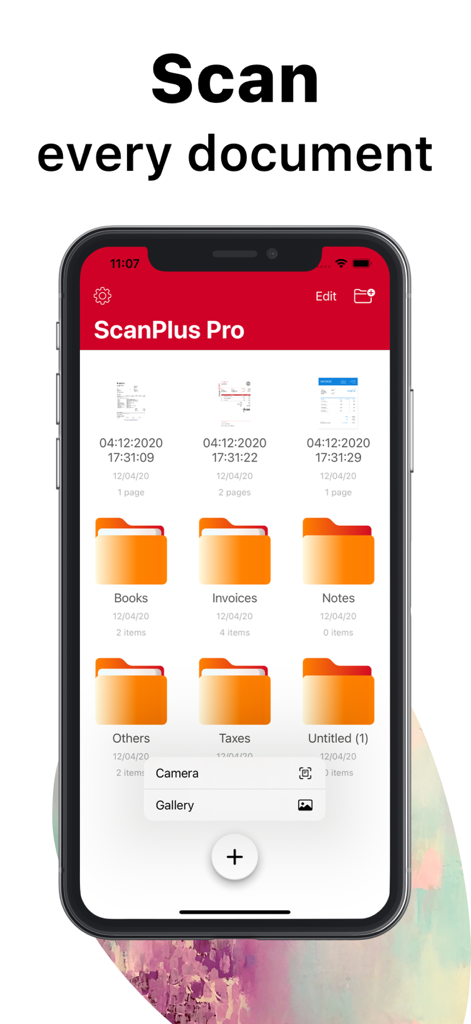
문서 정리 폴더 및 스캔 옵션을 보여주는 ScanPlus Pro 모바일 앱 인터페이스

문서 정리 폴더 및 스캔 옵션을 보여주는 ScanPlus Pro 모바일 앱 인터페이스

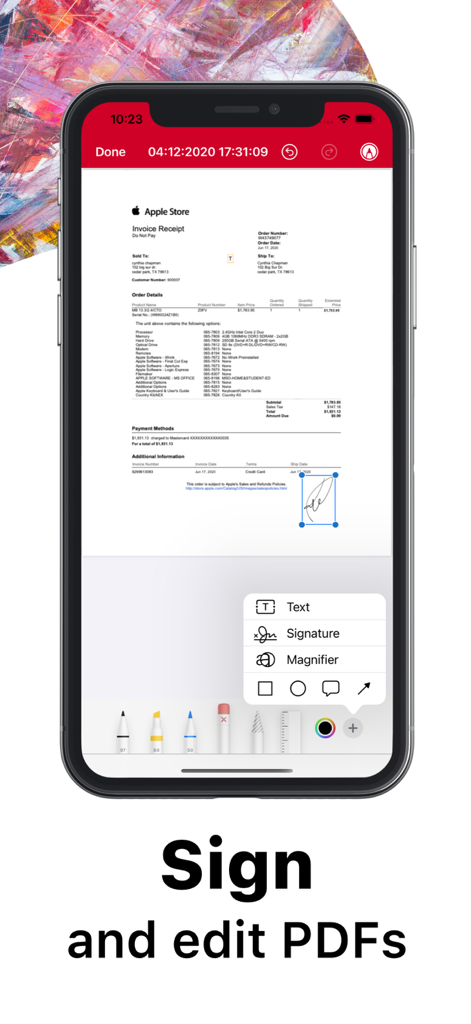
스캔된 문서에 디지털 서명 및 편집 도구를 보여주는 iPhone의 ScanPlus 앱 인터페이스

스캔된 문서에 디지털 서명 및 편집 도구를 보여주는 iPhone의 ScanPlus 앱 인터페이스

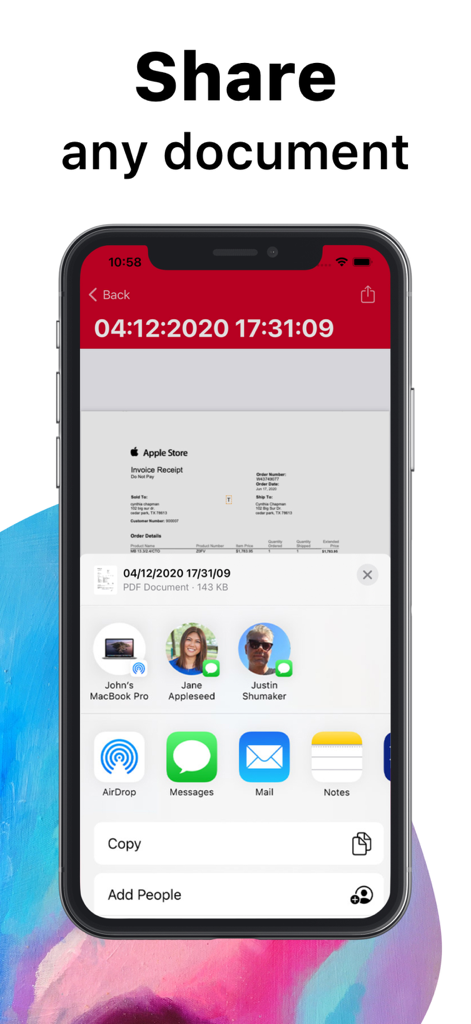
ScanPlus 앱에서 문서 공유 기능을 보여주는 iPhone 화면

ScanPlus 앱에서 문서 공유 기능을 보여주는 iPhone 화면

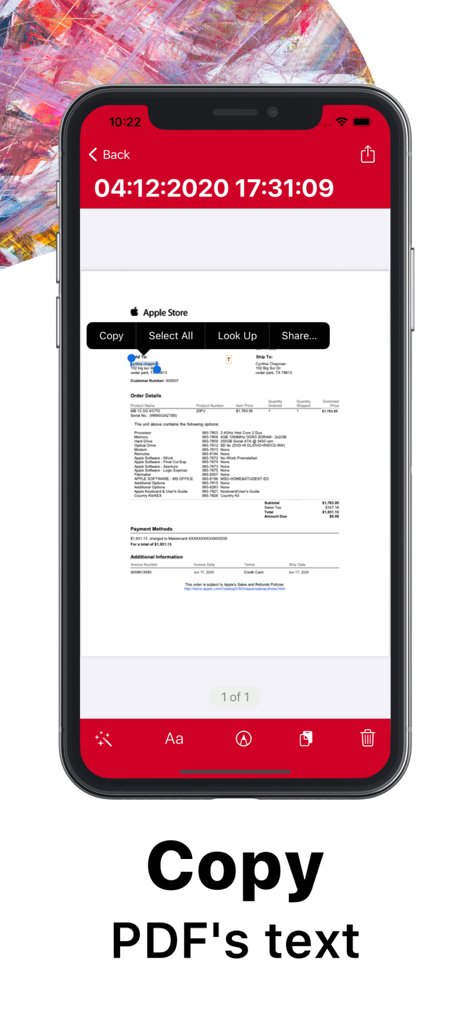
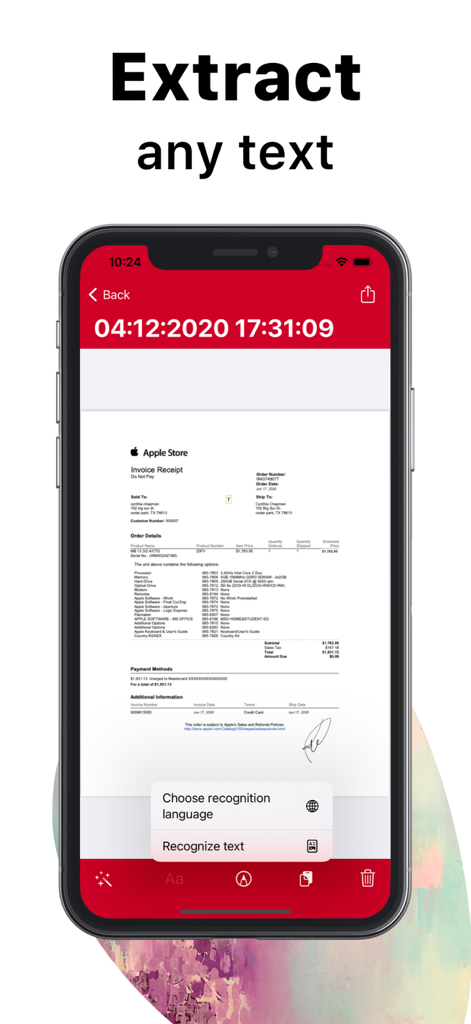
스캔된 영수증에서 OCR 텍스트 인식 및 복사 기능을 강조하는 ScanPlus 모바일 앱 인터페이스

스캔된 영수증에서 OCR 텍스트 인식 및 복사 기능을 강조하는 ScanPlus 모바일 앱 인터페이스

스캔된 Apple Store 영수증에서 OCR 텍스트 추출을 보여주는 ScanPlus 모바일 앱 화면

스캔된 Apple Store 영수증에서 OCR 텍스트 추출을 보여주는 ScanPlus 모바일 앱 화면

종이 없는 생산성 향상

이 앱을 돋보이게 하는 도구, 1K+ 명의 사용자가 선택.

🔍

지능형 텍스트 인식

61개 언어로 스캔한 편집 가능한 텍스트를 추출하세요. 문서를 복사, 붙여넣기 및 검색하여 정리 및 효율성을 유지하세요.

✍️

언제 어디서든 서명 및 주석 달기

모바일 장치에서 직접 계약서 및 양식에 디지털 서명 및 메모를 추가하여 거래를 더 빠르게 완료하세요.

🔒

은행급 개인 정보 보호

로컬 저장 및 암호 보호로 민감한 파일을 안전하게 보관하세요. 데이터는 타사 서버가 아닌 기기에 안전하게 보관됩니다.

앱 소개

에 대해 알아야 할 모든 것 ScanPlus - OCR & PDF Scanner.

설명

ScanPlus OCR, PDF & E-Signature Scanner: Your Ultimate Mobile Document Scanner Transform your iPhone or iPad into a powerful, all-in-one scanner with ScanPlus. Effortlessly scan, store, and share documents in high-quality PDF format. Whether it's receipts, contracts, notes, or even books, ScanPlus is your go-to solution for fast, efficient scanning on the go. Why Choose ScanPlus? This intuitive mobile scanner will quickly become your indispensable tool for managing documents. Scan anything you need and store it as multipage PDFs, all without the need for bulky office equipment. With cutting-edge features like Optical Character Recognition (OCR) and e-signature capabilities, you'll save time and streamline your workflow. Key Features: High-Quality PDF Scanning: Scan documents in crisp, clear PDF format. Choose from multiple color modes: grayscale, black and white, color, and more. Automatic shutter and border detection for accurate scans. Advanced image processing for enhanced quality, including perspective correction and noise removal. Text Recognition (OCR): Extract editable text from scans with Optical Character Recognition (OCR). Recognize text in 61 languages, including English, Spanish, French, Chinese, Arabic, Russian, and more. Copy and paste recognized text directly into your documents. Multipage Scanning: Scan multiple pages into a single PDF file with ease. Document Annotation and e-Signature: Annotate documents and add signatures digitally with a few taps. Easily sign contracts, agreements, or notes on the go. File Management: Organize your scans with folders and custom file management tools. Merge multiple PDFs into one document. Secure your documents by adding password protection to the app or specific files. Document Sharing & Cloud Integration: Share your scanned documents via email, messaging apps, or directly to cloud services like Dropbox, Google Drive, and iCloud. Print documents wirelessly to any Wi-Fi-enabled printer. Privacy & Security: Lock your app or specific documents with a passcode for extra security. Keep your scanned files safe and private, stored locally on your device. Perfect for Business, School, and Personal Use: Whether you're working on business reports, school assignments, or organizing personal documents, ScanPlus is designed to handle it all. No internet connection required, and your data is stored securely on your device. Say Goodbye to Traditional Scanners: No more bulky scanners or complicated setups. ScanPlus makes scanning documents ultra-fast and easy, wherever you are. Download ScanPlus now and start scanning smarter!

최신 버전

1.3

크기

71.0 MB

출시일

2020년 12월 8일

종이 없는 워크플로우 마스터할 준비 되셨나요?

이동 중에 문서를 스캔, 서명 및 디지털화하기 위해 ScanPlus를 신뢰하는 수천 명의 전문가 및 학생들과 함께하세요. 오늘부터 모바일 우선 오피스를 시작하세요.

다운로드: App Store

App information, icons, screenshots, and descriptions displayed on this page are sourced from the Apple App Store and are the property of their respective developers. Download estimates and rankings are based on MWM's proprietary models and may not reflect actual figures. This page is provided for informational and analytical purposes only.

Believe this page infringes your intellectual property? File a dispute