Share-A-Cart
Share-A-Cart
다운로드: App Store

이 페이지는 앱이나 개발자의 공식 페이지가 아니며, 정보 제공 및 논평을 목적으로 작성된 독립 편집 간행물입니다. 명시적으로 달리 언급되지 않는 한, 해당 앱이나 개발자는 MWM, Apple, Google Play, 앱 퍼블리셔 또는 앱 개발자와 제휴, 보증, 후원, 승인 또는 공식적으로 연결되어 있지 않으며, 이 페이지의 어떤 내용도 해당 앱이 MWM의 서비스를 사용하여 개발되었음을 의미하지 않습니다. 모든 상표, 로고, 스크린샷 및 기타 콘텐츠는 해당 소유자의 자산입니다.


로고: Share-A-Cart
다운로드: App Store

Share-A-Cart

주고받는 번거로움을 멈추고 쇼핑을 간소화하세요. 가족 식료품부터 교실 용품까지, 단일 링크로 누구에게나 카트를 보내세요. Amazon, Walmart 및 온라인 스토어의 95%에서 작동합니다.

주요 수치

다운로드

47K+

사용자 평점

2.0/5

총 평가 수

100

개발사

UNIVERSAL CARTING SERVICES CORPORATION

카테고리

Shopping

지원 언어

1

최신 버전

3.14.0

크기

47.7 MB

출시일

2020년 10월 30일
기능

더 잘 협업하고 더 빠르게 쇼핑하세요

계정 공유의 번거로움 없이 수천 개의 판매점에서 쇼핑 카트를 공유할 수 있는 바쁜 부모, 교사 및 팀을 위한 최고의 도구입니다.

쇼핑하는 곳 어디서나 작동

Amazon 및 Walmart를 포함한 1,400개 이상의 판매점에서 카트를 즉시 공유하세요. 더 이상 가구나 사무실을 위해 개별 제품 링크를 복사하여 붙여넣을 필요가 없습니다.

개인 정보 보호 우선 공유

비밀번호나 개인 계정 정보를 공유하지 않고 카트를 보내세요. 수신자는 자신의 기기에서 목록을 로드하고 안전하게 결제할 수 있습니다.

다음 스크린샷과 설명은 앱의 공식 스토어 목록에서 직접 가져온 것이며 앱 개발자의 자산입니다.

앱 스토어

스크린샷
Share-A-Cart - Share-A-Cart 앱 환영 화면, 두 개의 쇼핑 카트 일러스트레이션과 '쉬운 쇼핑 목록 공유'라는 슬로건
Share-A-Cart 앱 환영 화면, 두 개의 쇼핑 카트 일러스트레이션과 '쉬운 쇼핑 목록 공유'라는 슬로건

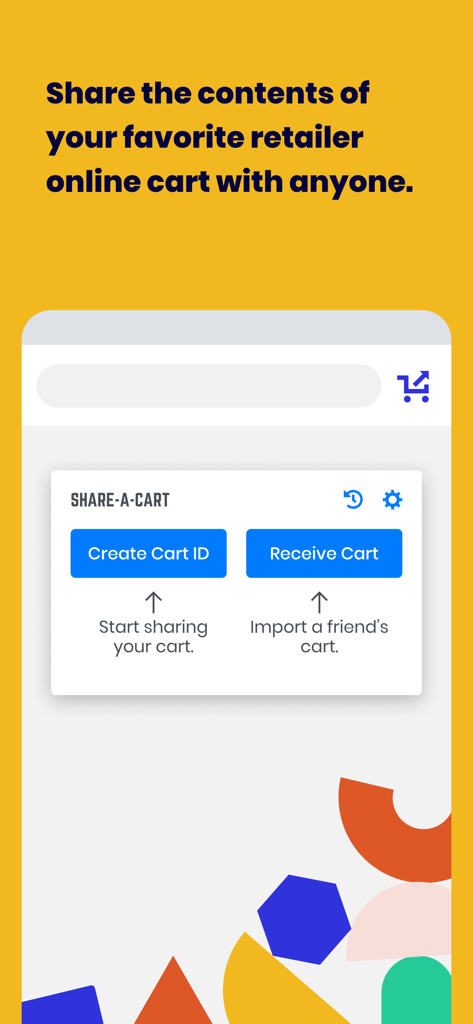
Share-A-Cart - Share-A-Cart의 모바일 앱 인터페이스, 카트 ID 생성 및 쉬운 온라인 쇼핑 공유를 위한 카트 수신 옵션 표시
Share-A-Cart의 모바일 앱 인터페이스, 카트 ID 생성 및 쉬운 온라인 쇼핑 공유를 위한 카트 수신 옵션 표시

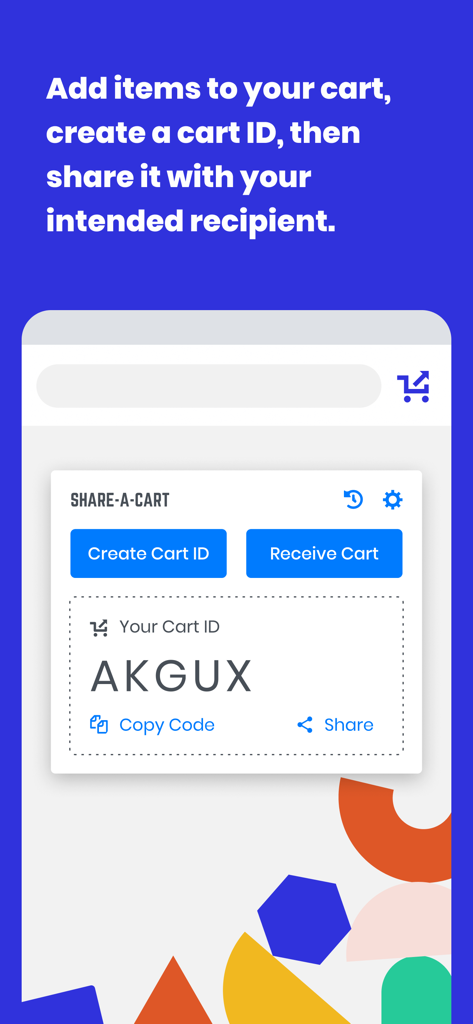
Share-A-Cart - Share-A-Cart 모바일 앱 화면, 온라인 쇼핑 카트 공유를 위한 생성된 카트 ID 표시
Share-A-Cart 모바일 앱 화면, 온라인 쇼핑 카트 공유를 위한 생성된 카트 ID 표시

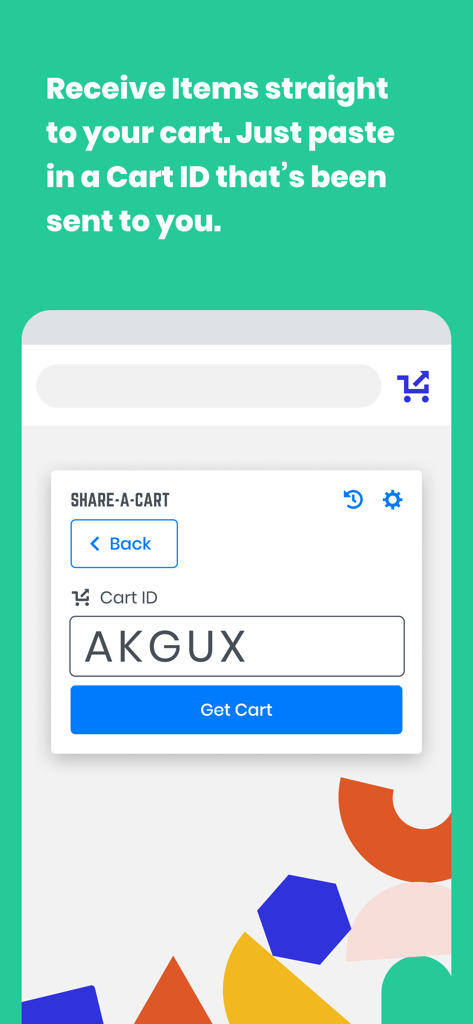
Share-A-Cart - 카트 ID 코드를 입력하여 항목 수신을 위한 인터페이스

카트 ID 코드를 입력하여 항목 수신을 위한 인터페이스

설명

Share-A-Cart allows you to share the contents of your cart with anyone else. Affiliate Disclosure: Share-A-Cart may earn an affiliate commission on purchases facilitated by the extension. What Is Share-A-Cart? Share-A-Cart is a free browser extension that lets you share your online shopping cart with anyone. Whether you're planning a grocery trip, sending a gift list, or managing a classroom supply order, Share-A-Cart makes collaborative shopping simple and efficient. How to Share a Shopping Cart 1. Shop online like usual at your favorite retailer. 2. Use Share-A-Cart to generate a unique cart sharing link. 3. Send the link to anyone - they can instantly view and load your cart on their device. Great for Home Use - Share grocery lists with family - Send birthday or holiday gift ideas - Organize back-to-school shopping with kids or co-parents Perfect for Work - Teachers can share classroom supply lists with administrators - Office staff can streamline purchasing with centralized supply lists - Small businesses and teams can collaborate on procurement and restocking Supports Thousands of Retailers - Including Amazon, Walmart, Wayfair, Apple, and many more! - See all supported stores here: https://share-a-cart.com/supported Top Features - Free to use – no sign-up required - Supports 95% of all online stores - View & organize carts with tags and keywords - Reorder easily from cart history - Print & export carts you've created or received Who's Using Share-A-Cart? - Families & friends planning meals and gifts - Teachers and staff organizing supplies - Offices and businesses streamlining orders - Influencers sharing promoted products with followers - Homebuilders managing client needs Why Choose Us? - Trusted since 2018 - Over 2 million carts shared - Used in 1,400+ schools - We don't sell your data to any third parties or data brokers - Responsive customer support FAQs Q: Where is the extension icon? A: It's on the right side of your toolbar. You may want to pin it so that it's always there. Just click the icon that looks like a puzzle piece, and then click the pin icon next to Share-A-Cart. Q: What does Share-A-Cart do with my user data? A: We don't sell user data to any data brokers. You can access most of our features for free and without giving us your email address or going through any registration process. Q: If I send a link to a cart to someone, do they need the extension as well? A: Not always. Many major retailers are fully supported without requiring the extension on the recipient's end. Q: What if I find a retailer that you don't support? Or if I have an issue? A: Email us at info@share-a-cart.com, and we'll get back to you right away. We are adding support for new retailers every week. Q: Can the person I send a cart link to edit my cart? A: Yes! The receiver of the cart can add or remove items and change quantities. This is really helpful if you are sending a giant wishlist (like a Christmas gift list) to someone because it allows them to choose exactly what they want to order. Q: Why should I use Share-A-Cart instead of other extensions that do the same thing? A: No other extension supports as many stores as Share-A-Cart, and we have many helpful features that our competitors don't. We have been in business since 2018, and this is not a 'side project' for us. And if you report an idea for a feature, new retailer, or a bug, we get back to you right away! NOTE: Share-A-Cart does not complete any purchases on your behalf. It only helps shoppers move items from their cart to a recipient's cart. All checkouts must still be completed by the user. Share-A-Cart is not related to or endorsed by any of our listed retailers. Email: info@share-a-cart.com

Download

다운로드: App Store

이 페이지는 앱이나 개발자의 공식 페이지가 아니며, 정보 제공 및 논평을 목적으로 작성된 독립 편집 간행물입니다. 명시적으로 달리 언급되지 않는 한, 해당 앱이나 개발자는 MWM, Apple, Google Play, 앱 퍼블리셔 또는 앱 개발자와 제휴, 보증, 후원, 승인 또는 공식적으로 연결되어 있지 않으며, 이 페이지의 어떤 내용도 해당 앱이 MWM의 서비스를 사용하여 개발되었음을 의미하지 않습니다. 모든 상표, 로고, 스크린샷 및 기타 콘텐츠는 해당 소유자의 자산입니다.