ShareFile®

ShareFile®

다운로드: App Store
로고: ShareFile®

ShareFile®: 전문적인 파일 공유 및 안전한 협업

모바일 직원이 민감한 문서를 안전하게 교환할 수 있도록 지원합니다. 권한을 관리하고 Office 365로 편집하며 모든 기기, 어디서든 회사의 데이터를 보호하세요.

다운로드: App Store

개발사

Progress Software Corporation

카테고리

Business

다운로드

189K+

사용자 평점

3.4/5

총 평가 수

400

지원 언어

9

귀하의 모바일 제어 센터

이 인터페이스를 사용하는 189K+ 명의 사용자.

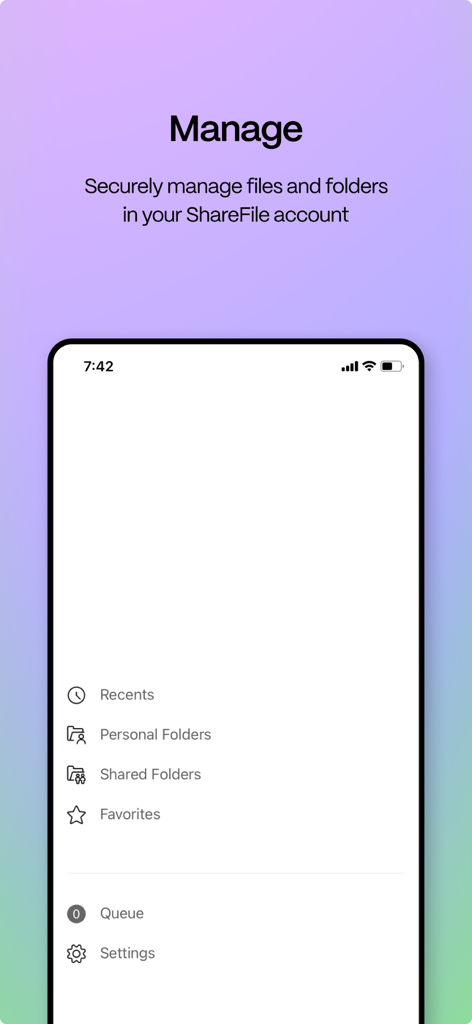
ShareFile 모바일 앱 인터페이스로 개인 및 공유 폴더를 안전하게 관리하는 옵션을 보여줍니다.

ShareFile 모바일 앱 인터페이스로 개인 및 공유 폴더를 안전하게 관리하는 옵션을 보여줍니다.

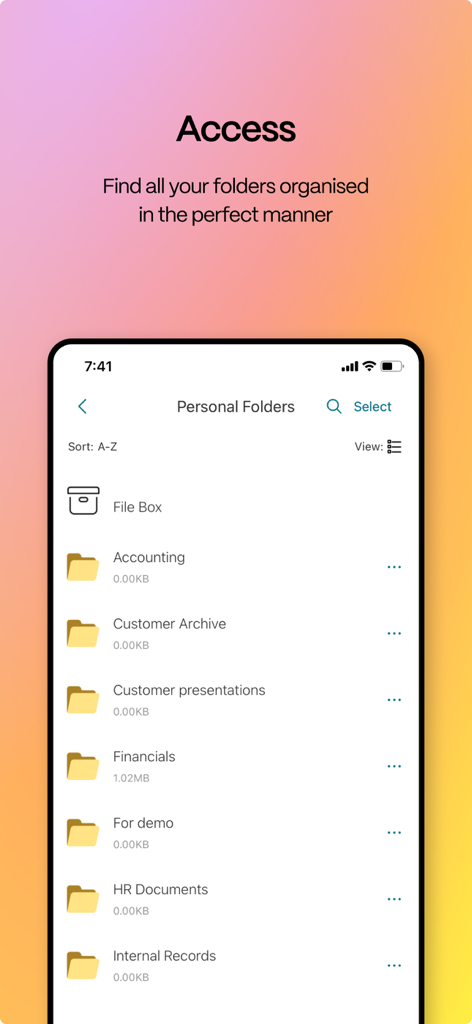
ShareFile 모바일 앱이 회계 및 재무 문서를 포함한 정리된 비즈니스 폴더 목록을 보여줍니다.

ShareFile 모바일 앱이 회계 및 재무 문서를 포함한 정리된 비즈니스 폴더 목록을 보여줍니다.

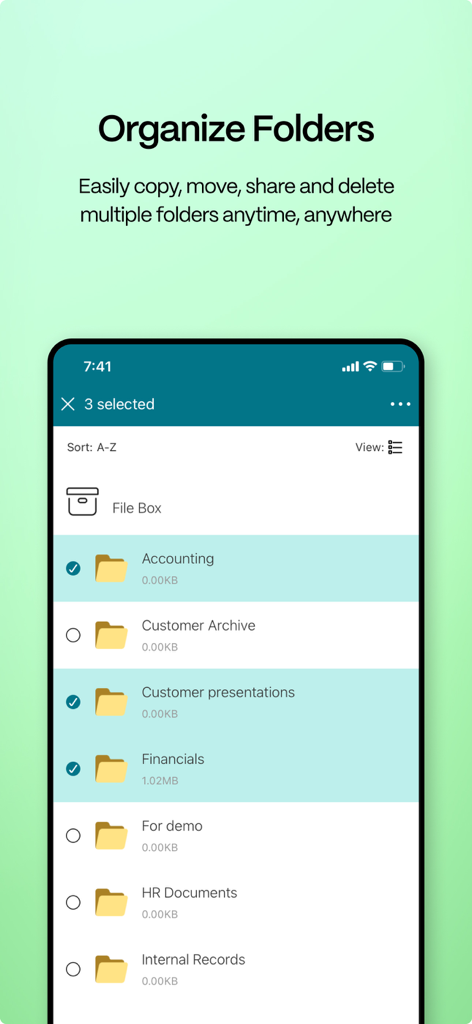
ShareFile 앱 인터페이스가 여러 비즈니스 폴더를 정리하고 선택하는 스마트폰 화면을 보여줍니다

ShareFile 앱 인터페이스가 여러 비즈니스 폴더를 정리하고 선택하는 스마트폰 화면을 보여줍니다

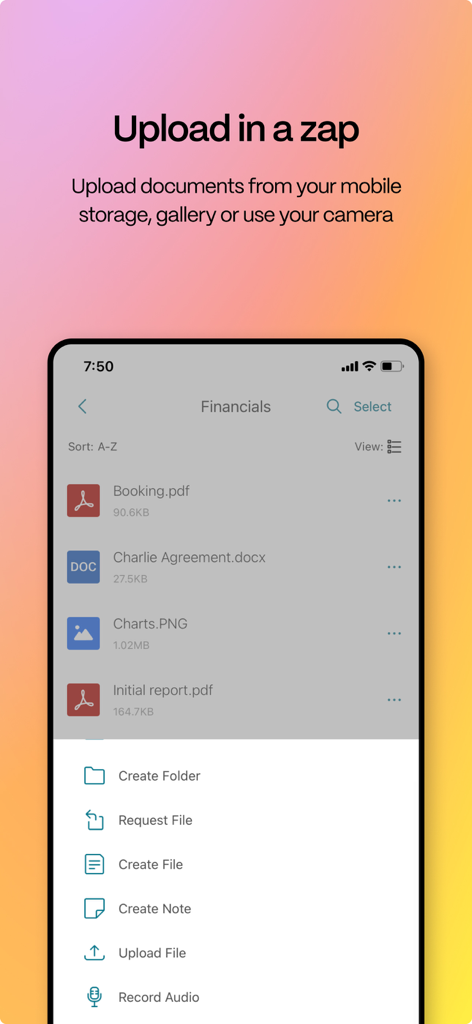
ShareFile 모바일 인터페이스가 문서 업로드 메뉴와 비즈니스 전문가를 위한 파일 관리 화면을 보여줍니다.

ShareFile 모바일 인터페이스가 문서 업로드 메뉴와 비즈니스 전문가를 위한 파일 관리 화면을 보여줍니다.

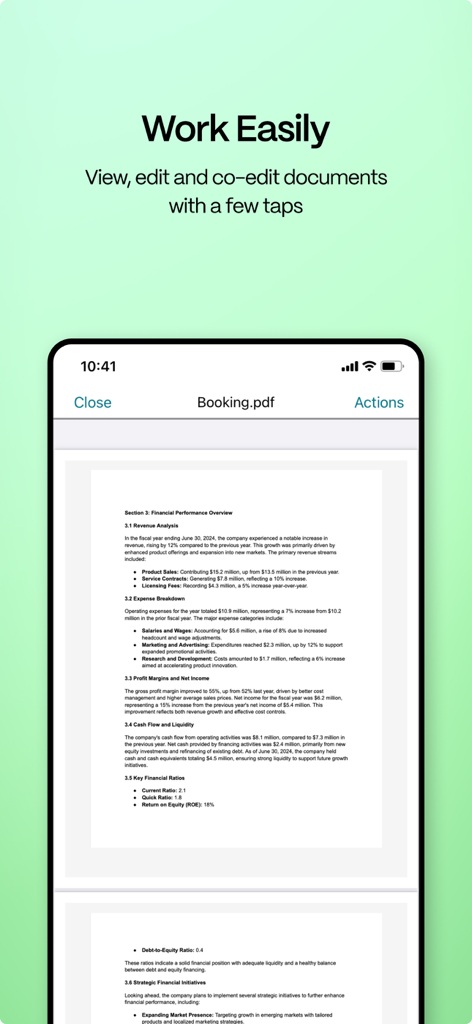
스마트폰의 ShareFile 앱 인터페이스가 PDF 문서를 보고 편집할 수 있도록 보여줍니다.

스마트폰의 ShareFile 앱 인터페이스가 PDF 문서를 보고 편집할 수 있도록 보여줍니다.

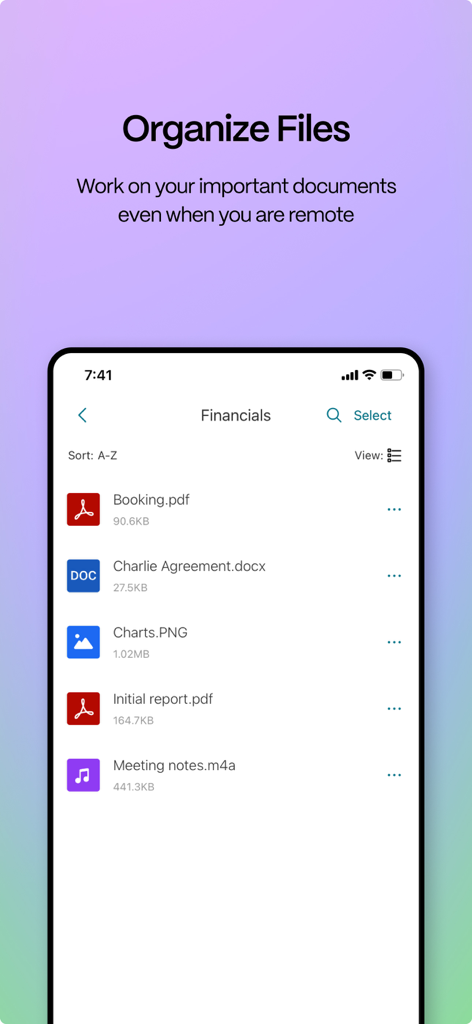
ShareFile 앱 인터페이스가 모바일 장치에서 정리된 비즈니스 문서 목록을 보여줍니다.

ShareFile 앱 인터페이스가 모바일 장치에서 정리된 비즈니스 문서 목록을 보여줍니다.

전문적인 우수성과 보안을 위해 구축됨

이 앱을 돋보이게 하는 도구, 189K+ 명의 사용자가 선택.

🛡️

엔터프라이즈급 보안

맞춤형 비밀번호와 원격 삭제 기능으로 민감한 데이터를 보호하여 회사가 규정을 준수하고 고객의 신뢰를 절대 잃지 않도록 보장합니다.

💼

모바일 생산성 및 동기화

모든 기기에서 Microsoft 365 문서를 직접 액세스하고 편집할 수 있어 언제 어디서든 계약을 완료하거나 감사를 검토할 수 있습니다.

🤝

전문적인 고객 교환

브랜드화된 안전한 링크로 안전하지 않은 이메일 첨부 파일을 대체하여 고객이 민감한 문서를 안전한 포털에 직접 업로드할 수 있도록 합니다.

앱 소개

에 대해 알아야 할 모든 것 ShareFile®.

설명

ShareFile helps people exchange files easily, securely and professionally. Designed for business, ShareFile is a file manager that offers secure data sharing and storage, customizable usage and settings, award-winning customer service and tools that allow you to collaborate more easily and get your work done from any device — anytime, anywhere. With your ShareFile account and app, you can: Share -Access files and folders located in your ShareFile account. -Edit files located in your ShareFile account (not available on all plans, and O365 Licenses is required) -Download and upload files between your ShareFile account and mobile device. -Sync files in your ShareFile account from all of your devices. -Share or sync multiple files with multiple users at once. -Email files from your ShareFile account, mail or Gmail apps on your mobile device. -Request files and provide secure links for recipients to upload files to your ShareFile account. Manage -Set custom access permissions to files and folders for individual users. -Specify a passcode for additional protection for your ShareFile account. -Add users to existing folders in your ShareFile account. -Use your ShareFile account as a secure file manager. -Remotely wipe or lock your ShareFile account in the event of a lost or stolen mobile device. You can access data using corporate credentials, and IT administrators can control and audit access directly from the app. ShareFile will request access to device capabilities or data to enable advanced features, including: Contacts This allows ShareFile to let you choose co-workers among the contacts in your phone address book. Camera This allows ShareFile to let you capture a photo or video for upload. Microphone This allows ShareFile to let you record audio for upload. Photos and Media Library This allows ShareFile to let you choose photos and videos from your Library to upload.

최신 버전

26.1.0

크기

40.3 MB

출시일

2011년 5월 2일

안전한 작업 공간을 어디든 가져가세요

안전하고 규정을 준수하며 효율적인 파일 관리를 위해 ShareFile을 신뢰하는 수천 명의 전문가들과 함께하세요. 지금 앱을 다운로드하여 모든 기기에서 생산성을 유지하세요.

다운로드: App Store

App information, icons, screenshots, and descriptions displayed on this page are sourced from the Apple App Store and are the property of their respective developers. Download estimates and rankings are based on MWM's proprietary models and may not reflect actual figures. This page is provided for informational and analytical purposes only.

Believe this page infringes your intellectual property? File a dispute