
이 페이지는 앱이나 개발자의 공식 페이지가 아니며, 정보 제공 및 논평을 목적으로 작성된 독립 편집 간행물입니다. 명시적으로 달리 언급되지 않는 한, 해당 앱이나 개발자는 MWM, Apple, Google Play, 앱 퍼블리셔 또는 앱 개발자와 제휴, 보증, 후원, 승인 또는 공식적으로 연결되어 있지 않으며, 이 페이지의 어떤 내용도 해당 앱이 MWM의 서비스를 사용하여 개발되었음을 의미하지 않습니다. 모든 상표, 로고, 스크린샷 및 기타 콘텐츠는 해당 소유자의 자산입니다.


다운로드
2.5M+사용자 평점
총 평가 수
153.0K개발사
카테고리
Lifestyle지원 언어
14최신 버전
5.0.2크기
192.1 MB출시일
2018년 8월 5일간편하고 안전한 개인 기록을 위한 핵심 기능 평가
'Simple Diary - Daily Journal' 앱 주요 기능 분석
보안 잠금 기능
이 앱은 비밀번호, Face ID 또는 Touch ID를 통한 보안 잠금 기능을 제공하여 사용자의 개인 일기를 안전하게 보호합니다.
데이터 백업 및 내보내기
이 도구는 iTunes, PC 또는 다른 앱(예: Evernote, Dropbox)으로 중요한 일기 데이터를 백업하고 RTFD 파일로 내보낼 수 있는 기능을 제공하여 데이터 손실을 방지합니다.
사진 삽입 기능
사용자가 일기 내용 사이에 최대 10장의 사진을 삽입할 수 있어, 기록을 더욱 풍부하고 시각적으로 만들 수 있습니다.
태그 검색 기능
사용자가 태그를 활용하여 작성된 일기를 편리하게 검색하고 특정 내용을 쉽게 찾아볼 수 있습니다.
테마 및 아이콘 사용자 정의
19가지 테마 색상과 앱 아이콘 변경 기능을 통해 사용자가 앱의 시각적 요소를 개인의 취향에 맞게 사용자 정의할 수 있습니다.
하루 여러 번 일기 작성
이 기능은 사용자가 하루에 여러 번 일기를 작성하여 메모나 업무 기록처럼 유연하게 활용할 수 있도록 지원합니다.
글꼴 사용자 정의
이 앱은 텍스트 크기, 색상 깊이 및 간격 조정을 통해 사용자가 가독성을 높이고 개인적인 스타일에 맞춰 글꼴을 사용자 정의할 수 있게 해줍니다.
작성 알림 기능
사용자가 원하는 시간에 푸시 알림을 설정하여 일기 작성을 잊지 않고 꾸준히 기록할 수 있도록 도와줍니다.
자주 묻는 질문
에 대해 알아야 할 모든 것 Simple Diary - Daily Journal
What is the Simple Diary - Daily Journal app?
The Simple Diary - Daily Journal is an easy-to-use diary app with high functionality for journaling. It allows users to back up data without requiring account registration.
Does Simple Diary - Daily Journal offer security features?
Yes, Simple Diary - Daily Journal includes a secure passcode lock. It supports Face ID and Touch ID, providing robust protection against unauthorized access to your diary entries.
Can users customize the appearance of the Simple Diary - Daily Journal app?
Yes, Simple Diary - Daily Journal allows extensive customization. Users can choose from 19 theme colors and change the app's icon on the home screen, providing a personalized experience.
How does Simple Diary - Daily Journal handle data backup?
Simple Diary - Daily Journal facilitates data backup without account registration. Users can save data to iTunes, PC, or transfer it to other apps like Evernote or Dropbox, and it outputs RTFD files.
Can I add pictures to my diary entries in Simple Diary - Daily Journal?
Yes, Simple Diary - Daily Journal enables users to insert up to 10 pictures directly into their diary entries. It supports photos from the camera roll and images saved from the web.
Does Simple Diary - Daily Journal have a search function for entries?
Yes, Simple Diary - Daily Journal includes a tag search function. Users can conveniently search through their diary entries by using tags or specific keywords.
Can users adjust text appearance in Simple Diary - Daily Journal?
Yes, Simple Diary - Daily Journal allows users to adjust character font settings. You can enlarge or reduce text size, modify color depth, and change spacing between texts for readability.
Does Simple Diary - Daily Journal have a reminder feature?
Yes, Simple Diary - Daily Journal features a reminder function. Users can set a preferred time, and the app sends push notifications to remind them to write diary entries.
Can I write multiple diary entries in Simple Diary - Daily Journal on the same day?
Yes, Simple Diary - Daily Journal supports writing multiple diary entries on a single day. Users can utilize this feature for memos or work records, offering flexibility.
다음 스크린샷과 설명은 앱의 공식 스토어 목록에서 직접 가져온 것이며 앱 개발자의 자산입니다.
앱 스토어
스크린샷
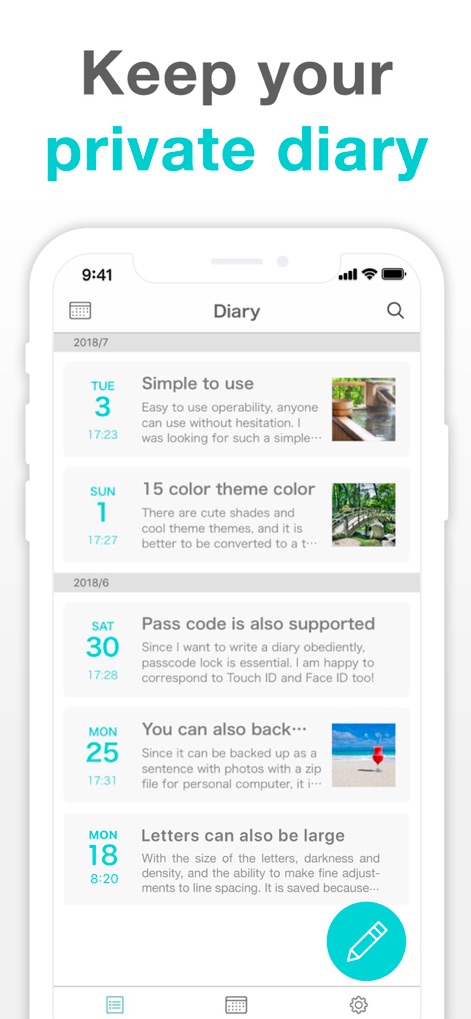
사용자는 깔끔하게 정돈된 일기 목록 인터페이스를 통해 작성된 일기를 쉽게 탐색할 수 있으며, 각 일기에 삽입된 이미지 미리보기를 확인할 수 있습니다.
사적인 일기, 간편하게

이 앱은 사용자가 일기 내용 중간에 여러 장의 사진을 삽입하여 더욱 풍부한 기록을 남길 수 있도록 지원하며, 화면 우측 하단에 패스코드 잠금 기능이 강조되어 있습니다.
사진으로 기록하기
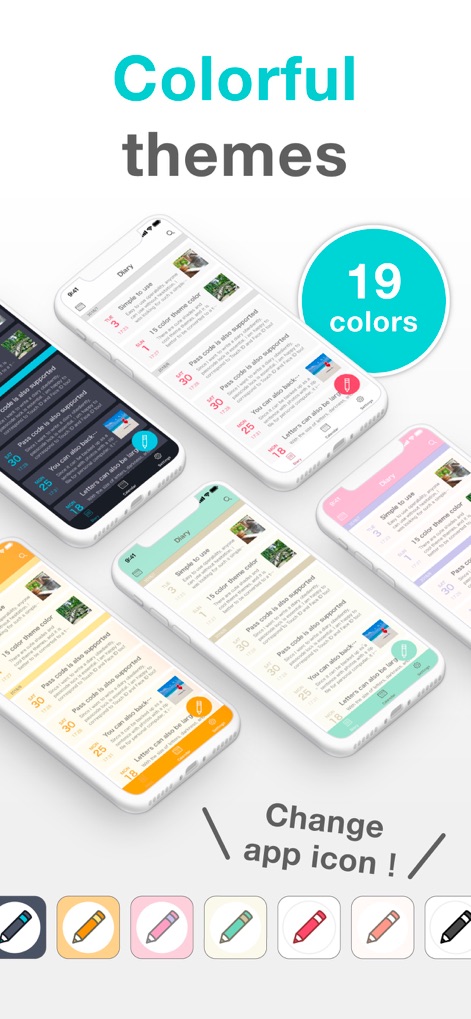
이 앱은 19가지의 다채로운 테마 색상을 제공하여 사용자의 취향에 맞춰 앱 디자인을 변경할 수 있으며, 홈 화면에 표시되는 앱 아이콘도 함께 커스터마이징 가능합니다.
다채로운 테마 변경
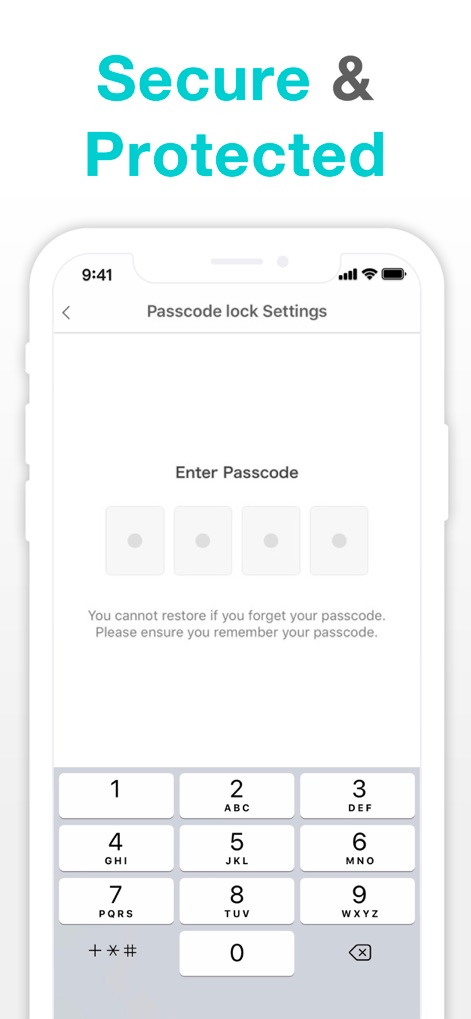
사용자는 강력한 패스코드 잠금 설정을 통해 개인 일기장의 보안을 강화할 수 있으며, 이 화면은 안전한 잠금 해제를 위한 숫자로 구성된 키패드를 보여줍니다.
안전한 사생활 보호
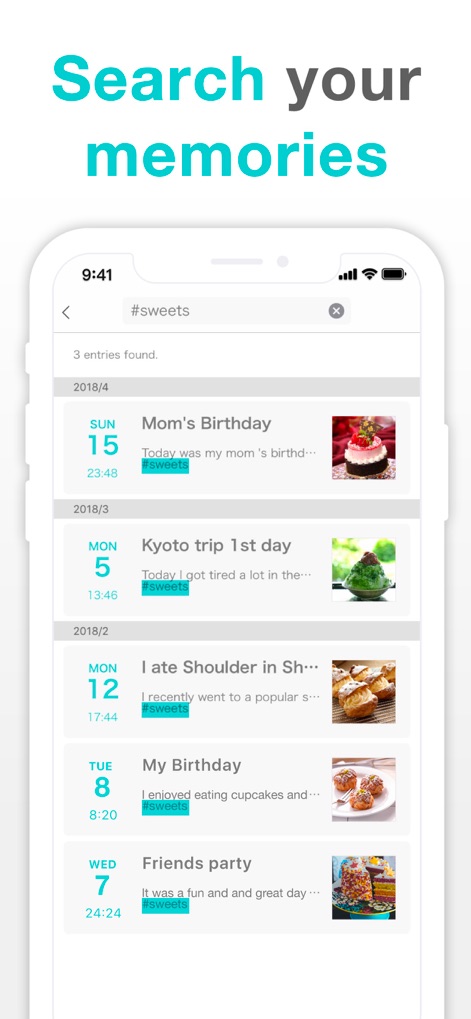
사용자는 강력한 태그 검색 기능을 활용하여 특정 키워드(예: #sweets)로 일기를 효율적으로 찾아볼 수 있으며, 검색 결과는 날짜별로 명확하게 정렬되어 표시됩니다.
추억 검색 및 관리
설명
Download
비슷한 앱
유사한 기능과 사용자 경험을 가진 앱

Day One: Daily Journal & Diary
Bloom Built Inc

EMMO - 日记与笔记
EMMO Corp.

Mininote - Cute note and diary
Xiamen iScreen Information Technology Co., Ltd.

吾记 - 日记本,记事本
健祥 林

独响—你的AI朋友圈
Beijing Burst Fruit Technology Co., Ltd

Moo日记 - 你的心情树洞
Chongqing Shuman Cultural Diffusion Co., Ltd.
墨记-精美日记本·笔记本
佳鹏 柯
Diarium Journal: Private Diary
Timo Partl

Card Diary - Journal, Diary
Dreamkit Co., Ltd.
이 페이지는 앱이나 개발자의 공식 페이지가 아니며, 정보 제공 및 논평을 목적으로 작성된 독립 편집 간행물입니다. 명시적으로 달리 언급되지 않는 한, 해당 앱이나 개발자는 MWM, Apple, Google Play, 앱 퍼블리셔 또는 앱 개발자와 제휴, 보증, 후원, 승인 또는 공식적으로 연결되어 있지 않으며, 이 페이지의 어떤 내용도 해당 앱이 MWM의 서비스를 사용하여 개발되었음을 의미하지 않습니다. 모든 상표, 로고, 스크린샷 및 기타 콘텐츠는 해당 소유자의 자산입니다.